How to Print Checkboxes in PDFs Using Flying Saucer
Render reliable static checkboxes with Flying Saucer, or verify whether your version creates interactive PDF fields before shipping.
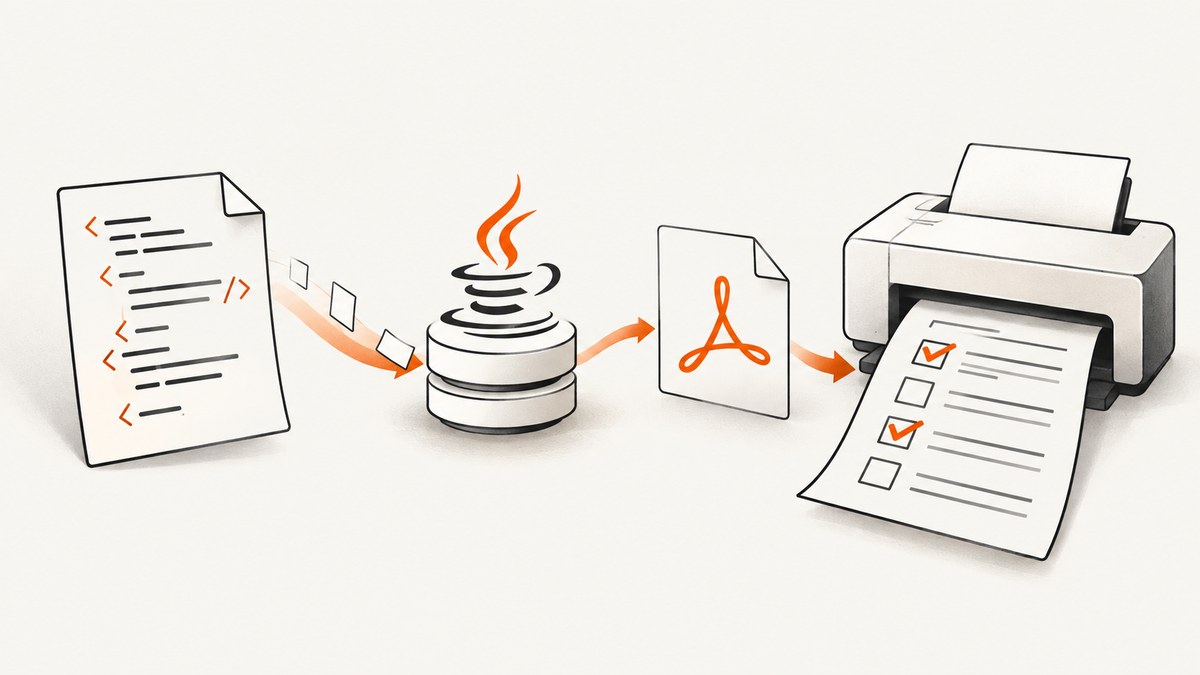
Direct answer: if the checkbox only needs to appear on a printed PDF page, render it as ordinary XHTML/CSS content or as an image. Do not assume <input type="checkbox"> becomes a visible checkbox or an interactive PDF form field. The Flying Saucer R8 guide states that an <input> was treated as regular content and that AcroForm support was prototyped but incomplete at that time. That guide is from April 2009, so verify the exact Flying Saucer version and inspect its output before promising interactive fields.
Flying Saucer renders well-formed XML/XHTML and CSS to PDF. Its documented PDF artifact is org.xhtmlrenderer:flying-saucer-pdf. See the Flying Saucer project source and README for version-specific requirements.
1. Decide what “checkbox” means
| Requirement | Recommended representation | What to verify |
|---|---|---|
| Printed form with a known state | CSS box, Unicode glyph, or image | The mark is visible at the target PDF size |
| Recipient changes the state after download | Interactive PDF form field | The PDF contains an AcroForm field in the exact renderer/version you ship |
| Browser page captured as a PDF | A browser or screenshot service that supports PDF capture | Page layout, fonts, scripts, and consent overlays |
Static output is deterministic: the checked state is selected while generating the document. Interactive output is a separate capability and is not established by the retrieved Flying Saucer materials for current releases.
2. Create a small Java project
The example below targets Java 11 and Flying Saucer 9.5.0. The project README lists Java requirements by version: 9.5.0 and later require Java 11, 9.6.0 and later require Java 17, and 10.0.0 and later require Java 21. Match the dependency, JDK, and deployment runtime deliberately.
<project xmlns="http://maven.apache.org/POM/4.0.0"
         xmlns:xsi="http://www.w3.org/2001/XMLSchema-instance"
         xsi:schemaLocation="http://maven.apache.org/POM/4.0.0 https://maven.apache.org/xsd/maven-4.0.0.xsd">
  <modelVersion>4.0.0</modelVersion>
  <groupId>example</groupId>
  <artifactId>flying-saucer-checkboxes</artifactId>
  <version>1.0.0</version>
  <properties>
    <maven.compiler.release>11</maven.compiler.release>
  </properties>
  <dependencies>
    <dependency>
      <groupId>org.xhtmlrenderer</groupId>
      <artifactId>flying-saucer-pdf</artifactId>
      <version>9.5.0</version>
    </dependency>
  </dependencies>
</project>
If your application already uses another version, keep the code structure but change the Java runtime and dependency together. Do not infer checkbox behavior from the version number alone.
3. Render a static checkbox with XHTML and CSS
This complete program writes a PDF containing checked and unchecked boxes. The XHTML is well formed, and the checkbox is a styled <span>, so Flying Saucer lays it out as normal page content.

package example;
import java.io.FileOutputStream;
import java.io.OutputStream;
import org.xhtmlrenderer.pdf.ITextRenderer;
public final class CheckboxPdf {
public static void main(String[] args) throws Exception {
String xhtml = """
<?xml version=\"1.0\" encoding=\"UTF-8\"?>
<!DOCTYPE html PUBLIC \"-//W3C//DTD XHTML 1.0 Strict//EN\"
\"http://www.w3.org/TR/xhtml1/DTD/xhtml1-strict.dtd\">
<html xmlns=\"http://www.w3.org/1999/xhtml\">
<head>
<meta http-equiv=\"Content-Type\" content=\"text/html; charset=UTF-8\" />
<style type=\"text/css\">
@page { size: A4; margin: 22mm; }
body { font-family: sans-serif; font-size: 11pt; }
.row { margin: 8pt 0; }
.box {
display: inline-block;
width: 11pt;
height: 11pt;
border: 1pt solid #000;
margin-right: 5pt;
vertical-align: -1pt;
text-align: center;
line-height: 11pt;
font-family: sans-serif;
}
.checked { font-size: 9pt; }
</style>
</head>
<body>
<h1>Preferences</h1>
<div class=\"row\"><span class=\"box checked\">✓</span>Email updates</div>
<div class=\"row\"><span class=\"box\"> </span>Product announcements</div>
</body>
</html>
""";
ITextRenderer renderer = new ITextRenderer();
renderer.setDocumentFromString(xhtml);
renderer.layout();
try (OutputStream out = new FileOutputStream("checkboxes.pdf")) {
renderer.createPDF(out);
}
}
}Run it with mvn compile exec:java after adding your preferred Maven exec configuration, or run the compiled class from your IDE. The result is a static PDF mark; selecting it in a PDF viewer will not make it editable.
4. Checkbox implementation choices
CSS border
A bordered element is usually the safest static option because it does not depend on a special font glyph. Adjust width, height, border width, and vertical alignment for the paper size and font size used by your form.
Unicode check mark
A glyph such as ✓ is convenient, but the selected font must contain that character and be available to the renderer. If the PDF shows an empty square, substitute a font with the glyph or use an image.
Image asset
Use a small checked and unchecked PNG when exact artwork matters. Make the image available through a URL or resource that your renderer can resolve, and keep dimensions explicit in CSS. Test the generated PDF on the deployment machine, where fonts and files may differ from development.
Known state versus data-driven state
Generate the class or asset from your application data:
String checkbox = selected
? "<span class=\"box checked\">✓</span>"
: "<span class=\"box\"> </span>";Escape user-provided labels before inserting them into XHTML. Keep the document XML well formed: close every element, escape ampersands, and quote attribute values.
Long forms and page breaks
Use ordinary block layout for rows and apply page-break-inside: avoid to a row that must stay together. Put repeating headings in a table header when a table is appropriate. Verify page breaks with the actual data volume; CSS support is renderer-specific.
5. Interactive PDF fields: treat as an explicit verification task
The R8 User’s Guide says, “At this point, an <input> element will be treated like regular content,” and says AcroForm support had been prototyped but was not complete at that time. Current source material identifies ITextRenderer as the PDF renderer and shows PDF-specific OpenPDF components, but it does not establish that HTML checkbox inputs are converted into AcroForm widgets.

Therefore, do not ship an interactive form based only on HTML such as:
<input type="checkbox" name="consent" />Use this process instead:
- Select the exact Flying Saucer artifact and version.
- Generate a minimal PDF containing one checkbox input.
- Open the PDF in a viewer and check whether the box is visible.
- Inspect the PDF for an actual form field and confirm that it can be toggled, saved, and reopened.
- Repeat the check after dependency, JDK, font, or renderer configuration changes.
If the requirement is editable fields and your chosen Flying Saucer output does not produce them, generate the visual PDF with Flying Saucer and add form fields in a separate, verified PDF-processing step. The retrieved sources do not identify a specific supported implementation for that step.
6. Troubleshooting
| Symptom | Likely cause | Fix |
|---|---|---|
| No checkbox appears | An HTML input was treated as ordinary content or has no visible styling | Use a CSS box, glyph, or image for static output; verify the exact version for interactive fields |
| Square or missing check mark | The selected font lacks the glyph | Embed or configure a font containing the character, or use an image |
| Malformed document error | Unclosed XHTML tags, unescaped ampersands, or invalid nesting | Validate the XHTML and escape inserted text before rendering |
| PDF is blank | Document setup failed, content is outside the page, or resources cannot be resolved | Render a minimal document first, then add CSS and assets incrementally; log the renderer exception |
| Images disappear | Relative paths or restricted resource URLs cannot be resolved | Use resolvable URLs or configure a base URL/resource loader and test from the production working directory |
| Text or box shifts between machines | Different fonts, Java versions, or dependency versions | Pin the dependency and runtime, provide the required fonts, and compare output PDFs in CI |
| Checkbox splits from its label | Normal flow allows a line break between elements | Wrap the box and label in one inline or non-breaking container and test at the target width |
7. Performance, reliability, and cost
- Build the XHTML once per document and avoid repeatedly constructing large strings for individual rows.
- Keep checkbox assets small and local to reduce resource resolution time.
- Reuse application-level templates, but create renderer/output objects per PDF generation unless your tested version documents safe reuse.
- Pin Flying Saucer, OpenPDF transitive dependencies, Java, and fonts so output does not change unexpectedly.
- For reliability, include a PDF smoke check in your pipeline: file exists, page count is plausible, expected text is present, and a representative checked mark is visible.
- Rendering cost is primarily CPU, memory, font loading, image decoding, and document size. Measure with your own templates and concurrency; the supplied research does not provide a benchmark.
8. Verification checklist
- Requirement is classified as static appearance or interactive field.
- Exact Flying Saucer artifact, version, and Java requirement are recorded.
- XHTML is well formed and inserted data is escaped.
- Checkbox appearance is tested at the final PDF zoom and print size.
- Fonts or images are available in the deployment environment.
- Interactive behavior, if required, is verified in the generated PDF rather than inferred from HTML.
- Representative PDFs are reviewed after dependency upgrades.
Or skip the browser setup
If your task is to capture a rendered web page as an image or PDF rather than generate a Java form document, ScreenshotNeo provides a single HTTP request. Cookie banners, newsletter popups, and chat widgets are removed before capture; bot checks, blank pages, failed loads, and cache hits are not billed. Its MCP server lets Claude, Cursor, and other MCP clients call screenshot tools. The free plan includes 1,000 screenshots per month with no card, and paid plans start at $5 for 3,000 shots. See the ScreenshotNeo API documentation.
curl -G "https://api.screenshotneo.com/v1/shot" -d access_key=YOUR_API_KEY --data-urlencode url=https://stripe.com -o shot.webpimport requests
r = requests.get("https://api.screenshotneo.com/v1/shot", params={"access_key": "YOUR_API_KEY", "url": "https://stripe.com"}, timeout=90)
open("shot.webp", "wb").write(r.content)const q = new URLSearchParams({ access_key: 'YOUR_API_KEY', url: 'https://stripe.com' });
const res = await fetch(`https://api.screenshotneo.com/v1/shot?${q}`);Create a free ScreenshotNeo account and start with 1,000 screenshots a month at no charge and no card.
FAQ
Will Flying Saucer automatically draw a checkbox for an HTML input?
Do not rely on that behavior. The historical R8 guide says inputs were treated as regular content, and current materials do not establish universal native checkbox support.
What is the safest way to print a checked box?
Use a styled XHTML element or a tested image asset, with the state selected before rendering.
Can a static checkbox be edited in a PDF viewer?
No. Static content is part of the page. Editing requires a verified interactive PDF form field.
Which Java version should I use?
Follow the requirement for your selected Flying Saucer version: the README lists Java 11 for 9.5.x, Java 17 for 9.6.x, and Java 21 for 10.x.


