How to Print a Full-Screen Page with jsPDF and HTML2Canvas
Render a complete HTML page with html2canvas, paginate it with jsPDF, and fix clipping, CORS, memory, and page-break problems.
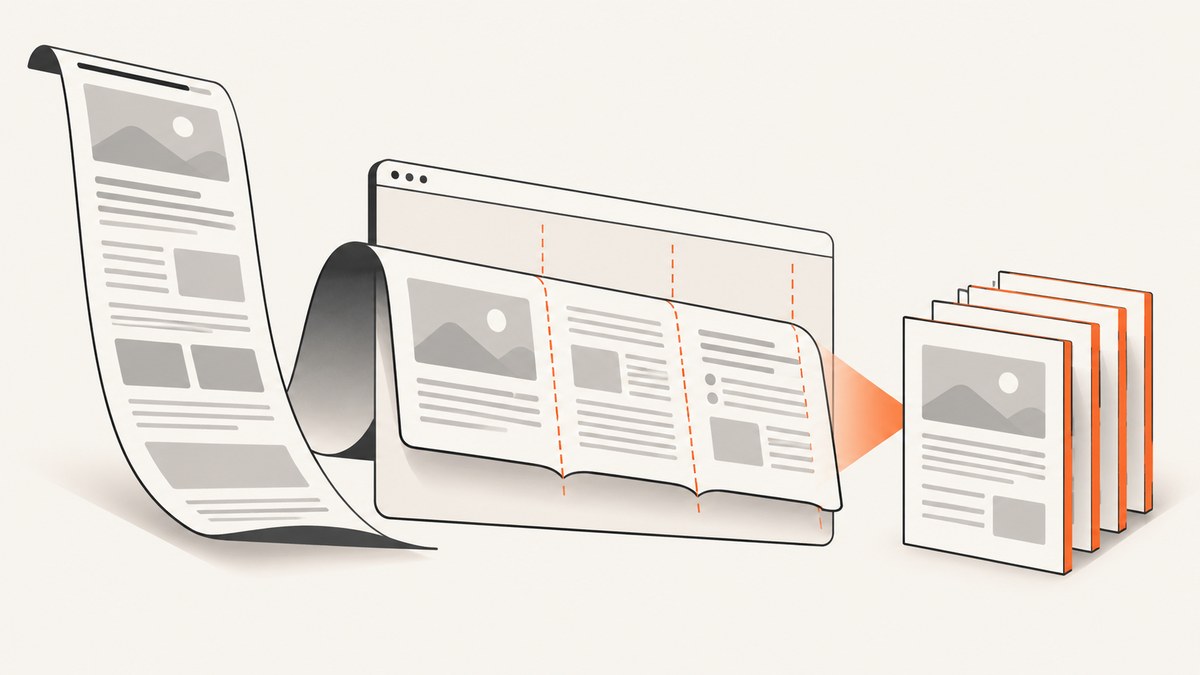
Direct answer: render the page or a print container with html2canvas, create a jsPDF document, then place the canvas on one or more pages with addImage. For a long page, render at the element’s full scroll dimensions and slice the canvas at each PDF page boundary. Placing one very tall image on one PDF page is why output gets cut off.
html2canvas reconstructs the DOM in a canvas, so it creates a visual snapshot rather than native browser print output. Unsupported CSS, cross-origin images, and cross-origin iframes may differ or be omitted.
1. Prepare a stable print container
A dedicated container avoids sticky headers, live animations, and unrelated application chrome.
const root = document.querySelector('#invoice');
if (!root) throw new Error('Missing #invoice');
const freeze = document.createElement('style');
freeze.textContent = '#invoice *, #invoice *::before, #invoice *::after { animation: none !important; transition: none !important; }';
document.head.appendChild(freeze);
2. Install and import
npm install html2canvas jspdfimport html2canvas from 'html2canvas';
import { jsPDF } from 'jspdf';See the html2canvas documentation and jsPDF project for the APIs.
3. Render the complete element
const canvas = await html2canvas(root, {
  windowWidth: root.scrollWidth,
  windowHeight: root.scrollHeight,
  scrollX: 0,
  scrollY: 0,
  scale: Math.min(window.devicePixelRatio || 1, 2),
  useCORS: true,
  backgroundColor: '#ffffff'
});windowWidthandwindowHeightprevent viewport clipping.scalecontrols output pixels. A value of 2 is often a useful quality and memory compromise.useCORSrequires CORS headers from the image host.- Use
backgroundColor: nullfor transparency, or an explicit color for predictable PDFs.
4. Paginate with jsPDF
export async function saveFullPagePdf(root, filename = 'page.pdf') {
  const canvas = await html2canvas(root, {
    windowWidth: root.scrollWidth,
    windowHeight: root.scrollHeight,
    scrollX: 0, scrollY: 0,
    scale: Math.min(window.devicePixelRatio || 1, 2),
    useCORS: true, backgroundColor: '#fff'
  });
  const pdf = new jsPDF({ orientation: 'p', unit: 'pt', format: 'a4', compress: true });
  const pageWidth = pdf.internal.pageSize.getWidth();
  const pageHeight = pdf.internal.pageSize.getHeight();
  const sourcePageHeight = pageHeight * canvas.width / pageWidth;
  let y = 0, page = 0;
  while (y < canvas.height) {
    if (page++) pdf.addPage();
    const h = Math.min(sourcePageHeight, canvas.height - y);
    const slice = document.createElement('canvas');
    slice.width = canvas.width; slice.height = Math.ceil(h);
    const ctx = slice.getContext('2d');
    ctx.fillStyle = '#fff'; ctx.fillRect(0, 0, slice.width, slice.height);
    ctx.drawImage(canvas, 0, y, canvas.width, h, 0, 0, canvas.width, h);
    pdf.addImage(slice, 'PNG', 0, 0, pageWidth, slice.height * pageWidth / canvas.width);
    y += h;
  }
  pdf.save(filename);
}

await saveFullPagePdf(document.querySelector('#invoice'), 'invoice.pdf');
addImage accepts a canvas, image format, coordinates, and dimensions. The function preserves aspect ratio and creates pages until the source canvas is exhausted.
5. Margins, orientation, and page ranges
const margin = 36;
const pdf = new jsPDF({ orientation: 'l', unit: 'pt', format: 'letter' });
const width = pdf.internal.pageSize.getWidth() - margin * 2;
const height = pdf.internal.pageSize.getHeight() - margin * 2;
// Use width and height when calculating the source slice height.
// Place each image at (margin, margin).
Track the page counter in the slicing loop to export only a requested range. For a section that must start on a fresh page, end the current slice and call addPage().
6. Keep blocks together
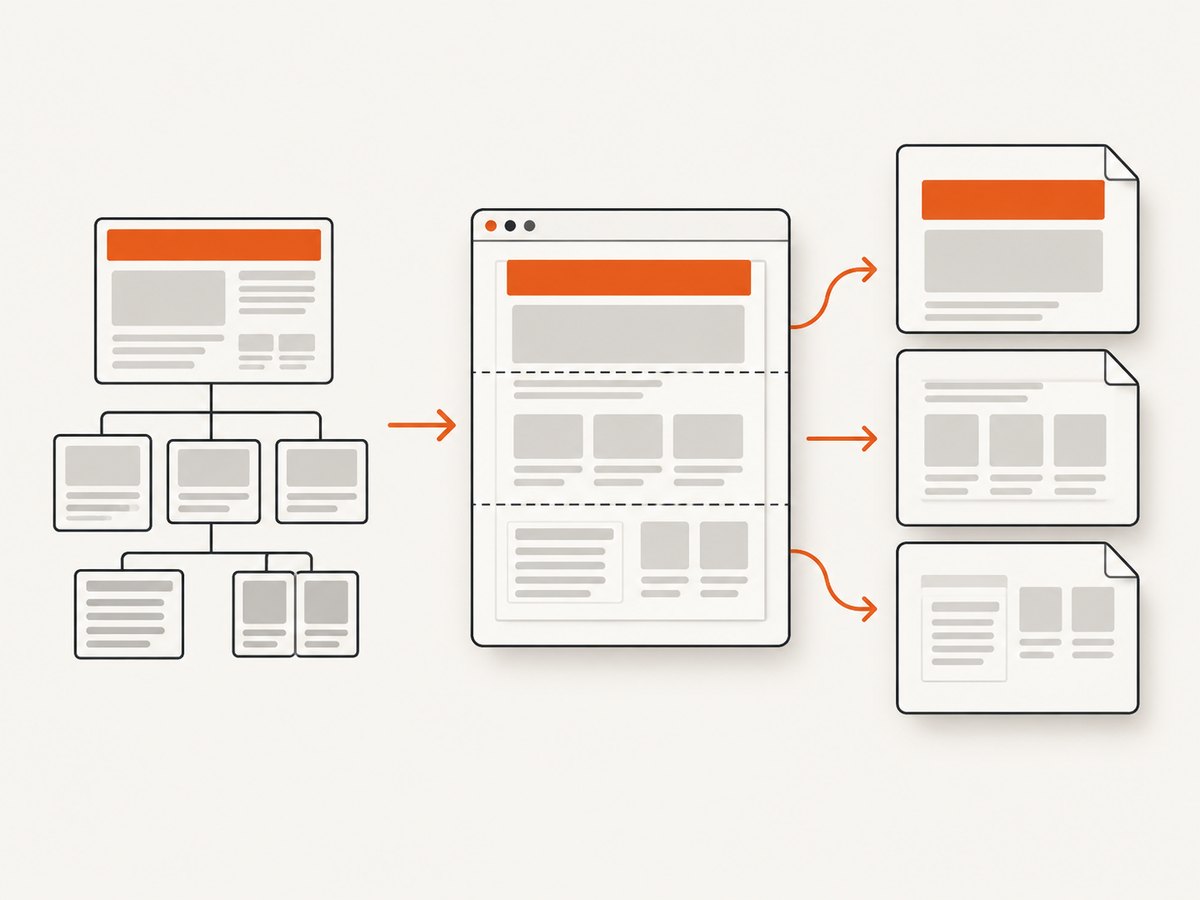
Canvas slicing cuts pixels, so a heading or table row can cross a boundary. Capture sections separately, or add print-only break markers and start a new slice at those markers. CSS break-inside rules do not automatically control a bitmap canvas.
7. html2pdf.js alternative
html2pdf.js combines both libraries and exposes margins, image quality, html2canvas settings, jsPDF settings, and page-break modes.
import html2pdf from 'html2pdf.js';
const node = document.querySelector('#invoice');
html2pdf().set({
  margin: [24, 24, 24, 24], filename: 'page.pdf',
  image: { type: 'jpeg', quality: 0.95 },
  html2canvas: { scale: 2, useCORS: true, windowWidth: node.scrollWidth, windowHeight: node.scrollHeight },
  jsPDF: { unit: 'pt', format: 'a4', orientation: 'p' },
  pagebreak: { mode: ['css', 'legacy'] }
}).from(node).save();
Use the wrapper for conventional breaks; use direct APIs for deterministic slicing, page ranges, or custom placement.
8. Images, fonts, iframes, and lazy content
- Cross-origin images: configure CORS on the image host or use a same-origin proxy.
useCORScannot grant permission. - Cross-origin iframes: browser security blocks access to their document; capture their content separately.
- Fonts: await
document.fonts.readybefore capture to avoid changed line wrapping. - Lazy images: scroll or otherwise load them before rendering.
- Video: the output is one frame; pause media for repeatable results.
- Huge pages: lower scale, capture sections, or use a server-side browser when canvas limits are reached.
9. Troubleshooting
| Symptom | Cause | Fix |
|---|---|---|
| Only viewport captured | Viewport dimensions used | Set window dimensions to scroll dimensions. |
| Bottom cut off | One image placed on one page | Slice the canvas and call addPage(). |
| SecurityError or failed export | Tainted canvas from cross-origin image | Enable CORS or proxy the image. |
| Blank iframe | Cross-origin frame | Capture it from its own origin or replace it server-side. |
| Different wrapping | Fonts or data not ready | Await fonts, images, and application data. |
| Tab freezes | Canvas too large | Lower scale or capture sections. |
| Black transparent areas | Viewer/background handling | Set a white background and fill slices. |
| Thin seams | Fractional slice boundary | Ceil slice height and advance by the drawn height. |
10. Performance, reliability, and cost
- Canvas memory grows with width × height × scale²; cap scale and avoid oversized hidden nodes.
- Disable animation, wait for resources once, and capture the smallest required subtree.
- Disable the download button during capture and restore it in
finally; treat the operation as asynchronous. - PNG preserves UI text; JPEG is smaller for photos but can soften text.
- Do not put secrets in page HTML. A proxy should allow-list destinations and sanitize forwarded headers.
- Client-side capture has no API request charge but uses the user's CPU and memory; a hosted browser API trades setup for per-capture billing.
11. Or skip the browser setup
ScreenshotNeo returns a screenshot or PDF from one GET request. It supports full-page capture with lazy images loaded, PDF paper size, margins, landscape, and page ranges. See the ScreenshotNeo API docs.

curl -G 'https://api.screenshotneo.com/v1/shot' -d access_key=YOUR_API_KEY --data-urlencode url=https://stripe.com -o shot.webpimport requests
r = requests.get('https://api.screenshotneo.com/v1/shot', params={'access_key': 'YOUR_API_KEY', 'url': 'https://stripe.com'}, timeout=90)
r.raise_for_status()
open('shot.webp', 'wb').write(r.content)const q = new URLSearchParams({ access_key: 'YOUR_API_KEY', url: 'https://stripe.com' });
const res = await fetch(`https://api.screenshotneo.com/v1/shot?${q}`);
if (!res.ok) throw new Error(`HTTP ${res.status}`);
require('node:fs').writeFileSync('shot.webp', Buffer.from(await res.arrayBuffer()));Before capture, ScreenshotNeo accepts cookie and consent banners and removes more than 60 known consent platforms, newsletter popups, and chat widgets; each step can be turned off. Bot checks, CAPTCHAs, blank pages, timeouts, failed loads, and cache hits cost nothing, and responses identify the result with X-Page-Verdict and X-Billed. Its MCP server gives Claude, Cursor, and other MCP clients take_screenshot, get_page_info, and capture_pdf. Free includes 1,000 shots/month with no card; paid plans start at $5 for 3,000.
Create a free ScreenshotNeo account and start with 1,000 monthly screenshots.
12. FAQ
Can I capture the whole document?
Yes. A dedicated container is usually more predictable; set its full scroll dimensions when rendering.
Why is the PDF blurry?
Increase scale within memory limits and map the image to page width without stretching.
Can the PDF keep selectable text?
No. This method embeds a bitmap. Use native print CSS or structured PDF generation when text selection matters.
Should I choose PNG or JPEG?
PNG suits UI text and line art; JPEG is smaller for photographic pages.
How do I capture an authenticated page?
Capture after the browser session is authenticated. For a server API, use documented headers or cookies and keep credentials server-side.


