How to Print Images in PDFs with Flying Saucer
Fix missing images in Flying Saucer PDFs with correct XHTML, base URLs, print CSS, resource loading, and complete Java examples.
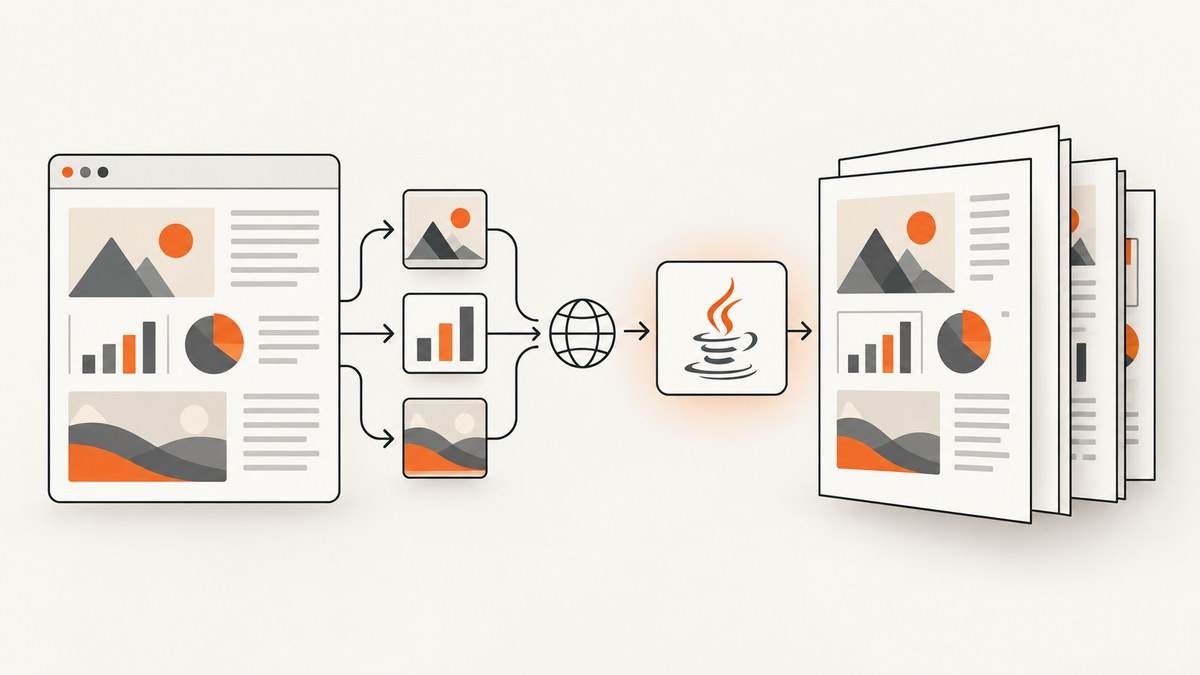
Direct answer: Flying Saucer prints images when it can parse well-formed XHTML, resolve each image URI against the document’s base URI, and read the referenced resource through its PDF user agent. Use normal <img src="..."> or CSS background-image URLs, set an explicit base URL for string or DOM input, and apply print-aware CSS. If an image is missing, inspect the resolved URI and renderer logs before changing the PDF code.
Flying Saucer is a pure-Java renderer for well-formed XML/XHTML and CSS. It can produce PDF and image output. The current project README lists an OpenPDF-backed flying-saucer-pdf artifact and a flying-saucer-chrome-pdf artifact that delegates to chrome-headless-shell. Read the current README for the release and Java minimum you actually deploy.
1. How Flying Saucer finds an image
From the renderer’s point of view, an image is an external resource. Flying Saucer’s UserAgentCallback resolves URIs and retrieves XML, CSS, and image data; the PDF path uses an image-aware user agent. A relative path such as images/chart.png is not resolved from your shell’s current directory. It is resolved from the document base URI.
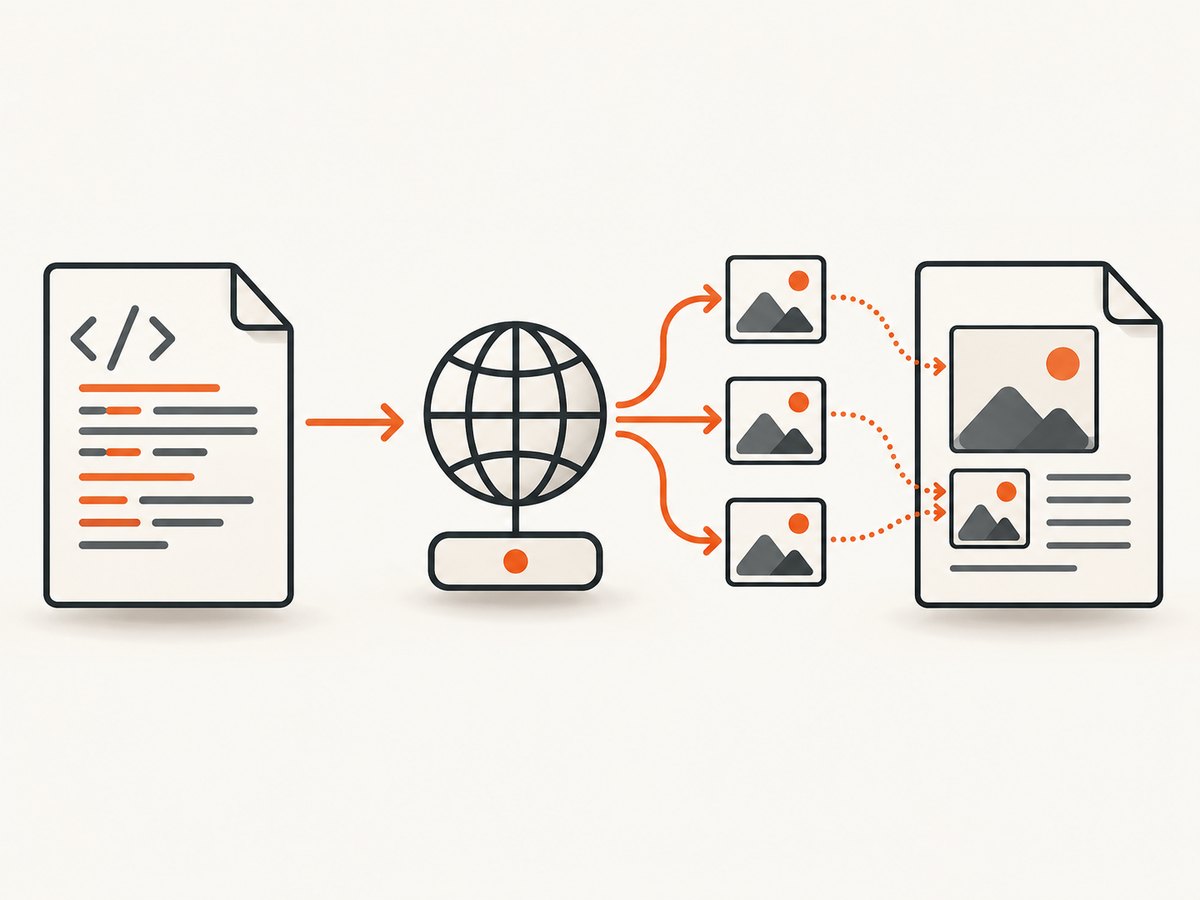
That distinction explains most missing-image failures. A document loaded from /srv/templates/invoice.xhtml can resolve images/chart.png beside that file. The same markup supplied with setDocumentFromString has no useful filesystem location unless you provide one.
Inline images
<img src="images/chart.png" alt="Revenue chart" />Use an absolute HTTP(S) URL, an absolute file URL, or a relative URL with a correct base. Keep XHTML syntax well formed: close the element, quote attributes, and escape ampersands.
CSS background images
.cover {
  background-image: url("images/back.png");
  background-repeat: no-repeat;
  background-size: cover;
}
CSS resources follow the same base-URI rules. The official demo includes both an inline image and a CSS background image; treat both paths as resources that must be readable by the rendering process.
2. Minimal Java PDF example
The following example writes a PDF from an XHTML file. The exact factory and method signatures can vary by Flying Saucer release, so confirm them against the version selected in Maven.
import java.io.File;
import java.io.FileOutputStream;
import java.io.OutputStream;

import org.xhtmlrenderer.pdf.ITextRenderer;

public class ImagePdf {
    public static void main(String[] args) throws Exception {
        File html = new File("src/main/resources/report.xhtml");
        File pdf = new File("target/report.pdf");

        ITextRenderer renderer = new ITextRenderer();
        // The base URI makes relative src and url(...) references resolvable.
        renderer.setDocument(html);
        renderer.layout();

        try (OutputStream out = new FileOutputStream(pdf)) {
            renderer.createPDF(out);
        }
    }
}
For a file input, setDocument(File) can establish the document location. You can also pass an explicit base URI:
renderer.setDocument("file:/opt/app/templates/report.xhtml",
                    "file:/opt/app/templates/");
3. Rendering XHTML supplied as a string or DOM
String and DOM input need special care. The markup itself does not identify where images/chart.png lives. Supply a base URL that ends at the directory containing the resources.
String xhtml = """
<html xmlns="http://www.w3.org/1999/xhtml">
  <head>
    <style>
      .hero { background-image: url('images/back.png'); }
      @page { size: A4; margin: 18mm; }
    </style>
  </head>
  <body>
    <div class="hero">
      <img src="images/chart.png" alt="Chart" />
    </div>
  </body>
</html>
""";

ITextRenderer renderer = new ITextRenderer();
renderer.setDocumentFromString(
    xhtml,
    "file:/opt/app/templates/"
);
renderer.layout();
renderer.createPDF(new FileOutputStream("target/string-input.pdf"));
For DOM input, use the renderer’s DOM setter and provide the same base URI when the API supports it. If your release exposes a different overload, use its documented base-URL parameter rather than relying on the process working directory.
4. A complete XHTML template for images and print CSS
<!DOCTYPE html>
<html xmlns="http://www.w3.org/1999/xhtml">
<head>
  <meta http-equiv="Content-Type" content="text/html; charset=UTF-8" />
  <title>Quarterly report</title>
  <style type="text/css">
    @page {
      size: A4;
      margin: 16mm 14mm 18mm;
    }

    body {
      font-family: sans-serif;
      color: #222;
      font-size: 10pt;
    }

    .cover {
      min-height: 240mm;
      background: url("images/back.png") no-repeat top center;
      background-size: 100% auto;
    }

    .chart {
      width: 160mm;
      height: auto;
      display: block;
    }

    .avoid-break {
      page-break-inside: avoid;
    }

    @media print {
      .screen-only { display: none; }
    }
  </style>
</head>
<body>
  <section class="cover">
    <h1>Quarterly report</h1>
    <img class="chart" src="images/chart.png" alt="Quarterly revenue chart" />
  </section>
</body>
</html>
PDF is paged media. The User’s Guide documents @page for size, margins, and page breaks, and explains that print and all-media rules apply to PDF output. Keep image dimensions explicit when layout stability matters.
5. Image URI choices and their trade-offs
| URI form | Example | Use when | Typical failure |
|---|---|---|---|
| Relative | images/logo.png |
Templates and assets share a stable directory | Missing or wrong base URI |
| File URL | file:/opt/app/images/logo.png |
Assets are local to the server | Permissions or malformed URL |
| HTTP(S) | https://cdn.example.com/logo.png |
Assets are served remotely | Network, TLS, authentication, or firewall errors |
| Data URI | data:image/png;base64,... |
Small generated or embedded assets | Malformed Base64 or excessive document size |
The current PDF image user-agent implementation includes a Base64 data-image path and branches for PDF, SVG, and other image content. That is implementation evidence for the current code, not a guarantee that every encoding or format works in every Flying Saucer release. Confirm the exact version and test the exact image files you ship.
6. Loading remote images safely
For an HTTP image, verify that the rendering process can reach the URL and that the server returns image bytes without an interactive login, browser-only challenge, or redirect loop. If authentication is required, configure the resource-loading approach supported by your release or make the asset available through a controlled internal endpoint. Do not assume a URL that works in a browser will work for a PDF user agent.
For reproducible builds, local files or data URIs remove network variability. For large images, resize them to their print dimensions before embedding; very large source pixels increase memory use without improving output when the image is displayed at a small physical size.
7. Flying Saucer PDF versus chrome-headless-shell output
The current README names two output paths. flying-saucer-pdf uses OpenPDF and is appropriate when your input fits Flying Saucer’s XML/XHTML and CSS model. flying-saucer-chrome-pdf delegates to chrome-headless-shell and is described as supporting modern HTML5/CSS3. Compare your required markup, deployment footprint, and runtime requirements; the available project material does not establish a universal performance winner.
Whichever path you choose, check the selected release’s Java minimum. The README lists Java 11+ for 9.5.0, Java 17+ for 9.6.0, and Java 21+ for 10.0.0. Confirm your dependency tree instead of copying a minimum from an older article.
8. Troubleshooting missing images
- Validate the input. Flying Saucer expects well-formed XML/XHTML. Close every element, quote attributes, declare the XHTML namespace, and escape reserved characters. It is not a general renderer for malformed legacy HTML.
- Print the resolved URI. Start with the document base and calculate the exact URI for
images/chart.png. Check case sensitivity on Linux. - Set a base URL for strings and DOMs. Pass a directory URL such as
file:/opt/app/templates/. A current working directory is not a substitute. - Check read access. Run the PDF process as its real service account. Confirm file permissions, container mounts, DNS, firewall rules, TLS certificates, and proxy settings.
- Inspect renderer logs. The current image user agent logs image-loading failures. Capture those logs with the PDF job ID so you can distinguish a missing file from a layout issue.
- Check print CSS. A rule inside
@media screen,display:none, zero dimensions, or a page break can make a loaded image appear absent. - Try a known-small PNG. This separates URI and permission problems from unsupported or problematic encodings. Then test the production format.
- Check the exact release. Image handling and method signatures are version-sensitive. Compare your dependency with the current source and release notes.
Common errors
| Symptom | Likely cause | Fix |
|---|---|---|
| Blank image area | Wrong relative base | Set an explicit base URI and log the resolved path |
| Works locally, fails in production | Different working directory or permissions | Use absolute file URLs or mounted paths; grant read access |
| Background missing, inline image works | CSS URL resolves from a different stylesheet base | Use a correct stylesheet/document base and test the CSS resource directly |
| Remote image times out | Network or server response issue | Use a reachable asset, configure network access, or embed the bytes |
| PDF has unexpected pagination | Image dimensions or print rules alter layout | Set width/height, review @page, and use break controls |
9. Performance, reliability, and cost considerations
- Resolve once, reuse often. Keep a stable base directory and avoid rewriting identical assets into every document.
- Control pixel dimensions. A 4000-pixel image displayed at 80 mm consumes more memory than necessary.
- Prefer deterministic resources. Local files or embedded data avoid DNS, network latency, and remote content changes.
- Bound remote work. Apply job timeouts at your application layer and record failed resource URLs.
- Cache carefully. Cache immutable logos and charts by content hash; invalidate when the source changes.
- Measure your workload. Image count, source dimensions, page count, and remote latency affect runtime. The supplied project sources provide no universal benchmark.
10. Or skip the browser setup
If your goal is a clean image or PDF of a live webpage rather than rendering XHTML inside Java, ScreenshotNeo provides a website screenshot API and MCP server. One GET request returns PNG, JPEG, WebP, or PDF. It accepts cookie and consent banners before capture and removes more than 60 known consent platforms, newsletter popups, and chat widgets; each step can be turned off. Bot checks, blank pages, timeouts, failed loads, and cache hits are not billed, and the response reports the result through X-Page-Verdict and X-Billed headers.

See the ScreenshotNeo API documentation for all options. The API supports full-page capture with lazy images loaded, CSS-element capture, dark mode, device presets and custom viewports, retina scale, PDF paper size/margins/landscape/page ranges, custom CSS and JavaScript, clicks, selector waits, delays, network-idle waits, request blocking, headers, cookies, user agents, Authorization, timezone, geolocation, transparent backgrounds, resizing, TTL caching, signed links, asynchronous jobs with signed webhooks, bulk capture of 100 URLs per call, a usage API, and an OpenAPI specification. An MCP server exposes take_screenshot, get_page_info, and capture_pdf to Claude, Cursor, and other MCP clients.
cURL
curl -G "https://api.screenshotneo.com/v1/shot" \
  -d access_key=YOUR_API_KEY \
  --data-urlencode url=https://stripe.com \
  -o shot.webp
Python
import requests

r = requests.get(
    "https://api.screenshotneo.com/v1/shot",
    params={"access_key": "YOUR_API_KEY", "url": "https://stripe.com"},
    timeout=90,
)
r.raise_for_status()
open("shot.webp", "wb").write(r.content)
Node.js
const q = new URLSearchParams({
  access_key: 'YOUR_API_KEY',
  url: 'https://stripe.com'
});
const res = await fetch(`https://api.screenshotneo.com/v1/shot?${q}`);
if (!res.ok) throw new Error(`HTTP ${res.status}`);
const bytes = Buffer.from(await res.arrayBuffer());
require('fs').writeFileSync('shot.webp', bytes);
The Free plan includes 1,000 screenshots per month with no card. Paid plans start at $5 for 3,000 shots; every feature is available on every plan. Create a free ScreenshotNeo account.
11. FAQ
Can Flying Saucer print SVG images?
The current PDF user-agent code has a branch for SVG content, but support is release-sensitive. Confirm the exact version and test your SVG files.
Why does an image work in a browser but not in the PDF?
The browser may supply a different base URL, credentials, cookies, JavaScript-generated URLs, or network environment. Inspect the URI and response available to the PDF process.
Should I use a data URI for every image?
No. Data URIs can simplify small, stable assets, while local or remote URLs are easier to maintain for larger collections.
Does CSS background-image use the same base as <img>?
It is still a resource URI, so verify the document or stylesheet base and the renderer’s ability to read it.
Where should I check compatibility?
Check the project README, User’s Guide, source for your chosen release, and the exact dependency versions in your build.


