How to Build a Programmatic SEO Site With Automated Website Screenshots
Build useful programmatic SEO pages, capture them reliably with Playwright, and automate screenshot storage, QA, indexing, and updates.
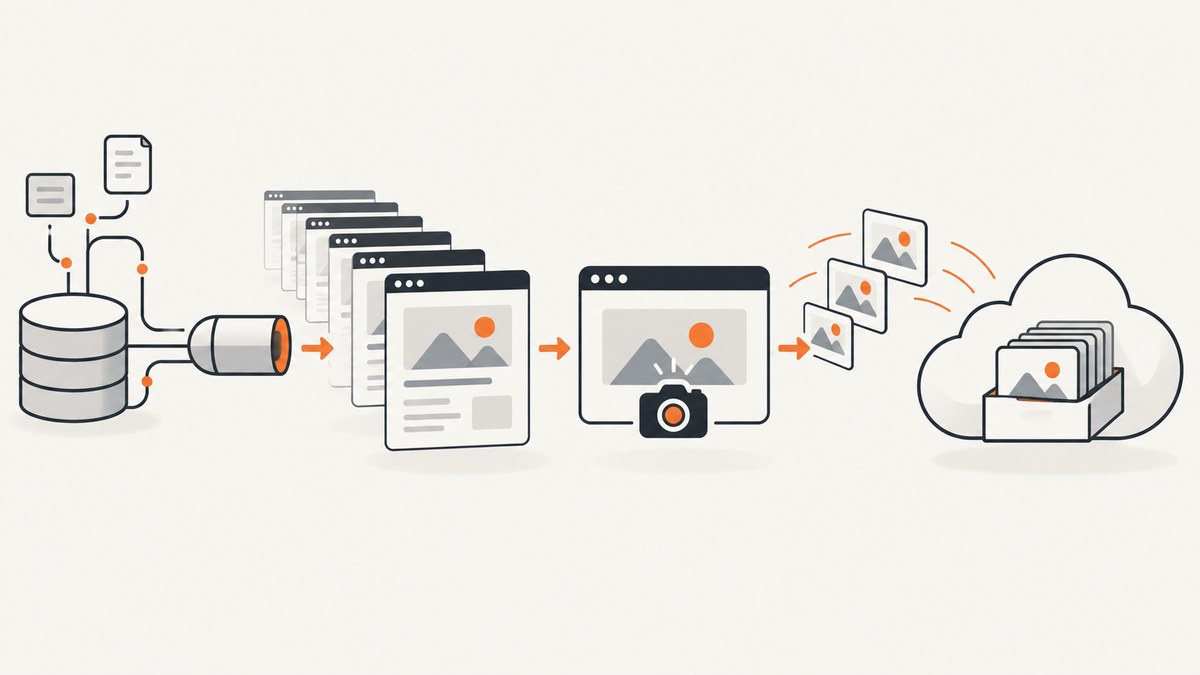
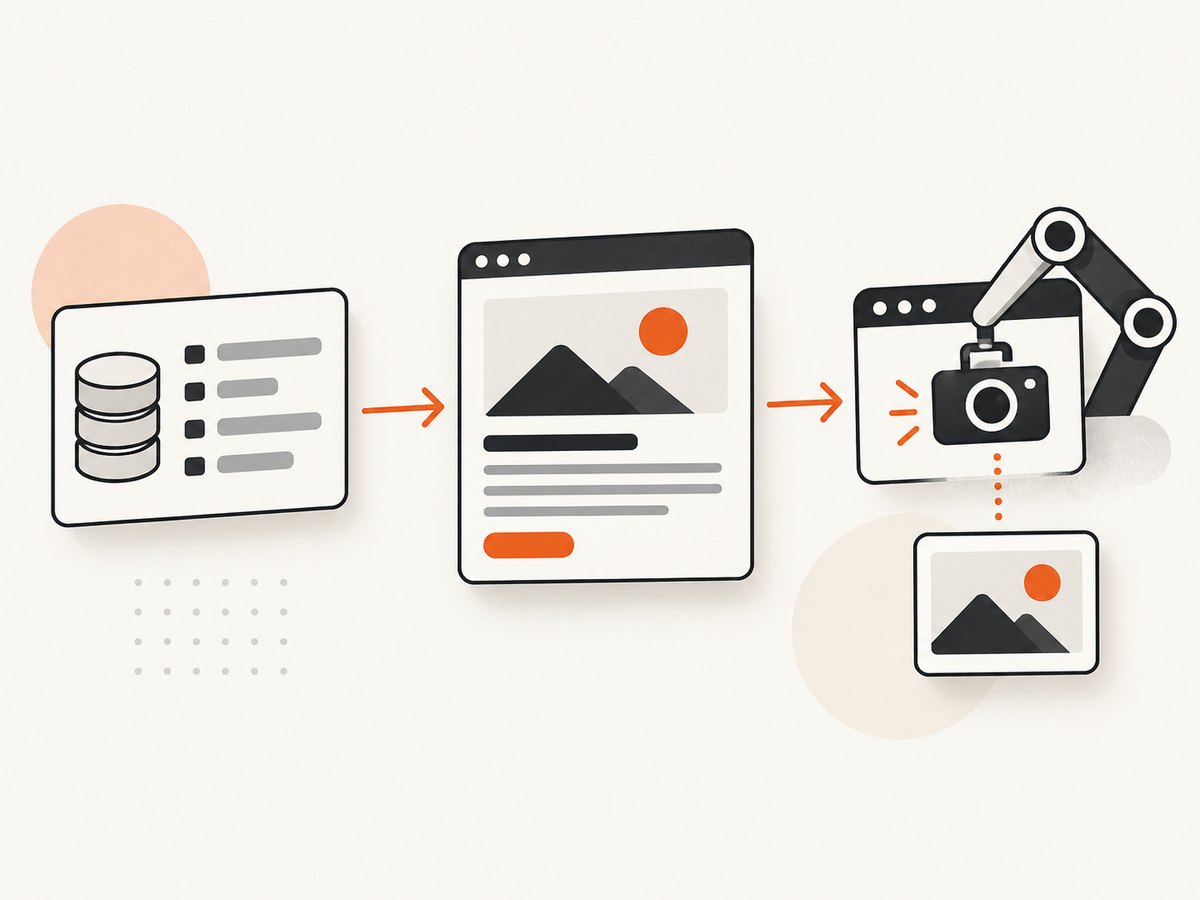
Direct answer: Build a programmatic SEO site from a maintained dataset and a small set of genuinely useful templates. Render each route with crawlable HTML, publish canonical URLs and a sitemap, then run a pinned browser worker such as Playwright over the published pages. Wait for fonts, images, and application data to settle, disable animation, capture the viewport, an element, or the full page, and save each image under a deterministic URL. Run visual and SEO checks in CI before releasing batches.
Automated screenshots support the page; they cannot replace useful HTML. Search engines and assistive technology need the important facts, calculations, comparisons, and explanations in text. A screenshot should show evidence or help a reader understand the result, with descriptive alt text and a surrounding caption.
1. Define a page contract before generating URLs
Write down what every page type promises. A contract prevents a template from producing thousands of interchangeable pages.
| Field | Decision |
|---|---|
| Input | The dataset fields required to produce a useful page |
| Route | A normalized, collision-free slug and its canonical URL |
| Title and description | Unique metadata that accurately describes visible content |
| Visible evidence | A calculation, comparison, first-party observation, or other reason the page exists |
| Screenshot | Viewport, target element, or full page; dimensions and output format |
| Index policy | Index, noindex, or exclusion for this page class |
Define the contract in version-controlled code or a schema. Include validation for missing values, duplicate slugs, invalid URLs, and unsupported screenshot settings. If a record cannot produce a distinct answer or useful decision aid, do not create a route for it.
2. Build source data that answers a real question
Start with records that support a user task. Add original analysis, transparent calculations, meaningful comparisons, or first-party observations. Do not copy a feed and lightly rewrite it. A page generated only to target another keyword variation is a poor candidate for indexing.
Keep the source data separate from presentation. For example, a record might contain a product name, normalized price, dimensions, category, calculated score, source URL, and notes explaining the methodology. Store the retrieval date and source references so an update can be audited. Add a content-quality status such as ready, needs-review, or noindex.
3. Generate deterministic, crawlable routes
Normalize Unicode, lowercase the slug, replace runs of punctuation with hyphens, trim hyphens, and reserve a suffix strategy for collisions. Never silently map two records to one URL. Emit one canonical link per page and include only indexable URLs in the sitemap.
function slugify(value) {
  return value
    .normalize('NFKD')
    .replace(/[\\u0300-\\u036f]/g, '')
    .toLowerCase()
    .replace(/[^a-z0-9]+/g, '-')
    .replace(/^-+|-+$/g, '')
    .slice(0, 80);
}

function routeFor(record, used) {
  const base = slugify(record.name);
  let slug = base || `item-${record.id}`;
  let n = 2;
  while (used.has(slug)) slug = `${base}-${n++}`;
  used.add(slug);
  return `/compare/${slug}/`;
}
Render the main text and metadata with static generation or server rendering. Client-side enhancements can add charts or controls, but the page should remain useful if JavaScript fails. Return a stable 200 response for pages intended for indexing. Link pages from a crawlable hierarchy, provide a sitemap, and use structured data only when it describes content visible on the page.
4. Render pages for people and crawlers
Use a stable layout with an explanatory introduction, the key answer, methodology, source information, and a conclusion or next step. Keep important screenshot text duplicated in accessible HTML. Give each generated image a stable URL, meaningful filename, descriptive alt text, and a caption explaining what the reader should notice.
Choose an index policy by page class. Index pages with distinct value and complete data. Use noindex for internal previews, incomplete records, or combinations that do not answer a separate need. Use robots.txt for crawl control; it is not an index-removal mechanism.
5. Capture screenshots with Playwright
Playwright supports viewport, element, and full-page screenshots and PNG, JPEG, or WebP output. Its Page API also supports masking, injected styles, background control, quality, and CSS or device scaling. Install a pinned version and browser binaries in your build environment.
import { chromium } from 'playwright';
import fs from 'node:fs/promises';

const browser = await chromium.launch();
const context = await browser.newContext({
  viewport: { width: 1440, height: 900 },
  deviceScaleFactor: 1,
  locale: 'en-US',
  timezoneId: 'UTC',
  colorScheme: 'light'
});
const page = await context.newPage();

await page.goto('https://example.com/compare/widget/', { waitUntil: 'domcontentloaded' });
await page.addStyleTag({ content: `
  *, *::before, *::after { animation: none !important; transition: none !important; }
  html { scroll-behavior: auto !important; }
  caret-color: transparent !important;
` });
await page.evaluate(() => document.fonts.ready);
await page.waitForSelector('[data-page-ready="true"]', { state: 'visible', timeout: 15000 });
await page.waitForLoadState('networkidle');
await page.screenshot({ path: 'artifacts/widget.webp', fullPage: true, type: 'webp', quality: 85 });

await browser.close();
Use fullPage: true when the entire layout is the artifact. Use locator.screenshot() for a chart, card, table, or other component. Use a viewport screenshot when the above-the-fold state matters. A stable readiness selector is more reliable than a fixed sleep; a short delay can still be useful after a known animation or chart draw.
6. Make captures repeatable
Pin the browser version, fonts, viewport, locale, timezone, color scheme, and device scale. Freeze or fixture data that changes with time, user identity, experiments, or location. Set a deterministic clock where your test setup allows it. Wait for the exact selector that means application data is ready, then wait for fonts and relevant images.
Dynamic regions require a deliberate policy. Mask a timestamp, rotating ad, or live counter only when hiding it cannot mislead the reader. Document each mask beside the capture metadata. Capture with a controlled user agent and network fixtures when an external service makes output unstable.
7. Store and serve image assets
Use a deterministic filename such as route-slug--template-v3--1440x900.webp, or content hashes when immutable caching is more important than human readability. Store the original URL, commit, browser version, viewport, format, timestamp, and masking rules next to the asset. Put assets in object storage behind a CDN and set long cache lifetimes for immutable files.
Choose formats by purpose:
- PNG or WebP: lossless or near-lossless visual QA, diagrams, and text-heavy screenshots.
- JPEG: smaller photographic assets where minor compression artifacts are acceptable.
- CSS-pixel scale: stable cross-device dimensions.
- Device scale: high-density output when the consumer needs it.
Resize only after deciding what dimensions the page and social previews require. Preserve the original when future crops or audits may be needed.
8. Automate the generator and capture worker
A practical pipeline has separate stages: validate data, generate HTML, publish a preview, capture representative routes, run checks, and release a batch. Keep capture jobs idempotent. A job key can include the canonical URL, template version, browser version, viewport, and content revision. If that key already has a successful immutable asset, skip the browser run.
const records = await loadRecords();
const valid = records.filter(validateContract);
const routes = valid.filter(r => r.indexPolicy === 'index').map(toRoute);
await writePages(routes);
await writeSitemap(routes);

for (const route of routes.slice(0, 25)) {
  await capture({
    url: `https://www.example.com${route.path}`,
    key: `${route.slug}-${route.contentHash}-v3-1440x900`
  });
}

await runSeoChecks(routes);
await runVisualChecks();
Start with a small representative set covering every template, data shape, and important edge case. Expand only after the output, indexing signals, and server capacity are stable. Run captures in bounded concurrency rather than opening an unbounded browser for every URL.
9. Add visual and SEO quality gates
Playwright screenshot assertions can compare representative templates and critical routes. Disable animation and set a documented maximum difference for expected rendering noise. Investigate unexpected changes instead of normalizing them away.
await expect(page).toHaveScreenshot('compare-widget.png', {
  fullPage: true,
  animations: 'disabled',
  maxDiffPixelRatio: 0.01
});
For each release, check:
- HTTP status is 200 for indexable pages.
- There is exactly one canonical URL.
- Robots directives match the index policy.
- The URL is in the sitemap when indexable.
- Structured data describes visible content.
- Internal links, image URLs, and alt text are present.
- Mobile layout does not overflow or hide the key answer.
- There are no duplicate clusters, soft 404s, broken images, or template regressions.
Google defines scaled content abuse as generating many pages primarily to manipulate rankings rather than help users. Automation itself is not the value proposition: each page needs a distinct reason to exist, and the useful answer must be available as HTML.
10. Or skip the browser setup
ScreenshotNeo provides a website screenshot API and MCP server. One GET request returns PNG, JPEG, WebP, or a PDF. It accepts cookie and consent banners like a visitor and removes more than 60 known consent platforms, newsletter popups, and chat widgets before capture; each step can be disabled. Bot checks or CAPTCHAs, blank pages, timeouts, failed loads, and cache hits are not billed, and the response identifies the result with X-Page-Verdict and X-Billed headers. Its MCP server exposes take_screenshot, get_page_info, and capture_pdf for Claude, Cursor, and other MCP clients.

See the ScreenshotNeo API documentation for the complete option list. Relevant options include full-page or CSS-selector capture, dark mode, 12 device presets or a custom viewport, retina scale, PDF paper size and margins, custom CSS and JavaScript, clicks, selector or delay waits, network-idle waits, blocked ads and resource types, headers, cookies, user agents, Authorization, timezone, geolocation, transparent backgrounds, resizing, configurable caching TTL, signed image links, asynchronous jobs with signed webhooks, bulk capture of up to 100 URLs per call, a usage API, and an OpenAPI specification.
curl -G "https://api.screenshotneo.com/v1/shot" \
  -d access_key=YOUR_API_KEY \
  --data-urlencode url=https://example.com/compare/widget/ \
  -o shot.webp
import requests
r = requests.get(
"https://api.screenshotneo.com/v1/shot",
params={"access_key": "YOUR_API_KEY", "url": "https://example.com/compare/widget/"},
timeout=90,
)
r.raise_for_status()
open("shot.webp", "wb").write(r.content)
print(r.headers.get("X-Page-Verdict"), r.headers.get("X-Billed"))const q = new URLSearchParams({
access_key: 'YOUR_API_KEY',
url: 'https://example.com/compare/widget/'
});
const res = await fetch(`https://api.screenshotneo.com/v1/shot?${q}`);
if (!res.ok) throw new Error(`Screenshot failed: ${res.status}`);
const image = Buffer.from(await res.arrayBuffer());
await import('node:fs/promises').then(fs => fs.writeFile('shot.webp', image));
console.log(res.headers.get('X-Page-Verdict'), res.headers.get('X-Billed'));Parameter names used by other screenshot APIs also work, which simplifies migration. Cookie banners, popups, and chat widgets are removed before the shot; bot checks, blank pages, and failed loads are never billed; an MCP server lets AI agents take screenshots; 1,000 screenshots a month are free with no card and paid plans start at $5 for 3,000. Create a free ScreenshotNeo account.
11. Troubleshooting
| Symptom | Likely cause | Fix |
|---|---|---|
| Blank or half-rendered image | Capture ran before application data or fonts settled | Wait for a readiness selector, document.fonts.ready, and required images; inspect console errors. |
| Cookie dialog covers content | Consent state was not controlled | Set a consent cookie or use a capture service that handles known consent platforms; verify the resulting verdict. |
| Images differ on every run | Animations, timestamps, ads, experiments, or live data | Disable animation, freeze fixtures, pin locale and timezone, and mask only documented harmless regions. |
| Full-page image is too tall | Infinite scroll or lazy loading keeps adding content | Use a bounded fixture, capture a target element, or define a maximum page height and document it. |
| Text is clipped | Viewport or device scale does not match responsive breakpoints | Set an explicit viewport, test mobile and desktop widths, and inspect overflow in CI. |
| Pages are not indexed | Noindex, blocked crawl, missing discovery path, or weak content | Check status, canonical, robots directives, sitemap membership, internal links, and whether the page offers distinct value. |
| Too many duplicate URLs | Unnormalized slugs or query parameters | Normalize routes, redirect aliases, emit one canonical, and keep tracking parameters out of sitemap URLs. |
| Jobs time out | Slow third-party resources or unbounded concurrency | Block unnecessary resources, set a realistic timeout, retry transient failures with backoff, and cap parallel workers. |
12. Performance, reliability, and cost
Cache by a content and configuration key, not only by URL. Re-capture when the source revision, template, browser, viewport, or relevant option changes. Use immutable URLs so a CDN can serve successful assets without repeatedly opening browsers.
Bound concurrency according to available CPU, memory, network, and the origin’s rate limits. Retry navigation failures selectively; do not blindly retry deterministic 404s or bot blocks. Record verdict, duration, status, response size, and error reason for every job. A queue with idempotency keys makes restarts safe.
Control cost by capturing only indexable or user-visible routes, reusing cached results, choosing WebP or JPEG where appropriate, and using bulk jobs when many URLs share settings. A hosted service can remove browser maintenance; a local Playwright worker gives direct control over fixtures and network access. Compare both against the operational cost of browser binaries, concurrency limits, retries, storage, and CDN transfer.
13. Release checklist
- Every record has a distinct user purpose and passes the page contract.
- Routes are normalized, collision-free, canonical, and discoverable.
- Primary text renders without client-side JavaScript.
- Fonts, images, data, locale, timezone, and animation are deterministic.
- Screenshot scope, dimensions, format, and masks are documented.
- Assets have immutable URLs, useful filenames, alt text, and captions.
- Representative visual and SEO checks pass in CI.
- Preview batches have been inspected before expanding production volume.
- Search Console and application logs are monitored for crawl errors, duplicate clusters, soft 404s, and image failures.
FAQ
Should every generated page have a screenshot?
No. Capture pages where a visual artifact helps the user or your workflow. Do not add an image merely to decorate interchangeable pages.
Is a full-page screenshot better than a viewport shot?
It depends on the question. Use full page for the complete layout, a viewport for above-the-fold state, and an element capture for a specific component.
Can screenshots carry the page’s SEO text?
No. Keep essential facts, labels, and explanations as HTML text and use the image as supporting evidence.
When should a page be noindex?
Use noindex for previews, incomplete records, and combinations without a distinct answer. Keep indexable pages useful, stable, and linked from the site hierarchy.
How do I update images after a template change?
Include the template revision in the asset key, recapture affected routes, publish new immutable URLs, and update the HTML references in the same release.


