How to Run Chrome Headless from Protractor Without a Selenium Server
Run Protractor with ChromeDriver and headless Chrome using directConnect, without starting a Selenium Server, with CI fixes and complete examples.
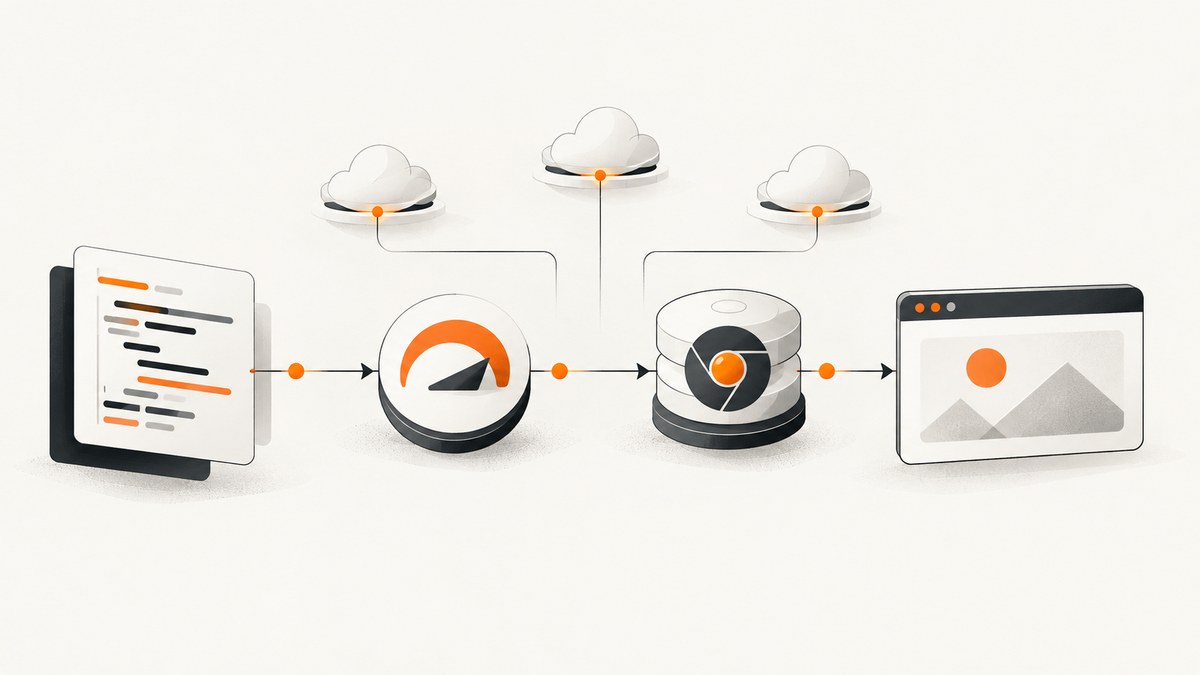
Use Protractor’s directConnect: true to connect directly to ChromeDriver, then pass Chrome’s headless arguments through chromeOptions. You still need Chrome and ChromeDriver; direct connect removes the Selenium Server process, not the WebDriver implementation.
exports.config = {
  directConnect: true,
  capabilities: {
    browserName: 'chrome',
    chromeOptions: {
      args: ['--headless=new', '--window-size=1280,800']
    }
  },
  specs: ['e2e/**/*.spec.js']
};
Protractor documents direct connections for Chrome and Firefox. Chrome documents --headless and the explicit --headless=new spelling for unattended execution. See the Protractor configuration documentation and Chrome Headless documentation.
1. What directConnect changes
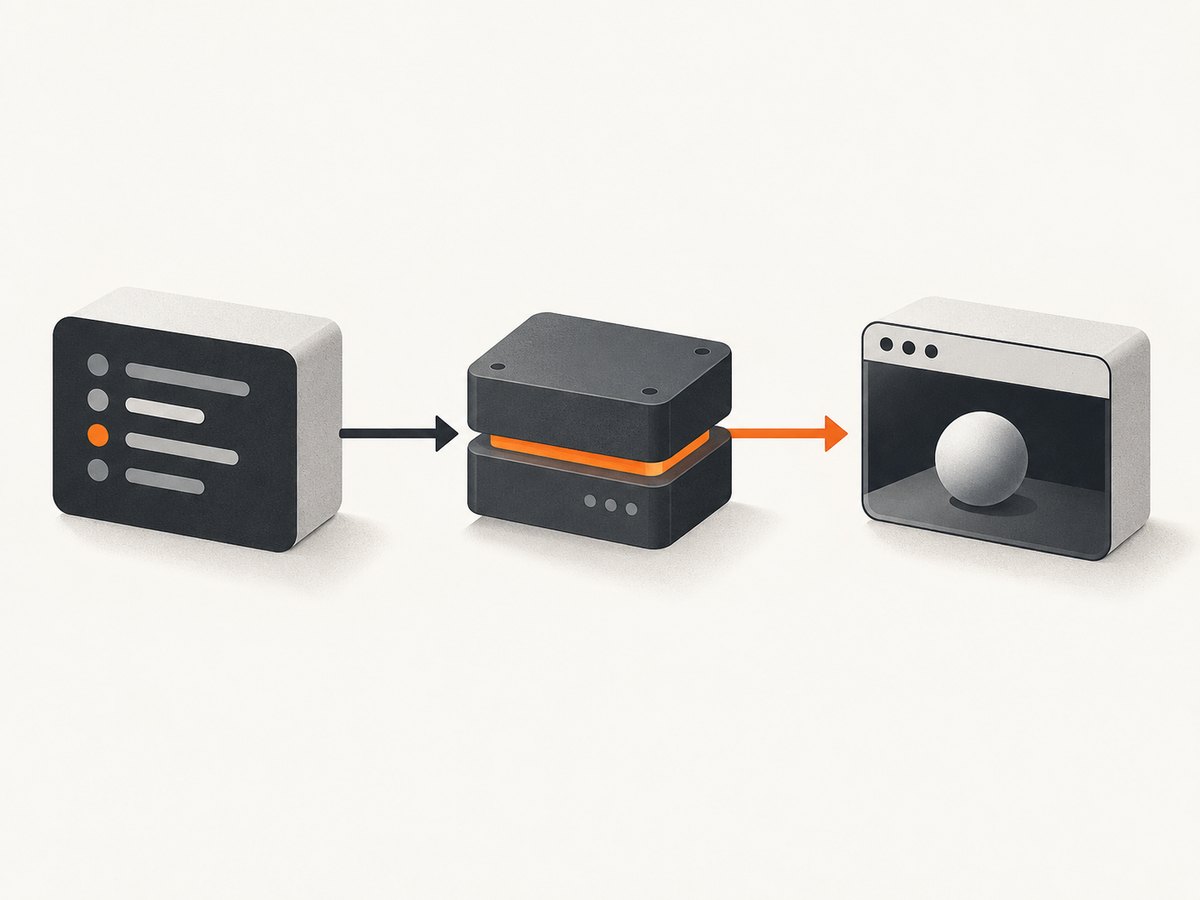
In a normal Protractor setup, Protractor sends WebDriver commands to a Selenium Server. Selenium Server then starts or routes a browser driver. With directConnect: true, Protractor connects to the local browser driver executable directly. For Chrome, that executable is ChromeDriver.
| Setting | Effect |
|---|---|
directConnect: true |
Bypasses Selenium Server startup and an existing seleniumAddress for supported local browsers. |
capabilities.browserName |
Selects Chrome. |
chromeOptions.args |
Passes command-line flags to Chrome, including headless mode and viewport size. |
chromeDriver |
Optional path to ChromeDriver when it is not on PATH. |
seleniumAddress |
Used for a Selenium Server or remote provider; do not use it as the mechanism for direct local execution. |
Direct connect is local infrastructure. It gives you control over the Chrome and ChromeDriver binaries and avoids a server process and one network hop. It does not provide a remote browser, parallel grid, or a compatibility layer between arbitrary browser and driver versions.
2. Prerequisites and project setup
- Install a supported Node.js version for your Protractor project.
- Install Protractor in the project, or use the version already pinned by the repository.
- Install Google Chrome or Chromium in the execution environment.
- Install a matching ChromeDriver and make it discoverable on
PATH, or configure its path explicitly. - Keep your test runner and browser binaries available in CI.
npm install --save-dev protractor
npx webdriver-manager update
Older Protractor projects commonly used webdriver-manager to download drivers. If your project manages ChromeDriver another way, keep that approach and verify the resulting executable is available to Protractor. The key requirement is that ChromeDriver can start the installed Chrome binary and speak WebDriver.
Check the binaries
google-chrome --version
chromedriver --version
node --version
npx protractor --version
On a minimal Linux image, the browser may be installed under a nonstandard path. ChromeDriver can usually locate Chrome automatically, but you can provide the browser binary explicitly:
exports.config = {
  directConnect: true,
  capabilities: {
    browserName: 'chrome',
    chromeOptions: {
      binary: '/usr/bin/google-chrome',
      args: ['--headless=new', '--window-size=1280,800']
    }
  }
};
3. Complete Protractor configuration
Create protractor.conf.js at the project root. This example includes a deterministic viewport, automatic cleanup, and a simple timeout policy.
const path = require('path');

exports.config = {
  directConnect: true,
  chromeDriver: process.env.CHROMEDRIVER_PATH || undefined,
  capabilities: {
    browserName: 'chrome',
    chromeOptions: {
      args: [
        '--headless=new',
        '--window-size=1280,800',
        '--disable-dev-shm-usage'
      ]
    }
  },
  specs: [path.join(__dirname, 'e2e/**/*.spec.js')],
  framework: 'jasmine',
  jasmineNodeOpts: {
    defaultTimeoutInterval: 30000,
    showColors: true
  },
  onPrepare: function () {
    browser.ignoreSynchronization = true;
    browser.manage().window().setSize(1280, 800);
  },
  onComplete: function () {
    // Put report generation or artifact collection here.
  }
};
--disable-dev-shm-usage can help in container environments where the shared memory mount is small. It is an environment workaround, not a requirement for every machine. Keep the flag only if it addresses a real container constraint.
Headless flag choices
--headless=newselects Chrome’s newer unified headless mode and is explicit in configuration.--headlessselects headless mode using Chrome’s current documented spelling. Use it when your Chrome version or team standard expects that form.--disable-gpuappears in many older examples. Treat it as compatibility baggage and add it only when a specific environment needs it.--window-size=1280,800fixes responsive breakpoints. Without it, layouts can vary with the default viewport.--remote-debugging-port=0asks Chrome to choose a free debugging port. Use it when you need to inspect a headless target; Chrome prints a DevTools WebSocket endpoint.
4. A runnable test
Create e2e/home.spec.js:
describe('home page', () => {
  it('shows the page title', async () => {
    await browser.get('https://example.com');
    const title = await browser.getTitle();
    expect(title).toContain('Example Domain');
  });
});
Run it with:
npx protractor protractor.conf.jsIf your application uses Angular and Protractor’s synchronization, leave ignoreSynchronization at its default. For non-Angular pages, set it to true before navigation, as shown above, so Protractor does not wait for Angular-specific signals that will never arrive.
5. Configuration options that matter in CI
Viewport and device behavior
Set a fixed width and height whenever CSS breakpoints affect the test. A headless browser is still a real browser window from the page’s perspective. Responsive menus, lazy loading thresholds, and canvas dimensions depend on this size.
Arguments for containers
Containers sometimes impose a small /dev/shm mount or restrictive sandbox policy. Start with --disable-dev-shm-usage. Some CI images also require --no-sandbox, but that flag weakens Chrome’s sandbox and should be used only when the container cannot run the sandbox correctly and your isolation model accepts the tradeoff.
Environment variables
CHROMEDRIVER_PATH=/opt/bin/chromedriver npx protractor protractor.conf.jsReading the path from an environment variable lets local developers and CI use different installation locations without editing source control.
Timeouts and navigation
Use a test timeout long enough for the slowest expected page, but keep it finite. A timeout hides the difference between a slow application and a browser that never started. Add explicit waits for application conditions rather than relying on arbitrary sleeps:
const ready = element(by.css('[data-testid="app-ready"]'));
await browser.wait(ExpectedConditions.visibilityOf(ready), 15000);
For network-heavy pages, wait for a stable selector or application state. A fixed delay can be useful for a known animation, but it is less reliable than waiting on the condition that proves the page is ready.
6. Common errors and fixes
| Error or symptom | Likely cause | Fix |
|---|---|---|
Unable to create session |
ChromeDriver cannot start Chrome, or versions are incompatible. | Print both versions, install a compatible driver, and set chromeOptions.binary if Chrome is nonstandard. |
chromedriver: command not found |
Driver is absent or not on PATH. |
Install it, export its directory on PATH, or set chromeDriver. |
| Protractor starts Selenium anyway | directConnect is missing, false, or overridden by another config. |
Set directConnect: true in the active configuration and remove reliance on seleniumAddress. |
| Chrome opens visibly | A headless argument was not passed to the active capability. | Put --headless=new or --headless inside chromeOptions.args. |
| Blank page or immediate navigation failure | DNS, proxy, TLS, authentication, or application startup failure. | Navigate to a known public URL, inspect CI network settings, and capture browser or driver logs. |
| Elements are not found | Wrong viewport, page not ready, iframe, shadow DOM, or Angular synchronization mismatch. | Set the viewport, wait for a selector, switch into the iframe, or configure synchronization for the application. |
| Chrome crashes in a container | Shared memory or sandbox restrictions. | Try --disable-dev-shm-usage; use --no-sandbox only when required by the image. |
| Tests pass locally but fail in CI | Different Chrome version, fonts, timezone, network, or viewport. | Pin the image and driver, set window size, control test data, and log the environment. |
7. Debugging a headless run
Headless removes the visible window, so debugging depends on artifacts and logs. Add screenshots at failure points:
afterEach(async () => {
  if (jasmine.getEnv().currentSpec.failedExpectations.length) {
    const name = jasmine.getEnv().currentSpec.description.replace(/[^a-z0-9]+/gi, '-');
    await browser.takeScreenshot().then(data => {
      require('fs').writeFileSync(`artifacts/${name}.png`, data, 'base64');
    });
  }
});
Create the artifacts directory before the run, or use a helper that creates it. For lower-level inspection, add --remote-debugging-port=0 and collect Chrome’s printed DevTools endpoint. You can open that endpoint from another Chrome instance while the process is alive.
8. Reliability and performance practices
- Pin the execution image. Keep Chrome, ChromeDriver, Node.js, and Protractor versions consistent across developers and CI.
- Use deterministic data. Test accounts, seeded records, and stable URLs reduce failures unrelated to browser control.
- Wait on state. Prefer a selector, URL, or application-ready marker over long fixed sleeps.
- Limit parallelism deliberately. Each Chrome process consumes CPU and memory. Increase workers only after measuring the CI machine’s capacity.
- Collect artifacts on failure. Screenshots, page source, console logs, and driver logs shorten diagnosis time.
- Keep the viewport fixed. It prevents responsive layout changes from becoming intermittent test failures.
Direct connect can reduce setup overhead because there is no Selenium Server process, but total test time is still dominated by browser startup, page loading, application waits, and test count. It is not a substitute for profiling slow tests.
9. When a remote browser is a better fit
Use a remote browser-testing service when you need browsers on another network, multiple operating systems, centralized CI capacity, or a managed grid. Protractor’s configuration model supports remote connections through seleniumAddress and related capabilities. Compare local and remote execution on infrastructure ownership, network dependence, browser-version control, CI isolation, debugging access, and provider cost.
Local direct connect is usually simpler for one Chrome version on one build image. Remote execution becomes useful when reproducing a customer environment or running a browser matrix that would be expensive to maintain locally.
10. Or skip the browser setup
If your goal is to obtain a clean screenshot rather than run an interactive end-to-end test, ScreenshotNeo provides a website screenshot API. One GET request returns PNG, JPEG, WebP, or PDF output. It handles the browser infrastructure for you.
curl -G 'https://api.screenshotneo.com/v1/shot' \
  -d access_key=YOUR_API_KEY \
  --data-urlencode url=https://stripe.com \
  -o shot.webp
import requests
r = requests.get(
'https://api.screenshotneo.com/v1/shot',
params={'access_key': 'YOUR_API_KEY', 'url': 'https://stripe.com'},
timeout=90,
)
r.raise_for_status()
open('shot.webp', 'wb').write(r.content)const q = new URLSearchParams({
access_key: 'YOUR_API_KEY',
url: 'https://stripe.com'
});
const res = await fetch(`https://api.screenshotneo.com/v1/shot?${q}`);
if (!res.ok) throw new Error(`HTTP ${res.status}`);
const fs = await import('node:fs/promises');
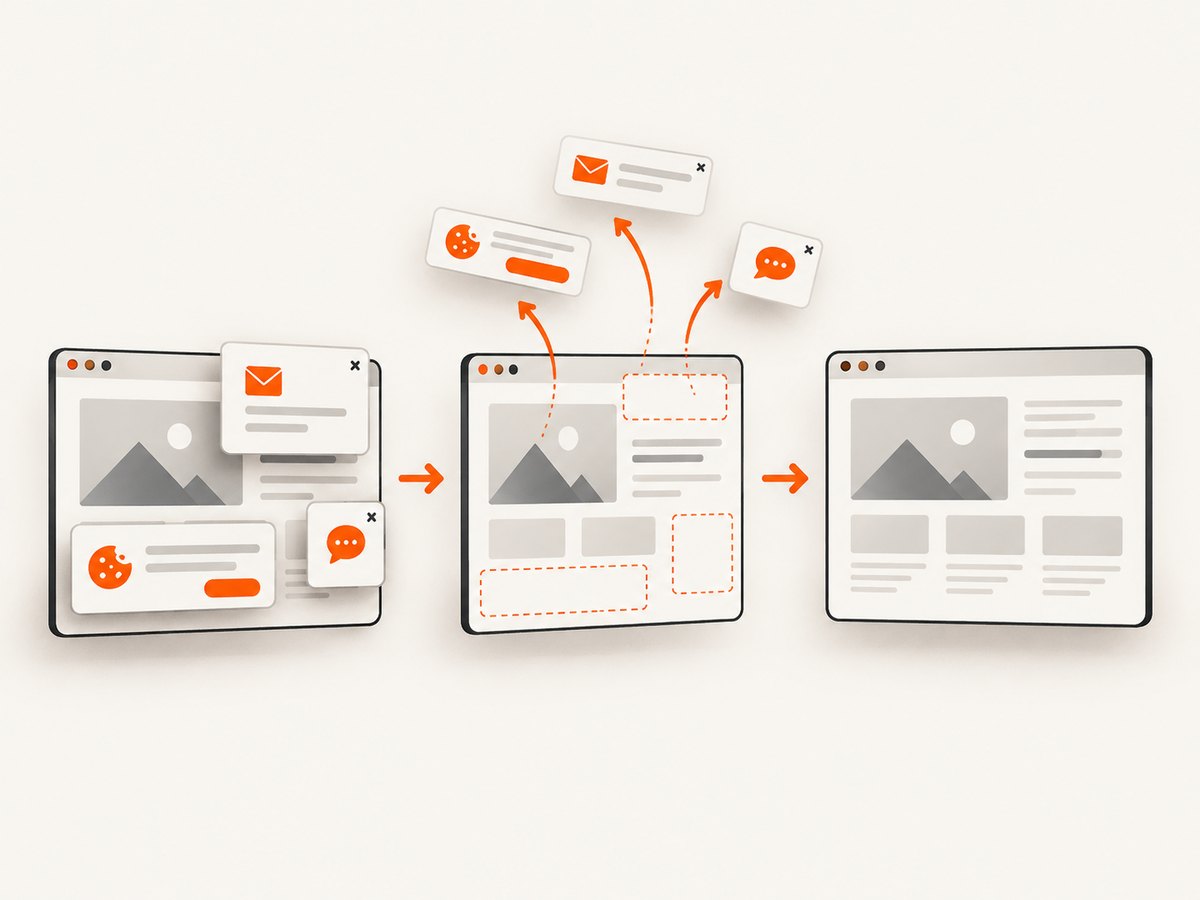
await fs.writeFile('shot.webp', Buffer.from(await res.arrayBuffer()));See the ScreenshotNeo API documentation for request options. ScreenshotNeo removes cookie and consent banners, newsletter popups, and chat widgets before capture. Bot checks, blank pages, timeouts, failed loads, and cache hits are not billed; response headers identify the page verdict and whether the shot was billed. It also offers an MCP server with take_screenshot, get_page_info, and capture_pdf tools for Claude, Cursor, and other MCP clients.
Features include full-page capture with lazy images loaded, CSS-selector element capture, dark mode, device presets and custom viewports, retina scale, PDF paper and margin controls, custom CSS and JavaScript, click and wait actions, request blocking, custom headers and cookies, timezone and geolocation, transparent backgrounds, resizing, TTL caching, signed links, asynchronous jobs with signed webhooks, bulk capture for up to 100 URLs per call, a usage API, and an OpenAPI specification.
The Free plan includes 1,000 screenshots per month with no card. Paid plans start at $5 for 3,000 shots; yearly billing gives two months free, and every feature is available on every plan. Create a free ScreenshotNeo account.
11. FAQ
Does directConnect remove ChromeDriver?
No. It removes the Selenium Server hop. ChromeDriver remains the local WebDriver implementation that Protractor controls.
Can I use Firefox with directConnect?
Protractor documents direct connect for Chrome and Firefox. The Chrome headless flags in this guide apply only to Chrome.
Should I use --headless or --headless=new?
Both are documented ways to select headless behavior. Use the spelling supported by your Chrome version and standardize it across CI.
Will headless mode make tests faster?
It can avoid display-server overhead, but page load, browser startup, application waits, and test design usually determine total runtime.
Do I need Xvfb?
Normally no. Headless Chrome is designed to run without a visible UI or display server.
Can ScreenshotNeo replace Protractor?
It replaces browser setup when you need screenshots or PDFs. Protractor remains appropriate for interactive browser assertions and user-flow testing.


