How Proxies Improve Security and Privacy: What They Protect and What They Do Not
Proxies can mask an IP and enforce access rules, but they do not automatically encrypt traffic or make you anonymous. Learn what they protect and their limits.

Direct answer: A proxy places an intermediary between your device and a destination. The destination may see the proxy’s address instead of your IP, and a managed proxy can filter, authenticate, or broker requests. A proxy does not automatically encrypt every connection, erase identity signals, or make you anonymous. Encryption depends on the protocol and configuration, and trust moves to the proxy operator.
Use a proxy as one control in a larger design. Keep HTTPS enabled, secure the endpoint, restrict exposure, and understand what the proxy, your network, your employer, and the destination can each observe. The sections below explain the protection a proxy can provide, the gaps it leaves, and how to evaluate one safely.
1. What a proxy does
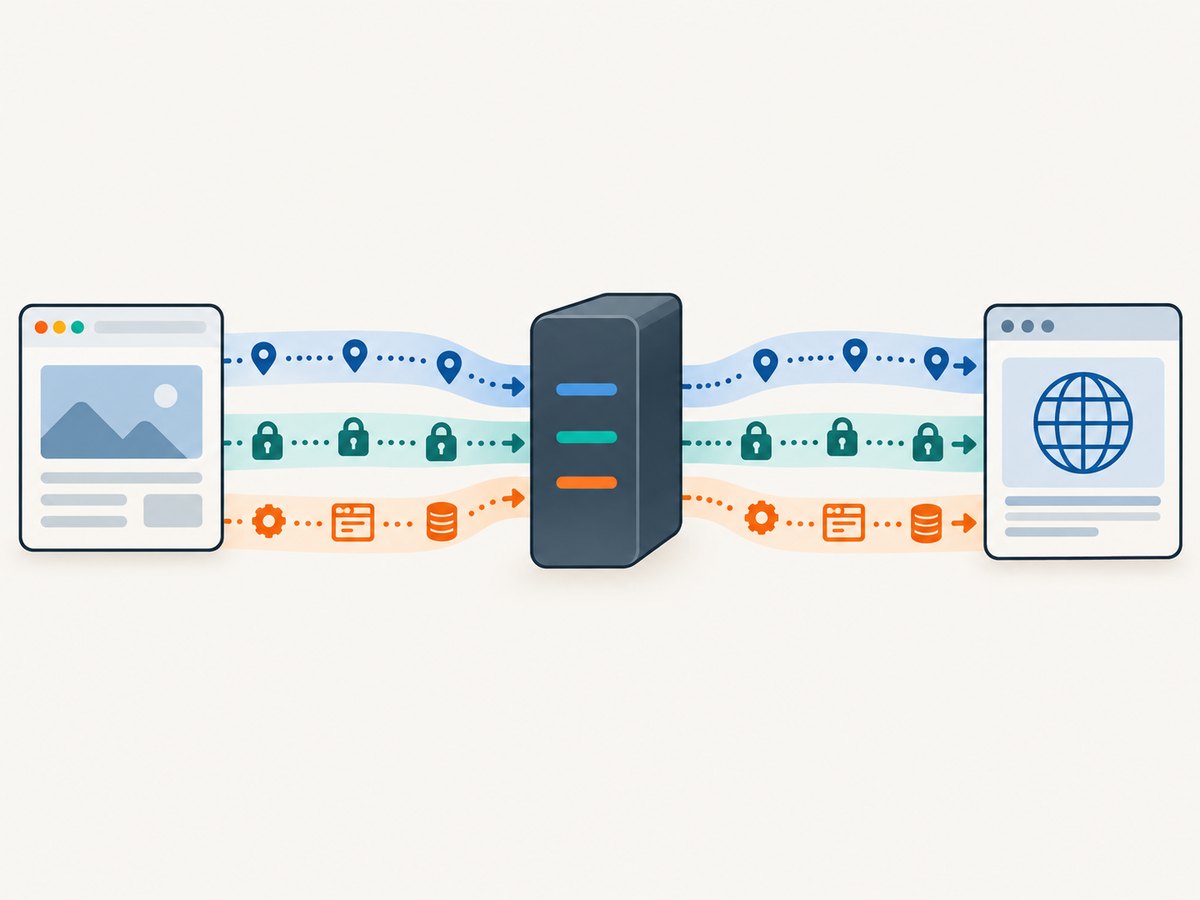
A forward proxy accepts a client request and makes a request to the destination on the client’s behalf. In a simple web flow:
- Your browser or application connects to the proxy.
- The proxy authenticates or filters the request according to its policy.
- The proxy connects to the destination and relays the response.
- Your application receives the response through the proxy.
For the destination, the network connection generally originates at the proxy. The FBI describes a residential proxy as an intermediary that makes connections appear to originate from another location. That describes location and source-IP presentation, not anonymity.
| Question | Accurate answer |
|---|---|
| Do proxies hide my IP address? | They can hide your client IP from the destination, depending on the proxy type and headers. Your ISP, the proxy operator, or a misconfigured service may still see it. |
| Are proxies secure? | Security depends on protocol, authentication, operator practices, patching, and configuration. A proxy is not automatically secure. |
| Does a proxy encrypt my internet traffic? | Only when an encryption protocol protects that leg. A plain HTTP proxy can relay unencrypted traffic. |
| Can a proxy make me anonymous? | No. Accounts, cookies, browser fingerprints, forms, payment details, and device signals can identify you. |
| What does a proxy protect me from? | It can reduce direct exposure of an origin IP, enforce access policy, and provide a controlled path to selected services. It does not fix compromised devices or unsafe destinations. |
2. What proxies can protect
Destination-facing IP exposure
A destination can receive the proxy’s source address instead of your address. This is useful when an organization wants a stable egress address, when a service allowlists a gateway, or when a scraper must separate application traffic from an origin network. The protection is limited: proxy headers, DNS behavior, application data, and login records can disclose more than the source IP.
Policy and access boundaries
A managed proxy can require authentication, allow only approved destinations, block dangerous methods, and log requests for incident response. When application servers accept traffic only from the proxy network, the proxy becomes a broker between users and the application. NIST’s SP 800-113 describes related planning, configuration, monitoring, and maintenance concerns for SSL VPN deployments.
Selected privacy designs
Some privacy systems deliberately split knowledge between parties. NIST SP 800-63C discusses blinded and triple-blind proxy structures in which one party learns less about a subscriber or the data being passed. These are specialized designs; an ordinary web proxy should not be assumed to provide that property.
Protection on a local network leg
An encrypted tunnel, such as an SSL VPN, can protect traffic between a browser and the VPN device. The VPN endpoint can still observe or control traffic that is not protected end to end. The FTC explains that routing traffic through a VPN provider shifts trust from the local network to the provider; a proxy creates a similar trust decision.
3. What proxies do not protect
They do not automatically encrypt traffic
Entering a proxy address in a browser does not turn HTTP into encrypted traffic. Use HTTPS or another authenticated protocol for the destination. The U.S. HTTPS-Only Standard calls HTTPS the strongest privacy and integrity protection currently available for public web connections. A proxy can carry an HTTPS connection, but the destination TLS session still matters.
They do not make you anonymous
The FTC says a VPN app generally is not going to make users entirely anonymous. The same limitation applies to proxies. A website can connect activity to an account, email address, cookie, submitted form, payment instrument, browser fingerprint, or consistent behavior. A proxy that rotates addresses may even trigger fraud controls without removing those identity links.
They do not make an untrustworthy operator safe
Depending on protocol and policy, the operator may see, retain, alter, or share requests. A plain HTTP connection can expose credentials and content to intermediaries. Even with HTTPS, the operator normally sees metadata such as the destination host, timing, volume, and your connection to the proxy.
They do not repair a compromised endpoint
Malware, malicious browser extensions, stolen cookies, unsafe permissions, and outdated software remain risks. A proxy cannot stop an attacker who already controls the device or browser. Keep the operating system, browser, proxy client, and gateway patched.
They do not remove deployment risk
Exposed administration ports, weak cryptography, unused protocols, excessive privileges, and poor monitoring create attack paths. CISA recommends minimizing external exposure, using strong cryptography, disabling unused features and algorithms, and maximizing end-to-end encryption.
4. Proxy types and their security properties
| Type | Typical coverage | Key security question |
|---|---|---|
| HTTP proxy | Web requests from configured applications | Is the request itself HTTPS, and can the proxy inspect or modify HTTP traffic? |
| HTTPS proxy | HTTP proxy connection protected with TLS | Which certificate is trusted, and what does the operator log? |
| SOCKS proxy | Application traffic that supports SOCKS | Are DNS lookups also sent through the proxy, or do they leak locally? |
| SSL VPN | Browser or broader device traffic, depending on deployment | Is the tunnel strongly configured, patched, monitored, and limited to necessary users? |
| Blinding or privacy proxy | A deliberately split identity and data flow | Does the design actually prevent each party from correlating identity and content? |
Coverage is the first comparison axis. A proxy configured for one browser does not cover a mail client, command-line tool, DNS resolver, or background service. A VPN may cover more device traffic, but it also concentrates trust and operational responsibility at the VPN endpoint.
5. Proxy vs VPN vs HTTPS
| Axis | Proxy | VPN | HTTPS |
|---|---|---|---|
| Coverage | Usually one application or selected requests | Often most device traffic, depending on routes | One application connection to one HTTPS destination |
| Encryption path | Protocol-specific; may be none | Device-to-VPN endpoint tunnel; destination encryption still matters | Browser or client to destination |
| Trust | Proxy operator can observe covered metadata and unencrypted content | VPN operator becomes a major trust point | Certificate authorities and destination handle the TLS trust model |
| Identity | IP masking does not remove accounts, cookies, or fingerprints | IP masking has the same identity limits | Authenticates the server, not an anonymous user |
| Operations | Proxy authentication, filtering, logging, and failover | Gateway patching, keys, routes, exposure, and monitoring | Certificate, cipher, and application configuration |
Choose the narrowest control that meets the requirement. If the requirement is confidentiality from a local network, use an authenticated encrypted tunnel. If it is application egress control, a managed proxy may be appropriate. For public web data integrity and confidentiality, keep HTTPS enabled regardless of the intermediary.
6. A practical evaluation checklist
- Identify the protocol. Confirm whether the service uses HTTP, HTTPS, SOCKS, a VPN tunnel, or a specialized blinding design.
- Map coverage. List applications, DNS, IPv4, IPv6, WebSocket, and background services. Verify which paths bypass the intermediary.
- Inspect trust terms. Read logging, retention, sharing, jurisdiction, abuse, and deletion policies. Treat opaque free or residential offers cautiously; the FBI warns that compromised devices can be enrolled in residential proxy networks without consent.
- Secure authentication. Use unique credentials, strong administrator authentication, and least privilege. Never embed proxy secrets in client-side JavaScript.
- Keep end-to-end encryption. Use HTTPS to the destination and validate certificates. Do not downgrade because a proxy is present.
- Reduce exposure. Restrict management interfaces and ports, disable unused protocols and algorithms, and patch gateways promptly.
- Monitor failure behavior. Decide whether requests should fail closed when the proxy is unreachable. Alert on unexpected egress addresses, authentication failures, and configuration changes.
- Test for leaks. Check DNS, IPv6, WebRTC, redirects, proxy headers, and direct connections from every supported application.
7. Troubleshooting common proxy problems
| Symptom | Likely cause | Fix |
|---|---|---|
| Destination still sees the origin IP | The application bypasses the proxy, IPv6 is unproxied, or a forwarding header reveals the address. | Force proxy use for that application, configure IPv6 consistently, and review headers at the destination. |
| Credentials appear in captures or logs | HTTP was used instead of HTTPS, or TLS was terminated at the proxy. | Use HTTPS end to end, validate certificates, and restrict proxy log access and retention. |
| DNS requests reveal visited hosts | Local resolver is used while only web traffic is proxied. | Use a proxy mode that supports remote DNS or configure an encrypted resolver deliberately. |
| Sites show repeated CAPTCHA or blocks | Shared or rotating addresses have poor reputation, or account and cookie signals conflict. | Use a reputable, authorized egress, keep identity signals consistent, and respect the site’s terms. |
| Internal service becomes unreachable | Proxy policy blocks private ranges, or routing and authentication are incomplete. | Add the specific approved route and policy rule; do not broadly expose internal services. |
| Proxy outage causes direct connections | Fail-open behavior is enabled. | Use fail-closed routing for sensitive traffic and monitor the proxy health check. |
| Performance drops sharply | Extra network hop, overloaded gateway, TLS inspection, or distant egress. | Select a nearer endpoint, remove unnecessary inspection, add capacity, and measure latency by route. |
8. Performance, reliability, and cost considerations
Every intermediary adds connection setup, queueing, and another failure domain. Measure DNS time, TCP and TLS setup, time to first byte, throughput, and error rate from the actual client locations. Connection pooling and keep-alive reduce repeated handshakes. Place gateways close to users or destinations when latency matters, and use health checks with controlled failover.
Reliability improves when you define timeouts, retry only idempotent operations, and make retries exponential with a limit. Retrying a payment or state-changing request through a second egress can duplicate an action. Record a request ID, selected route, response status, and policy decision without collecting unnecessary payload data.
Costs include gateway instances, bandwidth, TLS inspection capacity, address pools, monitoring, support, and compliance work. Free or residential services can hide costs in data collection, unstable performance, or abuse exposure. Compare the complete operating cost and the operator’s data practices, not only the per-gigabyte price.
9. Capture proxy-aware documentation and evidence
Teams often need screenshots of proxy dashboards, error pages, or documentation for audits. A browser automation setup can be useful, but it also introduces cookie banners, chat widgets, bot checks, and rendering failures. If you are collecting visual evidence, record the URL, timestamp, proxy route, and verdict alongside the image so reviewers can reproduce the result.
10. Or skip the browser setup
ScreenshotNeo provides a website screenshot API and MCP server. It can accept a URL in one GET request and return PNG, JPEG, WebP, or PDF. Before capture, it accepts cookie or consent banners and removes more than 60 known consent platforms, newsletter popups, and chat widgets; each cleanup step can be turned off. Bot checks, blank pages, timeouts, failed loads, and cache hits are not billed, and response headers identify the page verdict and whether it was billed.

See the ScreenshotNeo API documentation for all options. A minimal request is:
curl -G 'https://api.screenshotneo.com/v1/shot' -d access_key=YOUR_API_KEY --data-urlencode url=https://stripe.com -o shot.webpPython:
import requests

r = requests.get(
    'https://api.screenshotneo.com/v1/shot',
    params={'access_key': 'YOUR_API_KEY', 'url': 'https://stripe.com'},
    timeout=90,
)
r.raise_for_status()
open('shot.webp', 'wb').write(r.content)
Node.js:
const q = new URLSearchParams({ access_key: 'YOUR_API_KEY', url: 'https://stripe.com' });
const res = await fetch(`https://api.screenshotneo.com/v1/shot?${q}`);
if (!res.ok) throw new Error(`Screenshot failed: ${res.status}`);
const fs = await import('node:fs/promises');
await fs.writeFile('shot.webp', Buffer.from(await res.arrayBuffer()));
For controlled captures, use the available options for full-page screenshots with lazy images, CSS selectors, device presets or custom viewports, dark mode, retina scale, custom CSS and JavaScript, clicks, selector or network-idle waits, ad and tracker blocking, custom headers, cookies, user agents, Authorization, timezone, geolocation, transparent backgrounds, resizing, TTL caching, signed public links, asynchronous jobs with signed webhooks, bulk capture of up to 100 URLs per call, PDF paper and margin settings, usage reporting, and the OpenAPI specification. Parameter names used by other screenshot APIs also work, which simplifies migration.
An MCP server exposes take_screenshot, get_page_info, and capture_pdf to Claude, Cursor, and other MCP clients. The Free plan includes 1,000 screenshots per month with no card; paid plans start at $5 for 3,000 shots. Create a free ScreenshotNeo account.
11. Frequently asked questions
Will a proxy hide my IP from my internet provider?
Usually no. Your provider can see that you connected to the proxy and can observe unencrypted traffic. The destination may see the proxy address instead.
Should I use a proxy and HTTPS together?
Yes. HTTPS protects the client-to-destination application connection; the proxy alone may not encrypt content.
Is a rotating residential proxy automatically safer?
No. Rotation changes source addresses, not the operator’s trustworthiness or your identity signals. The FBI warns that residential networks can include compromised devices.
When is a VPN a better fit?
A VPN is usually a better fit when you need a managed encrypted tunnel for broader device traffic. It still requires trust in the VPN operator and careful gateway configuration.
Can a proxy stop browser fingerprinting?
No. Fingerprints, cookies, login state, and submitted information can identify a browser independently of its IP address.
What should an organization log?
Log enough to operate and investigate: authenticated identity, policy decision, route, destination metadata, status, latency, and request ID. Set retention limits and protect logs as sensitive data.


