Proxy vs. VPN: What’s the Difference, and Which Should You Use?
Understand proxy and VPN traffic scope, encryption, privacy tradeoffs, and how to choose the right option for your network or app.
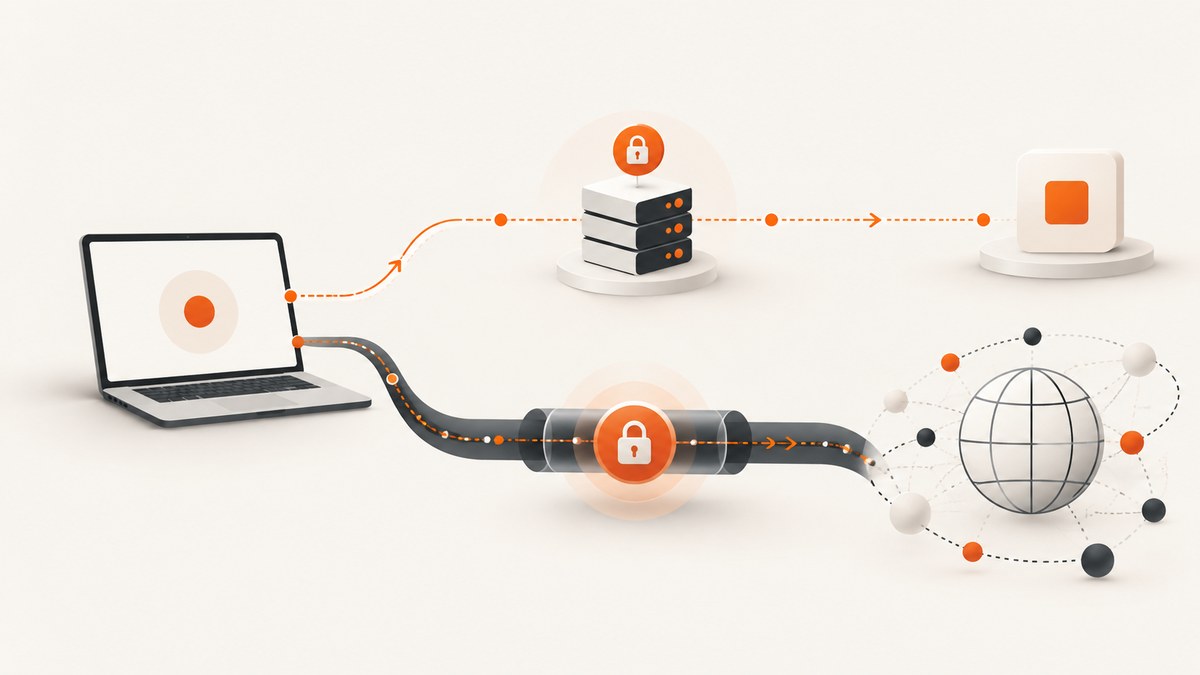
Short answer: A VPN normally creates an encrypted tunnel from your device to a VPN server and routes traffic through that server. A proxy forwards traffic through an intermediary, but its coverage, encryption, and visibility depend on the proxy type and configuration. Choose a VPN when you need device or network routing, a private-network connection, or protection from an untrusted local network. Choose a proxy when a particular application or managed service requires intermediary forwarding. Neither tool guarantees anonymity.
What is the difference between a proxy and a VPN?
The key difference is where the routing function applies and what is encrypted between you and the intermediary.
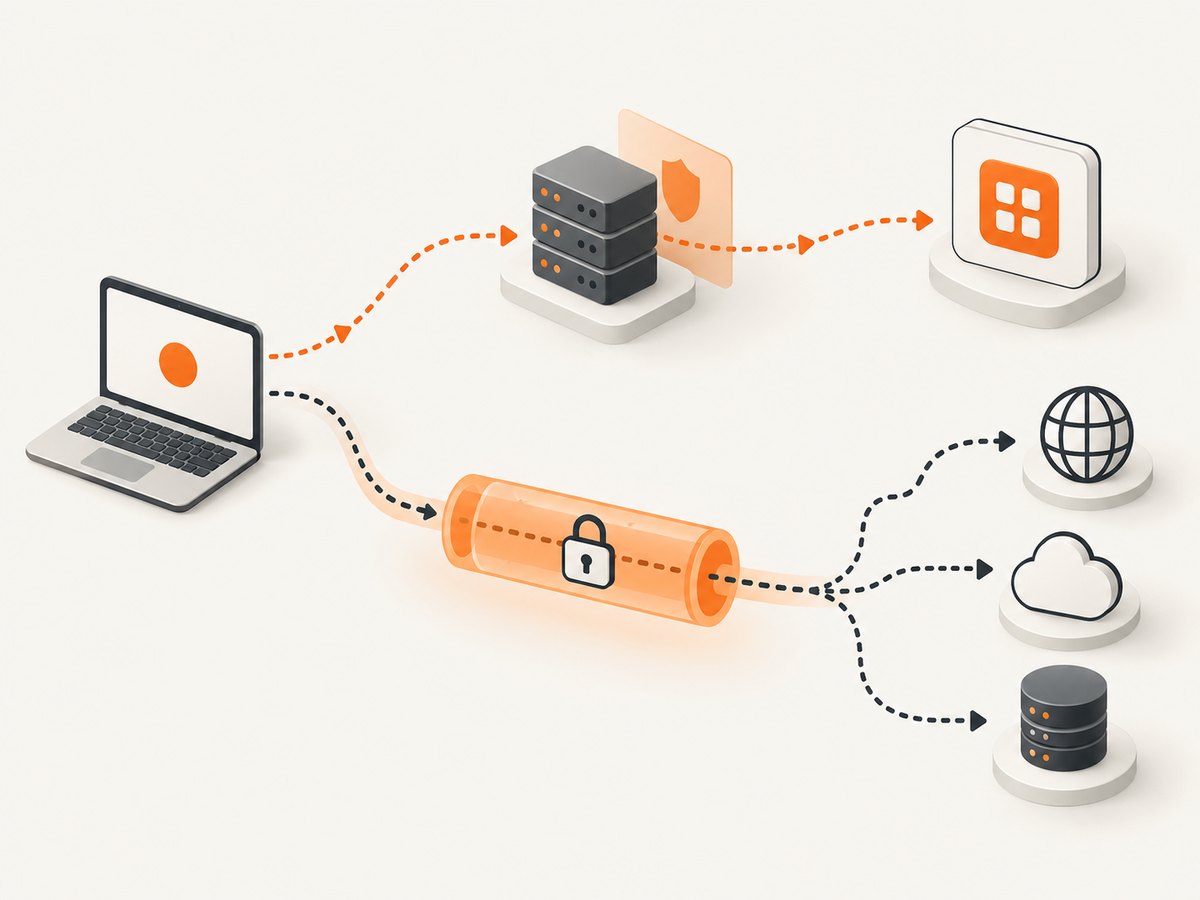
| Question | VPN | Proxy |
|---|---|---|
| What does it do? | Creates a tunnel to a VPN server, which connects to the destination. | Forwards a request through an intermediary. |
| Traffic scope | Often covers traffic selected by the device or network configuration. | May cover one application, browser, protocol, or managed service. |
| Encryption | The device-to-VPN connection is encrypted by the VPN protocol. HTTPS still protects web content end to end. | Varies. Some proxies protect a particular connection; others do not encrypt the client-to-proxy leg. |
| What the destination sees | Usually the VPN server’s egress IP address. | Usually the proxy’s egress IP address. |
| Who you trust | You move some visibility from your ISP or local network to the VPN provider. | You trust the proxy operator with the information its implementation can observe. |
Cloudflare describes a VPN as an encrypted client-to-VPN connection followed by a connection from the VPN server to the destination. The destination sees the VPN server’s IP address, while the ISP cannot see activity carried inside the tunnel. Cloudflare’s VPN explanation covers that flow.
“Proxy” is a broad label. Cloudflare’s managed Privacy Proxy, for example, learns the destination but is designed not to learn request content, and the destination sees the proxy’s egress IP rather than the client’s address. That is one implementation, not a guarantee for every proxy. Read the documentation for the exact product and protocol you are considering.
How traffic handling changes your privacy
Visibility for your ISP and local network
A VPN can hide the contents of traffic inside its tunnel from an ISP or Wi-Fi operator. The VPN provider can still observe information available at its side of the connection, so the trust boundary moves rather than disappearing. A proxy may hide your source IP from the destination for the traffic it forwards, but the local network can still see the connection to the proxy, and the proxy’s visibility depends on its design.
HTTPS still matters
HTTPS encrypts the content of most modern web traffic between your browser and a website. It does not hide every piece of metadata: a network observer may still learn the domain being contacted, timing, and traffic volume. A VPN can reduce what the ISP or local network sees, while making related information available to the VPN provider. The Electronic Frontier Foundation’s VPN guidance explains this tradeoff.
Neither tool makes you anonymous
Cookies, logged-in accounts, tracking pixels, browser fingerprinting, device identifiers, and GPS can identify or correlate activity. A destination can also recognize an account even when the source IP changes. A provider’s logs, payment records, and operational data may identify you as well. Treat “anonymous” claims as a prompt to inspect the provider’s privacy policy, retention practices, business model, jurisdiction, transparency reports, and any independent audit evidence.
Should you use a proxy or a VPN?
Start with the traffic you need to route and the trust boundary you want to change.
- Need access to a private business network? Use the organization’s VPN or zero-trust access system. It can authenticate you and route you to internal resources that are not public. A generic public proxy usually cannot provide that access control.
- Need to route a whole device or several applications? A VPN may be the simpler fit, provided its client and routing rules cover the traffic you care about.
- Need one browser, API client, or service to use an intermediary? A proxy may fit when that application supports the required proxy protocol and authentication.
- Need to hide activity from an untrusted local network? A trusted VPN can protect traffic inside its tunnel. HTTPS already protects web content, so weigh the VPN provider’s visibility and policy against the benefit.
- Need a destination to see a different network address? Either can do this, but verify whether the service permits the traffic, how addresses are shared, and what the intermediary logs.
Do not rely on a universal rule such as “a proxy only covers one app” or “a VPN covers everything.” Product settings, operating-system routing, split tunneling, browser configuration, and protocol support determine the actual scope.
Decision checklist before subscribing or configuring
- List the exact apps, protocols, and destinations that must be routed.
- Confirm whether the service supports IPv4, IPv6, DNS, WebRTC, and your required authentication method.
- Read the privacy policy for collection, retention, sharing, and deletion practices.
- Look for independent audits, transparency reporting, and a clear business model.
- Check the jurisdiction and legal process used for requests for customer data.
- Measure latency from your location to the intermediary and then to the destination.
- Confirm whether the service blocks, throttles, or disallows your intended traffic.
- Understand recurring cost, data limits, concurrent-device limits, and cancellation terms.
Performance, reliability, and cost
A VPN can add latency because packets travel to the VPN server before reaching the destination. Server distance, capacity, congestion, encryption overhead, and routing quality all matter. Cloudflare notes that a distant or overloaded server can slow connections. A proxy can be faster for a narrow application because it forwards only selected traffic, but an overloaded or distant proxy can be slow too.
Reliability depends on more than the label. Check whether the client reconnects safely, whether DNS requests follow the intended route, how failures are reported, and whether the provider has multiple locations or failover. Test the exact application and destination you care about rather than assuming a result from a speed test.
Both services can have recurring subscription costs. A free proxy or VPN may monetize through advertising, data collection, bandwidth resale, or restrictive limits. Price is only one input; a cheaper service with unclear retention or poor reliability may create more risk and operational work.
Common mistakes and troubleshooting
The destination still sees my real IP
Cause: The application bypasses the proxy or VPN, split tunneling is enabled, or IPv6 traffic is taking a different route.
Fix: Check the application’s proxy settings, operating-system route table, IPv4 and IPv6 behavior, and DNS configuration. Test from the same application that will send production traffic.
Websites load slowly or time out
Cause: The intermediary is distant, congested, rate-limited, or unable to reach the destination.
Fix: Try a nearer server, a different protocol or endpoint supported by the provider, and a direct comparison at the same time. Check MTU and firewall settings on managed networks.
Only some applications use the VPN
Cause: Split tunneling, per-app routing, or an application-specific configuration.
Fix: Review the client policy and route table. If the requirement is limited to one API client, an explicit proxy configuration may be easier to control and audit.
DNS requests reveal unexpected destinations
Cause: The operating system or browser is using its normal resolver, encrypted DNS outside the tunnel, or a separate IPv6 path.
Fix: Confirm the provider’s DNS behavior, disable conflicting per-browser settings where policy allows, and verify resolver addresses while connected.
A corporate resource is unreachable
Cause: The resource requires the company’s VPN, identity provider, device certificate, or internal DNS. A consumer VPN or public proxy cannot substitute for those controls.
Fix: Follow the organization’s access procedure and contact its administrator. Do not send internal credentials through an unapproved intermediary.
Accounts keep triggering security checks
Cause: Shared or frequently changing egress IPs, unusual geolocation, browser fingerprint changes, or a destination policy against datacenter addresses.
Fix: Use an approved, stable connection, keep location and account settings consistent, and follow the destination’s terms. Do not attempt to bypass access controls.
Privacy boundaries in practical scenarios
Public Wi-Fi
HTTPS protects the content of normal web sessions. A VPN can still be useful when you do not trust the network and want to reduce its view of destinations and metadata, but the VPN provider becomes the party you must trust. Compare the provider’s policy and evidence before connecting.
Remote work
Use the employer’s approved VPN or access platform. Business VPNs can enforce authentication and access-control rules for private resources; a consumer service is not a replacement.
Application automation
Use the proxy settings documented by the application or API. Record which requests are routed, how credentials are stored, and what happens when the proxy fails. Avoid placing long-lived proxy credentials in source code.
Or skip the browser setup
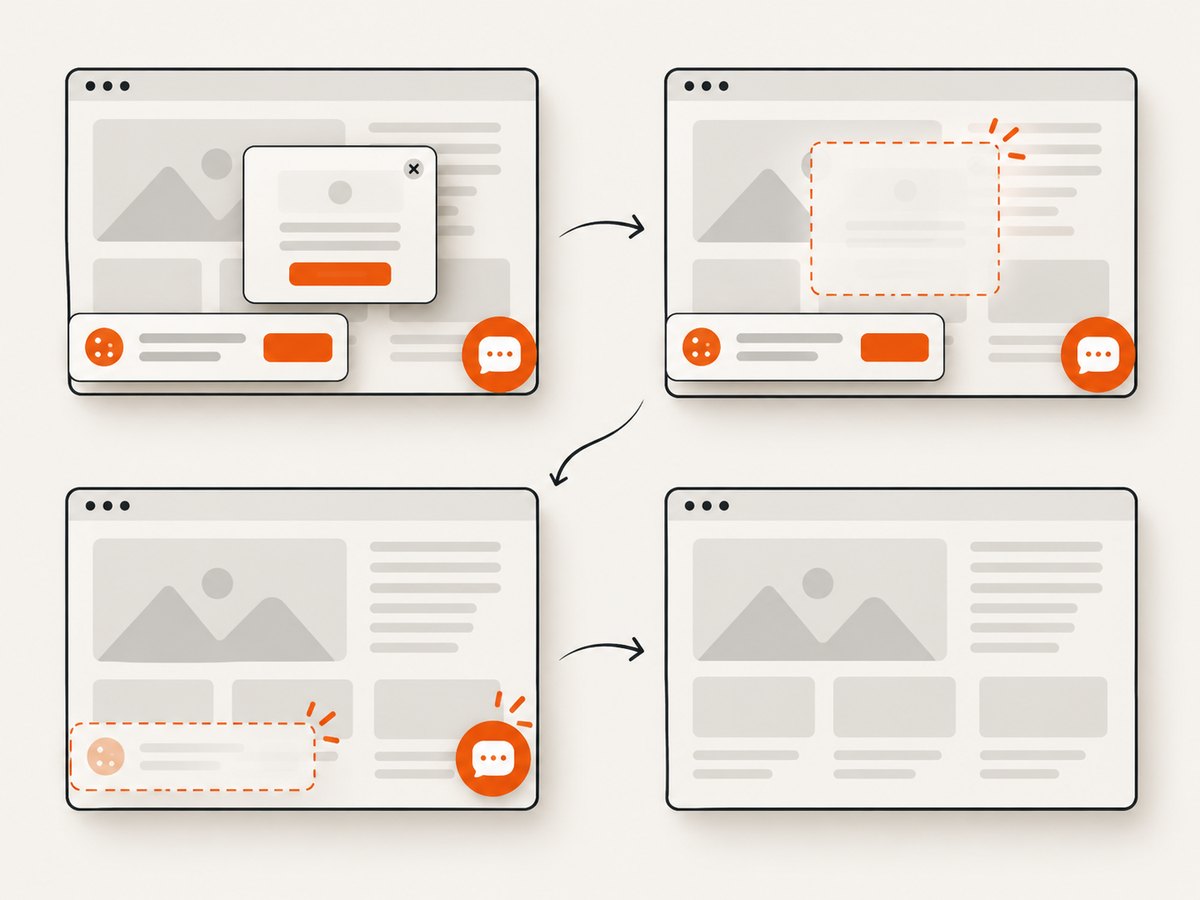
If your actual task is collecting clean screenshots of public pages, ScreenshotNeo is a purpose-built alternative to running and maintaining a browser. It accepts one GET request and returns PNG, JPEG, WebP, or PDF. Before capture, it accepts consent banners as a visitor and removes more than 60 known consent platforms, newsletter popups, and chat widgets; each step can be turned off. Bot checks, blank pages, timeouts, failed loads, and cache hits are not billed, and response headers identify the page verdict and billing result. An MCP server provides take_screenshot, get_page_info, and capture_pdf tools for Claude, Cursor, and other MCP clients.
See the ScreenshotNeo API documentation for all options. A minimal request:
curl -G 'https://api.screenshotneo.com/v1/shot' -d access_key=YOUR_API_KEY --data-urlencode url=https://stripe.com -o shot.webpPython:
import requests
r = requests.get('https://api.screenshotneo.com/v1/shot', params={'access_key': 'YOUR_API_KEY', 'url': 'https://stripe.com'}, timeout=90)
open('shot.webp', 'wb').write(r.content)
Node.js:
const q = new URLSearchParams({ access_key: 'YOUR_API_KEY', url: 'https://stripe.com' });
const res = await fetch(`https://api.screenshotneo.com/v1/shot?${q}`);
Features include full-page capture with lazy images loaded, CSS element capture, dark mode, 12 device presets and custom viewports, retina scale, PDF paper sizes and page ranges, custom CSS and JavaScript, clicks, selector waits, delays, network-idle waits, request and resource blocking, custom headers and cookies, timezone and geolocation, transparent backgrounds, resizing, configurable caching, signed image links, asynchronous jobs with signed webhooks, bulk capture of up to 100 URLs per call, a usage API, and an OpenAPI specification. Common screenshot API parameter names also work, which simplifies migration.
The Free plan includes 1,000 screenshots each month with no card. Paid plans start at $5 for 3,000 shots; yearly billing gives two months free, and every feature is available on every plan. Create a free ScreenshotNeo account and start with the included monthly shots.
FAQ
Is a proxy better than a VPN?
Neither is universally better. A proxy may be the right application-specific intermediary; a VPN may be the right choice for device routing or private-network access. Compare scope, encryption, trust, and provider practices.
Does a VPN make me anonymous?
No. It can change who sees your connection and destination metadata, but cookies, accounts, fingerprinting, GPS, and provider records can still identify or track you.
Can I use a proxy and VPN together?
Sometimes, but chaining adds configuration complexity, latency, and another party to trust. Use it only when you understand which layer handles each request and how failures are contained.
Does HTTPS make a VPN unnecessary?
HTTPS protects web content, but it does not hide all metadata from a local network or ISP. A VPN can change that visibility while exposing related information to the VPN provider.
What should I check in a VPN privacy policy?
Look for specific collection and retention periods, sharing rules, deletion procedures, legal jurisdiction, independent audits, transparency reports, and a business model that does not depend on selling usage data.


