How to Access the Chrome DevTools Protocol Client in Puppeteer
Create a page-scoped CDP session in Puppeteer, send protocol commands, listen for events, detach safely, and troubleshoot common errors.
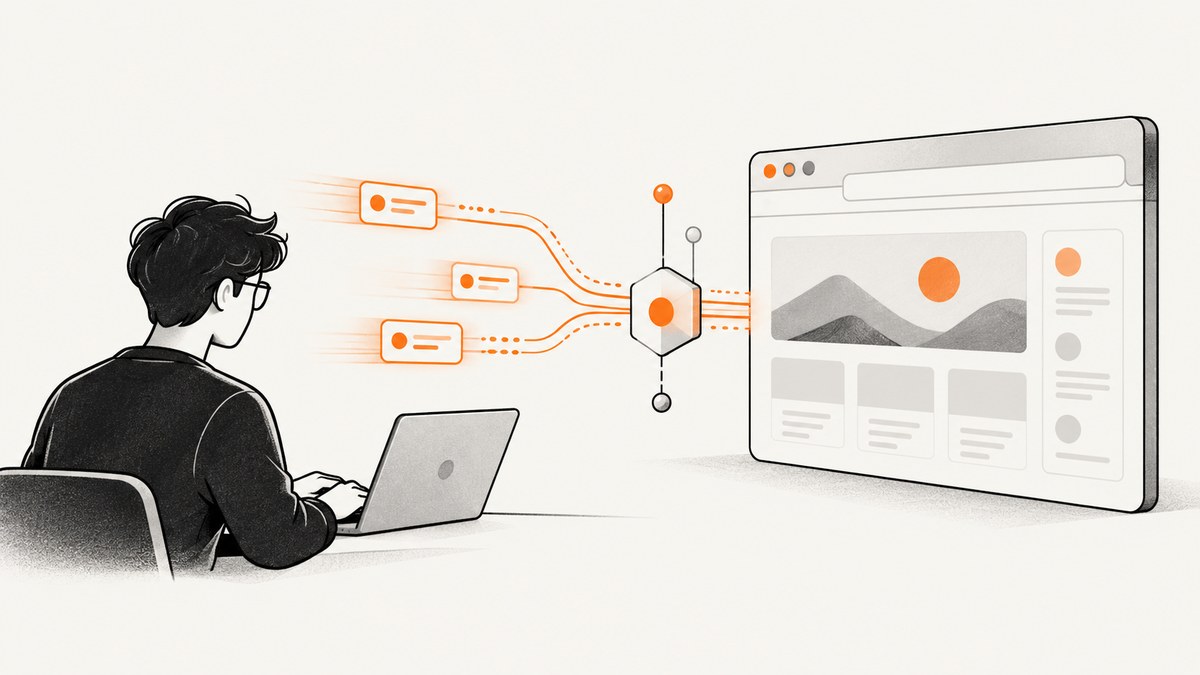
Direct answer: create a Chrome DevTools Protocol (CDP) client for a Puppeteer page with await page.createCDPSession(). The method returns a Promise<CDPSession> attached to that page. Use client.send() for protocol commands, client.on() for protocol events, and client.detach() when the session is finished.
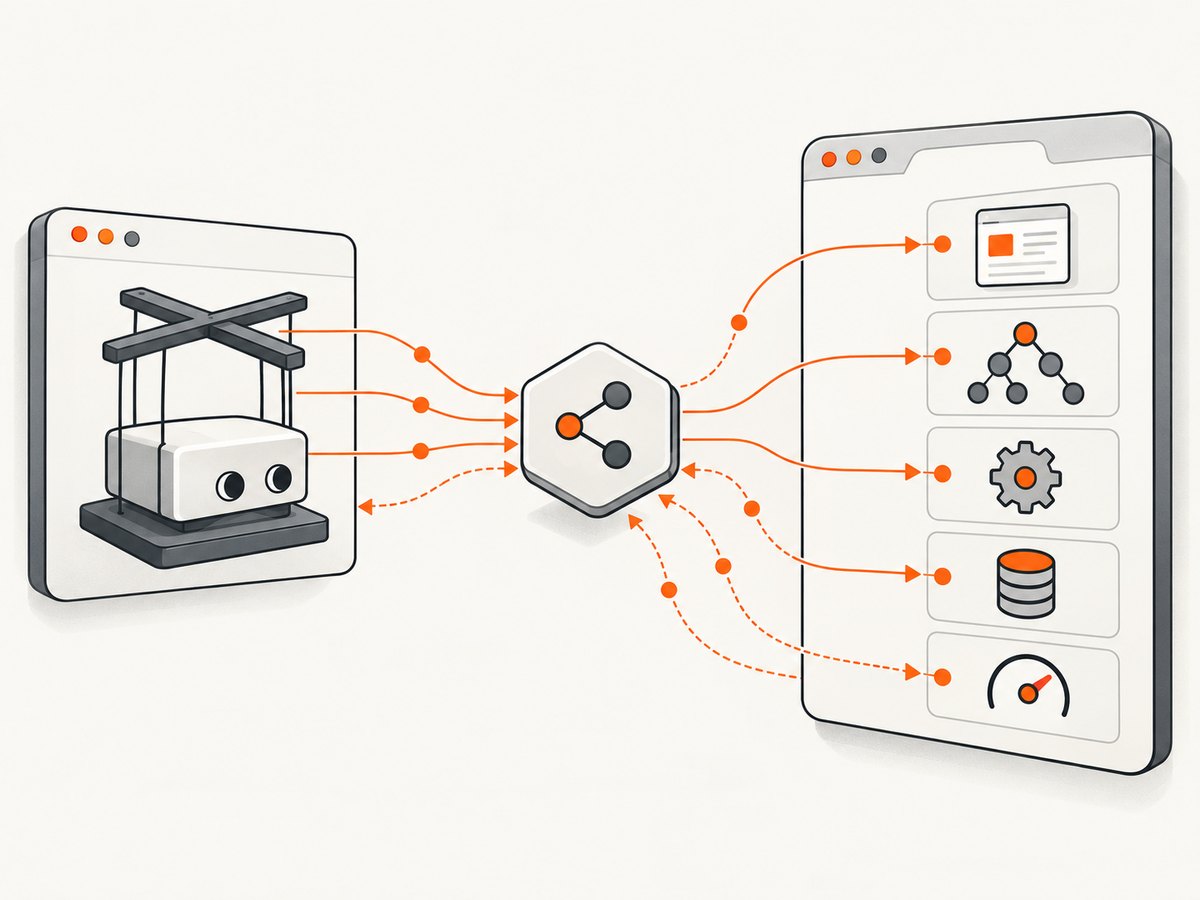
Puppeteer’s high-level APIs cover navigation, clicking, typing, screenshots, and assertions. A CDP session gives you lower-level access to Chrome domains such as Animation, Network, Runtime, Page, Security, and Performance. This is useful when Puppeteer does not expose a setting directly or when you need to observe browser events.
1. Create a page-scoped CDP session
Install Puppeteer, launch a browser, create a page, and attach the session:
npm install puppeteerconst puppeteer = require('puppeteer');
(async () => {
const browser = await puppeteer.launch({ headless: true });
const page = await browser.newPage();
const client = await page.createCDPSession();
console.log('Detached:', client.detached);
await page.goto('https://example.com', { waitUntil: 'domcontentloaded' });
const version = await client.send('Browser.getVersion');
console.log(version.product);
await client.detach();
await browser.close();
})();The session is attached to the target represented by page. Keep the returned object in a variable for as long as you need to issue commands or receive events.
The official API reference documents Page.createCDPSession(). The returned object implements the CDPSession API.
2. Send CDP commands with send()
CDP is organized into domains. A command name is written as Domain.method, with an optional object of parameters. The result is a JavaScript object containing the protocol response.
const client = await page.createCDPSession();

await client.send('Animation.enable');
const response = await client.send('Animation.getPlaybackRate');
console.log('Playback rate:', response.playbackRate);

await client.send('Animation.setPlaybackRate', {
  playbackRate: response.playbackRate / 2,
});
This follows Puppeteer’s official example: enable the Animation domain, read the playback rate, and set a new rate. Command parameters must use the names and value types expected by Chrome. If a command is unsupported by the connected browser, send() rejects with a protocol error.
Useful command patterns
| Goal | Commands | Notes |
|---|---|---|
| Observe network traffic | Network.enable, Network.requestWillBeSent |
Enable the domain before listening. |
| Read layout or runtime data | Runtime.evaluate |
Prefer page.evaluate() for ordinary page JavaScript; use CDP when you need protocol-specific fields. |
| Control emulation | Emulation.setDeviceMetricsOverride |
Coordinate with Puppeteer viewport settings so the two layers do not fight each other. |
| Capture performance data | Performance.enable, Performance.getMetrics |
Read metrics after the page has reached the state you want to measure. |
| Inspect browser version | Browser.getVersion |
Useful when diagnosing version-dependent commands. |
3. Subscribe to protocol events with on()
Events arrive asynchronously. Register listeners before the action that should trigger them:
const client = await page.createCDPSession();

await client.send('Network.enable');
client.on('Network.requestWillBeSent', event => {
  console.log(event.request.method, event.request.url);
});

await page.goto('https://example.com', { waitUntil: 'networkidle2' });
Event payloads are plain objects defined by the CDP domain. A listener remains active until you remove it or detach the session. If you need one event only, wrap the listener in a Promise and remove it after resolution:
function once(client, eventName) {
  return new Promise(resolve => {
    const handler = payload => {
      client.off(eventName, handler);
      resolve(payload);
    };
    client.on(eventName, handler);
  });
}

const requestPromise = once(client, 'Network.requestWillBeSent');
await page.goto('https://example.com');
const firstRequest = await requestPromise;
console.log(firstRequest.request.url);
4. Detach correctly
Call await client.detach() when the work is complete. After detachment, the session no longer emits events and cannot send messages. The detached property indicates whether it has been detached.
try {
  const client = await page.createCDPSession();
  await client.send('Runtime.enable');
  // CDP work here
} finally {
  if (client && !client.detached) {
    await client.detach();
  }
}
In production code, also close the browser in an outer finally block. Detaching a page session does not close the page or browser; it only ends that CDP connection.
5. Page sessions versus target sessions
Use page.createCDPSession() when you already have a Puppeteer Page and want a session scoped to it. Puppeteer also documents target.createCDPSession() for attaching to a target object. A target can represent a page, worker, or another DevTools target, so this method is useful when your code is already operating at target level.
const pageSession = await page.createCDPSession();

const target = page.target();
const targetSession = await target.createCDPSession();
The Page API marks using page.target() as the old way to obtain a session for the current page. For a page you already hold, call page.createCDPSession() directly. See the Page API and Target.createCDPSession() reference for the documented scopes.
6. A complete event-and-command example
This script records requests, checks the browser version, changes animation speed, and cleans up even if navigation fails:
const puppeteer = require('puppeteer');

(async () => {
  const browser = await puppeteer.launch({ headless: true });
  const page = await browser.newPage();
  let client;

  try {
    client = await page.createCDPSession();
    await client.send('Network.enable');
    await client.send('Animation.enable');

    client.on('Network.requestWillBeSent', ({ request }) => {
      console.log(`${request.method} ${request.url}`);
    });

    const browserInfo = await client.send('Browser.getVersion');
    console.log(browserInfo.product);

    const currentRate = await client.send('Animation.getPlaybackRate');
    await client.send('Animation.setPlaybackRate', {
      playbackRate: currentRate.playbackRate / 2,
    });

    await page.goto('https://example.com', {
      waitUntil: 'networkidle2',
      timeout: 30000,
    });
  } finally {
    if (client && !client.detached) await client.detach();
    await browser.close();
  }
})();
7. Puppeteer installation details
puppeteer normally installs a compatible Chrome during installation. puppeteer-core provides the library without downloading a browser, so you must supply an executable path or connect to an existing browser. Package-manager policies that disable install scripts can prevent the automatic browser download; that issue occurs before CDP session creation.
npm install puppeteer-coreconst puppeteer = require('puppeteer-core');
const browser = await puppeteer.launch({
executablePath: '/usr/bin/google-chrome',
headless: true,
});Keep the browser and Puppeteer versions compatible. A session can be created successfully while an individual command fails because the connected browser does not implement that command or event.
8. Troubleshooting common errors
| Error or symptom | Likely cause | Fix |
|---|---|---|
page.createCDPSession is not a function |
The value is not a Puppeteer Page, or an outdated/incompatible package is loaded. |
Log the object type, verify the import, and update Puppeteer. Call the method on the page returned by browser.newPage(). |
Protocol error: ... wasn't found |
The command is unavailable in the connected Chrome version or belongs to another domain. | Call the correct domain’s enable method, check the browser version with Browser.getVersion, and consult the CDP method documentation for that browser. |
Target closed |
The page, context, or browser closed while a command was running. | Keep the page alive until all awaited CDP calls finish. Handle navigation and browser shutdown in try/finally. |
| Events never arrive | The domain was not enabled, the listener was registered too late, or the event belongs to another target. | Enable the domain first, register before navigation/action, and attach to the page or target that emits the event. |
Session closed after cleanup |
Code sends a command after detach(). |
Guard cleanup with client.detached and stop using the object after detachment. |
| Browser executable missing | Install scripts were skipped or puppeteer-core is being used without a path. |
Install the browser explicitly or provide executablePath. |
9. Reliability and performance practices
- Enable only required domains. Network and performance domains can produce many events. Extra listeners increase memory and logging overhead.
- Remove temporary listeners. Use
off()after a one-shot operation so long-running workers do not accumulate handlers. - Await every command. CDP commands are asynchronous; issuing dependent calls without awaiting them creates race conditions.
- Set operation timeouts. Wrap waits and navigation in bounded time so a stalled target cannot hold a worker forever.
- Reuse a browser carefully. Reusing one browser avoids launch cost, but create isolated pages or contexts and detach sessions during cleanup.
- Record protocol errors. Include command names, browser version, target URL, and whether the session was detached. Do not log cookies or authorization headers.
- Expect target changes. Popups, workers, and downloads can create different targets. A page session sees events for its page; attach separately when your workflow needs another target.
10. When a screenshot API is simpler
If your goal is simply to produce an image or PDF, maintaining Chrome, Puppeteer, CDP sessions, fonts, waits, and cleanup may be unnecessary. ScreenshotNeo provides a website screenshot API and MCP server. It accepts one GET request and returns PNG, JPEG, WebP, or PDF. Its capture options include full-page screenshots with lazy images loaded, CSS-selector element capture, device presets or custom viewports, dark mode, retina scale, custom CSS and JavaScript, click and wait controls, request blocking, headers, cookies, user agents, authorization, timezone, geolocation, transparency, resizing, caching, signed links, asynchronous jobs, bulk capture, usage data, and PDF page settings.
Or skip the browser setup
Use the same URL with a single request (see the ScreenshotNeo documentation):
curl -G 'https://api.screenshotneo.com/v1/shot' -d access_key=YOUR_API_KEY --data-urlencode url=https://stripe.com -o shot.webpimport requests
r = requests.get('https://api.screenshotneo.com/v1/shot', params={'access_key': 'YOUR_API_KEY', 'url': 'https://stripe.com'}, timeout=90)
open('shot.webp', 'wb').write(r.content)const q = new URLSearchParams({ access_key: 'YOUR_API_KEY', url: 'https://stripe.com' });
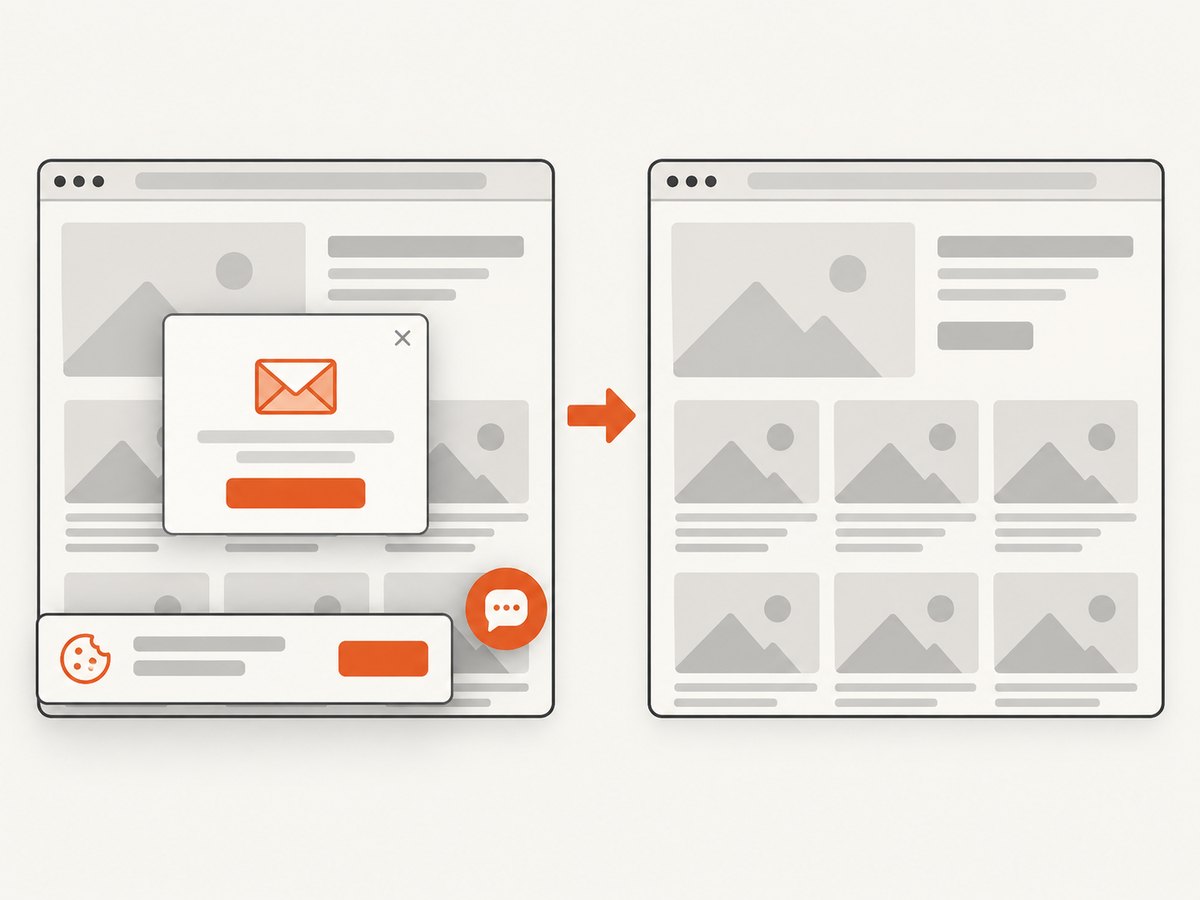
const res = await fetch(`https://api.screenshotneo.com/v1/shot?${q}`);Cookie banners, newsletter popups, and chat widgets are removed before the shot. Bot checks, blank pages, timeouts, failed loads, and cache hits are not billed, and response headers identify the page verdict and billing status. An MCP server lets Claude, Cursor, and other MCP clients call take_screenshot, get_page_info, and capture_pdf. The Free plan includes 1,000 screenshots each month with no card; paid plans start at $5 for 3,000. Create a free ScreenshotNeo account.
11. Cost considerations
Running Puppeteer yourself costs infrastructure time: browser processes, memory, container images, fonts, patching, and operational work. CDP commands themselves do not add a separate Puppeteer fee, but every browser instance consumes your compute budget. Limit concurrency to what your host can sustain, reuse browsers when safe, and close pages promptly.
ScreenshotNeo bills only clean shots. Its plans are Free (1,000/month), Starter ($5 for 3,000), Growth ($15 for 15,000), Pro ($39 for 60,000), Scale ($99 for 250,000), and Business ($249 for 1,000,000); yearly billing provides two months free. Every feature is available on every plan.
12. FAQ
Can I use CDP with Firefox?
The CDP session API is for Chrome DevTools Protocol targets. Puppeteer also supports Firefox and WebDriver BiDi, but protocol commands and domains differ.
Does detaching close my page?
No. Detaching ends the CDP session. The page and browser remain open until you close them.
Should I call page.target().createCDPSession()?
For a page you already have, use page.createCDPSession(). The target method remains useful when your code intentionally works with a target object.
Can multiple CDP sessions attach to one page?
Separate sessions can be created, but coordinate domain enables, event handlers, and cleanup so independent code does not interfere.
Where can I find the protocol schema?
Use the Chrome DevTools Protocol documentation for the domains and command parameters supported by the browser you connect to, then verify compatibility with Browser.getVersion.


