How to Manage Cookies, Sessions, and the Data Directory in Puppeteer
Learn when to set cookies, isolate sessions with BrowserContexts, or configure Puppeteer’s user data directory—with runnable code and troubleshooting.
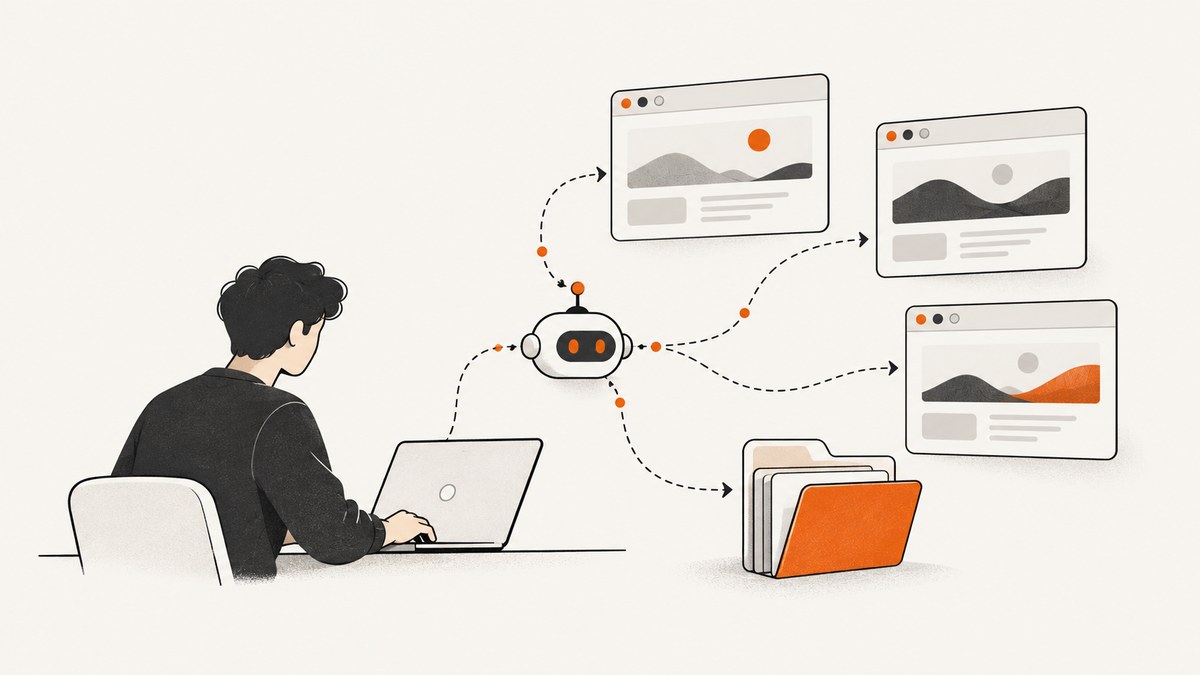
Puppeteer gives you three related but distinct ways to work with browser state: read, set, or delete cookies explicitly; isolate a task in a BrowserContext; and choose a browser user data directory when launching Chrome. Use cookie methods when you need to inspect or change specific cookies, contexts when tasks should not share storage, and userDataDir when you need to configure the browser’s profile directory. These controls solve different problems and should not be treated as interchangeable.
The examples below follow the Puppeteer documentation version 25.12.0 for its cookies guide, context, launch options, and browser management guide. Some individual cookie method pages identify version 25.11.0. Check the official cookies guide, BrowserContext reference, LaunchOptions reference, and browser management guide for the current API when publishing or upgrading.
1. Choose the right state mechanism
| Need | Use | Scope |
|---|---|---|
| Inspect or change a particular cookie | context.cookies(), context.setCookie(), context.deleteCookie() |
The selected browser context |
| Keep tasks’ cookies and local storage separate | browser.createBrowserContext() |
One context and its pages |
| Choose a browser profile directory at startup | launch({ userDataDir }) |
The launched browser |
| Stop controlling Chrome but leave it running | browser.disconnect() |
Puppeteer’s connection |
| Shut down the launched browser | browser.close() |
The browser process |
A browser context is a storage boundary. The documentation says contexts isolate cookies and local storage from other contexts. In Chrome, non-default contexts are incognito; the default context can also be incognito if Chrome is launched with --incognito. A context does not, by itself, establish a persistent profile across later launches. A user data directory is a launch option for a browser profile path; the cited API reference does not specify every detail of profile durability, backup, migration, locking, or safe concurrent access.
Browser-level cookie methods are shortcuts for the default context. Prefer context-level methods when the page you are automating lives in a non-default context. This avoids reading or writing the wrong session by accident.
2. Read, set, and delete cookies
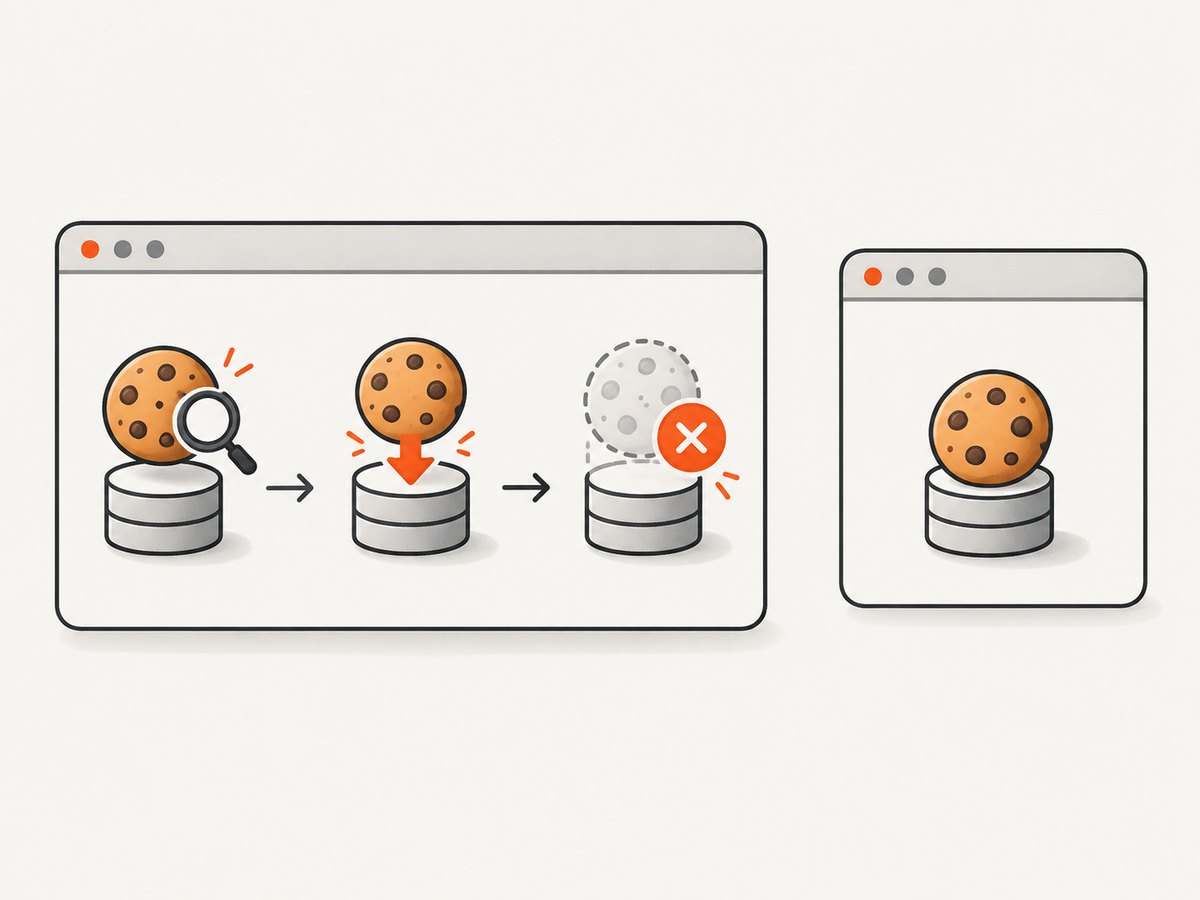
Cookie methods let you inspect browser storage and change individual cookie records. Cookie data includes required name and domain fields, with optional fields such as expires, httpOnly, secure, path, and sameSite. If expires is omitted, the cookie is a session cookie. Setting a cookie does not guarantee that a site accepts it or that it authenticates you: the target site decides based on its cookie rules and server-side session state.
Runnable example: operate on the page’s context
Install Puppeteer with npm install puppeteer. The following script visits a site, prints cookies visible to the page’s context, sets a sample cookie, checks the resulting cookie list, deletes that cookie, and closes the browser. Replace the domain and cookie values with ones appropriate for a site you control.
import puppeteer from 'puppeteer';

const browser = await puppeteer.launch({ headless: true });
try {
  const page = await browser.newPage();
  await page.goto('https://example.com', { waitUntil: 'domcontentloaded' });

  const context = page.browserContext();
  const before = await context.cookies('https://example.com');
  console.log('Before:', before.map(({ name, domain }) => ({ name, domain })));

  await context.setCookie({
    name: 'automation-example',
    value: 'demo',
    domain: 'example.com',
    path: '/',
    secure: true,
    httpOnly: true,
    sameSite: 'Lax'
  });

  const after = await context.cookies('https://example.com');
  console.log('After:', after.map(({ name, value }) => ({ name, value })));

  await context.deleteCookie({
    name: 'automation-example',
    domain: 'example.com',
    path: '/'
  });
} finally {
  await browser.close();
}
The example passes a URL to cookies() to inspect cookies relevant to that URL. Keep the domain, path, and other attributes consistent with the target site. When a cookie operation appears to succeed but the page does not behave as expected, inspect the result and the site’s actual response; the cookie may be scoped differently, expired, rejected, or insufficient without corresponding server state.
Browser shortcuts and context choice
The documented browser methods—browser.cookies(), browser.setCookie(), and browser.deleteCookie()—operate on the default context. They are convenient if you deliberately use the default context. If you create separate contexts, use the context attached to the page you are working with:
const context = page.browserContext();
const cookies = await context.cookies();
await context.setCookie({ name: 'theme', value: 'dark', domain: 'example.com' });
await context.deleteCookie({ name: 'theme', domain: 'example.com' });
Do not assume that setting a cookie on the default context will affect a page opened in another context. Likewise, reading from one context will not show cookies stored in another.
3. Isolate sessions with BrowserContext
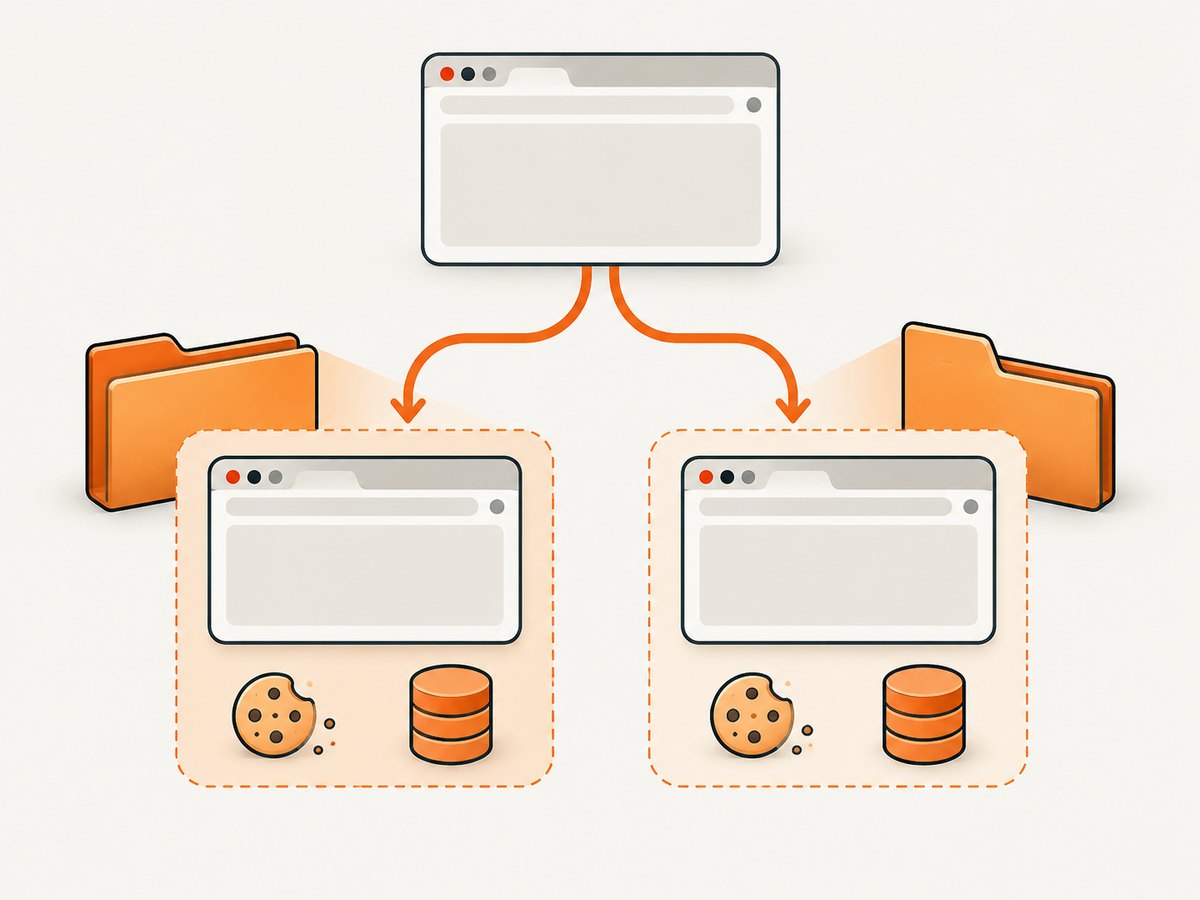
Create a context for each job or user whose browser-managed storage should be separate. Pages created in the same context share that context’s storage; different contexts isolate cookies and local storage. This is useful for running independent accounts or test cases without allowing one task’s browser storage to bleed into another.
import puppeteer from 'puppeteer';

const browser = await puppeteer.launch({ headless: true });
try {
  const accountA = await browser.createBrowserContext();
  const accountB = await browser.createBrowserContext();

  try {
    const pageA = await accountA.newPage();
    const pageB = await accountB.newPage();

    await Promise.all([
      pageA.goto('https://example.com', { waitUntil: 'domcontentloaded' }),
      pageB.goto('https://example.com', { waitUntil: 'domcontentloaded' })
    ]);

    await accountA.setCookie({
      name: 'test-session', value: 'account-a', domain: 'example.com', path: '/'
    });

    console.log('A:', await accountA.cookies('https://example.com'));
    console.log('B:', await accountB.cookies('https://example.com'));
  } finally {
    await accountA.close();
    await accountB.close();
  }
} finally {
  await browser.close();
}
Closing a context closes its pages and releases that context’s resources. Treat the context as the unit of isolation for a task. The documentation establishes storage isolation but does not promise that a context persists as a reusable login after the browser process exits.
When isolation helps
- Parallel workflows: separate each job’s cookies and local storage so one workflow cannot accidentally use another’s session.
- Repeatable tests: use a fresh context to avoid relying on state left by a previous test.
- Multiple accounts: create one context per account and keep pages for that account together.
Isolation is not a substitute for explicit cookie management when the task specifically requires checking, importing, or deleting a cookie. It also does not imply persistent storage across browser launches.
4. Configure a user data directory at launch
LaunchOptions.userDataDir selects a path for a browser user data directory. Set it when launching Puppeteer, rather than treating it as a per-cookie or per-context operation. The option configures the browser launch; it does not replace context selection or cookie methods.
import puppeteer from 'puppeteer';

const browser = await puppeteer.launch({
  headless: true,
  userDataDir: './puppeteer-profile'
});
try {
  const page = await browser.newPage();
  await page.goto('https://example.com', { waitUntil: 'domcontentloaded' });
  console.log(await page.title());
} finally {
  await browser.close();
}
This shows how to provide a profile directory path. The cited documentation does not settle every operational question about which state survives restarts, how profile files should be backed up or migrated, whether concurrent browser processes can safely share a profile, or how profile locking behaves. Check the current browser and Puppeteer guidance before designing a workflow that depends on those details. In particular, do not infer safe concurrent sharing merely because a path is configurable.
Data directory versus session cookie
A cookie’s expires setting distinguishes a session cookie from an explicitly expiring cookie in the cookie data model. A user data directory is a browser launch setting. The two concepts are related to browser state, but the API descriptions do not justify a blanket claim that choosing a data directory guarantees a particular cookie will survive a restart. If a workflow depends on reuse, verify its behavior with the current version and deployment environment.
5. Close Chrome or disconnect Puppeteer
Choose lifecycle behavior explicitly. browser.close() shuts down the browser. browser.disconnect() detaches Puppeteer while leaving the browser and its pages open. Neither method sets a cookie’s expiration or configures a profile directory; they control browser-process lifecycle.
// Shut down the browser launched by this script.
await browser.close();

// Or, if you need Chrome and its pages to keep running, detach Puppeteer.
browser.disconnect();
Usually a short-lived automation script should close the browser in a finally block, as in the examples above, so errors do not leave its launched browser behind. Use disconnect only when another part of your system intentionally manages the still-running browser.
6. A practical decision checklist
- Identify the page’s context. If the page came from a separate context, perform cookie operations on that context.
- Decide whether state should be shared. Use one context for pages that belong to the same browser session; create separate contexts to isolate tasks.
- Use explicit cookie calls only for explicit cookie work. Read, set, or delete cookies when you need to inspect or manipulate them directly.
- Choose a profile path at launch if needed. Configure
userDataDirinlaunch(); do not confuse that launch option with context isolation. - Define shutdown behavior. Close the browser when the task is done, or disconnect only when the browser should remain open under another owner.
- Verify assumptions about persistence and concurrency. The cited API references do not answer every lifecycle and profile-sharing question.
7. Troubleshooting common problems
| Symptom | Likely cause | Fix |
|---|---|---|
| Cookie is missing from the result | You queried a different context, URL scope, domain, or path. | Use the page’s browserContext(), query with the relevant site URL, and inspect the cookie’s domain and path. |
| Cookie is set but the site still treats the page as logged out | The site rejected the cookie, its attributes do not match, it expired, or server-side session state is missing. | Inspect the returned cookies and the site’s behavior. Confirm the correct domain, path, secure and same-site requirements, and whether the site requires more than a cookie value. |
| One task sees another task’s browser state | The tasks use the same context. | Create separate BrowserContexts and create each task’s pages in its own context. |
| Cookie changes do not appear in an isolated page | The cookie was changed through a browser shortcut, which targets the default context. | Call setCookie(), cookies(), or deleteCookie() on the page’s context. |
| A cookie disappears after its session ends | No expires value was set, so it is a session cookie according to CookieData. |
Where appropriate for the site and task, set a valid expiration. Do not assume that this alone guarantees authentication or persistence. |
| Chrome remains open after the script stops controlling it | The script disconnected instead of closing the browser. | Use browser.close() when the launched browser should shut down. |
| Unsure whether a chosen directory preserves a particular state | The API option documents a profile path, not every persistence detail. | Verify the behavior you require using the current Puppeteer and browser documentation and your deployment setup. |
8. Performance, reliability, and cost
Contexts make storage boundaries clearer, especially when automating multiple independent tasks. The cited documentation does not provide performance benchmarks for choosing between contexts, cookie calls, or user data directories, so measure your own workload instead of assuming a speed difference. Keep browser and context lifecycles explicit, close contexts when their tasks finish, and close launched browsers when they are no longer needed.
For reliability, make state scope visible in your code: pass or retain the context that owns a page, and avoid relying on implicit default-context shortcuts in multi-context workflows. Treat profile persistence, concurrent use, migration, and backups as deployment questions requiring verification; the cited API references do not provide guarantees for them. Cookie expiration and browser shutdown are separate concerns.
For screenshot work, running and maintaining a browser has an operational cost in setup and execution time. ScreenshotNeo is a website screenshot API and MCP server from Yorker Media. It offers 1,000 screenshots per month free with no card; paid plans start at $5 for 3,000 shots. Its pricing lists Starter at $5 for 3,000, Growth at $15 for 15,000, Pro at $39 for 60,000, Scale at $99 for 250,000, and Business at $249 for 1,000,000; yearly billing gives two months free, and every feature is on every plan. Those are plan allowances, not a benchmark against a self-hosted Puppeteer workload.
Or skip the browser setup
For a screenshot, ScreenshotNeo takes a URL in one GET request and returns an image or PDF. See the ScreenshotNeo website and API documentation.
curl -G "https://api.screenshotneo.com/v1/shot" -d access_key=YOUR_API_KEY --data-urlencode url=https://stripe.com -o shot.webpimport requests
r = requests.get("https://api.screenshotneo.com/v1/shot", params={"access_key": "YOUR_API_KEY", "url": "https://stripe.com"}, timeout=90)
open("shot.webp", "wb").write(r.content)const q = new URLSearchParams({ access_key: 'YOUR_API_KEY', url: 'https://stripe.com' });
const res = await fetch(`https://api.screenshotneo.com/v1/shot?${q}`);- Cookie and consent banners, newsletter popups, and chat widgets are removed before the shot; each cleanup step can be turned off.
- Bot checks or CAPTCHAs, blank pages, timeouts, failed loads, and cache hits are never billed. Responses include
X-Page-VerdictandX-Billedheaders. - An MCP server gives AI agents, including Claude, Cursor, and other MCP clients, the
take_screenshot,get_page_info, andcapture_pdftools. - 1,000 screenshots a month are free with no card; paid plans start at $5 for 3,000.
Start with 1,000 free screenshots a month—no card required.
9. FAQ
Are BrowserContexts and user data directories the same thing?
No. A context isolates browser-managed storage for a browser context; userDataDir is a path supplied as a browser launch option. The APIs describe separate controls.
Should I use Browser cookies methods or BrowserContext cookie methods?
Use Browser methods for the default context. Use BrowserContext methods when the page belongs to a specific context, especially when you created isolated contexts.
Does setting a cookie log me in?
Not necessarily. The site must accept that cookie, and its server may require valid session state or other conditions.
Does browser.disconnect() close Chrome?
No. It detaches Puppeteer and leaves the browser and pages open. Use browser.close() to shut down the browser.
Can multiple browser processes safely use one user data directory?
The cited references do not settle safe concurrent use or profile locking. Verify current browser guidance and your environment before depending on shared access.


