How to Fix Page.createIsolatedWorld’s grantUniversalAccess Flag in Puppeteer
Use the CDP field `grantUniveralAccess`—with one “s”—and handle frame detachment by reacquiring a live frame before retrying.

The Chrome DevTools Protocol (CDP) field is spelled grantUniveralAccess, with “Universal” missing its second “s.” That spelling is intentional at the protocol boundary. Sending grantUniversalAccess may be ignored as an unknown field or fail to enable the option. If you see No frame for given id found, the likely problem is a stale frame ID caused by navigation or frame detachment; acquire the current frame and retry against that frame.
For ordinary page automation, use Puppeteer’s public APIs such as page.evaluate() and its frame APIs. Use Page.createIsolatedWorld through CDP only when you specifically need a named isolated execution world or protocol-level control. The flag is powerful, and it does not switch off every browser security boundary.
1. Why the field looks misspelled
The wire-protocol JSON key is grantUniveralAccess. Puppeteer’s FrameManager uses that key internally, and generated CDP bindings expose the same spelling. The protocol binding describes a boolean value, defaults it to false when omitted, and cautions that granting universal access is powerful and should be used carefully. The generated binding also documents the executionContextId returned by the command. See the [CDP Page binding](https://github.com/chromedp/cdproto/blob/main/page/page.go) and [Puppeteer’s IsolatedWorld implementation](https://github.com/puppeteer/puppeteer/blob/main/packages/puppeteer-core/src/cdp/IsolatedWorld.ts).
| Key | Result |
|---|---|
grantUniveralAccess |
Protocol spelling. Use this exact JSON key. |
grantUniversalAccess |
Grammatically correct spelling, but not the protocol field. |
| Omit the field | The generated binding’s default is false. |
This is a low-level protocol compatibility detail, not a recommendation to grant broad access routinely. The CDP schema is the authority for the field name; ordinary JavaScript spelling conventions do not override it.
2. Create an isolated world with Puppeteer
The following runnable example launches Puppeteer, navigates to a page, obtains the current main frame, creates a CDP session, and asks Chrome to create a named isolated world. It uses the misspelled protocol key exactly. Save it as isolated-world.js.
const puppeteer = require('puppeteer');

(async () => {
  const browser = await puppeteer.launch({ headless: true });
  let client;

  try {
    const page = await browser.newPage();
    await page.goto('https://example.com', { waitUntil: 'domcontentloaded' });

    // Use a current frame object. Do not cache its internal ID across navigation.
    const frame = page.mainFrame();
    if (!page.frames().includes(frame)) {
      throw new Error('Main frame is no longer attached');
    }

    client = await page.createCDPSession();
    const result = await client.send('Page.createIsolatedWorld', {
      frameId: frame._id,
      worldName: '__my_isolated_world__',
      grantUniveralAccess: true,
    });

    console.log('Created isolated execution context:', result.executionContextId);
  } finally {
    if (client) await client.detach().catch(() => {});
    await browser.close();
  }
})().catch((error) => {
  console.error(error);
  process.exitCode = 1;
});
Install Puppeteer in a project with npm install puppeteer, then run node isolated-world.js. Puppeteer’s installation supplies a compatible browser by default. If your environment instead connects to a separately managed Chrome, make sure that browser supports the CDP command and that the session is attached to the intended page target.
About frame._id
The CDP command requires a protocol frame ID, but Puppeteer’s _id property is an internal implementation detail rather than a stable public API. It appears in low-level examples because Puppeteer itself needs to bridge frame objects to protocol IDs. Pin and validate your Puppeteer version if you depend on internals. Keep the interval between reading the frame ID and sending the command short. Never retain it for later reuse after navigation.
The API response contains executionContextId. That ID identifies the newly created world’s execution context, not a durable handle that should be assumed to survive document replacement. If navigation disposes the context, obtain a fresh frame and create or wait for a new context as appropriate.
3. Use the public API when the protocol command is unnecessary
If your goal is to read or modify page DOM, evaluate JavaScript, or control navigation, start with Puppeteer’s public interfaces. For example, page.evaluate() runs a function in the page’s normal execution context:
const title = await page.evaluate(() => document.title);
console.log(title);
For an iframe, work with its current Puppeteer frame object and evaluate through the frame API. This avoids manually synchronizing CDP frame IDs and execution-context IDs. Prefer public methods because internal names and behavior can change between Puppeteer releases.
Use raw Page.createIsolatedWorld when the requirement is specifically a separately named world or a protocol-level behavior that the public API does not expose. Avoid making the flag a default “fix” for unrelated evaluation errors. First identify which context is running the code and what access that code actually needs.
4. Fix “No frame for given id found”
This error means Chrome could not find the frame identified in the command at the time it was handled. A common cause is a lifecycle race: the script lists frames, then asynchronously sends the command, but navigation, a redirect, iframe replacement, or detachment invalidates the old frame in between. Puppeteer issue [#7902](https://github.com/puppeteer/puppeteer/issues/7902) documents this error during isolated-world initialization.

- Wait for the navigation state you need. If your own code initiated navigation, await that navigation before selecting the frame.
- Reacquire the frame immediately before sending CDP. Do not store a protocol ID and reuse it after a page transition.
- Check attachment. Confirm the frame object is still present in
page.frames()before using its current ID. - Retry only lifecycle failures. Catch the specific “No frame for given id found” protocol error, wait briefly for the transition to settle, reacquire the frame, then retry a limited number of times.
- Stop using detached contexts. A detached frame’s old execution context is gone. Do not repeatedly send commands with the old ID.
- Detach the CDP session during cleanup. Release it when the page or browser context is closed.
A bounded retry helper can make the lifecycle handling explicit. This example retries only when the frame disappeared and uses a fresh frame object for each attempt:
async function createWorldForMainFrame(page, client, maxAttempts = 3) {
  for (let attempt = 1; attempt <= maxAttempts; attempt++) {
    const frame = page.mainFrame();

    if (!page.frames().includes(frame)) {
      if (attempt === maxAttempts) throw new Error('Main frame detached');
      await new Promise(resolve => setTimeout(resolve, 100 * attempt));
      continue;
    }

    try {
      return await client.send('Page.createIsolatedWorld', {
        frameId: frame._id,
        worldName: '__my_isolated_world__',
        grantUniveralAccess: true,
      });
    } catch (error) {
      const frameGone = String(error.message).includes('No frame for given id found');
      if (!frameGone || attempt === maxAttempts) throw error;
      await new Promise(resolve => setTimeout(resolve, 100 * attempt));
    }
  }

  throw new Error('Could not create an isolated world');
}
This is deliberately a small, bounded retry, not a promise that every failure is transient. If a frame continuously reloads, a longer retry loop only hides the underlying page behavior. Log the URL and lifecycle stage, then determine whether your own navigation or the site’s frame replacement is expected.
5. What universal access does—and does not—mean
The flag applies to the isolated world created in the specified frame. It does not promise that every cross-origin operation will succeed, nor does it globally disable Chrome’s security model. DOM access, network requests, CORS behavior, document isolation, and navigation still depend on the context and the applicable browser rules.
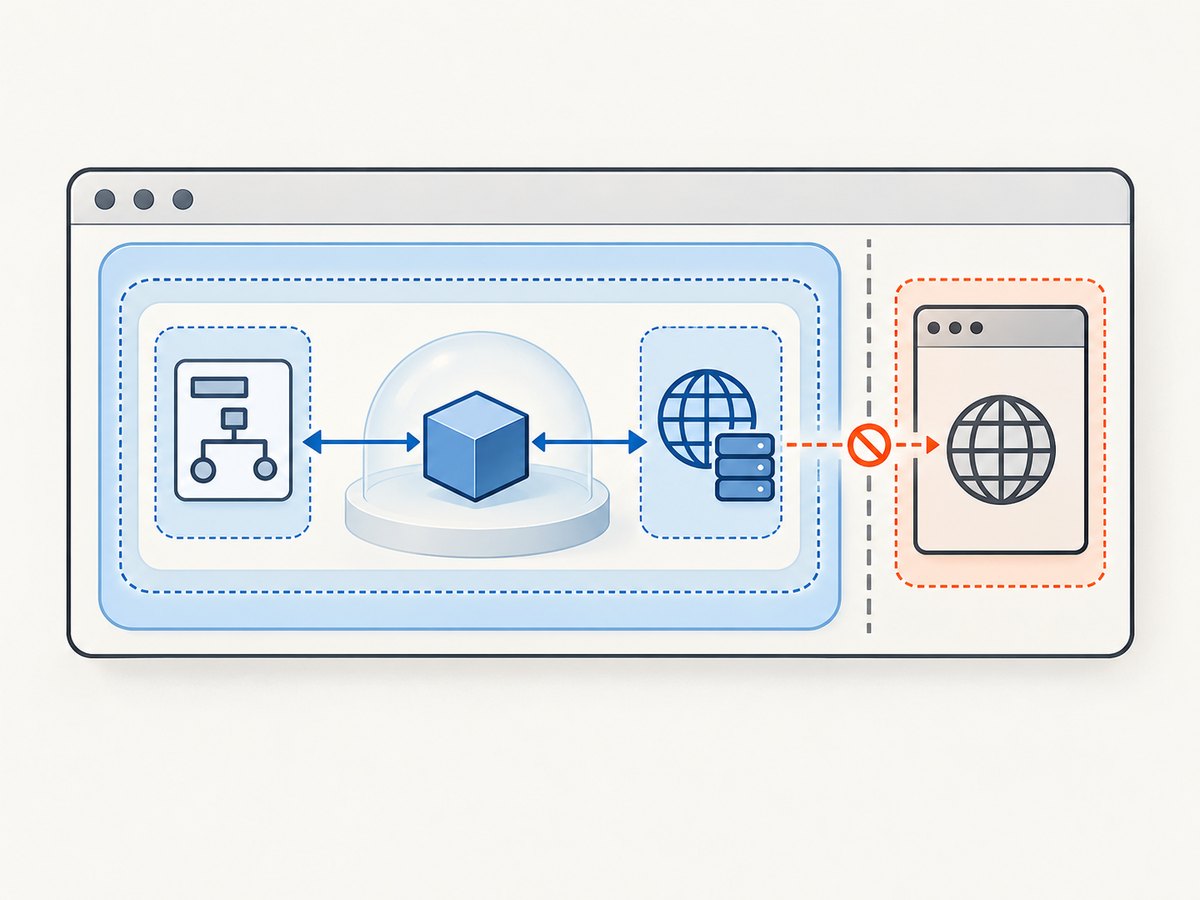
In particular, granting access to an isolated world should not be confused with making arbitrary cross-origin fetch() requests succeed. CORS is enforced for web requests according to the browser’s rules; changing this flag is not a general-purpose CORS bypass. Likewise, behavior may change after a navigation because the document and its execution contexts are replaced.
If the actual test requirement is broad cross-origin behavior, a browser-wide setting such as a --disable-web-security-style launch configuration is a distinct and much broader test-harness choice. It is not equivalent to this flag and is unsuitable for ordinary production automation. Use such a configuration only in a controlled test environment where the wider security effect is intentional.
6. Troubleshooting checklist
| Symptom | Likely cause | Fix |
|---|---|---|
| The option appears to have no effect | Sent grantUniversalAccess with the correct English spelling |
Use grantUniveralAccess exactly as the CDP JSON key. |
No frame for given id found |
Navigation, redirect, frame replacement, or detachment raced the CDP call | Reacquire a live frame immediately before sending; retry only with a fresh frame and a bounded backoff. |
| The error repeats after retries | The page may be continuously navigating, or the chosen frame may be disappearing by design | Log navigation and frame lifecycle, wait for a stable page state, and select the frame that remains attached. |
| Cross-origin DOM or fetch still fails | The flag is not a universal browser-security bypass; the operation may be governed by CORS or another boundary | Verify which execution context performs the operation and use an appropriate test design; do not assume the flag disables CORS. |
| Code fails after Puppeteer upgrade | The example relies on an internal property such as frame._id |
Check the installed Puppeteer implementation and protocol version; avoid internals when public APIs meet the need. |
| Execution context is missing after navigation | Navigation disposed the old document context | Wait for the new document/context and create the world for the current frame. |
| CDP command fails on an unexpected target | The session is attached to a different page or target than intended | Create the CDP session from the page that owns the frame, and verify the frame belongs to that page. |
7. Performance, reliability, and cost
Creating a world is an extra protocol operation, so doing it repeatedly for every small evaluation adds work and more lifecycle boundaries to coordinate. Create it when needed, reuse it while its document context remains valid, and rebuild it after that context is disposed. Do not treat its execution-context ID as permanent across navigation.
Reliability depends mainly on targeting the current frame and aligning the command with the page lifecycle. Navigation can invalidate frame IDs and contexts; retries are appropriate for a brief detachment race but cannot repair a consistently unstable target. Include a retry limit and surface a clear error when the frame does not settle.
There is no special usage charge for this CDP field documented in the protocol. Your operational costs come from the browser runtime and infrastructure running Puppeteer, including the time spent waiting, navigating, and recovering from failures. Avoid repeated blind retries and unnecessary browser-wide security changes: they can consume resources while obscuring the actual failure.
8. Or skip the browser setup
If your actual task is to capture a website screenshot rather than control an isolated JavaScript world, [ScreenshotNeo](https://screenshotneo.com) provides a website screenshot API and MCP server. It does not replace Puppeteer for arbitrary in-browser code. For a screenshot, one GET request returns an image or PDF without requiring you to launch and manage a browser yourself. See the [ScreenshotNeo API documentation](https://screenshotneo.com/docs/).
curl -G "https://api.screenshotneo.com/v1/shot" \
  -d access_key=YOUR_API_KEY \
  --data-urlencode url=https://example.com \
  -o shot.webp
import requests
r = requests.get(
"https://api.screenshotneo.com/v1/shot",
params={"access_key": "YOUR_API_KEY", "url": "https://example.com"},
timeout=90,
)
open("shot.webp", "wb").write(r.content)const q = new URLSearchParams({
access_key: 'YOUR_API_KEY',
url: 'https://example.com'
});
const res = await fetch(`https://api.screenshotneo.com/v1/shot?${q}`);ScreenshotNeo removes cookie banners, newsletter popups, and chat widgets before the shot. Bot checks, blank pages, failed loads, timeouts, and cache hits are not billed; response headers say which outcome occurred. Its MCP server lets AI agents use take_screenshot, get_page_info, and capture_pdf. The Free plan includes 1,000 screenshots a month with no card; paid plans start at $5 for 3,000. [Create a free ScreenshotNeo account](https://screenshotneo.com/account/sign-up/).
9. Frequently asked questions
Is grantUniveralAccess a typo?
It is misspelled relative to ordinary English, but it is the CDP protocol field name. Preserve that spelling in the JSON sent to Chrome.
Can I omit the flag?
Yes. The generated binding defaults it to false. Omit it unless your isolated-world use case specifically needs the behavior.
Does this create a world in every iframe?
No. The command takes one frame ID and creates the world for that frame. Select the particular current frame you intend to target.
Will the world survive a reload?
Do not rely on that. A navigation can replace the document and dispose of its execution context; reacquire the current frame and create a new world when needed.
Should I use this to bypass CORS?
No. The flag does not promise to bypass CORS or every browser security boundary. Diagnose which context makes the request and choose an approach appropriate to that security model.
Sources
- Generated CDP Page binding: field spelling, boolean default, caution, and returned execution context.
- Puppeteer IsolatedWorld source: context disposal and recreation behavior.
- Puppeteer issue #7902: report of “No frame for given id found” during isolated-world initialization.


