How to Get Puppeteer to Display Emojis
Missing emojis in Puppeteer usually point to fonts unavailable to Chromium in the deployed runtime. Check font installation, discovery, and PDF media settings.
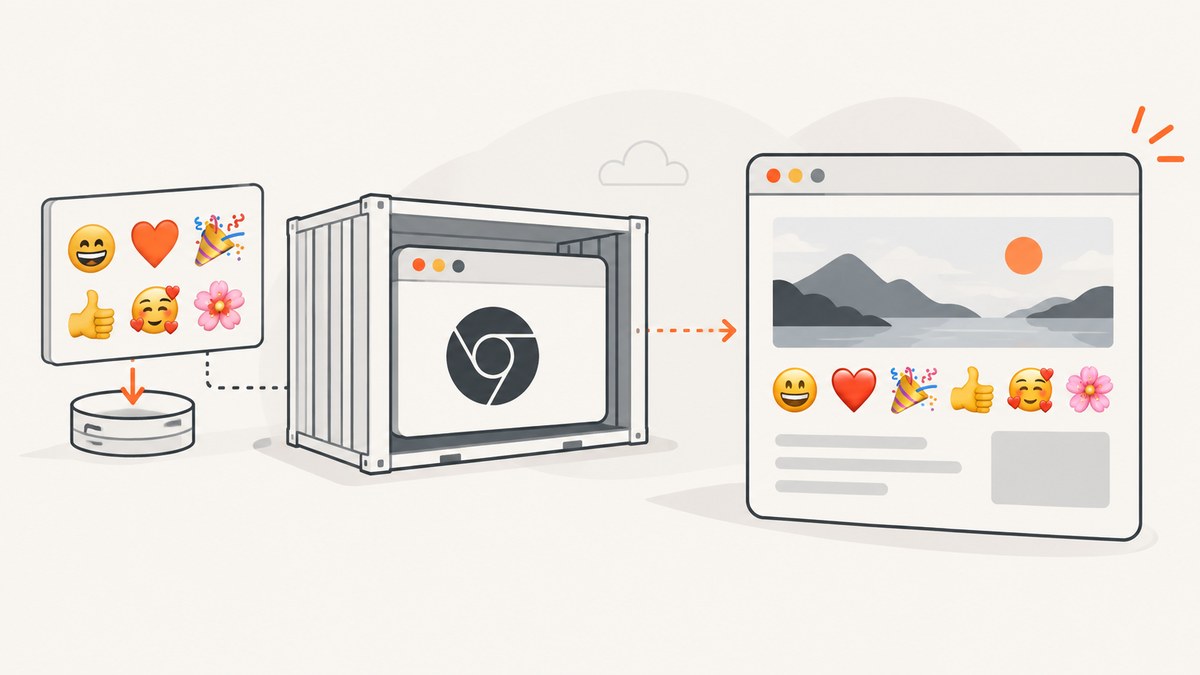
When Puppeteer shows blank spaces or boxes where emojis should be, first check whether an emoji-capable font is installed and discoverable by Chromium in the environment actually running the browser. A font on your laptop may be missing from a minimal Linux container or hosted function. If the page renders emojis but a PDF does not, check the PDF media mode separately: page.pdf() uses print media by default.
Installing a font is the common first fix, but it is not proof that every glyph will render in every output. Confirm the result in the deployed runtime, and record the Puppeteer and Chromium versions, operating system, font package, and whether the failure occurs in a page, screenshot, or PDF. Puppeteer’s [Troubleshooting guide](https://pptr.dev/troubleshooting) covers Linux and Docker setup, and its [system requirements](https://pptr.dev/supported-browsers) describe version- and platform-dependent browser requirements.
1. Identify where the emoji disappears
Before changing CSS or reinstalling packages, narrow down the failing path. “Puppeteer does not display emojis” can describe at least three different outputs: the page itself, a screenshot of the page, or a PDF. Those paths share Chromium but can differ in runtime, media mode, and output behavior.
| Observation | First branch to investigate |
|---|---|
| Emoji is missing in a Linux screenshot or page | Whether the production runtime has an emoji-capable font and Chromium can discover it. |
| Emoji works in the browser page and screenshot, but not in a PDF | PDF generation and print versus screen media. |
| It works locally but fails in Docker or a hosted function | Differences between local and deployed fonts, libraries, user, and browser versions. |
| Some emoji render while others are blank | Glyph coverage and fallback for the specific characters; a font family setting alone does not prove the glyph was supplied by that font. |
Record the OS and distribution, whether the process is containerized or hosted, Node.js and Puppeteer versions, Chromium version, output type, and the exact characters that fail. This makes a useful reproduction possible and avoids treating a platform-specific report as a universal Chromium defect.
2. Install an emoji-capable font in the runtime
For Linux, add an appropriate font package through the same image or deployment process that provides Chromium. The exact package name and installation mechanism depend on the distribution and hosting platform. Puppeteer’s troubleshooting documentation includes Linux dependency and Docker guidance, including font installation examples; follow the instructions for the actual runtime and Puppeteer version you deploy.
For a Debian-based Docker image, the general pattern is to install the distribution’s available emoji font package in the image build, then rebuild and deploy that image. Package names and repositories can change, so verify the package against the base image rather than copying a package name from an unrelated distribution.
# Illustrative Debian-based Dockerfile pattern.
# Confirm the package name and repositories for your base image.
RUN apt-get update && apt-get install -y --no-install-recommends \
    <emoji-font-package> \
    && rm -rf /var/lib/apt/lists/*
On a hosted function, use the platform’s supported deployment-image or dependency configuration. Do not assume that adding a font to a development machine changes the hosted browser environment. An Azure Functions user report, for example, attributed blank-box emoji to a Linux image without a bundled emoji font; that is useful as a diagnostic lead, not proof that every Azure setup behaves the same way.
After installation, ensure the font is visible to the same process and user that launches Chromium. A package may be present in the image but not in the runtime layer, or the browser may run under a different user than the installation step implies. Rebuild the final artifact and validate that artifact in its production-like environment.
3. Verify the actual rendered output
A CSS declaration such as font-family: "Noto Color Emoji" expresses a preference; it does not establish that Chromium found the font or used it for every requested glyph. Similarly, seeing a font file on disk does not prove that the active font configuration makes it available to the browser.
Use a small page containing the exact emoji sequence that fails, and render the same output type as production. Include a control string of ordinary text so that a blank emoji is easy to distinguish from a page load problem.
const puppeteer = require('puppeteer');
(async () => {
const browser = await puppeteer.launch({ headless: true });
try {
const page = await browser.newPage();
await page.setContent(`
<!doctype html>
<meta charset="utf-8">
<style>
body { font: 32px sans-serif; }
</style>
<p>Font check: 😀 ❤️ 👨👩👧👦 🏳️🌈</p>
`);
await page.screenshot({ path: 'emoji-check.png' });
} finally {
await browser.close();
}
})();Keep the sample minimal: do not add application styles, remote assets, or custom font loading until the system-font result is understood. Then test the real application and its exact emoji sequences. Some displayed symbols are composed of multiple code points, so a test with one simple face emoji does not establish that a family sequence, flag, or modifier sequence works.
Compare local and deployed outputs from the same HTML, dimensions, browser mode, and file type. If the deployed result differs, inspect what fonts and dependencies are present in that runtime and whether Chromium runs as the expected user. Save a minimal reproduction that includes the Puppeteer version, browser version, OS or container base, font package, HTML/CSS, and whether the result is a screenshot or PDF.
4. Treat PDF rendering as a separate path
Puppeteer documents that page.pdf() generates a PDF using the print CSS media type. If your document is designed around screen styles, explicitly emulate screen media before creating the PDF:

const puppeteer = require('puppeteer');

(async () => {
  const browser = await puppeteer.launch({ headless: true });
  try {
    const page = await browser.newPage();
    await page.setContent('<meta charset="utf-8"><p>PDF emoji check: 😀 ❤️</p>');

    // Use this when the PDF should use screen CSS rules.
    await page.emulateMediaType('screen');
    await page.pdf({ path: 'emoji-check.pdf', printBackground: true });
  } finally {
    await browser.close();
  }
})();
This changes the media mode; it does not install a missing glyph or guarantee emoji support. If a screenshot renders correctly and a PDF does not, compare the print and screen styles and isolate the PDF path. A Puppeteer issue report describes missing Noto Color Emoji in a PDF on Linux with Puppeteer 22.6.5 and Node 20.12.1 despite an explicit font declaration. That bounded report is a reason to collect a minimal reproduction when font installation and media checks do not explain the result, not evidence of a universal current defect.
For other PDF options and page behavior, consult the [Puppeteer Page API](https://pptr.dev/api/puppeteer.page.pdf). The key diagnostic is to establish whether the problem follows the same HTML into a screenshot or appears only in PDF output.
5. A practical decision table
| Path | Use it when | Action | Limit |
|---|---|---|---|
| Add an emoji font to Linux runtime | Emoji are absent in a Linux/container page or screenshot. | Install or bundle an appropriate font in the deployed image, ensure Chromium can discover it, then render the production sample again. | Package choice and setup vary by distribution and hosting environment. |
| Check PDF media and styles | Browser page or screenshot works but PDF output does not. | Confirm print CSS is intended; call page.emulateMediaType('screen') when screen media is desired. |
Media selection does not remedy unavailable glyphs. |
| Build a minimal reproduction | The font appears installed but output still fails, or only particular sequences are affected. | Include versions, runtime, font package, exact HTML/CSS, sequence, and output type in a small test. | A report from another version or platform may not apply to yours. |
These checks cover the useful comparison axes: runtime font availability, Chromium font discovery and fallback, output type, media mode, and browser/library version. The available evidence does not support ranking named fonts for visual quality or exhaustive emoji coverage.
6. Common errors and fixes
| Symptom or assumption | Likely cause | What to do |
|---|---|---|
| Blank boxes in production, but emoji work locally | The production container or function lacks the workstation’s font package. | Add the font through the deployed image/runtime configuration and test that built artifact. |
| CSS names an emoji font, but glyphs remain blank | The font may not be installed, discoverable, or able to supply that glyph; the declaration is not proof of actual font use. | Check the production runtime and test the exact code points in a minimal page. |
| Font file exists but Chromium output is unchanged | File presence alone does not confirm font-system discovery or fallback. | Confirm installation through the OS/runtime process and run Chromium under the same user as production. |
| Screenshot works; PDF omits emoji | PDF uses print media by default, or the PDF rendering path has a distinct issue. | Inspect print CSS and try screen media only if that matches the intended document. If it persists, capture a minimal reproduction. |
| Only family, flag, or skin-tone sequences fail | The tested sequence may contain multiple code points and needs to be checked exactly. | Include the precise sequence in the reproduction; do not infer coverage from a simpler emoji. |
| Fix copied from an old issue does not work | The report may concern a specific OS, browser, font package, or Puppeteer release. | Align versions with current Puppeteer requirements and diagnose the deployed combination. |
7. Reliability, performance, and cost considerations
For reliable output, treat fonts as part of the browser runtime, just like other OS dependencies. Pin or document the base image and installation steps used by deployment, and include at least one emoji rendering check in the application’s own release validation if the output is important. Revalidate after changing the container base, Puppeteer version, Chromium revision, or hosted-function image.
Font installation is generally an image-build and deployment concern rather than a per-page Puppeteer option. Keep the final image reproducible and avoid relying on a one-off manual change to a running host. The relevant cost is operational: a custom runtime image and its updates must be maintained. The research materials provide no measured performance impact or cost figure for any particular emoji font package, so do not assume a benchmark. Measure your own deployment if startup time, image size, or PDF throughput is material.
When a missing glyph is reported, collect evidence before broad changes: output sample, exact emoji, package list, runtime identity, and versions. This gives a smaller and more actionable issue report than a claim that “Puppeteer emojis are broken.”
Or skip the browser setup
If your goal is a screenshot of a URL rather than managing a Chromium runtime, [ScreenshotNeo](https://screenshotneo.com) provides a website screenshot API and MCP server. Its [documentation](https://screenshotneo.com/docs/) has the API options. One GET request returns an image or PDF; for example:
curl -G "https://api.screenshotneo.com/v1/shot" -d access_key=YOUR_API_KEY --data-urlencode url=https://stripe.com -o shot.webpScreenshotNeo accepts cookie and consent banners before capture and removes more than 60 known consent platforms, newsletter popups, and chat widgets; each of those steps can be turned off. Bot checks, blank pages, timeouts, failed loads, and cache hits are not billed, and the response identifies the page verdict and billing status in headers. An MCP server exposes take_screenshot, get_page_info, and capture_pdf for Claude, Cursor, or another MCP client. The free plan includes 1,000 screenshots per month with no card; paid plans start at $5 for 3,000.
Create a free ScreenshotNeo account to get 1,000 screenshots a month with no card.
FAQ
Does Puppeteer install emoji fonts automatically?
Do not assume the deployed Linux runtime includes an emoji-capable font. Check the OS image and add the needed font through its supported package or deployment process.
Will setting font-family fix missing emoji?
It can express a font preference, but it cannot make a missing or undiscovered font available. Verify the actual rendered output.
Should I use screen media for every PDF?
No. Use screen media when the PDF should follow screen CSS. Puppeteer’s default is print media, which is appropriate when print styles are intended.
Is a reported Linux PDF issue proof that Chromium cannot render emoji?
No. The cited report describes a particular configuration. Reproduce the issue with your own versions, runtime, font setup, and output path before drawing a broader conclusion.


