How to Loop Through Links and Take Screenshots With Puppeteer
Extract, normalize, wait for, and capture every link on a page with Puppeteer, including retries, safe filenames, filtering, and troubleshooting.
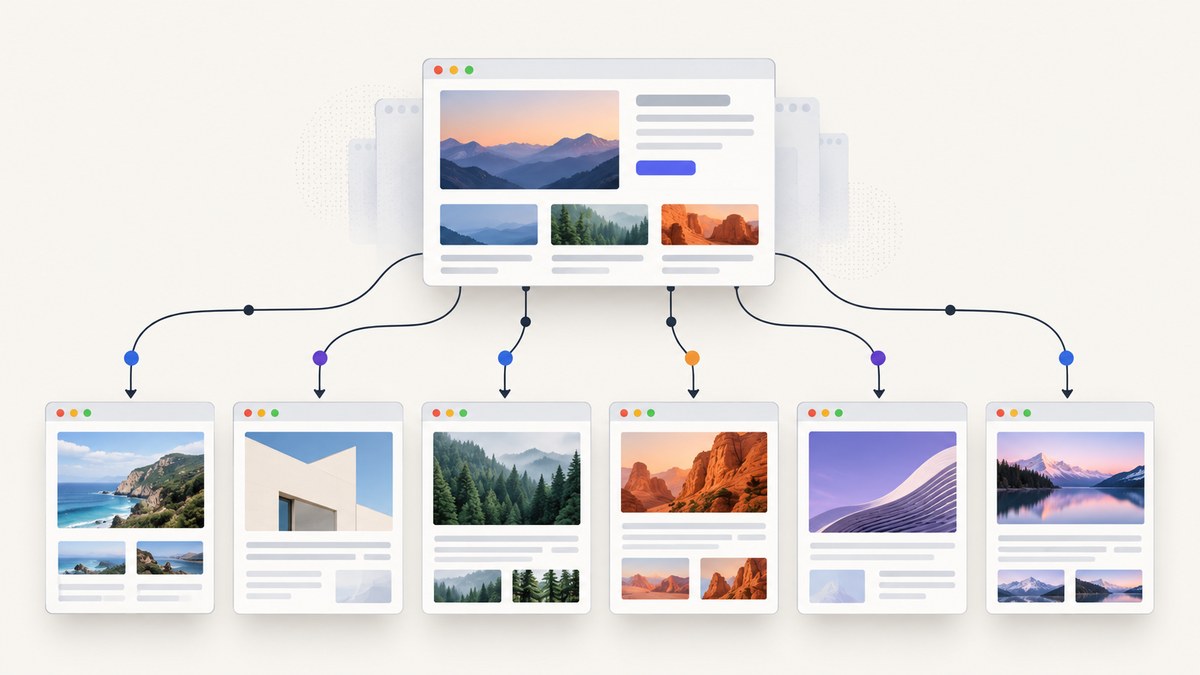
Direct answer: open the starting page, collect anchor URLs inside the browser with page.$$eval('a[href]'), normalize and deduplicate them, filter to http: and https:, then visit each URL with page.goto() and save page.screenshot({ fullPage: true }). Handle errors inside the loop so one broken link does not stop the batch, and close the browser in a finally block.
This guide builds that workflow into a reliable script. It covers same-origin restrictions, readiness strategies, full-page versus viewport captures, safe filenames, retries, performance, and common Puppeteer failures. At the end, you will also see how to run the same job without maintaining a browser.
1. The complete Puppeteer script
The following ES module is runnable as-is after installing Puppeteer. It captures every unique HTTP(S) link found on startUrl and writes numbered PNG files to ./screenshots.
import puppeteer from 'puppeteer';
import { mkdir } from 'node:fs/promises';

const startUrl = 'https://example.com';
const outDir = './screenshots';
const sameOriginOnly = false;
const navigationTimeout = 30_000;

const browser = await puppeteer.launch();
try {
  await mkdir(outDir, { recursive: true });
  const page = await browser.newPage();
  page.setDefaultNavigationTimeout(navigationTimeout);

  await page.goto(startUrl, { waitUntil: 'domcontentloaded' });

  const rawLinks = await page.$$eval('a[href]', anchors =>
    anchors.map(anchor => anchor.href)
  );

  const startOrigin = new URL(startUrl).origin;
  const urls = [...new Set(rawLinks)]
    .map(value => {
      try {
        const parsed = new URL(value);
        parsed.hash = '';
        return parsed.toString();
      } catch {
        return null;
      }
    })
    .filter(Boolean)
    .filter(url => /^https?:$/.test(new URL(url).protocol))
    .filter(url => !sameOriginOnly || new URL(url).origin === startOrigin);

  for (const [index, url] of urls.entries()) {
    try {
      await page.goto(url, {
        waitUntil: 'networkidle2',
        timeout: navigationTimeout
      });

      const fileName = `${String(index + 1).padStart(4, '0')}.png`;
      await page.screenshot({
        path: `${outDir}/${fileName}`,
        fullPage: true,
        type: 'png'
      });
      console.log(`Saved ${url} -> ${fileName}`);
    } catch (error) {
      console.error(`Skipped ${url}:`, error.message);
    }
  }
} finally {
  await browser.close();
}
Install and run it with:
npm install puppeteer
node loop-screenshots.mjs
The script deliberately reuses one page for sequential work. It is inexpensive compared with opening a new page for every URL, while still keeping navigation and screenshots isolated from one another.
2. Extract and normalize links correctly
page.$$eval('a[href]', anchors => anchors.map(anchor => anchor.href)) executes in the page context. Reading anchor.href, rather than the raw href attribute, gives you the browser-resolved absolute URL. Relative links such as /pricing therefore become complete URLs.
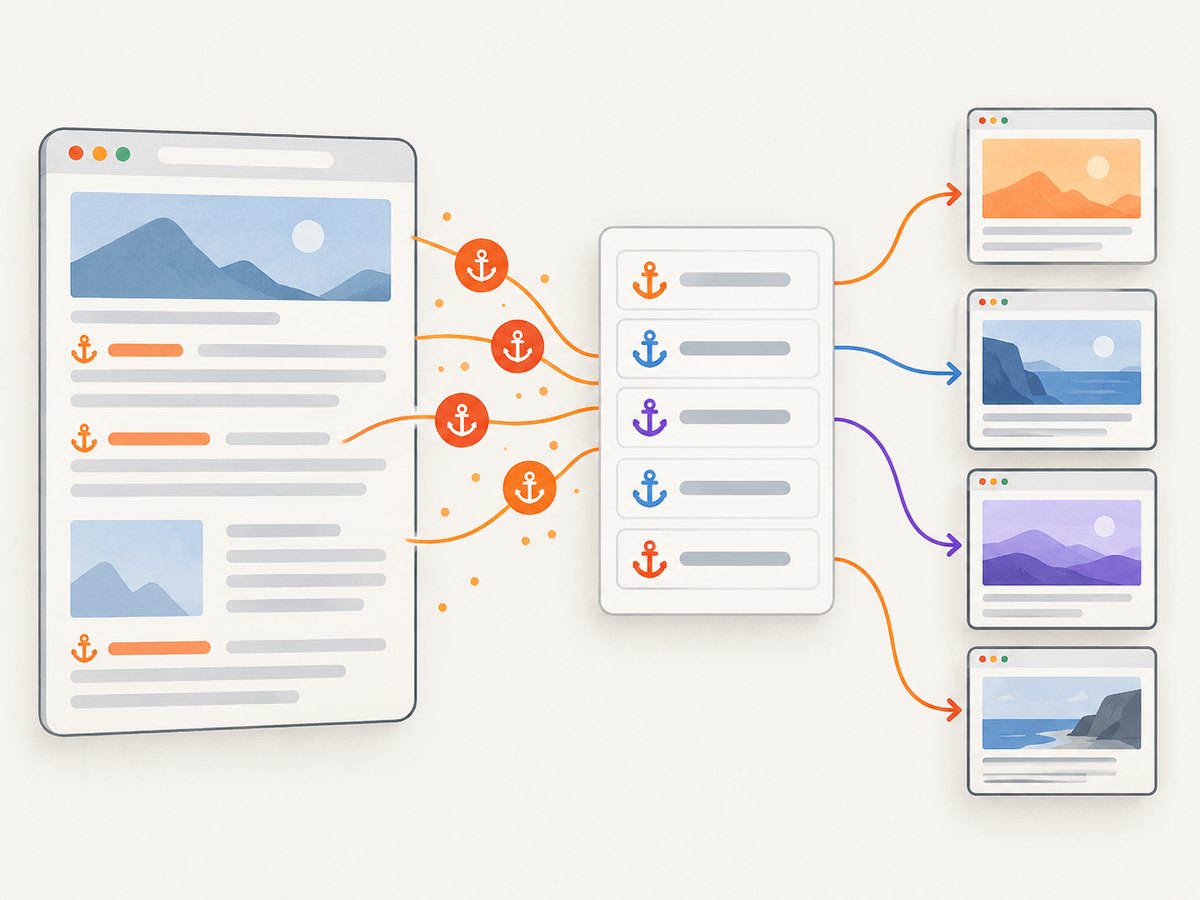
Normalization still matters:
- Construct a
URLobject so malformed values can be discarded. - Remove fragments with
parsed.hash = ''when/docs#apiand/docs#examplesshould produce one screenshot. - Use a
Setto remove duplicates while preserving the first-seen order. - Keep only
http:andhttps:. Skipmailto:,tel:,javascript:, and download targets.
Same-origin or external links?
For a site audit, restrict the list to the starting origin. Set sameOriginOnly to true in the script. Without that restriction, a footer link, social profile, or external documentation site can expand the job to the open web.
const startOrigin = new URL(startUrl).origin;
const sameSiteUrls = urls.filter(url => new URL(url).origin === startOrigin);
Some sites use a canonical host with and without www. An origin comparison treats those as different. If your policy considers them one site, compare hostname after applying your own canonical-host rule.
3. Choose the right readiness strategy
The page must be ready before capture. Puppeteer provides several useful signals, and none is correct for every application.
| Strategy | Use it when | Trade-off |
|---|---|---|
domcontentloaded |
Static pages or pages where the initial HTML is the important state | Fast, but images and client-rendered content may still be missing |
networkidle2 |
The page finishes after a small amount of network activity | Can be delayed by analytics, ads, WebSockets, or long polling |
waitForSelector() |
A known element signals that the application is usable | Requires a stable selector and a timeout policy |
| Fixed delay | A short animation or deferred widget needs a bounded pause | Simple, but slower and less deterministic than a real readiness signal |
A selector is often the most reliable choice for an application page:
await page.goto(url, { waitUntil: 'domcontentloaded', timeout: 30_000 });
await page.waitForSelector('[data-page-ready="true"]', {
  timeout: 15_000
});
await page.screenshot({ path, fullPage: true });
If the selector is optional, catch its timeout and continue with a capture rather than failing the URL:
try {
  await page.waitForSelector('#main-content', { timeout: 10_000 });
} catch {
  console.warn(`Readiness marker not found for ${url}; capturing anyway`);
}
4. Capture full pages, viewports, and elements
fullPage is false by default. Set it to true for a screenshot of the complete document:
await page.screenshot({
  path: 'page.png',
  fullPage: true,
  type: 'png'
});
A viewport screenshot captures only the visible area. Set the viewport before navigation when consistent dimensions matter:
await page.setViewport({ width: 1440, height: 900, deviceScaleFactor: 1 });
await page.goto(url, { waitUntil: 'networkidle2' });
await page.screenshot({ path: 'viewport.png', fullPage: false });
For one component, locate the element and use its bounding box as a clip:
const element = await page.$('.hero');
if (!element) throw new Error('Hero element not found');
const clip = await element.boundingBox();
if (!clip) throw new Error('Hero has no visible bounding box');
await page.screenshot({ path: 'hero.png', clip });
PNG is lossless and useful for visual comparisons. JPEG is smaller and supports quality:
await page.screenshot({
  path: 'page.jpg',
  type: 'jpeg',
  quality: 85,
  fullPage: true
});
5. Make filenames traceable and safe
Putting a URL directly into a filename creates problems with slashes, query strings, Unicode, and path length. Index-based names such as 0001.png are deterministic and filesystem-safe. Keep a manifest so each file can be mapped back to its URL.
import { appendFile } from 'node:fs/promises';

const fileName = `${String(index + 1).padStart(4, '0')}.png`;
await page.screenshot({ path: `${outDir}/${fileName}`, fullPage: true });
await appendFile(
  `${outDir}/manifest.ndjson`,
  JSON.stringify({ index: index + 1, url, fileName }) + '\n'
);
A slug or short hash can be added when files are processed independently, but keep the original URL in the manifest. Never use unsanitized user-controlled URL text as a path.
6. Handle failures without losing the batch
Navigation can fail for one URL because of DNS errors, TLS problems, a server timeout, a redirect loop, or a page that closes the target. Catch errors inside the loop and record them.
const failures = [];

for (const [index, url] of urls.entries()) {
  const fileName = `${String(index + 1).padStart(4, '0')}.png`;
  try {
    await page.goto(url, { waitUntil: 'networkidle2', timeout: 30_000 });
    await page.screenshot({ path: `${outDir}/${fileName}`, fullPage: true });
  } catch (error) {
    failures.push({ url, error: error.message });
    console.error(`Skipped ${url}: ${error.message}`);
  }
}

console.log(`Captured ${urls.length - failures.length}/${urls.length}`);
await appendFile(`${outDir}/failures.json`, JSON.stringify(failures, null, 2));
For transient failures, retry a small number of times with a bounded delay. Do not retry permanent HTTP responses forever.
async function withRetry(task, attempts = 2) {
  let lastError;
  for (let attempt = 0; attempt <= attempts; attempt++) {
    try {
      return await task();
    } catch (error) {
      lastError = error;
      if (attempt < attempts) {
        await new Promise(resolve => setTimeout(resolve, 1000 * (attempt + 1)));
      }
    }
  }
  throw lastError;
}

await withRetry(() => page.goto(url, {
  waitUntil: 'networkidle2',
  timeout: 30_000
}));
7. Lazy images, dynamic pages, and click state
Full-page capture does not guarantee that every lazy image has loaded. Scroll through the document before taking the screenshot to trigger common lazy-loading implementations:
await page.evaluate(async () => {
  await new Promise(resolve => {
    let y = 0;
    const step = 600;
    const timer = setInterval(() => {
      window.scrollBy(0, step);
      y += step;
      if (y >= document.body.scrollHeight) {
        clearInterval(timer);
        window.scrollTo(0, 0);
        resolve();
      }
    }, 100);
  });
});
await page.waitForTimeout(500);
await page.screenshot({ path, fullPage: true });
For an interactive state, click before capture and then wait for a visible result:
await page.click('[aria-label="Open menu"]');
await page.waitForSelector('.menu-panel:not([hidden])', { timeout: 5_000 });
await page.screenshot({ path, fullPage: true });
Use this only when the target page is trusted. Browser automation executes page JavaScript, so avoid visiting arbitrary untrusted URLs in an environment that contains secrets.
8. Performance and reliability decisions
- Sequential reuse: one page minimizes memory and is easiest to reason about.
- Parallel pages: multiple pages reduce wall-clock time but increase CPU, RAM, bandwidth, and the chance of rate limiting. Add a small concurrency limit instead of launching one page per URL.
- Bounded timeouts: set navigation and selector timeouts so one hanging site cannot hold the batch indefinitely.
- Resource policy: aborting images or fonts can speed up a text-only audit, but it changes screenshots. Apply such interception only when visual fidelity is not required.
- Determinism: fix viewport, timezone, locale, and authentication state when comparing runs. Dynamic ads, timestamps, and personalization can still change pixels.
- Output storage: large full-page PNGs consume disk quickly. JPEG can reduce storage when lossless output is unnecessary.
Keep browser lifecycle management outside the URL loop. If a page becomes unusable after repeated crashes, close it and create a replacement, while keeping the top-level browser inside try/finally.
9. Troubleshooting common Puppeteer errors
| Symptom | Likely cause | Fix |
|---|---|---|
TimeoutError: Navigation timeout |
Long polling, slow assets, or an unavailable host | Use a lower-level readiness signal such as domcontentloaded, increase the bounded timeout, or skip after recording the failure. |
| Screenshot is blank or incomplete | Capture happened before client rendering or lazy loading finished | Wait for a known selector, scroll to trigger lazy content, and add a short bounded delay if required. |
| Too many unrelated URLs | External links, tracking variants, or fragments were included | Remove fragments, deduplicate, and enable same-origin filtering. |
net::ERR_ABORTED |
Download response, redirect behavior, or navigation interruption | Filter download links, inspect the URL, and treat the URL as a recorded failure. |
Execution context was destroyed |
Evaluation overlapped a navigation | Await page.goto() fully before calling evaluate, selectors, or screenshots. |
| Out-of-memory or very slow runs | Too many parallel pages or enormous documents | Reuse one page, cap concurrency, avoid unnecessary full-page captures, and process URLs in batches. |
| Browser fails to launch in CI | Missing system libraries or sandbox restrictions | Use a supported CI image, install the browser dependencies, and follow the runtime’s sandbox policy instead of adding flags blindly. |
10. Or skip the browser setup
If you only need a clean image for each URL, a screenshot API removes browser lifecycle, navigation, and storage code. ScreenshotNeo accepts one GET request and returns PNG, JPEG, WebP, or PDF. Its clean-shot flow accepts cookie banners and removes more than 60 known consent platforms, newsletter popups, and chat widgets before capture. Each step can be turned off.

Here is the one-call request; see the ScreenshotNeo API documentation for all options:
curl -G "https://api.screenshotneo.com/v1/shot" \
  -d access_key=YOUR_API_KEY \
  --data-urlencode url=https://stripe.com \
  -o shot.webp
Python:
import requests

r = requests.get(
    "https://api.screenshotneo.com/v1/shot",
    params={"access_key": "YOUR_API_KEY", "url": "https://stripe.com"},
    timeout=90,
)
r.raise_for_status()
open("shot.webp", "wb").write(r.content)
Node.js:
const q = new URLSearchParams({
  access_key: 'YOUR_API_KEY',
  url: 'https://stripe.com'
});
const res = await fetch(`https://api.screenshotneo.com/v1/shot?${q}`);
if (!res.ok) throw new Error(`HTTP ${res.status}`);
const bytes = new Uint8Array(await res.arrayBuffer());
await import('node:fs/promises').then(fs => fs.writeFile('shot.webp', bytes));
For a link loop, keep your normalized URL list and issue one request per URL, saving the response with your existing index-based filenames. ScreenshotNeo reports X-Page-Verdict and X-Billed headers: bot checks or CAPTCHAs, blank pages, timeouts, failed loads, and cache hits cost nothing because only clean shots are billed. It also offers an MCP server with take_screenshot, get_page_info, and capture_pdf tools for Claude, Cursor, and other MCP clients.
The Free plan includes 1,000 screenshots each month with no card. Paid plans start at $5 for 3,000 shots; every feature is available on every plan. Create a free ScreenshotNeo account.
11. Cost and operational planning
A local Puppeteer run has no per-screenshot API charge, but it consumes your machine’s CPU, memory, bandwidth, browser maintenance time, and storage. Account for retries: a URL that times out after 30 seconds can dominate a batch even when most pages are fast.
An API is useful when workers should remain stateless or when you need consistent capture behavior across environments. With ScreenshotNeo, clean shots are billed while failed loads and cache hits are not. Choose a cache TTL when repeated URLs are expected, and use asynchronous jobs with signed webhooks for large batches instead of keeping a process open.
12. FAQ
Should I use networkidle2 for every URL?
No. It is a useful heuristic, but pages with analytics, WebSockets, or polling may never become genuinely idle. Prefer a site-specific readiness selector when one exists.
How do I prevent crawling the entire internet?
Compare each normalized URL’s origin with new URL(startUrl).origin and keep only matches. Also remove fragments and duplicate URLs.
Why are some screenshots different between runs?
Ads, timestamps, personalization, animations, responsive breakpoints, and late-loading data can change pixels. Fix the viewport and state, disable animations where appropriate, and capture after a deterministic readiness signal.
Can I capture a PDF instead of an image?
Puppeteer can be extended with its PDF APIs, while ScreenshotNeo exposes PDF capture directly through its API and MCP server.
What is the safest way to process failures?
Catch errors per URL, write a failure report containing the URL and message, and always close the browser in finally. This preserves successful screenshots even when individual pages fail.


