How to Capture Multiple Pages with Puppeteer on AWS Lambda
Capture batches of URLs with Puppeteer on AWS Lambda using bounded concurrency, safe cleanup, compatibility checks, and fan-out scaling.
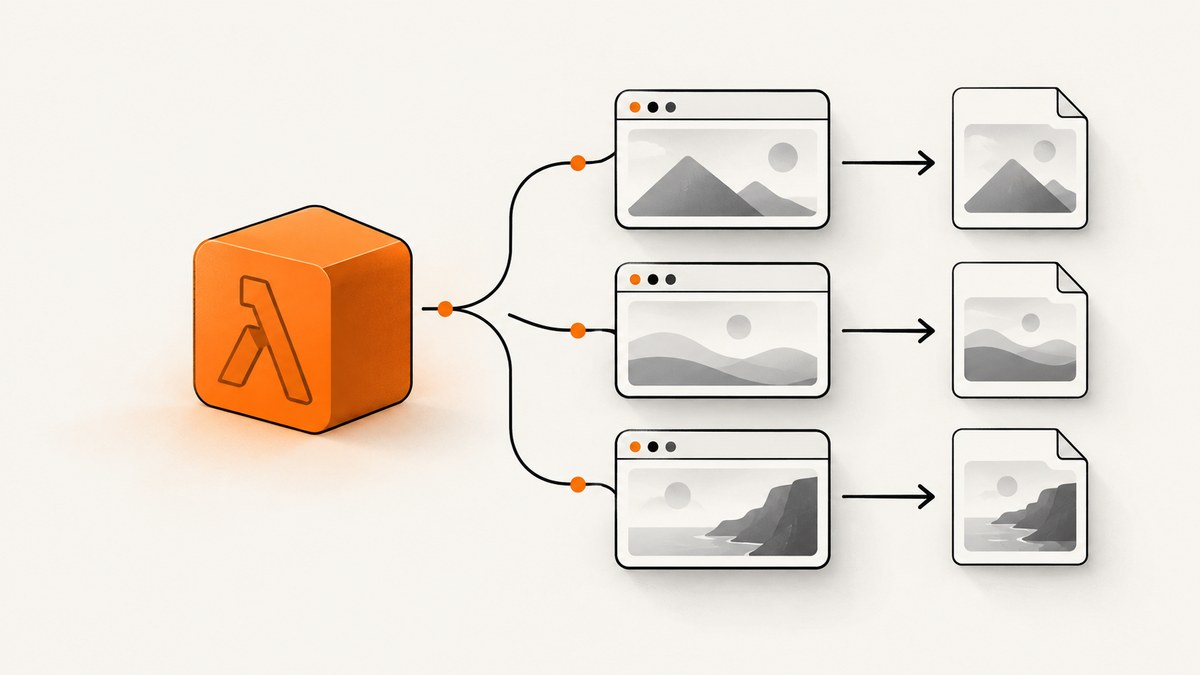
Use one Chromium browser per Lambda invocation, create one Puppeteer Page per URL, and process those pages with a small bounded worker pool. Close every page as soon as its capture finishes and close the browser in a finally block. There is no universal safe number of tabs: memory, page weight, target response time, screenshot size, and Lambda timeout determine the limit. For large independent batches, fan out URLs into separate Lambda invocations.
This guide shows a complete Node.js implementation, deployment checks, scaling choices, failure handling, and an API alternative when managing Chromium is unnecessary.
1. How the multi-page pattern works
A Lambda invocation launches a Lambda-compatible Chromium binary through puppeteer-core. The browser owns multiple independent Page objects. Each worker takes the next URL, navigates, captures a PNG, stores the result, and closes its page.
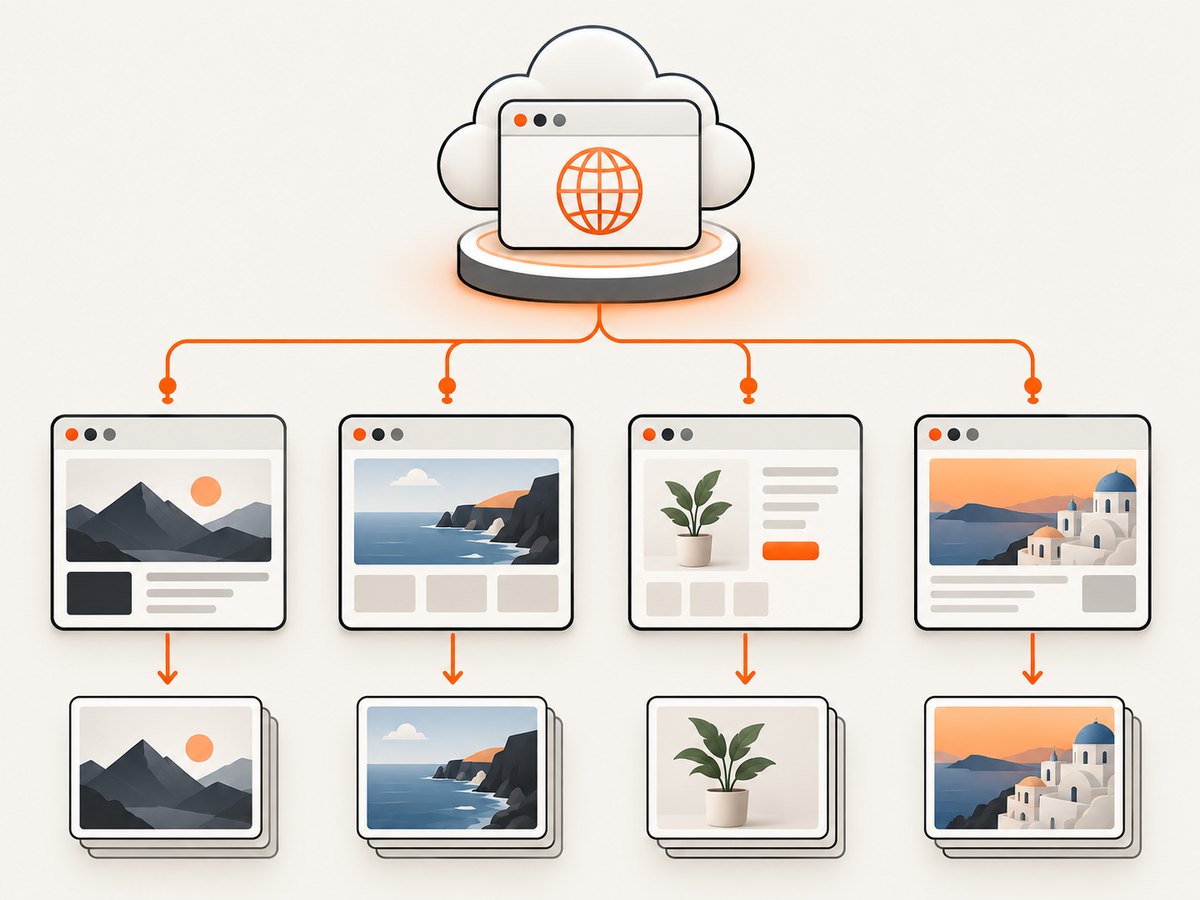
- Read and validate the URL list from the event.
- Launch Chromium with the arguments and executable path supplied by the selected serverless Chromium package.
- Start a conservative number of workers.
- Let each worker create and close its own page.
- Return results in input order, even when pages finish out of order.
- Close the browser in
finally, including when navigation or capture fails.
The @sparticuz/chromium documentation describes the puppeteer-core pairing, launch arguments, and executable path. A Serverless Framework example demonstrates launching Chromium, opening a page, navigating, reading content, and closing the browser.
2. Complete Lambda implementation
The following handler accepts an event such as {"urls":["https://example.com","https://example.org"]}. It uses a worker limit of three only as a conservative starting point. Measure your own workload before changing it.
import chromium from '@sparticuz/chromium';
import puppeteer from 'puppeteer-core';

const MAX_URLS = 100;
const DEFAULT_CONCURRENCY = 3;

function validateUrls(value) {
  if (!Array.isArray(value) || value.length === 0) {
    throw new Error('event.urls must be a non-empty array');
  }
  if (value.length > MAX_URLS) {
    throw new Error(`最多 ${MAX_URLS} URLs per invocation`);
  }

  return value.map((value, index) => {
    if (typeof value !== 'string') {
      throw new Error(`urls[${index}] must be a string`);
    }
    const url = new URL(value);
    if (!['http:', 'https:'].includes(url.protocol)) {
      throw new Error(`urls[${index}] must use http or https`);
    }
    return url.href;
  });
}

export const handler = async (event) => {
  const urls = validateUrls(event.urls);
  const requestedConcurrency = Number(event.concurrency ?? DEFAULT_CONCURRENCY);
  const concurrency = Math.max(
    1,
    Math.min(Number.isFinite(requestedConcurrency) ? requestedConcurrency : DEFAULT_CONCURRENCY, urls.length)
  );

  const browser = await puppeteer.launch({
    args: chromium.args,
    defaultViewport: chromium.defaultViewport,
    executablePath: await chromium.executablePath(),
    headless: chromium.headless,
  });

  const results = new Array(urls.length);
  let nextIndex = 0;

  try {
    await Promise.all(Array.from({ length: concurrency }, async () => {
      while (true) {
        const index = nextIndex++;
        if (index >= urls.length) return;

        const page = await browser.newPage();
        try {
          page.setDefaultNavigationTimeout(45_000);
          page.setDefaultTimeout(45_000);

          const response = await page.goto(urls[index], {
            waitUntil: 'networkidle0',
            timeout: 45_000,
          });

          results[index] = {
            index,
            url: urls[index],
            status: response?.status() ?? null,
            pngBase64: (await page.screenshot({ type: 'png', fullPage: true })).toString('base64'),
          };
        } catch (error) {
          results[index] = {
            index,
            url: urls[index],
            error: error instanceof Error ? error.message : String(error),
          };
        } finally {
          await page.close().catch(() => {});
        }
      }
    }));

    return {
      statusCode: 200,
      body: JSON.stringify({ results }),
    };
  } finally {
    await browser.close().catch(() => {});
  }
};
The example records a per-URL error instead of failing the entire batch. If your caller must retry failed URLs, return a smaller failure object and enqueue those URLs separately.
Install the dependencies
npm install puppeteer-core @sparticuz/chromiumKeep the Puppeteer and Chromium versions compatible. Check the current package guidance before deployment rather than copying versions from an old tutorial.
Example event
{
  "urls": [
    "https://example.com/",
    "https://example.org/docs",
    "https://www.example.net/pricing"
  ],
  "concurrency": 2
}
3. Configure the capture deliberately
Navigation readiness
networkidle0 waits for there to be no active network connections. It is useful for pages that finish loading resources, but analytics, advertisements, WebSockets, or long polls can prevent it from completing. For such pages, use domcontentloaded and then wait for a known selector or a short, bounded delay.
await page.goto(url, { waitUntil: 'domcontentloaded', timeout: 45_000 });
await page.waitForSelector('main', { timeout: 15_000 });
await new Promise(resolve => setTimeout(resolve, 1_000));
Viewport, device scale, and full-page output
await page.setViewport({ width: 1440, height: 900, deviceScaleFactor: 1 });
await page.screenshot({ path: '/tmp/page.png', type: 'png', fullPage: true });
Full-page images can be much larger than viewport captures. Account for their memory use and the time required to serialize or upload them.
Saving files to S3
Lambda’s writable filesystem is the /tmp directory. For durable output, upload each buffer to S3 before the invocation ends. An AWS Architecture Blog example uses a fan-out function, a Puppeteer capture function, and S3 output as a horizontal-scaling pattern. Treat that post as an architecture example and verify current AWS configuration details independently.
import { S3Client, PutObjectCommand } from '@aws-sdk/client-s3';

const s3 = new S3Client({});

await s3.send(new PutObjectCommand({
  Bucket: process.env.BUCKET_NAME,
  Key: `screenshots/${Date.now()}-${index}.png`,
  Body: pngBuffer,
  ContentType: 'image/png',
}));
4. Choose concurrency and batch size
Increasing tabs can reduce browser-start overhead, but every page consumes memory and CPU while it parses HTML, runs JavaScript, decodes images, and creates a screenshot. Target sites also have their own rate limits and capacity.
| Workload | Recommended shape | Reason |
|---|---|---|
| Small batch, similar pages | One browser, 1–3 workers | Shares browser startup while keeping memory pressure bounded. |
| Heavy pages or large screenshots | One browser, one worker initially | Provides a baseline before adding parallel pages. |
| Hundreds or thousands of independent URLs | Fan out to separate invocations | Improves failure isolation and distributes timeout and memory limits. |
| Pages with strict rate limits | Lower concurrency and controlled retries | Avoids creating a burst against the target site. |
There is no evidenced universal safe tab count. Load test representative URLs while recording maximum memory used, duration, timeout failures, screenshot size, and target-site errors. AWS Lambda allocates CPU in proportion to configured memory, and ordinary function timeouts can be set from 1 to 900 seconds. Navigation, rendering, screenshot serialization, uploads, and retries all need to fit inside that limit. See the Lambda memory documentation, timeout documentation, and Lambda best practices.
5. Fan out large jobs
When URLs can be processed independently, a coordinator can invoke one worker Lambda per URL (or per small chunk). Store results in S3 and record status in a database or queue. This keeps a single slow or broken page from consuming the entire batch invocation.
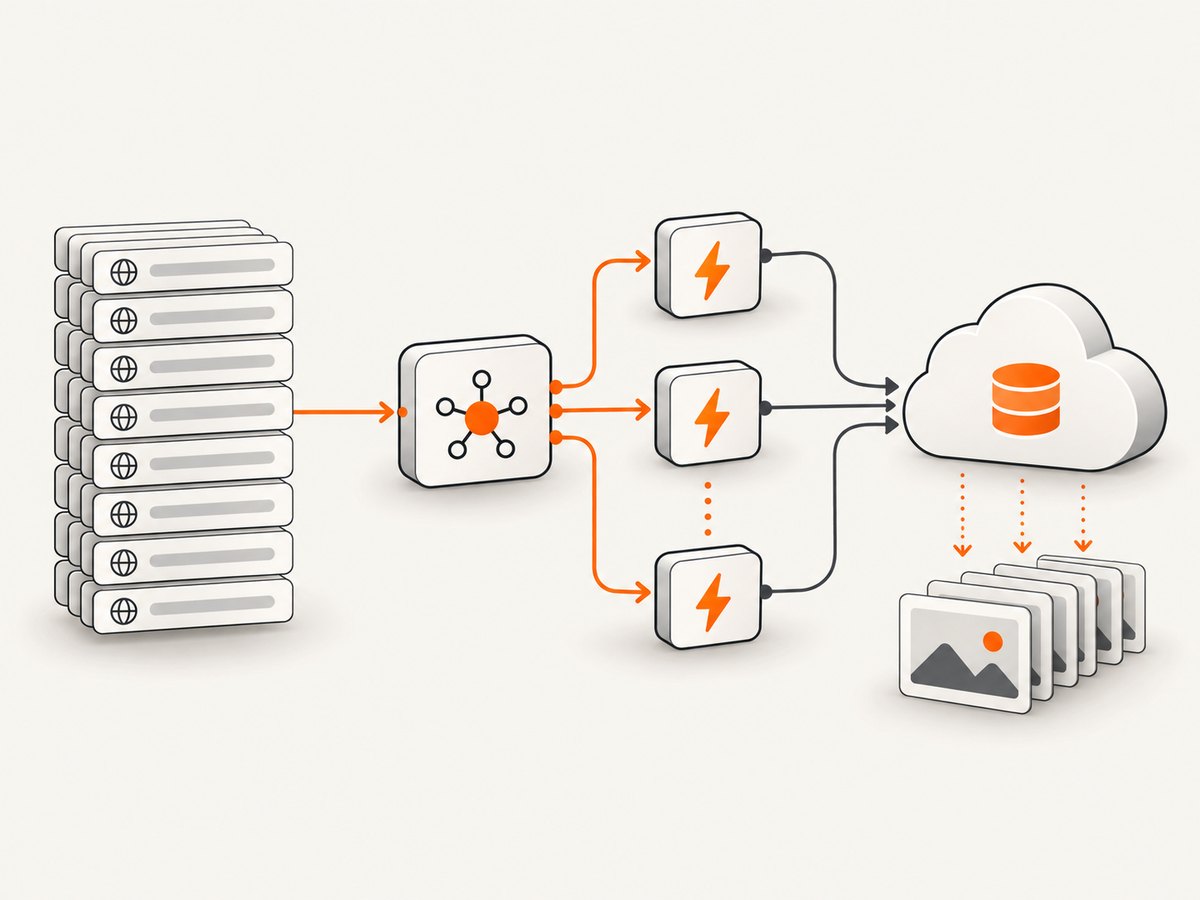
- Accept the URL list and assign a job ID.
- Publish one message per URL to an AWS queue or invoke the worker asynchronously.
- Have the worker capture one URL and write the image and status using the job ID.
- Retry transient failures with a maximum attempt count.
- Mark permanent failures with the URL and error cause.
- Notify the caller when all expected results are complete.
Fan-out adds queueing, coordination, and storage work. It is useful when failure isolation and horizontal scaling matter more than minimizing orchestration components.
6. Deployment and compatibility checklist
- Use
puppeteer-corewith a Chromium build intended for serverless deployment. - Confirm the exact Puppeteer and Chromium versions are compatible.
- Verify the architecture supported by the selected Chromium build. Some examples explicitly use x86_64; do not assume every build supports every Lambda architecture.
- Check uncompressed and compressed deployment size. The Sparticuz project notes that its compressed browser file is over 50 MB and documents a
-minoption that requires supplying compressed browser files separately. - Set memory and timeout from load tests using representative pages.
- Give the function permission to write to the destination bucket if using S3.
- Set a maximum URL count and validate schemes to avoid accidental non-web inputs.
- Log URL, duration, status code, error class, and output size without logging secrets.
CloudWatch Synthetics is a separate scheduled monitoring option. Its documentation covers Puppeteer screenshots and multiple tabs, but its bundled Puppeteer and Chromium versions are tied to its runtime releases and should not be treated as the versions in a standalone Lambda package.
7. Reliability and retry behavior
Use bounded timeouts
Set both navigation and general page-operation timeouts. A page that never settles should become a recorded failure, not consume the entire invocation.
Retry selectively
Retry network resets, temporary 5xx responses, and throttling with exponential backoff. Do not blindly retry invalid URLs, consistent 4xx responses, or pages that exceed a known size limit.
Keep cleanup unconditional
Close each page in finally. Close the browser in the outer finally. This matters when one worker throws while other pages are still open.
Protect the target sites
Concurrency in Lambda can multiply across simultaneous invocations. Consider reserved concurrency, queue rate limits, and per-domain throttling when visiting sites you do not control.
8. Troubleshooting
| Symptom | Likely cause | Fix |
|---|---|---|
Could not find Chrome or executable-path errors |
Chromium is missing or the executable path was not supplied. | Deploy a Lambda-compatible Chromium package and use its documented args, headless, and executablePath() values. |
| Browser fails immediately after deployment | Puppeteer and Chromium versions or architectures do not match. | Check current compatibility guidance and the exact Lambda architecture selected. |
| Invocation times out | Too many pages, slow targets, large screenshots, or uploads exceed the timeout. | Lower concurrency or batch size, increase memory and timeout within Lambda limits, and measure with representative pages. |
networkidle0 never completes |
Persistent connections, analytics, ads, or WebSockets remain active. | Use domcontentloaded plus a selector wait or bounded delay. |
| Out-of-memory errors | Too many heavy pages or large full-page screenshots are resident together. | Reduce workers, close pages promptly, capture the viewport, or distribute URLs across invocations. |
| Blank or incomplete screenshot | Capture occurred before the application rendered or lazy content loaded. | Wait for a meaningful selector, application-specific readiness signal, or bounded delay before capture. |
| Only some URLs fail | Target-specific redirects, TLS problems, bot checks, or malformed inputs. | Record per-URL errors, validate URLs, inspect response status, and retry only transient failures. |
| Files disappear after the function ends | Files were written only to ephemeral /tmp. |
Upload buffers to durable storage such as S3 before returning. |
9. Performance and cost considerations
- Browser startup is shared when several pages use one browser, but each page still consumes memory and CPU.
- Higher Lambda memory can provide more proportional CPU, reducing render time for CPU-heavy pages, but measure the resulting cost and duration.
- Full-page PNGs are expensive in memory and storage. Use JPEG or a viewport capture when image fidelity permits.
- Cache or deduplicate URLs at the orchestration layer when the same page is requested repeatedly.
- Use a queue or fan-out only when its coordination overhead is justified by batch size, isolation, or throughput needs.
- Account for target-site limits; more Lambda concurrency does not guarantee faster end-to-end completion.
10. Or skip the browser setup
ScreenshotNeo provides a website screenshot API and MCP server. One GET request returns a PNG, JPEG, WebP, or PDF. Cookie and consent banners are accepted before capture, and more than 60 known consent platforms, newsletter popups, and chat widgets can be removed. Bot checks, blank pages, timeouts, failed loads, and cache hits are not billed as clean shots, and the response identifies the result with X-Page-Verdict and X-Billed headers. Its MCP server provides take_screenshot, get_page_info, and capture_pdf for Claude, Cursor, and other MCP clients.
See the ScreenshotNeo API documentation for all options, including bulk capture for up to 100 URLs per call, custom CSS and JavaScript, waiting rules, blocking controls, headers, cookies, caching, signed links, asynchronous jobs, and webhooks.
cURL
curl -G "https://api.screenshotneo.com/v1/shot" \
  -d access_key=YOUR_API_KEY \
  --data-urlencode url=https://stripe.com \
  -o shot.webp
Python
import requests

r = requests.get(
    "https://api.screenshotneo.com/v1/shot",
    params={"access_key": "YOUR_API_KEY", "url": "https://stripe.com"},
    timeout=90,
)
r.raise_for_status()
open("shot.webp", "wb").write(r.content)
Node.js
const q = new URLSearchParams({ access_key: 'YOUR_API_KEY', url: 'https://stripe.com' });
const res = await fetch(`https://api.screenshotneo.com/v1/shot?${q}`);
if (!res.ok) throw new Error(`Screenshot failed: ${res.status}`);
const image = Buffer.from(await res.arrayBuffer());
await import('node:fs/promises').then(fs => fs.writeFile('shot.webp', image));
ScreenshotNeo has a free plan with 1,000 screenshots per month and no card. Paid plans start at $5 for 3,000 shots; every feature is available on every plan. Create a free ScreenshotNeo account.
11. Frequently asked questions
Can I reuse one Page object for every URL?
Yes, but separate pages make concurrent work and per-URL cleanup easier. If processing strictly serially, reusing a page can reduce object creation.
Should every URL get its own Lambda invocation?
Not necessarily. Small batches can share one browser. Independent large batches benefit from fan-out when timeout, memory, or failure isolation becomes the limiting factor.
Is three concurrent pages always safe?
No. Three is only a conservative starting point from the illustrative pattern. Validate the worker count with your pages, memory setting, timeout, and output sizes.
Why not use the Chromium bundled with a regular Puppeteer install?
Lambda packaging has size, architecture, and runtime constraints. A serverless Chromium distribution paired with puppeteer-core makes those deployment choices explicit.
How long can a Lambda invocation run?
The documented ordinary Lambda timeout range is 1 to 900 seconds. Your configured timeout must include navigation, rendering, screenshots, serialization, uploads, and retries.


