How to Get an Image’s src from a Nested Selector with Puppeteer
Learn how to extract image URLs from nested selectors in Puppeteer, handle dynamic pages, missing elements, iframes, lazy loading, and failures.
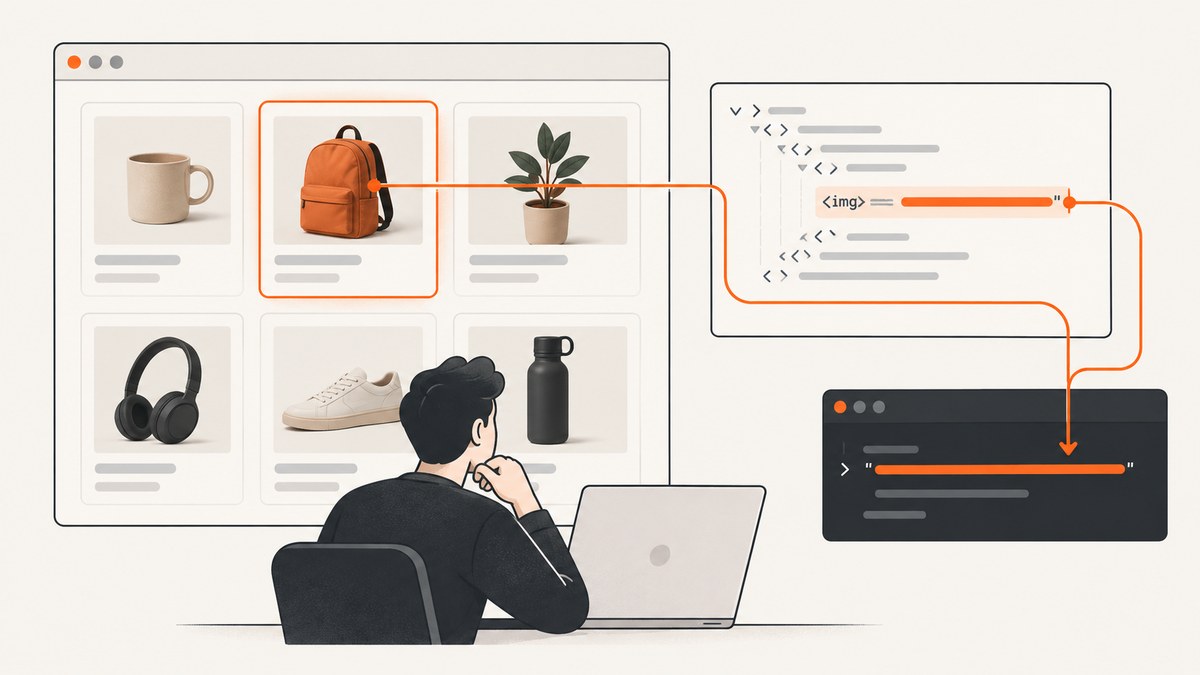
Use page.$eval() with a descendant selector, then call querySelector('img') inside the callback:
const src = await page.$eval(
  '.card .thumbnail',
  container => container.querySelector('img')?.src ?? null,
);
The outer selector finds the first matching container. The callback runs in the page and searches inside that container for its nested img. The result is the image’s resolved DOM URL, or null when the image is absent. Puppeteer’s Page.$eval() API describes this as finding the first matching element and passing it to the page function.
What you are extracting
Consider this markup:
<article class="card">
  <div class="thumbnail">
    <img src="/images/blue-shoe.jpg" alt="Blue shoe">
  </div>
  <h2>Blue shoe</h2>
</article>
There are two useful values:
| Expression | Returns | Use it when |
|---|---|---|
image.src |
A resolved URL, usually absolute | Your consumer needs a fetchable URL |
image.getAttribute('src') |
The literal HTML attribute, such as /images/blue-shoe.jpg |
You must preserve the markup exactly or distinguish a missing attribute with null |
For the example above, img.src commonly becomes https://example.com/images/blue-shoe.jpg after the browser resolves it against the document URL, while getAttribute('src') remains /images/blue-shoe.jpg.
Minimal Puppeteer example
Install Puppeteer and run this complete script:

npm install puppeteerconst puppeteer = require('puppeteer');
(async () => {
const browser = await puppeteer.launch({ headless: true });
try {
const page = await browser.newPage();
await page.goto('https://example.com/products', {
waitUntil: 'domcontentloaded',
timeout: 30_000,
});
const src = await page.$eval(
  '.card .thumbnail',
  container => container.querySelector('img')?.src ?? null,
);
console.log(src);
} finally {
await browser.close();
}
})();Replace the URL and selectors with those from your page. Always close the browser in a finally block so a navigation or selector error does not leave Chromium processes running.
Choose the right selector pattern
Use a descendant selector for one known container
const src = await page.$eval(
'.card .thumbnail',
container => container.querySelector('img')?.src ?? null,
);A space between selectors means “an element somewhere inside.” This is generally easier to maintain than positional selectors such as .card:nth-child(3) div:nth-child(1) img. If the image itself is the only target, you can query it directly:
const src = await page.$eval(
  '.card .thumbnail img',
  image => image.src,
);
The nested callback form is useful when the outer element has meaning, when you need several descendants, or when you want to report whether the container existed separately from whether it contained an image.
Use $$eval for every matching card
const srcs = await page.$$eval('.card .thumbnail', containers =>
  containers.map(container => container.querySelector('img')?.src ?? null),
);

console.log(srcs);
$$eval passes an array of all matching elements to the callback. The resulting array keeps the order of the matched containers and contains null for a container with no nested image. Puppeteer documents CSS selector support and the matching-element array in its page interactions guide.
Fail deliberately or return a nullable value
$eval throws when its top-level selector matches nothing. If a missing card is an expected state, use $ first:
const container = await page.$('.card .thumbnail');
if (!container) {
  console.log('No thumbnail container found');
} else {
  const src = await container.$eval(
    'img',
    image => image.src,
  );
  console.log(src);
}
page.$() resolves to null when there is no match; page.$$() resolves to an empty array. This distinction lets a scraper treat “no cards” differently from “card exists but image is missing.”
Wait for dynamically inserted images
Single-page applications often render the card first and append the image later. Waiting for the outer container is not enough if your real requirement is an image URL. Wait for the nested selector:
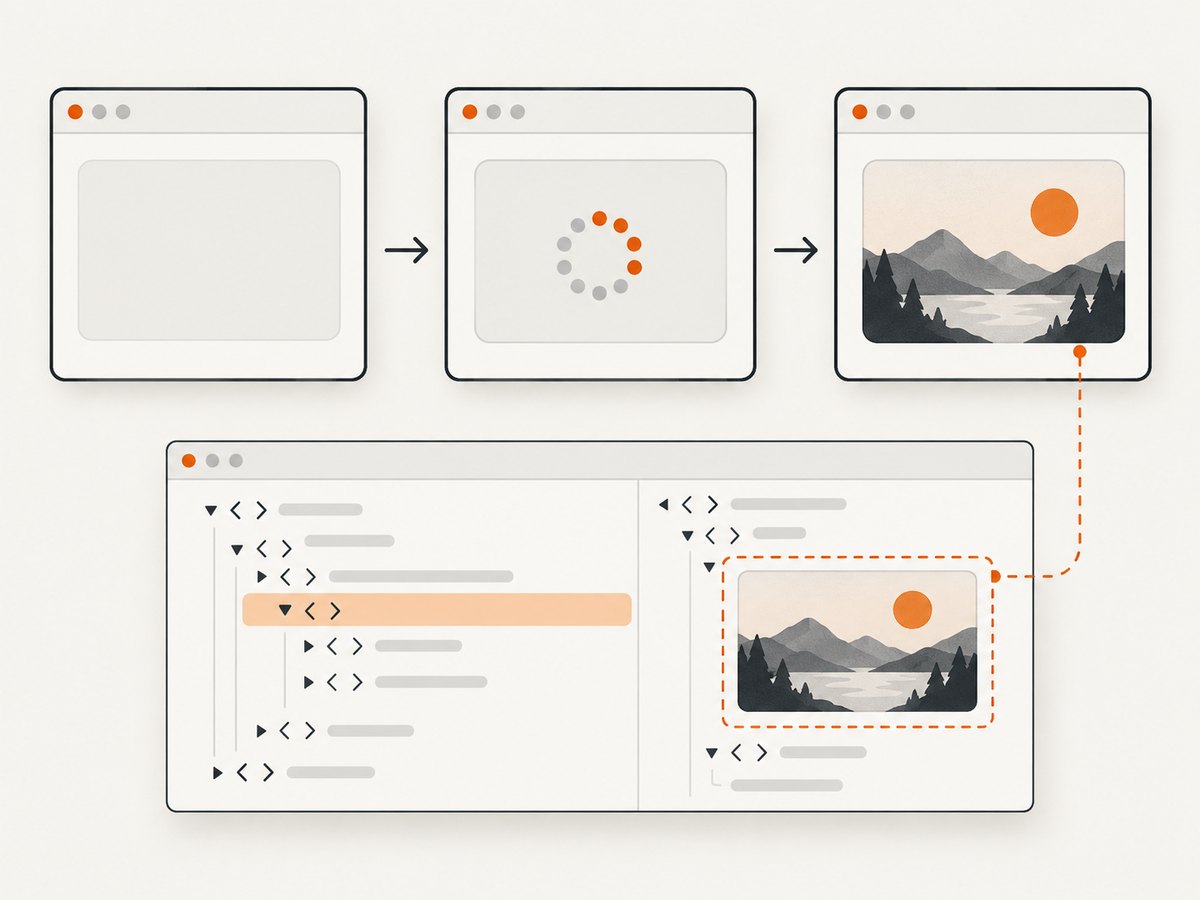
await page.goto('https://example.com/products', {
  waitUntil: 'domcontentloaded',
});
await page.waitForSelector('.card .thumbnail img', {
  visible: true,
  timeout: 15_000,
});

const src = await page.$eval(
  '.card .thumbnail',
  container => container.querySelector('img')?.src ?? null,
);
waitForSelector waits for a matching element in the relevant frame. Choose a selector that represents the state your script needs. If the page can legitimately have no image, use a timeout and then inspect the DOM instead of treating every timeout as a fatal error.
For pages that load content after an interaction, perform that interaction before waiting:
await page.click('.load-more');
await page.waitForSelector('.card .thumbnail img');
For lazy-loaded images, scrolling can trigger the request:
await page.evaluate(async () => {
  await new Promise(resolve => {
    let y = 0;
    const step = 600;
    const timer = setInterval(() => {
      window.scrollBy(0, step);
      y += step;
      if (y >= document.body.scrollHeight) {
        clearInterval(timer);
        resolve();
      }
    }, 100);
  });
});
await page.waitForSelector('.card .thumbnail img');
Do not assume that a present img has finished downloading. If you need a loaded image, check its state in the page:
const imageState = await page.$eval('.card .thumbnail img', image => ({
  src: image.src,
  complete: image.complete,
  naturalWidth: image.naturalWidth,
}));

if (!imageState.complete || imageState.naturalWidth === 0) {
  throw new Error('Image element exists but the resource is not loaded');
}
Extracting from iframes
A selector run on the main page cannot see elements inside an iframe. Find the frame, then run the same selector there:
await page.goto('https://example.com/embed');

const frame = page.frames().find(f =>
  f.url().includes('/product-widget'),
);
if (!frame) throw new Error('Product iframe not found');

await frame.waitForSelector('.card .thumbnail img');
const src = await frame.$eval(
  '.card .thumbnail',
  container => container.querySelector('img')?.src ?? null,
);
console.log(src);
If the iframe is cross-origin, Puppeteer can still automate its frame context, but you must select the correct frame and wait until it has navigated. A selector in the parent document will never cross that boundary.
Shadow DOM and selector boundaries
Web components may place the image inside a shadow root. A normal document query may not find it. Puppeteer supports additional selector syntax for combinations across shadow roots; consult the selector guidance for the Puppeteer version you run. When a component exposes an open shadow root, another reliable option is to enter it explicitly:
const src = await page.$eval('product-card', card => {
  const root = card.shadowRoot;
  return root?.querySelector('.thumbnail img')?.src ?? null;
});
Closed shadow roots are not available through ordinary page JavaScript. In that case, look for a public attribute or an application endpoint that exposes the image URL.
TypeScript version
The callback can return a nullable string, which makes the missing-image case explicit:
import puppeteer from 'puppeteer';

const browser = await puppeteer.launch({ headless: true });
try {
  const page = await browser.newPage();
  await page.goto('https://example.com/products');
  await page.waitForSelector('.card .thumbnail');

  const src: string | null = await page.$eval(
    '.card .thumbnail',
    (container): string | null =>
      container.querySelector('img')?.src ?? null,
  );
  console.log(src);
} finally {
  await browser.close();
}
If TypeScript inference is too broad for a specialized selector, add an explicit return type as shown. Keep the DOM check before reading properties on the queried node.
Common errors and fixes
| Error or symptom | Cause | Fix |
|---|---|---|
Error: failed to find element matching selector |
The outer selector matched nothing, or the page has not rendered it yet. | Verify the selector in DevTools, wait for the outer or nested selector, and log page.url() after navigation. |
Result is null |
The container exists but has no descendant img. |
Inspect the rendered markup. The image may use a picture, CSS background, or a different class. |
| URL is relative when you expected absolute | You returned getAttribute('src'). |
Return image.src for the browser-resolved URL, or resolve the attribute with new URL(value, document.baseURI).href. |
| Selector works manually but times out in Puppeteer | You are on a redirect, a different route, or the content is inside an iframe or shadow root. | Print await page.title() and page.url(), inspect frames, and check component boundaries. |
| Only some cards return URLs | Some cards have not lazy-loaded, or their image markup differs. | Scroll the page, wait for each nested image, and return diagnostic objects containing the card index and selector state. |
| Browser process remains after a failure | browser.close() was skipped. |
Wrap the work in try/finally and close the browser in the finalizer. |
| Navigation timeout | The server is slow, blocked, or waiting for network idle never settles. | Use a realistic timeout, prefer domcontentloaded when appropriate, and retry only idempotent navigation. |
Diagnostics that save time
When extraction fails, capture the evidence around the selector:
console.log({
  url: page.url(),
  title: await page.title(),
  cards: await page.$$eval('.card .thumbnail', nodes => nodes.length),
});

const html = await page.$eval(
  '.card .thumbnail',
  node => node.outerHTML,
).catch(() => null);
console.log(html);
For repeatable jobs, record the URL, selector, wait condition, elapsed time, and whether the result was missing or invalid. Avoid logging cookies, authorization headers, or other sensitive page data.
Performance and reliability
- Reuse one browser process and create separate pages for batches instead of launching Chromium for every URL.
- Use
$$evalto extract many cards in one page-context call. Repeated round trips for each card are slower. - Wait for the narrowest meaningful selector. Waiting for global network idle can be delayed by analytics, ads, and long-lived connections.
- Set explicit navigation and selector timeouts. A timeout should produce a classified failure, not an unbounded worker.
- Limit concurrency to what the target site and your machine can handle. Excess pages increase memory use and make rendering less predictable.
- Retry transient navigation failures with backoff, but do not retry a deterministic selector mismatch indefinitely.
- Validate the returned URL before downloading it. Check its scheme and, when appropriate, restrict allowed hosts to avoid fetching an unintended resource.
For image downloads, remember that extracting a URL and downloading the bytes are separate operations. The URL can be valid while the subsequent request requires cookies, a referer, authorization, or a short-lived signature.
Or skip the browser setup
If your goal is a clean visual capture rather than DOM-level extraction, ScreenshotNeo provides a website screenshot API. It accepts one GET request and returns PNG, JPEG, WebP, or PDF. The direct call is:
curl -G "https://api.screenshotneo.com/v1/shot" -d access_key=YOUR_API_KEY --data-urlencode url=https://stripe.com -o shot.webpPython:
import requests
r = requests.get("https://api.screenshotneo.com/v1/shot", params={"access_key": "YOUR_API_KEY", "url": "https://stripe.com"}, timeout=90)
open("shot.webp", "wb").write(r.content)
Node.js:
const q = new URLSearchParams({ access_key: 'YOUR_API_KEY', url: 'https://stripe.com' });
const res = await fetch(`https://api.screenshotneo.com/v1/shot?${q}`);
See the ScreenshotNeo API documentation for request options. Before capture, it can accept cookie and consent banners and remove more than 60 known consent platforms, newsletter popups, and chat widgets; each step can be disabled. Bot checks and CAPTCHAs, blank pages, timeouts, failed loads, and cache hits are not billed, and response headers identify the page verdict and billing result. Its MCP server provides take_screenshot, get_page_info, and capture_pdf tools for Claude, Cursor, and other MCP clients. The free plan includes 1,000 screenshots per month with no card; paid plans start at $5 for 3,000 shots.
Create a free ScreenshotNeo account and try the API with 1,000 screenshots each month at no charge.
FAQ
Does $eval return the first image or every image?
It returns the callback result for the first element matching the outer selector. Use $$eval when you need all matching containers.
Should I use src or getAttribute('src')?
Use src for the resolved DOM URL and getAttribute('src') for the literal HTML value.
Why does my selector return nothing for a visible image?
Check whether the image is inside an iframe or shadow root, whether a different class is rendered after hydration, and whether lazy loading has been triggered.
Can Puppeteer extract a CSS background image?
Yes, but it is not an img src. Read the computed style instead:
const background = await page.$eval('.thumbnail', node =>
  getComputedStyle(node).backgroundImage,
);
How do I preserve a missing image as null?
Use optional chaining inside the callback: container.querySelector('img')?.src ?? null.


