How to Use Network.requestIntercepted with Puppeteer
Learn the current Puppeteer request interception API, why Network.requestIntercepted is deprecated, and how to continue, abort, or mock requests safely.
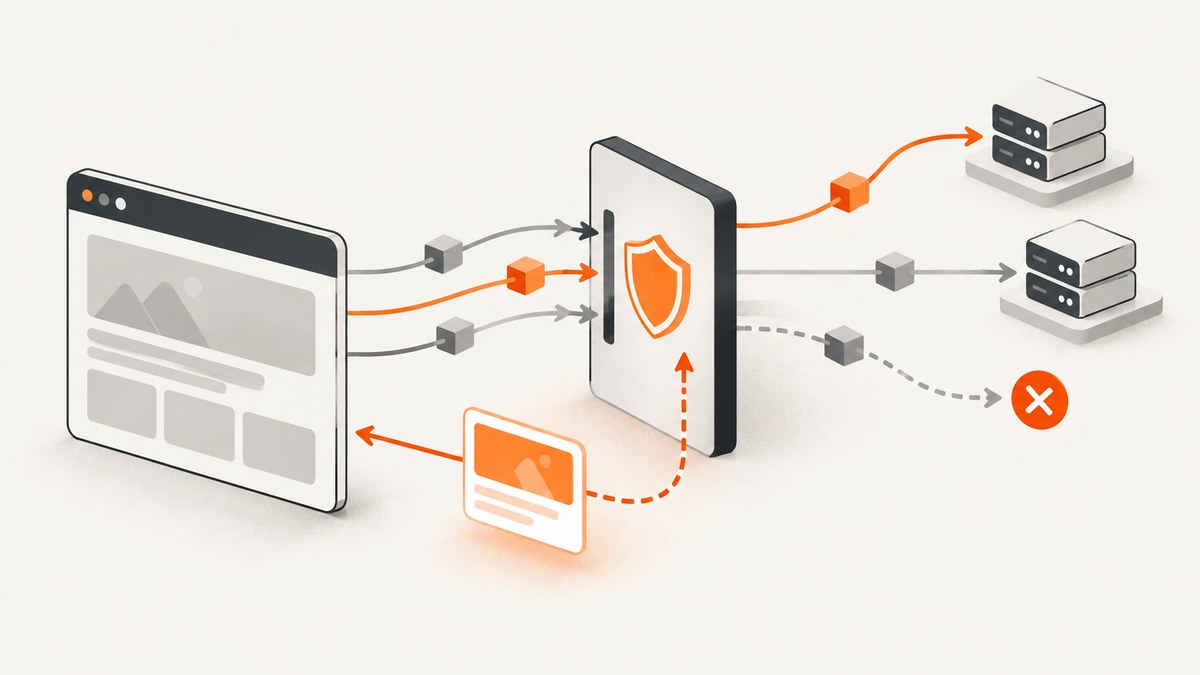
Direct answer: Do not build new Puppeteer code around the Chrome DevTools Protocol event Network.requestIntercepted. That protocol event is deprecated; Chromium’s protocol documentation points to Fetch.requestPaused for lower-level protocol work. For normal Puppeteer programs, use the public Page API: call await page.setRequestInterception(true), attach a page.on('request', ...) listener, and resolve every intercepted request with exactly one of request.continue(), request.abort(), or request.respond(). See the Puppeteer Request Interception guide and the setRequestInterception API reference.
What Network.requestIntercepted means today
Network.requestIntercepted is a legacy CDP-level event name. It is easy to encounter when reading old Chrome DevTools Protocol examples, but it is not the current public Puppeteer workflow. Puppeteer wraps interception behind its Page API and emits a HTTPRequest object through the request event.
Use direct CDP sessions only when you specifically need protocol-level control that Puppeteer does not expose. If you do use a CDP session, treat Network.requestIntercepted as deprecated and consult the protocol documentation for the newer Fetch domain flow. Most request filtering, blocking, header changes, and mocking tasks should stay in Puppeteer’s supported API.
The current Puppeteer interception workflow
- Create a browser and page.
- Enable interception before navigation or before the action that triggers the requests.
- Register a request listener.
- Make one decision for each request: continue, abort, or respond.
- Navigate or perform the page action.
Once interception is enabled, requests can stall until your handler resolves them. Requests served from the browser cache are an exception. A handler that forgets to resolve a request can leave navigation waiting indefinitely.
Minimal runnable example
import puppeteer from 'puppeteer';

const browser = await puppeteer.launch();
try {
  const page = await browser.newPage();

  await page.setRequestInterception(true);

  page.on('request', request => {
    if (request.isInterceptResolutionHandled()) return;

    const url = request.url();
    if (url.endsWith('.png') || url.endsWith('.jpg') || url.endsWith('.jpeg')) {
      request.abort();
    } else {
      request.continue();
    }
  });

  await page.goto('https://example.com', { waitUntil: 'networkidle2' });
  await page.screenshot({ path: 'example.png', fullPage: true });
} finally {
  await browser.close();
}
The interception switch must be enabled before goto. The guard prevents a second listener or package from attempting to resolve the same request.
Continue, abort, or respond
Continue a request
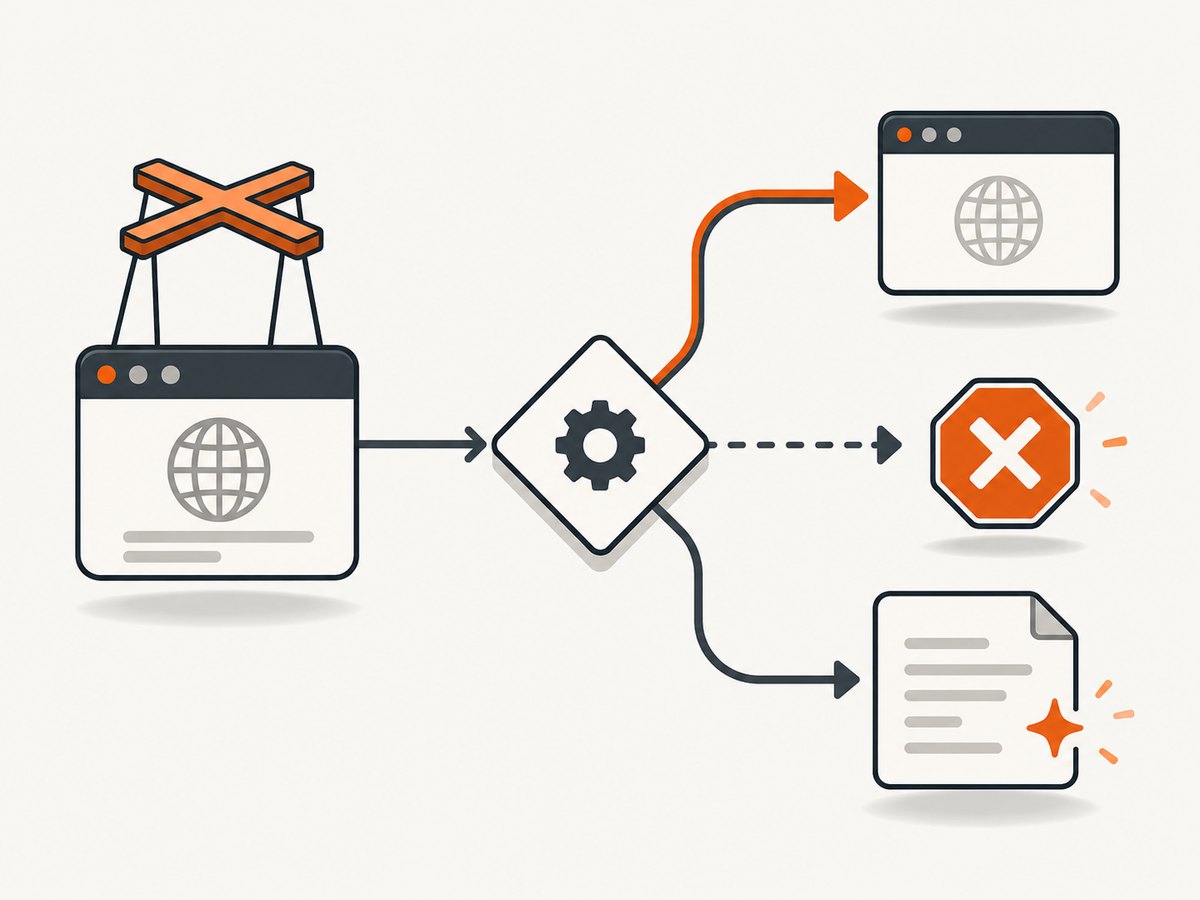
Call request.continue() when you have no special action. You can optionally override request properties such as headers, method, or post data, depending on the Puppeteer version and request type.
page.on('request', request => {
  if (request.isInterceptResolutionHandled()) return;

  const headers = {
    ...request.headers(),
    'x-automation-client': 'puppeteer'
  };
  request.continue({ headers });
});
Preserve existing headers unless you have a reason to replace them. Removing cookies, authorization, or content headers can change the page behavior you are trying to inspect.
Abort a request
Use request.abort() for resources you deliberately do not want to download. Puppeteer supports an optional error reason such as blockedbyclient.
const blockedHosts = new Set(['ads.example', 'tracker.example']);

page.on('request', request => {
  if (request.isInterceptResolutionHandled()) return;

  const hostname = new URL(request.url()).hostname;
  if (blockedHosts.has(hostname)) {
    request.abort('blockedbyclient');
  } else {
    request.continue();
  }
});
Blocking third-party scripts can break applications that depend on those scripts. Start with a narrow host or resource-type rule and expand it only after observing the result.
Respond with a synthetic resource
request.respond() lets you provide a status, headers, and body without contacting the origin. This is useful for deterministic tests and for replacing an API response with a fixture.
page.on('request', request => {
  if (request.isInterceptResolutionHandled()) return;

  if (request.url().endsWith('/api/config')) {
    request.respond({
      status: 200,
      contentType: 'application/json',
      body: JSON.stringify({ featureEnabled: true })
    });
  } else {
    request.continue();
  }
});
Return valid data for the response type the page expects. A JSON body with the wrong shape can cause an application error that looks like a network failure.
Preventing “Request is already handled!”
Only one resolution is allowed for an intercepted request. Puppeteer exposes request.isInterceptResolutionHandled() for this purpose. Check it immediately before acting.
page.on('request', async request => {
  if (request.isInterceptResolutionHandled()) return;

  const shouldBlock = await isDenied(request.url());

  // Another handler may have resolved it while we were awaiting.
  if (request.isInterceptResolutionHandled()) return;

  if (shouldBlock) {
    request.abort();
  } else {
    request.continue();
  }
});
The second check matters because asynchronous work creates a race. Keep the final handled check and the resolution call together, with no additional await between them.
Multiple handlers and resolution priorities
Several listeners, plugins, or libraries may observe the same request. In Puppeteer’s default Legacy Mode, an unprioritized resolution takes effect immediately. A later listener then sees that the request is already handled.
Cooperative Intercept Mode is available when all participating resolutions provide numeric priorities. The highest numeric priority wins. For equal priorities, abort outranks respond, which outranks continue. Use priority 0 (or Puppeteer’s DEFAULT_INTERCEPT_RESOLUTION_PRIORITY) for an ordinary continuation.
import { DEFAULT_INTERCEPT_RESOLUTION_PRIORITY } from 'puppeteer';

page.on('request', request => {
  if (request.isInterceptResolutionHandled()) return;
  request.continue({}, DEFAULT_INTERCEPT_RESOLUTION_PRIORITY);
});
Do not mix assumptions about cooperative ordering with third-party handlers that resolve immediately. If you own all listeners, define priorities clearly and keep rules small.
Filtering by URL, type, and method
Use the request object to inspect the URL, resource type, HTTP method, post data, and headers.
page.on('request', request => {
  if (request.isInterceptResolutionHandled()) return;

  const type = request.resourceType();
  const method = request.method();
  const url = request.url();

  if (type === 'image' && method === 'GET') {
    request.abort();
  } else if (url.includes('/slow-endpoint')) {
    request.respond({
      status: 204,
      headers: { 'cache-control': 'no-store' },
      body: ''
    });
  } else {
    request.continue();
  }
});
Prefer URL parsing with new URL() over substring checks when matching hosts, paths, and query parameters. Be careful with redirects: each resulting request can be intercepted separately.
Asynchronous handlers, timeouts, and failures
An asynchronous listener is valid, but every code path still needs a resolution. Catch failures from policy lookups or fixture loading and continue or abort explicitly.
page.on('request', async request => {
  if (request.isInterceptResolutionHandled()) return;

  try {
    const rule = await loadRule(request.url());
    if (request.isInterceptResolutionHandled()) return;

    if (rule === 'block') request.abort();
    else request.continue();
  } catch (error) {
    if (!request.isInterceptResolutionHandled()) request.continue();
  }
});
Do not perform slow network calls for every asset. A delayed stylesheet, font, or analytics request can delay page readiness and increase the chance of a navigation timeout. Cache policy data in memory, match early, and reserve asynchronous work for requests that truly need it.
Common errors and fixes
| Error or symptom | Likely cause | Fix |
|---|---|---|
| Navigation hangs | A request was intercepted but never resolved. | Add a default request.continue() branch and handle thrown errors. |
| “Request is already handled!” | Two listeners resolved the same request, or an async handler continued after another handler acted. | Check isInterceptResolutionHandled() immediately before each resolution, including after every await. |
| Images or fonts disappear | A broad resource-type or extension rule aborted required assets. | Log URLs and resource types; narrow the match to the intended host or path. |
| Mocked API is ignored | The URL, method, redirect, or response content type does not match what the app sends. | Inspect request.url(), request.method(), and post data; return the schema the page expects. |
| Page fails only with interception enabled | A handler changed headers or blocked a dependency. | Start with unconditional continue(), then add one rule at a time. |
| Timeout after an async policy check | The handler waits too long before resolving. | Use a bounded lookup, cache results, and fail open or closed deliberately. |
Debugging checklist
- Enable interception before
gotoor the triggering click. - Log the URL and resource type for unexpected requests.
- Verify every branch ends in
continue,abort, orrespond. - Guard every resolution, especially after asynchronous work.
- Test redirects, failed requests, service-worker responses, and cached resources separately.
- Close the browser in a
finallyblock so failures do not leave Chromium processes running.
Performance, reliability, and cost considerations
Interception adds decision work to every request. A fast synchronous matcher has little application overhead; a database call or remote policy service per request can dominate page-load time. Match by hostname and path before doing expensive work, and avoid logging response bodies for every asset.
For reliable automation, keep handlers deterministic, bound asynchronous operations, and make the fallback behavior explicit. If a request is essential, continuing on policy-service failure may be safer than aborting; for security tests, failing closed may be the correct choice. The right policy depends on your test objective.
Browser interception also has operational costs: Chromium startup, memory, concurrent pages, retries, and bandwidth. Reuse a browser where appropriate, limit concurrency to what the host can handle, and set navigation and request-level timeouts. Puppeteer’s sources do not establish a universal performance benchmark, so measure your own workload.
Alternative: direct CDP Fetch control
If you need raw protocol events, create a CDP session and study the Fetch domain’s paused-request flow. This is a lower-level integration than Puppeteer’s Page API and requires you to manage protocol commands and lifecycle details yourself. The legacy Network.requestIntercepted event is deprecated; do not select it merely because its name appears in an older example. The Chromium protocol definition documents that direction.
Or skip the browser setup
If your goal is a clean screenshot rather than custom request-policy testing, ScreenshotNeo provides a website screenshot API and MCP server. Its capture endpoint accepts one GET request and returns PNG, JPEG, WebP, or PDF output.

curl -G "https://api.screenshotneo.com/v1/shot" -d access_key=YOUR_API_KEY --data-urlencode url=https://stripe.com -o shot.webpimport requests
r = requests.get("https://api.screenshotneo.com/v1/shot", params={"access_key": "YOUR_API_KEY", "url": "https://stripe.com"}, timeout=90)
open("shot.webp", "wb").write(r.content)const q = new URLSearchParams({ access_key: 'YOUR_API_KEY', url: 'https://stripe.com' });
const res = await fetch(`https://api.screenshotneo.com/v1/shot?${q}`);ScreenshotNeo removes cookie and consent banners, newsletter popups, and chat widgets before capture. Bot checks, blank pages, failed loads, timeouts, and cache hits are not billed; response headers identify the page verdict and whether the shot was billed. Its MCP server includes take_screenshot, get_page_info, and capture_pdf tools for Claude, Cursor, and other MCP clients. The free plan includes 1,000 screenshots per month with no card, and paid plans start at $5 for 3,000 shots. See the ScreenshotNeo documentation for options such as full-page and element capture, device presets, custom CSS and JavaScript, blocking rules, cookies, headers, caching, async jobs, bulk capture, and PDF settings.
Create a free ScreenshotNeo account to use the 1,000 monthly screenshots without a card.
FAQ
Is Network.requestIntercepted removed from Chrome?
The protocol marks it deprecated and directs implementers toward Fetch.requestPaused. Deprecation does not make every old client fail immediately, but it is a poor basis for new code.
Can I enable interception after navigation?
Yes, but requests already made cannot be intercepted retroactively. Enable it before navigation or before the action whose requests you need to control.
Does every request event represent a server request?
No. Cached resources and browser-managed behavior can differ from a fresh origin request. Use interception for request decisions, not as a universal wire-level packet log.
Should I abort images to speed up screenshots?
Only when the missing images are acceptable. Blocking assets can change layout and visual output, especially when dimensions are not reserved in CSS.
When should I use ScreenshotNeo instead of Puppeteer?
Use Puppeteer when you need custom browser automation or test-specific request logic. Use ScreenshotNeo when you want an API call that handles browser setup and clean screenshot capture for you.


