How to Use Functions Inside Puppeteer’s page.evaluate
Learn how functions, arguments, promises, DOM elements, and TypeScript work inside Puppeteer’s page.evaluate—with runnable patterns and fixes.
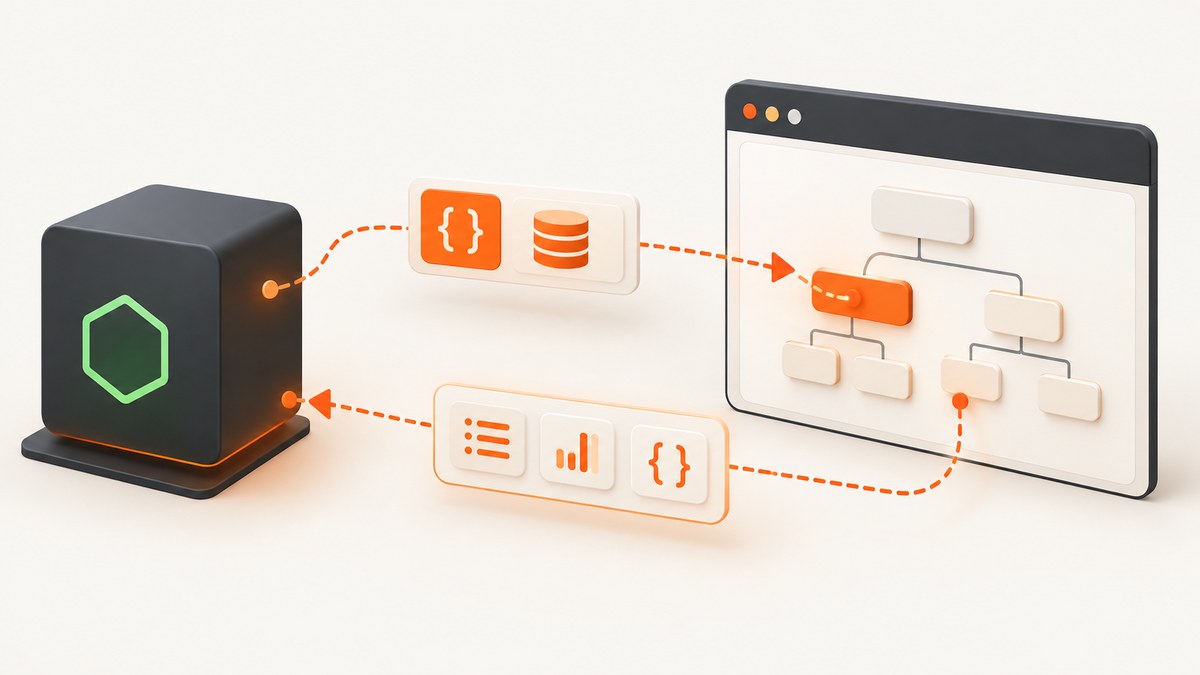
page.evaluate runs a function in the browser page context and returns its result to Node.js. Pass the function first, then pass each argument after it. Values from your Node.js scope are not automatically available inside the browser callback.
const suffix = ' — product page';
const title = await page.evaluate(
  suffixFromNode => document.title + suffixFromNode,
  suffix,
);

console.log(title);
The callback can use browser globals such as document, window, and DOM APIs. Puppeteer serializes the callback, executes it in the page, waits for a returned Promise, and transfers a serializable result back to Node.js. The official API describes this as evaluating a function in the page’s context and returning the result (Puppeteer page.evaluate documentation).
What page.evaluate actually does
There are two JavaScript environments:
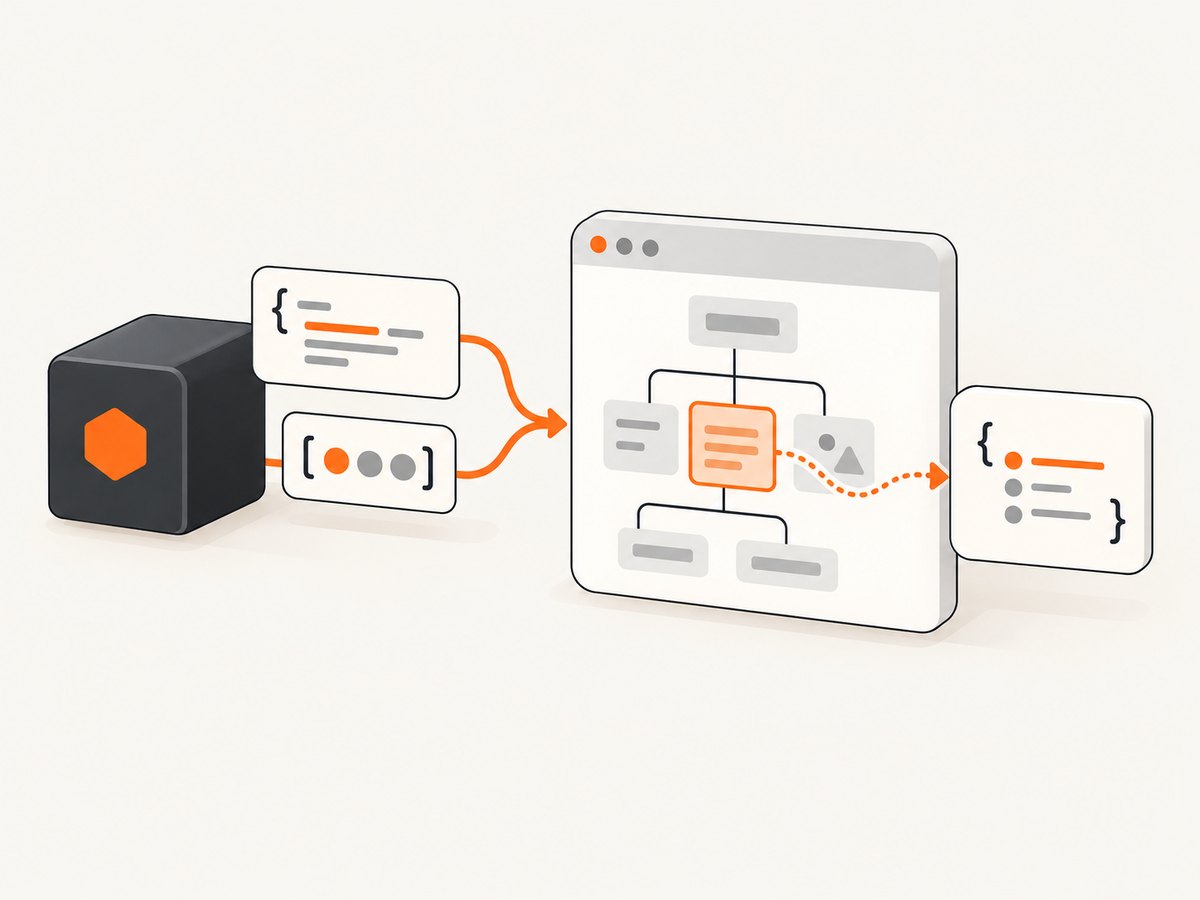
- Node.js context: your Puppeteer script, filesystem access, environment variables, and server-side libraries.
- Page context: the JavaScript environment created by the loaded website, including
document,window, cookies, layout, and browser APIs.
page.evaluate is the bridge between them. Puppeteer converts the callback to source, sends it through the Chrome DevTools Protocol, runs it in the page, and serializes the return value. Treat the callback as a separate function. A closure variable in Node.js is not a closure variable in the page.
const productId = 'sku-42';

// Correct: explicitly pass productId.
const text = await page.evaluate(id => {
  return document.querySelector(`[data-product-id="${id}"]`)?.textContent?.trim() ?? null;
}, productId);
Do not write page.evaluate(() => productId) and expect the Node.js variable to exist in the browser. It will normally throw a ReferenceError.
Passing strings, numbers, arrays, and objects
Use plain data that can cross the protocol boundary: strings, numbers, booleans, null, arrays, and ordinary objects. A single object is often clearer than a long list of positional arguments.
const result = await page.evaluate(
  ({ selector, limit }) => {
    return Array.from(document.querySelectorAll(selector))
      .slice(0, limit)
      .map(node => ({
        text: node.textContent?.trim() ?? '',
        href: node.href ?? null,
      }));
  },
  { selector: 'a.product', limit: 10 },
);

console.log(result);
Arguments are serialized. Functions, class instances with behavior, open streams, and cyclic objects are poor inputs. Convert them to data first.
const config = {
  selectors: ['h1', '.price'],
  includeHidden: false,
};

const data = await page.evaluate(({ selectors, includeHidden }) => {
  return selectors.map(selector => {
    const element = document.querySelector(selector);
    if (!element) return { selector, value: null };
    const style = getComputedStyle(element);
    if (!includeHidden && style.display === 'none') {
      return { selector, value: null };
    }
    return { selector, value: element.textContent?.trim() ?? '' };
  });
}, config);
Using DOM elements and selector shortcuts
A DOM node is a live browser object, not ordinary JSON. Returning one from page.evaluate does not copy a usable element into Node.js. For selector-based work, use $eval or $$eval.
One element with $eval
const inputValue = await page.$eval(
  '#email',
  input => input.value,
);
$eval finds the first matching element and passes it as the callback’s first argument. Additional arguments follow the element.
const maxLength = 40;
const value = await page.$eval(
  '#email',
  (input, limit) => input.value.slice(0, limit),
  maxLength,
);
Many elements with $$eval
const labels = await page.$$eval(
  'label',
  nodes => nodes.map(node => node.textContent?.trim() ?? ''),
);
$$eval passes an array of matching elements. Map that array to plain objects or strings before returning it.
Retaining a browser object with evaluateHandle
When you need to keep a remote object for another operation, use evaluateHandle. The result is a handle managed by Puppeteer rather than copied data. Dispose it when finished.
const bodyHandle = await page.evaluateHandle(() => document.body);

try {
  const tagName = await bodyHandle.evaluate(body => body.tagName);
  console.log(tagName);
} finally {
  await bodyHandle.dispose();
}
Use a handle for an object that must remain in the page. Use evaluate when the final answer is data you can serialize.
Async functions and Promises
If the callback returns a Promise, Puppeteer waits for it to resolve and returns the resolved value. This makes in-page fetch, timers, and other asynchronous browser APIs straightforward.
const price = await page.evaluate(async () => {
  const response = await fetch('/api/price');
  if (!response.ok) throw new Error(`HTTP ${response.status}`);
  const data = await response.json();
  return data.current;
});
Set a timeout around the Puppeteer operation when the page request might hang. A rejected Promise becomes an error in Node.js, so catch it where you can add URL or selector context.
try {
  const value = await page.evaluate(async selector => {
    const element = document.querySelector(selector);
    if (!element) throw new Error(`Missing selector: ${selector}`);
    return element.textContent?.trim() ?? '';
  }, '.price');
  console.log(value);
} catch (error) {
  console.error('Could not read price:', error);
}
Returning values safely
Return values must be representable across Puppeteer’s protocol. Strings, numbers, booleans, arrays, plain objects, and null are reliable choices.
const cards = await page.evaluate(() =>
  Array.from(document.querySelectorAll('.card')).map(card => ({
    title: card.querySelector('h2')?.textContent?.trim() ?? null,
    url: card.querySelector('a')?.href ?? null,
  }))
);
Returning a DOM node, a function, or another non-serializable value is not a way to transfer that live object to Node.js. Such values can resolve to undefined. Convert the object to data, or use evaluateHandle.
Common serialization traps
undefinedproperties: JSON-like serialization can omit them. Prefernullwhen a field must be present.- Dates: return
date.toISOString()and reconstruct a Date in Node.js. - Maps and Sets: return
Array.from(map.entries())orArray.from(set). - Errors: return
{ name, message, stack }if you need structured error data. - Circular references: select the fields you need instead of returning the whole object.
Waiting for page state before evaluating
evaluate runs immediately when called. If the target content is rendered later, wait for a selector or another page condition first.
await page.goto('https://example.com/dashboard', {
  waitUntil: 'domcontentloaded',
});
await page.waitForSelector('[data-loaded="true"]');

const rows = await page.$$eval('.row', nodes =>
  nodes.map(node => node.textContent?.trim() ?? '')
);
For a condition that is not expressible as a selector, use waitForFunction. Keep the predicate small and pass values explicitly.
await page.waitForFunction(
  expected => document.querySelectorAll('.result').length >= expected,
  {},
  10,
);
A fixed delay can be useful for a known animation, but it is less reliable than waiting for the actual state your extraction needs.
TypeScript patterns
Puppeteer’s TypeScript signatures infer the callback’s return type and produce a Promise of that type. Selector helpers may infer only Element or Element[], so annotate a narrower subtype when accessing specialized properties.
const value = await page.$eval(
  '#email',
  (el: HTMLInputElement) => el.value,
);
For a list of links, annotate the callback parameter and return a stable shape:
type LinkInfo = { text: string; href: string | null };

const links = await page.$$eval(
  'a.product',
  (elements: Element[]): LinkInfo[] => elements.map(element => {
    const anchor = element as HTMLAnchorElement;
    return {
      text: anchor.textContent?.trim() ?? '',
      href: anchor.href || null,
    };
  }),
);
Keep browser-only types inside the callback. A Node.js type or imported server module is not automatically available in the page.
Debugging and troubleshooting
| Symptom | Likely cause | Fix |
|---|---|---|
ReferenceError: variable is not defined |
The callback references a Node.js closure variable. | Pass it after the callback as an argument. |
Result is undefined |
The callback has no return, or it returned a non-serializable value. |
Add an explicit return and convert DOM objects to plain data, or use evaluateHandle. |
Cannot read properties of null |
The selector did not match yet or does not exist. | Call waitForSelector, check for null, and verify the selector in DevTools. |
| Callback works locally but fails after transpiling | Puppeteer serializes functions with Function.prototype.toString(); a transpiler can emit incompatible code. |
Use a simple browser-compatible callback, avoid relying on transformed closure syntax, and inspect the generated target. See the Puppeteer troubleshooting guide. |
| Promise never finishes | The in-page request or wait condition never resolves. | Set an operation timeout, check network errors, and ensure the page condition can actually become true. |
| Works on one page but not an iframe | The selector is being evaluated in the main document. | Obtain the frame with page.frames() and call frame.evaluate or frame.$eval. |
| Text is empty | Content is hidden, virtualized, or rendered after your evaluation. | Wait for the render condition, inspect visibility, or read the relevant attribute instead of textContent. |
Performance and reliability checklist
- Use one
evaluatethat returns all required fields instead of dozens of round trips. - Extract only the fields you need; serializing a large DOM-shaped object costs time and memory.
- Wait for a meaningful application condition, such as a loaded marker, rather than an arbitrary long delay.
- Keep callbacks deterministic and browser-compatible. Do not import Node.js modules inside them.
- Handle missing selectors and rejected Promises deliberately so one page does not terminate a batch.
- Dispose handles created by
evaluateHandlewhen they are no longer needed. - For repeated extraction, navigate once where possible and avoid re-reading unchanged data.
- Log the URL, selector, and operation when catching errors; this makes intermittent failures diagnosable.

Or skip the browser setup
If your goal is a clean screenshot rather than custom browser-side extraction, ScreenshotNeo provides a single GET request. Before capture it accepts cookie or consent banners and removes more than 60 known consent platforms, newsletter popups, and chat widgets. Each step can be turned off.
Only clean shots are billed. Bot checks or CAPTCHAs, blank pages, timeouts, failed loads, and cache hits cost nothing, and the response identifies the result with X-Page-Verdict and X-Billed headers. It also includes an MCP server with take_screenshot, get_page_info, and capture_pdf tools for Claude, Cursor, and other MCP clients.
curl -G "https://api.screenshotneo.com/v1/shot" \
  -d access_key=YOUR_API_KEY \
  --data-urlencode url=https://stripe.com \
  -o shot.webp
import requests
r = requests.get(
"https://api.screenshotneo.com/v1/shot",
params={"access_key": "YOUR_API_KEY", "url": "https://stripe.com"},
timeout=90,
)
r.raise_for_status()
open("shot.webp", "wb").write(r.content)const q = new URLSearchParams({
access_key: 'YOUR_API_KEY',
url: 'https://stripe.com',
});
const res = await fetch(`https://api.screenshotneo.com/v1/shot?${q}`);
if (!res.ok) throw new Error(`HTTP ${res.status}`);
const image = Buffer.from(await res.arrayBuffer());
await import('node:fs/promises').then(fs => fs.writeFile('shot.webp', image));See the complete option list and parameter names in the ScreenshotNeo API documentation. Options include full-page capture with lazy images loaded, CSS selector element capture, dark mode, 12 device presets or any viewport, retina scale, PDF paper size and page ranges, custom CSS and JavaScript, clicks, selector or network-idle waits, request blocking, headers, cookies, user agent, Authorization, timezone, geolocation, transparent backgrounds, resizing, configurable caching, signed links, asynchronous jobs with signed webhooks, bulk capture for up to 100 URLs per call, a usage API, and an OpenAPI specification.
The Free plan includes 1,000 screenshots per month with no card. Paid plans start at $5 for 3,000 shots; yearly billing gives two months free, and every feature is available on every plan. Create a free ScreenshotNeo account and start with the included monthly shots.
FAQ
Can page.evaluate access document.cookie?
It can read values exposed to page JavaScript, subject to normal browser security and cookie flags. HttpOnly cookies are not available through document.cookie.
Should I use evaluate or $eval?
Use evaluate for page-wide logic or when you already have data to pass. Use $eval for one selector and $$eval for a collection.
How do I run code in an iframe?
Find the target Frame from page.frames(), then call that frame’s evaluate, $eval, or $$eval.
Can I pass a function as an argument?
Do not depend on transferring executable functions as data. Pass configuration values and define the browser callback in the evaluate call itself.
Why is a returned element not usable in Node.js?
A DOM element is a remote browser object, not plain serializable data. Return its fields, or retain it with evaluateHandle and dispose the handle afterward.


