Why Puppeteer page.goto() Hangs and How to Fix It
Learn why Puppeteer page.goto() hangs, how to identify the wait that is pending, and how to fix timeouts, interception bugs, network-idle waits, and navigation races.
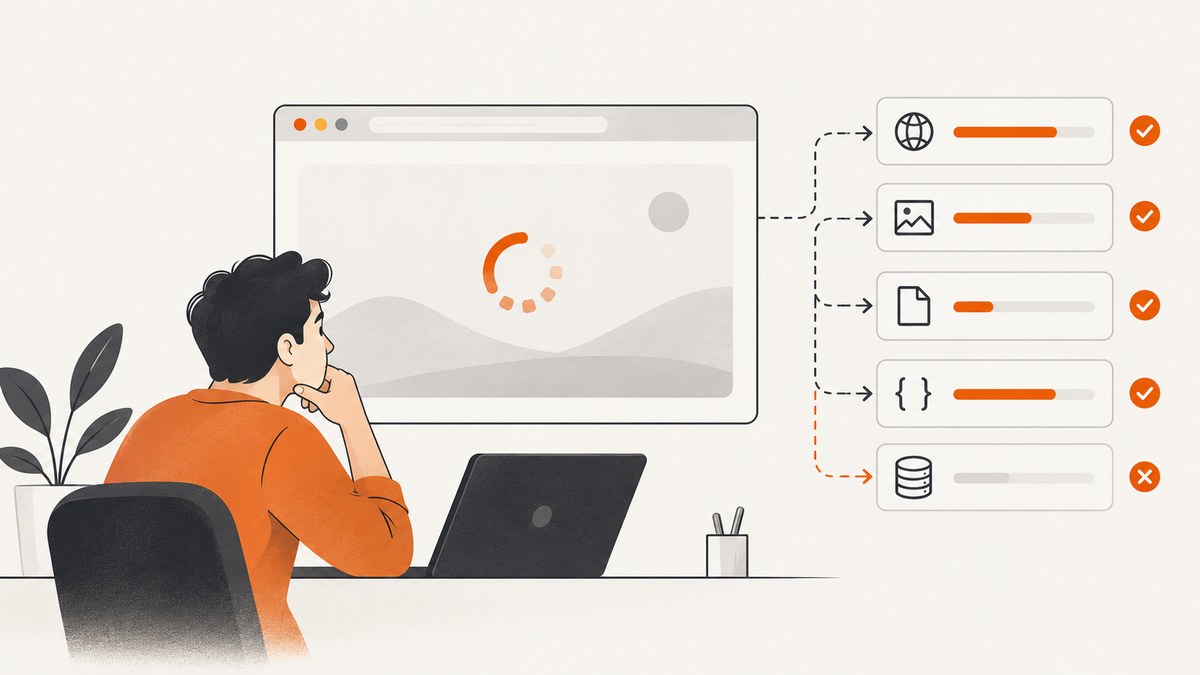
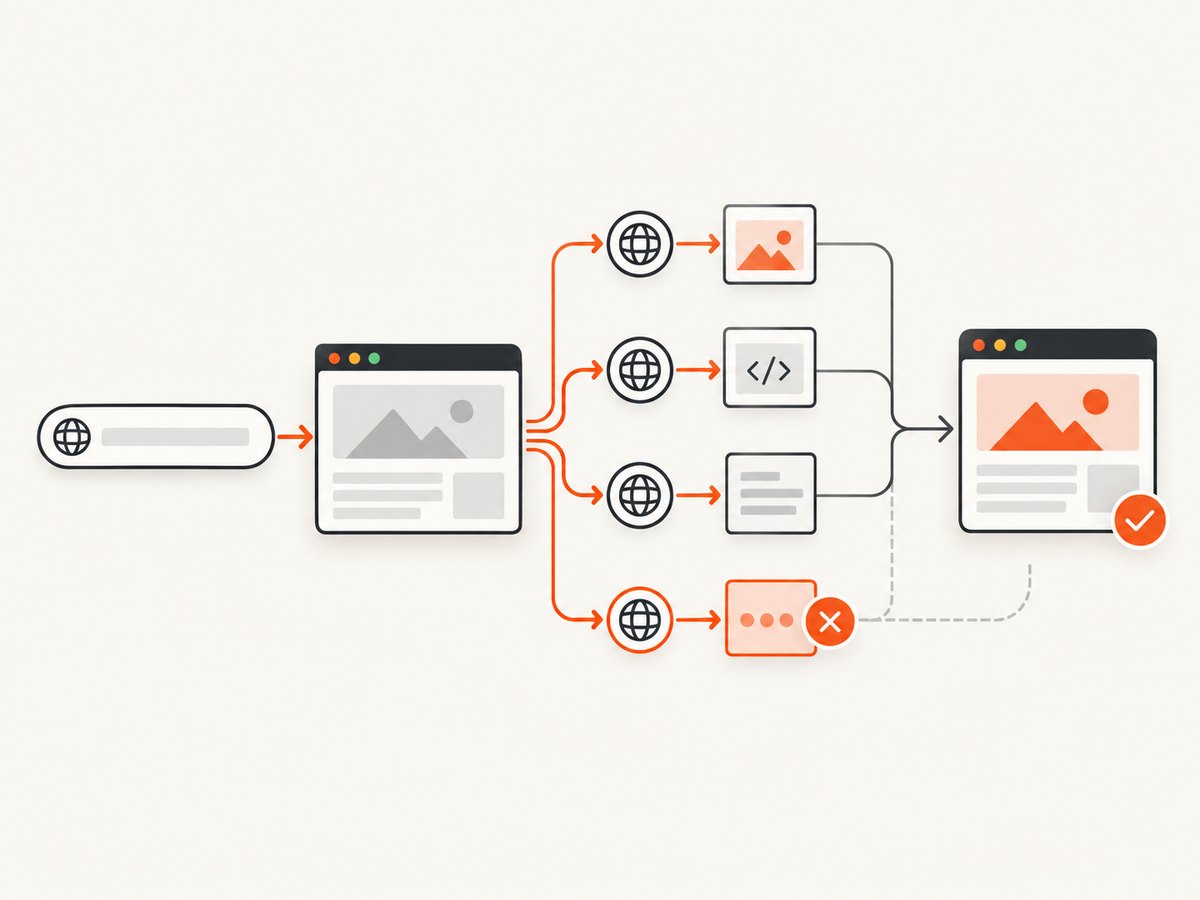
page.goto() usually appears to hang because Puppeteer is waiting for a condition that has not happened yet. The pending condition may be a slow or unreachable document, an unsuitable waitUntil milestone, a navigation timeout, an intercepted request that was never resolved, or a separate wait such as waitForNavigation() that missed a navigation race.
Find out which condition is pending before increasing a timeout. A larger timeout only helps when the page is slow but eventually completes; it cannot fix a request handler that leaves a request stalled or a readiness condition that never becomes true.
What page.goto() actually waits for
page.goto(url, options) navigates the frame and resolves with the main resource response. After redirects, the response for the final document request is returned. A same-document hash change or an about:blank navigation can return null. Puppeteer documents failures for invalid URLs, SSL errors, timeouts, unreachable or nonresponsive servers, failed main resources, and navigation restrictions.
The waitUntil option selects a lifecycle milestone:
| Value | What it indicates | Typical use |
|---|---|---|
load |
The load event fired. | Pages whose subresources must finish before work starts. |
domcontentloaded |
The HTML document was parsed. | Fast automation followed by an explicit selector or response wait. |
networkidle0 |
No more than zero active connections for the idle window. | Only when the site is expected to become completely quiet. |
networkidle2 |
No more than two active connections for the idle window. | Pages with a small amount of continuing background traffic. |
The documented network-idle idle window is 500 ms. Analytics, polling, WebSockets, advertisements, service workers, and other background requests can prevent an idle condition even when the content you need is already visible. Network idle is a network property, not proof that an application is ready.
A diagnostic sequence that separates the causes
- Record the exact symptom. Capture the URL, Puppeteer and browser versions, elapsed time, the complete error text, and whether the promise remains pending or eventually throws.
- Verify transport. Check the URL scheme, DNS, connectivity, TLS certificate, server response, redirects, and access controls. A browser cannot complete a document navigation when the main resource never becomes reachable.
- Reduce the lifecycle wait. Try
domcontentloaded, then wait for the specific selector or response that represents readiness for your task. - Identify the timeout scope. A per-call timeout and the page or browser default may differ. Puppeteer’s documented generic wait default is 30,000 ms; a value of
0disables a timeout. - Audit interception. If request interception is enabled, every request must be continued, answered, aborted, or completed from cache.
- Check event ordering. For a click that causes navigation, register
waitForNavigation()before clicking and await both promises together. - Separate navigation from application readiness. Inspect the response status, then wait for a task-specific selector or API response.
Minimal diagnostic script
This complete Node.js example logs the final URL, response status, page errors, failed requests, and console messages. It uses a bounded timeout and a narrower lifecycle milestone.
import puppeteer from 'puppeteer';

const url = process.argv[2] ?? 'https://example.com';
const browser = await puppeteer.launch({headless: true});
const page = await browser.newPage();

page.on('console', message => {
  console.log(`[console:${message.type()}] ${message.text()}`);
});
page.on('pageerror', error => {
  console.error('[pageerror]', error);
});
page.on('requestfailed', request => {
  console.error('[requestfailed]', request.url(), request.failure()?.errorText);
});

try {
  const response = await page.goto(url, {
    waitUntil: 'domcontentloaded',
    timeout: 30_000
  });

  console.log({
    finalUrl: page.url(),
    status: response?.status() ?? null,
    contentType: response?.headers()['content-type'] ?? null
  });
} catch (error) {
  console.error('goto failed:', error);
  console.error('current URL:', page.url());
} finally {
  await browser.close();
}
Use the Page.goto API reference to confirm the options supported by your installed Puppeteer version.
Fix the common causes
1. The server, URL, DNS, or TLS is failing
First test the URL outside Puppeteer. Confirm it has an explicit http:// or https:// scheme and follows redirects normally. An invalid URL, certificate problem, DNS failure, unreachable host, or failed main document request is a navigation failure, not a Puppeteer waiting bug.
const response = await page.goto(url, {
  waitUntil: 'domcontentloaded',
  timeout: 20_000
});

if (!response) {
  console.log('No main-resource response: same-document or about:blank navigation');
} else if (!response.ok()) {
  throw new Error(`Document returned HTTP ${response.status()}`);
}
2. networkidle never occurs
Replace a broad idle wait with the earliest lifecycle milestone that supports your work, then wait for the content you actually need:
await page.goto(url, {waitUntil: 'domcontentloaded'});
await page.waitForSelector('[data-ready="true"]', {timeout: 15_000});
The selector above is only an example. Choose a stable element that your application sets when the required data is rendered. waitForSelector() has its own timeout and throws when the element does not appear.
3. A timeout was increased in the wrong place
Set a bounded timeout on the operation you are diagnosing, or configure the page default deliberately:
page.setDefaultNavigationTimeout(45_000);
page.setDefaultTimeout(15_000);

await page.goto(url, {
  waitUntil: 'domcontentloaded',
  timeout: 45_000
});
Setting timeout: 0 removes the bound. It can make a debugging session appear to hang forever and should not be a general production fix. A finite, known-slow navigation may justify a larger bound; an unresolved request or impossible readiness condition does not.
4. Request interception left a request unresolved
Once interception is enabled, requests stall until they are continued, responded to, aborted, or fulfilled from cache. Every branch in the handler must resolve the request exactly once.
await page.setRequestInterception(true);

page.on('request', request => {
  try {
    if (request.isInterceptResolutionHandled()) return;

    if (shouldBlock(request)) {
      return request.abort();
    }

    return request.continue();
  } catch (error) {
    console.error('interception error', request.url(), error);
    if (!request.isInterceptResolutionHandled()) {
      return request.continue().catch(() => {});
    }
  }
});
Keep the handler simple while debugging. Log the request URL and resource type, then temporarily disable interception to determine whether it is the source of the stall. Authentication can enable interception internally, so include authentication-related code in this audit.
5. A click-navigation race lost the navigation event
Register the navigation wait before triggering the click:
const [response] = await Promise.all([
  page.waitForNavigation({waitUntil: 'domcontentloaded', timeout: 30_000}),
  page.click('a.next')
]);

console.log('navigation response:', response?.status() ?? null);
This is the race-safe pattern shown in the Puppeteer waitForNavigation documentation. Same-document route changes and hash changes may resolve with null. For a single-page application, wait for the route’s content, URL change, or expected API response instead.
6. Navigation succeeded but the application is not ready
Document completion and application readiness are separate events. After goto(), wait for the selector, response, or state transition required by your task:
await page.goto(url, {waitUntil: 'domcontentloaded'});
await page.waitForResponse(
  response => response.url().endsWith('/api/items') && response.ok(),
  {timeout: 15_000}
);
await page.waitForSelector('#items-loaded', {timeout: 15_000});
If the selector wait fails, the document navigation may still have worked. Investigate the application’s JavaScript errors, API failures, authentication state, and data-dependent rendering.
Action-triggered navigation and SPA edge cases
- Redirect chains: inspect the response and
page.url()after navigation; the final URL may differ from the requested URL. - Hash links: a hash change does not necessarily create a new document response. Wait for the hash or the resulting content.
- Client-side routers:
waitForNavigation()may not be the right signal. Wait for a route-specific selector or API response. - New tabs: a click that opens a popup requires listening for a new page or target while also waiting for the click.
- Authentication redirects: verify cookies, credentials, and the final URL. A login page can be a successful document navigation but the wrong page for your task.
- Service workers and polling: persistent requests can make network-idle waits unsuitable even when the page is usable.
Performance and reliability guidance
- Use
domcontentloadedplus a precise readiness signal when full subresource completion is unnecessary. - Reuse a browser process and create fresh pages for batches, while closing pages in a
finallyblock. - Keep navigation, selector, and response timeouts separate so logs identify the failing phase.
- Log request failures, page errors, final URLs, status codes, and elapsed time with a correlation ID.
- Retry only transient transport failures. Do not blindly retry deterministic 4xx responses, invalid URLs, selector mistakes, or interception bugs.
- Bound every wait. An unbounded operation can exhaust workers and hide the original fault.
- For pages with long-lived connections, choose a task-specific selector or response instead of network idle.
Cost and operational notes
Browser automation consumes CPU, memory, bandwidth, and concurrency while a page is loading. A timeout that is too short creates false failures; one that is too long ties up workers. Measure the phases separately and choose limits from the slowest legitimate navigation plus margin. Cache stable captures where appropriate, and avoid loading resources your task does not require only when doing so cannot change the result.
Or skip the browser setup
If your goal is a clean screenshot rather than custom browser automation, ScreenshotNeo provides a single request to capture a URL as PNG, JPEG, WebP, or PDF. Its capture flow accepts cookie and consent banners as a visitor and removes more than 60 known consent platforms, newsletter popups, and chat widgets before the shot. Bot checks, blank pages, timeouts, failed loads, and cache hits are not billed, and response headers identify the page verdict and billing result.

See the ScreenshotNeo API documentation for all options.
cURL
curl -G "https://api.screenshotneo.com/v1/shot" -d access_key=YOUR_API_KEY --data-urlencode url=https://stripe.com -o shot.webpPython
import requests

r = requests.get(
    "https://api.screenshotneo.com/v1/shot",
    params={"access_key": "YOUR_API_KEY", "url": "https://stripe.com"},
    timeout=90,
)
r.raise_for_status()
open("shot.webp", "wb").write(r.content)
Node.js
const q = new URLSearchParams({ access_key: 'YOUR_API_KEY', url: 'https://stripe.com' });
const res = await fetch(`https://api.screenshotneo.com/v1/shot?${q}`);
if (!res.ok) throw new Error(`Screenshot failed: ${res.status}`);
const file = Buffer.from(await res.arrayBuffer());
await import('node:fs/promises').then(fs => fs.writeFile('shot.webp', file));
ScreenshotNeo also supports full-page captures with lazy images loaded, CSS-selector element captures, dark mode, device presets and custom viewports, retina scale, PDF options, custom CSS and JavaScript, clicks, selector or delay waits, network-idle waits, request blocking, headers, cookies, user agents, authorization, timezone, geolocation, transparent backgrounds, resizing, configurable caching, signed links, asynchronous jobs with signed webhooks, bulk capture of up to 100 URLs per call, a usage API, and an OpenAPI specification. An MCP server exposes take_screenshot, get_page_info, and capture_pdf for Claude, Cursor, and other MCP clients.
There is a free plan with 1,000 screenshots per month and no card. Paid plans start at $5 for 3,000 screenshots. Create a free ScreenshotNeo account.
Troubleshooting checklist
| Symptom | Likely cause | Fix |
|---|---|---|
| Timeout at the same duration every time | Navigation or default timeout | Identify the active timeout; use a bounded value appropriate to the page. |
| Request log stops after interception begins | A branch never resolved a request | Continue, respond, abort, or fulfill every request exactly once. |
networkidle never completes |
Polling, analytics, WebSockets, ads, or service workers | Use an earlier lifecycle milestone and a task-specific readiness wait. |
| Click appears to work but wait hangs | Navigation wait registered after the click | Use Promise.all with waitForNavigation() created first. |
| Navigation resolves but expected content is missing | Application readiness is later or failed | Check status, console errors, API responses, and wait for a stable selector. |
Response is null |
Same-document or about:blank navigation |
Use URL, hash, selector, or application state as the completion signal. |
FAQ
Should I always use networkidle0 for screenshots?
No. Use it only when the page is expected to stop making requests. A selector that represents the rendered content is often a more reliable signal.
Does a 30-second timeout mean the website is broken?
No. It means the configured wait condition did not complete within that bound. Check transport, lifecycle choice, interception, and application readiness before classifying the site.
Can I solve every hang by setting timeout: 0?
No. That removes the safety bound and can leave a worker waiting indefinitely. It does not resolve stalled interception or an impossible readiness condition.
Why is waitForNavigation() null after a successful click?
The click may have changed the URL within the same document, changed a hash, or updated a client-side route. Wait for the resulting application signal instead of a new document response.
What should I include in a bug report?
Include a minimal reproduction, URL shape with secrets removed, Puppeteer and browser versions, launch flags, timeout and waitUntil values, interception handlers, full error text, final URL, response status, request failures, and page errors.


