How to Add Text to Every Page in a Puppeteer PDF
Add repeating headers, footers, page numbers, dates, titles, and URLs to Puppeteer PDFs with margins, CSS guidance, and working code.
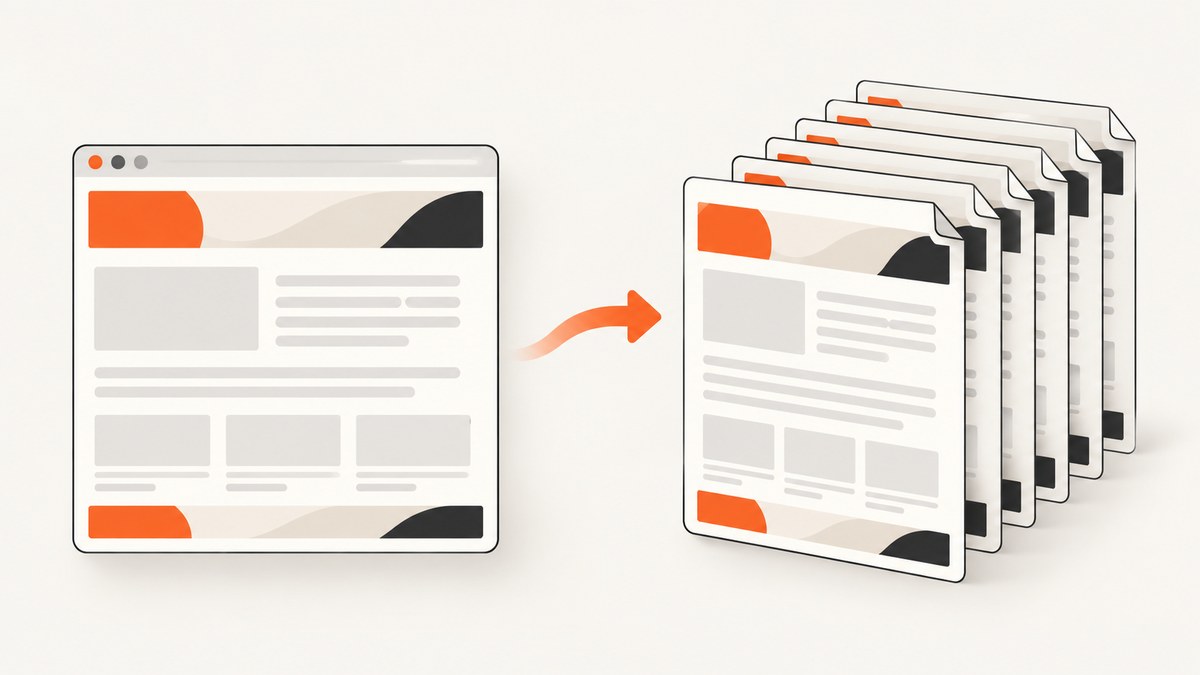
Use Puppeteer’s page.pdf() options displayHeaderFooter, headerTemplate, and footerTemplate to place text on every PDF page. Reserve space with the margin.top and margin.bottom options. Page numbers, total pages, the document title, URL, and print date are injected with documented CSS classes.
This repeated content belongs in the PDF header or footer template, not in a normal element at the top of your HTML. A body element appears once in the document flow; a PDF template is rendered for each printed page.
1. Minimal working example
Install Puppeteer, create a page, and call page.pdf() with header and footer display enabled.
npm install puppeteerconst puppeteer = require('puppeteer');
(async () => {
const browser = await puppeteer.launch();
try {
const page = await browser.newPage();
await page.setContent(`
<html>
<body>
<h1>Quarterly report</h1>
<p>The report content starts below the repeated header.</p>
<p style='height: 1800px'>Example content that spans pages.</p>
</body>
</html>
`, { waitUntil: 'networkidle0' });
await page.pdf({
path: 'output.pdf',
format: 'A4',
printBackground: true,
displayHeaderFooter: true,
headerTemplate: `
<div style='width:100%; font-size:9px; text-align:center; color:#555;'>
Acme report
</div>`,
footerTemplate: `
<div style='width:100%; font-size:9px; text-align:center; color:#555;'>
Page <span class='pageNumber'></span> of <span class='totalPages'></span>
</div>`,
margin: {
top: '60px',
bottom: '60px',
left: '20px',
right: '20px'
}
});
} finally {
await browser.close();
}
})();The key setting is displayHeaderFooter: true. Without it, Puppeteer ignores the templates. The top and bottom margins create a safe area so document content does not overlap the repeated material.
2. Header and footer templates
headerTemplate controls the repeated area above the page content. footerTemplate controls the repeated area below it. Both accept HTML markup and inline CSS. Keep the markup self-contained: external stylesheets and page JavaScript are not a dependable way to style these templates.
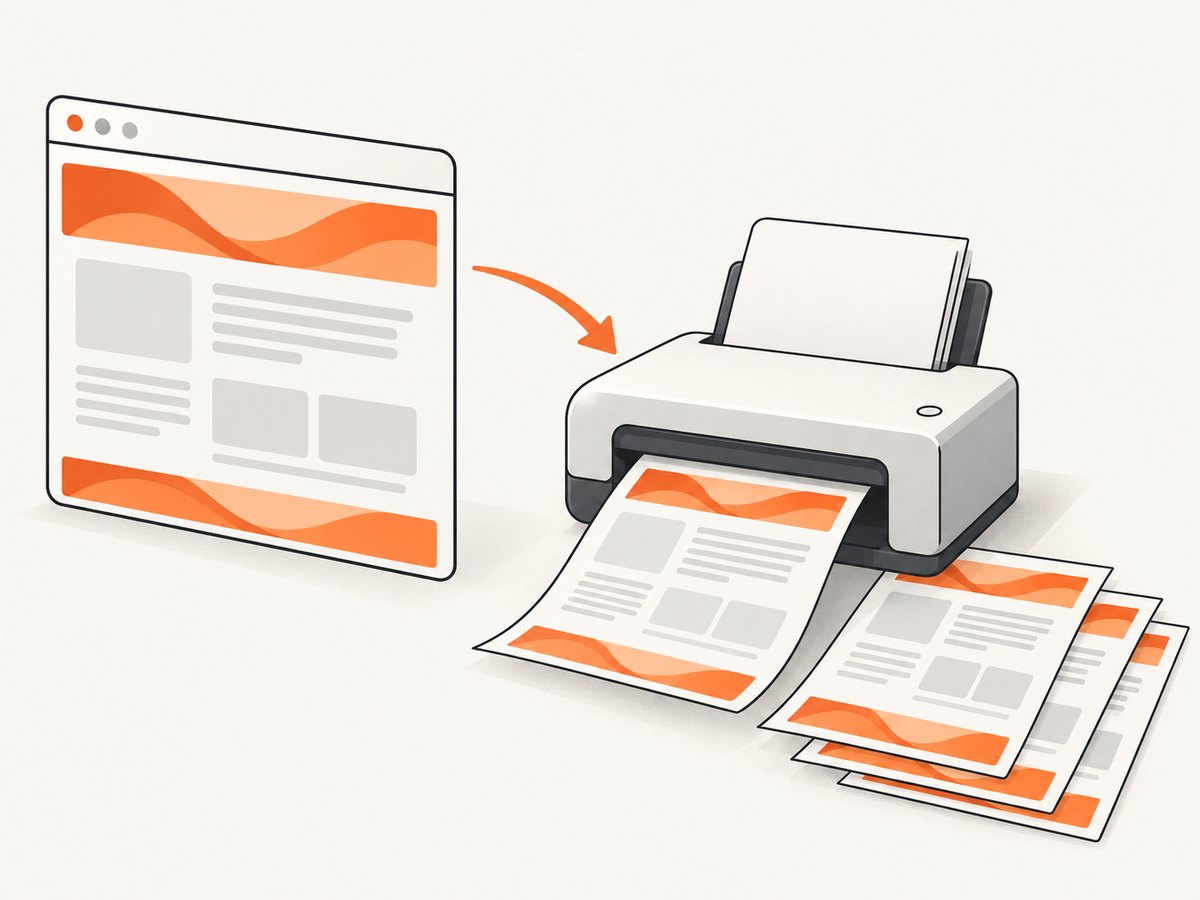
Supported injected values
Puppeteer recognizes these classes inside a template:
| Class | Value | Example |
|---|---|---|
pageNumber |
Current page number | <span class='pageNumber'></span> |
totalPages |
Total page count | <span class='totalPages'></span> |
date |
Formatted print date | <span class='date'></span> |
title |
Document title | <span class='title'></span> |
url |
Document location | <span class='url'></span> |
For the title value, set a meaningful HTML <title> or use page.title()-compatible document markup before generating the PDF. The URL value reflects the page location, so pages created with setContent() may not have the same URL as a page loaded with page.goto().
Reusable footer patterns
footerTemplate: `
  <div style='width:100%; padding:0 20px; font-size:8px;'>
    <span class='title'></span>
    <span style='float:right;'>
      <span class='pageNumber'></span>/<span class='totalPages'></span>
    </span>
  </div>`
Use simple layout rules such as text-align, padding, and a fixed width. If you need columns, an inline table or flex layout can work, but verify the generated PDF with the Chromium version used in production.
3. Margins prevent overlap
Header and footer templates occupy margin space. They do not automatically push body content down. Allocate enough room in margin.top and margin.bottom for the largest line, logo, or metadata block you render.
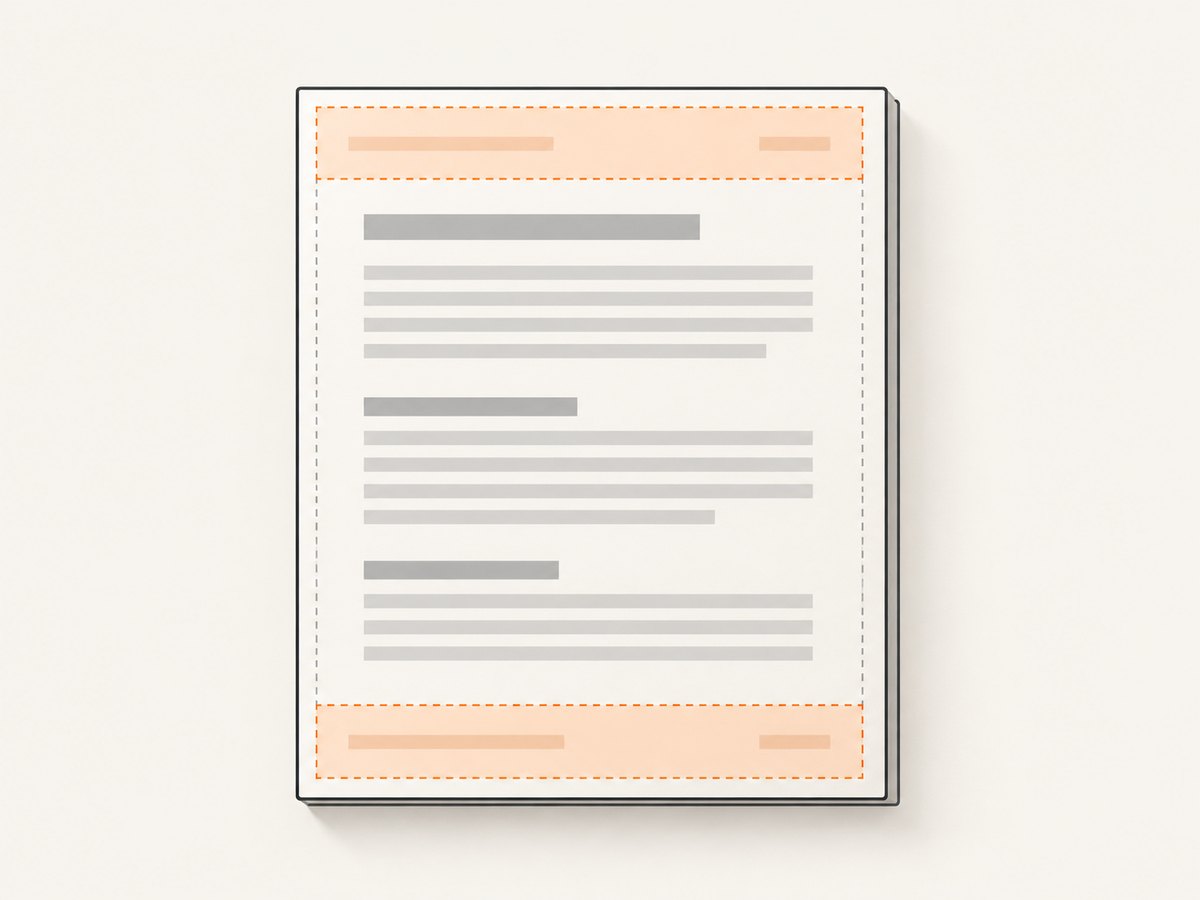
margin: {
  top: '72px',
  bottom: '72px',
  left: '24px',
  right: '24px'
}
If a footer covers text, increase the bottom margin first. If the header is clipped, increase the top margin. Measure in CSS units such as pixels, inches, centimeters, or millimeters. A 9px single-line footer often fits in 40–50px, but multi-line templates need more.
Margins also affect pagination. Increasing them reduces the body area and may create additional pages. That is expected: the repeated text must have physical room on every sheet.
4. Print CSS versus screen CSS
Puppeteer PDF generation uses the print CSS media type by default. This can change colors, visibility, layout, and responsive breakpoints compared with a browser screenshot. The official Page.pdf documentation recommends calling page.emulateMediaType('screen') before PDF generation when screen styles are desired.
await page.emulateMediaType('screen');
await page.pdf({
  path: 'screen-styled.pdf',
  displayHeaderFooter: true,
  headerTemplate: '<div style="font-size:9px">Screen-style export</div>',
  margin: { top: '50px', bottom: '50px' }
});
Choose print media for reports designed for paper. Choose screen media when the PDF should closely match your web application. Add print-specific rules in your stylesheet when you need deliberate page breaks, hidden navigation, or different colors.
5. Complete production-oriented script
This example loads a real URL, waits for network activity, sets the media type, and writes a PDF with a date, title, URL, and page count.
const puppeteer = require('puppeteer');

async function makePdf(url, outputPath) {
  const browser = await puppeteer.launch({
    args: ['--no-sandbox', '--disable-setuid-sandbox']
  });

  try {
    const page = await browser.newPage();
    await page.setViewport({ width: 1440, height: 900, deviceScaleFactor: 1 });
    await page.goto(url, { waitUntil: 'networkidle0', timeout: 60000 });
    await page.emulateMediaType('print');

    await page.pdf({
      path: outputPath,
      format: 'A4',
      printBackground: true,
      preferCSSPageSize: true,
      displayHeaderFooter: true,
      headerTemplate: `
        <div style='width:100%; padding:0 24px; font:9px Arial; color:#666;'>
          <span class='title'></span>
          <span style='float:right'><span class='date'></span></span>
        </div>`,
      footerTemplate: `
        <div style='width:100%; padding:0 24px; font:9px Arial; color:#666;'>
          <span class='url'></span>
          <span style='float:right'>Page <span class='pageNumber'></span> of <span class='totalPages'></span></span>
        </div>`,
      margin: {
        top: '64px',
        bottom: '64px',
        left: '24px',
        right: '24px'
      }
    });
  } finally {
    await browser.close();
  }
}

makePdf('https://example.com/report', 'report.pdf').catch((error) => {
  console.error(error);
  process.exitCode = 1;
});
For a long-running service, reuse a browser process and create a fresh page for each job. Always close pages and browsers in cleanup paths. Set explicit navigation and PDF timeouts so a stalled third-party resource cannot hold a worker forever.
6. Dynamic text and data
Templates can contain values known by your Node.js process. Escape user-controlled strings before inserting them into template HTML. A small helper is enough for plain text.
function escapeHtml(value) {
return String(value)
.replaceAll('&', '&')
.replaceAll('<', '<')
.replaceAll('>', '>')
.replaceAll('"', '"')
.replaceAll("'", ''');
}
const customerName = escapeHtml(input.customerName);
const headerTemplate = `
<div style='width:100%; font-size:9px;'>
${customerName} — Confidential
</div>`;Use Puppeteer’s special classes for page-dependent values. Do not try to calculate the total page count in application code; Chromium determines pagination after layout.
7. Page size, orientation, and page breaks
Use format such as A4 or Letter, or specify exact width and height. Set landscape: true for wide tables. If your CSS defines @page dimensions, preferCSSPageSize: true lets that CSS take precedence.
await page.pdf({
  path: 'landscape.pdf',
  format: 'A4',
  landscape: true,
  displayHeaderFooter: true,
  headerTemplate: '<div style="font-size:9px">Wide report</div>',
  margin: { top: '50px', bottom: '50px' }
});
Control awkward splits with print CSS:
@media print {
  .keep-together { break-inside: avoid; }
  .new-page { break-before: page; }
  thead { display: table-header-group; }
}
These rules affect body content. Header and footer templates remain independent and repeat on each output page.
8. Common errors and fixes
| Symptom | Cause | Fix |
|---|---|---|
| No header or footer | displayHeaderFooter is false or omitted. |
Set it to true in the same page.pdf() call. |
| Footer overlaps text | Bottom margin is too small. | Increase margin.bottom and regenerate. |
| Header is clipped | Top margin is shorter than the template. | Increase margin.top; reduce template height. |
| Page number is blank | The class name is wrong or the element is malformed. | Use exactly <span class='pageNumber'></span>. |
| PDF differs from browser | Print media CSS is active. | Call page.emulateMediaType('screen') before PDF generation, or add print CSS. |
| Images are missing | Resources have not finished loading. | Wait for networkidle0, an explicit selector, or a known image load condition. |
| Fonts differ | Web fonts are still loading or unavailable in the runtime. | Wait for document.fonts.ready and package or preload the required fonts. |
| Output hangs | A request, script, or navigation never completes. | Set navigation and job timeouts; abort or block nonessential resources. |
| URL value is unexpected | The page was created with setContent(). |
Use page.goto() when a real document URL is required, or omit the URL field. |
9. Reliability, performance, and cost
PDF generation is sensitive to page complexity. Large images, web fonts, animations, canvas charts, and third-party scripts increase capture time and memory use. Disable animations in print CSS, use appropriately sized images, and wait for the exact data or selector your report needs instead of relying only on a long fixed delay.
For reliable workers, cap concurrent pages, recycle browsers after repeated failures, log the URL and elapsed stages, and keep output files outside temporary directories until the write completes. Treat a successful HTTP response as different from a visually complete document: verify required selectors and assets before calling page.pdf().
Every Puppeteer PDF consumes your own compute, browser memory, bandwidth, and storage. A self-hosted queue gives control but requires Chromium maintenance and failure handling. If you generate many unrelated URLs, an API can remove that browser operations work.
10. Or skip the browser setup
ScreenshotNeo provides a website capture API that can return PNG, JPEG, WebP, or PDF. It supports PDF paper size, margins, landscape mode, and page ranges, alongside options such as custom CSS, JavaScript, waiting for selectors or network idle, cookies, headers, and authentication. See the ScreenshotNeo documentation for the current request options.
curl -G 'https://api.screenshotneo.com/v1/shot' -d access_key=YOUR_API_KEY --data-urlencode 'url=https://example.com/report' -o report.webpimport requests
r = requests.get(
'https://api.screenshotneo.com/v1/shot',
params={'access_key': 'YOUR_API_KEY', 'url': 'https://example.com/report'},
timeout=90,
)
r.raise_for_status()
open('report.webp', 'wb').write(r.content)const q = new URLSearchParams({ access_key: 'YOUR_API_KEY', url: 'https://example.com/report' });
const res = await fetch(`https://api.screenshotneo.com/v1/shot?${q}`);
if (!res.ok) throw new Error(`HTTP ${res.status}`);
const bytes = Buffer.from(await res.arrayBuffer());
require('node:fs').writeFileSync('report.webp', bytes);Cookie banners, newsletter popups, and chat widgets are removed before the shot. Bot checks, blank pages, timeouts, failed loads, and cache hits are not billed, and response headers identify the page verdict and billing status. An MCP server lets AI agents such as Claude or Cursor call screenshot, page-info, and PDF tools. The Free plan includes 1,000 screenshots each month with no card; paid plans start at $5 for 3,000. Create a free ScreenshotNeo account.
11. FAQ
Can I put text in both the header and footer?
Yes. Enable displayHeaderFooter and provide either or both templates. Give each side its own margin space.
Can templates contain page numbers?
Yes. Use the pageNumber and totalPages classes. Chromium fills them after pagination.
Why does normal HTML at the top repeat incorrectly?
Normal HTML participates in document flow and appears once. Repetition requires a PDF header or footer template.
Can I use screen styles?
Yes. Call page.emulateMediaType('screen') before page.pdf(). Otherwise print CSS is used.
Do margins change the page count?
They can. Larger margins reduce the body area, so content may flow onto additional pages.


