How to Generate a Puppeteer PDF Without Saving It to Disk
Generate a Puppeteer PDF in memory by omitting `path`. Get runnable code, streaming options, PDF settings, troubleshooting tips, and an HTTP example.

To generate a Puppeteer PDF without saving it to disk, call page.pdf() without a path option. Puppeteer returns a Uint8Array containing the PDF bytes; in Node.js, wrap it in a Buffer if your next API expects one. For a streaming consumer, use page.createPDFStream().
const pdfBytes = await page.pdf();
const pdfBuffer = Buffer.from(pdfBytes);
This is useful when you want to send a PDF in an HTTP response, upload it directly to object storage, or pass it to another in-memory API. The examples below use Puppeteer’s documented return types and settings; response and upload APIs vary by framework and provider. See the Page.pdf API, PDFOptions reference, and PDF generation guide.
1. Generate a PDF in memory
Install Puppeteer in a Node.js project, launch a browser, prepare a page, and call page.pdf() without a path. The following ES module example is complete and writes no PDF file:
import puppeteer from 'puppeteer';

const browser = await puppeteer.launch();
try {
  const page = await browser.newPage();
  await page.setContent(
    '<main><h1>Report</h1><p>Generated in memory.</p></main>',
    { waitUntil: 'load' }
  );

  // Omitting `path` returns the PDF bytes instead of writing a file.
  const pdfBytes = await page.pdf({ format: 'A4' });
  const pdfBuffer = Buffer.from(pdfBytes);

  console.log(`Created ${pdfBuffer.length} PDF bytes`);
  // Pass pdfBuffer to your response, upload, or document-processing code.
} finally {
  await browser.close();
}
The path option defaults to undefined. Do not set it if you do not want Puppeteer to write the output file. The resolved value of page.pdf() is a Uint8Array; Buffer.from() gives Node consumers a Buffer while keeping the bytes in memory.
Return it from an HTTP endpoint
Here is a minimal Express-style route illustrating the handoff. The PDF content type is application/pdf. Choose an inline or attachment disposition based on how your application should present the response.
import express from 'express';
import puppeteer from 'puppeteer';

const app = express();
const browser = await puppeteer.launch();

app.get('/report.pdf', async (_req, res, next) => {
  try {
    const page = await browser.newPage();
    try {
      await page.setContent(
        '<h1>Monthly report</h1><p>Generated on request.</p>'
      );
      const pdf = Buffer.from(await page.pdf({ format: 'A4' }));
      res.status(200);
      res.setHeader('Content-Type', 'application/pdf');
      res.setHeader('Content-Length', String(pdf.length));
      res.setHeader('Content-Disposition', 'inline; filename="report.pdf"');
      res.end(pdf);
    } finally {
      await page.close();
    }
  } catch (error) {
    next(error);
  }
});

app.listen(3000);
This example keeps browser lifecycle management simple: it launches one browser for the process and closes each page after use. A production service should also close the browser during orderly shutdown and handle browser disconnects. Those lifecycle choices depend on your deployment and are not required by the in-memory PDF API itself.
2. Choose bytes or a stream
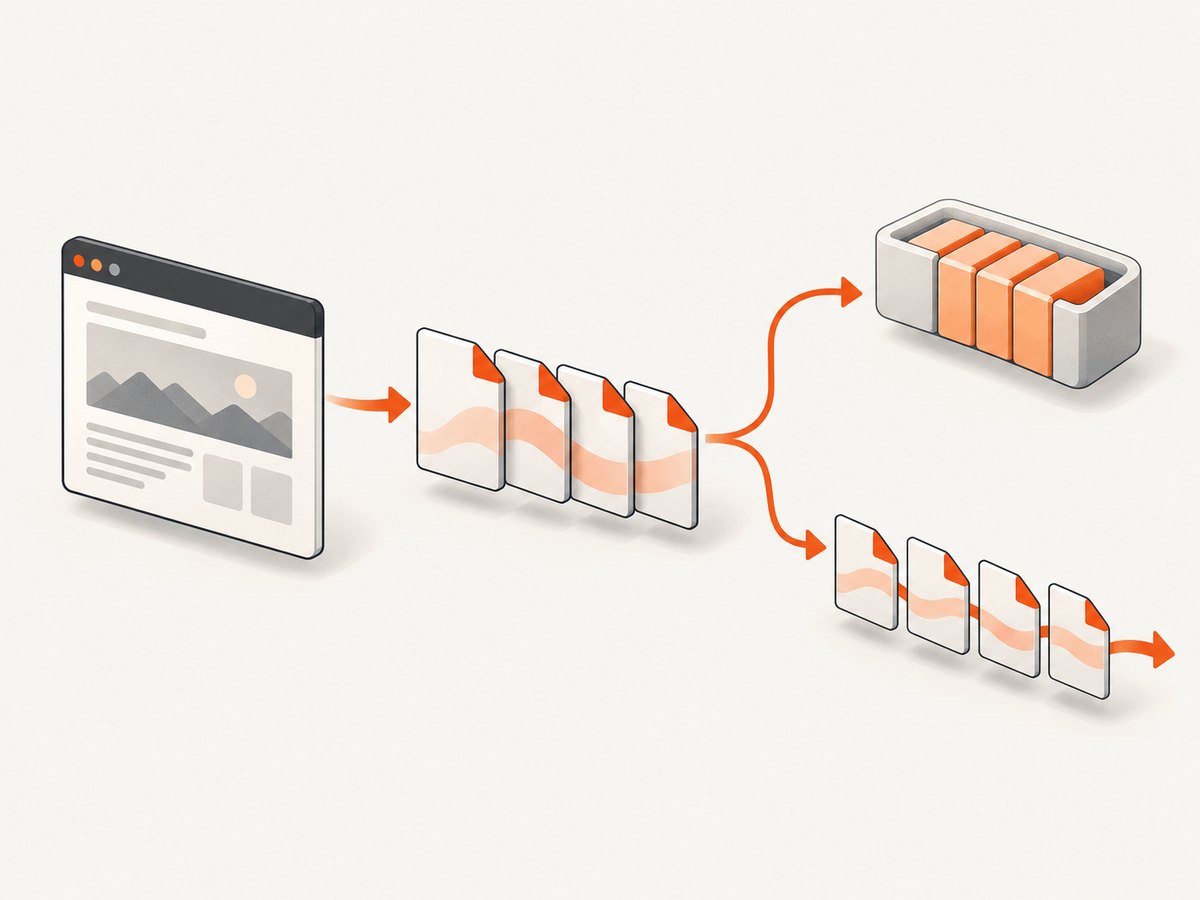
Use page.pdf() when the receiving API wants one complete byte array or Buffer. Use page.createPDFStream() when the consumer accepts a readable stream. Puppeteer documents the stream as a ReadableStream<Uint8Array>.
const pdfStream = await page.createPDFStream({ format: 'A4' });
// Pass pdfStream to a consumer that accepts a Web ReadableStream.
A complete byte array necessarily exists as a whole result for the page.pdf() caller. A stream lets a compatible consumer handle output in chunks. This is a difference in data handling, not a Puppeteer performance guarantee: actual memory and latency depend on the page, PDF size, runtime, and downstream consumer. Check the receiving library’s documentation before assuming it accepts a Web ReadableStream; some Node APIs instead expect a Node.js stream.
3. Set the rendered page and PDF options
PDF generation uses print media by default. Styles inside @media print apply, and screen-only layout may differ from what you see in a browser window. If you intentionally want the screen media styles, select them before creating the PDF:
await page.emulateMediaType('screen');
const pdf = Buffer.from(await page.pdf({ format: 'A4' }));
Set options to match the document’s destination. These commonly relevant options are documented by Puppeteer’s PDFOptions reference:
| Option | What to consider |
|---|---|
path |
Leave it unset to keep output in memory. Its default is undefined. |
format |
Paper preset such as A4. The default is Letter. When set, format takes priority over width and height. |
width, height |
Use explicit dimensions when a preset is not appropriate. Do not expect them to override a supplied format. |
printBackground |
Defaults to false. Set true when background colors or graphics are part of the document. |
landscape |
Set true for landscape pages when the content calls for it. |
margin |
Set page margins to suit printing or downstream processing. |
pageRanges |
Restrict output to selected pages when only a range is needed. |
scale |
Adjust print scale when content sizing needs a controlled change. |
preferCSSPageSize |
Use CSS page size declarations when they should determine the paper dimensions. |
waitForFonts |
Defaults to true. Puppeteer waits for fonts before printing; in some background-page contexts, bringing the page to the front may be needed if document.fonts.ready does not resolve. |
timeout |
The PDF operation timeout defaults to 30,000 ms. Set a larger value for a known slow document or adjust page timeout settings. |
For example, this produces landscape A4 with backgrounds, a custom margin, and an increased PDF operation timeout:
const pdf = Buffer.from(await page.pdf({
  format: 'A4',
  landscape: true,
  printBackground: true,
  margin: { top: '12mm', right: '10mm', bottom: '12mm', left: '10mm' },
  timeout: 60_000
}));
Some print engines adjust colors to make them suitable for paper. If exact brand or chart colors matter, set -webkit-print-color-adjust: exact in the page’s CSS and enable printBackground for background graphics:
await page.addStyleTag({
  content: 'html { -webkit-print-color-adjust: exact; }'
});
const pdf = Buffer.from(await page.pdf({ printBackground: true }));
Keep the visual choices intentional: exact colors can use more ink on physical printouts, and backgrounds are omitted unless requested.
4. Generate PDFs from loaded websites
For a URL, navigate first, choose a readiness condition that matches the site, then render. The following example waits for the page’s load event; applications with client-rendered content may need to wait for a specific selector before printing.
const page = await browser.newPage();
try {
  await page.goto('https://example.com', { waitUntil: 'load' });
  await page.waitForSelector('main');
  const pdf = Buffer.from(await page.pdf({ format: 'A4', printBackground: true }));
  // Consume pdf in memory.
} finally {
  await page.close();
}
The call to waitForSelector() is an example of an application-specific readiness check. Pick a selector that means the content you need has appeared; the mere load event does not prove every asynchronous widget or remote resource has finished. If the page uses print-specific layout, verify that the expected CSS is active and that the relevant fonts and images are available before generating the PDF.
5. Keep the output in memory safely
Skipping the disk write does not make PDF generation free of resource costs. The browser still lays out and renders the page, and a complete byte-array result occupies memory while your code retains it. Close pages after use, release references to large buffers when processing finishes, and avoid collecting many large PDFs in an unbounded array. For a stream-compatible destination, consider createPDFStream() so the consumer can process output incrementally.
For reliability, make browser and page cleanup happen even when navigation or PDF generation throws. The try/finally structure in the examples handles those paths. Set timeouts according to the documents you expect, surface rendering errors to your application, and avoid returning a success response until PDF generation has resolved. If the endpoint receives user-controlled URLs or markup, apply the network and input restrictions appropriate to your service; those are application security concerns rather than PDF options.
Cost depends on your compute environment and workload. Puppeteer’s cited PDF documentation provides API behavior and defaults, not a price or throughput benchmark. Measure representative pages in your own deployment, accounting for browser processes, page complexity, PDF size, concurrency, and downstream storage or transfer.
6. Troubleshooting
| Symptom | Likely cause | Fix |
|---|---|---|
| A PDF file appears on disk | A path option was supplied directly or through shared options. |
Remove path; use the returned bytes or stream as the output. |
| The response is empty or the PDF is invalid | The code did not await page.pdf(), or sent a different value instead of the returned bytes. |
Await the call, convert with Buffer.from() if needed, and send the Buffer as the response body. |
| Colors or background graphics are missing | printBackground defaults to false, and print rendering may adjust colors. |
Set printBackground: true; use -webkit-print-color-adjust: exact in CSS when exact color is required. |
| The layout differs from the browser view | PDF uses print media by default, so print styles may change layout. | Use page.emulateMediaType('screen') if screen styling is desired, or fix the print CSS. |
| Paper size is unexpected | format takes precedence over width and height, or Letter remains the default. |
Set the intended format, or omit it when explicit dimensions should control sizing. |
| Generation times out | The PDF operation exceeded its 30-second default, or the page is still waiting on slow content or fonts. | Check page readiness, investigate stalled fonts, and set an appropriate PDF or page timeout. |
| Custom fonts are absent | The font was not loaded or ready when printing began. | Confirm the font resource loads; Puppeteer waits for fonts by default. In a background page where font readiness stalls, follow the guide’s advice to bring the page to the front. |
| Large jobs exhaust memory | Many full buffers or browser pages are retained concurrently. | Process and release each result promptly, limit concurrency to the capacity you have measured, and use the stream API when the consumer supports it. |
| A stream cannot be passed to the destination | The destination expects a different stream type or a Buffer. | Check that consumer’s documented input type; use page.pdf() for a complete byte array when required. |
7. Or skip the browser setup
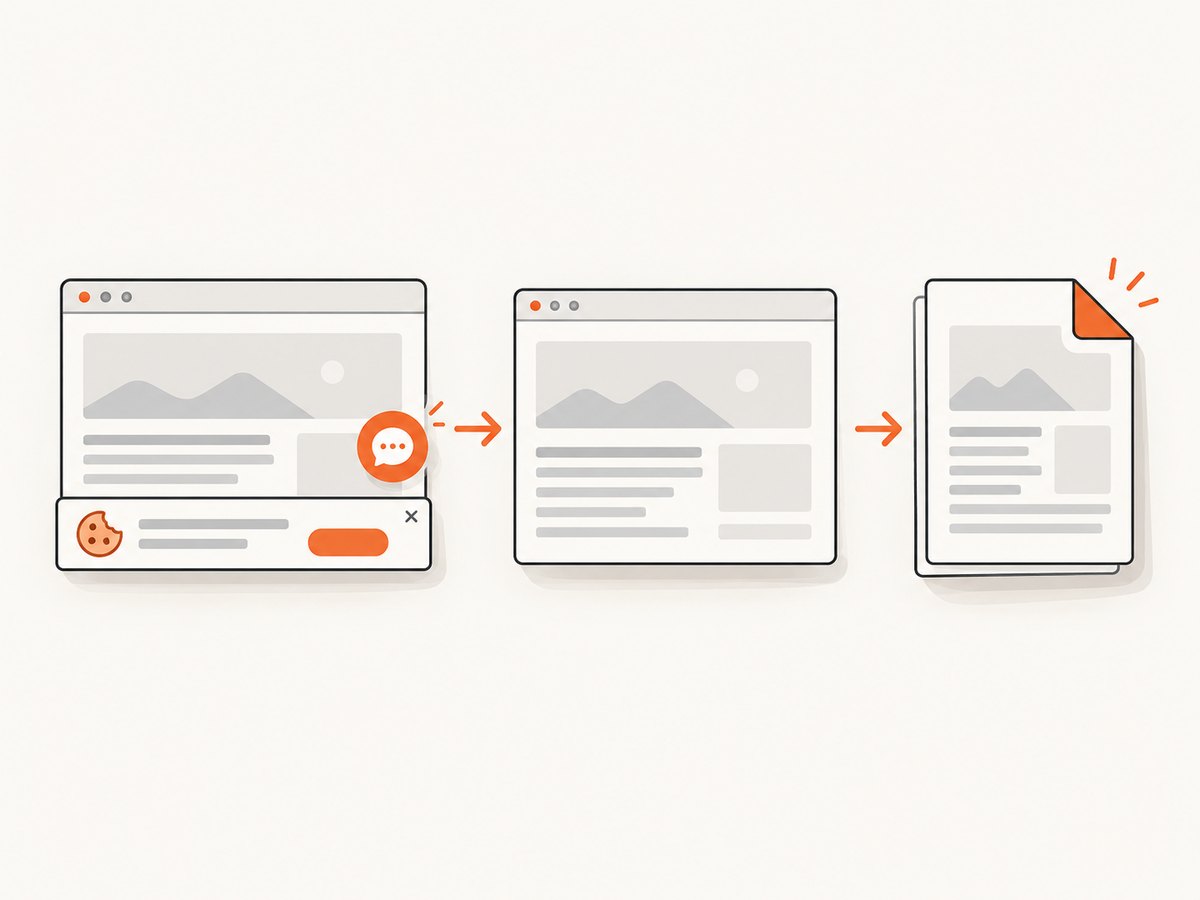
If your goal is a screenshot or PDF of a web page rather than a custom Puppeteer workflow, ScreenshotNeo is a website screenshot API and MCP server. One GET request returns an image or PDF. Its capture flow accepts cookie and consent banners like a visitor, then removes 60+ known consent platforms, newsletter popups, and chat widgets; each step can be turned off. Bot checks, CAPTCHAs, blank pages, timeouts, failed loads, and cache hits cost nothing, and the response includes X-Page-Verdict and X-Billed headers.
It also has an MCP server for Claude, Cursor, and other MCP clients, with take_screenshot, get_page_info, and capture_pdf tools. The free plan includes 1,000 shots a month with no card; paid plans start at $5 for 3,000 shots. Every feature is available on every plan. The API documentation covers the request options.
curl -G "https://api.screenshotneo.com/v1/shot" \
  -d access_key=YOUR_API_KEY \
  --data-urlencode url=https://stripe.com \
  -o shot.webp
import requests
r = requests.get(
"https://api.screenshotneo.com/v1/shot",
params={"access_key": "YOUR_API_KEY", "url": "https://stripe.com"},
timeout=90,
)
open("shot.webp", "wb").write(r.content)const q = new URLSearchParams({
access_key: 'YOUR_API_KEY',
url: 'https://stripe.com'
});
const res = await fetch(`https://api.screenshotneo.com/v1/shot?${q}`);Cookie banners, popups, and chat widgets are removed before the shot; bot checks, blank pages, and failed loads are never billed; an MCP server lets AI agents take screenshots; and 1,000 screenshots a month are free with no card, with paid plans starting at $5 for 3,000. Sign up for free.
8. Frequently asked questions
Does page.pdf() return a Buffer?
Puppeteer documents a Uint8Array result. In Node.js, call Buffer.from(await page.pdf()) when the next API expects a Buffer.
Will omitting path delete or clean up a temporary file?
No file cleanup is needed for this output mode: leave path unset and consume the returned bytes or stream.
Can I upload the PDF without first writing it locally?
Yes, if the upload API accepts a Buffer or compatible stream. Pass the in-memory result directly and follow the upload library’s documented input format.
Which should I choose for an HTTP response?
Use the Buffer result when your framework response API expects a complete body. Use the stream method only when your response path accepts a compatible readable stream.


