How to Make Puppeteer Scrolling Load New Page Content
Scroll the right page or element in Puppeteer, then wait for a real content change. Get runnable patterns for infinite scrolling, nested panels, timeouts, and stopping safely.

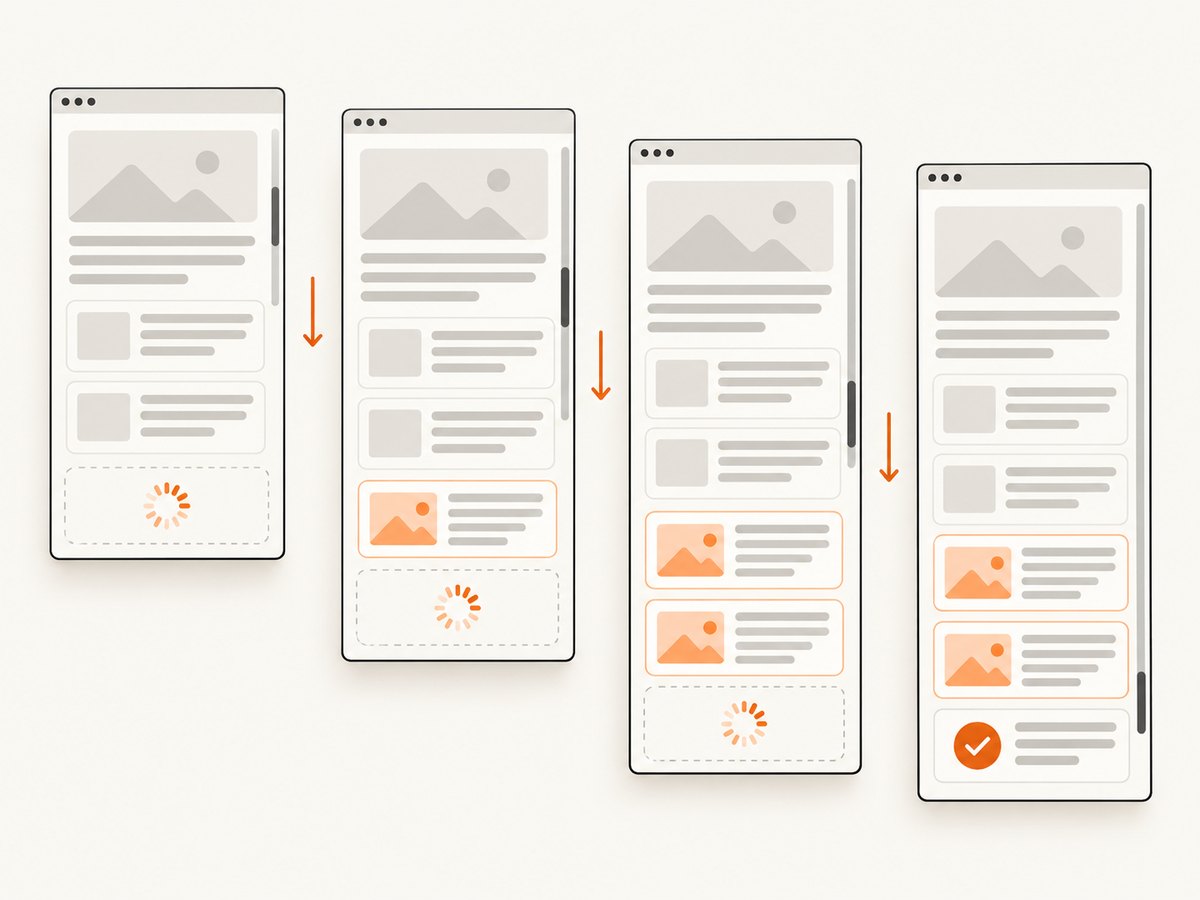
To make scrolling load new content in Puppeteer, scroll the area that actually owns the scroll, then wait for a page-specific signal that new content appeared. For an ordinary page, scroll the document. For an independently scrollable panel, scroll that element. After each movement, wait for a larger result count, a known item, or a loading indicator to change; stop when the site signals completion or makes no progress.
Scrolling is only an input. The website decides whether that input triggers a fetch, reveals already-rendered content, clicks a sentinel into view, or does nothing. The reliable pattern is therefore observe state → scroll → wait for the expected state change → check progress → repeat within a limit.
1. Install Puppeteer and identify the page signal
If Puppeteer is not already in your project, install it with npm. The package includes a compatible browser download as part of its install flow. Run your script in a Node.js project with a supported Node version and allow the browser installation to finish.
npm install puppeteerBefore automating, inspect the target page manually in browser developer tools. Identify:
- The element that contains each result, such as
.result-card. - Whether the document or a nested panel scrolls.
- A useful completion signal: increased result count, a specific last item, disappearance of a spinner, or an end-of-results marker.
- Whether content is in an iframe, behind a “Load more” button, or gated by navigation.
Selectors below are examples. Replace them with selectors and conditions that match your page. Puppeteer’s Page API documents evaluate(), waitForFunction(), selector waits, frames, and navigation. Its page interactions guide recommends locators for interactions and documents locator scrolling.
2. Scroll the document and wait for more results
This complete example repeatedly scrolls to the current bottom of the document and waits up to five seconds for the number of matching result cards to increase. It recalculates the page height on every round because new content may extend the document. The loop is bounded, and a round with no count increase ends it rather than scrolling forever.
const puppeteer = require('puppeteer');

async function main() {
  const browser = await puppeteer.launch({ headless: true });
  try {
    const page = await browser.newPage();
    await page.goto('https://example.com/results', {
      waitUntil: 'domcontentloaded',
      timeout: 30000,
    });

    const selector = '.result-card'; // Replace with the page's result selector.
    const maxRounds = 20;
    const growthTimeoutMs = 5000;

    for (let round = 0; round < maxRounds; round++) {
      const before = await page.locator(selector).count();

      await page.evaluate(() => {
        window.scrollTo(0, document.documentElement.scrollHeight);
      });

      try {
        await page.waitForFunction(
          (sel, previousCount) =>
            document.querySelectorAll(sel).length > previousCount,
          { timeout: growthTimeoutMs },
          selector,
          before,
        );
      } catch (error) {
        if (error.name === 'TimeoutError') {
          console.log(`No result growth after round ${round + 1}; stopping.`);
          break;
        }
        throw error;
      }

      const after = await page.locator(selector).count();
      console.log(`Round ${round + 1}: ${before} → ${after} results`);
    }

    // Use the resulting page here: extract data, save HTML, or take a screenshot.
    console.log('Final result count:', await page.locator(selector).count());
  } finally {
    await browser.close();
  }
}

main().catch((error) => {
  console.error(error);
  process.exitCode = 1;
});
The wait condition is more meaningful than sleeping for a fixed duration: it completes as soon as the count grows and times out if the expected state never arrives. A timeout is a clue to investigate, not automatic proof that the page reached its end. The selector could be wrong, the site could use another trigger, or the request could have failed.
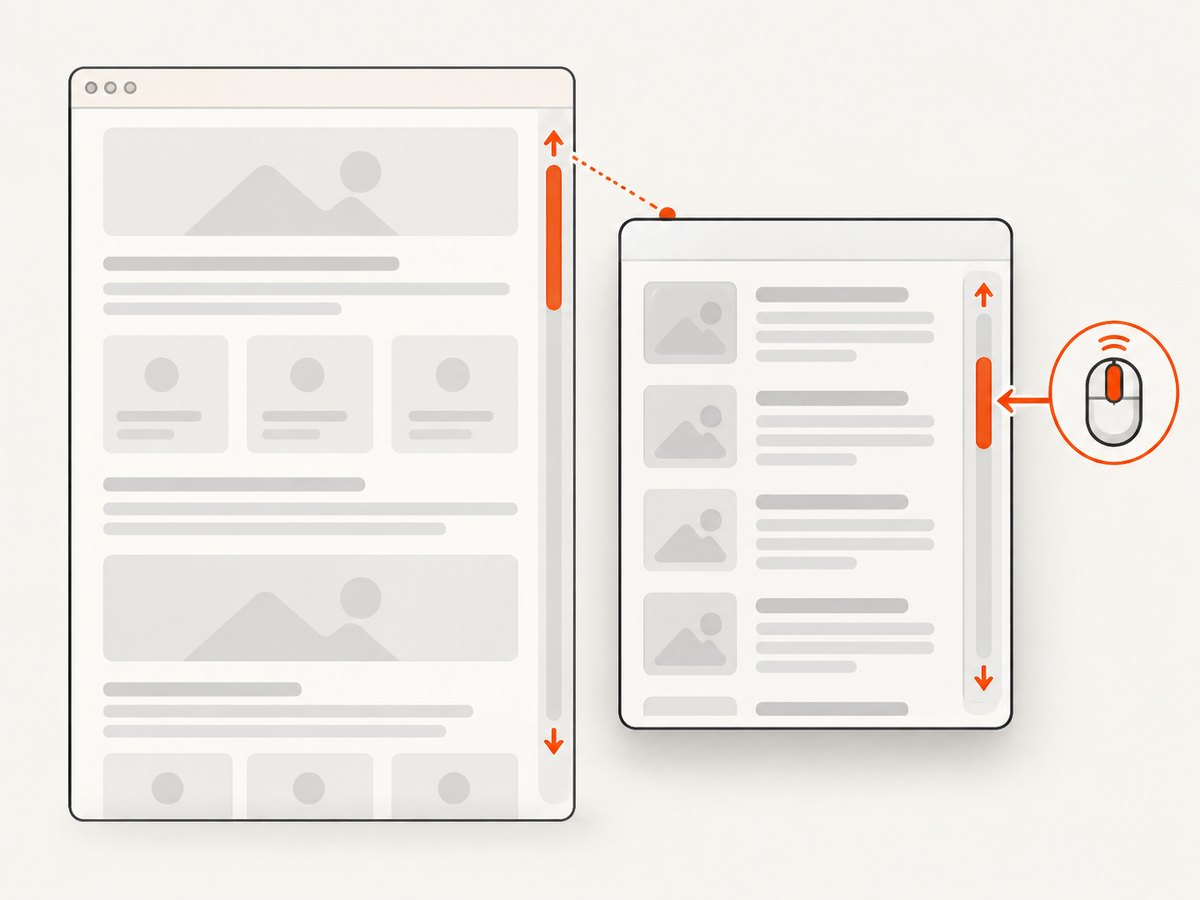
3. Scroll a nested container instead of the window
Many dashboards, search result panes, and chat histories have their own scrollbars. Scrolling the window in those cases may move the outer page while the content panel stays put. Puppeteer locator scrolling uses mouse wheel events and requires the target to be in the viewport, visible, and to have a stable bounding box.
const panel = page.locator('.results-pane'); // Replace with the scroll container.
await panel.scroll({ scrollTop: 600 });
To repeat with a progress check, compare the item count before and after each wheel action:
const panelSelector = '.results-pane';
const itemSelector = '.results-pane .result-card';
const maxRounds = 20;

for (let round = 0; round < maxRounds; round++) {
  const before = await page.locator(itemSelector).count();
  await page.locator(panelSelector).scroll({ scrollTop: 600 });

  try {
    await page.waitForFunction(
      (sel, previousCount) =>
        document.querySelectorAll(sel).length > previousCount,
      { timeout: 5000 },
      itemSelector,
      before,
    );
  } catch (error) {
    if (error.name === 'TimeoutError') break;
    throw error;
  }
}
If the panel scrolls but content loads only near its bottom, use smaller increments or inspect the panel’s scroll position and dimensions. A site may trigger loading when a sentinel approaches the viewport rather than only at the exact bottom. Wheel scrolling helps trigger normal pointer-driven behavior; directly changing scrollTop with page JavaScript can be useful for diagnosis, but may not reproduce every event a site listens for.
4. Choose the right wait condition
Pick a condition tied to the outcome your script needs. Combining a network wait with a DOM condition can be useful, but network activity alone does not prove the desired content became available.
| What you know | Wait strategy | Good fit |
|---|---|---|
| A new item has a known selector | page.waitForSelector() or locator wait |
A specific row, card, or end marker should appear |
| The result list should grow | page.waitForFunction() comparing counts or DOM state |
Repeated infinite-scroll batches |
| A spinner or loading marker changes | Wait for that locator to become visible or hidden | The site exposes a dependable loading state |
| A request is expected to finish | page.waitForNetworkIdle(), paired with a DOM check |
Traffic settles after a batch |
| The action navigates elsewhere | page.waitForNavigation() with the action |
Clicking a link or submitting a form changes the page |
waitForNetworkIdle() waits for network inactivity and includes an idle interval. Polling, analytics, long-lived connections, and unrelated requests can make it a poor completion signal; conversely, a quiet network does not guarantee the target element has rendered. See the network-idle API reference. For ordinary in-place infinite scrolling, do not add a navigation wait unless navigation actually occurs. Puppeteer documents History API URL changes as navigation, so account for that if the site updates routes.
Wait for a known element
await page.waitForSelector('.result-card[data-id="item-42"]', {
  visible: true,
  timeout: 10000,
});
Wait for a loading indicator to disappear
await page.locator('.loading-spinner').wait({ state: 'hidden', timeout: 10000 });Use the form supported by your Puppeteer version and the page’s actual state. A hidden spinner can mean loading completed, but it can also mean loading never began; when that distinction matters, verify that results changed as well.
5. Handle “Load more,” frames, and alternate triggers
Not every page loads content just because it was scrolled. If a visible button triggers the next batch, click it and wait for the same result signal used in the scrolling examples:
const before = await page.locator('.result-card').count();
await page.locator('button.load-more').click();
await page.waitForFunction(
  (sel, previousCount) => document.querySelectorAll(sel).length > previousCount,
  { timeout: 10000 },
  '.result-card',
  before,
);
If the target is inside an iframe, the main page’s document.querySelectorAll() cannot see into that frame. Find the matching frame and evaluate or select within its context. Inspect page.frames() and frame URLs or names; use Puppeteer’s frame APIs for selectors and waits once you have the right frame. Cross-origin browser boundaries do not make the main document selector reach into an embedded document.
Some sites load when an intersection-observer sentinel becomes visible, when a specific section is reached, or after a user gesture. Scroll the correct area in increments that bring the trigger into view. If the behavior depends on clicking, keyboard input, authentication, or a consent step, handle that site-specific prerequisite before diagnosing the scroll loop.
6. Stop safely and avoid common loop failures
A robust loop has a maximum number of rounds, a per-round timeout, and a no-progress rule. For some sites, a single timeout is not enough to decide the end: check an explicit “end of results” marker, compare both count and last-item identity, or allow a small number of retries before stopping.
- Maximum rounds: caps browser work if the site keeps loading indefinitely.
- No progress: detect unchanged item count, unchanged last item, or an unchanged cursor.
- End marker: stop when a page-specific “no more results” state appears.
- Deduplication: infinite feeds may repeat items; use a stable item ID rather than count alone when extracting records.
- Timeout handling: distinguish an expected “no more data” timeout from unexpected browser or selector errors.
If card counts stay flat while the page visibly changes, the selector may match only the initial card type, content may replace existing nodes, or items may be virtualized so off-screen nodes are removed. In those cases, monitor a stable data attribute, a cursor or page number, the last visible item, or a site-specific response rather than relying on total DOM count.
7. Troubleshooting
| Symptom | Likely cause | What to check or change |
|---|---|---|
| Scroll runs but nothing loads | Wrong scroll target, different trigger, or page not ready | Check which element’s scroll position changes; inspect for a nested pane, sentinel, or button. |
waitForFunction times out |
Wrong selector, no progress, failed request, or end reached | Inspect the DOM and network state; verify the condition manually, then choose an explicit end rule. |
| Locator scroll throws or has no effect | Target is hidden, outside viewport, unstable, or not the scrollable element | Wait for visibility, scroll its ancestor into view, and verify the target’s scroll dimensions. |
| Network idle never arrives | Polling, streaming, analytics, or other persistent traffic | Prefer a DOM condition; if useful, configure an appropriate idle interval and still verify content. |
| Network idle arrives too soon | Request finished before rendering or the page did not request the expected batch | Pair it with a selector or result-state condition. |
| Selector finds no results in an embedded page | Content is inside an iframe | Locate the frame and run the selector or evaluation in that frame’s context. |
| Items appear visually but count does not grow | Virtualized or replaced DOM, or selector excludes new items | Track IDs, visible content, a cursor, or a specific item instead of raw count. |
| Script keeps running after the feed ends | No bound or no-progress exit rule | Add a maximum round count and a page-specific end marker or unchanged-state check. |
8. Performance, reliability, and cost
Every browser wait and scroll round adds time. Use an appropriate increment and wait for the signal that matters; very small increments create more interactions, while jumping straight to the bottom may skip a sentinel or lazy-loaded region on some pages. Avoid a fixed long sleep on every iteration when an observable condition can finish earlier. Set navigation and state timeouts intentionally, and close the browser in a finally block so a failure does not leave it running.
Reliability depends on selectors and signals staying aligned with the site. Prefer stable attributes or roles over brittle positional selectors. Record round number, previous and current item state, and timeout details so a stopped loop can be diagnosed. Pages can throttle, require login, change markup, or return an error; retries should be limited and should not conceal a persistent failure. This workflow has no universal runtime or cost figure: browser hosting, page complexity, wait durations, and number of scroll rounds determine resource use.
9. Or skip the browser setup
If your goal is to capture a page after it has loaded, rather than automate an infinite-scroll extraction, ScreenshotNeo provides a website screenshot API and MCP server. The API returns a screenshot or PDF from one GET request; it is not a replacement for a Puppeteer loop that must collect every result batch or prove a feed’s end condition. ScreenshotNeo can wait for a selector, delay, or network idle, and its full-page capture loads lazy images. See the ScreenshotNeo API documentation.
curl -G "https://api.screenshotneo.com/v1/shot" -d access_key=YOUR_API_KEY --data-urlencode url=https://stripe.com -o shot.webpimport requests
r = requests.get("https://api.screenshotneo.com/v1/shot", params={"access_key": "YOUR_API_KEY", "url": "https://stripe.com"}, timeout=90)
open("shot.webp", "wb").write(r.content)const q = new URLSearchParams({ access_key: 'YOUR_API_KEY', url: 'https://stripe.com' });
const res = await fetch(`https://api.screenshotneo.com/v1/shot?${q}`);ScreenshotNeo removes cookie banners, newsletter popups, and chat widgets before the shot. Bot checks, blank pages, and failed loads are never billed, and response headers say whether a page was clean and billed. Its MCP server gives AI agents tools to take screenshots, inspect page information, and capture PDFs. The free plan includes 1,000 screenshots a month with no card; paid plans start at $5 for 3,000. Learn about ScreenshotNeo and its documentation, then sign up for 1,000 free screenshots a month with no card.
10. FAQ
Can I make scrolling load content that is not triggered by scrolling?
No. Find the page’s actual trigger, such as a button, sentinel, or navigation action, and automate that trigger. Puppeteer sends browser actions; the website controls its loading behavior.
Should I always scroll to the bottom?
No. Some sites load in stages before the bottom, use a nested panel, or virtualize items. Scroll the relevant target and observe the state your task depends on.
Is a fixed delay ever useful?
It can help when a site exposes no dependable completion signal, but it is less precise. Prefer a selector, content change, or loading state, with a timeout as a safety bound.
Does full-page capture equal infinite-scroll extraction?
No. Full-page capture concerns rendering a page image. Extracting all feed data requires driving the site’s loading behavior, identifying new records, and deciding when no more are available.


