How to Get Rendered HTML After JavaScript Runs with Puppeteer Sharp
Use Puppeteer Sharp waits and GetContentAsync to extract HTML after JavaScript renders, with reliable selectors, timeouts, debugging, and production patterns.

When a page builds its content with JavaScript, the HTML returned by an ordinary HTTP client is often only an application shell. With Puppeteer Sharp, navigate to the page, wait for a signal that represents the content you need, then call GetContentAsync(). That method returns the current document HTML, including the doctype.
await page.GoToAsync(url);
await page.WaitForSelectorAsync("#results");
var html = await page.GetContentAsync();
The selector must describe the content your application needs. For a custom loading state, wait for a truthy JavaScript expression with WaitForFunctionAsync or WaitForExpressionAsync. Navigation finishing is not the same as application rendering finishing: GoToAsync uses the Load lifecycle event by default, while a single-page application may populate its DOM later.
What “rendered HTML” means in Puppeteer Sharp
Puppeteer Sharp controls Chromium. Chromium downloads the document, executes scripts, applies client-side routing, and updates the DOM. GetContentAsync() serializes that current DOM as HTML. It is therefore different from downloading the original response body: scripts that inserted nodes are represented, while the original JavaScript source is not converted into a static server response.
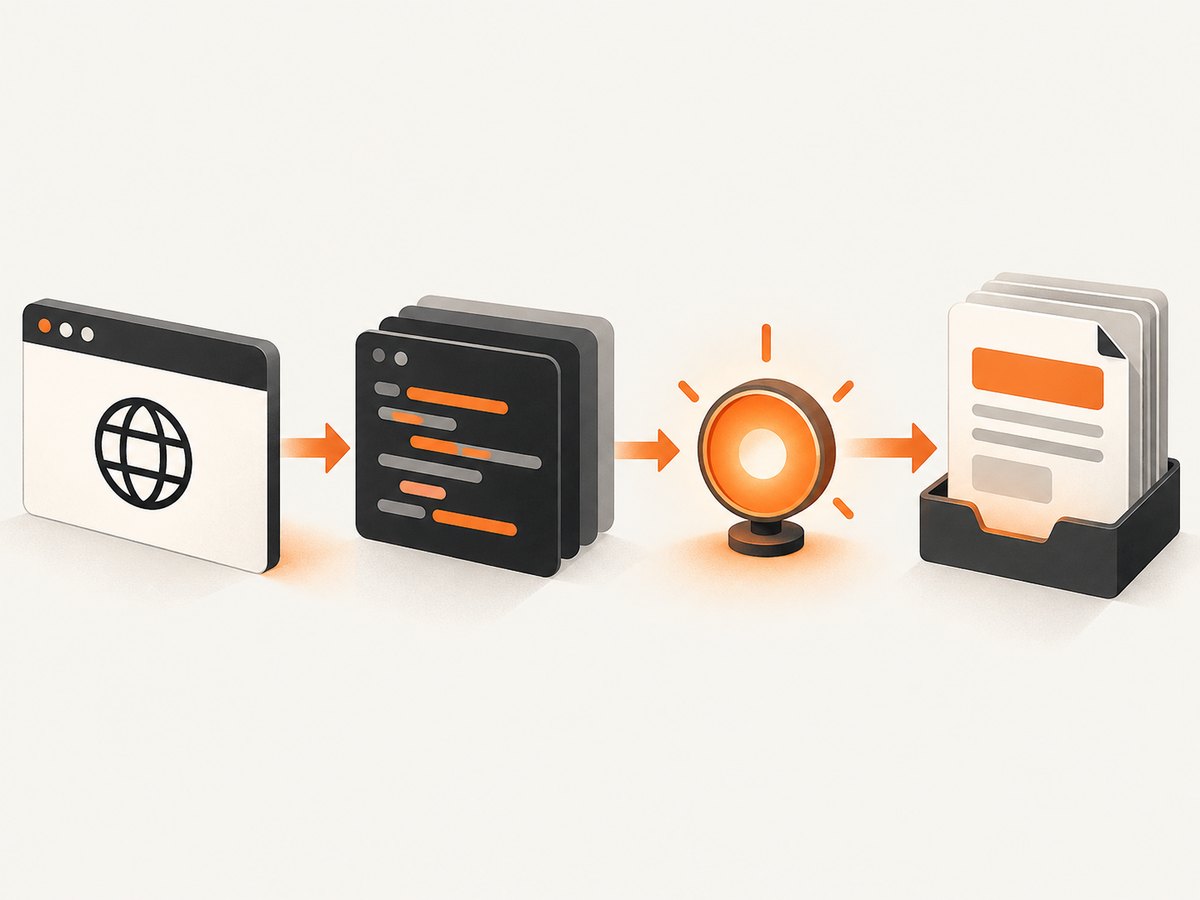
The official Page API describes GetContentAsync as returning the full HTML contents of the page, including the doctype. The same API documents selector waits, function waits, navigation, and timeouts used in the examples below. Check the API signature for the Puppeteer Sharp package version used by your project before publishing or deploying.
Set up a minimal C# project
- Create a console project:
dotnet new console -n RenderedHtml. - Add Puppeteer Sharp:
dotnet add package PuppeteerSharp. - Download a compatible browser revision, or point Puppeteer Sharp at a Chromium executable already installed in your environment.
A small program that waits for a result element and writes the complete document:
using PuppeteerSharp;

var url = args.Length > 0 ? args[0] : "https://example.com";

await new BrowserFetcher().DownloadAsync();
await using var browser = await Puppeteer.LaunchAsync(new LaunchOptions
{
    Headless = true
});

await using var page = await browser.NewPageAsync();
await page.GoToAsync(url);
await page.WaitForSelectorAsync("#results");

var html = await page.GetContentAsync();
await File.WriteAllTextAsync("rendered.html", html);
Console.WriteLine($"Saved {html.Length} characters to rendered.html");
Replace #results with a selector that appears only when the data you need is ready. If the default navigation timeout is unsuitable for your target, configure it deliberately rather than adding an arbitrary long delay.
Choose the right readiness signal
Wait for a selector
await page.GoToAsync(url);
await page.WaitForSelectorAsync("article[data-loaded='true']");
var html = await page.GetContentAsync();
WaitForSelectorAsync waits for a matching element to be added to the DOM. It is usually the clearest option when the page has a stable result container, table, article, or application marker.
Wait for a custom JavaScript condition
await page.GoToAsync(url);
await page.WaitForFunctionAsync(
    "() => document.querySelector('#results')?.children.length > 0");
var html = await page.GetContentAsync();
Use a function or expression when readiness depends on state rather than the existence of one element: a minimum number of rows, a status attribute, a global variable, or a completed client-side transition. Keep the expression specific to the page. A generic condition such as “the body exists” usually becomes true before useful content is available.
Wait for network idle
await page.GoToAsync(url);
await page.WaitForNetworkIdleAsync();
var html = await page.GetContentAsync();
Network idle can help on pages that finish rendering after a burst of requests, but it is not proof that the desired content exists. Analytics, polling, streaming, and other background requests can prevent idle; some applications render after requests have gone quiet. Prefer a content-specific selector or expression, and use network idle as an additional condition when it matches the site’s behavior. Puppeteer Sharp also documents a caveat for SetContentAsync: Networkidle0 and Networkidle2 are not supported there, so use a supported setting or a separate selector/expression wait.
Combine signals
await page.GoToAsync(url);
await page.WaitForSelectorAsync("#results");
await page.WaitForFunctionAsync(
    "() => document.querySelectorAll('#results .row').length >= 10");
var html = await page.GetContentAsync();
Combining a structural wait with a content condition reduces false positives. Do not combine waits simply to make the program slower; each condition should represent a real requirement.
Navigation, timeouts, and page configuration
GoToAsync accepts navigation options, including one or more WaitUntilNavigation events. The default success condition is Load. That event says the browser reached a lifecycle milestone, not that your framework finished rendering.
await page.GoToAsync(url, new NavigationOptions
{
    WaitUntil = new[] { WaitUntilNavigation.DOMContentLoaded },
    Timeout = 45_000
});
await page.WaitForSelectorAsync("main", new WaitForSelectorOptions
{
    Timeout = 20_000
});
Puppeteer Sharp documents a 30-second default timeout for GoToAsync. A timeout of zero disables that timeout; use that only when an outer cancellation or job deadline guarantees that a hung page cannot consume a worker forever. The default timeout also applies to waits such as WaitForSelectorAsync, WaitForFunctionAsync, and WaitForExpressionAsync. Set values that reflect the slowest acceptable page and enforce a separate overall operation limit.
page.DefaultTimeout = 20_000;
page.DefaultNavigationTimeout = 45_000;
For reproducible extraction, set the viewport, locale, timezone, and user agent when the target site changes markup based on them. Authenticate before waiting if the content is protected, and use a page context for isolated cookies and storage.
Extract the whole document or only the needed element
Use GetContentAsync when downstream code needs the complete current document, including the doctype. If you only need one element’s text or an attribute, query that element instead. This avoids serializing unrelated markup and makes the intent clearer.
var result = await page.QuerySelectorAsync("#results");
if (result is null)
    throw new InvalidOperationException("Results element was not rendered");

var text = await result.EvaluateFunctionAsync<string>("el => el.innerText");
var dataId = await result.EvaluateFunctionAsync<string>("el => el.getAttribute('data-id')");
Remember that innerText is layout-aware, while textContent includes hidden text. Choose based on the data contract you need. If you need semantic data, prefer a site’s documented API when available; browser extraction should follow the site’s terms and access rules.
Complete reusable extractor with cancellation and diagnostics
using PuppeteerSharp;

static async Task<string> GetRenderedHtmlAsync(
    IBrowser browser,
    string url,
    string readySelector,
    CancellationToken cancellationToken)
{
    await using var page = await browser.NewPageAsync();
    page.DefaultTimeout = 20_000;
    page.DefaultNavigationTimeout = 45_000;

    try
    {
        await page.GoToAsync(url, new NavigationOptions
        {
            WaitUntil = new[] { WaitUntilNavigation.DOMContentLoaded },
            Timeout = 45_000
        });

        await page.WaitForSelectorAsync(readySelector, new WaitForSelectorOptions
        {
            Visible = true,
            Timeout = 20_000
        });

        cancellationToken.ThrowIfCancellationRequested();
        return await page.GetContentAsync();
    }
    catch
    {
        await page.ScreenshotAsync("render-failure.png", new ScreenshotOptions
        {
            FullPage = true
        });
        throw;
    }
}

await new BrowserFetcher().DownloadAsync();
await using var browser = await Puppeteer.LaunchAsync(new LaunchOptions
{
    Headless = true,
    Args = new[] { "--no-sandbox" }
});

using var cts = new CancellationTokenSource(TimeSpan.FromMinutes(1));
var html = await GetRenderedHtmlAsync(
    browser,
    "https://example.com/results",
    "#results",
    cts.Token);
await File.WriteAllTextAsync("rendered.html", html, cts.Token);
Use the sandbox argument only when your deployment environment requires it and you understand the isolation trade-off. In a container, configure the browser and OS permissions according to your platform’s security model.
Debug pages that never become ready
- Capture a screenshot and HTML on failure. The screenshot shows consent dialogs, bot checks, redirects, and blank states that logs miss.
- Log the final URL. A redirect may send the browser to a login page or an error route.
- Inspect the selector manually. Frameworks may change IDs, render inside an iframe, or use shadow DOM.
- Listen for console and page errors. JavaScript exceptions can stop the code that creates your ready element.
- Check response status and resource failures. A failed API request may leave a permanent loading shell.
page.Console += (_, message) => Console.WriteLine($"console: {message.Text}");
page.PageError += (_, error) => Console.WriteLine($"page error: {error}");
page.RequestFailed += (_, request) =>
    Console.WriteLine($"request failed: {request.Url}");
Common errors and fixes
| Error or symptom | Likely cause | Fix |
|---|---|---|
WaitForSelectorAsync times out |
Wrong selector, iframe, shadow DOM, or failed rendering | Verify the selector in DevTools, inspect frames, log page errors, and wait on a stable application state. |
| HTML contains an empty app shell | Extraction ran after navigation but before client rendering | Wait for a content selector or truthy expression before GetContentAsync. |
| Navigation timeout | Slow server, blocked resource, redirect loop, or a page that never reaches the selected lifecycle event | Choose an appropriate WaitUntil, raise the navigation timeout within an outer deadline, and inspect the final URL. |
| Network idle never completes | Polling, analytics, WebSockets, or streaming requests | Use a selector or application-state wait instead of requiring global idle. |
| Works locally, fails in production | Missing browser revision, fonts, certificates, sandbox permissions, or environment variables | Install the matching browser, verify launch logs, and make runtime dependencies part of the deployment image. |
| Content differs between runs | Personalization, locale, time, experiments, or race conditions | Set context values explicitly and wait for a deterministic marker. |
Performance and reliability practices
- Reuse the browser process. Launching Chromium is expensive. Create pages or isolated contexts per job and close them in a
finallypath. - Use the narrowest wait. A selector tied to the required data usually finishes sooner and fails more clearly than a long fixed delay.
- Limit concurrency. Each page consumes CPU and memory. Use a bounded worker pool and back pressure rather than opening unlimited tabs.
- Cache browser downloads. Download the compatible revision during image creation or startup, not for every request.
- Retry selectively. Retry transient navigation or resource failures with a bounded count. Do not retry deterministic selector errors indefinitely.
- Record provenance. Store the URL, final URL, timestamp, readiness condition, and browser version with extracted output.
- Protect secrets. Put credentials in context cookies or headers supplied by a secret manager, never in source code or captured HTML.
Rendered HTML can be large. Stream or compress it when storing many pages, and extract only the needed element when a full document is unnecessary. Set an operation deadline that covers navigation, waiting, extraction, and cleanup.
Or skip the browser setup
If your goal is a clean visual capture rather than owning a Chromium worker, ScreenshotNeo provides a website screenshot API. Its capture flow accepts cookie and consent banners like a visitor, then removes more than 60 known consent platforms, newsletter popups, and chat widgets; each step can be turned off. Only clean shots are billed: bot checks, blank pages, timeouts, failed loads, and cache hits cost nothing, and responses identify the result with X-Page-Verdict and X-Billed headers.

See the ScreenshotNeo API documentation for all options. A one-call capture looks like this:
curl -G "https://api.screenshotneo.com/v1/shot" -d access_key=YOUR_API_KEY --data-urlencode url=https://stripe.com -o shot.webpimport requests
r = requests.get("https://api.screenshotneo.com/v1/shot", params={"access_key": "YOUR_API_KEY", "url": "https://stripe.com"}, timeout=90)
open("shot.webp", "wb").write(r.content)const q = new URLSearchParams({ access_key: 'YOUR_API_KEY', url: 'https://stripe.com' });
const res = await fetch(`https://api.screenshotneo.com/v1/shot?${q}`);Options include full-page capture with lazy images loaded, CSS-selector element capture, dark mode, 12 device presets or any viewport, retina scale, PDF output, custom CSS and JavaScript, clicks, selector or network-idle waits, blocked resources, headers, cookies, user agents, authorization, timezone, geolocation, transparent backgrounds, resizing, chosen cache TTLs, signed image links, asynchronous jobs with signed webhooks, bulk capture for 100 URLs per call, usage reporting, and an OpenAPI specification. An MCP server also gives Claude, Cursor, and other MCP clients take_screenshot, get_page_info, and capture_pdf tools.
The Free plan includes 1,000 shots per month with no card. Paid plans start at $5 for 3,000 shots; yearly billing gives two months free. Create a free ScreenshotNeo account.
Cost and operational notes
A self-managed Puppeteer Sharp worker costs the compute, browser maintenance, storage, and engineering time required to run it. Your cost also rises with concurrency and page complexity. ScreenshotNeo charges only for clean shots and offers caching with a TTL you choose, which can reduce repeated captures. Review response verdict and billing headers in your own job records so retries do not hide what happened.
FAQ
Does GetContentAsync return the original server HTML?
No. It returns the current document after Chromium has executed scripts and changed the DOM, including the doctype.
Is WaitForNetworkIdleAsync always required?
No. Use it when network quiet is a useful readiness signal. A selector or custom truthy condition is often more directly tied to the content you need.
Can I extract HTML from an iframe?
Yes, after locating the frame and querying its document. A selector on the main page will not match elements inside a child frame.
Why does a fixed delay feel unreliable?
A delay guesses how long rendering will take. A selector or expression observes the actual state, so it can finish early on fast runs and fail clearly on broken runs.
Should I use a screenshot API for HTML extraction?
Use Puppeteer Sharp when you need the DOM itself and control over browser execution. Use ScreenshotNeo when the deliverable is a clean screenshot or PDF and you want the browser setup, consent cleanup, billing verdicts, and capture options managed by an API.


