How to Use Puppeteer Stealth for Web Scraping
Install Puppeteer Stealth, extract pages reliably, troubleshoot detection and failures, and compare local scraping with a managed screenshot API.
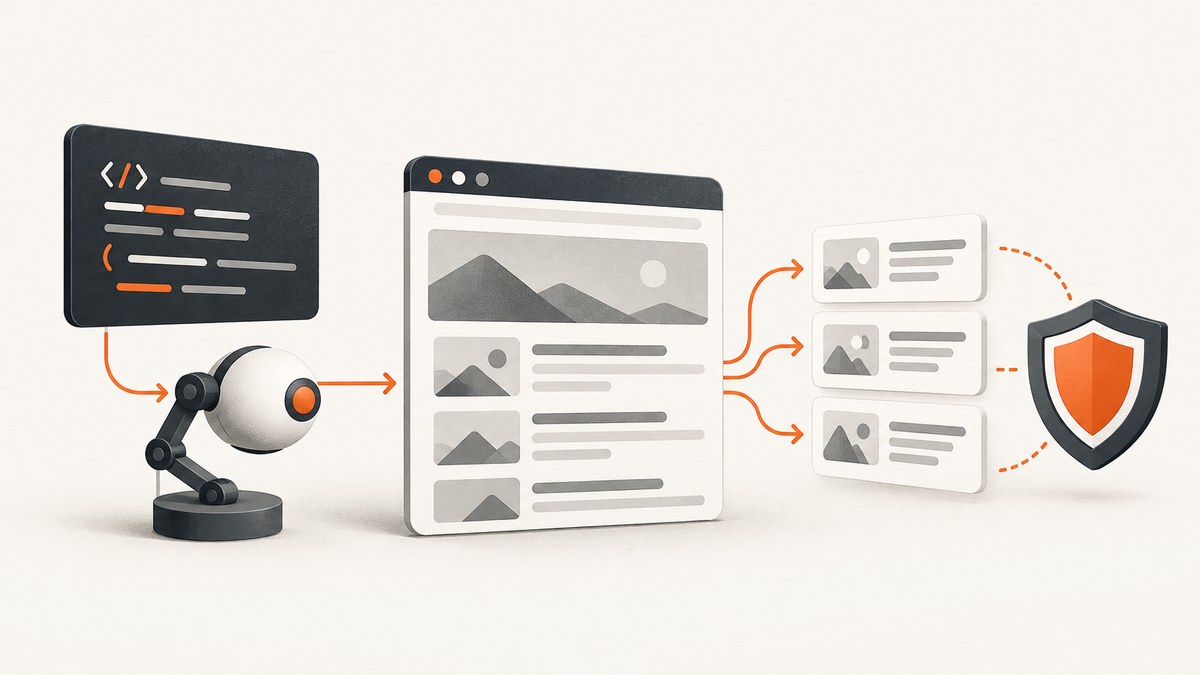
Direct answer: install puppeteer, puppeteer-extra, and puppeteer-extra-plugin-stealth; register StealthPlugin() before launching; open a page with bounded timeouts; wait for the data-bearing selector; extract with locators or page.evaluate(); validate the response and content; then close the browser. Stealth changes browser-visible signals to make headless automation harder to identify, but it cannot guarantee access to a site or defeat every anti-bot system.
Use automation only for sites and data you are allowed to access. Stealth should not be used to bypass authentication, paywalls, CAPTCHAs, robots directives, contracts, or other technical access controls.
1. Install Puppeteer Stealth
The documented setup uses the product package, the puppeteer-extra wrapper, and the stealth plugin.
npm install puppeteer puppeteer-extra puppeteer-extra-plugin-stealthpuppeteer normally downloads a compatible Chrome for Testing build and chrome-headless-shell during installation. The Puppeteer installation guide records approximate browser download sizes of about 170 MB on macOS, 282 MB on Linux, and 280 MB on Windows. See the official installation guide.
Some package managers block dependency install scripts. If Chrome is missing after installation, run:
npx puppeteer browsers installAlternatively, allow Puppeteer’s install script in your package-manager configuration. Keep the browser revision and npm package version pinned in production so deployments are reproducible. The npm version changes frequently; pin and test the version your project uses instead of copying a floating version.
2. Minimal stealth scraper
This complete example launches a headless browser, navigates to a page, checks the main response, waits for product cards, extracts fields in page context, and closes the browser even when an error occurs.
const puppeteer = require('puppeteer-extra');
const StealthPlugin = require('puppeteer-extra-plugin-stealth');

puppeteer.use(StealthPlugin());

async function scrape(url) {
  const browser = await puppeteer.launch({
    headless: true,
    args: ['--no-sandbox', '--disable-setuid-sandbox']
  });

  try {
    const page = await browser.newPage();
    page.setDefaultNavigationTimeout(45_000);
    page.setDefaultTimeout(15_000);

    await page.setUserAgent(
      'Mozilla/5.0 (X11; Linux x86_64) AppleWebKit/537.36 ' +
      '(KHTML, like Gecko) Chrome/131.0.0.0 Safari/537.36'
    );

    const response = await page.goto(url, {
      waitUntil: 'domcontentloaded',
      timeout: 45_000
    });

    if (!response) throw new Error('No main document response');
    const status = response.status();
    if (status >= 400) throw new Error(`HTTP ${status} for ${url}`);

    await page.waitForSelector('.product-card', { timeout: 15_000 });

    const rows = await page.evaluate(() => {
      return [...document.querySelectorAll('.product-card')].map(card => ({
        name: card.querySelector('.name')?.textContent?.trim() ?? null,
        price: card.querySelector('.price')?.textContent?.trim() ?? null,
        href: card.querySelector('a')?.href ?? null
      }));
    });

    if (rows.length === 0) throw new Error('Expected cards were not found');
    return { url, status, rows };
  } finally {
    await browser.close();
  }
}

scrape('https://example.com')
  .then(result => console.log(JSON.stringify(result, null, 2)))
  .catch(error => {
    console.error(error);
    process.exitCode = 1;
  });
The official plugin README documents the same registration pattern: require puppeteer-extra, call puppeteer.use(StealthPlugin()), then launch. Its stated purpose is to make headless Puppeteer detection harder by applying multiple evasion techniques.
3. What the stealth plugin changes
Sites can inspect many browser-visible signals. The plugin specifically addresses obvious indicators such as a HeadlessChrome user-agent marker and bundles modular evasions for other signals. The available modules can be inspected and narrowed when a site or test requires a smaller configuration.
const puppeteer = require('puppeteer-extra');
const StealthPlugin = require('puppeteer-extra-plugin-stealth');

const stealth = StealthPlugin();
console.log([...stealth.availableEvasions]);

// Keep the default set:
puppeteer.use(stealth);

// Or deliberately select a smaller set after reviewing compatibility:
// stealth.enabledEvasions = new Set(['user-agent-override', 'webgl.vendor']);
// puppeteer.use(stealth);
Evasions are a risk reduction, not an access guarantee. The project describes detection as a fast-moving cat-and-mouse game. A target can still use fingerprinting, behavior analysis, rate limits, login requirements, or a CAPTCHA. Do not claim that a particular anti-bot product will be defeated.
4. The navigation and extraction loop
Launch
Use puppeteer.launch() for a local browser lifecycle. In containers, the sandbox arguments may be required by the runtime; assess the security trade-off before using them. Reuse one browser process for multiple pages when possible, while isolating each job in its own page.
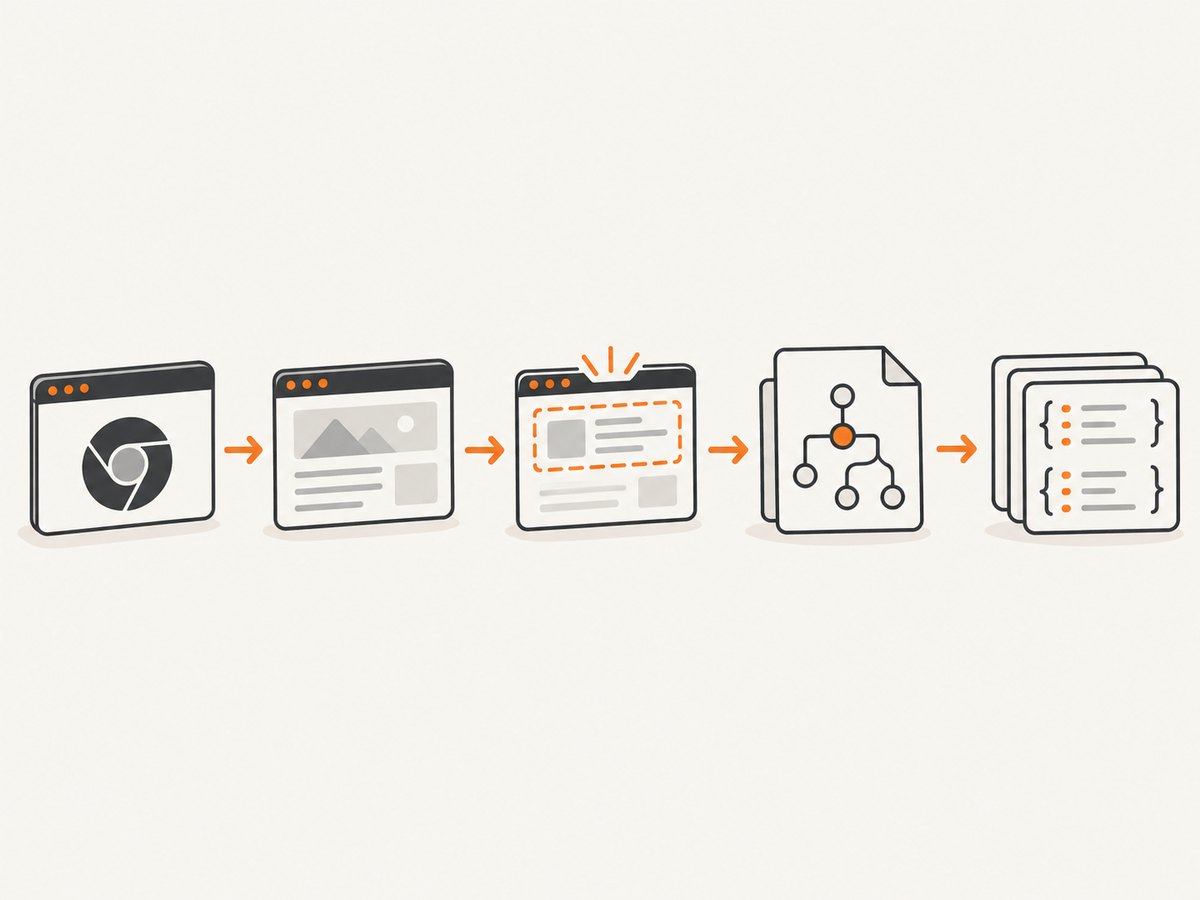
Navigate and validate
page.goto() requires a fully qualified URL and resolves with the main resource response. In headless-shell mode, HTTP 404 and 500 responses do not automatically throw, so inspect response.status() yourself. Choose waitUntil according to the page:
| Setting | Use it when | Trade-off |
|---|---|---|
domcontentloaded |
HTML is enough or JavaScript continues loading data | Fastest, but data may not be present yet |
load |
Images and subresources matter | Waits longer |
networkidle0 |
The application becomes quiet after requests finish | Can hang on analytics, streams, or polling |
networkidle2 |
You need a practical quiet point | Still depends on the site’s request behavior |
Wait for the data, not an arbitrary sleep
Prefer page.waitForSelector() or locators for a specific element. Use a short delay only when the site has a known animation or debounce. For pages that inject content after an API call, wait for the resulting selector and verify that its text is non-empty.
await page.waitForSelector('[data-testid="results"]', {
  visible: true,
  timeout: 20_000
});

const result = await page.locator('[data-testid="results"]').allTextContents();
Extract in page context
page.evaluate() runs JavaScript in the page context, so it can read DOM properties that are not available directly in Node.js. Return serializable values and avoid passing secrets into page scripts.
const data = await page.evaluate(() => ({
  title: document.title,
  canonical: document.querySelector('link[rel="canonical"]')?.href ?? null,
  links: [...document.querySelectorAll('a[href]')].map(a => ({
    text: a.textContent.trim(),
    href: a.href
  }))
}));
Use evaluateOnNewDocument() when a small initialization script must run before the site’s scripts. Keep such changes limited to legitimate testing or compatibility work.
5. Cookies, headers, user agents, and browser context
Set only the state your permitted workflow needs. A fresh context per account or tenant prevents cookies and local storage from leaking between jobs.
const context = await browser.createBrowserContext();
const page = await context.newPage();

await page.setExtraHTTPHeaders({
  'Accept-Language': 'en-US,en;q=0.9'
});

await page.setCookie({
  name: 'session_hint',
  value: 'example',
  domain: 'example.com',
  path: '/',
  secure: true
});

await page.goto('https://example.com/account', {
  waitUntil: 'domcontentloaded'
});

await context.close();
Timezone, geolocation, permissions, viewport, and device emulation affect rendered output. Set them before navigation and record them with the extracted result so a later run can be reproduced.
6. Choosing puppeteer or puppeteer-core
| Axis | puppeteer |
puppeteer-core |
|---|---|---|
| Browser management | Downloads a compatible browser by default | You manage a binary or connect to a remote endpoint |
| Setup | Simpler for local scripts | More setup, more lifecycle control |
| Reproducibility | Tied to Puppeteer’s downloaded revision | Depends on your managed binary or channel |
| Best fit | Standard automation and development | Containers, remote browsers, custom browser fleets |
puppeteer-core does not download Chrome and does not apply Puppeteer’s product defaults. Supply an executable path or connect to a browser endpoint explicitly:
const puppeteer = require('puppeteer-core');

const browser = await puppeteer.launch({
  executablePath: process.env.CHROME_PATH,
  headless: true
});
7. Reliability checklist for production jobs
- Set bounded navigation, selector, and overall job timeouts.
- Check the main response status and reject unexpected content.
- Retry transient failures with exponential backoff and a maximum attempt count.
- Cache URLs and deduplicate a queue before opening pages.
- Close pages, contexts, and browsers in
finallyblocks. - Limit concurrency to the CPU, memory, and target’s published access policy.
- Log URL, attempt, status, elapsed time, and failure class without storing unnecessary personal data.
- Use a clear user agent and contact policy where appropriate.
- Keep only fields needed for the declared purpose.
8. Common errors and fixes
| Error | Likely cause | Fix |
|---|---|---|
Could not find Chrome |
Install scripts were blocked or the cache is empty | Run npx puppeteer browsers install, allow the install script, or provide executablePath with puppeteer-core. |
Navigation timeout exceeded |
Slow server, never-ending requests, or an unsuitable wait condition | Use a bounded timeout, try domcontentloaded, wait for a specific selector, and retry with backoff. |
| HTTP 404/500 but no exception | goto() returns the response for the main resource |
Check response.status() and stop before extraction. |
| Selector timeout | Wrong selector, consent wall, redirect, or client-side failure | Save HTML and a screenshot for diagnosis, confirm the final URL, then update the selector or handle the page state. |
| Still detected | The target uses signals the current evasions do not cover | Review the target’s access rules, reduce automation rate, verify your purpose, and do not assume stealth bypasses its controls. |
| Browser crashes in a container | Insufficient shared memory or too many concurrent pages | Reduce concurrency, allocate more memory, and monitor browser process limits. |
| Blank or partial data | Extraction ran before hydration or an iframe contains the data | Wait for the data-bearing element, inspect frames, and validate required fields before saving. |
9. Performance, reliability, and cost considerations
Launching Chrome is expensive compared with reusing a browser. Keep one browser per worker and create short-lived pages or contexts. Avoid networkidle0 on pages with analytics or long polling. Block unneeded resources only when doing so does not remove the data you need; images, scripts, and styles can change application behavior.
Use a queue with bounded concurrency, cache successful results, and deduplicate identical URLs. Retries should be selective: a timeout or transient 5xx may be retried, while a 401, 403, CAPTCHA, or explicit denial should be surfaced for review. The Puppeteer and stealth documentation does not publish a universal request rate or success rate, so choose limits from the site’s terms and your own measurements.
Browser memory, CPU, bandwidth, proxy or remote-browser fees, and engineering time are the main costs of a self-hosted process. Measure pages per worker, peak memory, navigation latency, and retry rate in your environment before setting a concurrency target.
10. Or skip the browser setup
If you need rendered screenshots or PDFs rather than a custom DOM data pipeline, ScreenshotNeo provides a single GET request. Its API accepts a URL and returns PNG, JPEG, WebP, or PDF. Before capture it accepts cookie or consent banners and removes more than 60 known consent platforms, newsletter popups, and chat widgets; each step can be turned off. Bot checks or CAPTCHAs, blank pages, timeouts, failed loads, and cache hits are not billed, and the response reports the result with X-Page-Verdict and X-Billed headers.
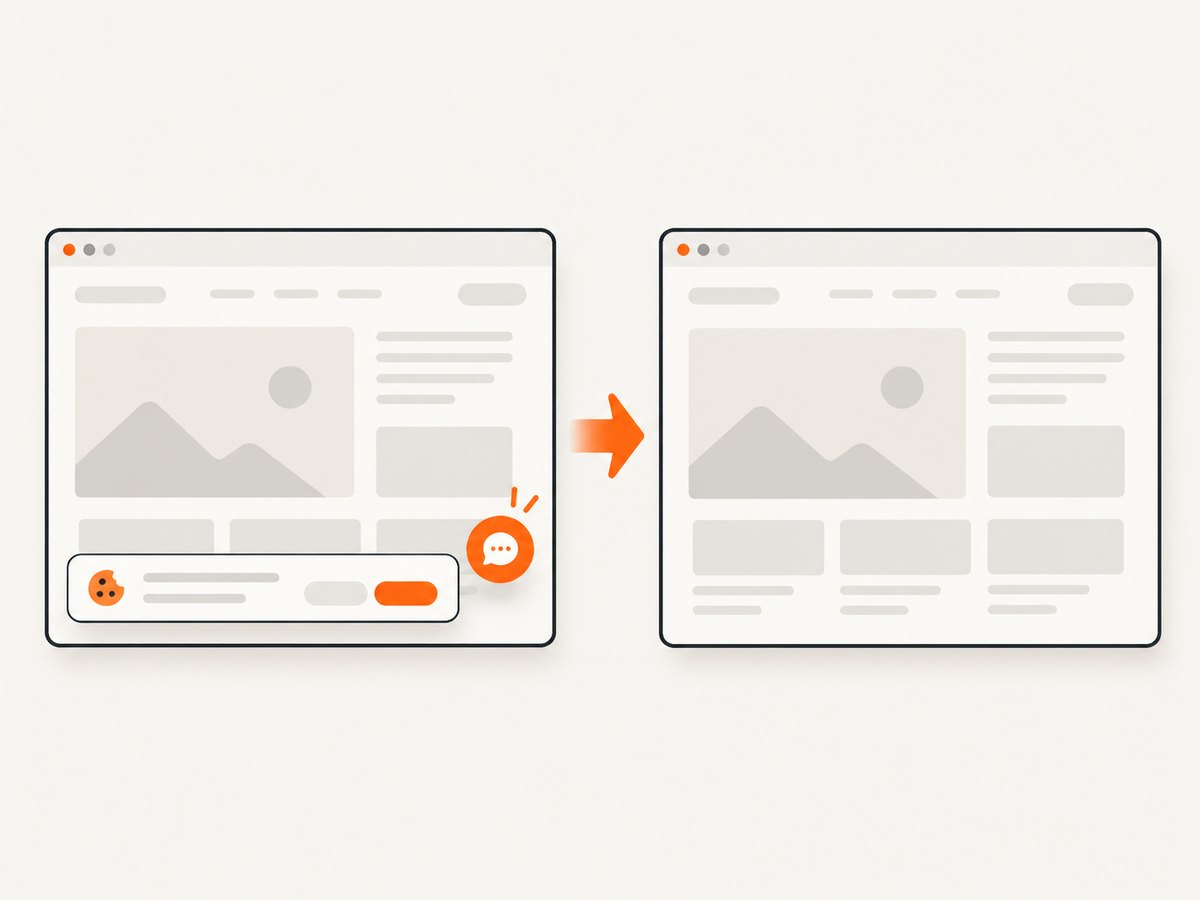
See the ScreenshotNeo API documentation for all 63 options, including full-page lazy-image loading, CSS element capture, dark mode, device presets, retina scale, PDF paper and page ranges, custom CSS and JavaScript, clicks, waits, request blocking, headers, cookies, authorization, timezone, geolocation, transparent backgrounds, resizing, TTL caching, signed links, async webhooks, bulk capture, usage, and OpenAPI.
curl -G "https://api.screenshotneo.com/v1/shot" \
  -d access_key=YOUR_API_KEY \
  --data-urlencode url=https://example.com \
  -o shot.webp
import requests
r = requests.get(
"https://api.screenshotneo.com/v1/shot",
params={"access_key": "YOUR_API_KEY", "url": "https://example.com"},
timeout=90,
)
r.raise_for_status()
open("shot.webp", "wb").write(r.content)const q = new URLSearchParams({
access_key: 'YOUR_API_KEY',
url: 'https://example.com'
});
const res = await fetch(`https://api.screenshotneo.com/v1/shot?${q}`);
if (!res.ok) throw new Error(`HTTP ${res.status}`);
const bytes = new Uint8Array(await res.arrayBuffer());
await Bun.write('shot.webp', bytes);ScreenshotNeo also has an MCP server with take_screenshot, get_page_info, and capture_pdf tools for Claude, Cursor, and other MCP clients. The Free plan includes 1,000 shots per month with no card; paid plans start at $5 for 3,000 shots. Create a free ScreenshotNeo account.
11. FAQ
Does Stealth make scraping undetectable?
No. It changes common browser signals, while sites can still detect automation through other signals, behavior, identity, or access policies.
Should I use a proxy?
Only when your permitted architecture requires one. A proxy does not fix selector bugs, authentication failures, or an unauthorized use case.
Can I scrape data loaded inside an iframe?
Yes. Inspect page.frames(), identify the permitted frame, and query it after its own content is ready.
Why does my local script work but CI fail?
CI often lacks the downloaded browser, shared memory, fonts, or sandbox permissions. Pin dependencies, install the browser during the build, and capture logs for the failing environment.
When is ScreenshotNeo a better fit?
Use it when the output is a clean screenshot or PDF and you want consent cleanup, failure-aware billing, caching, bulk capture, or MCP access without maintaining Chrome workers.


