How to Make Puppeteer Wait for All Redirects
Learn how Puppeteer follows redirect chains, waits for the final page, handles click navigation, verifies status, and avoids common timing races.
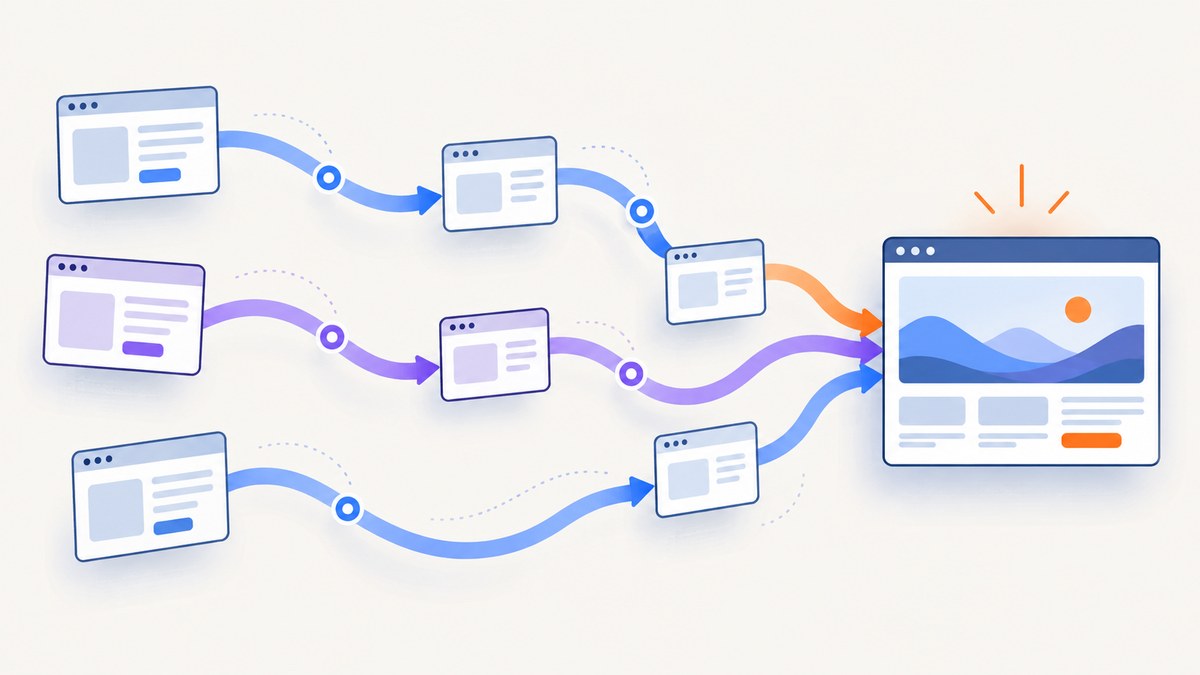
Direct answer: for a URL you open directly, await page.goto(). Puppeteer follows ordinary HTTP redirects during navigation, and the promise resolves with the response for the final resource in the chain. Use waitUntil to choose the readiness milestone you need, then inspect page.url() and the returned response when the destination or HTTP status matters.
const response = await page.goto('https://example.com/start', {
  waitUntil: 'load',
  timeout: 30_000,
});

console.log('Final URL:', page.url());
console.log('Final response status:', response?.status());
Do not add a second page.waitForNavigation() after this direct goto(). The navigation promise is already the wait. For a click that starts navigation, register waitForNavigation() before the click, usually with Promise.all(), so the event cannot race past your waiter.
How redirect waiting works in Puppeteer
An HTTP redirect is a response such as 301, 302, 303, 307, or 308 that tells the browser to request another URL. A normal browser navigation follows that chain automatically. Puppeteer’s Page.goto() API returns a promise for the main resource response; with multiple redirects, that response is the last redirect’s response. You therefore do not need to write a redirect loop for ordinary navigation.
The returned response is not necessarily a successful application response. In headless browser automation, valid HTTP statuses such as 404 and 500 do not automatically make goto() throw. If a 2xx result is required, check it yourself. Also allow for a null response: about:blank, same-URL hash changes, and some same-document History API navigations do not produce a new main-resource response.
What “wait for all redirects” really means
There are two separate concerns:
- Redirect following: the browser follows the HTTP chain as part of navigation.
- Readiness: Puppeteer waits for the lifecycle or network condition selected by
waitUntil.
waitUntil does not turn redirect following on. It controls when Puppeteer considers the navigation sufficiently progressed for your task.
Direct navigation: wait for the final destination
Use this pattern when your code already knows the starting URL.
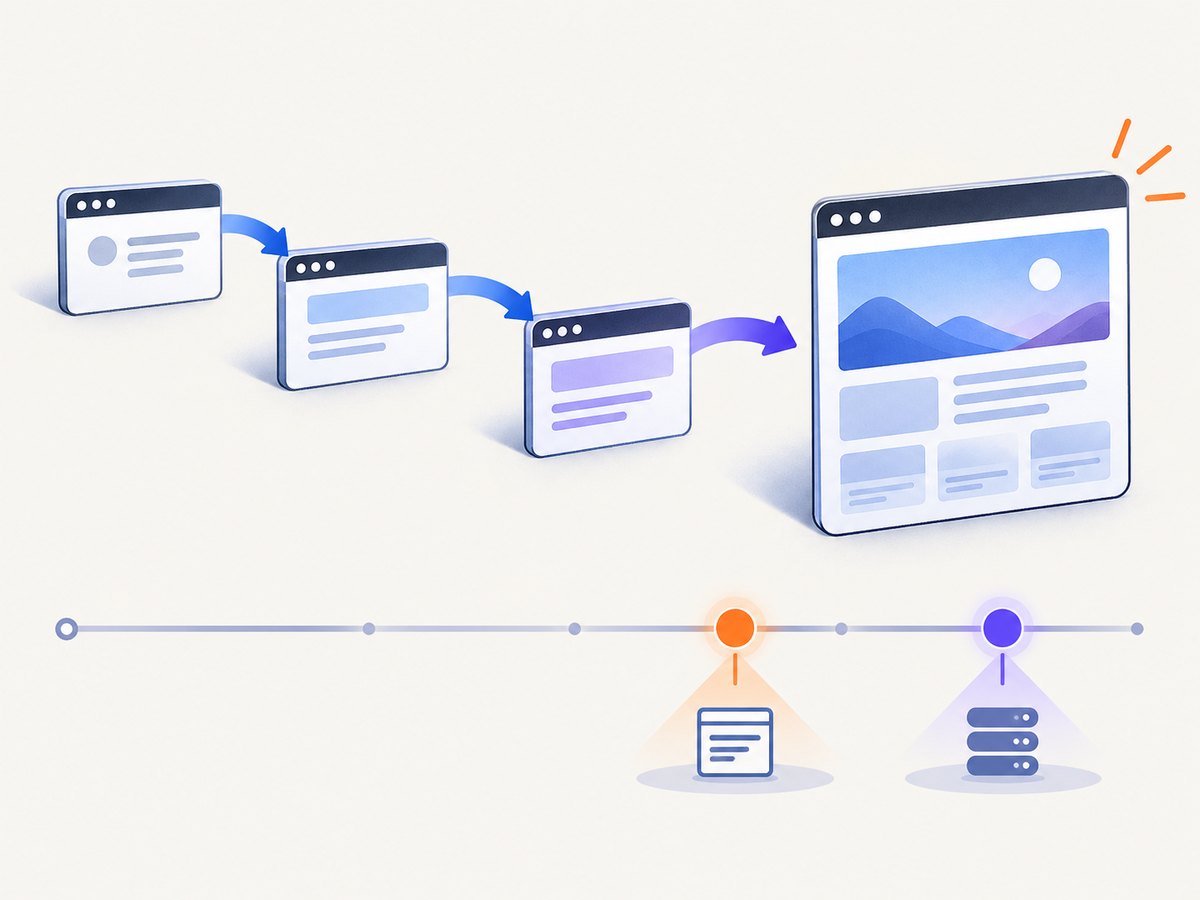
import puppeteer from 'puppeteer';

const browser = await puppeteer.launch({ headless: true });
const page = await browser.newPage();

try {
  const response = await page.goto('https://example.com/start', {
    waitUntil: 'load',
    timeout: 30_000,
  });

  const finalUrl = page.url();
  const status = response?.status();

  console.log({ finalUrl, status });

  if (status !== undefined && (status < 200 || status >= 300)) {
    throw new Error(`Final response was HTTP ${status}`);
  }
} finally {
  await browser.close();
}
Use domcontentloaded when parsed HTML is enough. Use load when the page’s load event is your stopping point. If the application renders content after load, wait for that content explicitly or use a network-idle condition when it matches the site’s behavior.
Choosing a waitUntil value
| Value | Use it when | Limitation |
|---|---|---|
domcontentloaded |
The DOM has been parsed and scripts can inspect it. | Images, stylesheets, and other resources may still be loading. |
load |
You need the document’s load event. | Client-side rendering may continue after load. |
networkidle0 |
The page should have no active network connections for the idle period. | Analytics, polling, and streaming can prevent or delay idleness. |
networkidle2 |
A small number of continuing requests is acceptable. | It is a network condition, not proof that a business workflow is complete. |
Puppeteer also exposes page.waitForNetworkIdle(). Its API guarantees that it waits at least the configured idle time. Treat it as a timing condition, not as a redirect switch. For reliable automation, wait for the selector, URL, or application state that proves the result you need.
Click navigation: attach the waiter before the action
When a click causes a new document navigation, start waiting before clicking. If you run page.click() first and only then call waitForNavigation(), the navigation can begin and finish before the waiter is listening.
const [response] = await Promise.all([
  page.waitForNavigation({
    waitUntil: 'load',
    timeout: 30_000,
  }),
  page.click('a.my-link'),
]);

console.log('Final URL:', page.url());
console.log('Final response status:', response?.status());
The order inside Promise.all() matters conceptually: create the navigation promise first, then perform the action. The waitForNavigation() reference describes this as waiting for the page to navigate to a new URL or reload and warns about the race created by separate sequential calls.
Clicks that do not create a new document
A click may update the URL with a hash, use the History API, open a popup, or make an XHR request without navigating. In those cases, waitForNavigation() may resolve with null or may not represent the state change you care about. Wait for the relevant signal instead:
await Promise.all([
  page.waitForFunction(() => location.pathname === '/done'),
  page.click('#submit'),
]);

await page.waitForSelector('[data-state="complete"]');
console.log('URL:', page.url());
For an anchor-only change, a short URL assertion is often clearer:
await page.click('a#details');
await page.waitForFunction(() => location.hash === '#details');
console.log(page.url());
Verify the complete redirect chain’s result
Puppeteer gives you the final browser URL through page.url() and the final main-resource response through the value returned by goto() or waitForNavigation(). Use both when redirects are part of a security, routing, or scraping check.
const response = await page.goto(startUrl, {
  waitUntil: 'domcontentloaded',
});

const result = {
  finalUrl: page.url(),
  status: response?.status() ?? null,
  redirectedResponseAvailable: response !== null,
};

if (!result.finalUrl.startsWith('https://trusted.example/')) {
  throw new Error(`Unexpected destination: ${result.finalUrl}`);
}

if (result.status !== null && result.status >= 400) {
  throw new Error(`Destination returned HTTP ${result.status}`);
}
If you need every intermediate Location header for auditing, listen to request and response events while navigation runs. The normal navigation API still follows the chain for you; event logging is an observation layer.
page.on('response', response => {
  const request = response.request();
  if (request.isNavigationRequest() && request.frame() === page.mainFrame()) {
    console.log(response.status(), response.url());
  }
});

await page.goto(startUrl, { waitUntil: 'load' });
Timeouts, aborts, and unusual redirect behavior
Set a timeout deliberately
The navigation timeout covers the selected wait condition. A redirect target that is slow, unreachable, or continually active can exhaust it. Set a per-call timeout for the operation and handle the error:
try {
  await page.goto(startUrl, {
    waitUntil: 'load',
    timeout: 45_000,
  });
} catch (error) {
  if (error instanceof Error && error.name === 'TimeoutError') {
    console.error('Navigation did not reach the requested milestone in time');
  }
  throw error;
}
A timeout does not mean that no requests occurred. Log page.url() in your error path so you can see which destination the browser reached before timing out.
Redirect loops
A server-side loop can bounce between URLs until the browser refuses to continue or Puppeteer times out. Check the server’s redirect configuration, scheme and host canonicalization, proxy headers, and authentication state. Do not “fix” a loop by adding more waits; a longer timeout only delays the failure.
Authentication and cross-origin targets
Each redirect target can change origin, cookies, or authentication requirements. Configure credentials, cookies, headers, or proxy settings before calling goto(). If a target redirects from HTTPS to HTTP or to an unexpected host, validate page.url() before processing content.
Common errors and fixes
| Symptom | Likely cause | Fix |
|---|---|---|
Execution context was destroyed |
Code evaluated while a navigation replaced the document. | Start the navigation waiter before the action and await it before evaluating. |
Navigation timeout exceeded |
The chosen lifecycle event or network condition never arrived. | Use a realistic timeout, choose domcontentloaded or load, or wait for a page-specific selector. |
response is null |
Same-document navigation, hash change, History API update, or about:blank. |
Use page.url() or an explicit URL/selector wait instead of dereferencing status(). |
| Final status is 404 or 500 but no exception was thrown | Valid HTTP responses do not automatically reject navigation. | Inspect response?.status() and apply your own success policy. |
| Click returns before the destination is ready | click() was awaited without a navigation or state wait. |
Use Promise.all([waitForNavigation(), click()]) or wait for the resulting selector. |
networkidle0 never completes |
Polling, analytics, WebSockets, or streaming requests remain active. | Use load plus an explicit readiness selector, or choose networkidle2 when appropriate. |
Performance and reliability checklist
- Use
domcontentloadedwhen later assets are irrelevant. - Use
loadwhen the load event represents readiness. - Prefer a page-specific selector or URL predicate for application state.
- Set a bounded timeout and record the current URL on failure.
- Reuse a browser process for multiple pages, while isolating jobs with separate pages or contexts.
- Close pages and browsers in
finallyblocks. - Check final status codes explicitly when HTTP success is required.
- Allow
nullresponses in same-document navigation code. - Log navigation responses when diagnosing redirect loops or unexpected hosts.
- Keep redirect and readiness logic separate so changing a wait condition does not hide routing defects.
Or skip the browser setup
If your goal is a clean screenshot after redirects rather than browser-control code, ScreenshotNeo provides a single HTTP request. Its API follows the destination page and returns PNG, JPEG, WebP, or PDF output. See the ScreenshotNeo documentation for all parameters.

cURL
curl -G "https://api.screenshotneo.com/v1/shot" \
  -d access_key=YOUR_API_KEY \
  --data-urlencode url=https://example.com/start \
  -o shot.webp
Python
import requests

r = requests.get(
    "https://api.screenshotneo.com/v1/shot",
    params={"access_key": "YOUR_API_KEY", "url": "https://example.com/start"},
    timeout=90,
)
r.raise_for_status()
open("shot.webp", "wb").write(r.content)
Node.js
const q = new URLSearchParams({
  access_key: 'YOUR_API_KEY',
  url: 'https://example.com/start',
});
const res = await fetch(`https://api.screenshotneo.com/v1/shot?${q}`);
if (!res.ok) throw new Error(`Screenshot failed: ${res.status}`);
const buffer = Buffer.from(await res.arrayBuffer());
require('fs').writeFileSync('shot.webp', buffer);
ScreenshotNeo removes cookie and consent banners, newsletter popups, and chat widgets before capture. Bot checks, blank pages, timeouts, failed loads, and cache hits are not billed; response headers identify the page verdict and whether the request was billed. It also offers an MCP server with take_screenshot, get_page_info, and capture_pdf tools for Claude, Cursor, and other MCP clients.
The free plan includes 1,000 screenshots each month with no card. Paid plans start at $5 for 3,000 shots, and every feature is available on every plan. Create a free ScreenshotNeo account.
FAQ
Does goto() follow 301 and 302 redirects?
Yes. Standard browser navigation follows HTTP redirects, and the resolved response represents the final redirect response.
Should I call waitForNavigation() after goto()?
No. Awaiting goto() is already the navigation wait. Add waitForNavigation() for an action such as a click that triggers navigation.
How do I know where the browser ended?
Read page.url(). It reports the current final URL, including after client-side URL changes.
Is networkidle0 proof that all redirects finished?
No. Redirect completion is part of navigation; network idle is a separate condition about ongoing requests.
Why is the navigation response missing?
Same-document changes and special navigations can resolve without a main-resource response. Use optional chaining and verify the URL or page state directly.
Key takeaways
- For direct navigation, await
page.goto(url, options). - Multiple HTTP redirects need no custom loop.
- For click navigation, register
waitForNavigation()before clicking. - Choose
waitUntilfor the readiness milestone your task actually needs. - Inspect
page.url()and the optional response status, and handlenull.


