PUT vs. PATCH: What’s the Difference?
PUT replaces a resource with a complete representation; PATCH applies changes described by a patch document. Learn how to choose, retry, and protect updates from conflicts.

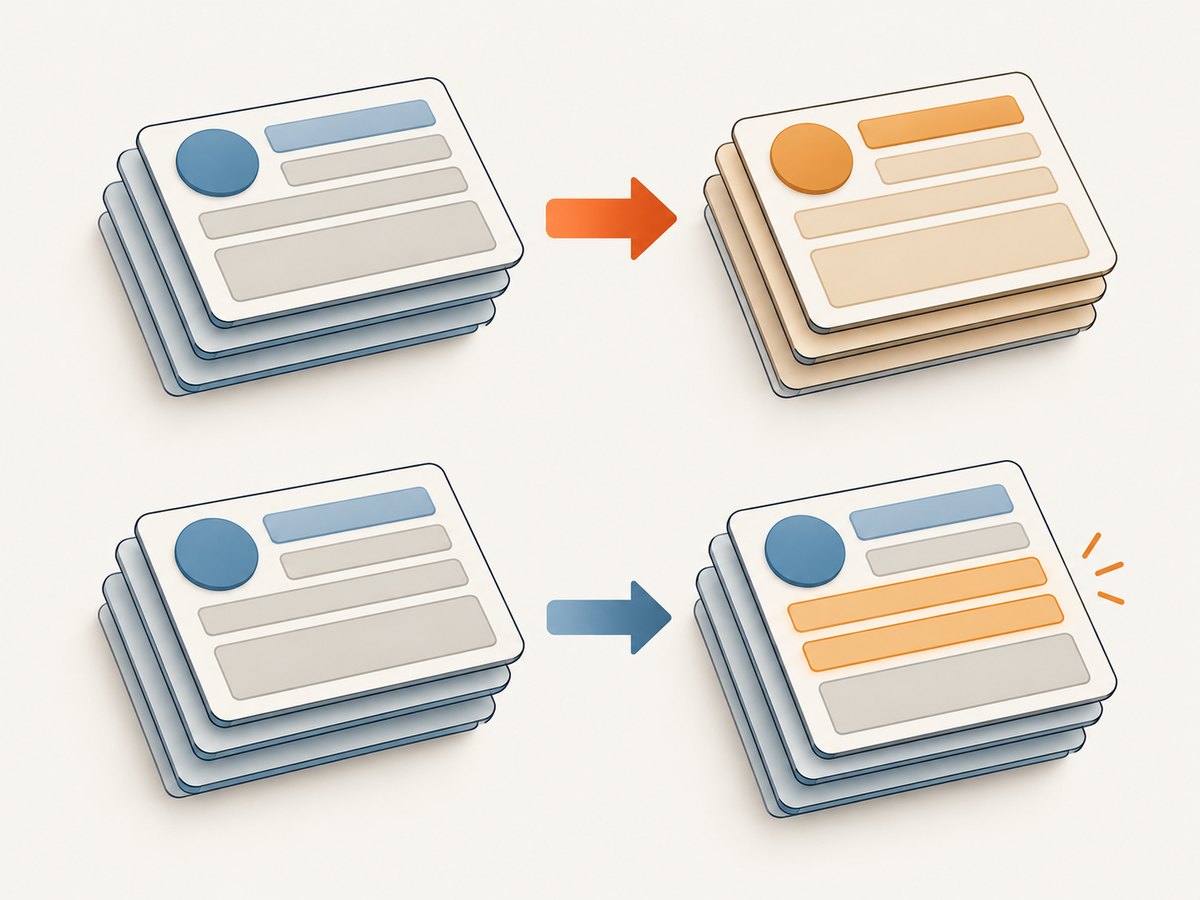
PUT replaces the target resource with the complete representation you send. PATCH applies a set of changes to the current resource, using instructions defined by the patch format and API. Use PUT when you know the desired complete state and replacement is intended. Use PATCH when the operation changes selected parts or is naturally expressed as instructions.
Neither method tells you the complete application-level meaning of every JSON field. Check the API contract for omitted fields, nulls, arrays, patch media types, and conflict behavior. To avoid overwriting someone else’s newer edit, use conditional requests with validators such as ETags and If-Match.
1. The difference at a glance
| Question | PUT | PATCH |
|---|---|---|
| What does the body mean? | The desired complete representation of the target resource. | Instructions, or a partial representation whose meaning is defined by the patch format and API contract. |
| What part changes? | The target resource is created or replaced with the state represented in the request. | The server applies changes to the existing resource. |
| Can it create a resource? | It can, if the target URI has no current representation and the server permits creation. | Creation depends on the patch format and server rules; do not assume it. |
| Is the method idempotent? | Yes, by HTTP semantics: identical requests are intended to have the same effect when repeated. | Not inherently. A particular patch operation can be designed to be idempotent. |
| Can it overwrite concurrent edits? | Yes. Use a validator and conditional request if stale replacement is a risk. | Yes. RFC 5789 recommends a strong ETag with If-Match when a patch depends on the known base version. |
| Is application atomic? | The request asks for a complete target state; validation and storage details depend on the server. | The server must apply the patch document atomically: all changes or none. |
These are HTTP method semantics, not a promise that two APIs use identical schemas. See the definitions in RFC 9110, PUT and RFC 5789, PATCH.
2. What PUT means in practice
A PUT request asks the server to create or replace the state of the target resource with the state defined by the request representation. The client generally knows the resource URI. If the client wants the server to choose the URI for a new resource, RFC 9110 says POST is generally the appropriate method.
For example, if /users/42 is the target and the resource representation has a name, email, and notification setting, a replacement-style PUT sends the complete desired representation:
PUT /users/42
Content-Type: application/json

{
  "name": "Rae Chen",
  "email": "rae@example.com",
  "notifications": true
}
Do not assume the server will merge this with the old representation. If an existing resource had another field, omitting it from a replacement payload may remove it, apply a default, or fail validation, depending on the API’s schema and rules. The HTTP standard defines replacement semantics; it does not define your database schema or guarantee a universal field-by-field deletion policy. Make the intended complete state explicit and follow the API documentation.
3. What PATCH means in practice
PATCH carries a patch document: a set of instructions for transforming the resource currently held by the server. A request body that looks partial is not automatically meaningful by itself. Its media type and the API contract determine how the server interprets it.
For example, an API might document this body as “set the notifications field to false”:
PATCH /users/42
Content-Type: application/example-user-update+json

{
  "notifications": false
}
That example is illustrative: the media type is a placeholder, and the body is only valid if the API defines those semantics. Other APIs require a formal patch document, such as an operation list. Do not assume that sending an ordinary JSON object means merge these fields. Check the API’s supported patch format, including whether it advertises accepted formats, and use the documented content type.
Clarify these details in the API contract:
- Omitted field: unchanged, removed, defaulted, or invalid?
null: set the value to null, remove the field, or reject the request?- Arrays: replace the whole array, append items, remove matches, or use indexed operations?
- Nested objects: merge recursively or replace as a unit?
- Failure: which validation errors reject the operation, and does the server guarantee no partial application?
4. Runnable HTTP examples
The following requests use a fictional API host and a bearer token supplied through an environment variable. Replace the host, token, paths, and request bodies with the API’s actual values. The PATCH body shown is valid only for an API that explicitly defines this JSON-object patch format.
PUT with cURL
curl --fail-with-body --include \
  --request PUT "https://api.example.com/users/42" \
  --header "Authorization: Bearer $API_TOKEN" \
  --header "Content-Type: application/json" \
  --data '{"name":"Rae Chen","email":"rae@example.com","notifications":true}'
PATCH with cURL
curl --fail-with-body --include \
  --request PATCH "https://api.example.com/users/42" \
  --header "Authorization: Bearer $API_TOKEN" \
  --header "Content-Type: application/example-user-update+json" \
  --data '{"notifications":false}'
To add optimistic concurrency, first fetch the resource and retain its strong ETag. Then send that validator with the update. This illustrative value must be replaced by the ETag returned by your API:
curl --fail-with-body --include \
  --request PATCH "https://api.example.com/users/42" \
  --header "Authorization: Bearer $API_TOKEN" \
  --header "Content-Type: application/example-user-update+json" \
  --header 'If-Match: "version-from-the-read-response"' \
  --data '{"notifications":false}'
A mismatch should be handled according to the API’s conditional-request contract: fetch the latest state, decide how to reconcile it, and submit a fresh update if appropriate. Do not automatically retry the stale body as though the conflict did not happen.
Python with the standard library
This runnable example uses urllib, so no package installation is needed. The helper serializes JSON, sets the request method and content type, and prints the HTTP response. Supply API_TOKEN in the environment. Use the PATCH body only if the server documents this format.
import json
import os
from urllib.error import HTTPError, URLError
from urllib.request import Request, urlopen

API_TOKEN = os.environ["API_TOKEN"]
URL = "https://api.example.com/users/42"

def send(method, payload, content_type="application/json", etag=None):
    headers = {
        "Authorization": f"Bearer {API_TOKEN}",
        "Content-Type": content_type,
        "Accept": "application/json",
    }
    if etag:
        headers["If-Match"] = etag
    body = json.dumps(payload).encode("utf-8")
    request = Request(URL, data=body, headers=headers, method=method)
    try:
        with urlopen(request, timeout=20) as response:
            print("HTTP", response.status)
            print("ETag:", response.headers.get("ETag"))
            print(response.read().decode("utf-8"))
    except HTTPError as error:
        print("HTTP", error.code)
        print(error.read().decode("utf-8", errors="replace"))
    except (URLError, TimeoutError) as error:
        print("Request failed:", error)

send("PUT", {
    "name": "Rae Chen",
    "email": "rae@example.com",
    "notifications": True,
})

send(
    "PATCH",
    {"notifications": False},
    content_type="application/example-user-update+json",
    etag='"version-from-the-read-response"',
)
For production code, distinguish HTTP responses from transport failures, log useful request identifiers without exposing credentials, and apply a deliberate retry policy. A timeout does not prove that the server failed to apply the update.
Node.js with built-in fetch
This example works in Node.js versions that provide global fetch. It prints the response status and body, including error bodies, rather than treating every non-2xx response as a network exception.
const token = process.env.API_TOKEN;
if (!token) throw new Error('Set API_TOKEN in the environment');

const url = 'https://api.example.com/users/42';

async function send(method, payload, contentType = 'application/json', etag) {
  const headers = {
    Authorization: `Bearer ${token}`,
    'Content-Type': contentType,
    Accept: 'application/json',
  };
  if (etag) headers['If-Match'] = etag;

  const response = await fetch(url, {
    method,
    headers,
    body: JSON.stringify(payload),
    signal: AbortSignal.timeout(20_000),
  });
  console.log('HTTP', response.status);
  console.log('ETag:', response.headers.get('etag'));
  console.log(await response.text());
}

await send('PUT', {
  name: 'Rae Chen',
  email: 'rae@example.com',
  notifications: true,
});

// Use only if the API documents this PATCH document format.
await send(
  'PATCH',
  { notifications: false },
  'application/example-user-update+json',
  '"version-from-the-read-response"',
);
In all three examples, replace placeholder hostnames, credentials, paths, ETags, and media types. The response status and body are part of the contract: inspect them before deciding whether to retry or update local state.
5. Retries, idempotency, and safe recovery
PUT is idempotent by method definition: repeating an identical request is intended to have the same requested effect as sending it once. That makes retrying a timed-out PUT generally more compatible with HTTP semantics than retrying a non-idempotent operation. But idempotent does not mean safe: PUT changes server state. A server can also record each request or perform side effects while the requested resource state remains the same.
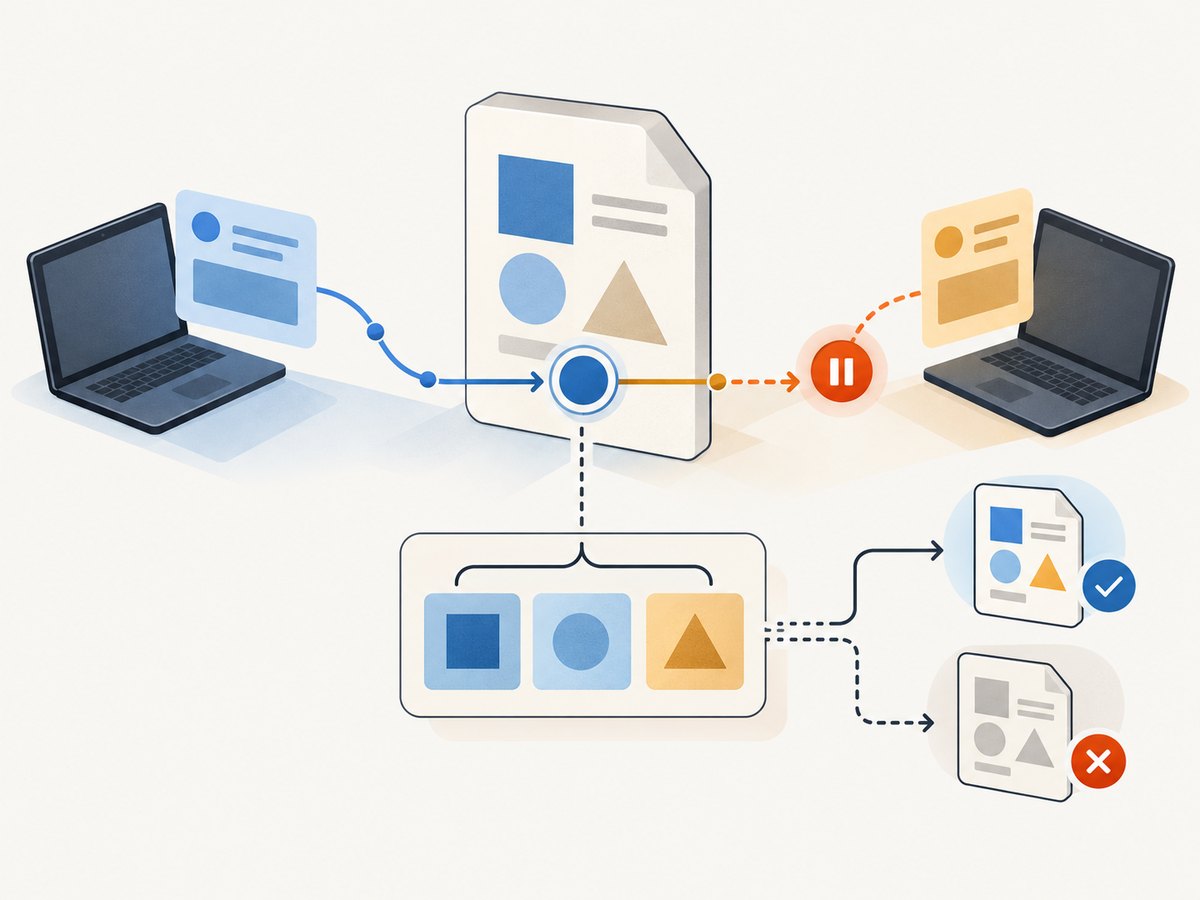
PATCH is neither safe nor inherently idempotent. A particular patch can be idempotent, such as “set status to archived,” or non-idempotent, such as “increment the counter by one.” If a timeout happens after sending such a patch, the client may not know whether the server applied it. Read the resource or use an application-level idempotency mechanism if the API provides one; do not blindly replay an operation that may run twice.
- Classify the patch operation: does repeating the same document produce the same state?
- Use an ETag and
If-Matchwhen the update assumes a particular resource version. - On a timeout or dropped connection, determine whether the API offers a way to inspect the resulting state before retrying.
- Use bounded retries with backoff for transient failures, respecting rate limits and API guidance.
- Do not retry validation errors or stale-version conflicts unchanged.
Idempotency describes intended effect, not guaranteed delivery, exactly-once execution, or absence of side effects. Your client still needs to handle uncertain outcomes.
6. Concurrency and atomicity
Suppose a client reads version 7 of a document. Another client updates it to version 8. If the first client then sends a whole-resource PUT based on its stale copy, it could overwrite the newer edit. A conditional request using the version’s strong ETag can make the server reject the write when the resource no longer matches what the client read.
The same pattern matters for PATCH when the changes depend on a particular base representation. RFC 5789 recommends using a conditional request, such as If-Match with a strong ETag, to prevent collisions. A failed precondition is a signal to fetch and reconcile; it is not a cue to discard the validator and resend automatically.
PATCH has a specific atomicity requirement: the server must apply the complete set of changes or none of them. A multi-operation patch must not leave the resource half-modified if one operation cannot be completed. Clients should still inspect the error response and avoid assuming that other application side effects are rolled back unless the API documents that guarantee.
7. Choosing a method: decision checklist
- Do you know the target resource URI? PUT is suited to creating or replacing the representation at a known URI. If the server should choose a new URI, POST is generally the standard choice.
- Can you send the complete intended state? If yes, and replacement is the contract, choose PUT.
- Are you expressing selected changes or operations? Choose PATCH when the API supports a documented patch format for that change.
- Could another client update the resource concurrently? Use ETag-based conditional requests or an equivalent version check.
- Could a retry repeat a non-idempotent operation? Make retry behavior explicit and use the API’s deduplication or reconciliation mechanism where available.
- Are field semantics ambiguous? Clarify omitted fields, nulls, arrays, validation, and error atomicity in the API contract before shipping.
For an API you design, document a sample request and resulting state for each method. Include the media type, whether omitted properties remain or disappear, how conflicts are reported, and whether repeated requests produce the same state.
8. Partial PUT and interoperability
Do not assume that putting only a few fields in the body makes an ordinary PUT a partial update. RFC 9110 notes that some servers support partial PUT with Content-Range, but that support depends on private agreements and is inconsistent. A server without that agreement may process the request as a complete replacement. For interoperable partial updates, use PATCH with a documented patch format.
This is a useful API review question: does the server’s documentation define partial PUT explicitly, or is the client merely relying on behavior observed in one implementation? If there is no explicit contract, treat PUT as replacement and use PATCH for the partial change.
9. Troubleshooting common failures
| Symptom | Likely cause | What to do |
|---|---|---|
400 Bad Request or 422 Unprocessable Content |
Malformed JSON, invalid fields, or body does not match the API’s schema. | Read the response body; validate the full PUT representation or patch operations against the documented schema. |
405 Method Not Allowed |
The route does not support PUT or PATCH. | Check the endpoint documentation and any Allow response header; use a supported method. |
415 Unsupported Media Type |
The request’s Content-Type is not an accepted patch format. |
Send the documented patch media type and body structure. Do not relabel an ordinary JSON object as a different format. |
| PATCH returns success but no field changes | The API interprets the body differently, ignores unknown fields, or expects an operation document. | Check the patch format and response representation. Confirm the field path and format with a minimal documented example. |
| PUT unexpectedly clears fields | The endpoint treats the submitted representation as a replacement. | Send the complete intended resource state, or use documented PATCH semantics for a partial change. |
412 Precondition Failed |
The ETag in If-Match no longer matches the current resource. |
Fetch the latest representation and ETag, reconcile changes, then issue a new conditional request. |
| Duplicate effect after retry | A PATCH operation was not idempotent, or the client retried after an uncertain outcome. | Inspect current state, use API-supported deduplication if available, and make retries specific to the operation’s semantics. |
| Client times out but the resource changed | The server may have applied the update before the response was lost. | Read the resource before retrying an uncertain non-idempotent request. Configure sensible timeouts and bounded retries. |
| Some patch operations applied before failure | The server may violate PATCH’s atomicity requirement, or the client is observing separate side effects outside the resource update. | Capture the response and request details, verify the resulting resource, and report the behavior to the API owner. |
10. Performance, reliability, and cost
There is no universal speed winner. PUT often sends a larger complete representation, while a PATCH document may be smaller for a narrow change. Actual latency and cost depend on network size, server implementation, validation, storage, and downstream work. Measure the requests your application makes instead of assuming that a smaller body always means a faster update.
Reliability depends on making semantics explicit: use the correct method and patch format, validate responses, protect against stale writes, and tailor retries to idempotency. On the server, validate a complete PUT before replacing state, and apply a PATCH document atomically. On the client, distinguish a conflict or validation rejection from a transport failure where the outcome may be unknown.
HTTP itself does not set a price for either method. The cost implications come from the API’s billing and the application work each request triggers. A small PATCH is not automatically cheaper, and an idempotent PUT is not automatically free to repeat. Check the service’s limits and pricing, and avoid unnecessary writes.
11. Short FAQ
Should I use PUT or PATCH for updates?
Use PUT when the request represents the complete desired state at a known URI. Use PATCH when the API defines a partial-change document and you intend to apply those changes.
Is PATCH idempotent?
Not by default. A patch that sets a value can be idempotent; a patch that increments a value may not be. Judge the actual operation.
Does PUT always replace the whole resource?
Its HTTP semantics request replacement with the enclosed representation. How the server maps that representation to stored fields, validates omissions, or supports an explicitly agreed partial PUT is governed by the endpoint contract.
Can PATCH create a missing resource?
Do not count on it. Creation depends on the patch document format and server rules.
Can I use PUT for one field?
Only if the API explicitly defines that request as a partial PUT. Otherwise send a complete representation or use its documented PATCH format.
12. Or skip the browser setup
If you are documenting or debugging an API workflow and need screenshots of its web interface, ScreenshotNeo is a website screenshot API and MCP server. A single GET request returns an image or PDF; see the API documentation.
curl -G "https://api.screenshotneo.com/v1/shot" \
  -d access_key=YOUR_API_KEY \
  --data-urlencode url=https://stripe.com \
  -o shot.webp
ScreenshotNeo accepts cookie and consent banners and removes more than 60 known consent platforms, newsletter popups, and chat widgets before capture; each step can be turned off. Bot checks, blank pages, timeouts, failed loads, and cache hits cost nothing, and response headers report the page verdict and billing status. Its MCP server gives AI agents tools for screenshots, page information, and PDF capture. The free plan includes 1,000 screenshots a month with no card; paid plans start at $5 for 3,000.
Sign up for 1,000 free screenshots a month, no card required.


