How to Get Element Content From Shadow Roots With Pyppeteer
Read text or HTML inside open and nested Shadow DOM roots with Pyppeteer, handle async rendering, and diagnose closed-root failures.

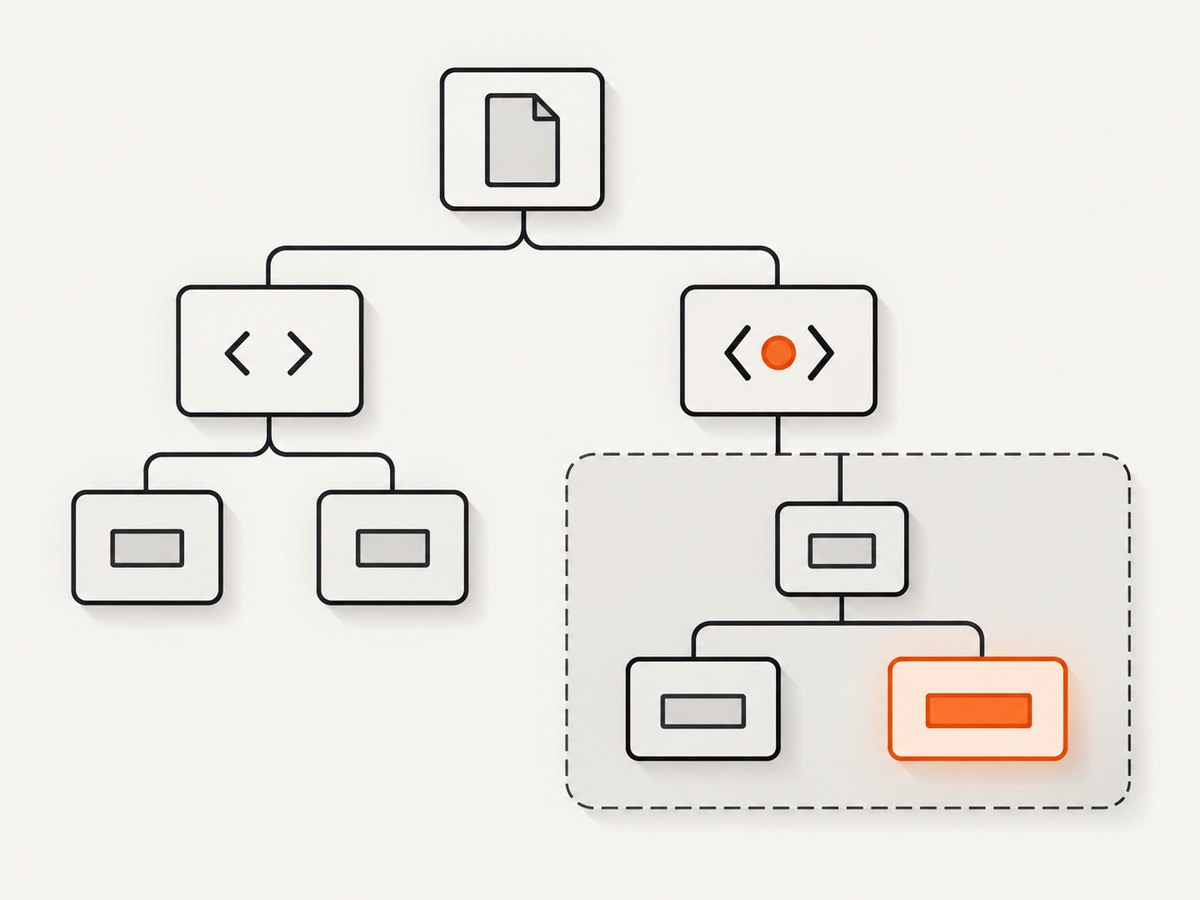
Use page.evaluate() to cross each open Shadow DOM boundary explicitly. Select the component host, read its shadowRoot, then call querySelector() on that root. Return textContent for descendant text or innerHTML for serialized markup. A normal document selector cannot see through a shadow boundary.
from pyppeteer import launch

async def read_shadow_content():
    browser = await launch(headless=True)
    page = await browser.newPage()
    await page.goto("https://example.test", {"waitUntil": "networkidle2"})

    content = await page.evaluate("""() => {
      const host = document.querySelector('my-widget');
      const root = host && host.shadowRoot;           // requires mode: 'open'
      const node = root && root.querySelector('.description');
      return node ? node.textContent : null;
    }""")

    print(content)
    await browser.close()
This works only when the component attached its root with mode: 'open'. For nested components, repeat the host, shadowRoot, and descendant lookup at every boundary.
Why querySelector returns nothing
Shadow DOM creates a separate tree beneath a host element such as <my-widget>. A selector run on document stops at that boundary:
// Usually returns null when .description is inside the component's shadow tree
const node = document.querySelector('my-widget .description');
The host itself is in the document tree. Its open root is the entry point to descendants:
const host = document.querySelector('my-widget');
const root = host && host.shadowRoot;
const node = root && root.querySelector('.description');
Pyppeteer runs this browser-side JavaScript with page.evaluate(). The function executes in the page, so it can use DOM APIs and return serializable values to Python.
Read text, rendered text, or HTML
Raw descendant text with textContent
textContent returns the text of the node and its descendants, including text that is not currently visible. It is the usual choice for extraction and assertions.
text = await page.evaluate("""() => {
  const host = document.querySelector('my-widget');
  const node = host?.shadowRoot?.querySelector('.description');
  return node?.textContent ?? null;
}""")
Rendered text with innerText
Use innerText when layout and visibility matter. It can differ from textContent because it reflects rendered-text behavior and may trigger layout calculation.
visible_text = await page.evaluate("""() => {
  const node = document.querySelector('my-widget')?.shadowRoot?.querySelector('.description');
  return node?.innerText ?? null;
}""")
Markup with innerHTML or outerHTML
ShadowRoot.innerHTML serializes the root’s descendants. If the target element is what you need, use its outerHTML; if you need only its children, use innerHTML.
html = await page.evaluate("""() => {
  const node = document.querySelector('my-widget')?.shadowRoot?.querySelector('.description');
  return node?.innerHTML ?? null;
}""")

outer_html = await page.evaluate("""() => {
  const node = document.querySelector('my-widget')?.shadowRoot?.querySelector('.description');
  return node?.outerHTML ?? null;
}""")
Extraction does not execute the returned markup. Treat extracted HTML as untrusted data if you later insert it into another page: assigning strings to innerHTML is an injection sink.
Complete Pyppeteer example with waits and error checks
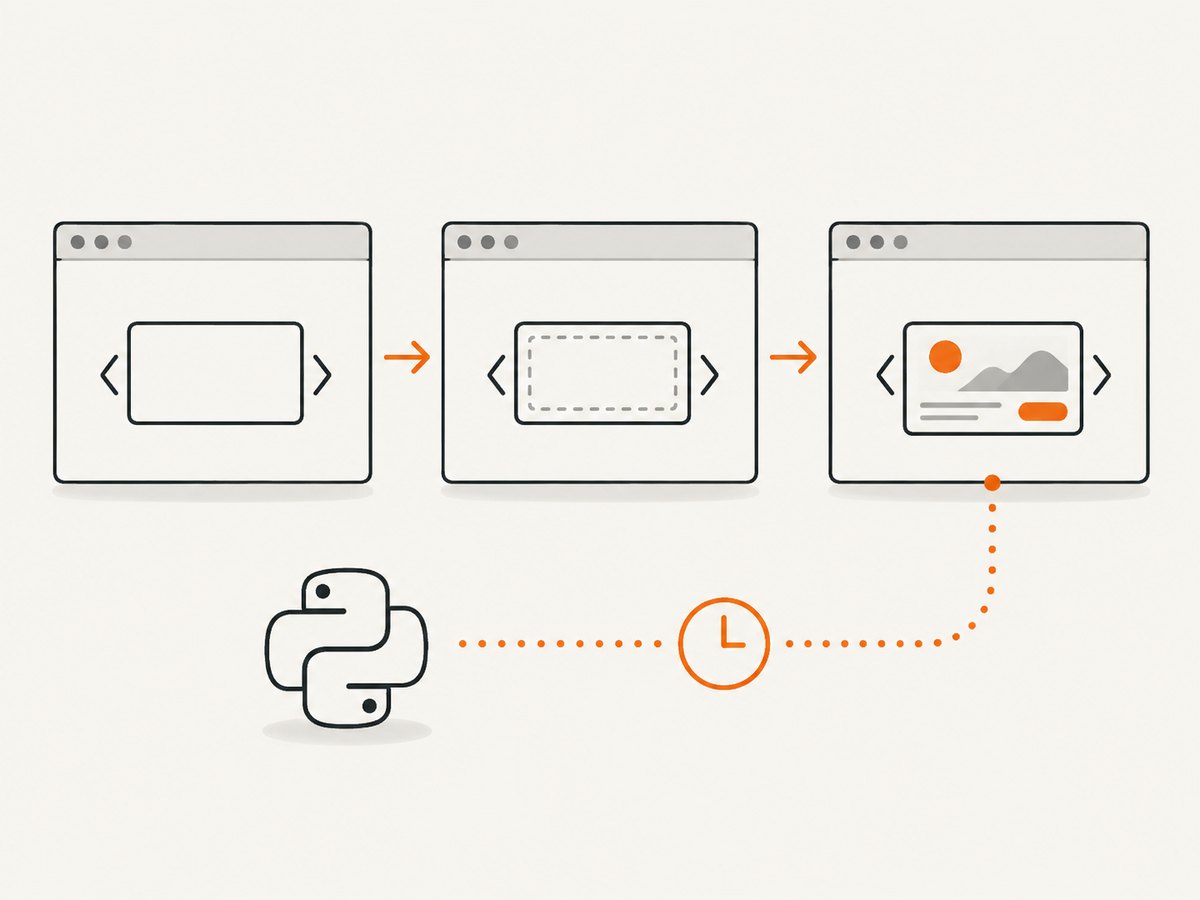
Web components may attach their root after the host element appears. Wait for the host first, then wait for the root and target node with a page predicate.
import asyncio
from pyppeteer import launch

URL = "https://example.test"

async def main():
    browser = await launch(headless=True)
    try:
        page = await browser.newPage()
        await page.goto(URL, {"waitUntil": "networkidle2", "timeout": 90000})
        await page.waitForSelector("my-widget", {"timeout": 30000})

        await page.waitForFunction("""() => {
          const host = document.querySelector('my-widget');
          return !!(host?.shadowRoot?.querySelector('.description'));
        }""", {"timeout": 30000})

        result = await page.evaluate("""() => {
          const host = document.querySelector('my-widget');
          const root = host?.shadowRoot;
          const node = root?.querySelector('.description');
          if (!host) return {ok: false, reason: 'host-missing'};
          if (!root) return {ok: false, reason: 'root-missing-or-closed'};
          if (!node) return {ok: false, reason: 'target-missing'};
          return {
            ok: true,
            text: node.textContent,
            html: node.innerHTML
          };
        }""")

        if not result["ok"]:
            raise RuntimeError(result["reason"])

        print(result["text"])
        print(result["html"])
    finally:
        await browser.close()

asyncio.run(main())
The null checks distinguish a missing host, an unavailable root, and a missing target. Keep them when scraping pages whose components are optional or rendered conditionally.
Use ElementHandle arguments
page.querySelector() returns an ElementHandle. Pyppeteer allows that handle to be passed into page.evaluate(), which is useful when you already located the host or when several hosts exist.
host = await page.querySelector('my-widget')
if host is None:
    raise RuntimeError("my-widget was not found")

text = await page.evaluate("""host => {
  const node = host?.shadowRoot?.querySelector('.description');
  return node?.textContent ?? null;
}""", host)

print(text)
This avoids repeating the document-level host lookup and lets you select a specific instance first.
Traverse nested open shadow roots
Every shadow boundary requires another shadowRoot lookup. In this example, inner-widget is inside outer-widget, and the final value is inside the inner component.
text = await page.evaluate("""() => {
  const outer = document.querySelector('outer-widget');
  const innerHost = outer?.shadowRoot?.querySelector('inner-widget');
  const target = innerHost?.shadowRoot?.querySelector('[data-value]');
  return target?.textContent ?? null;
}""")

print(text)
For deeper trees, keep the same pattern and guard each intermediate value. A null result can mean that a host is absent, a root is closed, or rendering has not completed.
Wait for asynchronous components
Waiting for my-widget alone is insufficient when a framework attaches the root later. Combine navigation waiting, host waiting, and a predicate that checks the complete path.
await page.goto(URL, {"waitUntil": "networkidle2"})
await page.waitForSelector('my-widget')
await page.waitForFunction("""() => {
  const host = document.querySelector('my-widget');
  return Boolean(host?.shadowRoot?.querySelector('.description'));
}""", {"polling": "mutation", "timeout": 30000})
If the component depends on a later API response, wait for a page-specific marker, request completion, or stable attribute instead of adding an arbitrary long sleep. A short delay can help with known animation timing, but a predicate explains what readiness means and usually finishes sooner.
Selector shortcuts and their limits
Puppeteer documents deep descendant selectors such as >>> and pierce/ for descendants in open shadow roots. Availability can vary in Pyppeteer versions. If your installed version does not expose those selectors, explicit evaluate() traversal is stable, readable, and easy to debug.
// Use only if your installed Pyppeteer selector engine supports it
handle = await page.querySelector('my-widget >>> .description')
Closed shadow roots
When a component calls attachShadow({mode: 'closed'}), host.shadowRoot is null. External Pyppeteer code cannot recover the root reference through ordinary DOM APIs after creation. This is a platform boundary, not a selector syntax problem.
Use a supported integration instead: ask the component to expose an attribute, dispatch an event containing the value, or provide a public method. Code inside the component can still use the reference returned by attachShadow().
const state = await page.evaluate("""() => {
  const host = document.querySelector('private-widget');
  if (!host) return {ok: false, reason: 'host-missing'};
  if (!host.shadowRoot) return {ok: false, reason: 'closed-or-not-attached'};
  return {ok: true};
}""")
Choosing the right extraction property
| Need | Property | Behavior |
|---|---|---|
| All descendant text | textContent |
Raw text, including hidden descendants |
| Text as rendered | innerText |
Depends on layout and visibility |
| Children as markup | innerHTML |
Serialized descendants |
| The element and its markup | outerHTML |
Serialized element plus descendants |
Common errors and fixes
| Symptom | Likely cause | Fix |
|---|---|---|
querySelector() returns null |
The target is inside a shadow tree | Select the host, access shadowRoot, then query the root. |
host.shadowRoot is null |
The root is closed or has not been attached | Wait for attachment; if still null, use a component-provided API because closed roots are not externally traversable. |
| Host exists but target is missing | Rendering is asynchronous or the selector is wrong | Verify the selector in the component source and wait for the complete host-to-target path. |
| Works locally, fails in CI | Navigation, fonts, API calls, or browser startup are slower | Use explicit navigation and predicate timeouts, capture diagnostics, and close the browser in a finally block. |
| Returned HTML appears empty | You selected the wrong node or the content is rendered in a nested root | Return outerHTML for the selected node and continue traversal through nested hosts. |
| Text differs from what a user sees | textContent includes hidden text |
Use innerText when rendered layout text is the requirement. |
Performance and reliability
- Run one page evaluation that traverses the whole path when possible. Multiple round trips between Python and the browser add overhead and create more timing points.
- Prefer a readiness predicate over a fixed sleep. It reduces idle time and makes failures explainable.
- Reuse a browser process for multiple pages, but close each page and browser in cleanup code.
- Keep extraction inside the page context and return only the needed string or object. Returning a large subtree increases serialization cost.
- Use stable component selectors such as data attributes when you control the page. CSS classes tied to presentation are more likely to change.
- There is no authoritative benchmark in the supplied research for Pyppeteer shadow-root extraction. Measure on your own pages if latency or throughput is a requirement.
Or skip the browser setup
If your goal is a clean image or PDF of a page rather than DOM text, ScreenshotNeo provides a single HTTP request. Its API accepts options for full-page capture, element selectors, waits, custom JavaScript and CSS, headers, cookies, device settings, PDF output, caching, and more. See the ScreenshotNeo API documentation for the current parameter details.
curl -G "https://api.screenshotneo.com/v1/shot" -d access_key=YOUR_API_KEY --data-urlencode url=https://stripe.com -o shot.webpimport requests
r = requests.get("https://api.screenshotneo.com/v1/shot", params={"access_key": "YOUR_API_KEY", "url": "https://stripe.com"}, timeout=90)
open("shot.webp", "wb").write(r.content)const q = new URLSearchParams({ access_key: 'YOUR_API_KEY', url: 'https://stripe.com' });
const res = await fetch(`https://api.screenshotneo.com/v1/shot?${q}`);Cookie banners, newsletter popups and chat widgets are removed before the shot. Bot checks, blank pages and failed loads are never billed, and the response identifies the result with X-Page-Verdict and X-Billed headers. An MCP server lets AI agents take screenshots, inspect pages and capture PDFs. The Free plan includes 1,000 screenshots each month with no card; paid plans start at $5 for 3,000. Create a free ScreenshotNeo account.
FAQ
Can Pyppeteer read a closed shadow root?
No. Once a root is closed, outside code receives null from shadowRoot. Use an attribute, event, or public component method.
Should I use textContent or innerText?
Use textContent for raw extraction and innerText when the visible, layout-sensitive text is required.
How do I read a nested shadow root?
Find the outer host, access its root, find the inner host, access its root, and continue. Guard every step with optional chaining or explicit null checks.
Why does waiting for the custom element not work?
The host can exist before its root and descendants are attached. Wait for a predicate that checks the final target.
Can I return an ElementHandle from evaluate?
Return serializable values such as strings or objects. Pass an existing ElementHandle into evaluate() when you need to operate on a specific host.


