Python Crawler Tutorial: From Requests to Playwright
Build a Python crawler step by step: fetch static HTML, parse it, follow links responsibly, and move to Scrapy or Playwright when the job calls for it.

Start with Requests when a page’s data is present in its server response. Parse that HTML with Beautiful Soup. Use Scrapy when you need to schedule and manage a multi-page crawl, and Playwright when the page depends on JavaScript execution or browser interaction. Those tools solve different layers of the job: downloading, parsing, crawl management, and browser automation.
This tutorial builds a small crawler for the practice site https://quotes.toscrape.com/, then shows when and how to move up the stack. Before crawling any real site, check its robots.txt, terms, access controls, and any applicable privacy or legal requirements. Prefer a documented API or export when one exists.
1. Choose the right tool for the page
| Tool | What it does | Use it when |
|---|---|---|
| Requests | Fetches HTTP responses; it does not run page JavaScript. | The HTML response already contains the information. |
| Beautiful Soup | Parses downloaded HTML or XML into a navigable tree. | You need to select elements and extract text or attributes. |
| Scrapy | Framework for spiders, request scheduling, link following, duplicate filtering, exports, pipelines, and crawl controls. | You have a broader crawl or need repeatable operational controls. |
| Playwright | Drives a real browser from Python, including JavaScript, waits, and interactions. | The content appears after rendering or requires user-like actions. |
Requests and Beautiful Soup are complementary: one downloads, the other parses. Scrapy can also parse responses with selectors and makes the crawl itself easier to operate. Playwright costs more time and machine resources per page, and selectors tied to a changing interface can be fragile. Don’t use a browser just because a site has JavaScript; first check whether the data is already in the HTML or available through a documented endpoint.
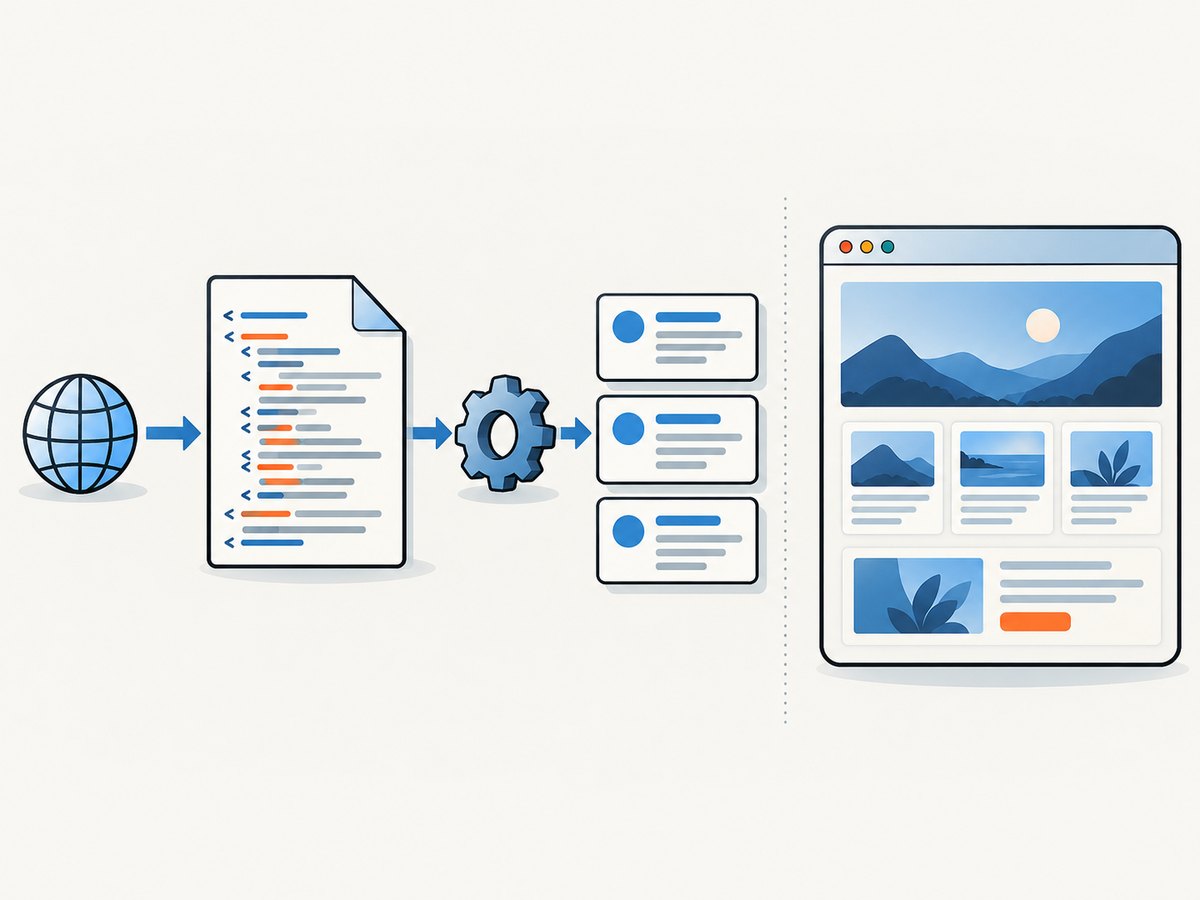
Official references: Requests Quickstart, Beautiful Soup documentation, Scrapy overview, and Playwright for Python.
2. Build a polite Requests crawler
Make an environment and install the HTTP client and parser. The optional lxml package provides a fast HTML parser for Beautiful Soup.
python -m venv .venv
# macOS/Linux:
source .venv/bin/activate
# Windows PowerShell:
# .venv\Scripts\Activate.ps1
python -m pip install requests beautifulsoup4 lxml
Save this as crawl_quotes.py. It fetches one page, checks the response, uses a descriptive User-Agent, imposes a timeout, extracts records defensively, and resolves the next-page link to an absolute URL.
from time import sleep
from urllib.parse import urljoin, urlparse

import requests
from bs4 import BeautifulSoup

START_URL = "https://quotes.toscrape.com/"
ALLOWED_HOST = "quotes.toscrape.com"
HEADERS = {"User-Agent": "ExampleResearchCrawler/1.0 (contact: crawler@example.org)"}


def fetch(url: str) -> requests.Response:
    parsed = urlparse(url)
    if parsed.scheme != "https" or parsed.hostname != ALLOWED_HOST:
        raise ValueError(f"Refusing URL outside the permitted host: {url}")

    last_error = None
    for attempt in range(3):
        try:
            response = requests.get(url, headers=HEADERS, timeout=(5, 20))
            if response.status_code in (429, 503):
                # Back off on rate limiting or temporary overload.
                if attempt < 2:
                    sleep(2 ** attempt)
                    continue
            response.raise_for_status()
            return response
        except requests.RequestException as exc:
            last_error = exc
            if attempt < 2:
                sleep(2 ** attempt)
    raise RuntimeError(f"Could not fetch {url}: {last_error}")


def parse_page(html: str, page_url: str):
    soup = BeautifulSoup(html, "lxml")
    for card in soup.select(".quote"):
        quote = card.select_one(".text")
        author = card.select_one(".author")
        tags = [tag.get_text(" ", strip=True) for tag in card.select(".tags .tag")]
        yield {
            "quote": quote.get_text(" ", strip=True) if quote else None,
            "author": author.get_text(" ", strip=True) if author else None,
            "tags": tags,
            "source_page": page_url,
        }

    next_link = soup.select_one("li.next a")
    next_url = urljoin(page_url, next_link["href"]) if next_link and next_link.get("href") else None
    return next_url


def main():
    url = START_URL
    visited = set()
    while url and url not in visited:
        visited.add(url)
        response = fetch(url)
        print(f"Fetched {response.url} ({response.status_code})")
        parsed = parse_page(response.text, response.url)
        # parse_page is a generator for records; consume it below alongside next-page parsing.
        soup = BeautifulSoup(response.text, "lxml")
        for card in soup.select(".quote"):
            quote = card.select_one(".text")
            author = card.select_one(".author")
            if quote:
                print({
                    "quote": quote.get_text(" ", strip=True),
                    "author": author.get_text(" ", strip=True) if author else None,
                    "source_page": response.url,
                })
        link = soup.select_one("li.next a")
        url = urljoin(response.url, link["href"]) if link and link.get("href") else None
        if url:
            sleep(1)  # Set this from site rules and observed load, not guesswork.


if __name__ == "__main__":
    main()
The example keeps URL validation inside the fetch function so a discovered link cannot quietly send the crawler to another host. In a real project, replace the placeholder contact with a monitored address and make sure the identity is accurate. A response’s url may differ from the requested URL after redirects; record the final URL with extracted data.
Code note: the separate parse_page helper illustrates yielding structured records and resolving pagination. The runnable main keeps the loop direct for clarity. For a larger project, consolidate the duplicated selection into a helper that returns both records and the next URL.
3. Parse robustly and terminate pagination
Beautiful Soup turns HTML into a tree; CSS selectors such as .quote and .author navigate that tree. Calling get_text(" ", strip=True) joins nested text and trims whitespace. Use attributes such as href for links, and treat missing elements as normal input rather than assuming every page is identical.
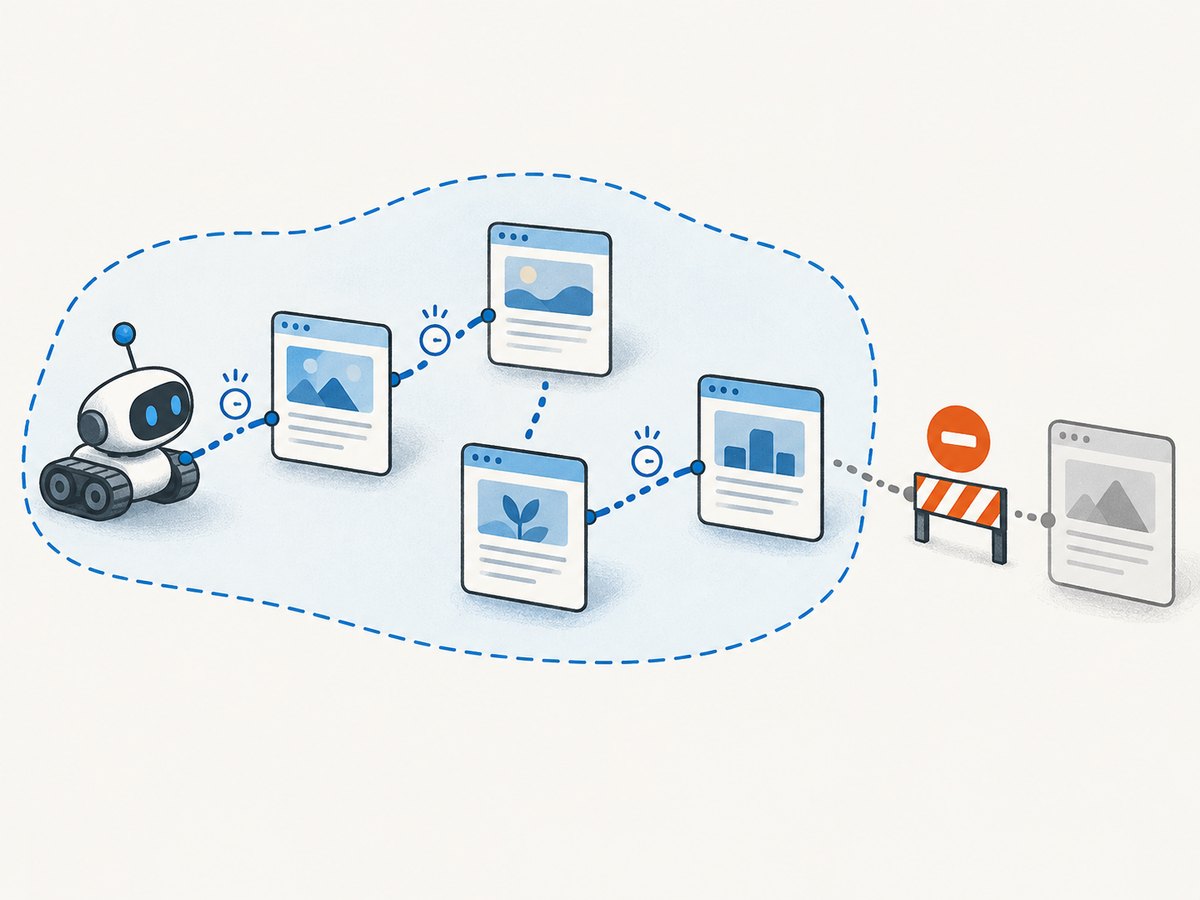
Markup changes are inevitable. Prefer selectors based on meaningful structure over long chains of classes. Validate a sample of extracted records, log pages with unexpectedly few results, and keep the source URL with every item so bad output can be traced. Normalize links with urljoin; maintain a visited set or rely on a framework’s duplicate filter. A missing next link is a normal stopping condition. Also set a maximum page count or depth when the site might contain loops or unbounded calendars.
For durable output, serialize one record per line as JSON Lines or write CSV with a declared schema. Avoid holding an entire large crawl in memory. Make output resumable where possible, and distinguish “page fetched but no matching records” from “request failed.”
4. Move to Scrapy for a managed multi-page crawl
Scrapy is the natural next step when a hand-written loop grows into scheduling, exports, retry policy, duplicate filtering, and crawl-wide settings. Its documentation describes it as “an application framework for crawling websites and extracting structured data.” Its tutorial covers spiders, CSS selection, response.follow, pagination, and duplicate requests.
Install it in a project environment and create a project:
python -m pip install scrapy
scrapy startproject quotes_project
cd quotes_project
scrapy genspider quotes quotes.toscrape.com
Put this spider in quotes_project/spiders/quotes.py:
import scrapy


class QuotesSpider(scrapy.Spider):
    name = "quotes"
    allowed_domains = ["quotes.toscrape.com"]
    start_urls = ["https://quotes.toscrape.com/"]

    custom_settings = {
        "ROBOTSTXT_OBEY": True,
        "CONCURRENT_REQUESTS_PER_DOMAIN": 1,
        "DOWNLOAD_DELAY": 1.0,
        "AUTOTHROTTLE_ENABLED": True,
        "AUTOTHROTTLE_START_DELAY": 1.0,
        "AUTOTHROTTLE_MAX_DELAY": 30.0,
        "AUTOTHROTTLE_TARGET_CONCURRENCY": 1.0,
        "DEPTH_LIMIT": 5,
        "FEEDS": {"quotes.jsonl": {"format": "jsonlines"}},
    }

    def parse(self, response):
        for card in response.css(".quote"):
            yield {
                "quote": card.css(".text::text").get(),
                "author": card.css(".author::text").get(),
                "tags": card.css(".tags .tag::text").getall(),
                "source_page": response.url,
            }

        next_href = response.css("li.next a::attr(href)").get()
        if next_href:
            yield response.follow(next_href, callback=self.parse)
Run it with scrapy crawl quotes. Scrapy’s scheduler and duplicate filtering manage repeated requests; the depth limit bounds link-following. Start conservatively. CONCURRENT_REQUESTS limits overall simultaneous downloads, CONCURRENT_REQUESTS_PER_DOMAIN limits those aimed at one domain, and DOWNLOAD_DELAY sets a minimum gap. AutoThrottle adjusts delays using response latency while honoring configured limits. Scrapy does not automatically apply robots.txt Crawl-delay and Request-rate directives as download settings, so translate those directives yourself.
Useful official references: Scrapy tutorial, settings reference, AutoThrottle, and robots.txt support.
5. Use Playwright when the browser is part of the requirement
Move to Playwright when a page’s content only appears after JavaScript runs, a control must be clicked, or the target state depends on a dialog or browser flow. Install the package and its Chromium browser:
python -m pip install playwright
playwright install chromium
This runnable example waits for a meaningful selector instead of sleeping for an arbitrary duration. Use it on a page you are allowed to access; change the selector to the content container you need.
from playwright.sync_api import sync_playwright
from bs4 import BeautifulSoup

URL = "https://quotes.toscrape.com/js/"

with sync_playwright() as p:
    browser = p.chromium.launch()
    page = browser.new_page()
    response = page.goto(URL, wait_until="domcontentloaded", timeout=30000)
    if response and response.status >= 400:
        raise RuntimeError(f"HTTP {response.status} for {page.url}")

    page.locator(".quote").first.wait_for(state="visible", timeout=15000)
    html = page.content()
    soup = BeautifulSoup(html, "lxml")
    for card in soup.select(".quote"):
        quote = card.select_one(".text")
        author = card.select_one(".author")
        print({
            "quote": quote.get_text(" ", strip=True) if quote else None,
            "author": author.get_text(" ", strip=True) if author else None,
            "source_page": page.url,
        })
    browser.close()
Playwright locators auto-wait and retry, and locator.wait_for can wait for visible, attached, hidden, or detached states. Prefer a selector or state that proves the data is ready. “Network idle” can be a poor readiness signal on pages with analytics or long-lived connections; fixed sleeps are slow when unnecessary and still flaky when too short. If the browser reveals a JSON request that contains the desired data, inspect whether that endpoint is a documented, permitted interface and use it directly when appropriate.
For crawling many browser-rendered pages, control concurrency more tightly than with lightweight HTTP requests. Reuse a browser process and create isolated contexts or pages thoughtfully; close them even when errors occur. Keep browser workers bounded by memory and CPU, and add per-host rate limits. A browser is not a way around access controls or bot protections.
6. Check robots.txt and pace the crawl
Python’s standard library can check whether a user agent may fetch a URL according to robots.txt. This check is only one input to a broader review of site terms, access controls, privacy, and applicable law.
from urllib.robotparser import RobotFileParser
from urllib.parse import urlparse

url = "https://example.org/catalog/page/2"
parts = urlparse(url)
robots_url = f"{parts.scheme}://{parts.netloc}/robots.txt"
robots = RobotFileParser(robots_url)
robots.read()

user_agent = "ExampleResearchCrawler"
if not robots.can_fetch(user_agent, url):
    raise SystemExit(f"robots.txt disallows {url}")
Use a delay appropriate to site instructions and observed response behavior. Keep concurrency low until you have evidence the site tolerates more. Watch for 429 and 503 responses, rising latency, repeated retries, or challenge pages; slow down or stop rather than retrying aggressively. Scrapy’s optimization guidance recommends reading robots.txt, preferring APIs and bulk exports, and increasing concurrency gradually.
7. Troubleshooting common crawler failures
| Symptom | Likely cause | Response |
|---|---|---|
| HTML has no target data | Data is rendered by JavaScript, or the wrong URL/response was fetched. | Inspect the response body and status. Look for a permitted API; otherwise use Playwright and wait for the content selector. |
ReadTimeout or connection errors |
Slow host, transient network issue, or overly short timeout. | Set connect/read timeouts, retry a small bounded number of times with backoff, and record the URL. Don’t retry indefinitely. |
| HTTP 403 or challenge page | The site denied the request or requires a supported access path. | Review site rules and use its API/export or request permission. Do not attempt to evade the restriction. |
| HTTP 429 or 503 | Rate limiting or service overload. | Reduce concurrency, add delay, honor any retry guidance, and pause if errors continue. |
| Empty extracted fields | Selector mismatch, changed markup, or delayed content. | Save a small HTML sample, inspect the DOM, make fields optional, and wait for a meaningful browser selector if needed. |
| Repeated pages or endless crawl | URL variants, pagination loops, calendar links, or missing deduplication. | Normalize URLs, track visited pages, restrict allowed domains, and set depth/page limits. |
| Playwright timeout | Selector never appears, navigation is slow, or the wait condition is wrong. | Check the final URL and page content, wait on the actual data container, and set a bounded timeout. |
| Browser install or launch error | Playwright package installed without its browser binary, or missing runtime dependencies. | Run playwright install chromium; on supported Linux environments install the documented system dependencies. |
8. Performance, reliability, and cost choices
- Use HTTP first. Requests avoids browser startup and rendering overhead, so it is generally simpler and lighter for server-rendered pages. Measure your own workload; no fixed speed ratio applies to all sites.
- Bound every resource. Set timeouts, retry limits, queue/depth limits, per-domain concurrency, and output size expectations. Unbounded crawls can consume local resources and burden a site.
- Retry selectively. Retry transient network failures and selected temporary server errors with capped exponential backoff. Don’t blindly retry permanent client errors, or turn rate limits into more load.
- Make runs observable. Record requested and final URLs, status codes, elapsed time, item counts, retries, and errors. Keep representative failed HTML or screenshots only where permitted and safe to store.
- Use caching and checkpoints. Avoid downloading unchanged pages repeatedly when the site and your use case permit caching. Save progress so a stopped crawl can resume without duplicating work.
- Browser capacity is finite. Browser contexts and pages consume more memory and CPU than HTTP requests. Limit concurrent browser jobs and close resources in
finallyblocks in production code.
For a beginner getting comfortable with Python, the official Scrapy tutorial names Automate the Boring Stuff with Python as a useful book. Verify the current edition before purchasing.
9. Or skip the browser setup
If you need a screenshot as an output of your workflow rather than a crawler that extracts structured records, ScreenshotNeo is a website screenshot API and MCP server. One GET request returns a PNG, JPEG, WebP, or PDF; see the API documentation. This example saves a WebP screenshot:
import requests

r = requests.get(
    "https://api.screenshotneo.com/v1/shot",
    params={"access_key": "YOUR_API_KEY", "url": "https://stripe.com"},
    timeout=90,
)
r.raise_for_status()
open("shot.webp", "wb").write(r.content)
ScreenshotNeo removes cookie and consent banners, newsletter popups, and chat widgets before capture; each step can be turned off. Bot checks, blank pages, timeouts, failed loads, and cache hits cost nothing, and response headers identify the page verdict and billing status. Its MCP server gives AI agents tools to take screenshots, get page information, and capture PDFs. The free plan includes 1,000 screenshots a month with no card; paid plans start at $5 for 3,000. Every feature is on every plan.
Sign up for 1,000 free screenshots a month, with no card required.
10. FAQ
Can Requests scrape a JavaScript website?
Requests can fetch the server response, but it does not execute JavaScript. If the requested data is absent from that response, use an allowed data endpoint or a browser tool such as Playwright.
Do I need Beautiful Soup with Scrapy?
No. Scrapy has selectors and extraction support. Beautiful Soup remains useful in standalone scripts or when you already have HTML to parse.
When should I migrate from Requests to Playwright?
When inspection confirms the required content or interaction depends on browser execution. A JavaScript framework alone is not sufficient reason if the response already contains the data.
Is a robots.txt allow rule permission to collect everything?
No. Treat it as one signal. Review site terms, access controls, privacy implications, and applicable law, and prefer an API or export when available.
Can a screenshot replace a crawler?
A screenshot captures visual output. It does not by itself provide structured records, link scheduling, deduplication, or a data pipeline; use a crawler for those tasks.


