Python: A Developer Guide
A practical Python guide covering setup, syntax, data structures, packages, testing, async code, performance, and production habits.

Python is a readable, general-purpose language with a large standard library and a mature package ecosystem. This guide takes you from installing an isolated interpreter to writing maintainable scripts and services. The examples target Python 3.14-era behavior; check the official documentation for release-specific details.
The official tutorial is intended for programmers who are new to Python, rather than people who are new to programming. It is an introduction, not a complete language or library reference. Use the tutorial to learn concepts, the language reference for exact syntax and semantics, and the standard-library reference to look up built-in modules.
1. Install Python and create a project
Check the interpreter
python3 --version
python3 -c "import sys; print(sys.executable)"
On Windows, the launcher is commonly py:
py --version
py -3.14 -c "import sys; print(sys.executable)"
Use a virtual environment
The Python installation guide identifies venv as the standard virtual-environment tool and pip as the preferred installer. A virtual environment keeps project dependencies separate from the operating system and from other projects.
mkdir hello-python
cd hello-python
python3 -m venv .venv

# macOS/Linux
source .venv/bin/activate

# Windows PowerShell
.venv\Scripts\Activate.ps1

python -m pip install --upgrade pip
On Linux, avoid modifying the distribution-managed system Python. The official guide warns that package changes there can interfere with software managed by the operating system.
Record dependencies
python -m pip install requests
python -m pip freeze > requirements.txt
python -m pip install -r requirements.txt
Use python -m pip instead of a bare pip when you want to guarantee that pip belongs to the interpreter you selected.
2. Run a complete Python program
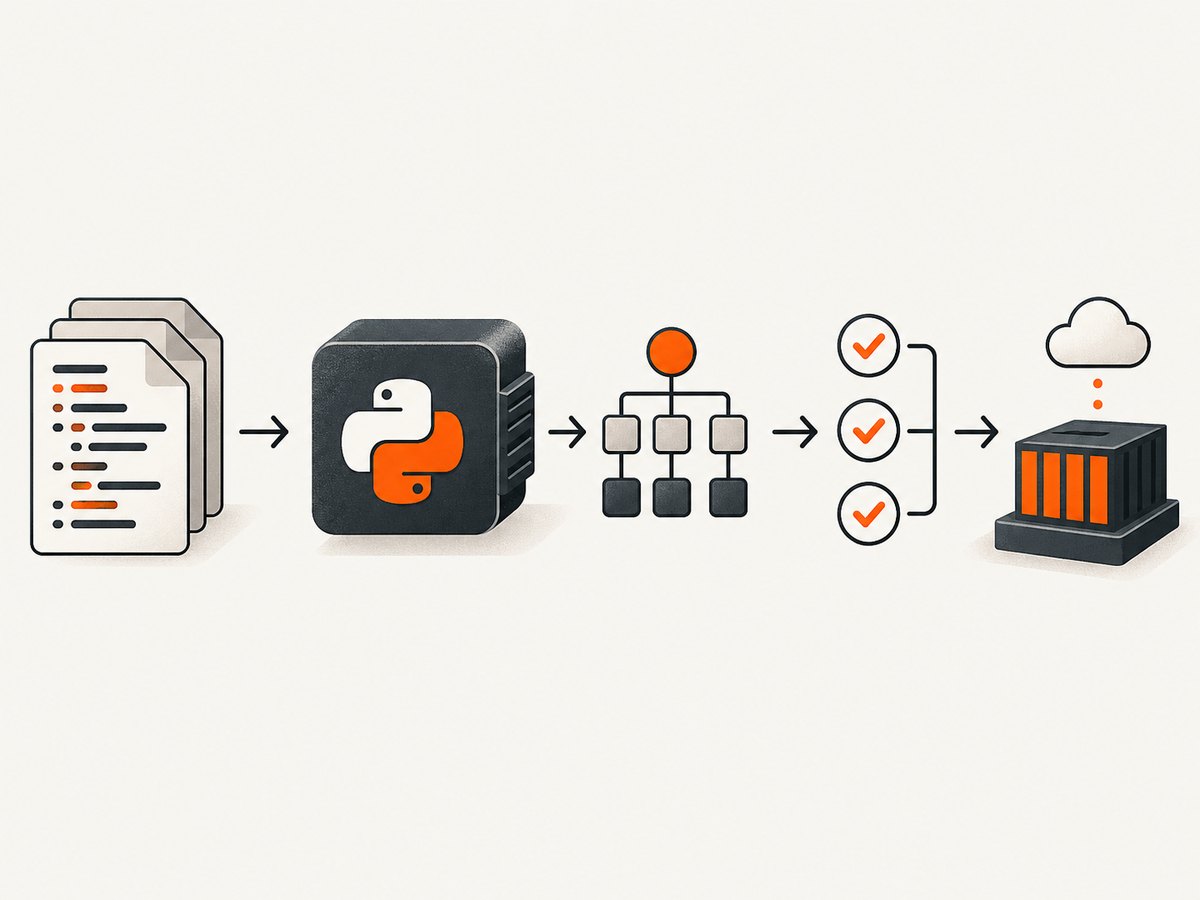
Save this as report.py. It reads a CSV file, validates rows, calculates a summary, and writes JSON. It demonstrates functions, type hints, exceptions, context managers, comprehensions, and a command-line entry point.
from __future__ import annotations

import argparse
import csv
import json
from dataclasses import dataclass, asdict
from pathlib import Path


@dataclass(frozen=True)
class Sale:
    product: str
    quantity: int
    unit_price: float

    @property
    def total(self) -> float:
        return self.quantity * self.unit_price


def read_sales(path: Path) -> list[Sale]:
    sales: list[Sale] = []
    with path.open(newline="", encoding="utf-8") as stream:
        for line_number, row in enumerate(csv.DictReader(stream), start=2):
            try:
                quantity = int(row["quantity"])
                unit_price = float(row["unit_price"])
                if quantity < 0 or unit_price < 0:
                    raise ValueError("values must be non-negative")
                sales.append(Sale(row["product"], quantity, unit_price))
            except (KeyError, TypeError, ValueError) as exc:
                raise ValueError(f"invalid row {line_number}: {exc}") from exc
    return sales


def build_report(sales: list[Sale]) -> dict[str, object]:
    by_product: dict[str, float] = {}
    for sale in sales:
        by_product[sale.product] = by_product.get(sale.product, 0.0) + sale.total
    return {
        "items": len(sales),
        "revenue": round(sum(sale.total for sale in sales), 2),
        "by_product": {name: round(value, 2) for name, value in by_product.items()},
    }


def main() -> None:
    parser = argparse.ArgumentParser(description="Summarize sales CSV data")
    parser.add_argument("input", type=Path)
    parser.add_argument("output", type=Path)
    args = parser.parse_args()
    report = build_report(read_sales(args.input))
    args.output.write_text(json.dumps(report, indent=2) + "\n", encoding="utf-8")


if __name__ == "__main__":
    main()
Run it with a file containing product,quantity,unit_price columns:
python report.py sales.csv report.json3. Core syntax and data types
Names, expressions, and indentation
Python uses indentation to delimit blocks. Four spaces per level is the conventional style. Names are case-sensitive, and statements normally end at a newline.
name = "Ada"
age = 36
if age >= 18:
    message = f"{name} is an adult"
else:
    message = f"{name} is a minor"
print(message)
Use # for comments. Prefer clear names and small functions over dense one-liners.
Built-in collections
numbers = [1, 2, 3]                 # mutable list
point = (10, 20)                     # immutable tuple
unique = {"python", "api"}          # set
user = {"name": "Ada", "active": True}  # dictionary

squares = [n * n for n in numbers]
active_names = [u["name"] for u in [user] if u["active"]]
lookup = {n: n * n for n in numbers}
Lists preserve order and support mutation. Tuples are useful for fixed records. Sets remove duplicates and provide fast membership checks. Dictionaries map hashable keys to values.
Truthiness, equality, and identity
Empty strings, collections, zero, and None are falsey. Use == for value equality and is for identity checks, especially value is None.
if not results:
    print("No results")
if token is None:
    raise ValueError("token is required")
Strings and bytes
title = "Python"
print(title.lower(), title.upper(), title[0], title[1:4])
encoded = title.encode("utf-8")
decoded = encoded.decode("utf-8")
Text is represented by str; binary data such as an image response belongs in bytes. Always specify an encoding when reading or writing files that cross systems.
4. Functions, typing, and errors
Functions and arguments
def greet(name: str, *, punctuation: str = "!") -> str:
    return f"Hello, {name}{punctuation}"

print(greet("Ada"))
print(greet("Linus", punctuation="."))
Positional-only and keyword-only parameters can make APIs harder to misuse. Default values are evaluated once, so do not use a mutable object as a default:
def add_item(item: str, items: list[str] | None = None) -> list[str]:
    if items is None:
        items = []
    items.append(item)
    return items
Type hints
Annotations document intent and enable static checkers, editors, and API generators. Python does not enforce most annotations at runtime. Use built-in generics such as list[str] on modern Python versions.
Exceptions
try:
    value = int(input("Number: "))
except ValueError as exc:
    print(f"Please enter an integer: {exc}")
else:
    print(value * 2)
finally:
    print("Finished")
Catch the narrowest exception you can handle. Let unexpected exceptions reach a top-level handler or your process supervisor so they are visible.
5. Modules, packages, and configuration
A module is a .py file. A package is a directory of modules, typically containing an __init__.py file or using namespace-package rules. Import code by module name, not by executing a file path from an arbitrary working directory.
# math_utils.py
def clamp(value: float, low: float, high: float) -> float:
    return max(low, min(value, high))

# app.py
from math_utils import clamp
print(clamp(12, 0, 10))
Keep application startup behind if __name__ == "__main__" so importing a module does not unexpectedly run it.
Read secrets from environment variables or a secret manager, never from source control:
import os

api_key = os.environ["SERVICE_API_KEY"]
timeout = float(os.getenv("SERVICE_TIMEOUT", "30"))
6. Files, JSON, HTTP, and resources
Files and paths
from pathlib import Path

config_path = Path("config.json")
config_path.write_text('{"debug": true}\n', encoding="utf-8")
data = config_path.read_text(encoding="utf-8")
pathlib is portable across operating systems. Use with for files and other resources so they close even when an exception occurs.
HTTP requests
import requests

response = requests.get("https://example.com", timeout=20)
response.raise_for_status()
print(response.text[:200])
Set explicit connect/read timeouts, check status codes, and avoid logging credentials or full response bodies by default.
7. Classes, dataclasses, and protocols
Use a class when state and behavior belong together. For simple records, dataclasses remove repetitive initialization code.
from dataclasses import dataclass

@dataclass
class RetryPolicy:
    attempts: int = 3
    backoff_seconds: float = 1.0

    def delay(self, attempt: int) -> float:
        return self.backoff_seconds * (2 ** (attempt - 1))
Favor composition and small interfaces over deep inheritance. Structural protocols can describe the methods a dependency needs without forcing a shared base class.
8. Iterators, generators, and context managers
Iterators produce values lazily, which limits memory use for large inputs. A generator function uses yield:
def nonempty_lines(path: str):
    with open(path, encoding="utf-8") as stream:
        for line in stream:
            line = line.strip()
            if line:
                yield line

for line in nonempty_lines("events.log"):
    print(line)
Context managers define setup and cleanup around a with block. Files, locks, database transactions, and temporary directories commonly use this protocol.
9. Concurrency and asynchronous code
Choose the model based on the workload. Sequential code is simplest. Threads can overlap blocking I/O. Processes can use multiple CPU cores for independent Python work. asyncio is useful when many operations spend time waiting on asynchronous I/O.
import asyncio

async def fetch(name: str, delay: float) -> str:
    await asyncio.sleep(delay)
    return name

async def main() -> None:
    results = await asyncio.gather(fetch("first", 0.2), fetch("second", 0.1))
    print(results)

asyncio.run(main())
Do not call blocking libraries directly inside an event loop. Use an async client or move blocking work to an executor.
10. Testing, formatting, and quality checks
Put tests near the behavior they protect. The standard library includes unittest; many teams also use third-party runners and linters installed in the project environment.
import unittest
from report import build_report, Sale

class ReportTests(unittest.TestCase):
    def test_revenue(self):
        result = build_report([Sale("book", 2, 5.0)])
        self.assertEqual(result["revenue"], 10.0)

if __name__ == "__main__":
    unittest.main()
python -m unittest discover
python -m compileall .Use automated formatting and linting consistently in local development and continuous integration. Keep tests deterministic: control clocks, random seeds, network calls, and temporary files.
11. Packaging and deployment checklist
- Declare the supported Python versions.
- Build and test in a fresh virtual environment.
- Pin or constrain dependencies according to your release policy.
- Keep secrets and environment-specific settings outside the package.
- Log useful context without credentials or personal data.
- Set timeouts and retries for every network dependency.
- Run static checks and tests before publishing.
- Document the command that starts the application.
For reusable libraries, add project metadata, a license, a README, tests, and a reproducible build configuration. For services, also define health checks, graceful shutdown, resource limits, and a rollback path.
12. Performance, reliability, and security
Performance
- Measure before optimizing; use representative inputs.
- Choose appropriate data structures: sets and dictionaries provide efficient average-case membership and lookup.
- Stream large files with iterators instead of loading everything into memory.
- Batch network and database operations where the API supports it.
- Cache only data with a clear invalidation rule and bounded memory use.
Reliability
- Use deadlines, bounded retries, and exponential backoff with jitter.
- Make retried operations idempotent or attach an idempotency key.
- Validate external input at the boundary and return actionable errors.
- Capture structured logs and metrics for latency, failures, and queue depth.
Security
- Validate paths, URLs, headers, and uploaded content before use.
- Avoid
eval,exec, and unsafe deserialization of untrusted data. - Keep dependencies updated and review transitive packages.
- Use least-privilege credentials and rotate secrets.
- Escape output according to its destination, such as HTML, SQL, a shell, or a log.
13. Troubleshooting common Python problems
| Error or symptom | Likely cause | Fix |
|---|---|---|
command not found: python |
The executable is named python3, or Python is not on PATH. |
Use python3 or the Windows py launcher and verify the installation. |
ModuleNotFoundError |
The dependency is absent or installed into another interpreter. | Activate the project venv and run python -m pip install package. |
ImportError after naming a local file |
A file shadows a standard or third-party module. | Rename files such as json.py or requests.py, then remove stale __pycache__ files. |
IndentationError |
Mixed tabs/spaces or a block with inconsistent indentation. | Configure the editor for four spaces and reformat the affected block. |
| Changes disappear between runs | A relative path is resolved from a different working directory. | Print Path.cwd() and construct paths from a known project or configuration root. |
| Async code hangs | A blocking call is running on the event-loop thread. | Use an async client or move the blocking call to a worker. |
| Requests hang indefinitely | No network timeout was supplied. | Pass explicit connect and read timeouts and handle timeout exceptions. |
14. Or skip the browser setup
If your Python project needs screenshots, you can automate a browser yourself with a headless framework, wait for page state, handle consent dialogs, and manage failures. ScreenshotNeo provides a single HTTP endpoint for a clean PNG, JPEG, WebP, or PDF. It accepts consent banners before capture and removes more than 60 known consent platforms, newsletter popups, and chat widgets. Bot checks, blank pages, timeouts, failed loads, and cache hits are not billed, and response headers identify the page verdict and billing result.

See the ScreenshotNeo API documentation for all options. The same request works from cURL, Python, or Node.js:
curl -G "https://api.screenshotneo.com/v1/shot" -d access_key=YOUR_API_KEY --data-urlencode url=https://stripe.com -o shot.webpimport requests
r = requests.get("https://api.screenshotneo.com/v1/shot", params={"access_key": "YOUR_API_KEY", "url": "https://stripe.com"}, timeout=90)
r.raise_for_status()
open("shot.webp", "wb").write(r.content)const q = new URLSearchParams({ access_key: 'YOUR_API_KEY', url: 'https://stripe.com' });
const res = await fetch(`https://api.screenshotneo.com/v1/shot?${q}`);
if (!res.ok) throw new Error(`HTTP ${res.status}`);
const fs = await import('node:fs/promises');
await fs.writeFile('shot.webp', Buffer.from(await res.arrayBuffer()));Options include full-page or CSS-element capture, dark mode, device presets, custom viewports, retina scale, PDF paper settings, custom CSS and JavaScript, clicks, selector waits, delays, network-idle waits, request blocking, headers, cookies, user agents, authorization, timezone, geolocation, transparent backgrounds, resizing, cache TTLs, signed links, async webhooks, bulk capture, and a usage API. An MCP server lets Claude, Cursor, and other MCP clients call take_screenshot, get_page_info, and capture_pdf.
The Free plan includes 1,000 screenshots each month with no card. Paid plans start at $5 for 3,000 shots; every feature is available on every plan. Create a free ScreenshotNeo account.
15. Short FAQ
Which Python version should a new project use?
Use a currently supported release compatible with your dependencies, then record that choice in project metadata and CI. The documentation index researched for this guide identifies Python 3.14.7; version-sensitive behavior should be checked against the release you deploy.
Do I need a framework to write Python?
No. Start with the interpreter and standard library. Add a framework when your application needs its routing, lifecycle, or integration conventions.
When should I use a list versus a generator?
Use a list when you need repeated access or the complete collection. Use a generator when values can be processed once and the input may be large.
Is Python pass-by-reference?
Python passes object references by assignment. A function can mutate a mutable object passed to it, but rebinding the local name does not rebind the caller’s name.
Where should I look when the tutorial is not enough?
Use the formal language reference for exact semantics, the standard-library reference for module behavior, and the installation guide for environments and packages. The official tutorial also points readers toward those references and books for deeper study.


