Python Libraries for Converting HTML to PDF
Compare WeasyPrint, xhtml2pdf and wkhtmltopdf, with runnable Python examples, deployment guidance, troubleshooting and security advice.
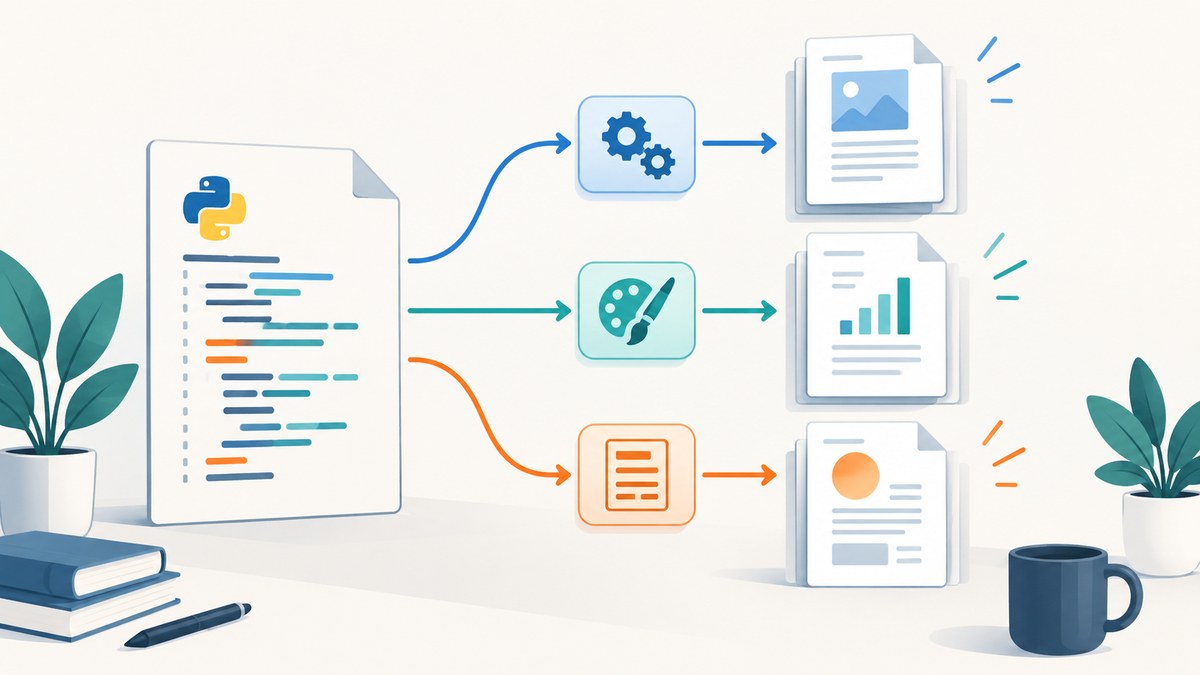
Short answer: Start with WeasyPrint for new print-oriented documents that depend on modern CSS and paged-media rules. Choose xhtml2pdf when you want a mostly Python, ReportLab-backed API with explicit metadata, encryption, signatures and resource controls. Use wkhtmltopdf when you specifically need its older WebKit rendering path, and isolate it carefully when HTML or JavaScript is untrusted.
This guide compares the three approaches, shows complete working examples, explains external assets and authentication, and covers deployment, security, performance and failure diagnosis.
Choose a library by rendering requirements
| Option | Best fit | Strengths | Constraints |
|---|---|---|---|
| WeasyPrint | Print-oriented reports and invoices using modern CSS | Paged-media CSS, hyperlinks, bookmarks, attachments, forms, SVG and raster images | Requires current Python dependencies and Pango; default fetching does not provide advanced cookies or authentication |
| xhtml2pdf | Python applications that prefer a ReportLab-backed API | pisa.CreatePDF(), file or in-memory output, metadata, encryption, signatures and resource policy |
HTML5, CSS 2.1 and some CSS 3; a rendering backend such as PyCairo is required by current releases |
| wkhtmltopdf | Workloads tied to its WebKit command-line renderer | Standalone binary with platform downloads | Stable 0.12.6 series dates from 2020; the project warns not to process untrusted HTML or JavaScript without sanitization |
There is no authoritative cross-project benchmark for universal speed or fidelity. Test with representative documents: long tables, custom fonts, SVG, right-to-left text, remote images and the slowest pages in your workload.

1. WeasyPrint: the first candidate for modern CSS
WeasyPrint is a Python HTML/CSS-to-PDF engine designed for print output. Its documented flow is HTML(...).write_pdf(...). Current documentation lists Python 3.10 or newer and Pango 1.44 or newer among the requirements. It supports hyperlinks, bookmarks, attachments, forms, SVG and raster images.
Install and render a string
python -m venv .venv
. .venv/bin/activate
pip install weasyprint
from weasyprint import HTML
html = '''
Quarterly report
Generated from an HTML template.
Item Amount Hosting $120
Total: $120
'''
HTML(string=html, base_url='.').write_pdf('report.pdf')Set base_url when your HTML uses relative CSS, image or font URLs. For a file, use HTML(filename='template.html').write_pdf('report.pdf'). To return bytes from a web application, call HTML(string=html, base_url=base_url).write_pdf() without a destination.
External resources, cookies and authentication
The default URL fetcher can read file and HTTP URLs, but it does not implement advanced cookies or authentication. For protected assets, provide a controlled fetcher that adds credentials only to approved hosts. Do not pass arbitrary user URLs to a fetcher that can reach internal services.
from weasyprint import HTML, default_url_fetcher

ALLOWED_HOSTS = {'static.example.com'}

def fetcher(url, timeout=10, ssl_context=None):
    from urllib.parse import urlparse
    host = urlparse(url).hostname
    if host not in ALLOWED_HOSTS:
        raise ValueError('resource host is not allowed')
    result = default_url_fetcher(url, timeout=timeout, ssl_context=ssl_context)
    return result

HTML(string=html, url_fetcher=fetcher, base_url='https://static.example.com/').write_pdf('report.pdf')
In production, prefer local, immutable assets or a narrowly scoped fetcher. Validate content types, set timeouts and avoid allowing file URLs unless they are required.
Useful CSS for pagination
@pagecontrols paper size, margins and named pages.break-before,break-afterandbreak-inside: avoidkeep headings and totals together.thead { display: table-header-group; }repeats table headers on new pages.- Use explicit widths and tested font stacks for predictable wrapping.
- Embed or package fonts with the deployment rather than depending on a developer workstation.
2. xhtml2pdf: a ReportLab-backed Python API
xhtml2pdf uses Python, ReportLab, html5lib and pypdf. Its quickstart API is pisa.CreatePDF(), writing to a file-like object or an in-memory buffer. Current project guidance recommends the PyCairo extra/backend for ReportLab rendering.
Write a PDF file
python -m venv .venv
. .venv/bin/activate
pip install xhtml2pdf
# If your platform needs it, install the current PyCairo extra described by the project.
from pathlib import Path
from xhtml2pdf import pisa
html = '''
Invoice 1042
Payment due in 30 days.
'''
with Path('invoice.pdf').open('wb') as output:
status = pisa.CreatePDF(html, dest=output)
if status.err:
raise RuntimeError('xhtml2pdf could not create the PDF')Return bytes from an API endpoint
from io import BytesIO
from xhtml2pdf import pisa

def html_to_pdf_bytes(html: str) -> bytes:
    buffer = BytesIO()
    result = pisa.CreatePDF(html, dest=buffer)
    if result.err:
        raise ValueError('invalid HTML or an unavailable resource')
    return buffer.getvalue()
Use the project’s documented controls when you need PDF metadata, encryption, signatures, resource policies or configurable error handling. Verify the exact option names against the version installed in your environment.
3. wkhtmltopdf: use the WebKit command-line path deliberately
wkhtmltopdf is a standalone command-line converter rather than a Python rendering library. The official downloads page identifies the 0.12.6 series as stable, released on 2020-06-11. Its rendering behavior differs from current browser engines, so validate CSS and JavaScript behavior with your actual templates.
Run the binary
wkhtmltopdf template.html output.pdfimport subprocess
from pathlib import Path
def convert(input_file: str, output_file: str) -> None:
completed = subprocess.run(
['wkhtmltopdf', '--quiet', input_file, output_file],
check=False,
capture_output=True,
text=True,
timeout=90,
)
if completed.returncode != 0:
raise RuntimeError(completed.stderr.strip() or 'wkhtmltopdf failed')
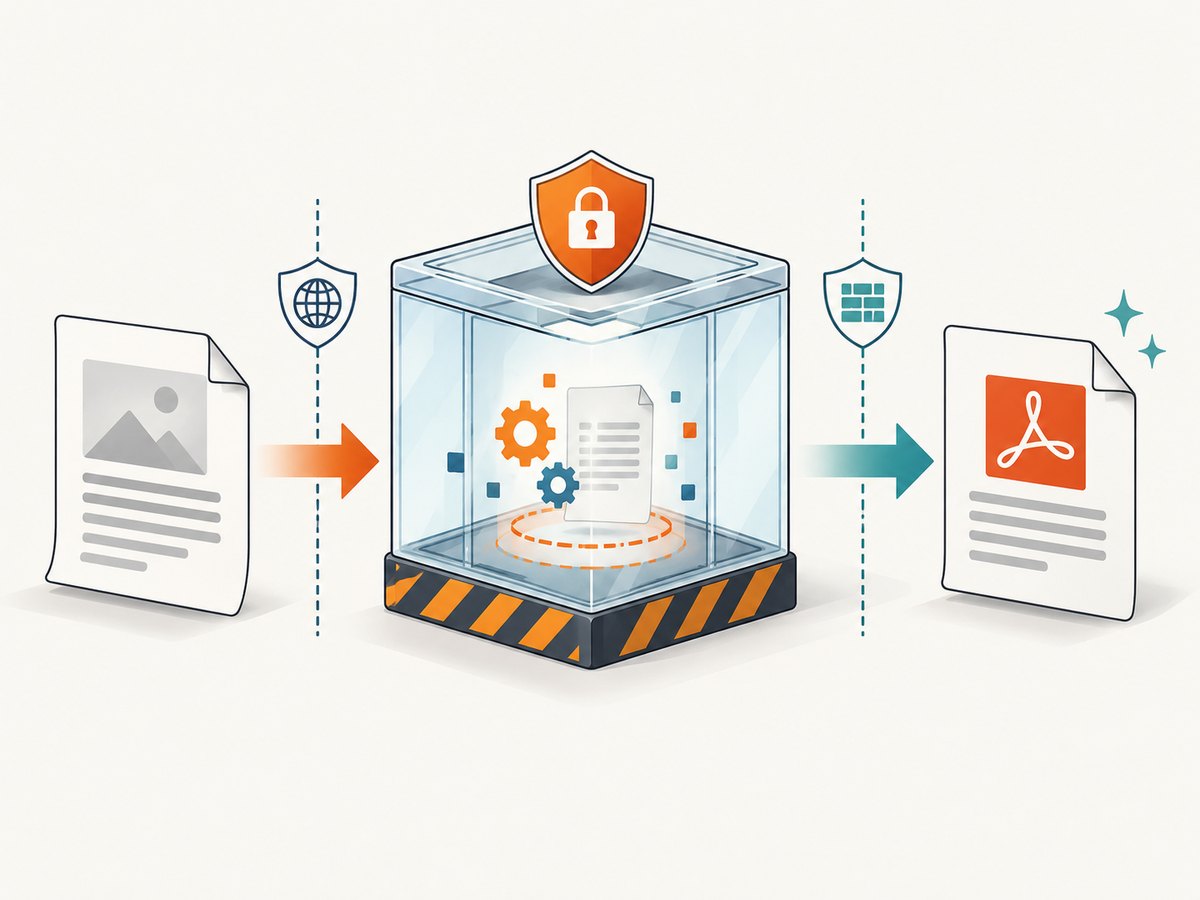
convert('template.html', 'output.pdf')The official project warning is explicit: do not use wkhtmltopdf with untrusted HTML. Treat HTML and JavaScript as code. Sanitize input, run the converter in a restricted container, deny unnecessary network access and use resource limits.
How to select the right implementation
- Need paged CSS? Evaluate WeasyPrint first.
- Need ReportLab-oriented controls? Evaluate xhtml2pdf.
- Need an existing WebKit-specific rendering path? Isolate wkhtmltopdf and test its older engine.
- Need browser-only JavaScript behavior? None of these choices should be assumed equivalent to a current browser. Test the exact scripts and timing your document needs.
Assets, fonts and authenticated pages
Relative paths
Relative paths are resolved from the document base. Set WeasyPrint’s base_url, use absolute paths for command-line conversion, or package HTML, CSS, images and fonts in a known directory.
Remote images and stylesheets
Remote resources can fail because of DNS, TLS, redirects, missing permissions or timeouts. Pin assets where possible, log the final URL and status, and make missing non-critical images harmless. A converter should not wait indefinitely for a third-party tracker.
Cookies and authorization
Do not assume a converter shares your browser session. Pass credentials through a controlled fetcher or pre-download protected assets into a temporary, access-controlled directory. Remove temporary files after conversion.
Fonts and international text
Install the required font packages in the same image or host that runs conversion. Exercise Arabic, Hebrew, CJK, emoji and combining characters with real fixtures; missing fonts can change line wrapping and page count without raising an obvious error.
Security checklist for untrusted HTML
- Sanitize HTML and CSS and remove scripts unless they are required.
- Use an allowlist for external hosts and schemes.
- Deny access to metadata endpoints, local files and internal network ranges.
- Run wkhtmltopdf and any renderer in a sandboxed container with a non-privileged user.
- Set CPU, memory, process, page-count and wall-clock limits.
- Cap input size and reject decompression bombs or oversized images.
- Keep secrets out of HTML, CSS, URLs and logs.
Troubleshooting common failures
| Symptom | Likely cause | Fix |
|---|---|---|
ImportError or missing Pango/Cairo library |
Native dependency is absent | Install the platform packages required by the selected project, rebuild the deployment image and verify the runtime inside the same environment. |
| Images or CSS are missing | Wrong base directory, blocked URL or failed request | Set base_url, use absolute paths, allowlist the host and log resource failures. |
| Protected images return 401/403 | Default fetcher has no session or authorization | Use a controlled authenticated fetcher or prefetch the asset. |
| Fonts change page breaks | Font is unavailable or fallback metrics differ | Package the font, declare it explicitly and test in the production image. |
| JavaScript content is blank | Renderer does not execute it as a current browser would, or conversion occurs too early | Prefer server-rendered HTML, remove the dependency, or choose and isolate a browser-based workflow that you have tested. |
| Tables split badly | Pagination rules or unsupported CSS | Repeat table headers, add break-inside: avoid to small blocks and simplify layout rules. |
| wkhtmltopdf hangs | Network request, script or resource never completes | Set a process timeout, restrict network access and remove or mock the problematic resource. |
| xhtml2pdf reports an error status | Unsupported markup, CSS or resource failure | Check status.err, reduce the template to a minimal case and consult the installed version’s supported CSS. |
Performance, reliability and cost
Conversion time depends on document size, images, fonts, CSS complexity, network resources and process startup. Measure your own templates; the source projects do not publish a universal comparative benchmark.
- Reuse worker processes where safe to avoid repeated native startup.
- Cache immutable CSS, fonts and images locally.
- Set explicit timeouts for every external request and for the whole conversion.
- Queue large jobs and report progress instead of holding a web request open.
- Record renderer version, input size, page count, duration and failure reason.
- Use deterministic templates and pinned dependencies so a library upgrade does not silently change pagination.
Library licensing and hosting cost are only part of total cost. Include native packages, sandboxing, queue capacity, font licensing, storage and operational maintenance when comparing options.
Or skip the browser setup
If your actual requirement is obtaining a clean PDF or image of a public web page, ScreenshotNeo provides a single API request instead of maintaining a renderer. Cookie and consent banners are accepted and removed before capture, along with more than 60 known consent platforms, newsletter popups and chat widgets. Bot checks, blank pages, failed loads and cache hits are not billed, and response headers identify the page verdict and billing status. Its MCP server lets Claude, Cursor and other MCP clients use take_screenshot, get_page_info and capture_pdf.
See the ScreenshotNeo API documentation for all options. This is a complete request:
curl -G "https://api.screenshotneo.com/v1/shot" -d access_key=YOUR_API_KEY --data-urlencode url=https://stripe.com -o shot.webpimport requests
r = requests.get("https://api.screenshotneo.com/v1/shot", params={"access_key": "YOUR_API_KEY", "url": "https://stripe.com"}, timeout=90)
r.raise_for_status()
open("shot.webp", "wb").write(r.content)const q = new URLSearchParams({ access_key: 'YOUR_API_KEY', url: 'https://stripe.com' });
const res = await fetch(`https://api.screenshotneo.com/v1/shot?${q}`);
if (!res.ok) throw new Error(`HTTP ${res.status}`);
const image = Buffer.from(await res.arrayBuffer());ScreenshotNeo includes full-page capture, element selectors, dark mode, device presets, custom viewports, retina scale, PDF paper and margin controls, custom CSS and JavaScript, waits, request blocking, headers, cookies, user agents, timezone, geolocation, transparent backgrounds, resizing, selectable cache TTLs, signed links, asynchronous jobs, webhooks, bulk capture and a usage API. Every feature is on every plan. The Free plan includes 1,000 screenshots per month with no card; paid plans start at $5 for 3,000.
Create a free ScreenshotNeo account and start with 1,000 screenshots per month without a card.
FAQ
Which library should I try first?
Try WeasyPrint for a new, print-oriented document with modern CSS. Keep xhtml2pdf in consideration when its ReportLab-backed controls match your requirements.
Can these libraries convert any webpage exactly as Chrome displays it?
No. Their HTML, CSS and JavaScript support differs from current browsers. Build a fixture set from the pages you must support and compare generated PDFs during upgrades.
Is wkhtmltopdf obsolete?
It remains useful for workloads that require its WebKit path, but its documented stable series is old. Treat the security warning and rendering differences as deployment requirements.
How do I convert a Jinja or Django template?
Render the template to a complete HTML string first, provide a stable base URL for assets, then pass the result to WeasyPrint or xhtml2pdf. Keep user-controlled values escaped.
How can I make PDF output reproducible?
Pin the renderer and native dependencies, package fonts and assets, avoid live third-party requests, and compare page count and rendered fixtures in continuous integration.


