How to Build a Python Scraper for Clutch.co: B2B Listings, Ranked
Clutch’s terms prohibit scraping. Learn the authorized data routes, then build a complete Scrapy workflow against a source you’re allowed to crawl.

Clutch’s current Terms of Use prohibit manual or automated scraping, crawling, spidering, or indexing of its services. That means you should not build a Python crawler to collect Clutch listings unless you have permission under an applicable official access route. Clutch describes API access governed by separate API terms and an MCP service governed by its Terms of Use; neither description is blanket permission for every reader. Check eligibility, authorization, data-use limits, retention rules, and attribution requirements before using either route.
This guide shows the complete Python mechanics against a site you control, a sample page, or another source whose license permits crawling. The Scrapy project below extracts B2B-style listings, records category and location context, follows pagination, validates output, and exports JSON Lines and CSV. It does not target Clutch. Read Clutch’s Terms of Use before accessing its services; they were last updated July 13, 2026.
1. Choose an authorized way to get Clutch data
If your goal is Clutch data, begin with the source’s own access conditions, not a scraper. The general Terms of Use describe Clutch’s MCP service and say that an AI assistant may use MCP data to fulfill an individual end user’s specific research or discovery request under the terms, with prominent attribution and a link to the relevant profile or listing. Clutch also describes API access under separate API terms, which govern licensed access and restrict scraped content outside official APIs. Check the current documents and confirm your access and intended use directly; this article does not establish that access is open, free, or available to your account.
For a permitted source, write down these decisions before making requests:
- Source and authority: Which pages or API endpoints are licensed for collection? Who granted access, and what evidence of permission should your team retain?
- Purpose and scope: What decision will the dataset support? Which categories, regions, and fields are actually necessary?
- Use and retention: Can the data be stored, shared, combined with other data, or used for machine learning? Set a deletion date if the license or authorization requires one.
- Attribution and provenance: Preserve the source URL, collection time, and required attribution with every record.
- Stop conditions: Define how to respond to access-denied or rate-limit responses. Stop the job; do not work around a block.
Clutch’s Terms of Use include this prohibited-use item: “Use manual or automated software, devices, scripts, robots, or other means or processes to access, ‘scrape,’ ‘crawl,’ ‘spider,’ or index any web pages or any other portion of the Services.” Treat the published restriction as the controlling constraint for a crawler, and consult Clutch for an authorized route where appropriate. Source: Clutch Terms of Use.
2. Set up Scrapy for a permitted source
Scrapy is a Python framework for crawling permitted websites and turning responses into structured records. A selector can read fields from HTML; a spider decides which pages to request and which links to follow; an item pipeline can validate or transform extracted records; feed exports save results as CSV, JSON, or JSON Lines. See the official Scrapy selectors guide and feed exports documentation.
Install Scrapy in an isolated environment and create a project:
python -m venv .venv
# macOS or Linux:
. .venv/bin/activate
# Windows PowerShell:
# .venv\Scripts\Activate.ps1
python -m pip install --upgrade pip
python -m pip install Scrapy
scrapy startproject directory_project
cd directory_project
scrapy genspider providers example-permitted.test
Replace example-permitted.test and the sample selectors below with a domain and markup you are authorized to crawl. The reserved .test domain is an example placeholder, not a live source. For a real run, use a test fixture on a local server or substitute a permitted domain after checking its terms. Do not point this tutorial’s spider at Clutch.
3. Define a stable record schema
Design the output before parsing. In a directory, a company name without its category, geography, and source context is often ambiguous. Keep displayed position separate from a quality score, preserve labels exactly as presented, and make missing fields explicit. Avoid personal information unless it is authorized and needed for your purpose.
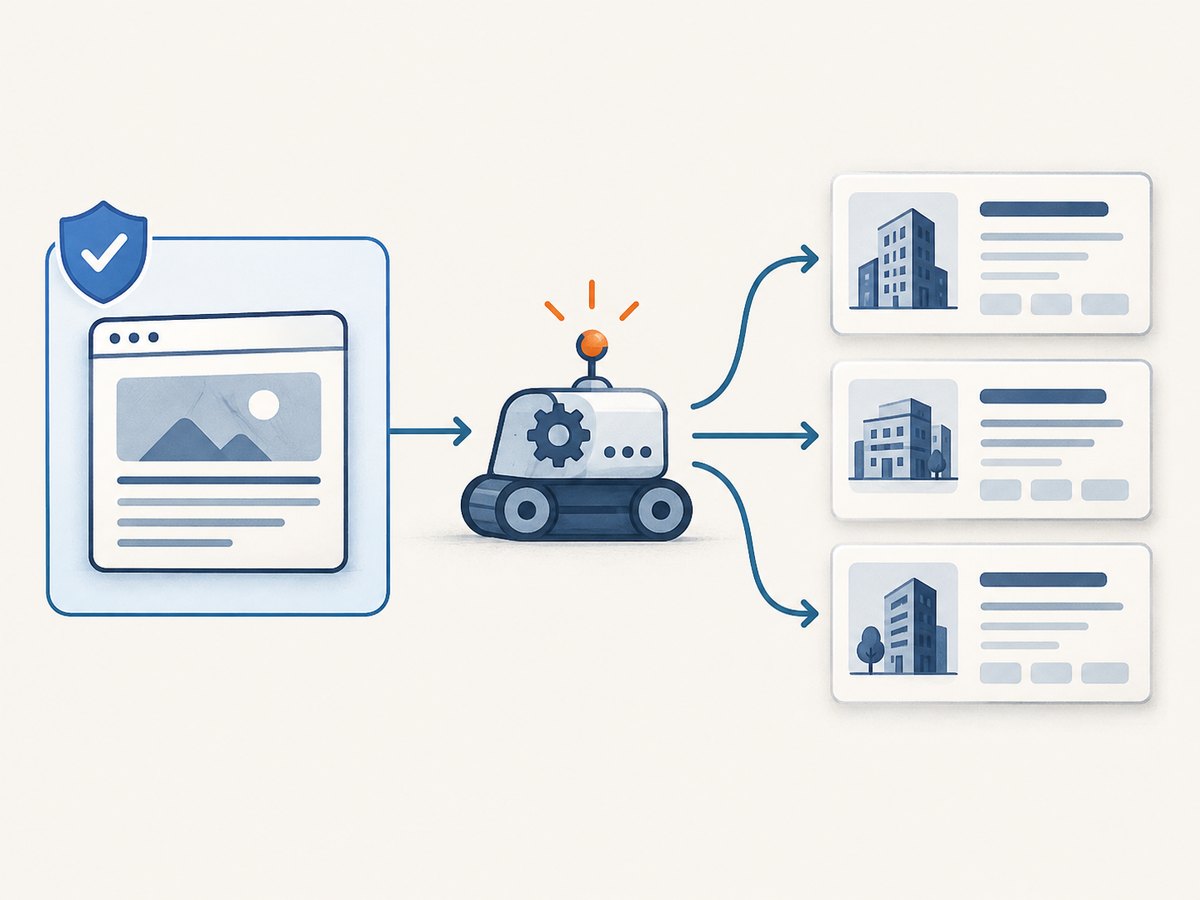
Create directory_project/spiders/providers.py with the following spider. The example assumes each permitted listing page has elements matching .provider-card, with child elements for name, profile link, category, location, sponsored or verified labels, and a next-page link. These are illustrative selectors; adjust them to the permitted page’s actual HTML.
import scrapy
from datetime import datetime, timezone
from urllib.parse import urljoin


class ProvidersSpider(scrapy.Spider):
    name = "providers"
    allowed_domains = ["example-permitted.test"]
    start_urls = ["https://example-permitted.test/directory"]

    custom_settings = {
        "ROBOTSTXT_OBEY": True,
        "CONCURRENT_REQUESTS_PER_DOMAIN": 1,
        "DOWNLOAD_DELAY": 2.0,
        "AUTOTHROTTLE_ENABLED": True,
        "AUTOTHROTTLE_START_DELAY": 2.0,
        "AUTOTHROTTLE_MAX_DELAY": 30.0,
        "AUTOTHROTTLE_TARGET_CONCURRENCY": 1.0,
        "FEEDS": {
            "output/providers-%(time)s.jsonl": {
                "format": "jsonlines",
                "encoding": "utf8",
                "overwrite": False,
            },
            "output/providers-%(time)s.csv": {
                "format": "csv",
                "encoding": "utf8",
                "overwrite": False,
            },
        },
    }

    def parse(self, response):
        collected_at = datetime.now(timezone.utc).isoformat()
        category_context = response.css("h1::text").get(default="").strip()
        location_context = response.css("[data-location]::attr(data-location)").get()

        for position, card in enumerate(response.css(".provider-card"), start=1):
            name = " ".join(card.css(".provider-name::text").getall()).strip()
            href = card.css("a.provider-name::attr(href)").get()
            labels = [
                text.strip()
                for text in card.css(".badge::text, .status::text").getall()
                if text.strip()
            ]
            if not name or not href:
                self.logger.warning("Skipping incomplete card at %s", response.url)
                continue

            yield {
                "provider_name": name,
                "profile_url": urljoin(response.url, href),
                "category_context": category_context or None,
                "location_context": location_context,
                "displayed_position": position,
                "labels": labels,
                "captured_at": collected_at,
                "source_url": response.url,
            }

        next_href = response.css("a[rel='next']::attr(href)").get()
        if next_href:
            yield response.follow(next_href, callback=self.parse)
The spider uses one request at a time per domain and a two-second starting delay. AutoThrottle adjusts delays based on response latency while respecting configured concurrency and minimum delay. The values are conservative starting settings for a small permitted crawl, not a license or a guarantee that a source considers them acceptable. Review the source’s documented rate limits and your authorization before choosing settings. Scrapy explains the controls in its AutoThrottle documentation.
4. Run the spider and inspect the data
Create the output directory, then run the spider:
mkdir -p output
scrapy crawl providers
The feed configuration writes timestamped JSON Lines and CSV files. JSON Lines is useful for streaming records and line-by-line validation; CSV is convenient for spreadsheet review. Scrapy supports several feed formats, including JSON, JSON Lines, CSV, and XML. For repeatable jobs, keep the spider version, start URL, collection time, authorization reference, and export location with the run metadata.
Check both the extraction and meaning of the output. Confirm that there is one record per visible listing, links resolve to the expected source, blank or missing fields are handled intentionally, labels are preserved, and the number of pages stayed within your planned bound. A simple local validation pass can catch schema problems:
import json
from pathlib import Path

path = next(Path("output").glob("*.jsonl"))
required = {"provider_name", "profile_url", "captured_at", "source_url"}
with path.open(encoding="utf-8") as stream:
    for line_number, line in enumerate(stream, start=1):
        row = json.loads(line)
        missing = required - row.keys()
        if missing:
            raise ValueError(f"Line {line_number} missing: {sorted(missing)}")
        if not row["profile_url"].startswith("https://"):
            raise ValueError(f"Unexpected profile URL on line {line_number}")
print("Validated", path)
For a site with a small number of fixed pages, set an explicit maximum page count or maintain an allowlist of paths. For a larger authorized crawl, make the boundary clear in the spider’s link-following rules and log every requested URL. Stop on denial, a rate-limit response, or any unexpected access block. A blocked response is a signal to pause and contact the source or your authorization contact, not to change identity, hide traffic, or keep retrying.
5. Adapt selectors without crossing access boundaries
CSS and XPath
CSS selectors are readable for common HTML structures: .provider-card selects cards by class and a::attr(href) extracts a link. XPath is useful when relationships or text conditions are more complex. Scrapy supports both. Inspect an authorized saved page or fixture and test candidate selectors in the Scrapy shell:
scrapy shell 'https://example-permitted.test/directory'
>>> response.css(".provider-card .provider-name::text").getall()
>>> response.xpath("//a[contains(@class, 'provider-name')]/@href").getall()
Do not assume one markup pattern covers every page. Listings may omit a location, use a different badge element, or include nested markup that splits text across nodes. Normalize whitespace with getall() and joining, handle absent values as None, and test against representative pages allowed by your source agreement.
Pagination
Follow only the pagination pattern that belongs to the permitted dataset. The example follows a single rel="next" link. Some sites use numbered links or cursor-based APIs; in those cases, implement the documented navigation and enforce a maximum page count. Avoid recursively following every link: that can expand a narrow data job into a site-wide crawl. Keep an explicit page budget and verify that canonical URLs or pagination parameters do not produce loops.
JavaScript-rendered content
If a field is absent from the permitted HTML response, inspect the source’s documentation or your browser’s network panel to understand whether the page uses a documented API or loads data dynamically. Prefer an authorized HTML or JSON response when available. Scrapy’s dynamic-content guidance covers when a browser-based rendering tool may be appropriate: Scrapy: dynamic content. For Clutch, do not use browser inspection or rendering as a way to work around the terms; obtain authorization or use an official route where available.
6. Interpret directory position carefully
A displayed row number is evidence of page order in a particular context, not a universal provider quality score. If the source is Clutch data obtained through an authorized route, retain the service category, location, active filters, sort setting, visible sponsored status, verification labels, and capture time. Clutch’s methodology says directory formulas vary by page, so a provider can rank differently across service or location directories. Rankings can also change as their inputs change. See Clutch’s research methodology and its ranking explanation.
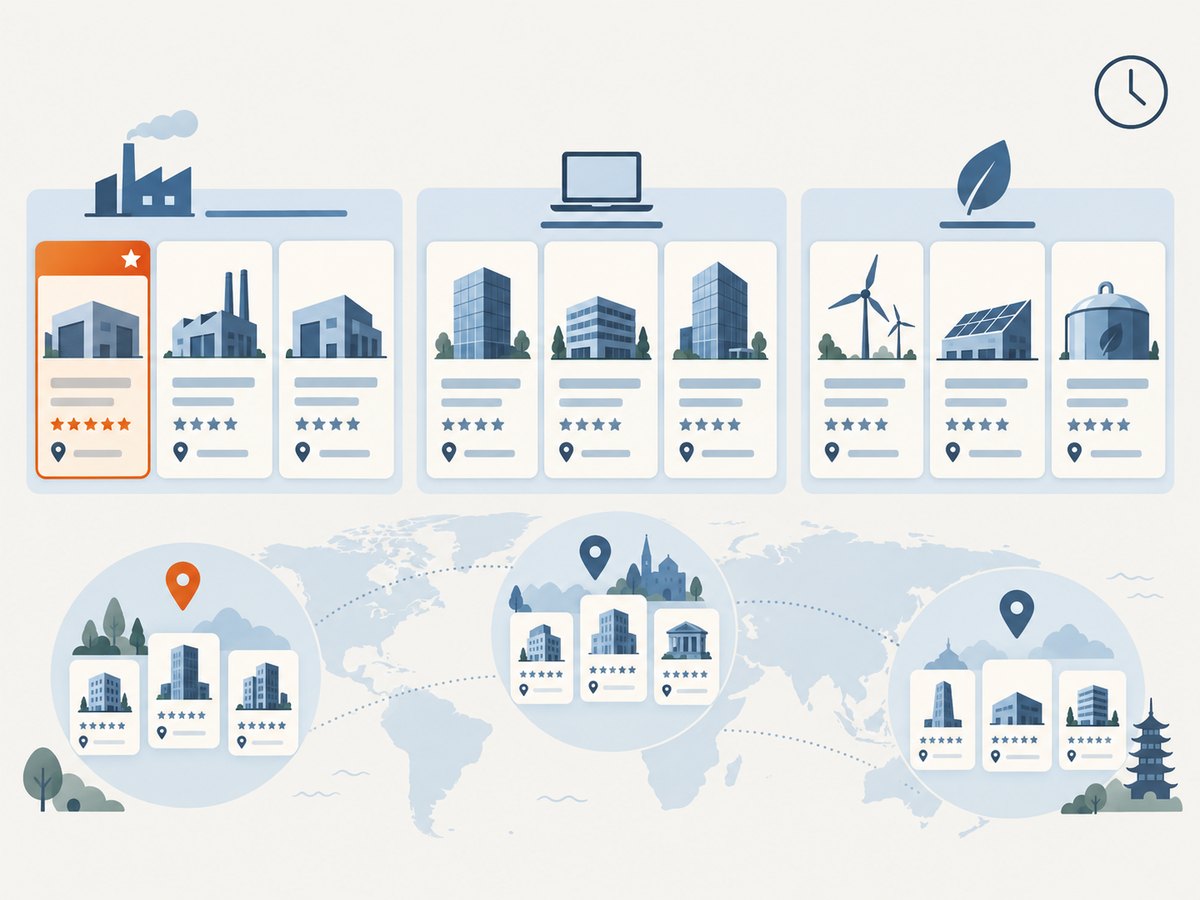
Sponsored placement and underlying rank are different signals. Clutch describes sponsored providers as receiving higher default placement when they qualify for the relevant page; its methodology distinguishes that placement from the underlying rank framework. Do not treat the first visible provider as automatically the top organic result. Preserve the sponsored indicator and sort context, then compare providers using evidence relevant to the buyer’s requirements—such as service fit, review evidence, experience, location, and recency—where your authorized data makes those fields available.
| Field | Why keep it | Interpretation |
|---|---|---|
| Category and filters | Defines which providers are eligible for this result set | Compare positions only within like contexts |
| Location | Geographic directories can differ from global or service-only views | Record the exact location context, including when absent |
| Displayed position and sort | Preserves what the authorized page or API returned | Do not relabel it as organic rank unless the source says so |
| Sponsored and verification labels | Separates paid placement and trust signals from position | Keep each label as a distinct field |
| Capture timestamp | Results and ranking signals change over time | Never present an old snapshot as current |
7. Or skip the browser setup
If your task is to capture a page you are allowed to access, ScreenshotNeo is a website screenshot API and MCP server for developers. One GET request returns a PNG, JPEG, WebP, or PDF. It is useful for authorized visual records, but a screenshot is not a substitute for structured listing data or permission to collect restricted content. See the ScreenshotNeo API documentation.
curl -G "https://api.screenshotneo.com/v1/shot" \
  -d access_key=YOUR_API_KEY \
  --data-urlencode url=https://example.com \
  -o shot.webp
Cookie banners, popups, and chat widgets are removed before the shot. Bot checks, blank pages, failed loads, and cache hits are not billed; response headers say which outcome occurred. An MCP server gives AI agents tools to take screenshots, get page information, and capture PDFs. The free plan includes 1,000 screenshots a month with no card; paid plans start at $5 for 3,000. Sign up for 1,000 free screenshots a month.
8. Troubleshooting
| Symptom | Likely cause | Action |
|---|---|---|
| No listing records | The selectors do not match the authorized page, the response is an error page, or the content is rendered dynamically. | Inspect the saved response and test selectors in Scrapy shell. Check source documentation for a permitted data route. Do not bypass access controls. |
| Names or labels are blank | Text is split across nested elements or the page variant omits the field. | Use getall(), join and normalize whitespace, and allow missing values. Test multiple representative permitted pages. |
| Duplicate records | Pagination loops, the same provider appears on several pages, or several category contexts are being combined. | Check pagination URLs and define a deduplication key appropriate to the task, while retaining each category context where it matters. |
| HTTP 403 or 429 | The source denied access or rate-limited the client. | Stop the run. Review the authorization and published limits, then contact the source or responsible account owner. Do not rotate identities or increase retries to continue. |
| CSV columns are inconsistent | Items yield different keys or field types across pages. | Use a fixed schema and explicit None values; validate the JSON Lines output before exporting or loading downstream. |
| Job runs longer than expected | Broad link following, slow responses, or an unbounded page set. | Narrow start URLs and allowed paths, enforce a page cap, lower concurrency, and use AutoThrottle within source-approved limits. |
9. Performance, reliability, and cost
For a small list, the most reliable design is usually a bounded spider with a narrow start URL set, explicit pagination, a fixed schema, and low concurrency. More parallel requests do not guarantee a faster or more dependable collection; they can increase source load, trigger limits, and produce partial data. Configure retries only for transient failures that your authorization permits, and ensure access-denied or rate-limited responses terminate or pause the job rather than being retried indefinitely.
Scrapy itself is open-source software, but the total cost of a data workflow includes any licensed access, hosting, storage, maintenance when page structure changes, and review of whether a new use remains authorized. The research materials do not establish Clutch API eligibility, current pricing, or the MCP onboarding process. Verify those details directly with Clutch before budgeting. A scraper also cannot make a prohibited use permissible just because the code runs slowly or stores only a few records.
For repeat runs, make jobs resumable and auditable: record a run identifier, source, authorization reference, start/end timestamps, requested page count, response status totals, and output checksum. Preserve source-provided timestamps where available rather than substituting crawl time for the data’s own “last updated” date. Compare snapshots only when the contexts and definitions match.
10. Pre-run checklist
- Confirm that the source, collection method, fields, and downstream use are authorized.
- For Clutch, review the current Terms of Use and API terms, or confirm that the official MCP/API route covers the intended use.
- Define a small, necessary schema and avoid unauthorized personal data.
- Test selectors against representative pages from a permitted source.
- Set a page limit, low concurrency, and source-approved delays; honor stop conditions.
- Retain category, location, position type, sponsored and verification labels, source URL, timestamp, and attribution where applicable.
- Validate output and document limitations before using it to compare providers.
FAQ
Can I scrape Clutch.co with Python?
Clutch’s Terms of Use prohibit manual or automated scraping and related access processes. Use an authorized official route if one is available for your account and purpose, and follow its conditions.
Does a robots.txt check give permission?
No. A crawler policy file does not override terms, licenses, or other access conditions. Confirm the source’s authorization requirements independently.
Can I use a screenshot to extract listings?
A screenshot records a visual page, not reliable structured data. It does not authorize access or collection. For permitted sources, use an authorized structured route or parse allowed HTML/JSON.
Why can a provider rank differently on two pages?
Category, location, filters, and directory-specific methodology can change the comparison set and ordering. Keep that context attached to every position you analyze.


