How to Sleep During Parts of Python Code Without Blocking the Entire Script
Use asyncio.sleep() for cooperative waits, or move blocking work to a thread so the rest of your Python program keeps running.
Use await asyncio.sleep(delay) inside asyncio code. It suspends only the current task, allowing other tasks, callbacks, and I/O to run. If you must call an existing blocking function, run the complete function with await asyncio.to_thread(...) or an executor.
Choose the right waiting pattern
| Situation | Pattern | What continues | Main caution |
|---|---|---|---|
| Native asynchronous code | await asyncio.sleep(delay) |
Other event-loop tasks, callbacks, and I/O | It must run inside a coroutine and an active event loop |
| Existing blocking I/O function | await asyncio.to_thread(func, ...) |
Event-loop tasks while the function runs in another thread | Primarily for I/O-bound work; check thread safety |
| Explicit executor control | loop.run_in_executor(...) |
Event-loop work while blocking code runs in an executor | More lifecycle and configuration work |
| Plain synchronous script | time.sleep(delay) |
Nothing else on that thread | Use threads or redesign around asyncio if concurrency is required |
Use asyncio.sleep() in asynchronous code
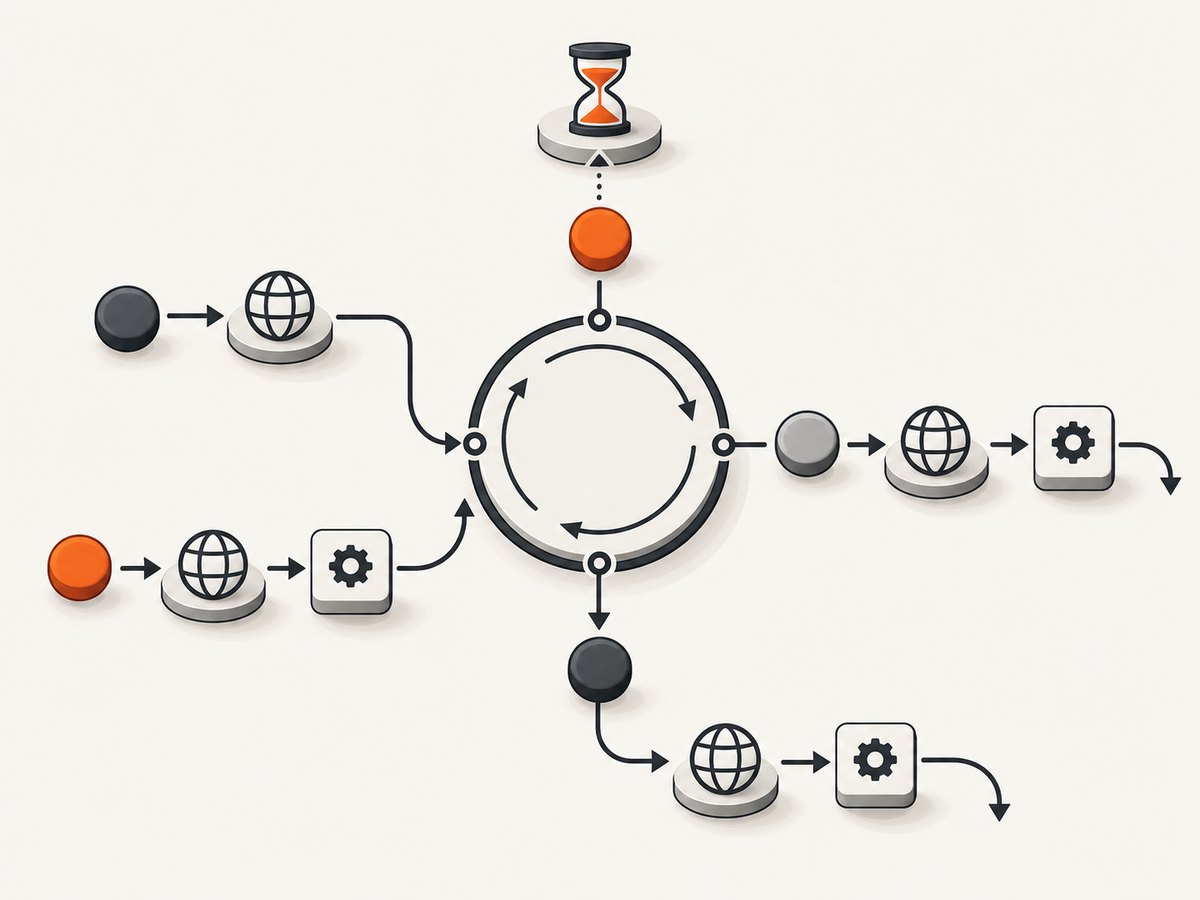
The asyncio event loop uses cooperative scheduling: a task runs until it awaits, then the loop can run another task. Python’s reference documentation states that sleep() always suspends the current task and lets other tasks run. A delay of zero is an optimized way to yield control.
import asyncio

async def worker():
    print("worker: before")
    await asyncio.sleep(2)
    print("worker: after")

async def other_work():
    for number in range(4):
        print(f"other work: {number}")
        await asyncio.sleep(0.5)

async def main():
    await asyncio.gather(worker(), other_work())

if __name__ == "__main__":
    asyncio.run(main())
During the two-second wait, other_work() continues. Run it with python example.py.
Yield without a meaningful delay
await asyncio.sleep(0)This gives already-scheduled tasks a chance to run. It does not make CPU-heavy code asynchronous; a long loop still needs to yield periodically or move to a process.
Schedule work when you do not want to wait immediately
import asyncio

async def delayed_message():
    await asyncio.sleep(1)
    print("done")

async def main():
    task = asyncio.create_task(delayed_message())
    print("main continues immediately")
    await task

asyncio.run(main())
Keep a reference to created tasks and await them, or handle their exceptions. Creating a coroutine object without awaiting it does not run it.
Why time.sleep() blocks asyncio
import asyncio
import time

async def bad():
    print("before")
    time.sleep(2)  # Blocks the event-loop thread
    print("after")

async def other():
    print("other task")

async def main():
    await asyncio.gather(bad(), other())

asyncio.run(main())
time.sleep() blocks the OS thread. If that thread owns the event loop, no other asyncio task can advance for the duration. The asyncio documentation describes directly calling a blocking function in a coroutine as blocking the event loop.
Replace the wait with await asyncio.sleep(2) when the operation itself is asynchronous. Do not mechanically replace every time.sleep(): in a deliberately synchronous script, pausing the whole thread may be exactly what you want.
Offload legacy blocking functions with asyncio.to_thread()
Move the entire blocking function call to a worker thread, rather than only moving one line around it.

import asyncio
import time

def blocking_step(name):
    time.sleep(2)
    return f"{name} finished"

async def main():
    result = await asyncio.to_thread(blocking_step, "download")
    print(result)

asyncio.run(main())
While blocking_step() runs, the event-loop thread can process other tasks:
import asyncio
import time

def blocking_step():
    time.sleep(2)
    return "blocking step finished"

async def ticker():
    for i in range(5):
        print(f"tick {i}")
        await asyncio.sleep(0.5)

async def main():
    result, _ = await asyncio.gather(
        asyncio.to_thread(blocking_step),
        ticker(),
    )
    print(result)

asyncio.run(main())
to_thread() is intended mainly for I/O-bound functions. Because of CPython’s GIL, it usually does not make ordinary Python CPU-bound code run in parallel. Extension modules that release the GIL and alternative Python implementations can differ.
Pass arguments and preserve context
result = await asyncio.to_thread(fetch_file, path, timeout=10)Use normal positional and keyword arguments. The call returns the function’s result or raises its exception in the awaiting coroutine.
Use run_in_executor() for explicit control
import asyncio
from concurrent.futures import ThreadPoolExecutor
import time

def blocking_step(value):
    time.sleep(1)
    return value * 2

async def main():
    loop = asyncio.get_running_loop()
    with ThreadPoolExecutor(max_workers=4) as pool:
        future = loop.run_in_executor(pool, blocking_step, 21)
        result = await future
        print(result)

asyncio.run(main())
An executor is useful when you need a specific pool size, a process pool, or explicit ownership and shutdown. The asyncio development guidance recommends executors for blocking code that would otherwise stall the loop.
What to do in a synchronous script
asyncio.sleep() only helps when an event loop is running. In a conventional single-threaded program, time.sleep() pauses that thread and independent work cannot execute there.
If independent work must continue, use a thread and communicate results safely:
from concurrent.futures import ThreadPoolExecutor
import time

def delayed_job():
    time.sleep(2)
    return "done"

with ThreadPoolExecutor(max_workers=1) as pool:
    future = pool.submit(delayed_job)
    print("main thread continues")
    print(future.result())
For larger concurrent workflows, restructure the program around asyncio tasks. Do not directly share asyncio synchronization objects between threads; use documented thread-safe mechanisms and clear ownership.
Common errors and fixes
| Error or symptom | Cause | Fix |
|---|---|---|
RuntimeWarning: coroutine 'sleep' was never awaited |
asyncio.sleep() was called without await |
Write await asyncio.sleep(seconds) inside async def |
asyncio.run() cannot be called from a running event loop |
You called asyncio.run() inside an existing loop, common in notebooks and async frameworks |
Use await main() in that environment; let the host own the loop |
| Other tasks stop during a wait | A coroutine calls time.sleep() or another blocking I/O API |
Use an async-native API or wrap the complete blocking function with asyncio.to_thread() |
| Threaded code corrupts shared state | The legacy function is not thread-safe | Add appropriate locking, isolate state, or keep the call on one thread |
High CPU usage continues despite sleep(0) |
The workload is CPU-bound between yield points | Break work into chunks, yield regularly, or use a process pool |
| Cancellation behaves unexpectedly | A task or thread ignores cancellation or catches CancelledError |
Propagate cancellation in async code and design blocking functions for safe completion |
Performance, reliability, and cost notes
- Latency:
asyncio.sleep()schedules a timer; wake-up occurs no earlier than the requested delay and can be later when the loop is busy. - Throughput: Async waits allow one thread to manage many I/O waits, but every blocking call in that thread can stall all tasks.
- Thread limits: A thread pool prevents the event loop from blocking, but too many simultaneous blocking calls can exhaust threads, file descriptors, or remote-service limits.
- Retries: Add bounded timeouts, cancellation handling, and backoff around network operations. Sleeping alone does not make a failed operation reliable.
- CPU work: Threads generally do not bypass CPython’s GIL for pure Python computation. Use processes or native code that releases the GIL when appropriate.
- Cost:
asyncio.sleep()consumes no separate service; threads and processes consume local resources. Measure queueing and remote API limits for production workloads.
Or skip the browser setup
If the part you need to pause is a browser capture workflow, ScreenshotNeo provides a single HTTP request instead of maintaining browser automation. Cookie and consent banners, newsletter popups, and chat widgets are removed before the shot. Bot checks, blank pages, failed loads, timeouts, and cache hits are not billed, and response headers report the page verdict and billing status.
See the ScreenshotNeo API documentation for all options.
cURL
curl -G "https://api.screenshotneo.com/v1/shot" -d access_key=YOUR_API_KEY --data-urlencode url=https://stripe.com -o shot.webpPython
import requests

r = requests.get(
    "https://api.screenshotneo.com/v1/shot",
    params={"access_key": "YOUR_API_KEY", "url": "https://stripe.com"},
    timeout=90,
)
r.raise_for_status()
open("shot.webp", "wb").write(r.content)
Node.js
const q = new URLSearchParams({ access_key: 'YOUR_API_KEY', url: 'https://stripe.com' });
const res = await fetch(`https://api.screenshotneo.com/v1/shot?${q}`);
if (!res.ok) throw new Error(`HTTP ${res.status}`);
const buffer = Buffer.from(await res.arrayBuffer());
await import('node:fs/promises').then(fs => fs.writeFile('shot.webp', buffer));
ScreenshotNeo also supports full-page and element captures, device presets, dark mode, custom CSS and JavaScript, waits, request blocking, headers, cookies, geolocation, PDFs, caching, signed links, asynchronous jobs, bulk capture, usage reporting, and an MCP server with take_screenshot, get_page_info, and capture_pdf for AI agents. The free plan includes 1,000 screenshots per month with no card; paid plans start at $5 for 3,000.
Create a free ScreenshotNeo account and start with 1,000 screenshots a month at no charge.
FAQ
Can I use asyncio.sleep() in normal synchronous code?
Only from a running event loop. Otherwise use time.sleep(), a thread, or convert the workflow to asyncio.
Does await asyncio.sleep(0) guarantee another task runs?
It yields control to the event loop, which can then run ready tasks. Scheduling order and timing are not a fairness guarantee.
Should I use a thread or an async library?
Prefer an async-native library when one exists. Use to_thread() for isolated legacy blocking I/O or libraries that cannot be replaced.
Can sleeping prevent a task timeout?
A task can still be cancelled while sleeping. Wrap the operation in an appropriate timeout and handle cancellation deliberately.


