How to Perform Web Scraping Using Python
Learn a responsible Python web scraping workflow with Requests, Beautiful Soup, Scrapy, browser-rendered pages, validation, retries, and troubleshooting.

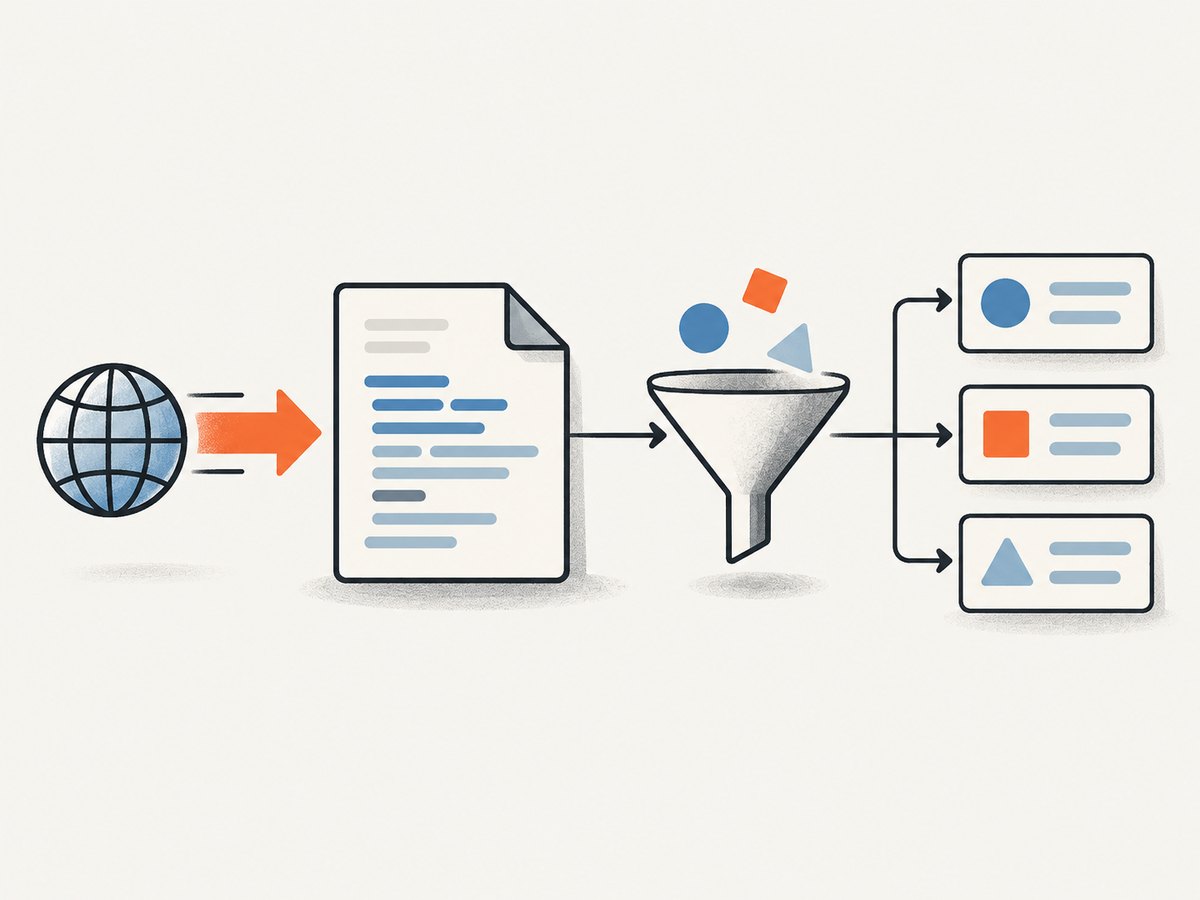
Web scraping with Python means requesting a web resource, checking the response, parsing its HTML, extracting fields, validating the data, and saving it in a useful format. For one or a few static pages, start with Requests and Beautiful Soup. For pagination, link following, scheduled crawls, concurrency controls, and feed exports, use Scrapy. If the data is inserted by JavaScript, inspect an API or feed first; use browser rendering only when it is necessary.
What web scraping is, and the workflow that works
A reliable scraper is a small data pipeline rather than a single selector. Use this sequence:
- Define scope and fields. Decide which URLs and fields you need, whether the site publishes an API or download, and how often you will request it.
- Check access rules. Read the site’s terms and
robots.txt, identify yourself with a clear user agent, and keep the request rate low. The RFC 9309 Robots Exclusion Protocol describes the standard, but a robots rule is not authentication or a complete legal answer. - Fetch with a timeout. Check the HTTP status before parsing. Requests documents
raise_for_status()and recommends timeouts in production code; its timeout measures inactivity between bytes, not a total download deadline. - Parse the response. Use stable CSS selectors or XPath expressions. Expect missing elements and layout changes.
- Normalize and validate. Convert dates and numbers deliberately, trim whitespace, reject records missing required fields, and compare a small sample with the source page.
- Save structured output. CSV and JSON are convenient for small jobs. Scrapy provides feed exports and item pipelines for larger crawls.
A complete Requests and Beautiful Soup example
Install the dependencies:
python -m pip install requests beautifulsoup4The following script fetches a permitted catalog page, extracts product cards, validates required fields, and writes JSON. The URL and selectors are illustrative: inspect the actual markup of a site you are authorized to access and adapt them.
from __future__ import annotations

import json
from decimal import Decimal, InvalidOperation
from urllib.parse import urlparse

import requests
from bs4 import BeautifulSoup

URL = "https://example.com/catalog"
TIMEOUT = (5, 30)  # connect timeout, read inactivity timeout
HEADERS = {
    "User-Agent": "ExampleResearchBot/1.0 (+https://example.com/contact)"
}


def parse_price(value: str) -> str | None:
    cleaned = value.replace("$", "").replace(",", "").strip()
    try:
        return str(Decimal(cleaned))
    except InvalidOperation:
        return None


def scrape_catalog(url: str) -> list[dict[str, str]]:
    parsed = urlparse(url)
    if parsed.scheme not in {"http", "https"}:
        raise ValueError("URL must use HTTP or HTTPS")

    response = requests.get(url, headers=HEADERS, timeout=TIMEOUT)
    response.raise_for_status()

    # Requests chooses an encoding from HTTP headers. Override it only when
    # the page declares a different encoding and you have verified that fact.
    soup = BeautifulSoup(response.text, "html.parser")
    records: list[dict[str, str]] = []

    for card in soup.select("article.product"):
        title_node = card.select_one("h2")
        price_node = card.select_one(".price")
        if title_node is None or price_node is None:
            continue

        title = title_node.get_text(" ", strip=True)
        price = parse_price(price_node.get_text(" ", strip=True))
        if not title or price is None:
            continue

        records.append({"title": title, "price": price})

    if not records:
        raise RuntimeError("No valid records found; inspect selectors and response content")
    return records


if __name__ == "__main__":
    data = scrape_catalog(URL)
    with open("products.json", "w", encoding="utf-8") as output:
        json.dump(data, output, ensure_ascii=False, indent=2)
    print(f"Saved {len(data)} records")
Run it with python scrape_catalog.py. Keep the raw response or a small HTML sample while developing so you can determine whether a failure came from the network, an error page, or a selector mismatch.
Using the standard library
When installing third-party packages is not possible, urllib.request can open URLs and read responses. urllib.robotparser can evaluate robots rules. You still need an HTML parser or careful extraction logic; for nontrivial documents, Beautiful Soup is usually easier to maintain.
from urllib.request import Request, urlopen

request = Request(
    "https://example.com/",
    headers={"User-Agent": "ExampleResearchBot/1.0"},
)
with urlopen(request, timeout=20) as response:
    status = response.status
    charset = response.headers.get_content_charset() or "utf-8"
    html = response.read().decode(charset, errors="replace")

if status != 200:
    raise RuntimeError(f"Unexpected HTTP status: {status}")
print(html[:200])
Selectors, missing data, and changing markup
Prefer selectors tied to semantic elements or stable attributes. A selector such as article.product h2 is generally easier to understand than a long chain of generated class names. Use select_one() when a field is optional, check for None, and normalize with get_text(" ", strip=True).
Validate assumptions explicitly:
- Require a nonempty identifier or title.
- Parse dates with a known format and store them in ISO 8601 form.
- Parse numeric values with
Decimalwhen precision matters. - Record the source URL and retrieval timestamp with each item.
- Alert when the record count suddenly drops to zero or changes beyond an expected range.
When a site changes its layout, the HTTP request may still return status 200 while every selector stops matching. Treat “zero records” as an error, save a sample for inspection, and update selectors deliberately.
Pagination and multiple pages
For a few known pages, loop over URLs and pause between requests. Stop when the next link is absent, when a page repeats, or when you reach an explicit maximum.
import time
import requests
from bs4 import BeautifulSoup

session = requests.Session()
session.headers.update({"User-Agent": "ExampleResearchBot/1.0"})

for page in range(1, 6):
    response = session.get(
        "https://example.com/catalog",
        params={"page": page},
        timeout=(5, 30),
    )
    response.raise_for_status()
    soup = BeautifulSoup(response.text, "html.parser")
    cards = soup.select("article.product")
    if not cards:
        break
    for card in cards:
        print(card.get_text(" ", strip=True))
    time.sleep(1.0)
A Session reuses HTTP connections. Add a bounded retry policy for transient failures, but do not retry every status indefinitely. Respect server signals such as 429 responses and Retry-After. For recurring multi-page jobs, Scrapy models work as requests and callbacks, supports link following, asynchronous scheduling, download delays, per-domain concurrency, AutoThrottle, selectors, and feed exports. Its documentation states that “Scrapy uses Request and Response objects for crawling websites.” See the Scrapy overview and middleware documentation.
Scrapy for a recurring crawl
Choose Scrapy when the job has many pages, pagination, link discovery, scheduled runs, or a pipeline that must be monitored. A minimal spider looks like this:
import scrapy

class ProductSpider(scrapy.Spider):
    name = "products"
    allowed_domains = ["example.com"]
    start_urls = ["https://example.com/catalog"]

    custom_settings = {
        "DOWNLOAD_DELAY": 1.0,
        "CONCURRENT_REQUESTS_PER_DOMAIN": 2,
        "FEEDS": {"products.json": {"format": "json", "indent": 2}},
    }

    def parse(self, response):
        for card in response.css("article.product"):
            title = card.css("h2::text").get()
            price = card.css(".price::text").get()
            if title and price:
                yield {
                    "title": title.strip(),
                    "price": price.strip(),
                    "source_url": response.url,
                }

        next_url = response.css("a.next::attr(href)").get()
        if next_url:
            yield response.follow(next_url, callback=self.parse)
Enable robots filtering when it matches your policy: Scrapy provides middleware for requests disallowed by robots.txt. Configure delays and concurrency for the target domain, monitor errors, and stop if the site signals overload.
How to scrape JavaScript-rendered pages
Requests downloads the server response; it does not execute the browser JavaScript that may populate a product grid. First inspect the page’s documented API, JSON endpoint, embedded data, or feed. An API is usually more stable and lighter than rendering a full browser. If no suitable endpoint exists and browser execution is appropriate, use a browser-rendering tool. Scrapy’s project documentation describes browser rendering as an extension for JavaScript-heavy pages.
Use browser rendering only for the pages that require it. Wait for a meaningful selector or network idle, set a maximum wait, and capture diagnostics when the content is still absent. Never assume that seeing a 200 response means the rendered application succeeded.
Responsible access, security, and legal scope
Use an identifiable user agent, low request rates, bounded concurrency, and caching where possible. Do not bypass authentication, CAPTCHAs, paywalls, or technical access controls. Treat every response as untrusted input: do not execute downloaded scripts, and do not interpolate scraped values into shell commands or unsafe filesystem paths. Scrapy’s security guidance warns that response data comes from servers outside the crawler’s control.
Copyright, terms of service, privacy and data protection, access controls, and intended use can all affect a project. The U.S. Copyright Office’s Fair Use Index is a resource for U.S. decisions, not a blanket permission. Robots.txt is a signal about crawler preferences, not a legal authorization. For consequential collection, obtain advice for the specific jurisdiction and data.
Or skip the browser setup
If the goal is a clean visual record of a page rather than extracting text fields, ScreenshotNeo provides a website screenshot API. One GET request returns PNG, JPEG, WebP, or PDF. It accepts consent banners before capture and removes more than 60 known consent platforms, newsletter popups, and chat widgets; each step can be turned off. Bot checks, blank pages, timeouts, failed loads, and cache hits are not billed, and response headers report the page verdict and billing result.

See the ScreenshotNeo API documentation for all options, including full-page or CSS-element capture, lazy-image loading, dark mode, device presets, custom viewports, retina scale, PDF paper and margin controls, custom CSS and JavaScript, clicks, waits, blocked resources, headers, cookies, user agents, authorization, timezone, geolocation, transparent backgrounds, resizing, caching TTLs, signed image links, asynchronous webhooks, bulk capture, usage, and the OpenAPI specification.
cURL
curl -G "https://api.screenshotneo.com/v1/shot" \
  -d access_key=YOUR_API_KEY \
  --data-urlencode url=https://stripe.com \
  -o shot.webp
Python
import requests

r = requests.get(
    "https://api.screenshotneo.com/v1/shot",
    params={"access_key": "YOUR_API_KEY", "url": "https://stripe.com"},
    timeout=90,
)
r.raise_for_status()
open("shot.webp", "wb").write(r.content)
Node.js
const q = new URLSearchParams({ access_key: 'YOUR_API_KEY', url: 'https://stripe.com' });
const res = await fetch(`https://api.screenshotneo.com/v1/shot?${q}`);
if (!res.ok) throw new Error(`HTTP ${res.status}`);
const fs = await import('node:fs/promises');
await fs.writeFile('shot.webp', Buffer.from(await res.arrayBuffer()));
There is an MCP server with take_screenshot, get_page_info, and capture_pdf tools for Claude, Cursor, and other MCP clients. Free accounts include 1,000 screenshots a month with no card; paid plans start at $5 for 3,000 shots, and every feature is available on every plan. Create a free ScreenshotNeo account.
Troubleshooting checklist
| Symptom | Likely cause | Fix |
|---|---|---|
| Timeout or hanging request | No timeout, slow server, or stalled transfer | Set connect and read timeouts, reduce scope, and retry a bounded number of times. |
| 403 or 429 response | Access policy, rate limit, or missing authentication | Stop or slow down, honor Retry-After, use the documented API, and review terms. |
| 200 but no records | Error page, JavaScript shell, or changed selectors | Save the response, inspect its title and text, check selectors, and find an API or rendering path. |
| Broken characters | Incorrect encoding detection | Inspect headers and document metadata; set response.encoding only after verification. |
| Duplicate records | Repeated pagination link or unstable cursor | Track canonical URLs or item IDs and enforce a page limit. |
| Missing images or late content | Lazy loading or client-side rendering | Use the underlying data endpoint or a renderer that waits for the required selector. |
| ScreenshotNeo returns a non-clean result | Bot check, blank page, failed load, or timeout | Inspect X-Page-Verdict and X-Billed, then adjust waits, headers, cookies, or the target URL. |
Performance, reliability, and cost notes
- Reuse a Requests session and cache pages during development.
- Keep concurrency per domain low; throughput is less useful than a crawl that the site can tolerate.
- Measure response status, latency, bytes, record counts, and parse failures. A successful HTTP response is not proof of successful extraction.
- Use Scrapy when scheduling, pagination, retries, throttling, and pipelines would otherwise become custom code.
- For screenshots, choose the smallest viewport and output needed, use caching with a TTL where appropriate, and use bulk capture for up to 100 URLs per call. ScreenshotNeo bills only clean shots; cache hits and failed or unusable captures are not billed.
FAQ
How do I scrape a website with Python?
Check for an API, fetch permitted HTML with Requests and an explicit timeout, call raise_for_status(), parse with Beautiful Soup, validate fields, and save JSON or CSV.
How do I scrape a page that uses JavaScript?
Find the API or embedded data first. If the required content exists only after browser execution, use a rendering tool and wait for a specific selector.
Should I use Scrapy or Beautiful Soup?
Use Beautiful Soup for parsing a small number of responses. Use Scrapy for multi-page crawls, link following, scheduling, throttling, and feed pipelines.
Is web scraping legal?
There is no universal answer. Check terms, privacy obligations, copyright, access controls, robots signals, jurisdiction, and intended use before collecting data.
Can I scrape images instead of text?
Yes. If you need a visual snapshot of a rendered page, ScreenshotNeo can capture a clean PNG, JPEG, WebP, or PDF without maintaining browser infrastructure.


