Python Web Scraping Project Ideas for 2026
Choose a Python scraping project that fits your level, learn the right tools, and build reliable collectors with practical code and safeguards.

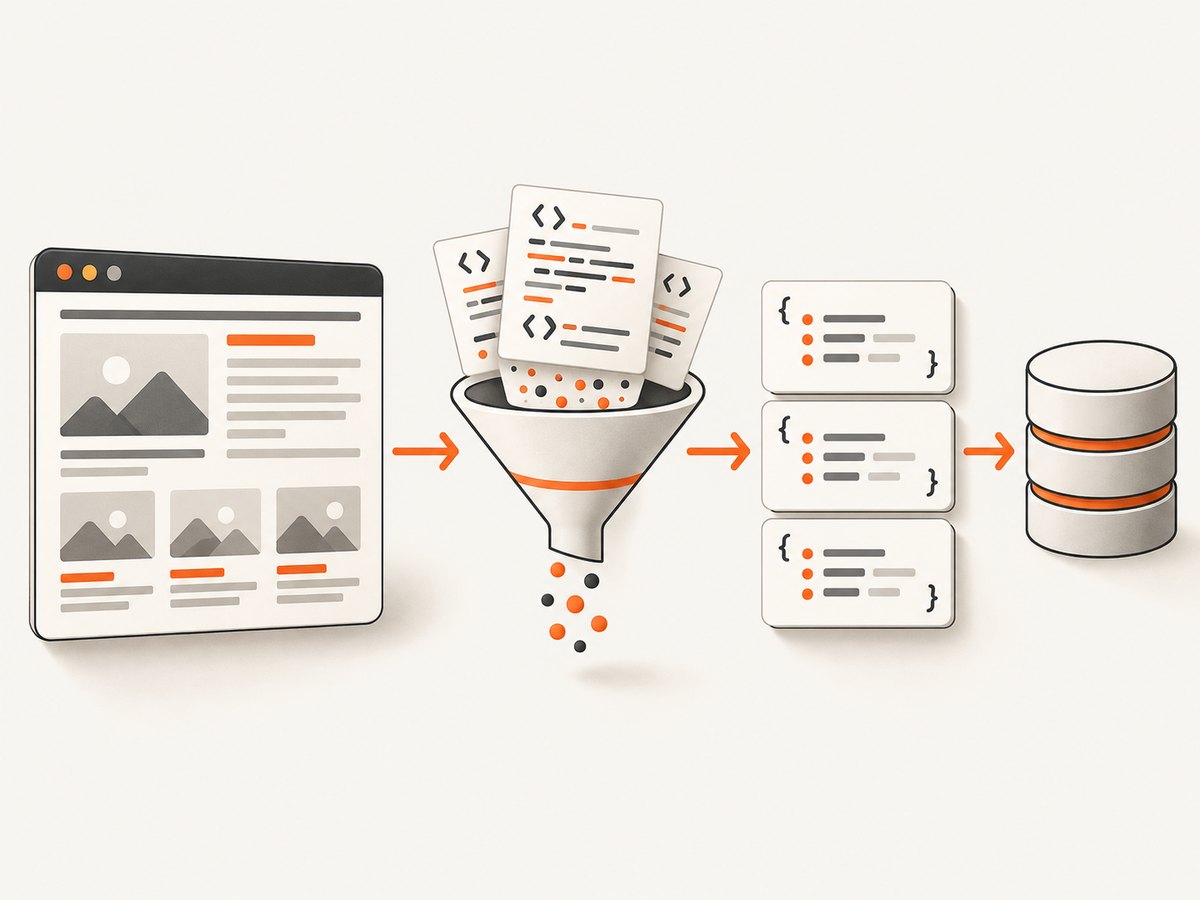
Start with one permitted source, one useful output, and a small validation check. A weather collector or recipe catalog teaches HTTP requests, HTML parsing, error handling and storage without forcing you to operate a crawler. Then add pagination, multiple sources, scheduling, change detection and alerts as your skills grow.
This guide gives you a project ladder for 2026, implementation patterns, runnable Python examples, tool choices, responsible-access guidance and a path from a weekend script to a maintained data product.
How to choose a scraping project
Score an idea on seven questions before writing code:
- Skill demand: Is it beginner, intermediate or advanced?
- Source shape: Is the data in the initial HTML, behind JavaScript, or available through an API or feed?
- Scale: One page, many pages, or many domains?
- Schedule: Is this a one-time export or a recurring monitor?
- Output: CSV, JSON Lines, database rows, dashboard or alerts?
- Permission: Do terms, access policies, APIs and feeds allow the planned collection?
- Maintenance: How will you detect selector changes, missing fields and stale records?
Prefer an official API, feed or open dataset when it supplies the fields you need. RFC 9309 describes robots rules as crawler instructions and states: These rules are not a form of access authorization.
Read the applicable rules, but do not treat robots.txt as a permission grant. Do not bypass authentication, paywalls, technical restrictions or blocks.
Beginner Python scraping projects
1. Weather data collector
Collect a small set of permitted observations or forecasts and save timestamped records. This project exercises requests, parsing, rate limiting, error handling and storage. An official weather API or open dataset is usually the cleanest source. Store the location, observation time, temperature, conditions and source URL.
2. Recipe catalog
Extract recipe name, ingredients, category, preparation time and source URL from a source that permits your intended use. Normalize whitespace, represent ingredients consistently and keep the original page URL for provenance. A useful milestone is a JSON Lines file in which every row has the same field names.
3. Quote or book catalog
Scrapy’s official tutorial uses quotes.toscrape.com to extract quote text, author and tags, follow a next-page link and export records. It is a good practice site because the data model and pagination are easy to inspect. The tutorial covers project creation, spider callbacks, CSS selectors and JSON or JSON Lines exports: read the Scrapy tutorial.
Minimal static HTML collector
from dataclasses import asdict, dataclass
import json
import time
import requests
from bs4 import BeautifulSoup

@dataclass
class Record:
    title: str
    url: str

url = "https://quotes.toscrape.com/"
headers = {"User-Agent": "learning-project/1.0 (contact: you@example.com)"}
response = requests.get(url, headers=headers, timeout=20)
response.raise_for_status()
soup = BeautifulSoup(response.text, "html.parser")

records = []
for item in soup.select(".quote"):
    link = item.select_one("a")
    records.append(Record(
        title=item.select_one(".text").get_text(strip=True),
        url="https://quotes.toscrape.com" + link["href"]
    ))

with open("records.jsonl", "w", encoding="utf-8") as file:
    for record in records:
        file.write(json.dumps(asdict(record), ensure_ascii=False) + "\n")

print(f"wrote {len(records)} records")
time.sleep(1)  # keep practice requests slow and deliberate
Install dependencies with python -m pip install requests beautifulsoup4. Check for missing selectors before calling .get_text() in production, and record failures rather than silently writing partial rows.
Intermediate projects: time and multiple sources
4. News headline aggregator
Collect headline, source, URL and publication time from sources whose policies and feeds allow it. Multiple sources and pagination introduce deduplication: canonicalize URLs, normalize titles and retain source attribution. Store the observation time separately from the article’s publication time.
5. Job listing monitor
Normalize role, location, employer and listing date across a small set of permitted sources. Record a stable listing identifier or canonical URL, detect changes, and mark expired listings instead of deleting them. Avoid collecting unnecessary applicant or contact information.
6. Book price tracker
Track a watchlist across participating retailers or official product feeds, store dated observations and alert when a threshold is crossed. This is a project concept, not a claim that any particular retailer permits scraping. Check merchant terms and available feeds or APIs first.
7. Public event or grant aggregator
Collect title, organizer, deadline and source URL from public listings that permit reuse. Add date parsing, timezone handling and a reminder view. Keep the source URL and collection date with every record.
Pagination and validation pattern
import requests
from bs4 import BeautifulSoup
from urllib.parse import urljoin

session = requests.Session()
session.headers.update({"User-Agent": "project-monitor/1.0 (contact: you@example.com)"})
url = "https://example.org/items"
rows = []

for page_number in range(1, 6):
    response = session.get(url, params={"page": page_number}, timeout=20)
    if response.status_code == 404:
        break
    response.raise_for_status()
    soup = BeautifulSoup(response.text, "html.parser")
    items = soup.select("article.item")
    if not items:
        break
    for item in items:
        title_node = item.select_one("h2")
        link_node = item.select_one("a")
        if not title_node or not link_node:
            continue
        rows.append({
            "title": title_node.get_text(" ", strip=True),
            "url": urljoin(response.url, link_node.get("href", "")),
            "page": page_number,
        })

print(f"collected {len(rows)} records")
Use a bounded page count, a clear stop condition and a session. Add retries with exponential backoff only for transient failures, and honor per-domain limits.
Advanced projects: reliable data products
8. Monitored multi-source dataset
Map a few permitted sources into one schema, validate required fields, retain timestamps and provenance, and alert when extraction breaks. Scrapy provides asynchronous scheduling, selectors, feed exports, pipelines and crawl controls such as download delays, per-domain concurrency and AutoThrottle: see the official documentation.
9. Historical price or availability analysis
Preserve time-series observations rather than only the latest value. Keep product identity, observation time, currency, source URL and collection status. Limit frequency to what the source allows; a daily sample is often more useful than aggressive polling.
10. Change detector for notices or documentation
Extract only selected fields, normalize them, hash the normalized representation and report meaningful changes. Store both the previous and new values, the source URL and observation times. Prefer an API, feed or notification channel where available.
11. Structured extraction capstone
Combine collection, normalization, quality checks, retries, export and monitoring. A managed extraction service is worth evaluating only when browser rendering or maintenance is a real constraint. Compare it with open-source tools on your own permitted workload; the supplied research contains no independent benchmark.
Choose Beautiful Soup, Scrapy or Playwright
| Need | Starting point | Reason |
|---|---|---|
| Parse one static HTML response | Beautiful Soup | Search and navigate an HTML/XML parse tree. |
| Follow links, paginate, export and run pipelines | Scrapy | Asynchronous scheduling, selectors, exports and crawl controls. |
| Interact with browser-rendered content | Playwright for Python | Automates a real browser when interaction or rendering is required. |
Beautiful Soup’s documentation covers parsing and tree navigation: official Beautiful Soup docs. Playwright’s Python installation and usage are documented at playwright.dev. Do not select browser automation merely because a page looks dynamic. First inspect the returned HTML and official API or feed options.
Responsible access and data quality checklist
- Read terms, access policies and applicable rules before collection.
- Look for an official API, feed or open dataset.
- Use a descriptive User-Agent and contact route where appropriate.
- Set conservative delays and per-domain concurrency.
- Never bypass authentication, paywalls, CAPTCHA or technical blocks.
- Minimize stored personal data.
- Keep source URLs, collection times and parser versions.
- Alert on zero results, missing required fields and sudden count changes.
Or skip the browser setup
If a project needs rendered pages or screenshots for review, ScreenshotNeo provides a website screenshot API and MCP server. Cookie and consent banners are accepted and 60+ known consent platforms, newsletter popups and chat widgets can be removed before capture; each step can be turned off. Bot checks, blank pages, timeouts, failed loads and cache hits are not billed, and response headers report the page verdict and billing status.

One GET request returns PNG, JPEG, WebP or PDF. See the ScreenshotNeo API documentation for all options, including full-page and element capture, device presets, retina scale, dark mode, custom CSS and JavaScript, clicks, waits, blocking, headers, cookies, user agents, authorization, timezone, geolocation, transparent backgrounds, resizing, caching, signed links, asynchronous jobs, bulk capture and usage reporting.
curl -G "https://api.screenshotneo.com/v1/shot" -d access_key=YOUR_API_KEY --data-urlencode url=https://stripe.com -o shot.webpimport requests
r = requests.get("https://api.screenshotneo.com/v1/shot", params={"access_key": "YOUR_API_KEY", "url": "https://stripe.com"}, timeout=90)
open("shot.webp", "wb").write(r.content)const q = new URLSearchParams({ access_key: 'YOUR_API_KEY', url: 'https://stripe.com' });
const res = await fetch(`https://api.screenshotneo.com/v1/shot?${q}`);An MCP server exposes take_screenshot, get_page_info and capture_pdf to Claude, Cursor and other MCP clients. The Free plan includes 1,000 shots per month with no card; paid plans start at $5 for 3,000. Create a free ScreenshotNeo account.
Troubleshooting common failures
| Symptom | Likely cause | Fix |
|---|---|---|
| 403 or 429 response | Access policy, rate limit or missing permission | Stop, read the policy, slow requests and use an approved API or feed. |
| Empty selector results | Markup changed or content is rendered later | Save a fixture, inspect HTML, add validation and use Playwright only when needed. |
| Duplicate records | Pagination or URL variants | Canonicalize URLs and deduplicate on a stable key. |
| Dates sort incorrectly | Locale or timezone text | Parse into timezone-aware UTC values and retain the original text. |
| Partial export | Unhandled timeout or process stop | Write incrementally, checkpoint pages and retry only transient errors. |
| Screenshot shows a banner | Consent or widget was not removed | Enable the relevant ScreenshotNeo cleanup step or hide selector. |
Performance, reliability and cost
Measure pages per minute, records per page, error rate and bytes downloaded on a small permitted sample. Reuse HTTP connections, avoid fetching assets you do not need, cache stable pages and schedule collection at the lowest useful frequency. Bound concurrency per domain; higher concurrency can increase failures and burden the source.
For recurring monitors, make jobs idempotent, checkpoint progress, store parser and schema versions, and alert on abnormal zero or near-zero results. Browser automation consumes more CPU and memory than parsing returned HTML, so reserve it for interaction or browser-rendered content. Cost is driven by your request volume, storage, scheduling and any managed service plan; validate with a small workload before committing.
FAQ
Is scraping a website legal?
There is no universal answer. Check terms, access policies, permissions and applicable law. Robots rules are instructions, not authorization.
Should my first project use Scrapy?
Use a small requests and Beautiful Soup script to learn the loop. Move to Scrapy when pagination, multiple pages, exports or pipelines become central.
When do I need Playwright?
Use it when required data appears only after browser execution or interaction. Confirm that an API or feed is not available first.
How do I keep a scraper from silently breaking?
Validate required fields, save fixtures, track counts, retain provenance and alert on selector or schema changes.
Can screenshots help a scraping project?
Yes. They provide visual evidence for rendered pages, layout changes and review workflows. ScreenshotNeo can also expose those captures to AI agents through MCP.


