12 Python Web Scraping Projects for 2026
Build twelve practical Python scraping projects, from a small static-page parser to a monitored crawler, with tool choices, runnable patterns, and troubleshooting.
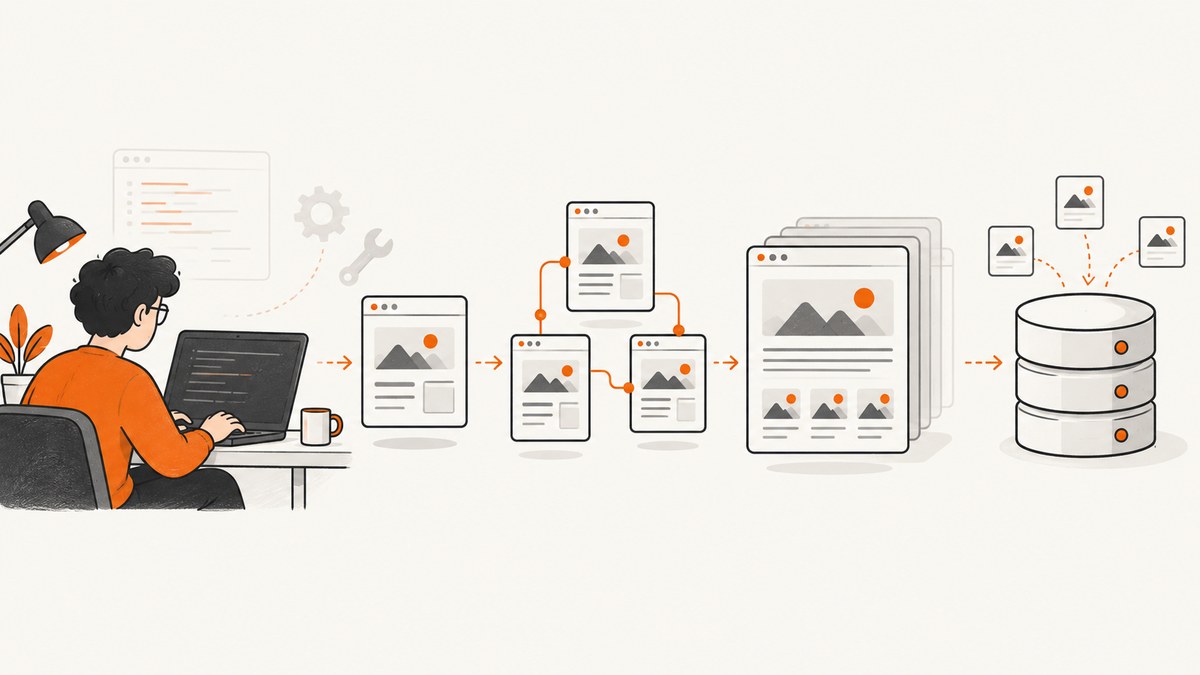
These twelve Python web scraping projects move from a small static-page exercise to repeatable, browser-rendered, and maintainable crawls. Start with a target you are allowed to access, check whether it offers an API or feed, and use the simplest tool that can collect the fields you need. A static page often needs only an HTTP client and an HTML parser; browser automation is useful when the needed content appears only after JavaScript runs. For larger structured crawls, Scrapy provides a framework and extension ecosystem. These are editorial project ideas, not a ranking or permission to collect from any particular site. Real Python’s tutorials cover requests, Beautiful Soup, pagination, storage, and crawler concerns, while the Scrapy site describes its framework and extensions.
Each project below names a useful outcome and a skill to practice. Use a purpose-built practice target or an authorized source; do not assume that a public page permits automated collection.
1. Quote or public-text catalog
Collect a small set of permitted public text entries and their authors into JSON or CSV. This is a good first exercise because it makes you handle selectors and missing fields without needing a crawler.

Start by fetching one page, inspect its HTML, and identify a repeated container. Parse fields inside each container rather than searching the whole document for loosely matching text. Preserve the source URL and keep the output small.
import csv
import requests
from bs4 import BeautifulSoup

url = "https://example.com/practice-quotes"
response = requests.get(url, timeout=20, headers={"User-Agent": "LearningProject/1.0"})
response.raise_for_status()
soup = BeautifulSoup(response.text, "html.parser")

rows = []
for item in soup.select(".quote-card"):
    quote = item.select_one(".quote-text")
    author = item.select_one(".quote-author")
    rows.append({
        "quote": quote.get_text(" ", strip=True) if quote else "",
        "author": author.get_text(" ", strip=True) if author else "",
        "source_url": url,
    })

with open("quotes.csv", "w", newline="", encoding="utf-8") as output:
    writer = csv.DictWriter(output, fieldnames=["quote", "author", "source_url"])
    writer.writeheader()
    writer.writerows(rows)
Replace the example host and selectors with those of a permitted practice page. The empty-string fallback makes missing fields visible in the output; for a real pipeline, consider recording a validation warning instead.
2. Public event listing collector
Collect event names, dates, and venue fields from an authorized listing. Normalize dates into one consistent format, and keep the original date string as well if you need to diagnose ambiguous values. Prefer an API when the publisher provides one.
Practice field validation: reject or flag an event with no title or an unparseable date instead of silently writing a misleading record. Avoid collecting attendee details or other fields the project does not need.
3. Documentation change watcher
Fetch a permitted documentation page on a modest schedule, extract selected headings or text, and store a content hash. Compare the new hash with the prior one and report a change. A hash is compact, but it cannot explain what changed; storing the selected text or a small diff can make alerts useful.
Add a cache or conditional requests if the site supports them, and avoid frequent polling. A scheduled job should record the timestamp, response status, and failure reason so an outage is not mistaken for an unchanged page.
4. Public job-posting skills summary
Use an authorized feed or pages whose terms permit collection. Extract a narrow set of fields and aggregate skills across postings. Prefer the source’s structured feed if offered, and avoid retaining unnecessary personal information such as recruiter contact details.
Normalize capitalization and common variants before counting skills. Keep a note of the mapping rules: combining “JS” and “JavaScript” may be reasonable, while merging distinct technologies could distort the summary.
5. Product price history exercise
For a target that permits automated access, record a product identifier, observed price, currency, and timestamp to CSV or a database. This teaches scheduled collection and time-series data. Do not infer that a named retailer permits scraping; check its rules and use an official API or feed where appropriate.
Prices may be absent, displayed in different currencies, or personalized. Store the source and observation time, and treat a missing value as a collection issue rather than as a zero price. A project should not claim to show a universally available price.
6. Multi-site catalog normalizer
Collect comparable records from two or more sources that permit the activity, then map their different field names into a shared schema. One site might expose a “maker” field while another uses “brand”; your normalized record can use one canonical name while preserving source-specific values for auditing.
Compare data quality and schema mapping, not coverage claims. Write validation rules for required fields and document how you handle units, missing values, and duplicate records. This is a practical way to learn that extraction is only one part of a data pipeline.
7. Pagination-aware article index
Build an index from a site’s permitted paginated listing. Follow the next-page link only while it remains within the intended host and scope, deduplicate canonical URLs, and stop safely when there is no next page or a page repeats.
Guard against loops and malformed links. Maintain a set of visited page URLs, impose a maximum page count for the first run, and log the stopping condition. Store canonical article links rather than assuming that tracking parameters identify distinct content.
8. Public notices or recall monitor
Use an official public source or API where available. Save notice identifiers, publication dates, and the fields needed to detect new records. On each run, compare identifiers against stored records and report new entries.
Keep the original source date and a normalized date, and handle revised notices as updates rather than duplicates when the source provides a stable identifier. This project is useful for learning incremental collection and alerting without crawling an unnecessarily broad site.
9. Browser-rendered directory exercise
Use Playwright or Selenium when the required content is absent from the initial HTML and appears only after browser-side rendering. First inspect the response from a plain HTTP request; browser automation adds setup and runtime complexity, so use it only when the page needs it. A browser does not guarantee that every target can be accessed or that automation is permitted.
Install Playwright and its Chromium browser in your development environment, then adapt the selectors to an authorized practice page:
from playwright.sync_api import sync_playwright

url = "https://example.com/practice-directory"
with sync_playwright() as p:
    browser = p.chromium.launch(headless=True)
    page = browser.new_page()
    page.goto(url, wait_until="domcontentloaded", timeout=30000)
    page.locator(".directory-card").first.wait_for(timeout=10000)
    records = page.locator(".directory-card").evaluate_all(
        "cards => cards.map(card => ({"
        "name: card.querySelector('.name')?.textContent?.trim() ?? '',"
        "category: card.querySelector('.category')?.textContent?.trim() ?? ''"
        "}))"
    )
    browser.close()

print(records)
Use a specific selector as the readiness condition where possible. Waiting for an arbitrary long delay is slower and less reliable than waiting for the element your extraction requires.
10. Scrapy crawl with an item pipeline
Move to Scrapy when the job involves many linked pages, reusable extraction, or an item pipeline. Define an item schema, write a spider for a permitted practice source, and validate records before exporting them. Scrapy’s framework and extensions are useful when the project needs more structure than a short one-off script.
Keep the crawl scope explicit: allowed hosts, page types, maximum pages, and fields. Start with a small sample and inspect exported items before scaling up. Add framework machinery because the project needs it, not simply because a framework exists.
11. Scrape-to-SQLite dashboard
Persist a small authorized dataset in SQLite, then make a basic dashboard that shows the latest records or changes over time. Define a stable key so reruns can update or ignore existing rows instead of multiplying duplicates. Store collection time and source URL alongside each record.
Separate fetching, parsing, validation, and persistence into functions. That makes a changed page easier to debug and allows you to test the data mapping using saved HTML fixtures without repeatedly requesting the live site.
12. Monitored data-quality crawler
Extend an existing small crawl with schema checks, missing-field alerts, and failure reporting. Track counts for fetched pages, parsed records, rejected records, and request errors. Alert when an expected field disappears or a crawl suddenly returns no useful records.

Scrapy’s official site lists monitoring extensions, but check the relevant extension’s own documentation before choosing or configuring one. Keep monitoring claims tied to what your own pipeline measures; do not treat a successful HTTP response as proof that extraction worked.
Choose the right tool for the project
| Need | Starting point | When to move on |
|---|---|---|
| One static page, a few fields | HTTP client plus Beautiful Soup | Pagination, retries, and persistence become recurring concerns |
| Content appears after JavaScript | Playwright or Selenium | Use browser automation only for the content that requires it |
| Many linked pages and reusable records | Scrapy | Add pipelines and extensions for specific project needs |
| Structured source data | Official API or feed | Use HTML parsing only when it is appropriate and permitted |
Compare approaches by whether the data is in initial HTML, whether the task is one-off or multi-page, setup and runtime complexity, pagination and state needs, storage and validation requirements, and whether an official API or feed is a better-supported route. The cited sources describe these tool families; they do not establish a controlled performance benchmark.
Responsible collection checklist
- Read the target site’s terms and inspect its robots.txt before planning a crawl. These checks are practical precautions, not a complete legal determination.
- Look for an official API or feed and prefer it when it fits the need.
- Collect only the fields the project needs, and avoid unnecessary personal data.
- Use conservative request rates; implement timeouts and bounded retries.
- Keep a clear scope, deduplicate records, and retain enough provenance to explain where a value came from.
- Do not attempt to bypass access controls or anti-bot measures. If access is denied, stop and seek an authorized route.
Or skip the browser setup
For a rendered visual record of a page, ScreenshotNeo provides a website screenshot API and MCP server. A screenshot is an image or PDF, not extracted structured data, so use the Python parsing examples above when you need records or fields. For a screenshot, one request is enough. See the ScreenshotNeo API documentation.
import requests

r = requests.get(
    "https://api.screenshotneo.com/v1/shot",
    params={"access_key": "YOUR_API_KEY", "url": "https://stripe.com"},
    timeout=90,
)
open("shot.webp", "wb").write(r.content)
ScreenshotNeo removes cookie banners, popups, and chat widgets before the shot. Bot checks, blank pages, and failed loads are never billed. Its MCP server lets AI agents take screenshots. The free plan includes 1,000 screenshots a month with no card; paid plans start at $5 for 3,000. See ScreenshotNeo or sign up for 1,000 free screenshots a month, no card.
Common problems and fixes
| Symptom | Likely cause | Useful fix |
|---|---|---|
| Selector returns no items | Selector does not match the current HTML, or the content is rendered later | Inspect the response HTML and verify the selector. If the needed content is browser-rendered, use browser automation when permitted. |
| HTTP error or timeout | Network trouble, a slow response, or an unavailable page | Set a finite timeout, record status and error details, and retry only a small bounded number of times with a delay. Do not retry indefinitely. |
| Some fields are empty | Optional content, a changed template, or an incorrect nested selector | Inspect representative records, validate required fields, and report missing values instead of silently accepting bad rows. |
| Pagination repeats pages | Next links loop or URL variants identify the same page | Track visited URLs, normalize URLs within the intended scope, deduplicate canonical records, and cap the first crawl. |
| Browser waits too long | Waiting for a generic load condition that never settles | Wait for the specific content selector needed, set a timeout, and collect a clear failure reason. |
| Dashboard shows duplicate records | No stable key or idempotent write behavior | Choose a source identifier or canonical URL as a key and use an update-or-ignore strategy. |
Performance, reliability, and cost
For a small static page, an HTTP request and parser generally involve less setup than launching a browser. Browser automation consumes additional runtime and should be reserved for pages whose needed content is not in the initial HTML. This is a tool-complexity distinction, not a measured speed comparison.
Reliability comes from bounded timeouts, clear request and parse logs, conservative rates, deduplication, and validation before saving. Save representative HTML fixtures when practical so selector changes can be diagnosed without repeated live requests. For scheduled jobs, distinguish “fetch failed” from “fetch succeeded but no records parsed.”
Cost depends on where the code runs and whether it uses paid infrastructure; the research sources provide no comparative price or benchmark data. Keep the first version local and small. Before scaling, estimate page volume, browser runtime, storage, and monitoring needs, and check the source’s access rules.
FAQ
How do I scrape a web page with Python?
For useful content in the returned HTML, request the page, parse it with Beautiful Soup, validate the fields, and save a durable output such as CSV or SQLite.
How do I scrape a site that requires JavaScript?
Confirm the needed data is missing from the initial HTML. If browser rendering is necessary and access is allowed, use Playwright or Selenium and wait for the specific content you need.
Should I learn Scrapy before Beautiful Soup?
Start with the simplest method that fits the project. A small one-page exercise can teach parsing directly; Scrapy is a useful next step when the crawl needs a reusable framework and structured pipeline.
Does a screenshot API extract data into CSV?
No. ScreenshotNeo returns a visual capture or PDF. Use an authorized parser or API when the output you need is structured data.


