Top 10 React Drag-and-Drop Libraries for User Interface Interactions
Compare React drag-and-drop libraries by interaction model, accessibility, sensors, sorting, and layout support so you can choose the right fit.

Choosing a React drag-and-drop library starts with the shape of your interaction. A sortable task list, a kanban board, a file drop zone, and a canvas editor need different abstractions. The right package supplies the interaction behavior your product needs while leaving your application in control of state, rendering, and business rules.
This guide compares the three options with the strongest support in the current research: dnd-kit, React DnD, and @hello-pangea/dnd. The assigned title says “top 10,” but the available authoritative material does not validate a current ranking of ten packages. The seven additional names sometimes appearing in roundups require a separate check of documentation, maintenance, compatibility, and accessibility before they can be recommended responsibly. Treat this as a curated shortlist and a framework for evaluating the rest.
Quick answer: which React drag-and-drop library should you choose?
| Library | Choose it when | Important trade-off |
|---|---|---|
dnd-kit (@dnd-kit/react) |
You want configurable hooks, sensors, modifiers, draggable elements, droppable targets, or sortable building blocks. | Sorting state remains your application’s responsibility, although the documentation describes helpers for common movement. |
| React DnD | Your interface has decoupled drag sources and drop targets, or you need a backend-extensible architecture. | It is deliberately low level. You build the visual behavior and sortable model yourself. |
| @hello-pangea/dnd | You are implementing conventional vertical or horizontal lists, including movement between lists, with keyboard and screen-reader support. | The project documentation says grid layouts are unsupported. |
If you need a general-purpose foundation with configurable input behavior, start with dnd-kit. If your design is a graph of independent sources and targets, evaluate React DnD. If your product is primarily list-shaped and benefits from a higher-level interaction model, evaluate @hello-pangea/dnd. Confirm current React and package compatibility in each project’s documentation before committing.
How to evaluate a drag-and-drop package
1. Match the abstraction to the interface
A library’s abstraction determines how much behavior you receive and how much you implement. A high-level list component can give you keyboard movement, announcements, placeholders, and cross-list behavior quickly. A lower-level source/target API can fit unusual interactions but requires more code for collision rules, previews, sorting, and state transitions.
2. Check input modes
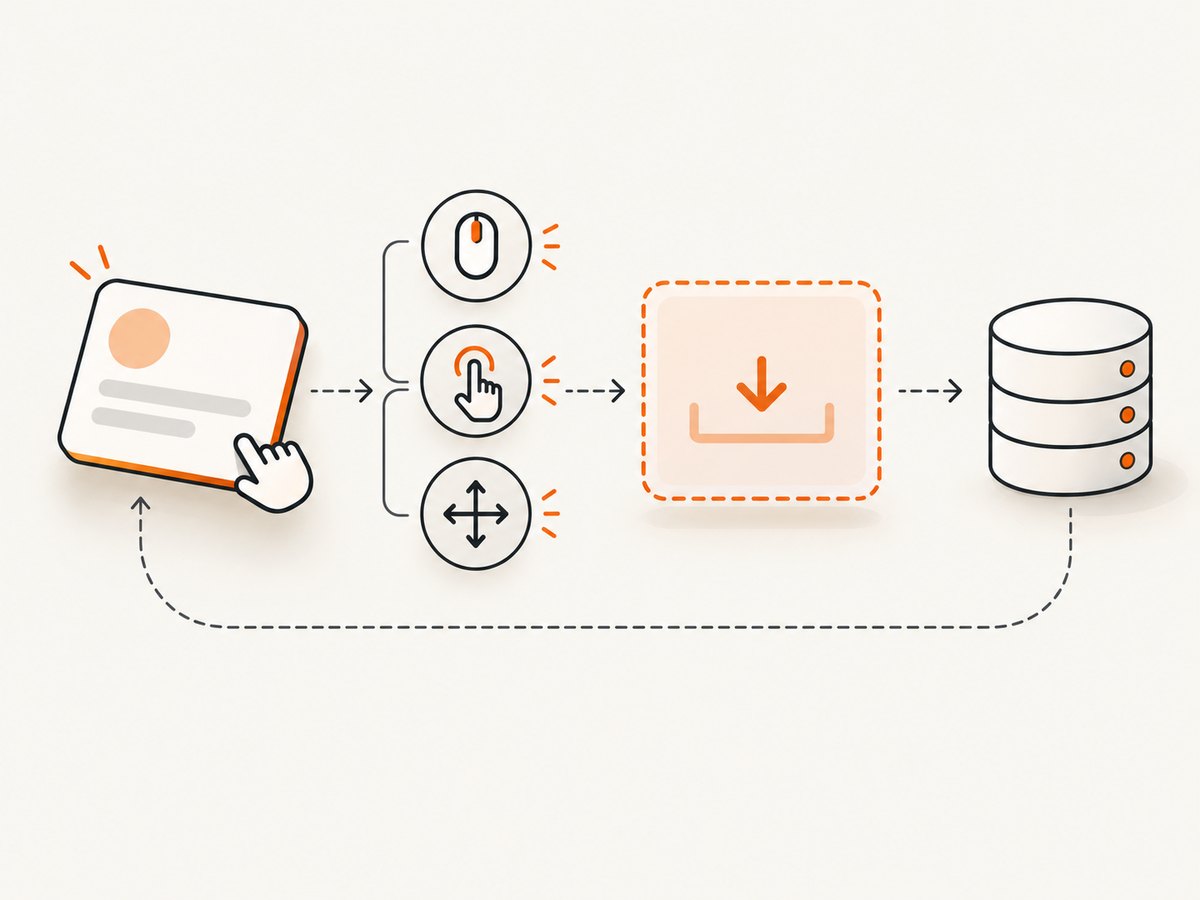
Mouse and touch are not interchangeable. Keyboard users need a focusable drag handle or item, a predictable movement model, and an announcement when an item moves. Touch users need a backend or sensor that recognizes gestures without breaking scrolling. dnd-kit exposes sensors; React DnD supports custom backends and directs touch users to a touch backend; @hello-pangea/dnd documents keyboard and screen-reader support.
3. Check layout assumptions
Ask whether the package supports the geometry you actually render: one vertical list, multiple lists, a horizontal carousel, a grid, nested containers, or a free-form canvas. @hello-pangea/dnd explicitly lists grid layouts as unsupported. Do not select it for a grid without verifying a newer documented change.
4. Separate interaction state from business state
Drag libraries report events. Your application owns the durable result: item order, parent list, permissions, optimistic updates, server persistence, and undo. Keep the temporary “currently dragging” state separate from the canonical data model so a cancelled gesture cannot corrupt saved order.
1. dnd-kit: configurable React primitives
The dnd-kit React quickstart presents @dnd-kit/react as a thin React integration layer. Its documented building blocks include useDraggable, useDroppable, and useSortable. A DragDropProvider coordinates interactions, while sensors, plugins, and modifiers let you configure input and movement behavior.
When dnd-kit fits
- Sortable lists and kanban boards where you want control over state updates.
- Interfaces that need custom sensors, collision behavior, or movement constraints.
- Reusable draggable and droppable primitives rather than one fixed visual component.
- Products that may later add touch, keyboard, or constrained movement.
Minimal sortable pattern
import {useState} from 'react';
import {
  DragDropProvider,
  useDraggable,
  useDroppable,
} from '@dnd-kit/react';

const initialItems = [
  {id: 'a', label: 'Design review'},
  {id: 'b', label: 'Write tests'},
  {id: 'c', label: 'Ship release'},
];

function Item({item}) {
  const {ref, listeners, attributes, isDragging} = useDraggable({id: item.id});
  return (
    <li
      ref={ref}
      {...listeners}
      {...attributes}
      style={{opacity: isDragging ? 0.5 : 1, padding: 12, border: '1px solid #ddd'}}
    >
      {item.label}
    </li>
  );
}

function DropZone() {
  const {ref, isOver} = useDroppable({id: 'backlog'});
  return <ul ref={ref} style={{background: isOver ? '#eef' : '#fff'}} />;
}

export default function Board() {
  const [items, setItems] = useState(initialItems);
  return (
    <DragDropProvider
      onDragEnd={({active, over}) => {
        if (!over || active.id === over.id) return;
        setItems(current => {
          const from = current.findIndex(item => item.id === active.id);
          const to = current.findIndex(item => item.id === over.id);
          if (from < 0 || to < 0) return current;
          const next = [...current];
          const [moved] = next.splice(from, 1);
          next.splice(to, 0, moved);
          return next;
        });
      }}
    >
      <DropZone />
      <ul>{items.map(item => <Item key={item.id} item={item} />)}</ul>
    </DragDropProvider>
  );
}
The example illustrates the responsibility boundary: dnd-kit detects the interaction, while your state update decides the new order. For production sorting, use the sortable APIs and movement helper described in the project guide, or implement an explicit reorder function that handles insertion indexes, cross-list moves, and rejected drops.
2. React DnD: decoupled sources and targets
React DnD is a lower-level set of utilities centered on drag sources and drop targets. This is useful when a component can be dragged to several unrelated targets, when source and target components are deeply separated in the tree, or when you need to choose a backend. The official documentation states that React DnD does not plan to provide a Sortable component, so list sorting and its visual behavior are application work.
When React DnD fits
- Card-to-column, file-to-folder, or node-to-canvas interactions.
- Applications that need a custom or touch backend.
- Teams comfortable defining hover behavior, previews, drop acceptance, and persistence.
import {DndProvider, useDrag, useDrop} from 'react-dnd';
import {HTML5Backend} from 'react-dnd-html5-backend';

function Card({id, moveCard}) {
  const [{isDragging}, drag] = useDrag(() => ({
    type: 'CARD',
    item: {id},
    collect: monitor => ({isDragging: monitor.isDragging()}),
  }), [id]);
  return <div ref={drag} style={{opacity: isDragging ? 0.4 : 1}}>{id}</div>;
}

function Column({onDrop}) {
  const [{isOver}, drop] = useDrop(() => ({
    accept: 'CARD',
    drop: item => onDrop(item.id),
    collect: monitor => ({isOver: monitor.isOver()}),
  }), [onDrop]);
  return <section ref={drop} style={{background: isOver ? '#efe' : '#fff'}}>Drop here</section>;
}

export function App() {
  return <DndProvider backend={HTML5Backend}>{/* sources and targets */}</DndProvider>;
}
For touch input, follow the project’s backend guidance rather than assuming the HTML5 backend covers every device. Test scrolling, long presses, text selection, and cancellation on real touch hardware.
3. @hello-pangea/dnd: high-level list interactions
@hello-pangea/dnd is designed for conventional vertical and horizontal lists, including movement between lists. Its project documentation describes keyboard and screen-reader support. That higher-level model can reduce implementation work when your UI matches it closely.
Its documented grid limitation matters during design review. A wrapped card layout or spreadsheet-like board is not the same as a vertical list. If your product needs a grid, choose a library whose documentation supports that geometry or build a proof of concept before adopting this package.
import {DragDropContext, Droppable, Draggable} from '@hello-pangea/dnd';

export default function List({items, setItems}) {
  function onDragEnd(result) {
    if (!result.destination) return;
    const next = [...items];
    const [moved] = next.splice(result.source.index, 1);
    next.splice(result.destination.index, 0, moved);
    setItems(next);
  }

  return (
    <DragDropContext onDragEnd={onDragEnd}>
      <Droppable droppableId="tasks">
        {provided => (
          <ul ref={provided.innerRef} {...provided.droppableProps}>
            {items.map((item, index) => (
              <Draggable draggableId={item.id} index={index} key={item.id}>
                {provided => (
                  <li ref={provided.innerRef} {...provided.draggableProps} {...provided.dragHandleProps}>
                    {item.label}
                  </li>
                )}
              </Draggable>
            ))}
            {provided.placeholder}
          </ul>
        )}
      </Droppable>
    </DragDropContext>
  );
}
Accessibility and interaction checklist
- Every draggable item has a keyboard-accessible control or handle.
- Focus remains predictable after a drop or cancellation.
- Screen-reader users receive a useful state change and destination announcement.
- Dragging does not prevent normal page scrolling on touch devices.
- Targets show a clear hover, focus, and invalid-drop state.
- Movement can be cancelled without saving a partial result.
- Server updates are idempotent and failures restore the previous order.
State, persistence, and edge cases
Normalize data by stable IDs rather than array indexes. Handle these cases explicitly:
- Drop outside a target: leave the original order unchanged.
- Drop on the same position: avoid an unnecessary write.
- Cross-list movement: remove from the source list and insert into the destination list in one transaction.
- Deleted or unauthorized targets: revalidate on the server and return the item to its previous location if rejected.
- Concurrent edits: send a version or ordering token so an older client cannot overwrite newer order.
- Large lists: test virtualization carefully; measurement and placeholders can conflict with unmounted rows.
- Nested drop zones: define which target wins and make that rule visible to users.
Performance, reliability, and package cost
The supplied research contains no comparable benchmark, bundle-size study, or universal speed ranking. Do not choose a package based on an unverified claim that it is the fastest. Measure your own interaction with realistic item counts, images, virtualization, touch hardware, and assistive technology.
Keep drag updates local and cheap. Avoid writing to the server on every pointer movement; persist on drop, debounce deliberate auto-save, and use optimistic updates with rollback. Memoize item rows where appropriate, avoid recreating large arrays during every move, and profile collision or hover calculations for dense layouts.
The packages are installable software, so there is no physical product recommendation that naturally belongs with this comparison. Verify package versions, React compatibility, release activity, and documented accessibility behavior directly in the official repositories before production adoption.
Or skip the browser setup
If your goal is to capture a rendered React interface for documentation, regression review, or sharing, ScreenshotNeo provides a website screenshot API and MCP server. It is the first alternative to try when you want a clean capture without maintaining browser automation: cookie and consent banners are accepted and removed before capture, along with more than 60 known consent platforms, newsletter popups, and chat widgets. Bot checks, blank pages, timeouts, failed loads, and cache hits are not billed, and response headers report the page verdict and billing result.
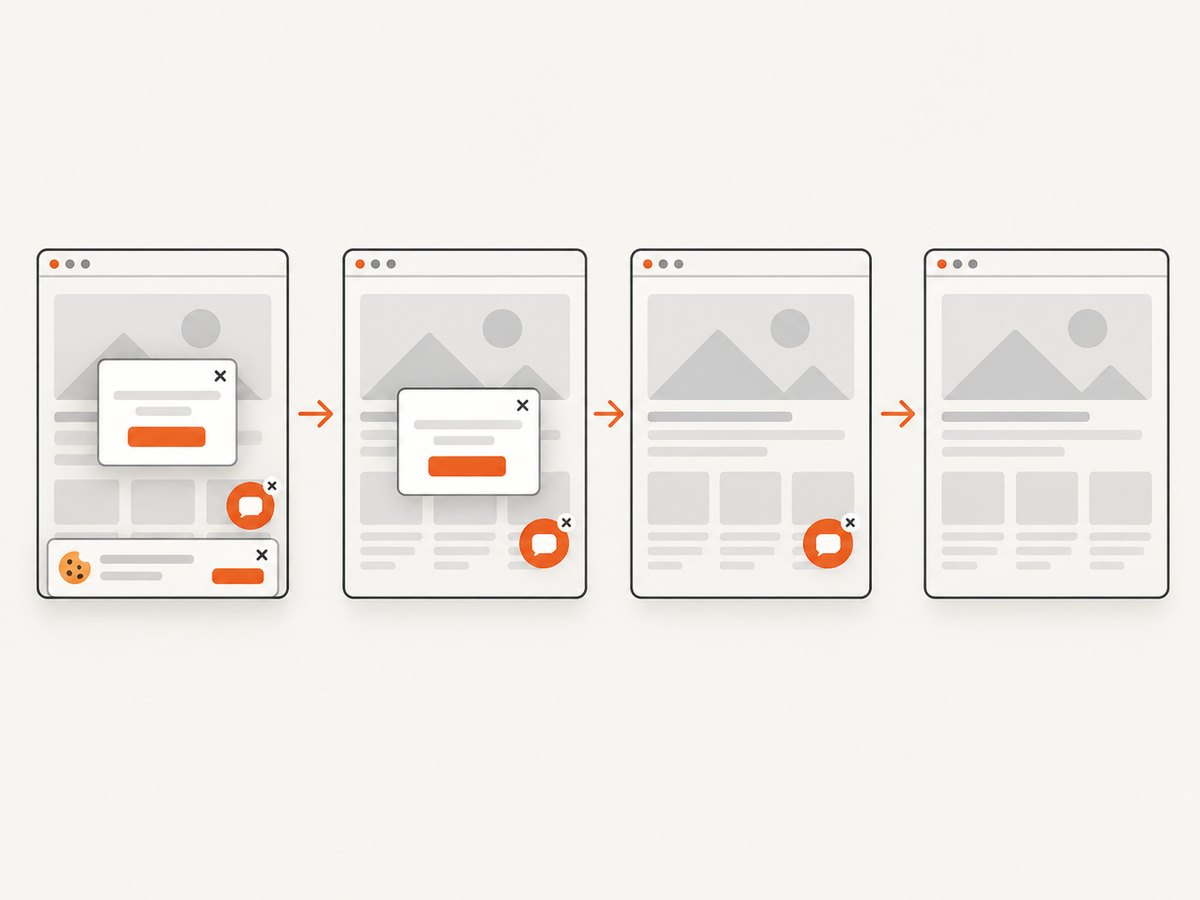
See the ScreenshotNeo API documentation for the complete option list. The API supports full-page captures with lazy images loaded, CSS-selector element shots, dark mode, device presets and custom viewports, retina scale, PDF output, custom CSS and JavaScript, clicks, selector or network-idle waits, request blocking, headers, cookies, user agents, authorization, timezone, geolocation, transparent backgrounds, resizing, configurable caching, signed links, asynchronous jobs, webhooks, bulk capture, usage data, and an OpenAPI specification. An MCP server exposes take_screenshot, get_page_info, and capture_pdf for Claude, Cursor, and other MCP clients.
cURL
curl -G "https://api.screenshotneo.com/v1/shot" \
  -d access_key=YOUR_API_KEY \
  --data-urlencode url=https://stripe.com \
  -o shot.webp
Python
import requests

r = requests.get(
    "https://api.screenshotneo.com/v1/shot",
    params={"access_key": "YOUR_API_KEY", "url": "https://stripe.com"},
    timeout=90,
)
r.raise_for_status()
open("shot.webp", "wb").write(r.content)
Node.js
const q = new URLSearchParams({
  access_key: 'YOUR_API_KEY',
  url: 'https://stripe.com'
});
const res = await fetch(`https://api.screenshotneo.com/v1/shot?${q}`);
if (!res.ok) throw new Error(`Screenshot failed: ${res.status}`);
const buffer = Buffer.from(await res.arrayBuffer());
require('fs').writeFileSync('shot.webp', buffer);
The Free plan includes 1,000 screenshots per month with no card. Paid plans start at $5 for 3,000 shots; yearly billing provides two months free, and every feature is available on every plan. Create a free ScreenshotNeo account to try it with no card.
Troubleshooting
The item moves visually but order resets
Your drag callback is not updating the canonical array, or a parent rerender restores server data. Update state by stable ID, then persist the resulting order after the drop.
Touch dragging scrolls the page
The selected backend or sensor may not support the device interaction. Follow the library’s touch guidance, test activation thresholds, and preserve a way to scroll outside the drag handle.
Keyboard users cannot move items
Check that the draggable handle is focusable, keyboard bindings are enabled, and focus is not trapped in a child control. Test with a screen reader and document the move and cancel commands.
A grid behaves unpredictably
Grid geometry needs collision and insertion rules that differ from a single list. @hello-pangea/dnd documents grids as unsupported; prototype the exact layout with a library that exposes the required primitives before shipping.
React warns about missing keys
Use a stable item ID as the React key and as the drag identifier. Never use the current array index when items can be reordered.
FAQ
Is one library objectively best?
No. The available sources support fit-based guidance, not a universal winner or performance ranking.
Can React DnD sort a list?
Yes, but you implement the sorting behavior and visual model yourself; its documentation does not provide a ready-made Sortable component.
Does @hello-pangea/dnd support grids?
Its project documentation lists grid layouts as unsupported. Verify current documentation before relying on a change.
Should drag state live on the server?
Keep transient gesture state in the client. Persist the final order on drop, validate permissions server-side, and handle conflicts explicitly.
What should I validate before choosing?
Test your actual layout, pointer and touch behavior, keyboard flow, screen-reader announcements, cancellation, virtualization, and the React versions you support.


