8 Amazing React Sandboxes to Boost Your Skills
Compare eight React sandboxes by setup, project depth, packages, collaboration, and best use. Choose a browser workspace for lessons, demos, bug reports, or prototypes.

A React sandbox lets you write and preview React code in a browser, often without installing Node.js or configuring a local project. For a general-purpose workspace that can grow beyond a lesson, start with CodeSandbox. Choose StackBlitz when you want a more local-like JavaScript workflow in the browser, and use CodePen or JSFiddle when a small, shareable demo is all you need.
There is no universal best sandbox: the right choice depends on whether you are learning JSX, testing one component, reproducing a bug, collaborating, or building something that needs a real project environment. React’s installation guide points learners to CodeSandbox, StackBlitz, and CodePen as ways to try React online without installing it. React’s installation guide
1. How to choose a React sandbox
Before opening an editor, decide what the sandbox must do. These questions prevent a common mismatch: picking a quick snippet tool for a project that needs npm packages, or setting up a full browser IDE just to check one CSS change.
| Question | Why it matters |
|---|---|
| Are you working on a snippet or a project? | Snippet editors start quickly; full project workspaces provide more room for files, dependencies, and application structure. |
| Do you need npm packages, TypeScript, or Node.js? | Support differs by environment. Check the editor’s current project template and package workflow before investing time. |
| Will someone else need to reproduce the result? | A shareable sandbox or repository-based environment makes it easier to review the same code and setup. |
| Does the result need to be deployed? | A learning demo may only need a preview. A production-bound prototype may need a broader development and hosting workflow. |
| Are you starting from a lesson, a bug, or a repository? | Lessons benefit from low setup friction; bug reports benefit from minimal reproductions; repository work benefits from matching the project environment. |
For a first exercise, the minimum useful loop is: edit a component, see the preview update, and share the result. For a larger prototype, also check package support, TypeScript, GitHub integration, and how the project is run. Features, pricing, free tiers, and AI limits can change, so confirm current vendor details before choosing based on a plan limit.
2. Eight React sandboxes to try
1. CodeSandbox: the all-round browser workspace
CodeSandbox is a strong starting point when you want a browser editor that can grow from a component experiment into a larger project. Its feature description covers online coding, live collaboration, prototyping, and isolated sandboxes for running code. React also lists it as a React-capable online sandbox. Use it for lessons, component experiments, and a shareable reproduction that may need more structure than a single snippet. CodeSandbox features
- Setup friction: suited to starting work in a browser.
- Project depth: a better fit than a snippet-only editor when the experiment grows.
- Collaboration and sharing: live collaboration and isolated sandboxes are among its described features.
- Good for: beginner lessons, components, and reproducible bug reports.
Pick it when you want one browser workspace for both learning and more substantial experiments. If your priority is a Node.js-like environment running inside the browser, compare it with StackBlitz.
2. StackBlitz: a local-like JavaScript workflow
StackBlitz is a good choice when you want a fuller JavaScript development workflow without leaving the browser. StackBlitz describes WebContainers as a WebAssembly-based operating system that boots Node.js in the browser tab. Its documentation also describes Git integration, hot-reloading previews, and setup that handles dependencies and build tools. StackBlitz WebContainers documentation
- Setup friction: designed to handle dependency and build-tool setup in the environment.
- Project depth: useful when your React work needs a Node.js environment.
- Preview and workflow: documentation describes hot reload and Git integration.
- Good for: learning in a project-shaped environment and prototypes that benefit from a browser-based JavaScript workflow.
Choose StackBlitz if the browser-based Node.js workflow is the main reason you are using a sandbox. Do not treat vendor descriptions of startup speed as a neutral benchmark against other editors.
3. CodePen: small visual demos
CodePen suits small frontend demonstrations, visual experiments, and public sharing. React names it as an online sandbox option. In the supplied comparison, it is categorized as a snippet and demo tool, with package support more limited than full project IDEs. React’s installation guide
Use it when you want to show one visual idea or experiment with a component without turning the exercise into a full application. If the example depends on a more involved npm setup or project structure, choose a fuller workspace instead.
4. JSFiddle: quick tests and minimal reproductions
JSFiddle is a lightweight option for a quick test or minimal reproduction. The supplied comparison describes it as a quick-test editor with CDN-oriented support. That makes it useful when the goal is to demonstrate a small issue and a full project environment would add unnecessary overhead.
Keep a reproduction focused: include the smallest component and input that show the problem, then share the fiddle with a clear explanation of the expected and actual behavior. For debugging something that depends on a project’s package setup, move the reproduction into a project-oriented sandbox.
5. Replit: broader browser IDE for full apps
Replit is positioned in the supplied comparison as a browser IDE for full applications, with npm support and built-in assistance. It may fit when your React exercise is part of a broader application rather than a single component.
Before choosing it based on a specific AI feature, free allowance, or price, check the current vendor page: those details can change. For a lesson or small UI demo, a simpler snippet editor may take less setup. For a full app, compare its current workflow with StackBlitz and Codespaces.
6. GitHub Codespaces: work from a real repository
GitHub Codespaces is a natural fit when you are learning from a real repository or course project and need a repeatable development environment. GitHub documents preconfigured, repository-specific environments that can be used in a browser, the VS Code web client, or desktop VS Code. GitHub Codespaces documentation
- Starting point: a repository with an environment configured for the project.
- Project context: useful when the lesson or bug lives in an existing codebase.
- Good for: repository-based courses, collaboration around project code, and work that should match the repository environment.
For a one-file React experiment, creating or opening a repository environment may be more setup than you need. Use it when the repository itself is part of what you need to learn or reproduce.
7. Glitch: full-stack experimentation
Glitch appears in the supplied comparison as an option for full-stack experimentation—projects that need more than one React component. Its current availability and limits should be verified before you commit to it, because the comparison source is time-bound.
If you are considering Glitch for a new project, check that its current workflow still matches your needs and that the project can be shared or run in the way you expect. For a React-only lesson, begin with a sandbox explicitly named by React or use a focused snippet editor.
8. Playcode: an AI-assisted React editor
Playcode is presented in the January 2026 comparison as an AI-assisted React editor with npm packages, TypeScript, and Tailwind support. That combination may appeal if you want an all-in-browser editor and assistance in the same workflow.
Check the current editor and plan details before relying on a particular model, package limit, or paid feature. The supplied research does not verify current model counts, prices, or plan limits. For a simple public demo, CodePen may be quicker; for a repository-specific environment, Codespaces may be a better match.
3. Comparison at a glance
| Sandbox | Best fit | Project depth | Notable workflow |
|---|---|---|---|
| CodeSandbox | Learning, components, and shareable reproductions | Browser workspace that can grow beyond a snippet | Collaboration and isolated sandboxes |
| StackBlitz | Browser-based JavaScript projects | Node.js environment in the browser | WebContainers, Git integration, hot reload |
| CodePen | Visual experiments and public demos | Snippet and demo oriented | Quick frontend sharing |
| JSFiddle | Quick tests and minimal bug reproductions | Lightweight, CDN-oriented testing | Small, focused examples |
| Replit | Full application experiments | Broader browser IDE | npm support and built-in assistance in the comparison |
| GitHub Codespaces | Courses and work in a real repository | Repository-specific development environment | Browser, VS Code web, or desktop |
| Glitch | Full-stack experiments | More than a single component | Verify current availability and limits |
| Playcode | Assisted React experiments | Browser editor described with npm, TypeScript, and Tailwind | Verify current AI and plan details |
Quick picks: try React without installation with CodeSandbox, StackBlitz, or CodePen; use CodeSandbox as the broad starting point; choose StackBlitz for its browser-based Node.js workflow; use CodePen or JSFiddle for snippets; and use Codespaces when you need the environment tied to an actual repository.
4. A first React exercise you can run in a sandbox
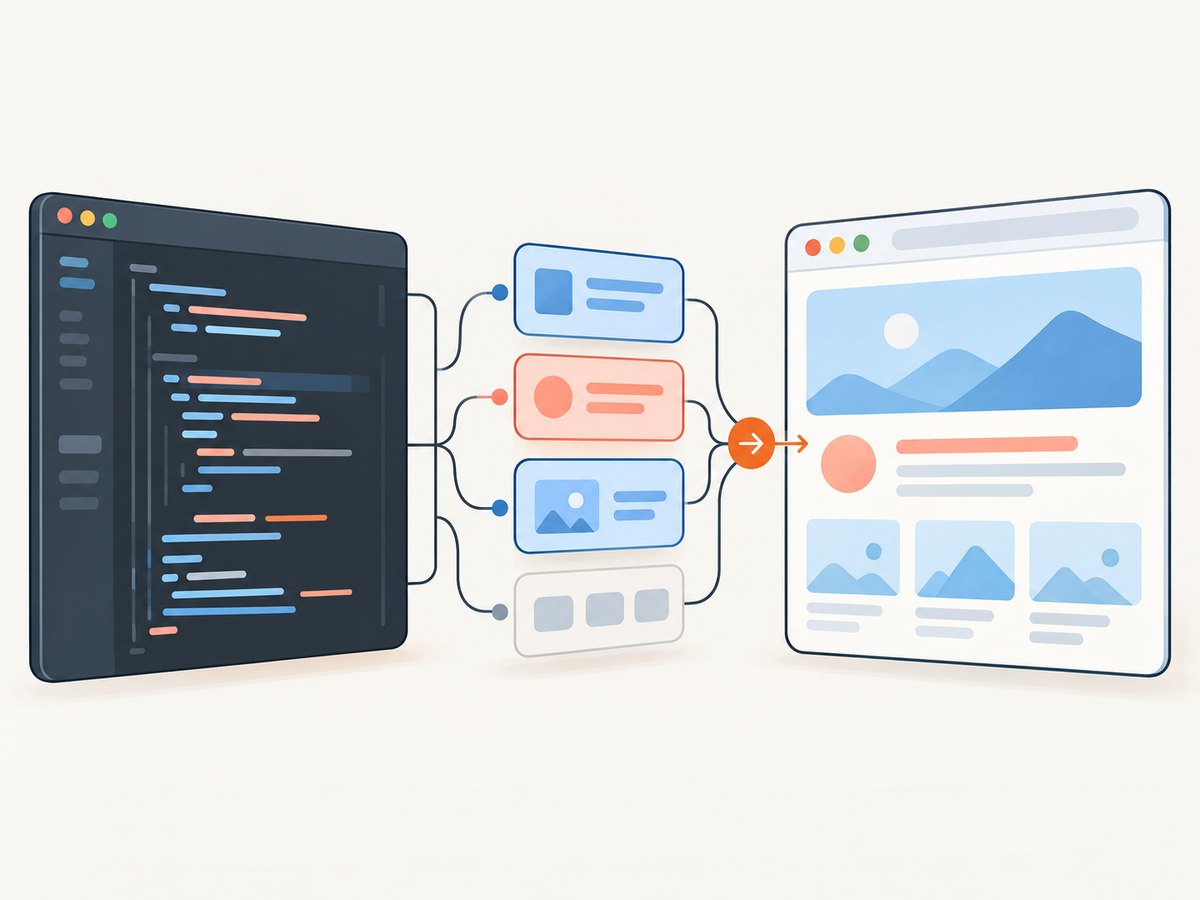
Open a React starter in your chosen environment, locate its main component, and replace the component with this small counter. It uses ordinary React state and makes a useful first check that edits are reaching the live preview.
import { useState } from 'react';

export default function App() {
  const [count, setCount] = useState(0);

  return (
    <main style={{ fontFamily: 'system-ui', padding: 24 }}>
      <h1>React sandbox practice</h1>
      <p>Clicks: {count}</p>
      <button onClick={() => setCount((value) => value + 1)}>
        Add one
      </button>
    </main>
  );
}- Start from a React template. Choose a React project rather than a plain HTML example so JSX and the development preview are configured.
- Replace the main component. Use the component entry point supplied by the template. Keep its export style if the starter expects a named export instead of the default export above.
- Check the preview. The heading, count, and button should appear. Clicking the button should increment the count.
- Share a useful reproduction. If you are asking for help, keep the example small, state what you expected, and include the steps that reproduce the issue.
For a package experiment, add one dependency using the sandbox’s package workflow, then import it in the component. For TypeScript, start from a TypeScript React template so the file extension and project configuration agree. Do not assume every snippet editor supports the same package or project features as a full IDE.
5. Troubleshooting a React sandbox
| Symptom | Likely cause | What to try |
|---|---|---|
| JSX syntax error | The code is in a plain JavaScript or HTML panel, or the template is not configured for JSX. | Open a React starter and put the component in its JSX-enabled source file. |
| The preview is blank | A runtime error, incorrect entry point, or missing export prevents the app from rendering. | Read the editor’s error output; confirm the file is imported by the app entry point and that its export matches the import. |
| “Cannot find module” | The dependency is not installed in the project or the import name is wrong. | Add the package through the sandbox’s dependency workflow and check the package name and import spelling. |
| TypeScript reports JSX or type errors | The project may use a JavaScript template, or a value’s type may not match the component. | Use a TypeScript React starter and fix the reported type or JSX configuration issue. |
| Changes do not appear | The preview may be showing a stale state, or the file being edited may not be the one rendered. | Check the preview’s entry component and build output; refresh the preview if needed. |
| A reproduction works locally but not in a snippet | The original project may depend on packages, environment settings, or files absent from the snippet. | Use a full project sandbox or repository environment and include the necessary setup. |
| A shared link does not reproduce the result | The project may have unshared changes or depend on setup not captured by the link. | Save or share the current version and document the steps or dependencies needed to run it. |
6. Preview a sandbox with ScreenshotNeo
Once a React preview is running, a screenshot is useful for a bug report, review, or visual record. You can capture the preview yourself with a browser screenshot tool. For a hosted preview page, an API can return an image or PDF with one request. If the sandbox preview URL is private or temporary, first confirm that it is reachable by the capture service; do not put credentials into a public link.
Or skip the browser setup
ScreenshotNeo is a website screenshot API and MCP server for developers. Give it a reachable preview URL and request an image; see the API documentation for its options.
curl -G "https://api.screenshotneo.com/v1/shot" -d access_key=YOUR_API_KEY --data-urlencode url=https://stripe.com -o shot.webpimport requests
r = requests.get(
"https://api.screenshotneo.com/v1/shot",
params={"access_key": "YOUR_API_KEY", "url": "https://stripe.com"},
timeout=90,
)
open("shot.webp", "wb").write(r.content)const q = new URLSearchParams({ access_key: 'YOUR_API_KEY', url: 'https://stripe.com' });
const res = await fetch(`https://api.screenshotneo.com/v1/shot?${q}`);Replace the example URL with your reachable sandbox preview URL. ScreenshotNeo accepts cookie or consent banners like a visitor and removes more than 60 known consent platforms, newsletter popups, and chat widgets before capture; each step can be turned off. Bot checks, blank pages, timeouts, failed loads, and cache hits cost nothing, and response headers identify the page verdict and billing status. Its MCP server offers take_screenshot, get_page_info, and capture_pdf for Claude, Cursor, and other MCP clients. The free plan includes 1,000 shots per month with no card; paid plans start at $5 for 3,000 shots. Sign up for 1,000 free screenshots a month, with no card.
7. Performance, reliability, and cost
A sandbox’s speed depends on more than the editor: project size, dependency setup, and the preview build all affect the time between opening a project and seeing a result. For one component, a snippet editor avoids project setup. For an app with packages or a Node.js workflow, a fuller environment can save repeated configuration work. Treat vendor startup descriptions as product descriptions, not comparable independent benchmarks.
For reliable reproductions, make the example small, keep the relevant code in the shared project, and state the steps to trigger the result. A repository-based environment is useful when setup must match an existing project; a shareable sandbox is usually simpler when the issue is isolated. Check that the preview URL and shared project still work before sending them to someone else.
Compare cost only after checking current plan pages. The research does not establish neutral, comparable pricing or free-tier limits across these editors, and vendor terms can change. For a short lesson, choose based on low setup friction; for regular work, account for the project features and collaboration workflow you actually need.
8. Frequently asked questions
Can I practice React online without installing anything?
Yes. React’s installation guide names CodeSandbox, StackBlitz, and CodePen as online sandbox options.
Which React sandbox is best for beginners?
Start with CodeSandbox for a general browser workspace, or CodePen for a small visual demo. Pick the simplest environment that fits the lesson.
Which sandbox is closest to a local JavaScript setup?
StackBlitz is the option in this comparison whose WebContainers boot Node.js inside the browser tab.
What should I use for a bug report?
Use a minimal reproduction: JSFiddle or CodePen for a tiny snippet, and CodeSandbox or a repository-based Codespace when project setup matters.
Which option should I use for an existing GitHub project?
GitHub Codespaces is built around repository-specific development environments. StackBlitz also documents Git integration.
Are free plans and AI features the same across these tools?
No. The supplied research does not provide a neutral current comparison of pricing, free tiers, or AI limits. Check each vendor’s current terms before relying on them.


