React SDKs for Embedded Design Editors
Compare React SDKs for embedded design editors, integration targets, licensing, compatibility, implementation steps, and export workflows.
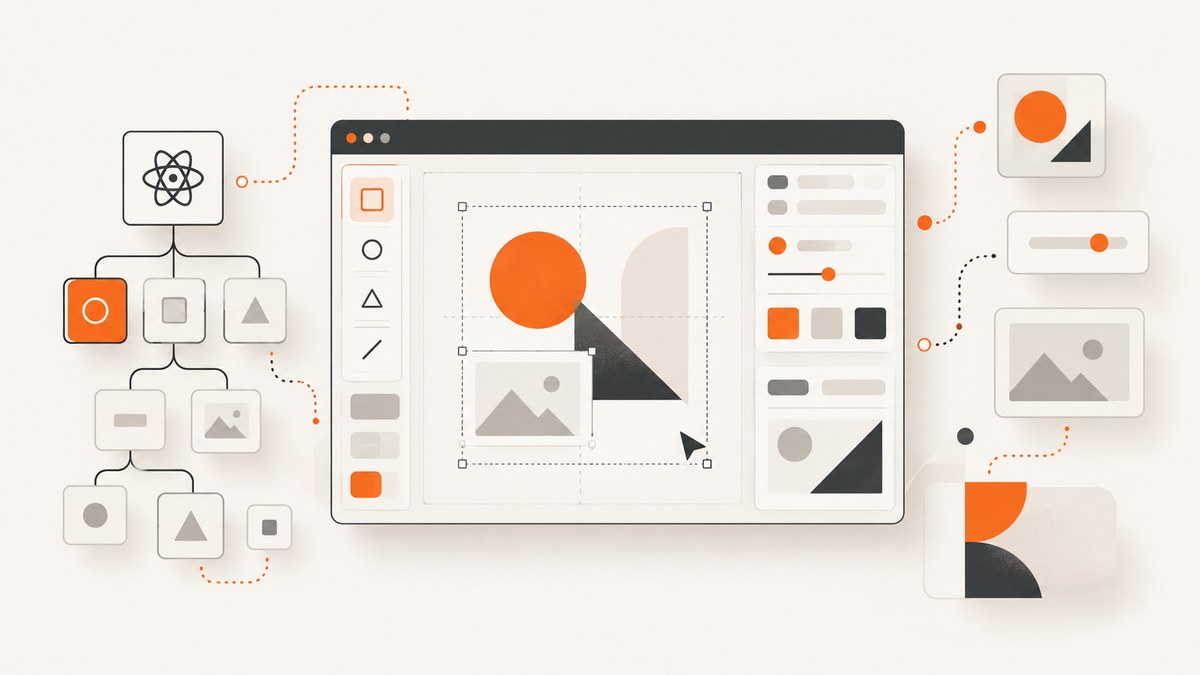
If you need a design editor inside an application that your team controls, start with an embeddable editor SDK. Polotno is the clearest documented React-oriented candidate in the sources reviewed here. Canva Apps and Figma widgets solve a different problem: they extend Canva or Figma for users who already work in those products.
The correct choice depends on the integration target, React version, control over the interface, editing and export requirements, deployment model, and license scope. This guide explains those decisions, shows a React implementation path, and covers the operational details that usually determine whether an embedded editor succeeds in production.
1. Decide which “embedded editor” you mean
There are two different architectures that are often described with the same phrase:

- Editor inside your product: Your SaaS or internal application renders a canvas editor for your own users. You control routing, authentication, assets, surrounding workflow, and product branding. Polotno documents this model as a JavaScript library with React components for building canvas editors. Polotno documentation
- App inside another editor: Your code runs within Canva or Figma and adds a capability to that platform. Canva Apps run in an iframe in the Canva editor and call Canva APIs. Figma widgets create interactive objects for Figma files and FigJam boards. Canva Apps documentation Figma Widget API documentation
Use the first model when the editor is a core feature of an independent product. Use Canva Apps when the destination is Canva’s editor and its users. Use Figma widgets when the destination is a Figma file or FigJam board. Canva and Figma’s extension APIs do not constitute turnkey React canvas components for an unrelated SaaS interface.
2. Shortlist and selection table
| Option | Where it runs | Best fit | What to verify |
|---|---|---|---|
| Polotno SDK | Your React application | A branded, workflow-specific canvas editor | React line, component customization, import/export, license, hosting and support |
| Canva Apps SDK | Canva editor iframe | A feature distributed to Canva users | Intent requirements, permissions, review, marketplace or private distribution |
| Figma Widget API | Figma files and FigJam boards | Interactive objects and workflows in Figma | Widget capabilities, TypeScript/JSX model, distribution and permissions |
Polotno’s documentation describes a workspace, side panels, toolbar, zoom controls and page timeline assembled from React components. Its store API manages canvas data and operations such as adding, updating and removing elements, selection, undo/redo, zoom and import/export. Read the Polotno overview
3. Check React compatibility before writing editor code
React compatibility is a release-blocking constraint, not a detail to solve after the proof of concept. Polotno documents its default 4.x line as targeting React 19 and a legacy 3.x line for React 18. Confirm the current support status, peer dependencies and upgrade policy against your host application before installing anything.
- Record your application’s React and React DOM versions.
- Check the SDK’s supported major line and peer dependency range.
- Install the SDK in a branch and run your production build, lint rules and test suite.
- Test strict mode, server-side rendering boundaries and any micro-frontend integration.
- Document an upgrade owner and rollback version before exposing the editor to customers.
Avoid assuming that a hosted editor product and an SDK have identical terms. Polotno separately describes Studio, its hosted self-serve editor and automation product, from its SDK. The vendor-maintained SDK information page lists Grass Roots at $249 per month and self-serve at $899 per month, with enterprise custom quoted; reconfirm those terms and permitted use directly before purchase. Polotno pricing information
4. Build a minimal editor in React
The following shape follows the documented Polotno integration model: create a store, render an editor component, and keep the store available to the rest of your application. Check the current package names and initialization requirements in the SDK documentation before copying it into a production repository.
import React, { useMemo } from 'react';
import { createRoot } from 'react-dom/client';
import { PolotnoContainer, SidePanel, Workspace } from 'polotno';
import { createStore } from 'polotno/model/store';
import { Toolbar } from 'polotno/toolbar/toolbar';
import { ZoomButtons } from 'polotno/toolbar/zoom-buttons';
import { PagesTimeline } from 'polotno/pages-timeline';
import '@blueprintjs/core/lib/css/blueprint.css';

function DesignEditor() {
  const store = useMemo(() => createStore({
    key: 'YOUR_POLotNO_LICENSE_KEY',
    showCredit: true,
  }), []);

  const page = store.addPage();
  page.addElement({
    type: 'text',
    text: 'Start designing',
    x: 80,
    y: 80,
    width: 500,
    fontSize: 42,
    fill: '#111827',
  });

  return (
    <PolotnoContainer style={{ width: '100vw', height: '100vh' }}>
      <SidePanel store={store} />
      <div style={{ flex: 1, display: 'flex', flexDirection: 'column' }}>
        <Toolbar store={store} />
        <Workspace store={store} />
        <ZoomButtons store={store} />
        <PagesTimeline store={store} />
      </div>
    </PolotnoContainer>
  );
}

createRoot(document.getElementById('root')).render(<DesignEditor />);
In a real application, create the store once per document session rather than on every render. Load the saved design JSON after authorization, and save changes through your own API. Keep the editor’s document identifier, owner and access control in your database; the SDK is not a substitute for application authorization.
Document lifecycle
- Open: Authenticate the user on your server, verify document access, then return the document JSON and asset references.
- Edit: Let the store handle selection, element updates, pages and undo/redo while the user works.
- Save: Debounce persistence and send a version number with each save. Reject stale writes or merge them deliberately.
- Publish: Freeze a revision, render the required output, and record the exact design revision used.
- Recover: Keep periodic revisions so a failed save or browser crash does not destroy work.
5. Decide what your editor must support
Write the object and workflow list before selecting a license or committing to a component layout:
- Objects: text, images, shapes, groups, layers, masks, charts or custom elements.
- Document model: one page or multiple pages, fixed dimensions or templates, bleed and safe areas.
- Input: uploads, stock assets, remote URLs, SVG, fonts and brand libraries.
- Editing: snapping, alignment, keyboard shortcuts, multi-select, undo/redo and history.
- Output: editable JSON, PNG, JPEG, PDF, SVG, print dimensions and server-side rendering.
- Collaboration: comments, presence, locking, conflict resolution and audit history.
- Automation: template variables, batch rendering and API-triggered exports.
Polotno’s surfaced documentation covers a canvas store and full editor example, but feature fit must be checked against your workflow. Do not infer accessibility, performance or export fidelity from a component list alone.
6. Control the surrounding product experience
An embedded SDK succeeds when users can complete your workflow without feeling that they have entered an unrelated application. Plan the shell around the canvas:
- Use your own route and permission checks before mounting the editor.
- Replace or constrain asset panels so users see approved sources.
- Expose only the tools needed for the document type; fewer controls reduce support load.
- Keep your save state visible and disable publish while a save is pending.
- Provide keyboard navigation, focus states, high contrast and a non-pointer path for core actions.
- Keep user-generated text and asset metadata outside the canvas JSON when it belongs to your application domain.
Polotno’s composable React components provide a documented route to assembling a workspace, panels, toolbar and timeline. Canva and Figma expose their own platform extension models, so their branding and navigation constraints are different.
7. Canva Apps: when the host is Canva
Canva’s app model runs JavaScript in an iframe rendered in Canva’s editor. Apps call Canva SDK APIs to interact with a design, and official examples use React. The Design Editor intent is appropriate when your feature should be available to Canva users inside Canva. It is not a general editor component that you mount in an independent SaaS product. Canva Apps
Canva says apps may be distributed through the Apps Marketplace or shared privately with team members. New apps must implement at least one intent. Confirm current intent requirements, permissions, review steps and distribution terms for your project because these policies can change.
8. Figma widgets: when the host is Figma or FigJam
Figma’s Widget API creates custom interactive objects for Figma design files and FigJam boards. Figma describes the API as TypeScript and JSX with a component model similar to React. This is useful for interactive objects in Figma, but it is not evidence of an independently hosted canvas editor for your product’s users. Figma Widget API
9. Data, deployment and security checklist
- Store document JSON and asset metadata under tenant-scoped identifiers.
- Generate upload URLs on the server; validate MIME type, size and image dimensions.
- Do not put private API credentials or license secrets in publicly accessible source.
- Sanitize text and URLs displayed in previews, especially if users can paste HTML or SVG.
- Define retention and deletion for source assets, revisions and rendered files.
- Log document revision, actor, export type and failure reason without logging sensitive content.
- Evaluate iframe, CSP, origin and third-party asset requirements with your security team.
The cited sources do not provide a comparative security review. Treat these as implementation questions to answer from current technical and contractual documentation, not as claims about any vendor’s security posture.
10. Performance and reliability practices
Canvas editors are sensitive to image size, element count and browser memory. Resize very large uploads before putting them on the canvas, use thumbnails in asset pickers, and avoid re-rendering the entire editor when a side panel changes. Debounce saves, but flush immediately on explicit Save, navigation and publish.
Measure the operations your users perform: initial editor load, opening a large document, adding an image, undo/redo, autosave latency and export time. Test low-memory mobile browsers even if the primary workflow is desktop. Put export work behind a job boundary when it can exceed a request timeout, and show a revision identifier so users know which version was rendered.
11. Troubleshooting
Peer-dependency or blank-editor errors
Cause: The installed SDK line does not match the application’s React version, or required CSS was omitted. Fix: Align React and React DOM with the supported SDK line, inspect peer-dependency warnings, and load the vendor’s required styles.
Changes disappear after navigation
Cause: The store was recreated during render or saves were not awaited. Fix: Create the store once, debounce persistence, flush on navigation, and verify that the server accepted the document revision.
Images work locally but fail in production
Cause: Private asset URLs, CORS, CSP or an origin allowlist blocks the browser. Fix: Serve authorized assets through stable URLs, configure the required origins, and inspect network and console errors in the deployed environment.
Export differs from the canvas
Cause: Missing fonts, unsupported effects, different image loading timing or a stale document revision. Fix: Pin fonts and assets, wait for them before export, record the revision, and compare a minimal document containing one affected element.
Canva app cannot access a design
Cause: The app has not declared the needed intent or permission, or the request is outside the current app model. Fix: Review the current Canva intent and permission documentation, then test with the smallest supported example.
Figma widget state is not where expected
Cause: Widget state and document objects follow Figma’s widget model rather than a normal React application’s state tree. Fix: Follow the Widget API lifecycle and test persistence inside an actual Figma file or FigJam board.
12. Or skip the browser setup
If your immediate requirement is to capture the editor, a published design, or documentation pages as images or PDFs, ScreenshotNeo provides a single HTTP request. It accepts a URL and returns PNG, JPEG, WebP or PDF. Cookie and consent banners are accepted and 60-plus known consent platforms, newsletter popups and chat widgets are removed before capture; each step can be turned off. Bot checks, CAPTCHAs, blank pages, timeouts, failed loads and cache hits are not billed, and response headers identify the page verdict and billing result.
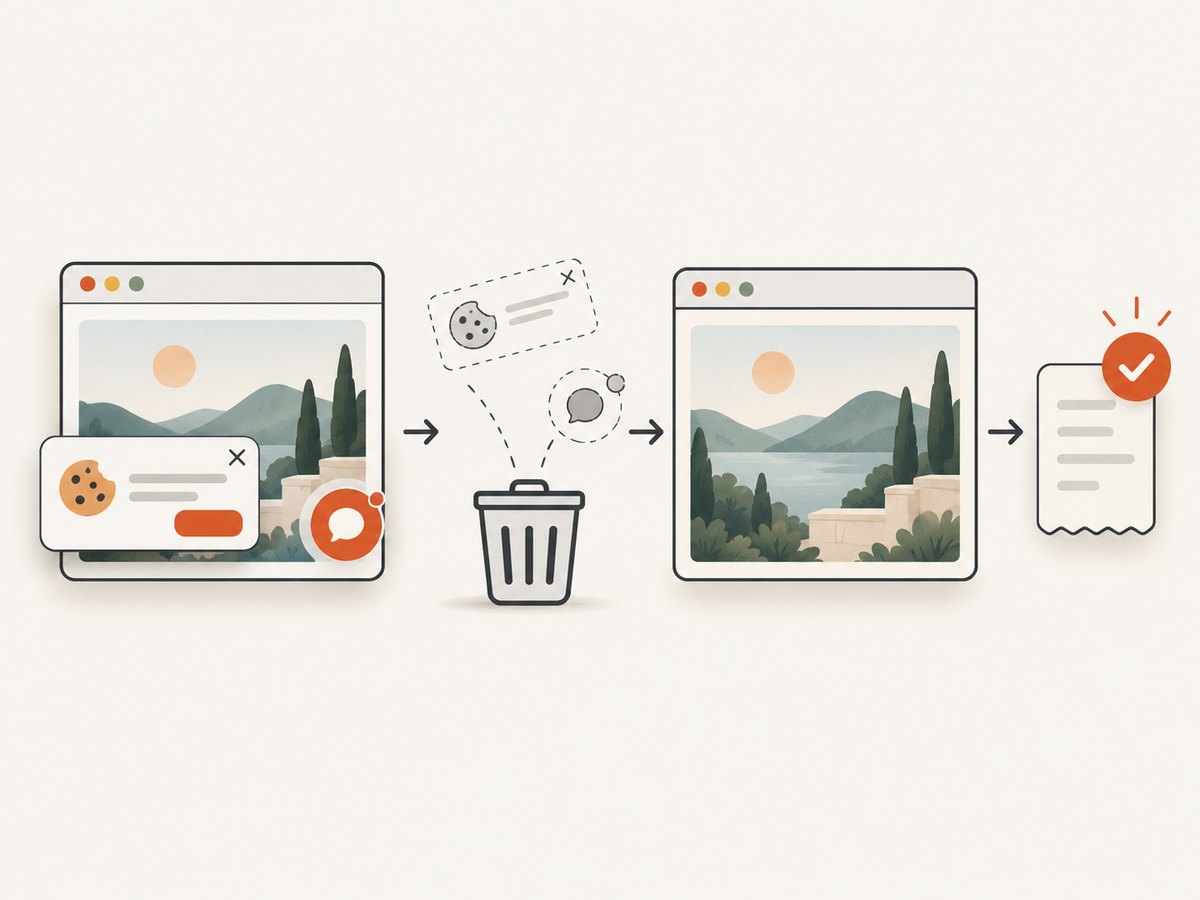
See the ScreenshotNeo API documentation for all options, including full-page capture with lazy images, CSS-selector element capture, dark mode, device presets, custom viewports, retina scale, PDF paper size and margins, custom CSS and JavaScript, click and wait actions, request blocking, headers, cookies, user agents, authorization, timezone, geolocation, transparent backgrounds, resizing, TTL caching, signed links, asynchronous jobs, webhooks, bulk capture and usage reporting.
curl -G "https://api.screenshotneo.com/v1/shot" \
  -d access_key=YOUR_API_KEY \
  --data-urlencode url=https://stripe.com \
  -o shot.webp
import requests
r = requests.get(
"https://api.screenshotneo.com/v1/shot",
params={"access_key": "YOUR_API_KEY", "url": "https://stripe.com"},
timeout=90,
)
r.raise_for_status()
open("shot.webp", "wb").write(r.content)const q = new URLSearchParams({
access_key: 'YOUR_API_KEY',
url: 'https://stripe.com'
});
const res = await fetch(`https://api.screenshotneo.com/v1/shot?${q}`);
if (!res.ok) throw new Error(`HTTP ${res.status}`);
const image = Buffer.from(await res.arrayBuffer());An MCP server also provides take_screenshot, get_page_info and capture_pdf tools for Claude, Cursor and other MCP clients. The Free plan includes 1,000 shots per month without a card; paid plans start at $5 for 3,000 shots. Create a free ScreenshotNeo account.
13. Cost and licensing questions to resolve
- Is the quoted amount for an SDK license, a hosted editor, rendering usage or support?
- Are production domains, white-labeling, customer-facing use and subcontractors permitted?
- Are exports, fonts, stock assets and uploaded media covered by separate terms?
- Does the plan include updates, support response targets or an SLA?
- Can you self-host the application while using the SDK, and where does document data reside?
Do not compare Polotno Studio pricing directly with an SDK quote. Validate the current license scope and total cost with the vendor before procurement.
14. Decision checklist
- My editor renders in my application, or I intentionally target Canva or Figma.
- The supported React version matches my host application.
- I have listed required objects, pages, imports, exports and automation.
- I know where document state, assets and rendered files are stored.
- I have a save, revision, recovery and export-failure plan.
- I have checked licensing, domains, support and usage terms.
- I tested a representative large document and the slowest expected browser.
FAQ
Is Polotno a hosted editor or an SDK?
Polotno documents an SDK made from JavaScript and React components for building an editor in your product. It separately offers Studio, a hosted self-serve editor and automation product.
Can I embed Canva’s editor in my SaaS?
The cited Canva model is an app running in an iframe inside Canva and using Canva APIs. It is intended to extend Canva, not to provide a general editor component for an unrelated application.
Are Figma widgets React components?
Figma describes the Widget API as TypeScript and JSX with a component model similar to React. Widgets create interactive objects inside Figma files and FigJam boards.
Should I build the canvas myself?
Build in-house only after estimating editing interactions, import/export fidelity, asset handling, accessibility, browser performance and long-term maintenance. An SDK can reduce that surface, but you still own your product workflow and data model.
Can ScreenshotNeo capture a private editor route?
ScreenshotNeo supports custom headers, cookies, user agents and Authorization parameters. Configure the request for the route’s authentication requirements and review the resulting page verdict and billing headers.


