How to Read a Local CSHTML File with iTextSharp
Learn why iTextSharp cannot execute a .cshtml file, how to render Razor first, and how to convert static or rendered HTML to PDF safely.
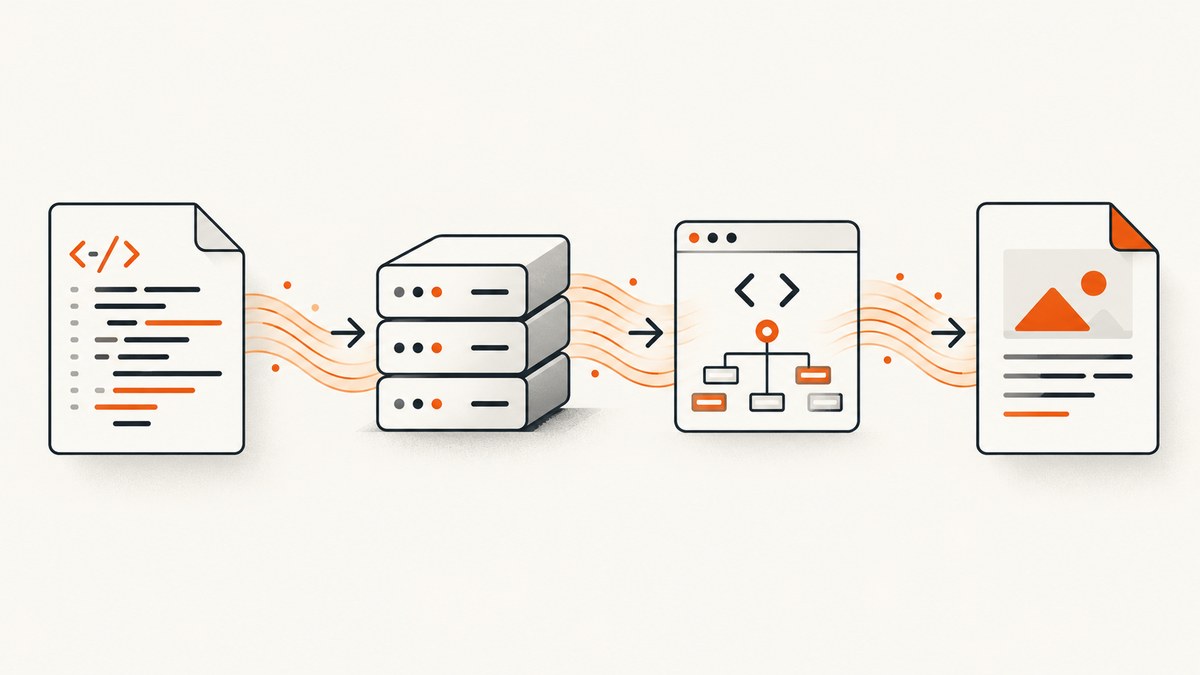
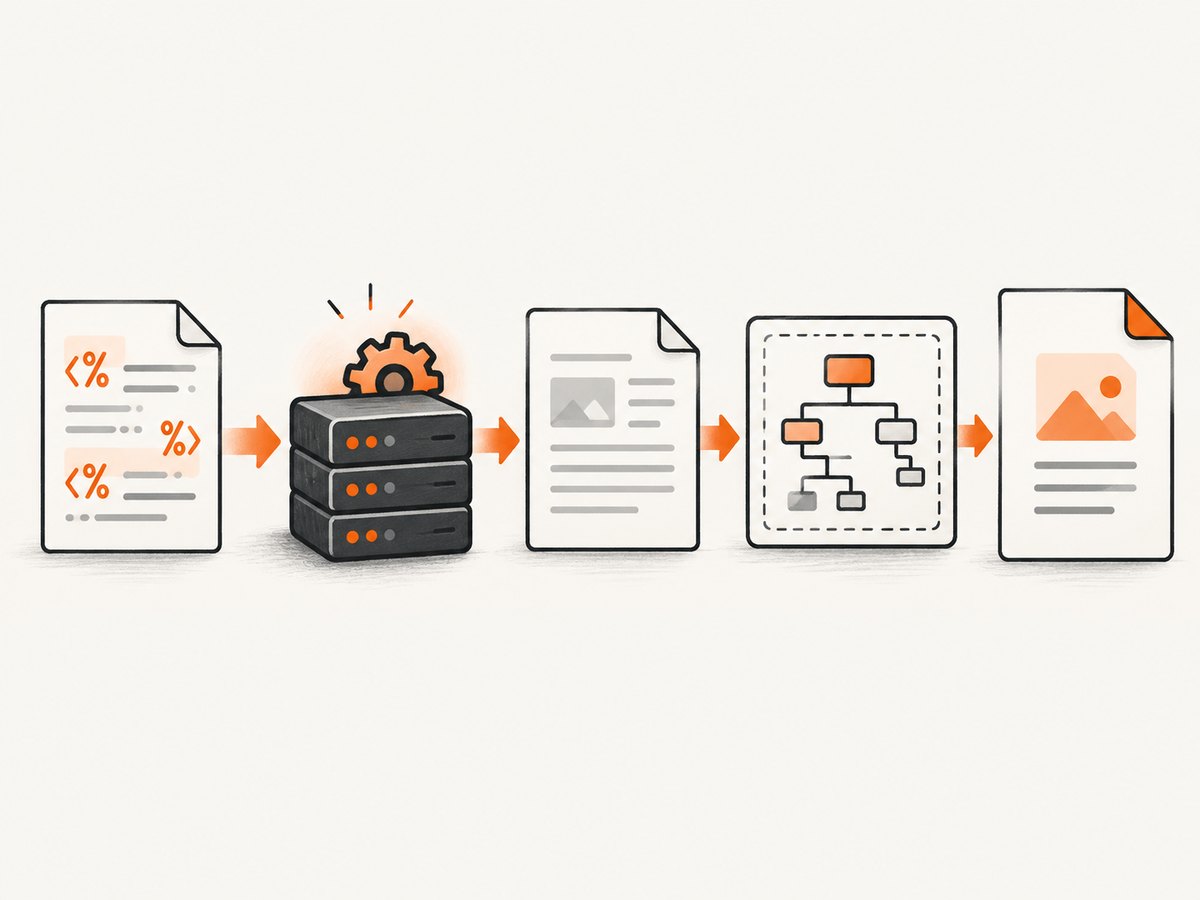
Direct answer: iTextSharp does not execute a local .cshtml Razor template. If the file contains Razor expressions, render it through the ASP.NET Razor view engine with its model and request/view context, capture the resulting HTML, then pass that HTML to iTextSharp XMLWorker. If the file already contains static HTML, read it as text or a stream and parse it directly.
Razor is server code embedded in markup; expressions are evaluated while ASP.NET renders the view. iTextSharp/XMLWorker only receives HTML and CSS. It is unaware of ASP.NET, MVC, Razor, routing, dependency injection, authentication, and view models. The iText Knowledge Base describes this boundary directly: the application is responsible for obtaining framework-generated HTML.
Choose the correct workflow
| What is in the file? | What to do | What not to do |
|---|---|---|
| Static HTML only | Read the file and pass it to XMLWorker. | Do not expect browser behavior such as JavaScript execution. |
Razor directives or expressions (@model, @Model.Name, @if) |
Render the view inside the ASP.NET host, then convert the rendered HTML. | Do not pass the source .cshtml text to XMLWorker. |
| New application | Evaluate current iText/pdfHTML packages and licensing. | Do not start a new system on an unreviewed legacy stack. |
Convert a static local HTML file
This pattern applies when the file contains ordinary HTML, not Razor source. It uses the legacy iTextSharp XMLWorker API.
using System;
using System.IO;
using iTextSharp.text;
using iTextSharp.text.pdf;
using iTextSharp.tool.xml;

public static class HtmlToPdf
{
    public static void Convert(string htmlPath, string pdfPath)
    {
        if (!File.Exists(htmlPath))
            throw new FileNotFoundException("HTML file was not found.", htmlPath);

        using (var htmlReader = new StreamReader(htmlPath, detectEncodingFromByteOrderMarks: true))
        using (var output = new FileStream(pdfPath, FileMode.Create, FileAccess.Write))
        using (var document = new Document())
        {
            var writer = PdfWriter.GetInstance(document, output);
            document.Open();
            XMLWorkerHelper.GetInstance().ParseXHtml(writer, document, htmlReader);
            document.Close();
        }
    }
}

// Example:
HtmlToPdf.Convert(@"C:\reports\invoice.html", @"C:\reports\invoice.pdf");
The document and writer must be open before XMLWorker parses the input. Use an explicit encoding when your deployment requires one, and treat the output path as an application-controlled location.
String input instead of a file
using (var document = new Document())
using (var output = new FileStream(pdfPath, FileMode.Create, FileAccess.Write))
using (var htmlReader = new StringReader(html))
{
    var writer = PdfWriter.GetInstance(document, output);
    document.Open();
    XMLWorkerHelper.GetInstance().ParseXHtml(writer, document, htmlReader);
}
Render a CSHTML Razor view first
A real .cshtml file normally needs a functioning ASP.NET rendering context. That context supplies the model, view data, layout, partial views, URL helpers, authentication state, localization, and services used by the template. Render it to a string or stream, then give the final HTML to XMLWorker.
The exact rendering code differs between ASP.NET MVC 5 and ASP.NET Core. Treat the following as the framework-specific shape your implementation must provide:
// Framework-specific pseudocode
var model = BuildInvoiceModel(invoiceId);
var renderedHtml = await RenderViewToStringAsync(
    viewName: "Invoice",
    model: model,
    routeData: routeData,
    httpContext: httpContext);

using (var document = new Document())
using (var output = File.Create(pdfPath))
using (var htmlReader = new StringReader(renderedHtml))
{
    var writer = PdfWriter.GetInstance(document, output);
    document.Open();
    XMLWorkerHelper.GetInstance().ParseXHtml(writer, document, htmlReader);
}
RenderViewToStringAsync is intentionally a placeholder: MVC 5 and ASP.NET Core expose different view-engine services and require different action, HTTP, and dependency-injection setup. Do not copy a helper written for another ASP.NET generation without adapting it to your project.
Rendering checklist
- Create the same model the normal web request would use.
- Provide the view name or physical path and the correct controller/action context.
- Supply
ViewData,TempData, route values, culture, and authenticated-user state when the view depends on them. - Resolve layouts and partial views through the registered view engine.
- Capture the fully rendered HTML, including the layout if the PDF requires it.
- Pass only that rendered HTML to XMLWorker.
CSS, images, fonts, and resource paths
XMLWorker parses HTML and CSS; it is not a browser. Keep markup within the HTML and CSS supported by your XMLWorker version. The iText examples demonstrate inline and absolutely linked CSS. Relative stylesheets, images, and fonts can fail when HTML is supplied as a string because the parser may not know the document base URI.

- Use absolute, application-resolvable paths or configure the resource provider/base URI supported by your chosen overload.
- Verify that the server process can read every image, stylesheet, and font.
- Prefer embedded or controlled assets for invoices and other reproducible documents.
- Register fonts explicitly when a required typeface is not available to the process.
- Inspect the generated PDF for missing images, substituted fonts, unsupported CSS, and incorrect page breaks.
XMLWorker limitations and package status
HTMLWorker offers only limited CSS support; XMLWorker is the more capable legacy parser. Neither is a browser engine and neither executes JavaScript or Razor. Complex flexbox/grid layouts, animations, client-side data loading, and browser-only CSS may require a different PDF approach.
The XMLWorker package metadata marks XMLWorker as deprecated and states that iTextSharp is end-of-life. New projects should evaluate current iText and pdfHTML packages, their APIs, and their licensing terms. Existing applications may still need XMLWorker for compatibility. Review the current package and license information before deployment.
Common errors and fixes
| Error or symptom | Cause | Fix |
|---|---|---|
PDF contains @Model.Name or Razor directives |
Source CSHTML was passed directly to XMLWorker. | Render the view first, then convert the resulting HTML. |
| “File not found” | Relative path resolves from the process working directory, not the project directory. | Log the resolved path and use a configured absolute application path. |
| Missing images or CSS | Relative URLs have no usable base URI, or the process lacks permissions. | Use resolvable URLs/paths, configure resource resolution, and check file permissions. |
| Blank or nearly empty PDF | HTML is empty, malformed, unsupported, or depends on JavaScript. | Log the rendered HTML, validate its encoding, simplify unsupported markup, and remember XMLWorker does not run JavaScript. |
| Fonts look wrong | The server cannot find the requested font or it was not registered. | Install/register the font explicitly and verify embedding requirements. |
| Layout differs from the browser | XMLWorker is an HTML/CSS parser, not a browser. | Use supported CSS, add explicit page-break rules, or evaluate a browser-based renderer. |
| Disposed stream or locked output file | Document, writer, or stream lifetime is incorrect. | Use deterministic disposal and close the document after parsing completes. |
| Razor view throws during conversion | Missing request context, services, route data, or model values. | Render inside the application host with the same dependencies as the normal request. |
Performance, reliability, and cost considerations
- Rendering a Razor view and parsing it are separate stages; measure them separately in logs.
- Reuse immutable templates and avoid repeatedly loading large assets when your hosting model permits it.
- Keep HTML, CSS, images, and fonts local or from dependable internal storage for deterministic output.
- Set request and job timeouts around view rendering and PDF generation, and log the document identifier on failures.
- Validate input paths to prevent unintended file access, and never treat user-supplied paths as trusted.
- For large documents, stream output where supported and monitor memory consumption.
- Review iTextSharp/XMLWorker licensing and end-of-life status before committing to long-term maintenance.
Or skip the browser setup
If your goal is a clean screenshot or PDF of a rendered page rather than server-side PDF generation, ScreenshotNeo provides a single GET request. Its capture pipeline accepts cookie and consent banners like a visitor, then removes more than 60 known consent platforms, newsletter popups, and chat widgets before the shot. Bot checks, blank pages, timeouts, failed loads, and cache hits are not billed, and each response reports the result in X-Page-Verdict and X-Billed headers. An MCP server provides take_screenshot, get_page_info, and capture_pdf tools for Claude, Cursor, and other MCP clients.
See the ScreenshotNeo API documentation for the complete option list.
curl -G "https://api.screenshotneo.com/v1/shot" -d access_key=YOUR_API_KEY --data-urlencode url=https://stripe.com -o shot.webpimport requests
r = requests.get("https://api.screenshotneo.com/v1/shot", params={"access_key": "YOUR_API_KEY", "url": "https://stripe.com"}, timeout=90)
open("shot.webp", "wb").write(r.content)const q = new URLSearchParams({ access_key: 'YOUR_API_KEY', url: 'https://stripe.com' });
const res = await fetch(`https://api.screenshotneo.com/v1/shot?${q}`);ScreenshotNeo supports full-page and element capture, device and viewport settings, retina scale, PDF options, custom CSS and JavaScript, waits, request blocking, headers, cookies, user agents, timezone, geolocation, caching, signed links, async webhooks, bulk capture, and a usage API. It includes 1,000 screenshots per month free with no card; paid plans start at $5 for 3,000 shots. Create a free ScreenshotNeo account.
FAQ
Can XMLWorker read a CSHTML file directly?
It can read the bytes, but it cannot evaluate Razor. Direct parsing produces source directives and expressions instead of final values.
Do I need a browser to convert static HTML?
No. XMLWorker can parse static HTML and CSS, but it will not run JavaScript or reproduce all browser layout behavior.
Why does a view render in the browser but fail in a PDF job?
The PDF job may lack the request context, services, route data, culture, authentication, or model values used by the normal request.
Should a new project use iTextSharp?
Evaluate current iText/pdfHTML packages first. iTextSharp and XMLWorker are legacy components, and licensing must be reviewed for your project.


