How to Read a Non-UTF-8 Placeholder Value with Python and Selenium
Read HTML placeholders and live values correctly in Selenium, diagnose encoding corruption, and fix broken output without blind recoding.

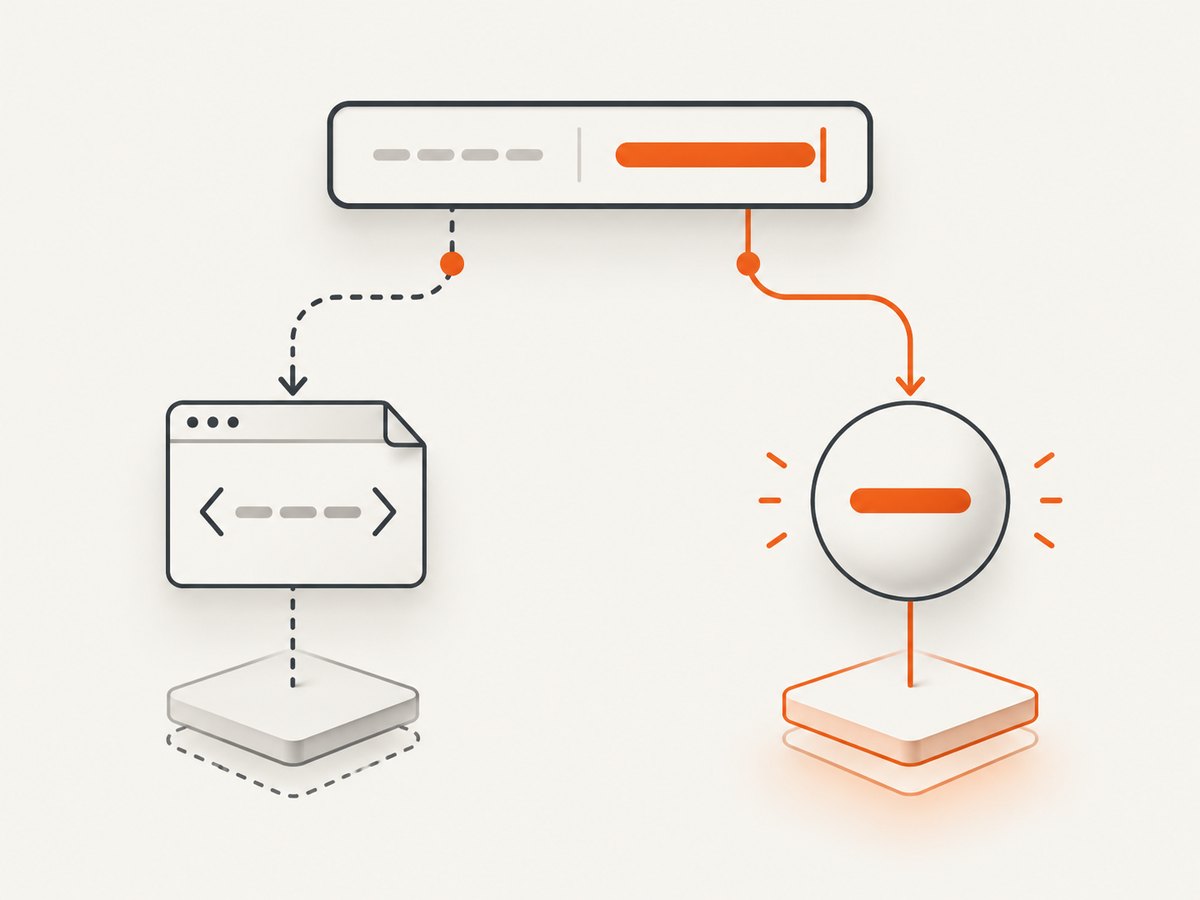
Direct answer: An HTML placeholder is the hint shown while an input is empty. It is different from the input’s current value. In Python Selenium, read the markup hint with element.get_dom_attribute('placeholder') and read what the user or script has entered with element.get_property('value'). A Selenium string is already decoded text; if it contains � or mojibake, determine whether the damage is in the DOM or happened later in your terminal, log file, or export.
This distinction follows the HTML definition of placeholder as a short hint for an empty control (WHATWG HTML input specification). Selenium’s Python API documents separate methods for DOM attributes and DOM properties (WebElement API). The encoding of the original HTML response is handled during HTML parsing, before Selenium exposes the resulting DOM (HTML parsing and Encoding Standard).
1. Placeholder, attribute, and value are three different things
Consider this control:
<input name='search' placeholder='Café au lait' value='Initial text'>- Markup attribute:
placeholder='Café au lait'is what the server or script declared in the element’s HTML. - DOM property:
valueis the live value. It changes when a user types, when JavaScript assigns toinput.value, or when Selenium callssend_keys(). - Rendered hint: the browser displays the placeholder only while the control has no value. It is not normally returned by
element.text.
Use explicit Selenium calls when the distinction matters:
from selenium.webdriver.common.by import By

field = driver.find_element(By.NAME, 'search')
placeholder_hint = field.get_dom_attribute('placeholder')
current_value = field.get_property('value')

print('placeholder:', repr(placeholder_hint))
print('current value:', repr(current_value))
get_attribute() is convenient, but the current Python binding is property-first and falls back to an attribute with the same name. Calling get_dom_attribute() or get_property() states your intent and avoids ambiguity. repr() exposes surrounding whitespace and some invisible characters; it does not repair encoding.
2. Complete runnable Selenium example
Install Selenium and use a current browser driver. Selenium Manager can obtain a compatible driver in supported setups.
python -m pip install -U seleniumfrom selenium import webdriver
from selenium.webdriver.common.by import By
from selenium.webdriver.support.ui import WebDriverWait
from selenium.webdriver.support import expected_conditions as EC
options = webdriver.ChromeOptions()
options.add_argument('--headless=new')
options.add_argument('--window-size=1280,900')
driver = webdriver.Chrome(options=options)
try:
driver.get('https://example.com/form')
wait = WebDriverWait(driver, 15)
field = wait.until(EC.presence_of_element_located((By.NAME, 'search')))
placeholder = field.get_dom_attribute('placeholder')
value = field.get_property('value')
print('placeholder:', repr(placeholder))
print('value:', repr(value))
# Demonstrate that value is live, while placeholder remains the hint.
field.clear()
field.send_keys('naïve')
print('after typing:', repr(field.get_property('value')))
finally:
driver.quit()Replace the URL and locator with the page you control. Prefer stable IDs, names, or accessible labels over brittle absolute XPath expressions. Selenium’s finder and element information documentation covers locator choices and reading element data (finders, element information).
3. What “non-UTF-8” means in this situation
Selenium does not return the original response bytes. The browser receives bytes, determines a character encoding, parses the document, and exposes Unicode DOM strings. “Non-UTF-8 placeholder” can therefore describe several different cases:
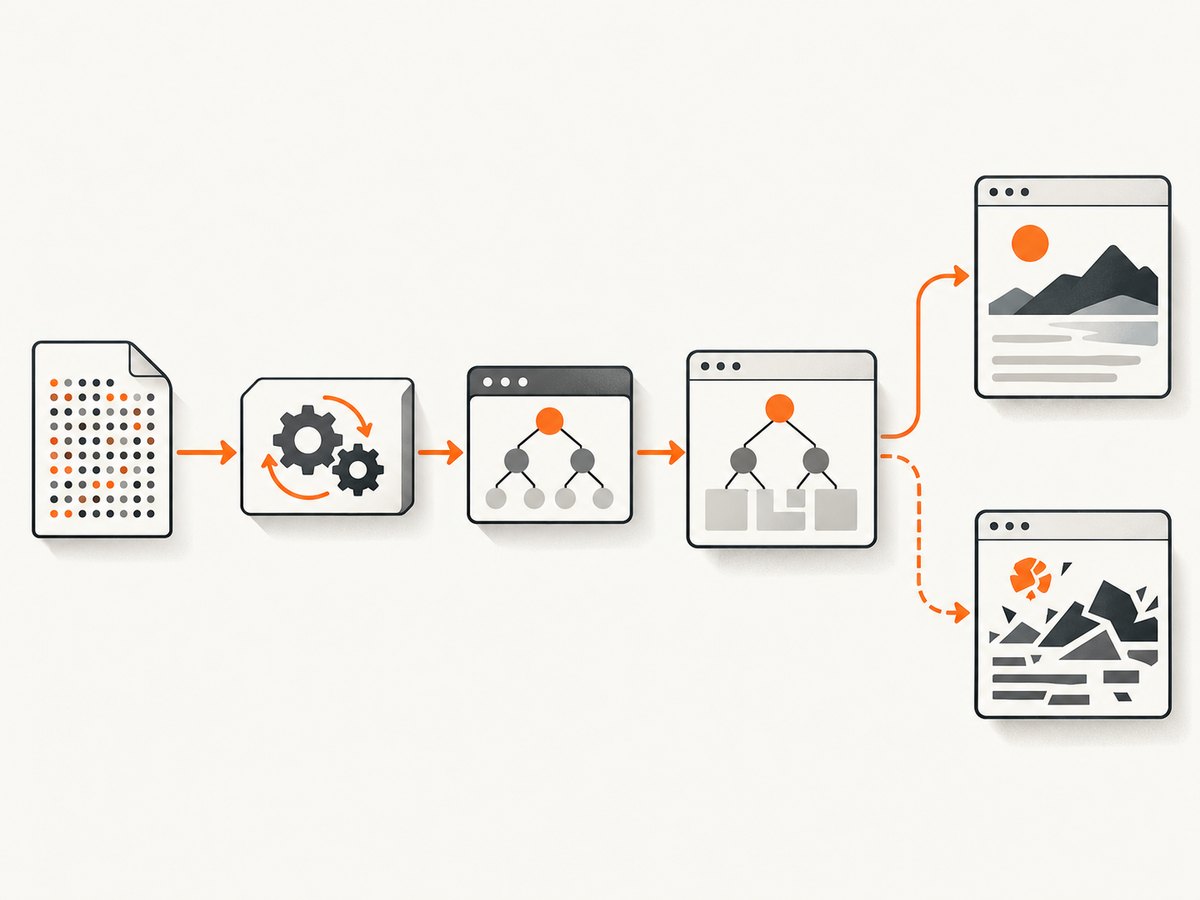
- A legitimate legacy encoding: the page is correctly declared as Windows-1252, ISO-8859-1, Shift_JIS, or another supported encoding. The DOM may still contain correct Unicode such as
é. - Incorrect declaration: the bytes were produced in one encoding but the HTTP header, BOM, or HTML declaration says another. The browser can create replacement characters or mojibake before Selenium reads anything.
- Correct DOM, broken output: Selenium returns the right string, but your terminal, log writer, CSV export, database connection, or HTTP response decodes it incorrectly.
- Confusing placeholder with value: the field looks populated, but the visible text is only a hint. Reading the live
valuecorrectly returns an empty string.
First print both values with repr() and inspect the DOM in browser developer tools. If the DOM itself contains � or text such as é, investigate the document’s encoding. If DevTools shows correct text but your log is damaged, fix that output layer instead. Do not repeatedly apply .encode('utf-8').decode(...) without identifying where the first incorrect conversion occurred.
4. Diagnose the document encoding
Check the response headers and the document declaration. The HTTP Content-Type may include a charset; the HTML may contain an early <meta charset='...'>. The browser’s final choice is available through JavaScript:
encoding = driver.execute_script('return document.characterSet')
url = driver.current_url
print('URL:', url)
print('browser character set:', encoding)
This reports the encoding used for the parsed document, not a guarantee that the server’s bytes were originally valid. If you can fetch the page outside Selenium, inspect headers without decoding the body first:
import requests

response = requests.get('https://example.com/form', timeout=30)
print(response.headers.get('content-type'))
print('requests guessed:', response.encoding)
print('apparent:', response.apparent_encoding)
Use the server's declared charset and the site's actual encoding rules as evidence. A guessed encoding is only a diagnostic clue. If you own the page, serve the correct charset consistently and place the HTML declaration early. The HTML and Encoding standards describe how declarations and legacy algorithms affect parsing (document character encoding, encoding algorithms).
5. Decode external bytes only when you actually have bytes
A Selenium result is a Python str. To decode manually, retain a byte sequence from a response, file, or queue and identify its true encoding:
raw = open('page.html', 'rb').read()
text = raw.decode('cp1252')  # use only when the source is known to be Windows-1252
print(repr(text))
For a file you are creating, choose an explicit encoding:
with open('placeholders.txt', 'w', encoding='utf-8', newline='') as output:
    output.write(placeholder or '')
For console diagnostics, Python usually follows the terminal's configured encoding. You can inspect it with sys.stdout.encoding. A Unicode-capable terminal does not fix a string that was already corrupted, and forcing a different encoding can hide the original problem.
6. Wait for JavaScript-populated placeholders
Many forms start with no placeholder and add one after a component mounts, a locale loads, or a network request completes. Waiting only for the element's presence can read too early. Wait for the attribute itself:
from selenium.webdriver.support.ui import WebDriverWait

wait = WebDriverWait(driver, 20)
field = wait.until(lambda d: d.find_element(By.CSS_SELECTOR, 'input[name=search]'))
wait.until(lambda d: field.get_dom_attribute('placeholder') is not None)
placeholder = field.get_dom_attribute('placeholder')
If an application intentionally uses an empty placeholder, wait for the application-specific state instead of assuming a non-empty string. For a value populated asynchronously:
wait.until(lambda d: field.get_property('value') != '')
value = field.get_property('value')
Use a selector wait, a bounded delay, or a network-idle strategy only when it matches the page. Long fixed sleeps make suites slow and still fail when latency varies.
7. Inputs, content, and accessibility text
element.text is intended for rendered text nodes. It is not a general input reader. For an input, use:
get_dom_attribute('placeholder')for the declared hint.get_property('value')for current contents.get_dom_attribute('aria-label')or the associated<label>when you need the accessible name.
For a custom component, inspect its actual DOM. The visible text may be in a child element, while the submitted value lives in a hidden input or a property on a shadow-root component. Shadow DOM also requires locating the shadow root before finding descendants.
8. Common errors and fixes
| Symptom | Likely cause | Fix |
|---|---|---|
None for placeholder |
No attribute exists, wrong locator, or script has not mounted. | Verify the element, inspect outer HTML, and wait for the component state. |
| Empty value while text is visible | You are seeing placeholder text or a custom child element. | Read the value property and inspect the component structure. |
� in the DOM |
Bytes were decoded with the wrong document encoding. | Check HTTP charset, meta declaration, and server output; fix the source. |
é or similar mojibake only in logs |
Correct Unicode was encoded and decoded again incorrectly downstream. | Log and write with explicit UTF-8; remove the extra conversion. |
UnicodeEncodeError on print |
Terminal or redirected stream cannot represent the character. | Configure UTF-8 output or write to a UTF-8 file. |
| Stale element reference | A framework replaced the input after you located it. | Re-find the element after the update and use an explicit wait. |
| Wrong language or symbols | Locale or geolocation changed the rendered hint. | Set the test locale deliberately and assert the expected language. |
| Works manually, fails headless | Different viewport, timing, consent state, or user agent. | Set window size, wait for readiness, and capture diagnostics such as URL and HTML. |
9. Reliability and performance practices
- Use one browser session per test group: startup is expensive, but clear cookies and storage when isolation is required.
- Keep waits bounded: a 10–20 second explicit wait usually gives useful failure timing; tune it to the application rather than adding global sleeps.
- Record evidence on failure: save a screenshot, current URL,
document.characterSet, relevant outer HTML, and console logs. - Make encoding assertions explicit: compare expected Unicode code points or normalized text, not only rendered pixels.
- Normalize only for comparison: Unicode NFC can make canonically equivalent strings compare consistently, but normalization does not repair mojibake.
- Control locale inputs: browser language, timezone, geolocation, and account settings can change placeholder text.
Reading two properties is inexpensive. Browser startup, navigation, JavaScript execution, and waiting dominate runtime. Parallel browsers can increase throughput, but cap concurrency to available CPU, memory, and the target site's limits. Retries help transient navigation failures; they cannot fix a deterministic encoding declaration error.
10. Or skip the browser setup
If your goal is a page image or PDF rather than DOM inspection, ScreenshotNeo provides a website screenshot API. It accepts a URL and returns PNG, JPEG, WebP, or PDF. Cookie and consent banners, newsletter popups, and chat widgets are removed before capture; bot checks, blank pages, timeouts, failed loads, and cache hits are not billed. Each response identifies the result with X-Page-Verdict and X-Billed headers. See the ScreenshotNeo API documentation for all options.
curl -G 'https://api.screenshotneo.com/v1/shot' \
  -d access_key=YOUR_API_KEY \
  --data-urlencode url=https://example.com/form \
  -o shot.webp
import requests
r = requests.get(
'https://api.screenshotneo.com/v1/shot',
params={'access_key': 'YOUR_API_KEY', 'url': 'https://example.com/form'},
timeout=90,
)
r.raise_for_status()
open('shot.webp', 'wb').write(r.content)const q = new URLSearchParams({ access_key: 'YOUR_API_KEY', url: 'https://example.com/form' });
const res = await fetch(`https://api.screenshotneo.com/v1/shot?${q}`);
if (!res.ok) throw new Error(`HTTP ${res.status}`);
const bytes = new Uint8Array(await res.arrayBuffer());
// write bytes with your runtime's filesystem APIScreenshotNeo also offers full-page capture with lazy images loaded, CSS-selector element capture, custom CSS and JavaScript, clicks, selector or network-idle waits, request blocking, headers, cookies, user agents, authorization, timezone and geolocation, transparent backgrounds, resizing, configurable caching, signed links, asynchronous jobs with signed webhooks, bulk capture for up to 100 URLs per call, a usage API, and an OpenAPI specification. Its MCP server exposes take_screenshot, get_page_info, and capture_pdf to Claude, Cursor, and other MCP clients.
The Free plan includes 1,000 screenshots per month with no card. Paid plans start at $5 for 3,000 shots; every feature is on every plan, and yearly billing gives two months free. Create a free ScreenshotNeo account and try the API without adding a card.
11. FAQ
Does a placeholder count as the input value?
No. It is a hint displayed while the control has no value. Read the live value property for submitted or typed data.
Can Selenium decode a legacy page for me?
The browser decodes the document before Selenium reads it. Selenium cannot recover bytes that were already misdecoded; fix the page declaration or inspect the response bytes separately.
Should I use get_attribute()?
It is useful when property-first behavior is what you want. Use the explicit DOM attribute and property methods when you need predictable semantics.
Why does repr() show escapes?
repr() displays a debugging representation, including escaped whitespace and control characters. The underlying Python string is unchanged.
How do I test a placeholder containing Japanese or accented text?
Keep the source file UTF-8, write outputs with encoding='utf-8', set a deterministic browser locale, and compare the resulting Unicode string rather than a screenshot alone.
12. Quick checklist
- Locate the actual input element.
- Read
get_dom_attribute('placeholder')for the hint. - Read
get_property('value')for current contents. - Print both with
repr(). - Check
document.characterSetand the server's charset if the DOM is damaged. - If the DOM is correct, inspect the terminal, file, database, or export encoding.
- Wait for asynchronous rendering and re-find replaced elements.
- Use explicit UTF-8 at output boundaries and avoid blind encode/decode chains.
With these checks, “non-UTF-8 placeholder” becomes a traceable question: are you reading the right DOM value, was the HTML decoded correctly, and did any later output layer alter the text?


