Receive Webhook Events in PHP with Guzzle
Guzzle sends outbound requests; PHP receives webhooks. Read JSON safely from php://input, validate the sender, and use Guzzle only for follow-up calls.
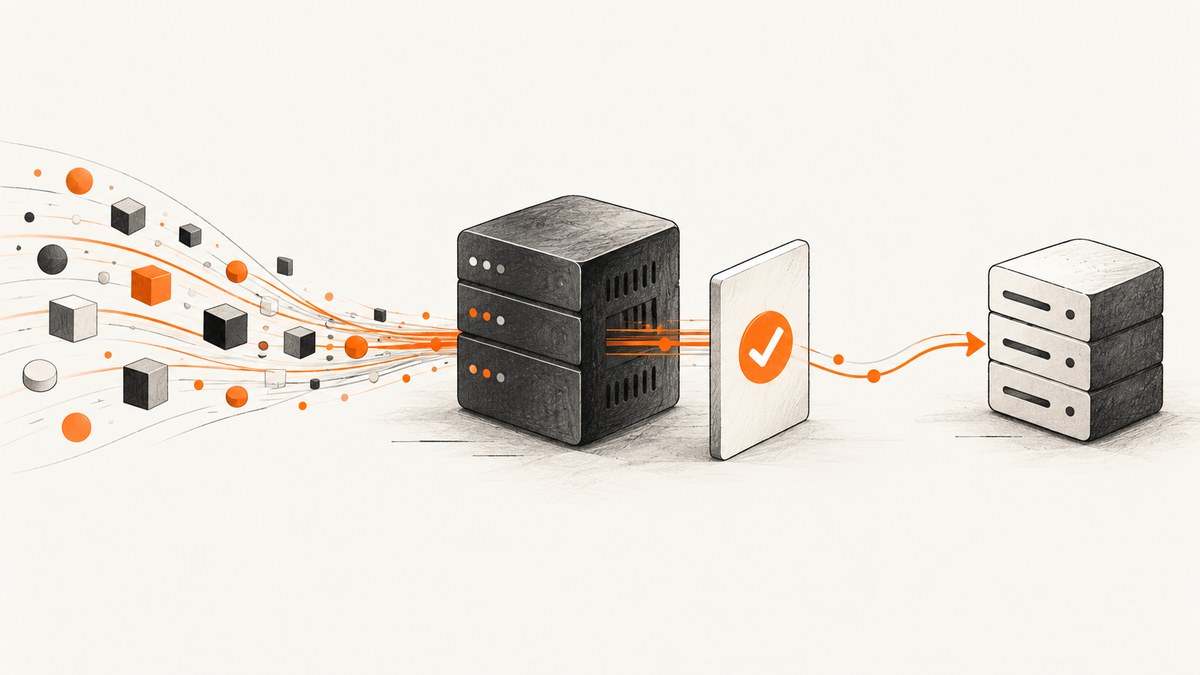
To receive a webhook in PHP, expose a server endpoint and read the incoming request body. Guzzle is an outbound HTTP client: it sends requests from your PHP application to other servers. It does not listen for inbound webhooks. For a JSON webhook, read the raw body from php://input, validate the sender according to that provider’s current instructions, parse the JSON, and acknowledge the event as its contract requires. Use Guzzle later if handling the event requires a separate HTTP call.
This distinction also explains a common debugging question: $_POST is normally empty for JSON. PHP documents it for URL-encoded and multipart form submissions; for other request content types, including JSON, read php://input.
1. Understand the request flow
A webhook is an HTTP request initiated by another service. Your web server routes that request to a PHP script or framework controller. The receiver then decides whether to accept it, validates the payload and sender, performs or queues work, and returns the response expected by that sender.
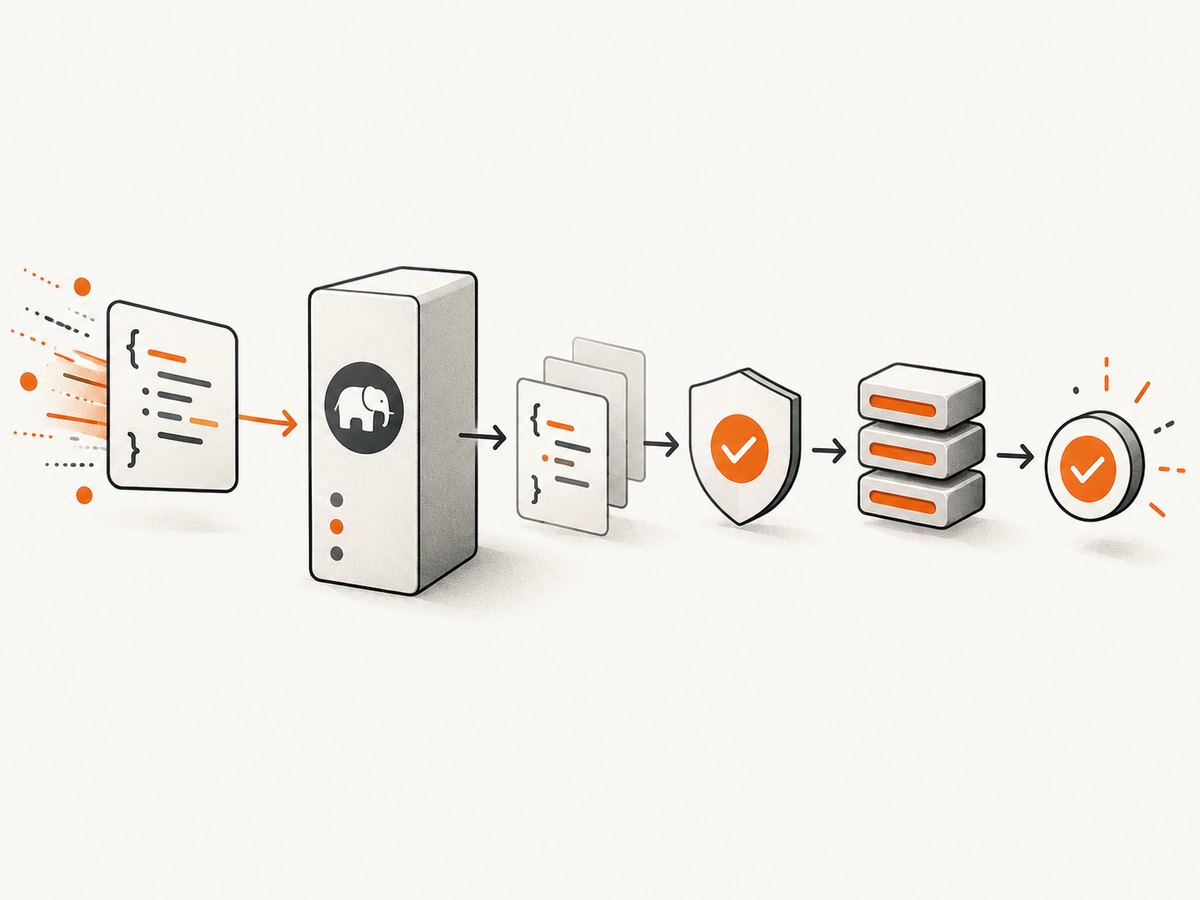
- Sender makes an HTTP request to a public endpoint you configure.
- Your server routes it to PHP. Guzzle is not involved in receiving the connection.
- PHP reads and validates the request. For JSON, retain the raw bytes before decoding so provider-specific signature validation can use them.
- Your application processes or queues the event safely, accounting for duplicate deliveries where applicable.
- Your endpoint acknowledges it using the status and response requirements documented by the webhook provider.
The Guzzle project describes itself as a PHP HTTP client for sending requests to servers and integrating with web services. Its client methods such as request() are for outbound calls. A PSR-7 request object represents an HTTP message; constructing one is not the same as accepting a live request through a server.
2. Create a basic PHP webhook endpoint
This framework-free example reads a JSON body once, checks the request method and content type, and returns clear errors for malformed input. It is a starting point, not a complete authenticated production receiver: the signature check and event validation must follow the sender’s official documentation.
<?php
// public/webhook.php
header('Content-Type: application/json; charset=utf-8');

if ($_SERVER['REQUEST_METHOD'] !== 'POST') {
    header('Allow: POST');
    http_response_code(405);
    echo json_encode(['error' => 'Method not allowed']);
    exit;
}

$contentType = strtolower(trim(explode(';', $_SERVER['CONTENT_TYPE'] ?? '')[0]));
if ($contentType !== 'application/json') {
    http_response_code(415);
    echo json_encode(['error' => 'Expected application/json']);
    exit;
}

// Apply a suitable body-size limit at the web server and application boundary.
$rawBody = file_get_contents('php://input');
if ($rawBody === false || $rawBody === '') {
    http_response_code(400);
    echo json_encode(['error' => 'Empty request body']);
    exit;
}

// Verify the provider's signature against $rawBody here, using its current
// official instructions. Do this before trusting or acting on the event.

try {
    $event = json_decode($rawBody, true, 512, JSON_THROW_ON_ERROR);
} catch (JsonException $e) {
    http_response_code(400);
    echo json_encode(['error' => 'Invalid JSON']);
    exit;
}

if (!is_array($event) || !isset($event['type'])) {
    http_response_code(400);
    echo json_encode(['error' => 'Missing event type']);
    exit;
}

// Validate required fields and make processing idempotent. For slow work,
// persist or enqueue the event before acknowledging it.
http_response_code(200);
echo json_encode(['received' => true]);
Save the file in a location served by your PHP web server, configure the provider to call its HTTPS URL, and confirm that the endpoint is reachable from outside your development machine. The response shown here is illustrative. Follow the sender’s required acknowledgement status, response body, authentication scheme, timeout expectations, and retry policy; these differ by provider.
Why read the raw body first?
PHP’s php://input stream exposes the raw request body. Signature schemes commonly specify checks over the exact payload bytes, so preserve those bytes until you have performed the provider’s required verification. Do not decode and re-encode JSON before verifying: whitespace, key order, or escaping can change the bytes.
Do not guess a signature header or hash algorithm. This title does not specify a webhook provider, and there is no universal signature protocol. Copy the verification procedure from the provider’s current official webhook documentation, including any timestamp rules and constant-time comparison requirements it specifies.
3. Validate, process, and acknowledge safely
Use this sequence when adapting the endpoint to an application:
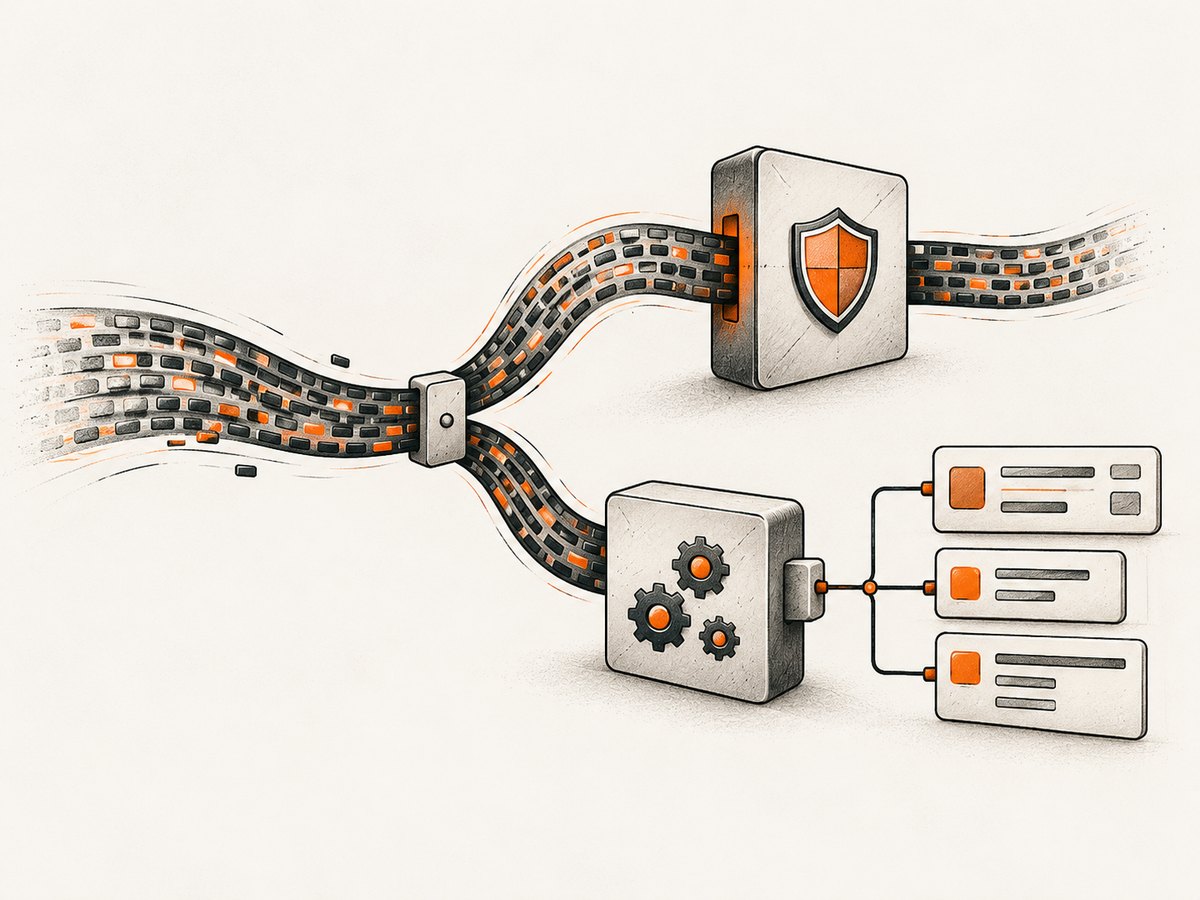
- Restrict the method and route. Accept only the method and path the provider documents. Return an appropriate method error for other requests.
- Set size limits. Configure the web server or reverse proxy to cap request bodies, and enforce an application limit where appropriate. A webhook should not be allowed to consume unlimited memory.
- Check content type. Providers may use JSON or another documented format. Match the provider’s contract instead of assuming all requests are JSON.
- Verify authenticity. Use the exact raw body and the provider’s official signature instructions before trusting event data.
- Decode with error handling.
JSON_THROW_ON_ERRORmakes malformed JSON explicit. Decide whether the provider can send a valid non-object JSON value and validate accordingly. - Validate event fields. Treat the payload as untrusted input. Check event type, identifiers, and fields your handler needs.
- Handle duplicates. If the provider supplies an event ID, persist a processed-event record or use another idempotency mechanism so a retry does not repeat a consequential action.
- Keep receipt quick. If work is expensive, store or enqueue the validated event, then acknowledge according to the provider’s contract. Do not acknowledge before durable acceptance if that could lose the event.
These are general receiver design practices. The sources for this guide do not identify a sender, so they cannot establish its retry behavior, event ordering, signature format, or response deadline.
Do not consume the body twice
Choose one request-body parsing path. PHP 8.4’s request_parse_body() parses URL-encoded or multipart form data, and it consumes the body. PHP documents that it cannot retrieve data already consumed through php://input, or vice versa. If signature verification needs the original bytes, read and retain those bytes before any parsing layer consumes them. For older PHP versions, use the body-reading and parser approach supported by your framework and PHP version.
4. Use Guzzle for a separate outbound request
After accepting an event, your handler might need to notify another API. That is where Guzzle fits. Install it with Composer in your application using the current stable package instructions, then send a request from the event handler. Confirm the installed Guzzle version and PHP requirements against its current documentation.
<?php
require __DIR__ . '/vendor/autoload.php';

use GuzzleHttp\Client;
use GuzzleHttp\Exception\GuzzleException;

$client = new Client([
    'base_uri' => 'https://api.example.com/',
    'timeout' => 10,
    'connect_timeout' => 3,
]);

try {
    $response = $client->request('POST', 'events/received', [
        'json' => [
            'event_id' => $event['id'] ?? null,
            'event_type' => $event['type'],
        ],
        'headers' => [
            'Authorization' => 'Bearer ' . getenv('DOWNSTREAM_API_TOKEN'),
        ],
    ]);

    $status = $response->getStatusCode();
} catch (GuzzleException $e) {
    // Log a safe diagnostic and apply an explicit retry or queue policy.
    error_log('Downstream request failed: ' . $e->getMessage());
}
Replace the example host, path, payload, and authentication with the downstream service’s documented values. Keep secrets in environment configuration or a secret manager, not source control. The example catches Guzzle errors so a downstream outage does not turn into an unhandled PHP exception. Decide whether to retry, defer to a queue, or record a failure based on the operation’s idempotency and business requirements.
Guzzle enables TLS certificate verification by default. Do not set verify to false as a routine fix for HTTPS errors; that disables a security check. Correct the certificate chain or trust configuration instead.
5. Troubleshooting common problems
| Symptom | Likely cause | What to check or change |
|---|---|---|
$_POST is empty |
The sender posts JSON, while $_POST covers URL-encoded and multipart form submissions. |
Read the raw body from php://input, then decode JSON with error handling. |
| JSON decode fails | The body is empty, truncated, not JSON, or includes an unexpected encoding or malformed syntax. | Record a safe diagnostic such as content type and byte length; inspect a redacted payload in a secure environment; compare the sender’s content type and payload format. |
| Signature verification fails | The wrong secret, header, algorithm, timestamp rule, canonicalization, or body bytes are being used. | Follow the sender’s current official instructions exactly and verify against the untouched raw body. Never invent a generic signature header. |
| The body appears empty in a later parser | Another layer already consumed the request stream. | Read the body only once. In PHP 8.4, do not combine request_parse_body() and php://input as if both can retrieve the same content. |
| Provider reports a timeout | The endpoint waits on slow processing or a downstream HTTP service. | Validate, persist or enqueue promptly, then acknowledge within the provider’s documented deadline. Move slow work to a worker. |
| Duplicate effects occur | The sender retried delivery, or processing was repeated after a timeout. | Use an event identifier and idempotent persistence or handling. Confirm retry semantics with the provider. |
| Guzzle reports TLS or connection errors | The downstream host, network, timeout, or certificate configuration is wrong. | Check DNS, firewall, endpoint URL, timeout values, and certificate chain. Keep TLS verification enabled. |
| Endpoint works locally but not for the sender | The route is private, incorrectly mapped, blocked by a firewall, or only available over an unsuitable URL. | Check public routing, DNS, HTTPS setup, reverse proxy rules, and server logs; use the provider’s delivery diagnostics if available. |
6. Reliability, performance, and cost
Webhook receipt itself is usually a small HTTP operation; slow database writes or downstream calls often dominate handler time. Keep the acceptance path bounded, set explicit timeouts for outbound requests, and move long tasks to a queue when the provider’s acknowledgement window or your workload calls for it. A queue improves isolation from downstream slowness, but it introduces its own need for durable storage, retries, and duplicate-safe consumers.
Log enough to diagnose delivery without exposing secrets or sensitive payload data. Useful operational fields can include a request correlation ID, event ID when provided, processing result, elapsed time, and downstream status. Apply redaction and retention rules appropriate to the payload. Monitor the PHP server, queue depth, and handler failures, and use the sender’s documented retry and replay mechanisms.
There is no universal performance number or webhook cost in the available documentation. Costs depend on your hosting, traffic, storage, queue, and downstream services. Estimate from expected event volume and payload size, and measure your own handler under representative load rather than relying on an invented benchmark.
7. Or skip the browser setup
Webhook receivers are for server-to-server events. If the job around an event also needs a website screenshot—for example, capturing a page referenced by an event—you can call ScreenshotNeo, a website screenshot API and MCP server from Yorker Media. See the ScreenshotNeo API documentation.
curl -G "https://api.screenshotneo.com/v1/shot" -d access_key=YOUR_API_KEY --data-urlencode url=https://stripe.com -o shot.webpOne GET request returns an image or PDF. Cookie banners, newsletter popups, and chat widgets are removed before the shot; bot checks, blank pages, timeouts, failed loads, and cache hits are not billed. Each response reports the page verdict and billing status in headers. An MCP server provides take_screenshot, get_page_info, and capture_pdf tools for Claude, Cursor, and other MCP clients. The free plan includes 1,000 screenshots a month with no card; paid plans start at $5 for 3,000 screenshots.
Sign up free for 1,000 screenshots a month, with no card required.
8. Frequently asked questions
Can Guzzle receive an inbound webhook?
No. Guzzle sends outbound HTTP requests. Configure a PHP endpoint behind your web server or framework to receive the incoming request.
Why is $_POST empty for my JSON webhook?
PHP uses $_POST for URL-encoded and multipart form bodies. Read a JSON body from php://input.
Can I verify a webhook signature without knowing the provider?
No single signature format applies to all providers. Identify the sender and use its current official verification procedure on the raw request body.
Should my endpoint call downstream services before responding?
Only if that fits the sender’s response deadline and your reliability needs. For slow work, durable queueing followed by a prompt acknowledgement is a common design, subject to the provider’s contract.
Does the example work with every PHP version?
The core php://input approach is distinct from PHP 8.4’s request_parse_body(). Check the PHP and Guzzle versions your application supports before adopting version-specific parsing or installation details.


