How to Reduce wkhtmltopdf Startup Time in ASP.NET MVC
Diagnose slow wkhtmltopdf conversions in ASP.NET MVC by timing process launch, requests, rendering, and output handling.
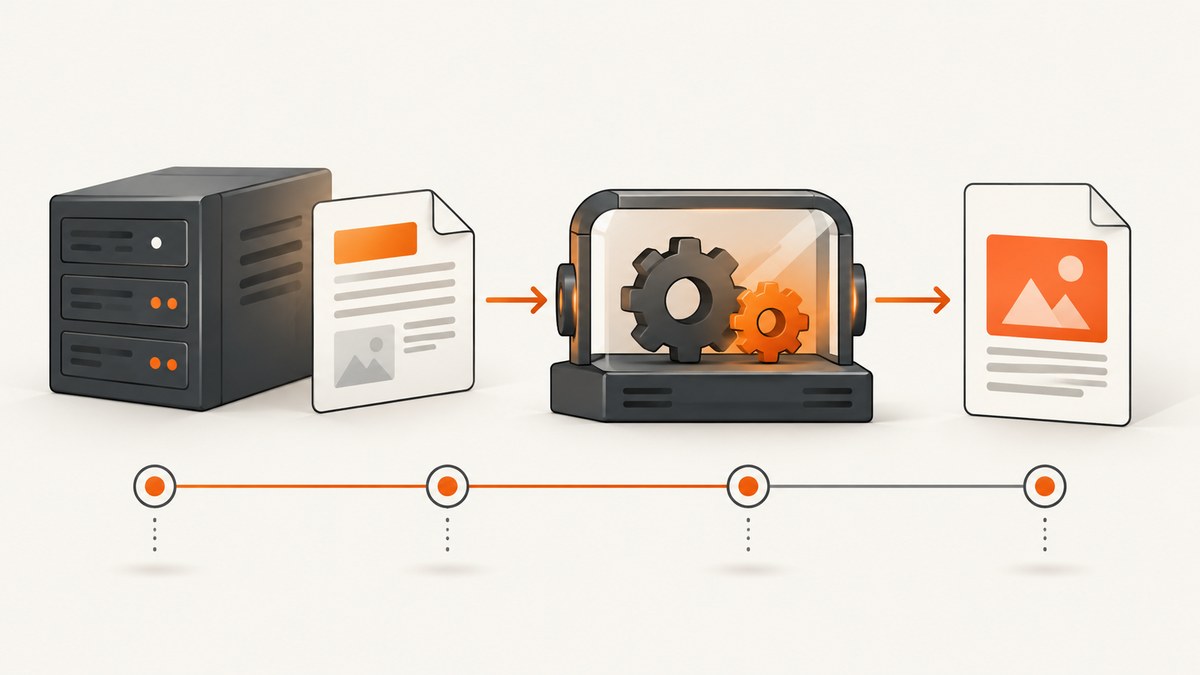
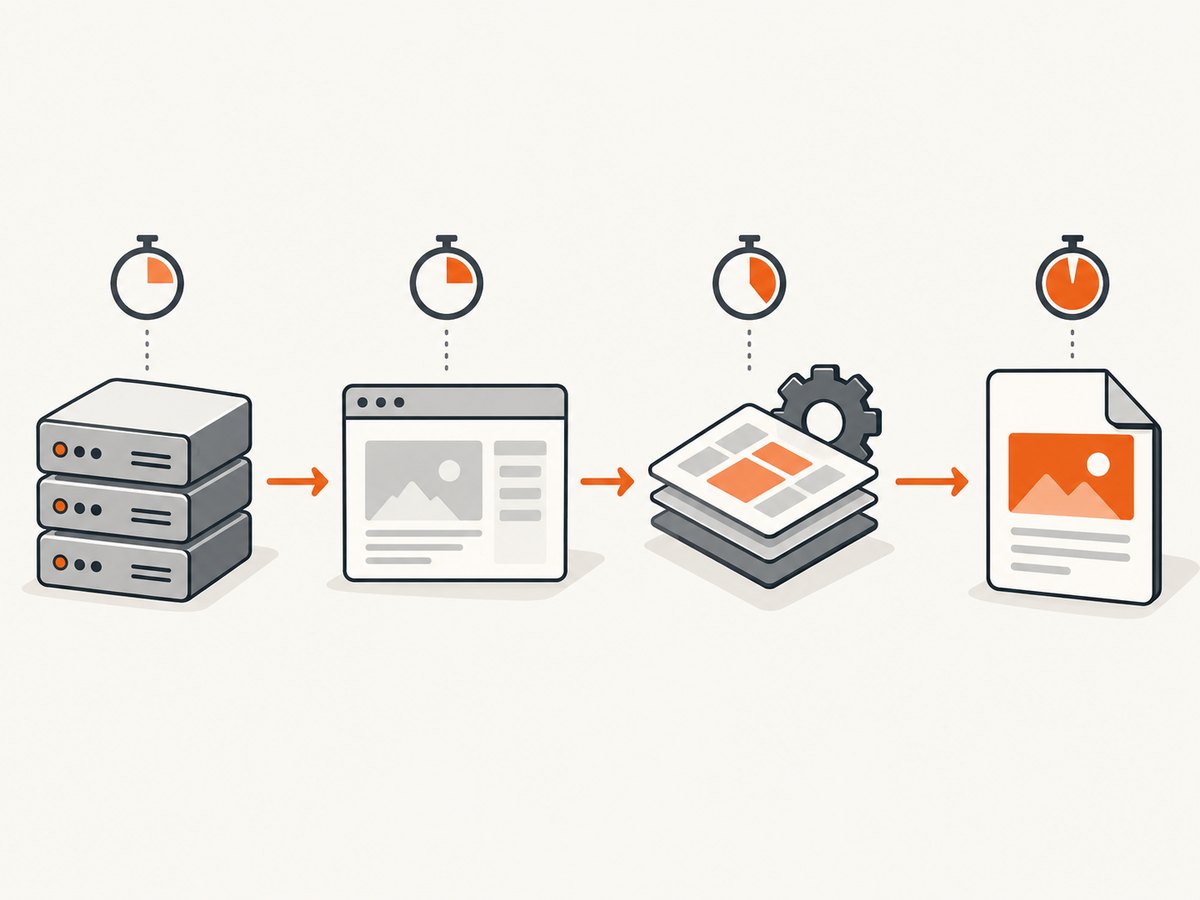
A slow wkhtmltopdf conversion is not necessarily a slow executable startup. Measure four separate intervals: external-process launch, the renderer’s requests to your MVC page and assets, HTML/JavaScript/layout rendering, and PDF output handling. The fix depends on which interval is actually slow.
1. Measure the complete conversion path
Instrument both your controller and the process wrapper. Record UTC timestamps for process creation, the first request reaching the PDF action, every important asset request, process exit, and completion of output reading. Always capture exit code, standard error, and standard output.
using System;
using System.Diagnostics;
using System.IO;
using System.Threading.Tasks;

public static class WkhtmltopdfRunner
{
    public static async Task<byte[]> RenderAsync(string executable, string url, string outputPath)
    {
        var stopwatch = Stopwatch.StartNew();
        var start = DateTimeOffset.UtcNow;
        var psi = new ProcessStartInfo
        {
            FileName = executable,
            Arguments = $"--quiet \"{url}\" \"{outputPath}\"",
            UseShellExecute = false,
            RedirectStandardError = true,
            RedirectStandardOutput = true,
            CreateNoWindow = true
        };

        using (var process = new Process { StartInfo = psi })
        {
            process.Start();
            var stderrTask = process.StandardError.ReadToEndAsync();
            var stdoutTask = process.StandardOutput.ReadToEndAsync();
            await Task.Run(() => process.WaitForExit());
            var stderr = await stderrTask;
            var stdout = await stdoutTask;
            var elapsed = stopwatch.Elapsed;

            if (process.ExitCode != 0 || !File.Exists(outputPath))
                throw new InvalidOperationException(
                    $"wkhtmltopdf failed after {elapsed}: exit {process.ExitCode}; stderr: {stderr}");

            return File.ReadAllBytes(outputPath);
        }
    }
}
On the MVC action, log entry and exit timestamps. Add request logging for redirects, authentication, session IDs, and static assets. A delay before the action is reached points to routing, authentication, request setup, or session contention. A delay after resources load points to JavaScript, layout, fonts, images, or PDF generation.
2. Determine which phase is slow
| Observed delay | Likely area | Next check |
|---|---|---|
| Before the MVC action logs anything | DNS, connection, redirect, authentication, routing, or session lock | Request logs and cookies |
| Between action entry and HTML response | Database queries, view rendering, or application code | Profiler and server timings |
| After HTML but before process exit | JavaScript, fonts, images, network requests, or layout | Asset waterfall and renderer error output |
| After process exit | File I/O or stream copying | Output path and response buffering |
Compare cold and warm runs separately. Report the wkhtmltopdf version, wrapper or library, operating system, hosting mode, page complexity, authentication state, and measurement method. The available evidence does not establish a universal process-reuse technique or a version-independent startup fix.
3. Check ASP.NET session locking first
A historical 2012 Stack Overflow report described an authenticated local ASP.NET page that became fast when its ASP.NET session cookie was removed. The same change produced the login page, so it changed authorization as well as session behavior. A later answer reported that making the printing controller’s session state read-only resolved that case. Treat this as a diagnostic lead, not a guarantee for every ASP.NET MVC version or session provider.
- Reproduce with the exact renderer arguments and target URL.
- Compare authenticated and unauthenticated requests only to locate the delay.
- Check whether the PDF action holds an exclusive session lock while wkhtmltopdf makes a second request using the same session identifier.
- If the action does not write session data, test read-only session access using the mechanism supported by your MVC version and provider.
- Verify authorization and the generated document after the change.
For classic System.Web MVC, the controller can request read-only session state with an attribute:
using System.Web.Mvc;

[SessionState(System.Web.SessionState.SessionStateBehavior.ReadOnly)]
public class PrintController : Controller
{
    public ActionResult Invoice(int id)
    {
        // Read session values if required; do not modify them here.
        return View(GetInvoice(id));
    }
}
Do not remove authentication or session cookies in production when the document requires a signed-in user. If the renderer must access a protected page, pass a purpose-built cookie or authorization header with the minimum required scope and lifetime.
4. Make the MVC document cheaper to render
- Render only the document view, without navigation, chat scripts, analytics, or unrelated bundles.
- Use absolute HTTPS URLs for CSS, fonts, and images, and confirm the renderer can reach them from the server.
- Reduce large images and avoid loading hidden tabs or dashboard data that is not printed.
- Make print JavaScript deterministic. Avoid polling loops and long animation delays.
- Wait for a specific server-rendered marker instead of using a large arbitrary delay.
- Cache stable templates, stylesheets, and data where correctness permits.
Test the target URL directly from the web server with the same cookies and headers. A browser on your workstation may have different DNS, certificates, firewall access, or authentication state.
5. Review wrapper and executable configuration
Libraries such as Rotativa.AspNetCore delegate PDF or image conversion to wkhtmltopdf or wkhtmltoimage and require the executable to be accessible to the web process. Its documented ViewAsPdf API and custom switches control conversion, but documentation of a switch does not prove that it reduces startup latency. Confirm package support for your current runtime before adopting it.
public ActionResult Invoice(int id)
{
    var model = repository.GetInvoice(id);
    return new Rotativa.AspNetCore.ViewAsPdf("Invoice", model)
    {
        FileName = $"invoice-{id}.pdf",
        PageSize = Rotativa.AspNetCore.Options.Size.A4,
        PageOrientation = Rotativa.AspNetCore.Options.Orientation.Portrait
    };
}
Keep executable paths explicit, verify file permissions for the application identity, and log the exact argument list (excluding secrets). Avoid changing several switches at once; otherwise you cannot tell whether the delay came from process launch, page work, or output handling.
6. Do not confuse IIS application startup with wkhtmltopdf startup
For ASP.NET Core hosted behind the ASP.NET Core Module, IIS’s startupTimeLimit controls how long IIS waits for the application process to begin listening; the documented default is 120 seconds. It is an application-process health setting, not a wkhtmltopdf conversion-speed switch. Classic System.Web MVC does not use this setting. See Microsoft’s ASP.NET Core Module configuration reference and identify your hosting model before changing it.
7. Compare local rendering with a hosted service
If measurement shows that local process startup, deployment, or native dependency management is the bottleneck, compare a hosted HTML-to-PDF service with local invocation using the real document. Evaluate end-to-end latency, authenticated-page handling, network round trips, renderer-version control, observability, data handling, deployment support, and total cost. Rotativa’s repository mentions Rotativa.io as a hosted API option, but current availability, pricing, latency, and terms must be verified independently. Do not promise a speedup without workload-specific measurements.
8. Troubleshooting checklist
The process appears to hang while reading standard output
Cause: the renderer is waiting for the MVC request or a page resource; the symptom can look like a blocked stream read.

Fix: read standard output and error asynchronously, log when the MVC action starts, inspect redirects and asset requests, and set a cancellation timeout that terminates the child process cleanly.
The PDF contains the login page
Cause: cookies or authorization headers were removed, expired, or not forwarded.
Fix: preserve the intended authenticated context, check response status and redirects, and never treat deleting the session cookie as a production fix.
Only authenticated requests are slow
Cause: exclusive ASP.NET session locking, authentication middleware, authorization calls, or a slow user-specific query.
Fix: test read-only session state where safe, profile the authenticated action, and compare request traces with the same user and cookies.
Local pages work, but assets time out
Cause: the web process cannot resolve or reach asset hosts, or certificates and firewall rules differ from the developer machine.
Fix: test every asset URL from the server, use absolute URLs, install trusted certificates, and allow only required outbound access.
Increasing IIS timeouts changes nothing
Cause: a timeout changes how long a request may run; it does not make process launch, session handling, JavaScript, or layout faster.
Fix: use phase timings to change the component responsible for the delay.
Parallel conversions become slower
Cause: CPU, memory, disk, database, session, or process limits are saturated.
Fix: measure concurrency, cap parallel jobs, queue work, and monitor resource utilization. Validate that each job has isolated temporary files.
9. Reliability, security, and cost considerations
- Use per-job temporary output names and delete files after successful response or failed conversion.
- Apply process and request timeouts; kill descendants if your wrapper can create them.
- Restrict URLs, headers, cookies, and file access to prevent server-side request forgery and data leakage.
- Log renderer version, exit code, stderr, target host, phase timings, and a correlation ID, but redact credentials and session values.
- Warm-process measurements can hide deployment and startup costs. Report cold and warm results separately.
- Estimate cost from CPU time, memory, storage, queueing, and operational support rather than assuming a wrapper or hosted API is cheaper.
Or skip the browser setup
ScreenshotNeo provides a website screenshot API and MCP server. One GET request returns PNG, JPEG, WebP, or PDF. It accepts cookie and consent banners before capture, removes more than 60 known consent platforms plus newsletter popups and chat widgets, and bills only clean shots. Bot checks, blank pages, timeouts, failed loads, and cache hits are not billed; response headers identify the page verdict and billing result.
For a public page, the request is:
curl -G "https://api.screenshotneo.com/v1/shot" -d access_key=YOUR_API_KEY --data-urlencode url=https://stripe.com -o shot.webpPython:
import requests
r = requests.get("https://api.screenshotneo.com/v1/shot", params={"access_key": "YOUR_API_KEY", "url": "https://stripe.com"}, timeout=90)
open("shot.webp", "wb").write(r.content)
Node.js:
const q = new URLSearchParams({ access_key: 'YOUR_API_KEY', url: 'https://stripe.com' });
const res = await fetch(`https://api.screenshotneo.com/v1/shot?${q}`);
See the ScreenshotNeo API documentation for options including full-page capture, CSS selectors, device presets, retina scale, PDF paper and margin settings, custom CSS and JavaScript, clicks, waits, request blocking, headers, cookies, user agents, authorization, timezone, geolocation, caching, signed links, asynchronous jobs, webhooks, bulk capture, and usage reporting. Its MCP server provides take_screenshot, get_page_info, and capture_pdf for Claude, Cursor, and other MCP clients.
There is a free plan with 1,000 screenshots per month and no card. Paid plans start at $5 for 3,000 shots, and every feature is available on every plan. Create a free ScreenshotNeo account.
FAQ
Is wkhtmltopdf itself usually the startup bottleneck?
Not necessarily. The evidence supports separating executable launch from the MVC request, resource loading, rendering, and output phases before choosing a fix.
Should I reuse a wkhtmltopdf process?
Only after measuring your workload and confirming that the chosen wrapper supports safe reuse. The reviewed sources do not establish a generally faster process-pooling design.
Can asynchronous MVC actions solve the delay?
Async code can free request threads while waiting, but it does not automatically shorten native process launch or page rendering.
Why did removing the session cookie appear to help?
In the historical report it changed both session locking and authorization, so the fast result rendered a login page. Use it to locate the cause, then fix session or authentication handling without changing document identity.
When should I replace wkhtmltopdf?
Consider another renderer or hosted service when measured requirements for modern browser behavior, deployment, security, or concurrency are not met. Compare complete workloads rather than assuming a different wrapper is faster.


