Regression Testing vs Integration Testing
Regression tests check for unintended side effects after change; integration tests verify interactions across component or system boundaries.
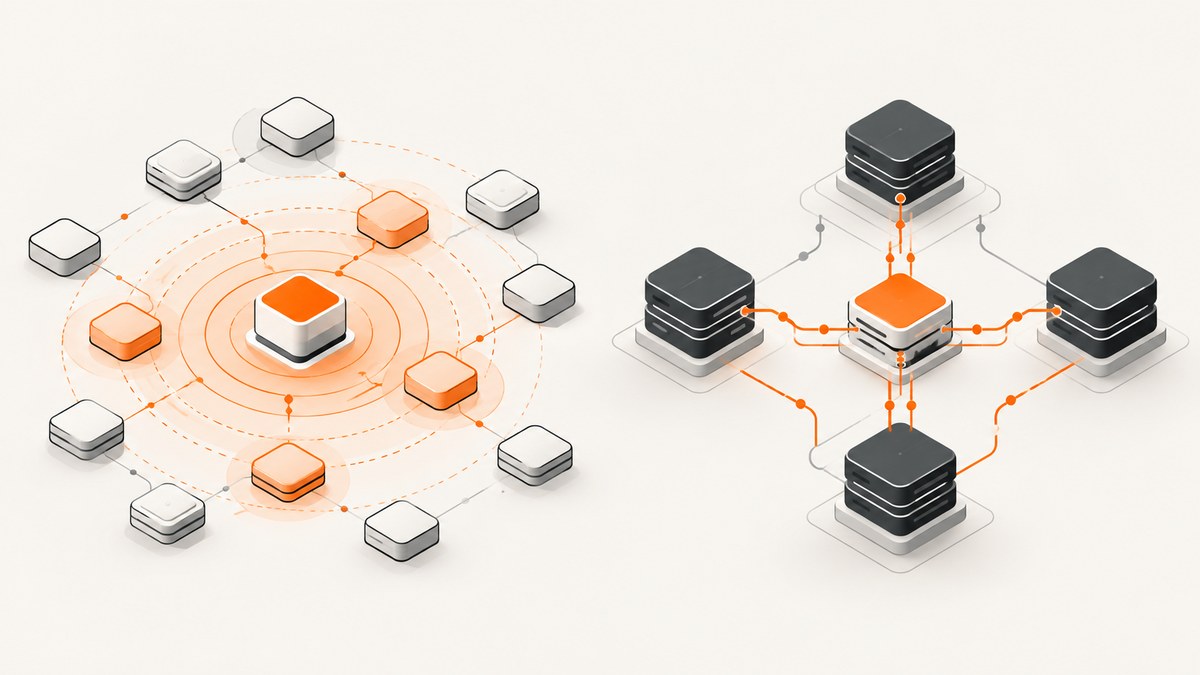
Regression testing checks that a change has not damaged behavior that was meant to remain working. Integration testing checks that components or systems interact correctly across a boundary. They answer different questions, so a test can be both an integration test and a regression test when it is rerun after a change to protect an established interaction.
The ISTQB glossary defines integration testing as “a test level that focuses on interactions between components or systems.” ISTQB’s CTFL sample-exam answers explain that “Regression testing ensures that changes do not have negative effects on unchanged software.” These definitions describe two dimensions: what the test is checking and why it is being run now.
Regression testing and integration testing at a glance
| Question | Regression testing | Integration testing |
|---|---|---|
| Primary purpose | Find unintended side effects caused by a change. | Verify interactions across component or system boundaries. |
| Trigger | Code, configuration, dependency, infrastructure, or environment change. | A new or changed connection between modules, services, databases, queues, devices, or external systems. |
| Target | Previously working behavior, especially behavior near the change and high-risk business paths. | Interfaces, data contracts, protocols, sequencing, error handling, and shared state. |
| Test level | Can be applied at component, integration, system, or other levels. | Is a test level focused on interactions between integrated components or systems. |
| Typical result | Evidence that unchanged behavior still works after the change. | Evidence that connected parts communicate and coordinate correctly. |
What regression testing means
Regression testing is change-oriented. Start with a change and ask: “What existing behavior could this change accidentally break?” The change might be a function edit, a database migration, a library upgrade, a feature flag, a deployment setting, a browser update, or an operating-environment change.
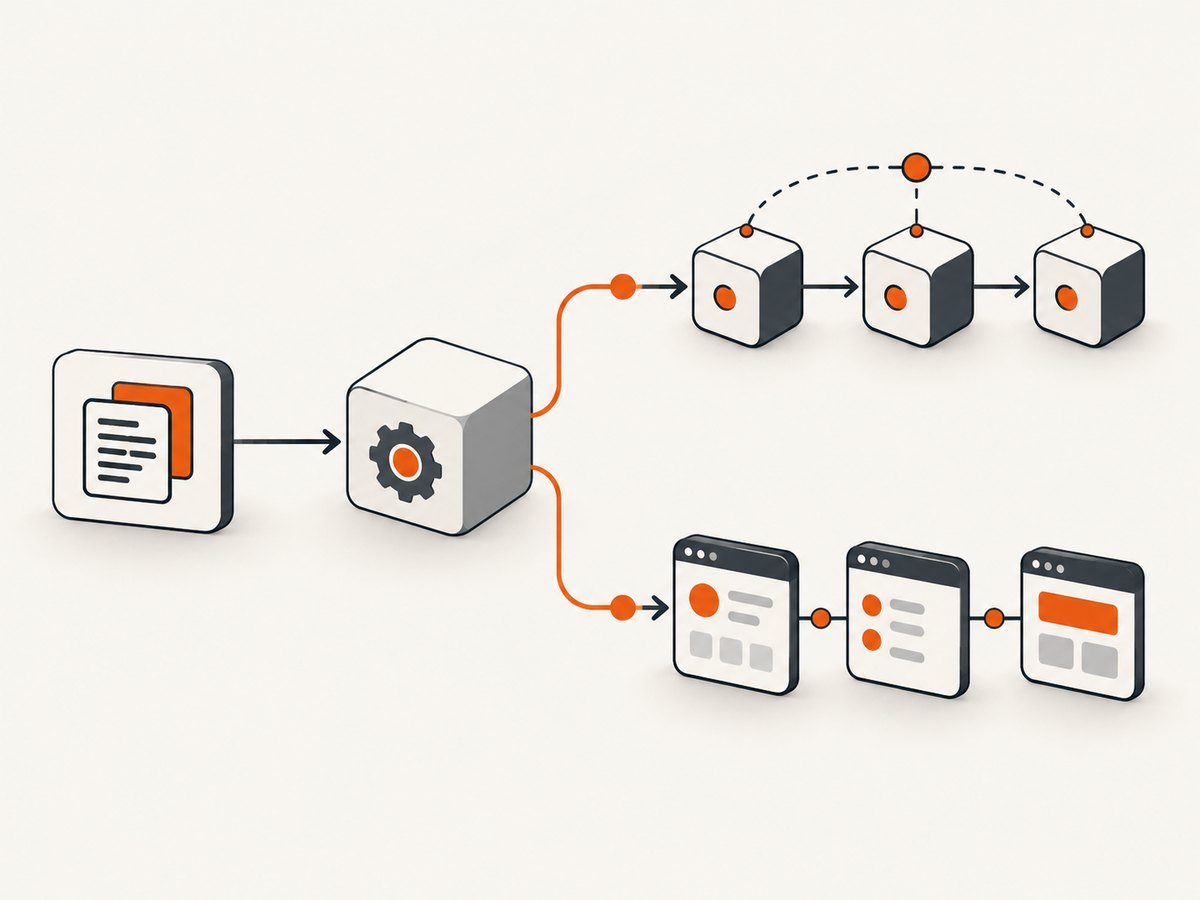
A regression test does not need to be a special kind of test script. An existing unit, API, integration, system, or end-to-end test becomes regression coverage when the team reruns it after a change to detect unintended effects. The useful boundary is the behavior under protection, not the tool or test framework.
Examples of regression risks
- Changing tax rounding in checkout breaks invoice totals for an unchanged currency.
- Updating an authentication library prevents an existing mobile client from refreshing tokens.
- Renaming a JSON field causes an older reporting job to stop importing records.
- Changing a CSS bundle makes a previously working keyboard navigation path inaccessible.
- Changing a production proxy or TLS setting causes an established third-party callback to fail.
When should you run regression tests?
Run focused regression checks whenever a change could affect established behavior. Common triggers include:
- Before merging: run tests related to the changed code and its high-risk neighbors.
- After dependency or configuration changes: include compatibility paths that may not be visible from the code diff.
- After defect fixes: run confirmation tests for the original defect, then regression tests for surrounding behavior.
- In continuous integration: have the CI server invoke tests after the new build is created. The ISTQB CT-MBT syllabus discusses integrating testing tools with CI and continuous regression testing.
- Before release: run a broader risk-based suite, including critical workflows and supported environments.
- After deployment: run smoke and health checks against the deployed environment when infrastructure or environment changes could matter.
What integration testing means
Integration testing is interaction-oriented. It checks behavior where one part depends on another part. The boundary can be inside one application or between separately deployed systems.
Component integration testing
Component integration testing checks interfaces between integrated components. Examples include a payment module calling an order module, a service reading from a repository, or an event publisher sending a message consumed by another module. Tests should verify data mapping, call order, retries, timeouts, validation, and failure behavior.
System integration testing
System integration testing checks interactions between systems. Examples include a storefront calling a payment provider, an identity provider returning tokens to an API, or a warehouse system receiving fulfillment events. The test may use real systems, contract-compatible test doubles, or a controlled sandbox, depending on risk and availability.
Typical integration checks
- Does the caller send the required fields and authentication?
- Does the receiver return the documented status codes and response shape?
- Are timeouts, retries, idempotency, and duplicate messages handled safely?
- Do timestamps, currencies, character encodings, and time zones map correctly?
- Does a downstream outage produce a useful, bounded failure instead of corrupting state?
How the two overlap
Regression and integration testing are not competing categories. Integration describes the target interaction; regression describes the reason for running a test after change.
Suppose a service changes its HTTP client. An integration test that calls the payment sandbox checks the service-to-provider interaction. When that same test is rerun after the client change to ensure the established payment flow still works, it is also regression coverage. The test has an integration scope and a regression purpose.
Conversely, a regression test can be a unit test. If a pricing function is changed, rerunning a set of existing unit tests checks for unintended effects without crossing a component boundary. An integration test can also be new-feature coverage rather than regression coverage when no prior behavior is being protected.
A practical test-selection workflow
- Describe the change. Record code, data, dependency, configuration, infrastructure, and environment changes.
- Map affected boundaries. Identify modules, APIs, databases, queues, browser surfaces, and external systems touched directly or indirectly.
- Choose focused integration checks. Exercise each changed boundary with valid data, invalid data, timeouts, and relevant authentication.
- Select regression checks by risk. Include unchanged critical workflows, shared libraries, compatibility clients, and areas with a history of defects.
- Run confirmation tests separately. Verify that the reported defect no longer occurs, then verify that neighboring behavior remains intact.
- Expand at release gates. Use a broader suite when the change is wide, the impact is uncertain, or the release is high risk.
- Record evidence. Save build identifiers, environment details, test data versions, logs, and failed request or response samples.
Example test plan
| Change | Integration checks | Regression checks |
|---|---|---|
| Replace payment SDK | Authorization, capture, refund, timeout, webhook signature. | Checkout totals, order state transitions, receipts, retry behavior. |
| Add database index | Repository queries and transaction behavior under representative data. | Search results, pagination, exports, and reports using the same tables. |
| Change identity provider settings | Login, token exchange, logout, key rotation, invalid token handling. | Existing sessions, password reset, role checks, mobile clients. |
Runnable examples
The following Python example shows a small integration test that calls a service and a regression test that protects an unchanged calculation. Adapt the URLs and credentials to your test environment.
import os
import requests

BASE_URL = os.environ.get("TEST_BASE_URL", "http://localhost:8000")


def test_orders_endpoint_integration():
    response = requests.get(
        f"{BASE_URL}/api/orders/42",
        headers={"Accept": "application/json"},
        timeout=10,
    )
    assert response.status_code == 200
    body = response.json()
    assert body["id"] == 42
    assert "total" in body


def test_existing_tax_behavior_regression():
    response = requests.post(
        f"{BASE_URL}/api/tax/calculate",
        json={"net": "100.00", "rate": "0.20"},
        timeout=10,
    )
    assert response.status_code == 200
    assert response.json()["gross"] == "120.00"
A cURL integration check is useful in CI diagnostics:
curl --fail-with-body --max-time 10 \
  -H 'Accept: application/json' \
  'http://localhost:8000/api/orders/42'
Keep integration tests deterministic. Seed known records, isolate external side effects, clean up created data, and assert on contract fields rather than incidental formatting. Keep regression suites risk-based: a large number of low-value checks can hide failures and slow feedback, while a very small suite can miss important side effects.
Confirmation testing is different from regression testing
Confirmation testing, often called retesting, asks whether a previously reported defect has been fixed. Regression testing asks whether the change caused harm elsewhere. A fix can pass confirmation and still break another workflow, so both questions may require tests.
For example, a team fixes a rounding bug and reruns the failing invoice case. That is confirmation testing. It then reruns checkout, refunds, exports, and reports for supported currencies to detect side effects. Those additional checks are regression testing.
Common mistakes and how to avoid them
- Calling every rerun a regression test: label the purpose. A rerun that checks the original defect is confirmation testing.
- Treating integration success as proof of no regression: add tests for unchanged behavior outside the exercised boundary.
- Testing only the happy path: include invalid data, timeouts, retries, partial failures, and duplicate requests.
- Using production data without controls: use masked fixtures or dedicated environments and make cleanup explicit.
- Ignoring environment changes: include runtime, browser, operating-system, network, and configuration changes in impact analysis.
- Making the suite all-or-nothing: run a fast focused set on every change and a broader risk-based set at release gates.
Troubleshooting failed tests
| Symptom | Likely cause | Fix |
|---|---|---|
| Intermittent timeout | Slow dependency, shared test environment, or unbounded retry. | Capture dependency timing, set explicit timeouts, control test data, and test retry behavior separately. |
| 401 or 403 response | Expired token, wrong scope, clock skew, or missing test header. | Generate credentials per run, verify scopes and time zones, and log request metadata without secrets. |
| Schema assertion fails | Contract drift, version mismatch, or fixture not migrated. | Pin compatible versions, run contract checks, and update fixtures with the schema change. |
| Works locally, fails in CI | Different environment variables, services, database state, or network policy. | Print non-secret configuration, provision dependencies consistently, and attach build and environment identifiers. |
| Duplicate records after retry | Non-idempotent operation or retry at the wrong layer. | Add idempotency keys, assert duplicate handling, and limit retries for non-safe operations. |
| Regression suite is too slow | Unchanged tests run at every stage or external calls are repeated unnecessarily. | Tag tests by risk and level, parallelize isolated checks, cache safe setup, and reserve the broad suite for release gates. |
Performance, reliability, and cost considerations
- Performance: Use a test pyramid appropriate to your system. Fast unit and component checks provide quick feedback; integration and system checks cover boundaries that mocks cannot validate.
- Reliability: Quarantine only tests proven to be environmental flakes, investigate the cause, and track quarantined coverage so it does not silently disappear.
- Parallel execution: Parallelize tests that use isolated data and independent resources. Protect shared databases and rate-limited sandboxes with controlled workers.
- Test data: Prefer deterministic fixtures, unique identifiers, and explicit cleanup. Record the fixture version with every failure.
- Cost: External API calls, browser sessions, CI minutes, and staging environments have project-specific costs. Choose scope by risk and release impact rather than an arbitrary test count.
Or skip the browser setup
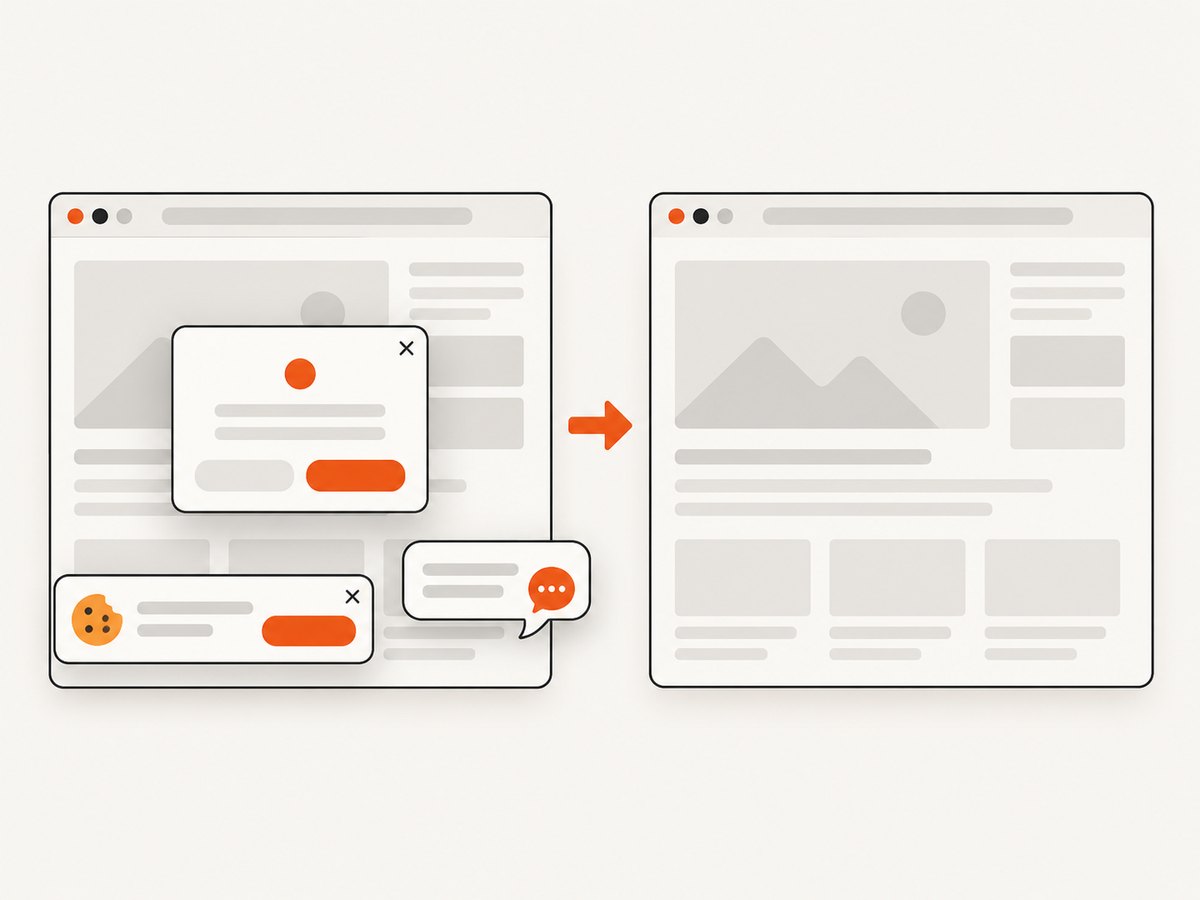
When regression work includes visual checks of pages, you can capture them with ScreenshotNeo instead of maintaining browser automation. One GET request returns a PNG, JPEG, WebP, or PDF. See the ScreenshotNeo API documentation for all options.
curl -G "https://api.screenshotneo.com/v1/shot" -d access_key=YOUR_API_KEY --data-urlencode url=https://stripe.com -o shot.webpimport requests
r = requests.get("https://api.screenshotneo.com/v1/shot", params={"access_key": "YOUR_API_KEY", "url": "https://stripe.com"}, timeout=90)
open("shot.webp", "wb").write(r.content)const q = new URLSearchParams({ access_key: 'YOUR_API_KEY', url: 'https://stripe.com' }); const res = await fetch(`https://api.screenshotneo.com/v1/shot?${q}`);Cookie banners, newsletter popups, and chat widgets are removed before the shot. Bot checks, blank pages, failed loads, timeouts, and cache hits are not billed, and response headers identify the page verdict and billing status. ScreenshotNeo also provides an MCP server with take_screenshot, get_page_info, and capture_pdf tools for Claude, Cursor, and other MCP clients. The Free plan includes 1,000 screenshots per month with no card; paid plans start at $5 for 3,000 shots. Create a free ScreenshotNeo account.
FAQ
Can one test be both integration and regression?
Yes. Its integration classification comes from the boundary it exercises; its regression classification comes from being rerun after a change to protect existing behavior.
Is regression testing only end-to-end testing?
No. Regression checks can be unit, component, integration, system, or end-to-end tests. Select the level that gives useful evidence about the changed risk.
Is retesting the same as regression testing?
No. Retesting confirms that the original defect is fixed. Regression testing checks for unintended effects on unchanged behavior.
Do I need to run the entire regression suite after every commit?
Not necessarily. Use impact and risk to run a focused set per change, then run broader coverage at suitable integration and release gates.
What should a failed integration test tell me?
It should identify the boundary, request or message, environment, data, and failure response well enough to distinguish an application defect from a dependency or environment problem.
Key takeaways
- Regression testing checks for change-induced harm to unchanged software.
- Integration testing checks interactions between components or systems.
- They overlap: an integration test rerun after a change can provide regression coverage.
- Confirmation testing verifies a fix and does not replace regression testing.
- Use impact analysis, risk, and release context to choose scope.


