Regression Testing vs. Non-Regression Testing
Regression testing checks what a change might have broken; confirmation testing checks whether the fix works. Learn the difference, scope, automation, and CI strategy.
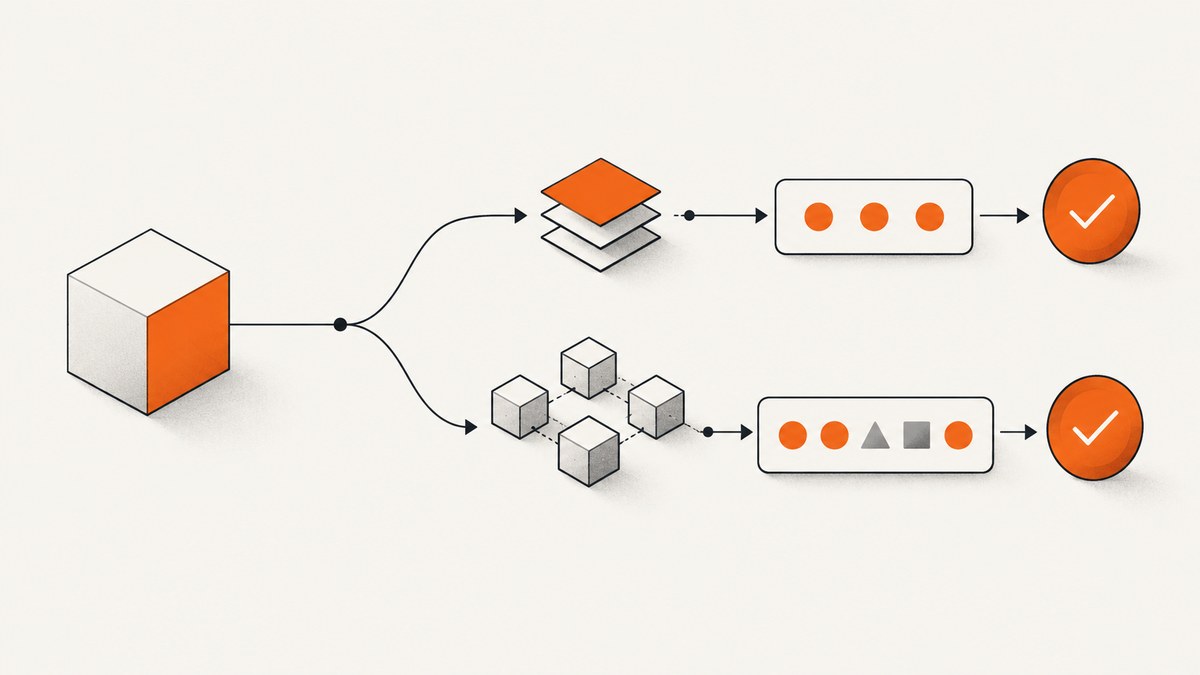
Regression testing checks whether a software change caused failures in unchanged or related areas. Confirmation testing (often called retesting) checks whether the changed behavior or defect fix now works. The practical difference is simple: confirmation asks, “Did the fix work?” Regression asks, “What else did the change affect?”
“Non-regression testing” is a term used by some teams and research projects for the same objective as regression testing. It is useful project language, but “regression testing” is the standardized term in the cited ISTQB material. Define the term in your team’s test plan instead of assuming that every organization uses it identically.
What regression testing means
ISO/IEC/IEEE 29119-1:2022 describes regression testing as testing performed after modifications to identify whether failures in unmodified parts of the test item occur. The modification may be a feature, bug fix, configuration change, dependency upgrade, migration, or infrastructure change.
The ISTQB Certified Tester Foundation Level syllabus puts the emphasis on adverse consequences: regression testing confirms that a change, including a fix already confirmation tested, has not harmed other components, connected systems, or the environment. Regression testing can therefore exist at component, integration, system, and other test levels. It can include functional, non-functional, and structural tests.
Is non-regression testing just another name?
Usually, yes. “Non-regression testing” (NRT) is used in some engineering groups and research work to describe checks that software modifications did not introduce undesired behavior. For example, the JOREK research report defines NRT as checking whether software modifications result in undesired behavior.
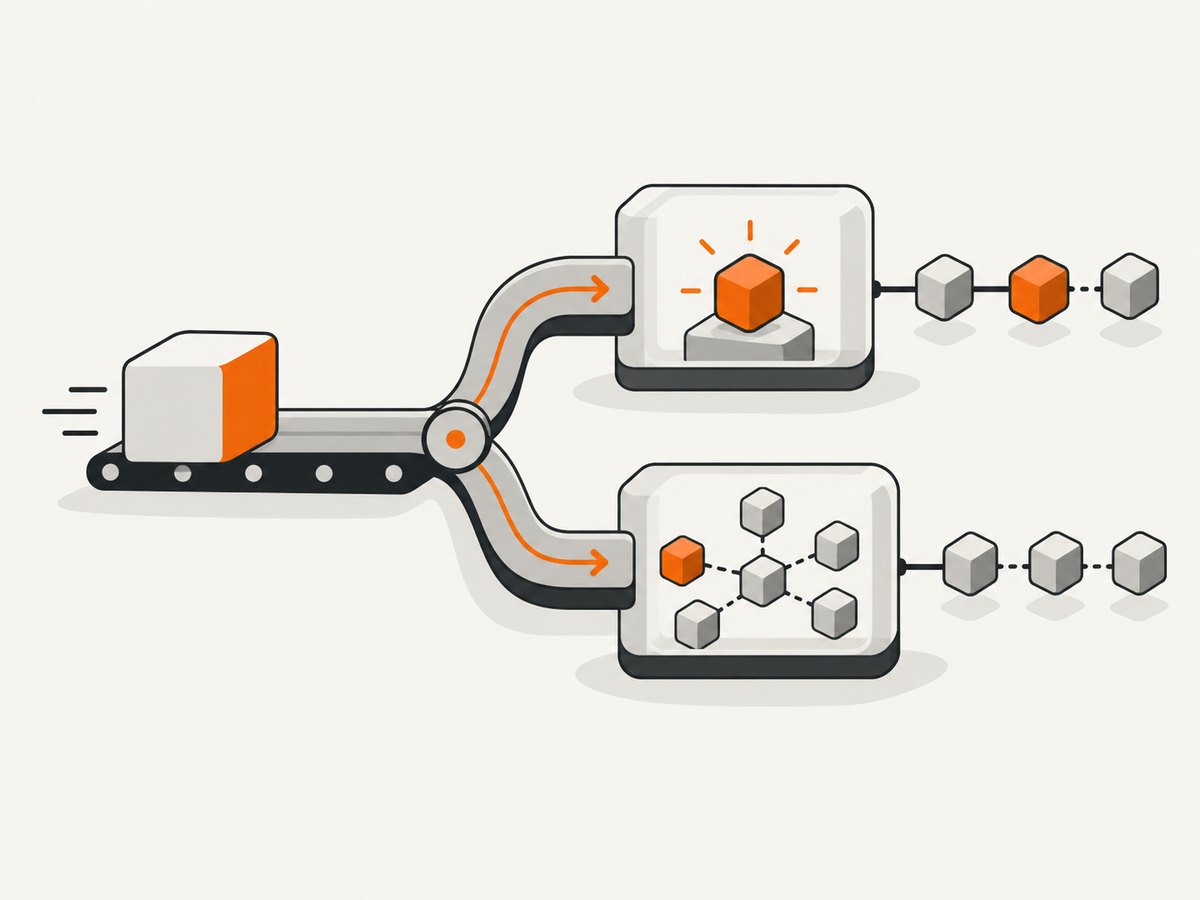
There is no universal second method that is always separate from regression testing. A team may use “non-regression” to make the desired outcome explicit: the new version should preserve existing behavior. Another team may use “regression” for the same suite. Write a short definition in your test strategy, then use the selected term consistently in tickets, dashboards, and release gates.
Regression testing vs. confirmation testing
| Axis | Confirmation/retesting | Regression/non-regression |
|---|---|---|
| Primary objective | Show that the changed defect or behavior is correct | Detect unintended effects outside the changed behavior |
| Selection basis | Previously failing steps plus tests for the fix | Impact analysis, risk, critical paths, and unchanged areas |
| Typical trigger | A defect fix or targeted change | Any software or environment modification |
| Coverage | Narrow and change-specific | Targeted, partial, or broad across related levels and systems |
| Automation | Helpful for repeatable checks | Especially valuable because suites run repeatedly and grow with releases |
A single change can require both activities. Suppose a checkout bug caused a discount code to be rejected. Confirmation testing submits the corrected code and verifies the expected total. Regression testing checks payment authorization, tax calculation, invoice generation, order history, emails, analytics events, and other paths that share the changed pricing or checkout code.
When to run regression testing
Run confirmation and regression after any modification that could alter observable behavior or its operating context:
- New features and planned enhancements
- Corrective changes and ordinary bug fixes
- Emergency hot fixes
- Dependency, runtime, browser, operating-system, or database upgrades
- Configuration and feature-flag changes
- Data migrations and schema changes
- Infrastructure, network, authentication, or deployment changes
- Changes to external services or test environments
Do not restrict regression to the end of a release. A small, fast suite can run on every pull request; broader suites can run after merge, nightly, and before production. The correct schedule depends on risk, execution time, and how quickly failures must be detected.
How to choose regression scope
- Describe the modification. Record files, services, APIs, database tables, flags, dependencies, environments, and deployment steps involved.
- Map impact. Identify callers, consumers, data flows, interfaces, shared libraries, permissions, queues, and connected systems that could observe the change.
- Classify risk. Consider business criticality, likelihood of failure, change size, system size, architectural coupling, and the cost of a missed defect.
- Select test levels. Include unit or component checks for local effects, integration tests for contracts, system tests for user journeys, and environment checks where infrastructure changed.
- Protect critical paths. Always cover revenue, authentication, data integrity, security, compliance, and recovery paths that the change could influence.
- Set an exit rule. Define which failures block release, which are investigated, and which documented limitations are accepted.
Regression scope is not a permanent list. Revisit it when dependencies, architecture, risk, or user journeys change. A useful suite contains stable checks that provide signal, not every test the organization has ever written.
Automating regression tests in CI
ISTQB notes that regression suites are run many times, generally increase with each iteration or release, and are strong candidates for automation. In a continuous-integration or DevOps workflow, put fast, deterministic checks early and defer expensive browser, cross-system, and load checks to later stages.
- Pull request: unit tests, contract tests, linting, and a small smoke journey.
- Post-merge: service integration and a broader API and browser regression set.
- Nightly or scheduled: cross-browser, long-running, visual, migration, and external-integration checks.
- Release candidate: the risk-based critical-path suite plus environment and rollback checks.
Keep test data isolated, make setup reproducible, and publish artifacts such as traces, screenshots, videos, logs, and response bodies. A failed test without evidence slows diagnosis and encourages teams to ignore the gate.
Visual regression testing with browser screenshots
UI changes can pass functional assertions while still breaking layout, typography, responsive behavior, or visual states. Visual regression compares a new screenshot with a trusted baseline. Use stable data, fixed viewport and device scale, controlled fonts, deterministic animations, and a defined pixel or perceptual threshold.
Playwright provides a practical do-it-yourself implementation:
import { test, expect } from '@playwright/test';

test('checkout page has no unintended visual change', async ({ page }) => {
  await page.goto('https://example.test/checkout', { waitUntil: 'networkidle' });
  await page.evaluate(() => document.fonts.ready);
  await page.locator('[data-testid="cookie-banner"]').evaluate(el => el.remove()).catch(() => {});
  await expect(page).toHaveScreenshot('checkout.png', {
    fullPage: true,
    animations: 'disabled',
    caret: 'hide',
    scale: 'css',
    maxDiffPixelRatio: 0.001
  });
});
Install and run it with:
npm install -D @playwright/test
npx playwright install
npx playwright test
# Create or update approved baselines deliberately:
npx playwright test --update-snapshots
Make visual comparisons reliable
- Use a fixed browser version and viewport.
- Wait for the page’s meaningful ready condition, not an arbitrary short delay.
- Disable caret blinking, transitions, carousels, timestamps, random IDs, ads, and rotating recommendations.
- Seed accounts and data so content is stable.
- Load the same fonts and wait for
document.fonts.ready. - Mask genuinely variable regions, but review masks so they do not hide regressions.
- Store baselines by browser, operating system, viewport, and theme when rendering differences are expected.
- Review every baseline update as a code change; never accept all diffs automatically.
Capturing only the part that matters
Full-page screenshots are useful for page-level layout, but element screenshots reduce noise when a change affects one component. Capture a stable selector such as [data-testid="invoice"], and use full-page checks for navigation, responsive layout, and content below the fold. Test dark mode, keyboard focus, error states, empty states, and mobile widths when those are in scope.
Or skip the browser setup
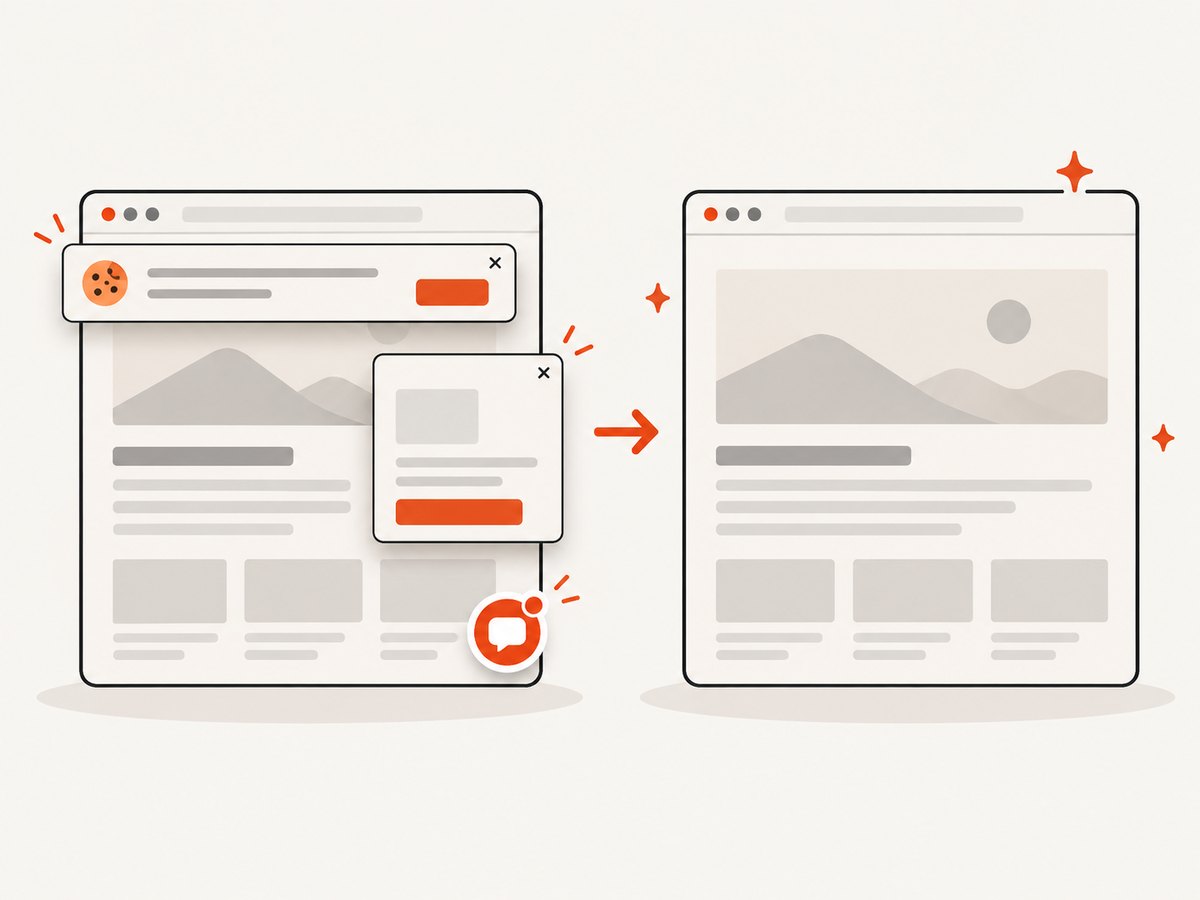
ScreenshotNeo provides a website screenshot API for regression artifacts. Before capture it accepts cookie or consent banners and removes more than 60 known consent platforms, newsletter popups, and chat widgets; each step can be turned off. Bot checks or CAPTCHAs, blank pages, timeouts, failed loads, and cache hits cost nothing, and the response identifies the result with X-Page-Verdict and X-Billed headers. It also offers an MCP server with take_screenshot, get_page_info, and capture_pdf for Claude, Cursor, and other MCP clients.
See the ScreenshotNeo documentation for the complete option list. A minimal capture is:
curl -G "https://api.screenshotneo.com/v1/shot" -d access_key=YOUR_API_KEY --data-urlencode url=https://stripe.com -o shot.webpimport requests
r = requests.get("https://api.screenshotneo.com/v1/shot", params={"access_key": "YOUR_API_KEY", "url": "https://stripe.com"}, timeout=90)
open("shot.webp", "wb").write(r.content)const q = new URLSearchParams({ access_key: 'YOUR_API_KEY', url: 'https://stripe.com' });
const res = await fetch(`https://api.screenshotneo.com/v1/shot?${q}`);
const buffer = Buffer.from(await res.arrayBuffer());
await import('node:fs/promises').then(fs => fs.writeFile('shot.webp', buffer));For a regression pipeline, pin viewport or a device preset, use full-page mode only when required, wait for a selector or network idle, and pass custom CSS to hide unstable regions. Relevant options include element capture by CSS selector, dark mode, retina scale, any viewport, lazy-image loading, custom headers, cookies, user agent, Authorization, timezone, geolocation, transparent backgrounds, image resizing, request and resource blocking, click actions, and a cache TTL you choose. Async jobs with signed webhooks, bulk capture of up to 100 URLs per call, signed links for public image tags, a usage API, and an OpenAPI specification support larger suites.
ScreenshotNeo has 1,000 free shots per month with no card. Paid plans start at $5 for 3,000 shots; every feature is available on every plan. Yearly billing provides two months free. Create a free ScreenshotNeo account and use the free allowance for your first visual regression jobs.
Common errors and troubleshooting
| Symptom | Likely cause | Fix |
|---|---|---|
| Confirmation passes but regression fails | The fix changed a shared dependency or data path | Inspect impact mapping, identify the first differing assertion, and add a focused regression test. |
| Visual diff changes on every run | Animations, timestamps, fonts, ads, or random data | Freeze data, disable motion, wait for fonts, block variable resources, or mask only the known dynamic region. |
| Many browser baselines differ | Different browser, OS, viewport, scale, or font rendering | Pin the environment and maintain separate baselines where rendering is intentionally different. |
| Tests are flaky in CI | Race conditions, shared state, or weak readiness checks | Wait for a meaningful selector or network condition, isolate data, and capture traces on retry. |
| Screenshot is blank | Navigation failed, content is blocked, or capture ran before rendering | Check response status and page verdict, wait for the application-ready selector, and inspect network and console logs. |
| Cookie banner covers the baseline | Consent state differs between runs | Set a deterministic consent state, remove the banner in test setup, or use ScreenshotNeo’s consent handling. |
| Suite takes too long | Too many broad end-to-end tests run on every change | Use a risk-based smoke set per pull request and schedule broader cross-system or visual suites. |
| Baseline update hides a real bug | All visual differences were accepted without review | Require human review, show before-and-after images, and record why each approved change is expected. |
Performance, reliability, and cost
Measure both feedback time and defect detection. Parallelize independent tests, reuse authenticated setup where safe, and avoid capturing pages that cannot be affected by the change. Cache immutable assets and use a chosen screenshot cache TTL when the same URL and state are captured repeatedly. Keep retries limited: retries can expose transient failures, but repeated retries also hide real flakiness.
For visual comparisons, store baselines with the commit or release that produced them and retain failure artifacts long enough to investigate. A screenshot is evidence, not a complete test: combine it with semantic assertions, accessibility checks, API checks, and critical workflow tests.
Cost planning should count captures, retries, parallel jobs, and scheduled runs. ScreenshotNeo bills only clean shots; bot checks, blank pages, timeouts, failed loads, and cache hits are not billed. Its plans are Free (1,000 per month), Starter ($5 for 3,000), Growth ($15 for 15,000), Pro ($39 for 60,000), Scale ($99 for 250,000), and Business ($249 for 1,000,000). Choose a scope and retention policy that match release risk rather than capturing every page on every commit.
A practical regression checklist
- What exactly changed, and which components, interfaces, data, and environments can observe it?
- Has the original defect or requested behavior passed confirmation testing?
- Which unchanged critical paths are at risk?
- Which test levels cover those paths?
- Are browser screenshots deterministic and reviewed against the correct baseline?
- Are dynamic content, consent banners, popups, and third-party resources controlled?
- Does CI run a fast subset before merge and a broader suite later?
- Are failures accompanied by logs, traces, screenshots, and reproducible data?
- Who approves baseline changes and release exceptions?
- Is the selected scope proportionate to change risk and system size?
FAQ
Is regression testing performed before or after retesting?
Usually, confirmation testing verifies the fix first, followed by regression testing around it. Teams may reorder parts of the suite for speed, but keep the two objectives distinct.
Can regression testing be manual?
Yes. Manual exploratory checks are valuable for new or uncertain risk. Repeated, deterministic checks are strong automation candidates, especially in CI.
Does every change require the full regression suite?
No. Use impact analysis and risk to choose a targeted, partial, or broad scope. A full suite is appropriate when impact is wide, uncertain, or business critical.
Are unit tests regression tests?
They can serve a regression purpose when they protect behavior that must not change. Regression describes the objective and timing, not a particular test level.
What should a team call the suite?
Use “regression suite” unless your organization has a clear reason to use “non-regression.” Document the local definition so reports and release decisions remain unambiguous.
Sources
Definitions and maintenance guidance are based on ISO/IEC/IEEE 29119-1:2022, the ISTQB Certified Tester Foundation Level syllabus, and Latu et al., JOREK research on Non Regression Testing.


