How to Remove Empty Space Above html2canvas Captures
Fix blank space above html2canvas screenshots by separating CSS gaps, scroll offsets, and crop coordinates with runnable diagnostics and fixes.
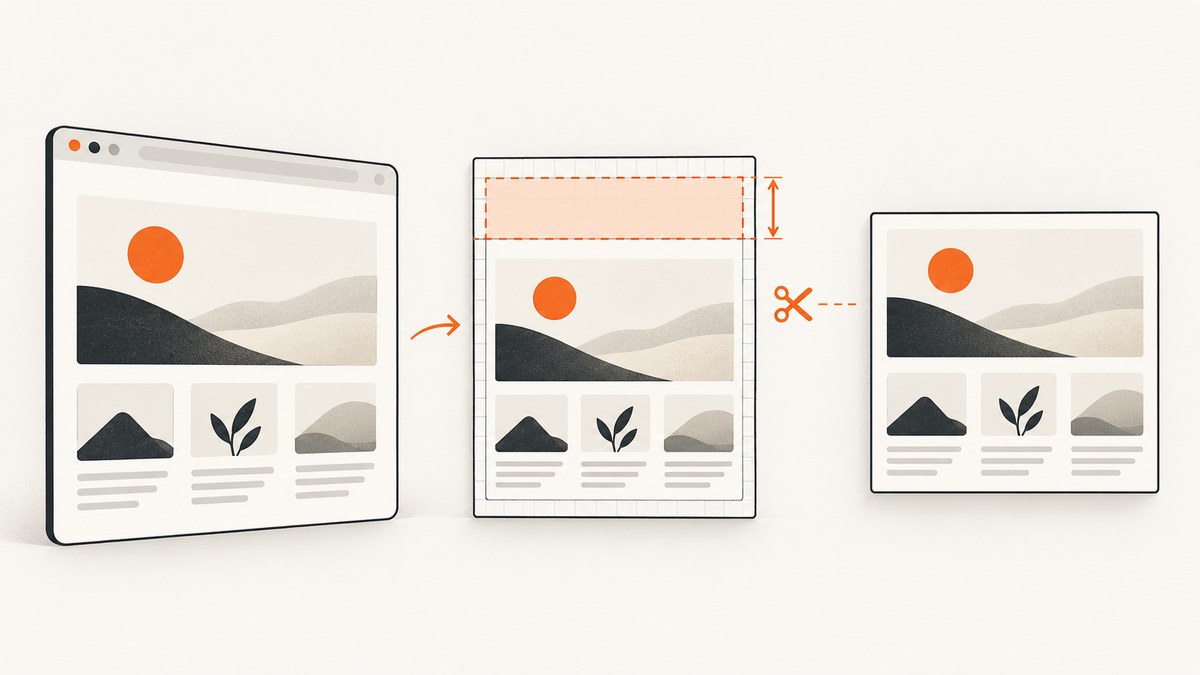
Empty space above an html2canvas capture usually comes from one of three places: the element’s real CSS layout, the scroll position used while rendering, or the crop coordinates applied to the canvas. The reliable fix is to identify which coordinate space is wrong before changing options.
Inspect the target element’s rendered box and computed styles first. If the gap is part of the element’s box, fix the responsible margin, padding, transform, or parent layout. If the source is correct but the screenshot starts too high or low, test scrollY. If the content is correctly rendered and only unwanted pixels remain in the output, use y and height to crop. These options solve different problems: y is the canvas crop origin, height is the output canvas height, and scrollY is the scroll position used when rendering an element. See the official html2canvas configuration reference.
1. Diagnose the gap before changing options
Check the element’s bounding rectangle
Run this in DevTools on the page you are capturing. It reports the element’s position and dimensions in viewport coordinates, plus the styles most likely to create visible space.
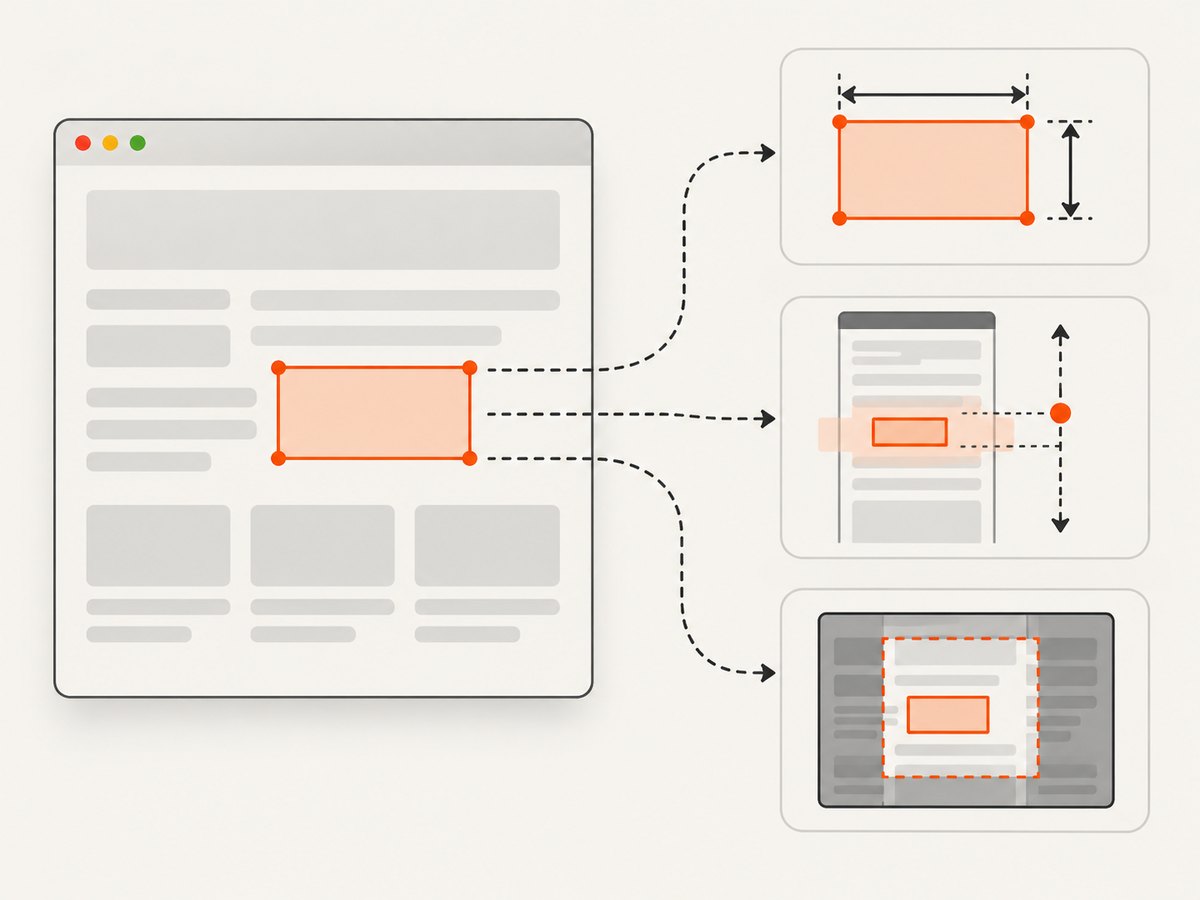
const target = document.querySelector('#capture-target');
if (!target) throw new Error('Missing #capture-target');

const rect = target.getBoundingClientRect();
const style = getComputedStyle(target);

console.table({
  top: rect.top,
  bottom: rect.bottom,
  height: rect.height,
  marginTop: style.marginTop,
  paddingTop: style.paddingTop,
  transform: style.transform,
  position: style.position,
  overflow: style.overflow
});
Compare the reported top value with what you expect. A positive marginTop or paddingTop explains a real gap inside the target. A transformed ancestor, an absolutely positioned child, or a parent with padding can also move visible content without changing the rule you first suspect.
Decide whether the gap belongs to the target
Temporarily add an outline so the captured box is obvious:
const target = document.querySelector('#capture-target');
target.style.outline = '2px solid red';
If the red outline begins above the visible content, the blank area is inside the target’s rendered box. Change the page CSS, or apply a targeted change only to html2canvas’s clone with onclone. If the outline hugs the visible content but the bitmap still has a blank band, investigate scroll and crop settings next.
Capture at two scroll positions
Fixed and sticky descendants, along with document scroll state, can affect rendering. Capture once at the top and once at the current position, then compare the first non-empty row of pixels.
async function captureAtScroll(target, scrollTop) {
  window.scrollTo({ top: scrollTop, left: 0, behavior: 'instant' });
  await new Promise(requestAnimationFrame);
  return html2canvas(target, {
    scrollY: -window.scrollY
  });
}

const target = document.querySelector('#capture-target');
const topCanvas = await captureAtScroll(target, 0);
const currentCanvas = await captureAtScroll(target, window.scrollY);

document.body.append(topCanvas, currentCanvas);
This is a diagnostic comparison, not a universal workaround. The correct value depends on whether you want the element rendered as it appears in the viewport or as a document-positioned object.
2. Fix a genuine CSS margin or padding gap
When inspection confirms that the whitespace belongs to the page layout, correct the rule that creates it. For example:
#capture-target {
  margin-top: 0;
  padding-top: 0;
}
Do not remove spacing globally if it is intentional elsewhere. A heading may have a top margin that should remain in the live page but not in an exported card. In that case, make a capture-specific class:
.capture-mode #capture-target {
  margin-top: 0;
}
Toggle the class immediately before capture and remove it afterward:
document.documentElement.classList.add('capture-mode');
try {
  const canvas = await html2canvas(document.querySelector('#capture-target'));
  document.querySelector('#output').replaceChildren(canvas);
} finally {
  document.documentElement.classList.remove('capture-mode');
}
Use onclone when the live page must not change
onclone lets you edit the cloned document that html2canvas renders. The original page remains untouched. Apply only the rule you confirmed during inspection:
const target = document.querySelector('#capture-target');

const canvas = await html2canvas(target, {
  onclone(clonedDocument) {
    const clone = clonedDocument.querySelector('#capture-target');
    if (clone) clone.style.marginTop = '0';
  }
});
Replace marginTop with paddingTop, a transform, or another property only when that property is the measured cause. A broad reset such as * { margin: 0 } can change line wrapping, element heights, and the position of unrelated descendants.
3. Crop pixels only after the layout is correct
If the target renders correctly but the output includes extra pixels above it, crop the canvas. Compute the target’s dimensions and set the crop origin and output height deliberately:
const target = document.querySelector('#capture-target');
const rect = target.getBoundingClientRect();

const canvas = await html2canvas(target, {
  y: 0,
  height: rect.height,
  scrollY: -window.scrollY
});

document.querySelector('#output').replaceChildren(canvas);
Here, y selects the vertical crop origin in the rendered canvas and height limits the output. They do not remove CSS space from the source element. If the target has a deliberate top margin that should appear in the image, cropping it away changes the design rather than fixing a bug.
Understand the coordinate systems
| Option or value | What it controls | Typical mistake |
|---|---|---|
getBoundingClientRect().top |
Target position relative to the viewport | Treating it as a document coordinate after scrolling |
y |
Vertical origin of the canvas crop | Using it to hide a real CSS margin |
height |
Height of the generated canvas | Clipping content because the value is smaller than the rendered target |
scrollY |
Scroll position used while rendering | Copying a negative value without checking the desired viewport state |
windowHeight |
Rendering viewport height and related media-query behavior | Expecting it to remove a top margin |
Do not add x, y, scrollX, scrollY, and viewport dimensions at once. Change one coordinate control, capture a minimal page, and compare the result.
4. Scroll, fixed, and sticky elements
Fixed headers can appear at the top of a capture even when the target starts lower on the page. Sticky elements can switch state when the clone is rendered at a different scroll position. Decide whether these elements belong in the output:
- To preserve the viewport appearance, render with the same scroll position and viewport dimensions.
- To capture the target without an overlapping fixed header, hide the header in
oncloneor capture a container that excludes it. - To capture document content independently of the current viewport, test at
scrollY: 0and remove viewport-only overlays in the clone.
const canvas = await html2canvas(target, {
  onclone(clonedDocument) {
    clonedDocument.querySelectorAll('.cookie-banner, .chat-widget, .fixed-header')
      .forEach(node => node.remove());
  }
});
Only hide selectors that are genuinely unwanted in the export. Removing a sticky navigation element can also change available width and cause text to reflow.
5. A complete reproducible example
This page demonstrates measurement, a clone-only correction, and a deliberate crop. It assumes html2canvas is loaded before the script.
<main id="capture-target" style="margin-top:48px;padding:24px;background:#fff">
  <h1>Report</h1>
  <p>This content is captured without the accidental top margin.</p>
</main>
<div id="output"></div>
<script src="https://cdn.jsdelivr.net/npm/html2canvas@1.4.1/dist/html2canvas.min.js"></script>
<script>
(async () => {
  const target = document.querySelector('#capture-target');
  const rect = target.getBoundingClientRect();
  const canvas = await html2canvas(target, {
    y: 0,
    height: rect.height,
    scrollY: -window.scrollY,
    onclone(clonedDocument) {
      const clone = clonedDocument.querySelector('#capture-target');
      if (clone) clone.style.marginTop = '0';
    }
  });
  document.querySelector('#output').append(canvas);
})();
</script>
The CDN URL above is only an example of loading the library. Pin the version used by your application and reproduce the issue with that installed release. Historical reports of whitespace used html2canvas 1.0.0-rc.3 with older Chrome on Windows; those reports demonstrate that the symptom existed in a particular environment, not that every current release has the same defect.
6. Troubleshooting checklist
| Symptom | Likely cause | Fix |
|---|---|---|
| Blank band matches the target’s outline | Margin, padding, parent spacing, or transform | Fix the measured CSS rule or override it in onclone |
| Gap changes when you scroll | Scroll state, fixed positioning, or sticky positioning | Capture at a known scroll position and test scrollY |
| Top looks right but bottom is clipped | height is too small |
Use the rendered height or an intentional crop height |
| Content starts at different x/y positions | Viewport or device scale changed layout | Keep viewport options stable and inspect media queries |
| Images or fonts create apparent whitespace | Resources have not finished loading | Wait for fonts and images before capture; use a minimal reproduction |
| Clone-only fix has no effect | Wrong selector or rule overridden by specificity | Log the clone node and use a targeted style with sufficient specificity |
| Everything shifts after removing a header | Available width or flow changed | Hide overlays with position: fixed rules or capture a narrower subtree |
7. Performance and reliability considerations
- Measure once, capture once. Repeatedly reading layout after changing styles can trigger layout recalculation. Gather the rectangle, apply clone-only changes, then render.
- Keep the capture subtree small. Capturing a focused element is faster and reduces surprises from unrelated fixed widgets.
- Use stable dimensions. Responsive breakpoints can change when
windowWidthorwindowHeightchanges. Record the viewport used for reproducibility. - Wait for resources. A late-loading font can alter line wrapping and make the apparent top offset look inconsistent.
- Retest after upgrades. Browser and html2canvas releases can change layout, clipping, and scroll behavior. Keep a minimal fixture that contains only the target, its styles, and the suspected fixed element.
- Do not assume issue workarounds are universal. A historical report that scrolling to
(0, 0)helped one page is a diagnostic clue, not a guaranteed fix for another page.
8. Or skip the browser setup
When you need a repeatable website screenshot instead of a client-side canvas, ScreenshotNeo provides a single GET request that returns PNG, JPEG, WebP, or PDF. Its capture pipeline accepts cookie and consent banners like a visitor, then removes more than 60 known consent platforms, newsletter popups, and chat widgets before the shot. Each step can be turned off.

Use the API documentation beside your implementation: ScreenshotNeo API docs.
curl -G "https://api.screenshotneo.com/v1/shot" -d access_key=YOUR_API_KEY --data-urlencode url=https://stripe.com -o shot.webpimport requests
r = requests.get("https://api.screenshotneo.com/v1/shot", params={"access_key": "YOUR_API_KEY", "url": "https://stripe.com"}, timeout=90)
open("shot.webp", "wb").write(r.content)const q = new URLSearchParams({ access_key: 'YOUR_API_KEY', url: 'https://stripe.com' });
const res = await fetch(`https://api.screenshotneo.com/v1/shot?${q}`);ScreenshotNeo also supports full-page captures with lazy images loaded, CSS element selection, dark mode, device presets and custom viewports, retina scale, custom CSS and JavaScript, clicks, selector or network-idle waits, request blocking, headers, cookies, user agents, authorization, timezone, geolocation, transparent backgrounds, resizing, caching with a chosen TTL, signed links, asynchronous jobs with signed webhooks, bulk capture of up to 100 URLs per call, a usage API, and an OpenAPI specification. Parameter names used by other screenshot APIs also work, which makes switching easier.
Only clean shots are billed. Bot checks and CAPTCHAs, blank pages, timeouts, failed loads, and cache hits cost nothing; every response reports the result with X-Page-Verdict and X-Billed headers. An MCP server exposes take_screenshot, get_page_info, and capture_pdf to Claude, Cursor, and other MCP clients.
The Free plan includes 1,000 shots each month with no card. Paid plans start at $5 for 3,000 shots; yearly billing gives two months free, and every feature is available on every plan. Create a free ScreenshotNeo account.
9. FAQ
Should I set scrollY to zero?
Only when your intended render corresponds to the top of the document. Test the same target at multiple scroll positions first; fixed and sticky elements can make a blanket value wrong.
Does increasing windowHeight remove the blank space?
No. It changes the rendering viewport and can affect media queries. It is not a top-margin removal option.
Can I crop with CSS instead?
Yes, but CSS changes the layout. Use CSS when the whitespace is incorrect in the design; use y and height when the design is correct and only the output crop is wrong.
Why does the issue appear only in one browser?
Layout, font loading, viewport behavior, and browser implementation details can differ. Record the browser, html2canvas version, viewport, scroll position, and a minimal fixture before choosing a workaround.
When is a server screenshot API preferable?
Use one when you need consistent captures from jobs or backend code, do not want to maintain browser setup, or need built-in handling for consent banners, popups, failed loads, caching, and asynchronous delivery.


