How to Remove Extra White Space at the Bottom of html2canvas Captures
Diagnose extra bottom whitespace in html2canvas by measuring the target, matching the cloned viewport to capture intent, and cropping only when needed.
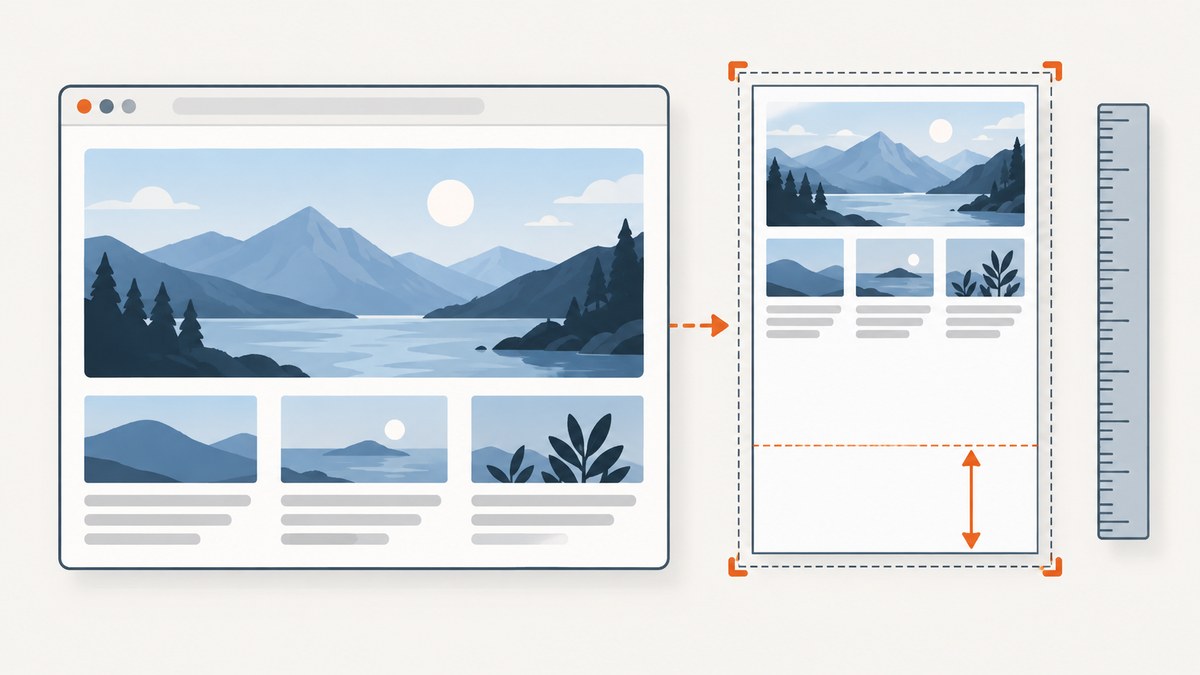
Extra white space at the bottom of an html2canvas image usually means the rendered canvas is taller than the content you meant to capture. Start by measuring the target element’s bounding box and scroll dimensions, then compare them with the returned canvas dimensions. For a full scrollable element, the html2canvas FAQ recommends setting the cloned viewport’s windowWidth and windowHeight to the element’s scroll dimensions. If the capture target itself includes excess height, select a smaller element; if you want only a region, define a measured crop. There is no universal “trim blank bottom” option.
This guide walks through the diagnosis, complete browser-side examples, crop choices, scroll behavior, canvas-size limits, and common errors. It uses the official html2canvas FAQ, configuration reference, and examples.
1. Measure before changing CSS
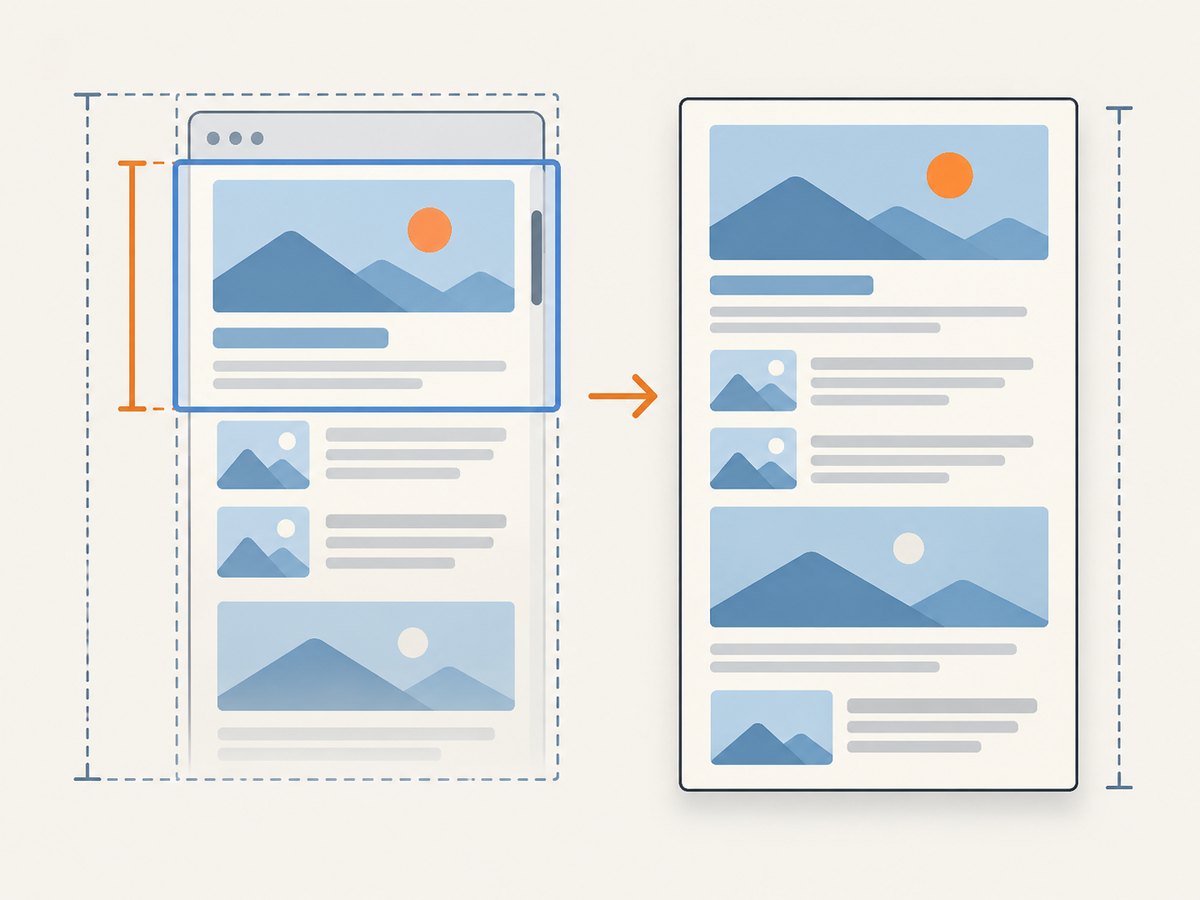
First establish what node is being captured and how its dimensions relate to the output. getBoundingClientRect() describes the element’s rendered border-box size; clientHeight describes its inner visible height; and scrollHeight includes content that overflows its visible box. They answer different questions. A scrollable panel can have a small clientHeight and a much larger scrollHeight by design.
const element = document.querySelector('#capture');
if (!element) throw new Error('Capture target #capture was not found');

const rect = element.getBoundingClientRect();
console.table({
  rectWidth: rect.width,
  rectHeight: rect.height,
  clientWidth: element.clientWidth,
  clientHeight: element.clientHeight,
  scrollWidth: element.scrollWidth,
  scrollHeight: element.scrollHeight,
  pageScrollX: window.scrollX,
  pageScrollY: window.scrollY,
  devicePixelRatio: window.devicePixelRatio,
});

const canvas = await html2canvas(element);
console.table({ canvasWidth: canvas.width, canvasHeight: canvas.height });
Run this after the target has reached the state you intend to capture: content has loaded, any expanding panels are settled, and any relevant fonts or images have finished loading. Compare the measurements with the actual image. If the canvas height matches a tall target or its scrollable content, the whitespace may be part of the captured layout. If the output is much taller than the intended content, inspect the chosen node and capture options before trimming pixels.
2. Choose the capture that matches your intent
Capture the full scrollable element
If the target is a component whose entire scrollable content should appear in the image, set the cloned rendering viewport to its scroll dimensions. This is the FAQ’s recommended approach when a full element capture is blank or cut off:
const element = document.querySelector('#capture');
if (!element) throw new Error('Capture target #capture was not found');

const canvas = await html2canvas(element, {
  windowWidth: element.scrollWidth,
  windowHeight: element.scrollHeight,
});
windowWidth and windowHeight describe the viewport used to render the cloned document; they do not simply erase unused pixels. Changing them can change media-query results. A layout that switches to a wider desktop arrangement or a narrower mobile arrangement may produce different dimensions and content. After changing the viewport, check that the cloned layout still matches the result you want.
Capture a smaller target
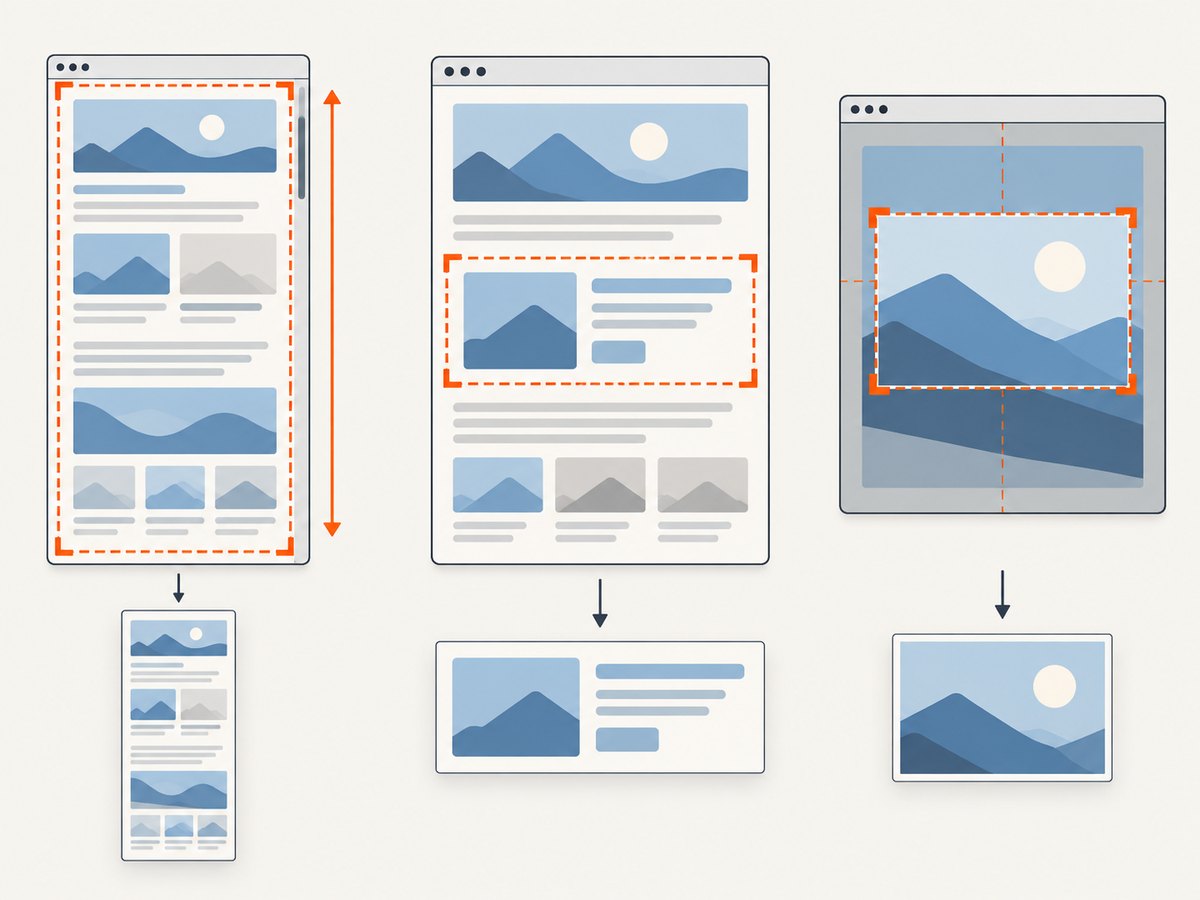
If your code passes document.body, a page wrapper, or a parent with a reserved minimum height, html2canvas can correctly include the whole large box. If the image should contain just a card, report, chart, or section, capture that element instead:
const card = document.querySelector('.report-card');
if (!card) throw new Error('Report card was not found');

const canvas = await html2canvas(card, {
  backgroundColor: '#ffffff',
});
The official examples demonstrate capturing a selected element. Be deliberate about whether the selected node includes padding, margins represented by its parent, overflow, or decorative regions. CSS margins sit outside an element’s border box and may be represented through a containing layout rather than the element itself; inspect the rendered bounds and the produced image rather than assuming a particular box model explains the gap.
Capture a specific region
If the target is right but only a subregion belongs in the output, use crop coordinates. The configuration supports x, y, width, and height:
const element = document.querySelector('#capture');
if (!element) throw new Error('Capture target #capture was not found');

const rect = element.getBoundingClientRect();
const cropX = 0;
const cropY = 0;
const cropWidth = Math.ceil(rect.width);
const cropHeight = 640; // Set from the intended content boundary.

const canvas = await html2canvas(element, {
  x: cropX,
  y: cropY,
  width: cropWidth,
  height: cropHeight,
});
The sample’s 640 is an example boundary, not a general recommended height. Derive crop values from the content that must remain. A crop that is too short can cut off shadows, descenders, borders, or content that appears lower at another viewport or device-pixel ratio. Review the result at the same browser scale used in production.
3. A reusable capture-and-diagnose function
This example makes the intended mode explicit. It logs the key measurements, supports either full-scrollable-element rendering or a caller-specified crop, and returns the canvas so your application can save or display it. It assumes html2canvas is already loaded on the page.
async function captureElement(selector, options = {}) {
  const element = document.querySelector(selector);
  if (!element) throw new Error(`No element matched ${selector}`);

  const rect = element.getBoundingClientRect();
  const mode = options.mode ?? 'full';
  const config = { backgroundColor: '#ffffff' };

  if (mode === 'full') {
    config.windowWidth = element.scrollWidth;
    config.windowHeight = element.scrollHeight;
  } else if (mode === 'crop') {
    if (!options.crop) throw new Error('crop mode requires crop coordinates');
    Object.assign(config, {
      x: options.crop.x,
      y: options.crop.y,
      width: options.crop.width,
      height: options.crop.height,
    });
  } else if (mode !== 'visible') {
    throw new Error(`Unsupported capture mode: ${mode}`);
  }

  console.debug('html2canvas target', {
    selector,
    mode,
    rect: { width: rect.width, height: rect.height },
    client: { width: element.clientWidth, height: element.clientHeight },
    scroll: { width: element.scrollWidth, height: element.scrollHeight },
    pageScroll: { x: window.scrollX, y: window.scrollY },
  });

  const canvas = await html2canvas(element, config);
  console.debug('html2canvas output', {
    width: canvas.width,
    height: canvas.height,
  });
  return canvas;
}

const result = await captureElement('#capture', { mode: 'full' });
document.body.appendChild(result);
For a crop, call captureElement('#capture', { mode: 'crop', crop: { x: 0, y: 0, width: 900, height: 640 } }) after measuring the intended region. For the element’s ordinary rendered box, use mode: 'visible'; html2canvas defaults apply, so inspect the library’s current configuration reference when you need to set additional options.
4. Check page scroll position, but treat it as a diagnostic
Repeat the same capture when the page is at the top and after scrolling to the bottom. A historical report against html2canvas 1.0.0-rc.3 described a large blank offset when the reporter captured after scrolling down and said returning to the top fixed that example. This is an anecdotal, version-specific report; it does not prove that scroll position causes every bottom gap or that its workaround applies to current projects. See issue #1878.
When the results differ, record window.scrollX and window.scrollY alongside the element measurements. The configuration reference includes scrollX and scrollY; these can matter for rendering fixed-position elements. Test an explicit scroll position only when it matches the intended view. A fixed header captured at the top and one captured after scrolling may legitimately be in different positions.
const canvas = await html2canvas(element, {
  scrollX: 0,
  scrollY: 0,
});
Do not use this as a blind correction. First verify whether the capture changes with page scroll and whether the affected content is fixed or otherwise position-sensitive.
5. Adjust only the cloned document when necessary
If measurements show that a particular style in the cloned page creates excess height, html2canvas offers onclone so you can make a targeted change without altering the live page. For example, a class that adds a large minimum height only for display might be removed from the clone:
const canvas = await html2canvas(element, {
  onclone(clonedDocument) {
    const clonedTarget = clonedDocument.querySelector('#capture');
    if (clonedTarget) clonedTarget.classList.remove('screen-only-tall');
  },
});
Use this only after identifying the exact rule that causes the unwanted space. Broadly overriding heights, all margins, or the whole page can make the screenshot differ from what users see and may hide real content. The clone callback is a controlled adjustment point, not a substitute for finding the capture boundary.
6. Distinguish whitespace from a canvas-size failure
A very tall output can hit browser canvas limits. The html2canvas FAQ explains that limits vary by browser and platform; an oversized canvas may be blank or partially rendered without throwing an error. That behavior can look like a capture problem even when the issue is output size. See the official FAQ for its browser-specific guidance, which is not a cross-device guarantee.
If the image is blank or cut off as well as too tall, capture a smaller section and compare. If a smaller capture succeeds while the full image fails, investigate canvas dimensions and split the work into smaller regions where appropriate. Do not mistake a platform-dependent limit for a reliable pixel threshold, and do not assume every white region indicates a limit.
7. Common problems and fixes
| Symptom | Likely explanation | What to do |
|---|---|---|
| Gap is as tall as the page or wrapper’s unused area | The capture target includes that layout box. | Log the selected node and its bounds. Capture the content element or choose a measured crop. |
| Scrollable panel content is missing | The clone viewport is shorter than the panel’s scrollable content. | For full-content output, set windowWidth and windowHeight from the element’s scrollWidth and scrollHeight. |
| Layout changes after setting viewport dimensions | Responsive media queries react to the cloned viewport. | Choose viewport dimensions that reflect the intended output and verify the responsive layout before accepting the result. |
| Gap changes when scrolling the page | Scroll-sensitive or fixed-position rendering may be involved. | Compare top and bottom captures, log page scroll coordinates, and inspect scrollX/scrollY settings. Treat the old issue report as a lead, not proof. |
| Crop removes part of the content | The crop boundary is too small or was measured in the wrong coordinate context. | Re-measure the intended region, include visual edges such as borders and shadows, and verify at production scale. |
| Output is blank or only partly drawn | Canvas dimensions may exceed browser/platform limits. | Try a smaller capture and consult the FAQ’s platform guidance; limits vary. |
| Irregular spaces appear inside text or a component | This may be a rendering difference involving markup, CSS, fonts, or library version rather than excess canvas height. | Reduce the case to a minimal target and inspect the computed styles and loaded fonts. A report for version 1.4.1 records variable spacing but establishes no general fix: issue #2954. |
| Capture fails because the selector is missing | The target is rendered conditionally or the selector is wrong. | Wait for the component to render, check the selector, and fail clearly rather than passing null. |
8. Performance, reliability, and output cost
html2canvas renders a representation of DOM content into a canvas in the browser. Larger targets and larger output dimensions require more work and memory. Keep the target to the content needed, avoid producing a huge full-page canvas when a section will do, and check output dimensions before converting or uploading it. If a single tall capture fails, smaller sections can help isolate the problematic content and reduce the size of each canvas.
For reliability, make capture timing part of the application flow: wait until the target exists and its content has settled; capture with a deliberate viewport; record the target dimensions and options when diagnosing; and inspect whether the output is blank, clipped, or simply includes a real layout region. Test responsive breakpoints and scroll-sensitive content at the same viewport and page state used by the user. Browser and platform canvas limits vary, so validate on the environments your application supports.
There is no per-image html2canvas service charge in this client-side method. The practical costs are browser memory, execution time, and any storage or transfer your application adds afterward. Avoid converting an unnecessarily large canvas to a data URL when a smaller target or crop fits the requirement.
9. Or skip the browser setup
If you need a screenshot of a public page rather than a DOM canvas created inside your own application, ScreenshotNeo provides a one-request screenshot API. See the ScreenshotNeo API documentation for request options. The following example requests a WebP image:
curl -G "https://api.screenshotneo.com/v1/shot" -d access_key=YOUR_API_KEY --data-urlencode url=https://stripe.com -o shot.webpScreenshotNeo accepts cookie and consent banners like a visitor and removes more than 60 known consent platforms, newsletter popups, and chat widgets before capture; each cleanup step can be turned off. Bot checks/CAPTCHAs, blank pages, timeouts, failed loads, and cache hits are not billed, and response headers report the page verdict and billing status. Its MCP server provides take_screenshot, get_page_info, and capture_pdf for Claude, Cursor, and other MCP clients. The free plan includes 1,000 shots per month with no card; paid plans start at $5 for 3,000 shots.
Sign up for 1,000 free screenshots a month, with no card required.
10. FAQ
Does html2canvas have a trim-whitespace option?
The documented controls relevant here are viewport dimensions and crop coordinates. Choose the target or crop based on the pixels you want; there is no general blank-bottom trimming switch in the cited configuration.
Should I always use scrollHeight as the output height?
No. Use it when you intend to include the target’s complete scrollable content. If you want the visible box or a specific region, use that boundary instead.
Can an old scroll-position issue explain my current result?
It is one possibility to test, especially if top and bottom captures differ, but the cited report concerns an old release candidate and one report. It does not establish the cause in another version or project.
Will cropping make the capture faster?
A smaller requested region can reduce output dimensions, but the result depends on the page and rendering work. Measure and inspect the output; do not assume a crop fixes layout or rendering errors by itself.


