How to Remove Links from a Page with Puppeteer
Remove every link with Puppeteer, disable navigation while keeping text, handle frames and shadow DOM, and avoid common timing mistakes.
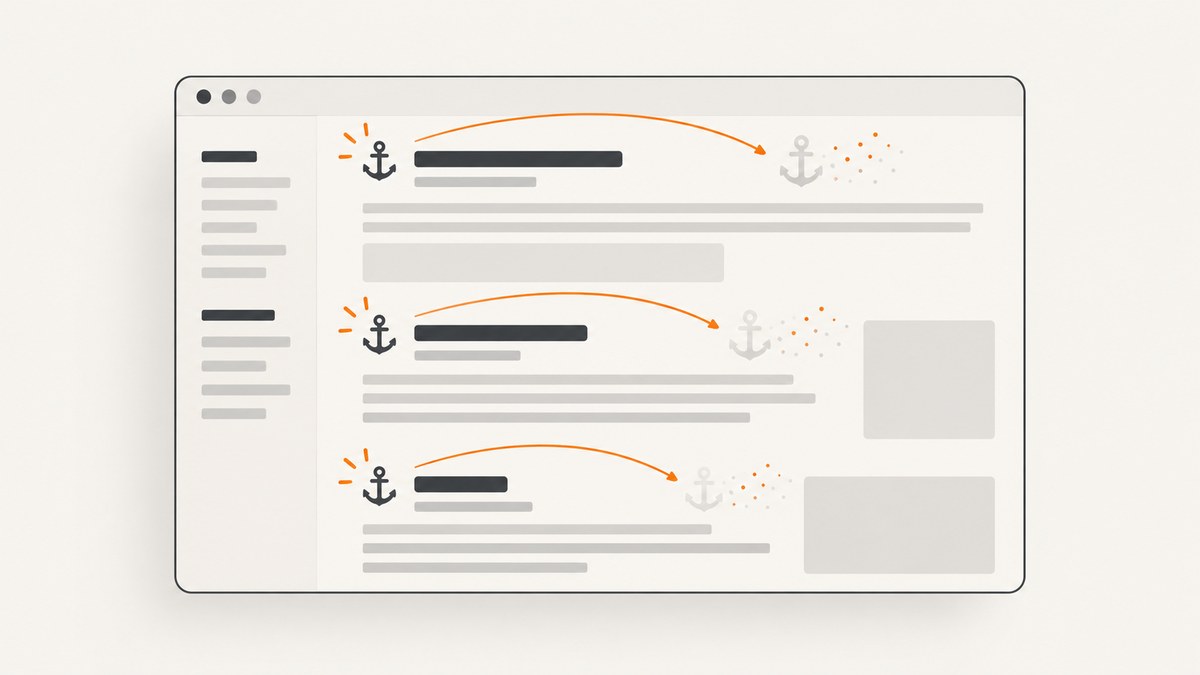
To remove every ordinary link from the current page with Puppeteer, select all <a> elements in the page context and call remove() on each one:
const removedCount = await page.$$eval('a', anchors => {
  const count = anchors.length;
  anchors.forEach(anchor => anchor.remove());
  return count;
});

console.log(`Removed ${removedCount} links`);
This deletes each anchor and everything inside it, including linked text and nested elements. If you need to keep the visible text but stop navigation, edit or remove the href attribute instead. The distinction matters when you are preparing a print view, sanitizing a capture, or testing a page.
1. Set up a Puppeteer page
Install Puppeteer in a new Node.js project and create a browser page:
mkdir remove-links-demo
cd remove-links-demo
npm init -y
npm install puppeteer
const puppeteer = require('puppeteer');
(async () => {
const browser = await puppeteer.launch({
headless: true
});
try {
const page = await browser.newPage();
await page.goto('https://example.com', {
waitUntil: 'networkidle2',
timeout: 60000
});
const removedCount = await page.$$eval('a', anchors => {
const count = anchors.length;
anchors.forEach(anchor => anchor.remove());
return count;
});
console.log(`Removed ${removedCount} links`);
await page.screenshot({ path: 'without-links.png', fullPage: true });
} finally {
await browser.close();
}
})();page.goto() loads the document, page.$$eval() finds every matching element and runs one callback in the page context, and the returned number is sent back to Node.js. Waiting for the page before editing prevents a common race where the script runs before the main content exists.
2. Remove all anchor elements with page.$$eval()
page.$$eval(selector, pageFunction) is the most direct API for a bulk edit. Puppeteer collects all elements matching the CSS selector, passes them as an array to one page-context callback, and returns the callback result to Node.js.
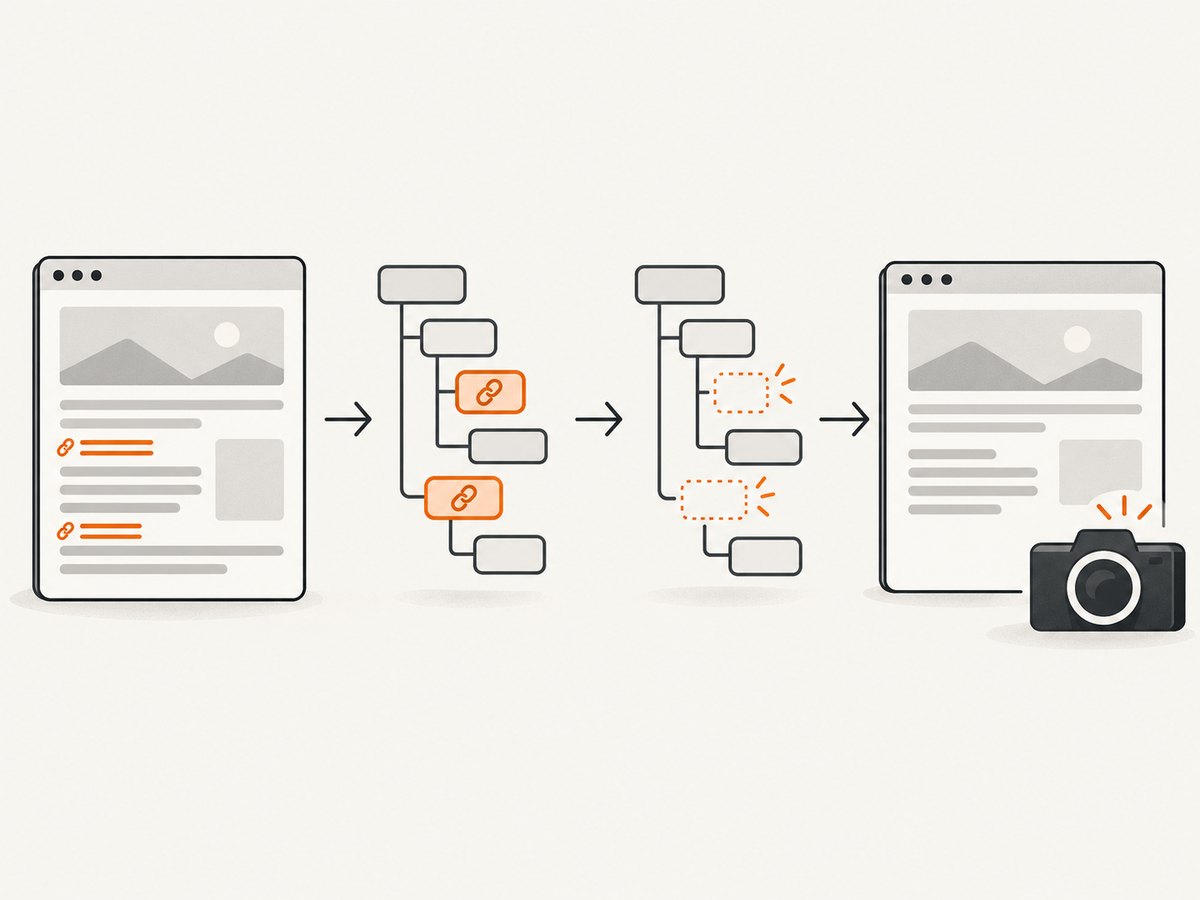
const removedCount = await page.$$eval('a', anchors => {
  let count = 0;

  for (const anchor of anchors) {
    anchor.remove();
    count += 1;
  }

  return count;
});

console.log({ removedCount });
Use 'a' for every anchor in the current document. Narrow the selector when only part of the page should change:
await page.$$eval('article a, nav a, footer a', anchors => {
  for (const anchor of anchors) anchor.remove();
});
Removing the element also removes its children. For example, <a><img>Product</a> loses both the image and the text. Run the operation after the relevant content has rendered and before taking a screenshot, generating a PDF, or reading the final HTML.
3. Keep the text while disabling links
Deleting anchors is different from disabling navigation. To preserve the text and styling, keep the element and remove its destination:
const disabledCount = await page.$$eval('a', anchors => {
  let count = 0;

  for (const anchor of anchors) {
    anchor.removeAttribute('href');
    anchor.removeAttribute('target');
    anchor.removeAttribute('rel');
    anchor.setAttribute('aria-disabled', 'true');
    anchor.style.cursor = 'default';
    count += 1;
  }

  return count;
});

console.log(`Disabled ${disabledCount} links`);
Removing href prevents normal anchor navigation while retaining child content. Removing target avoids a script or browser behavior that opens a new tab. The ARIA attribute communicates the changed state to assistive technology, but it does not itself block JavaScript click handlers.
If a site attaches a click listener that calls location.assign(), prevent the event as well:
await page.$$eval('a', anchors => {
  for (const anchor of anchors) {
    anchor.removeAttribute('href');
    anchor.addEventListener('click', event => event.preventDefault(), {
      capture: true
    });
  }
});
For a screenshot-only transformation, a CSS rule can hide pointer interaction without changing markup:
await page.addStyleTag({
  content: 'a { pointer-events: none; cursor: default; }'
});
CSS alone does not remove links from the accessibility tree or alter copied HTML, so use DOM mutation when the output itself must contain no destinations.
4. Use page.evaluate() for custom conditions
Use page.evaluate() when the decision depends on attributes, URL patterns, text, or other document logic. The function executes in the page context and its serializable return value comes back to Node.js.
const removedCount = await page.evaluate(() => {
  const anchors = [...document.querySelectorAll('a')];
  const selected = anchors.filter(anchor => {
    const href = anchor.getAttribute('href') || '';
    return href.startsWith('http://') || href.startsWith('https://');
  });

  for (const anchor of selected) anchor.remove();
  return selected.length;
});

console.log(`Removed ${removedCount} absolute links`);
This approach is useful when you need a complete procedure rather than one selector callback:
await page.evaluate(() => {
  for (const anchor of document.querySelectorAll('a')) {
    const label = anchor.textContent.trim().toLowerCase();
    if (label === 'login' || label === 'sign in') {
      anchor.remove();
    }
  }
});
Pass a function instead of a string expression. It keeps the code analyzable and lets Puppeteer serialize arguments safely:
const domain = 'example.com';
const count = await page.evaluate(domain => {
  const matches = [...document.querySelectorAll('a')]
    .filter(anchor => (anchor.hostname || '') === domain);

  matches.forEach(anchor => anchor.remove());
  return matches.length;
}, domain);
5. Select the first match with page.$eval()
page.$eval() passes only the first matching element to a callback. It throws when no element matches, so check for absence when the selector is optional:
const firstLink = await page.$('main a');

if (firstLink) {
  await page.$eval('main a', anchor => anchor.remove());
}
Use this for a known single control, such as a “read more” link. For all matches, prefer $$eval; repeatedly calling $eval creates unnecessary round trips and can become fragile when the DOM changes during the loop.
6. Timing, dynamic content, and repeated mutations
The edit affects the DOM only when the evaluation runs. It does not change the server response or persist after navigation. Client-side code can insert new anchors later, especially after scrolling, opening a menu, or completing an API request.
Choose a wait strategy that matches the page:
await page.goto(url, { waitUntil: 'domcontentloaded' });
await page.waitForSelector('main');
await page.$$eval('a', anchors => anchors.forEach(anchor => anchor.remove()));
For a page that adds links after a known action, perform the action first and then repeat the mutation:
await page.click('[data-load-more]');
await page.waitForNetworkIdle({ idleTime: 500, timeout: 30000 });
await page.$$eval('a', anchors => anchors.forEach(anchor => anchor.remove()));
An observer can handle late insertions, but disconnect it once the capture is complete so it does not run forever:
await page.evaluate(() => {
  const removeLinks = root => {
    if (root.nodeType !== Node.ELEMENT_NODE) return;
    if (root.matches('a')) root.remove();
    root.querySelectorAll?.('a').forEach(anchor => anchor.remove());
  };

  document.querySelectorAll('a').forEach(anchor => anchor.remove());
  window.__linkObserver = new MutationObserver(records => {
    for (const record of records) {
      record.addedNodes.forEach(removeLinks);
    }
  });
  window.__linkObserver.observe(document.body, { childList: true, subtree: true });
});

// ...perform the capture...
await page.evaluate(() => window.__linkObserver?.disconnect());
7. Frames and shadow DOM
A page-level query covers the main document only. Content inside an iframe belongs to a separate document and must be handled through its frame:
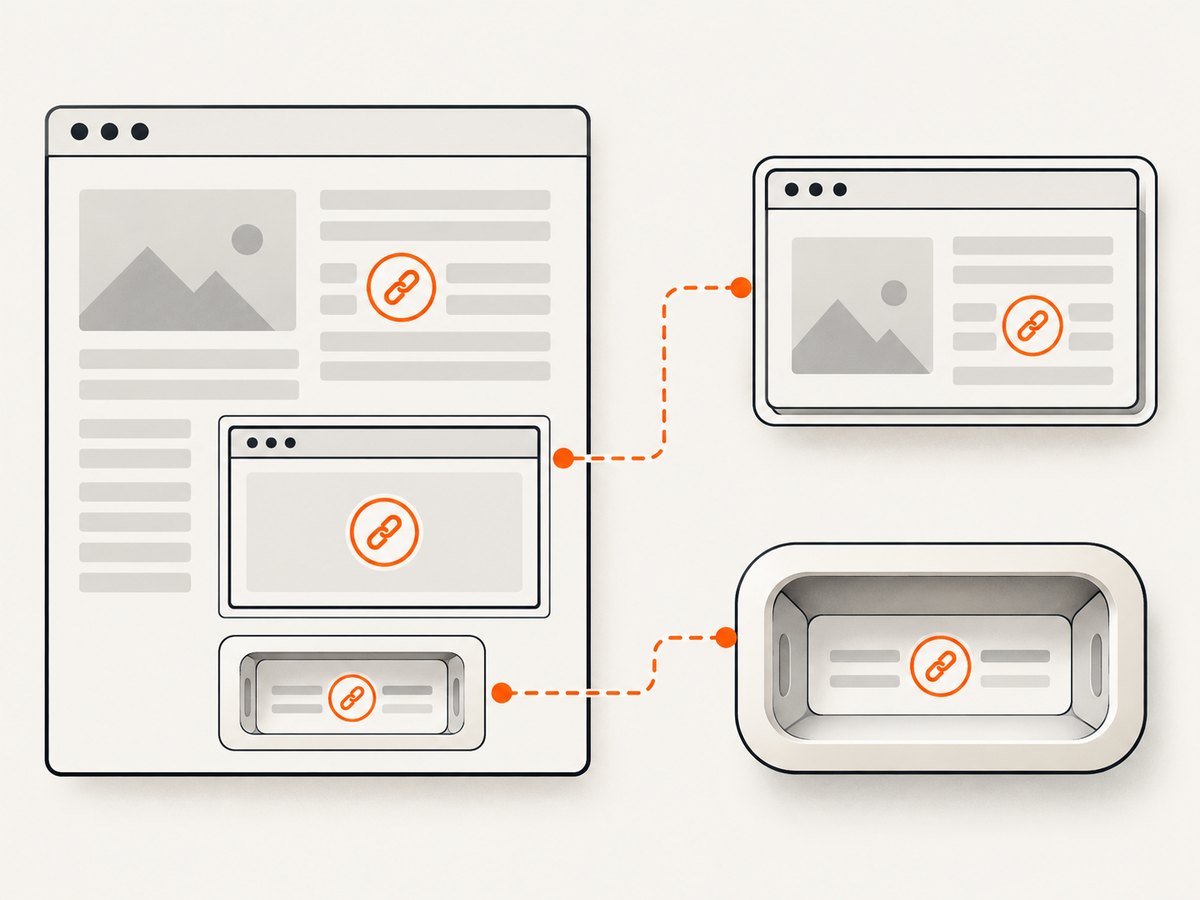
for (const frame of page.frames()) {
  try {
    await frame.$$eval('a', anchors => {
      anchors.forEach(anchor => anchor.remove());
    });
  } catch (error) {
    console.warn(`Could not edit frame ${frame.url()}: ${error.message}`);
  }
}
Cross-origin frames may restrict access, and a frame can navigate while you are editing it. Treat frame processing as best effort and catch detached-frame errors when the site replaces an iframe.
A plain document.querySelectorAll('a') does not automatically traverse shadow roots. Open shadow roots need explicit traversal:
await page.evaluate(() => {
  const visit = root => {
    root.querySelectorAll('a').forEach(anchor => anchor.remove());
    root.querySelectorAll('*').forEach(element => {
      if (element.shadowRoot) visit(element.shadowRoot);
    });
  };

  visit(document);
});
Closed shadow roots cannot be queried from page JavaScript. In that case, remove the component before it renders, use a component-specific API, or accept that its internal links are outside the page-level edit.
8. Verify the result before capture
Count remaining links and inspect the generated HTML or screenshot:
const remaining = await page.$$eval('a', anchors => anchors.length);
if (remaining !== 0) {
  throw new Error(`Expected no links, found ${remaining}`);
}

const html = await page.content();
console.log(`Final HTML length: ${html.length}`);
await page.screenshot({ path: 'clean-page.png', fullPage: true });
Verification catches late-rendered navigation, missed frames, and selectors that were too narrow. If you only disabled links, verify both the visible text and the absence of destinations:
const destinations = await page.$$eval('a[href]', anchors => anchors.length);
console.log({ destinations });
9. Troubleshooting common errors
| Symptom | Cause | Fix |
|---|---|---|
$$eval returns zero |
The content has not rendered, the selector is wrong, or links are inside a frame or shadow root. | Wait for a stable selector, inspect page.content(), then process the relevant frame or shadow root. |
$eval throws “failed to find element matching selector” |
No element matched the selector. | Call page.$() first or use $$eval, which safely handles an empty result. |
| Links reappear | Page JavaScript inserted them after your evaluation. | Run the edit after the final interaction, wait for network activity to settle, or use a temporary mutation observer. |
| Text disappears unexpectedly | anchor.remove() deletes the anchor’s children. |
Remove or neutralize href when visible content must remain. |
| Click still navigates | A JavaScript listener handles the click independently of href. |
Add a capturing preventDefault() listener or remove the element. |
| Iframe links remain | The query ran only in the main document. | Iterate through page.frames() and evaluate in each accessible frame. |
| “Execution context was destroyed” | The page navigated or a frame was replaced during evaluation. | Wait for navigation to finish, then retry the edit in the new context. |
| Screenshot still shows a link | The screenshot happened before the mutation or a different element was captured. | Await the evaluation promise, verify the count, then capture. |
10. Performance, reliability, and cost
One $$eval call is generally cheaper and more reliable than sending one command per anchor because selection and mutation happen together in the browser context. Keep the callback synchronous unless you have a specific asynchronous operation; DOM removal itself does not need one.
Use a targeted selector on very large documents, and avoid a long-lived mutation observer unless the page is genuinely streaming content. Always close the browser in a finally block so failed navigations do not leave Chromium processes running.
Puppeteer performs a local browser workflow: you pay for the machine or runtime that runs Chromium and for the engineering time needed to handle waits, cookies, consent dialogs, frames, and failures. If your goal is simply a clean image or PDF after removing page clutter, a screenshot API can remove that browser setup.
11. Or skip the browser setup
ScreenshotNeo returns a screenshot or PDF from one request. It accepts cookie and consent banners before capture and removes more than 60 known consent platforms, newsletter popups, and chat widgets; each step can be turned off. Bot checks, blank pages, timeouts, failed loads, and cache hits are not billed, and response headers report the page verdict and billing status.
See the ScreenshotNeo API documentation for all options. A direct cURL request:
curl -G "https://api.screenshotneo.com/v1/shot" -d access_key=YOUR_API_KEY --data-urlencode url=https://example.com -o shot.webpThe same request in Python:
import requests

r = requests.get(
    "https://api.screenshotneo.com/v1/shot",
    params={"access_key": "YOUR_API_KEY", "url": "https://example.com"},
    timeout=90,
)
r.raise_for_status()
open("shot.webp", "wb").write(r.content)
And Node.js:
const q = new URLSearchParams({ access_key: 'YOUR_API_KEY', url: 'https://example.com' });
const res = await fetch(`https://api.screenshotneo.com/v1/shot?${q}`);
if (!res.ok) throw new Error(`Screenshot failed: ${res.status}`);
require('fs').writeFileSync('shot.webp', Buffer.from(await res.arrayBuffer()));
For a workflow that still needs custom page changes, ScreenshotNeo supports custom CSS and JavaScript, CSS selectors for one element, full-page capture with lazy images loaded, dark mode, device presets, arbitrary viewports, retina scale, headers, cookies, user agents, authorization, timezone, geolocation, request blocking, waits, caching, signed links, asynchronous jobs, webhooks, bulk capture of up to 100 URLs per call, and PDF controls.
It also provides an MCP server with take_screenshot, get_page_info, and capture_pdf for Claude, Cursor, and other MCP clients. The Free plan includes 1,000 shots per month with no card; paid plans start at $5 for 3,000 shots. Create a free ScreenshotNeo account.
12. Short FAQ
Does Puppeteer remove links from the website permanently?
No. Evaluation changes only the current rendered DOM in the browser. Reloading or opening the URL again restores the server response.
Can I remove only external links?
Yes. Filter anchors by anchor.hostname, inspect href, or match a URL pattern inside page.evaluate().
Should I use a locator instead?
Locators are recommended for user-like interaction. Bulk DOM mutation is better suited to $$eval or evaluate.
How do I preserve links in the copied HTML but hide them visually?
Add a style rule or a class for the capture. Removing the elements or their href changes the HTML semantics.
What is the safest way to capture a page after editing it?
Apply the mutation, count remaining matches, wait for any final layout work, and only then call screenshot() or pdf().


