How to Render Arabic Text Correctly With html2canvas
Fix Arabic shaping, RTL direction, mixed Latin text, fonts, and html2canvas capture issues with a practical diagnostic guide.
Set the text direction in the markup, verify the Arabic font is loaded, and compare the browser rendering with the html2canvas output. Use dir='rtl' for Arabic content, isolate embedded Latin text with <bdi dir='ltr'> when its ordering is ambiguous, and test the exact html2canvas version installed by your application.
That combination addresses the most common causes of incorrect Arabic captures: wrong base direction, mixed right-to-left and left-to-right runs, missing fonts, and differences between browser rendering and html2canvas’s DOM/CSS reconstruction model.
1. Mark Arabic direction semantically
Arabic is written right to left. Add direction to the element that contains the Arabic text:
<div class='card' dir='rtl' lang='ar'>
  <h1>مرحبا بالعالم</h1>
  <p>هذا نص عربي داخل بطاقة.</p>
</div>
lang='ar' identifies the language, but it does not replace direction. W3C guidance describes direction as a property of scripts, not languages, so use dir='rtl' explicitly. See the W3C direction guidance.
Mixed Arabic, Latin, URLs, and numbers
Arabic text often contains product names, URLs, dates, or numbers that run left to right. Keep characters in their logical order; do not reverse the Arabic string as a general workaround. Isolate an embedded left-to-right run when punctuation or placement is unclear:
<p dir='rtl'>
  افتح الرابط
  <bdi dir='ltr'>https://example.com/docs</bdi>
  لمعرفة المزيد.
</p>
The Unicode bidirectional algorithm explains why punctuation and digits depend on surrounding context. The Unicode Bidirectional Algorithm and its markup guidance are useful when a line contains several direction changes.
2. Complete runnable example
This page captures one RTL card after loading a font. It uses onclone to enforce the direction in the cloned document while leaving the live page unchanged.
<!doctype html>
<html lang='ar' dir='rtl'>
<head>
  <meta charset='utf-8'>
  <title>Arabic html2canvas example</title>
  <style>
    @font-face {
      font-family: 'ArabicUI';
      src: url('/fonts/arabic-ui.woff2') format('woff2');
      font-display: block;
    }
    body { margin: 0; background: #eef1f5; }
    .card {
      width: 720px;
      padding: 32px;
      box-sizing: border-box;
      color: #17202a;
      background: white;
      font-family: 'ArabicUI', sans-serif;
      line-height: 1.8;
      text-align: right;
    }
    .latin { direction: ltr; unicode-bidi: isolate; }
  </style>
</head>
<body>
  <article id='capture' class='card' dir='rtl'>
    <h1>مرحبا بالعالم</h1>
    <p>هذه بطاقة عربية مع رقم <span class='latin' dir='ltr'>2026</span> ورابط <bdi dir='ltr'>example.com</bdi>.</p>
  </article>

  <script src='https://cdn.jsdelivr.net/npm/html2canvas@1.4.1/dist/html2canvas.min.js'></script>
  <script>
    (async () => {
      await document.fonts.ready;
      const element = document.querySelector('#capture');
      const canvas = await html2canvas(element, {
        backgroundColor: '#ffffff',
        scale: Math.min(window.devicePixelRatio || 1, 2),
        useCORS: true,
        imageTimeout: 15000,
        onclone: (clonedDocument) => {
          const cloned = clonedDocument.querySelector('#capture');
          cloned.setAttribute('dir', 'rtl');
          cloned.style.direction = 'rtl';
        }
      });
      const link = document.createElement('a');
      link.download = 'arabic-card.png';
      link.href = canvas.toDataURL('image/png');
      link.click();
    })().catch(console.error);
  </script>
</body>
</html>
Before calling html2canvas, confirm that the card looks correct in the browser. document.fonts.ready waits for currently known fonts, but a font still needs to be reachable and permitted by the page’s security policy.
3. How html2canvas handles direction
html2canvas reconstructs a representation of the DOM and CSS; it does not copy the browser’s pixels. Its FAQ states that every CSS property must be implemented manually, so it cannot provide full CSS support. Read the html2canvas FAQ before assuming that a browser feature will be reproduced exactly.
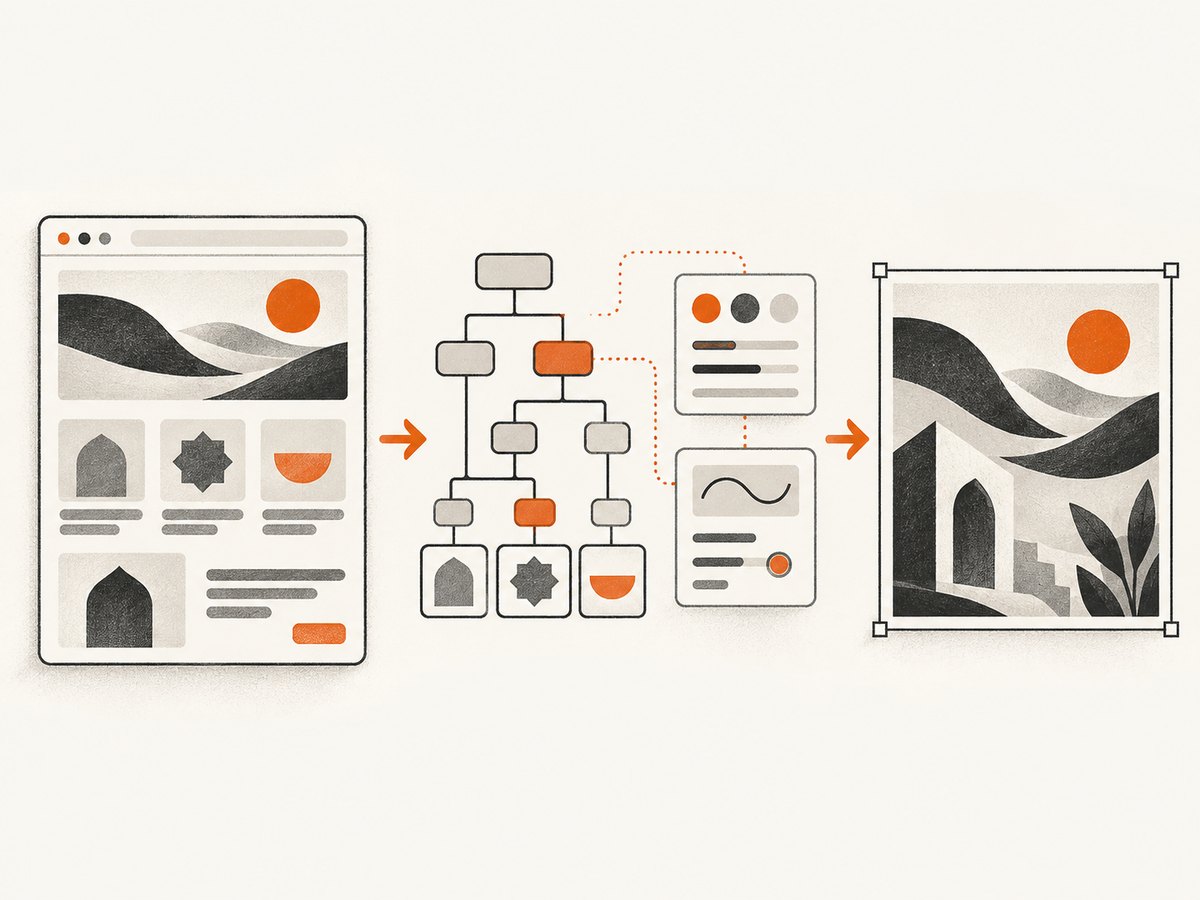
In the current upstream canvas renderer, text rendering copies parsed CSS direction to CanvasRenderingContext2D.direction before calling fillText. That source snapshot supports rtl and ltr propagation, but it does not prove that every released version behaves identically. Check the source matching your installed dependency: canvas renderer source.
The Canvas 2D API exposes direction values ltr, rtl, and inherit; MDN documents broad browser availability since May 2022. A manual assignment such as ctx.direction = 'rtl' is not a general html2canvas fix because the library owns the rendering context. Use it only when your specific version and rendering path require it. See MDN’s Canvas direction reference.
4. html2canvas options that affect Arabic captures
| Option | Use | Arabic-specific caution |
|---|---|---|
scale |
Controls output pixel density; defaults to device pixel ratio. | Higher values improve glyph detail but increase memory and encoding time. |
backgroundColor |
Sets the canvas background; use null for transparency. |
Check contrast against Arabic glyphs and diacritics. |
useCORS |
Attempts CORS-enabled image loading. | It does not grant permission; the image server must send suitable headers. |
allowTaint |
Allows cross-origin images that taint the canvas. | A tainted canvas cannot be exported safely with toDataURL or toBlob. |
foreignObjectRendering |
Uses an SVG foreignObject path where supported. | It can change results across browsers; compare it with the default renderer. |
onclone |
Changes the cloned document before rendering. | Apply direction, font, or visibility fixes here without mutating the live page. |
imageTimeout |
Maximum wait for images in milliseconds. | Set it high enough for remote font-adjacent images and illustrations. |
windowWidth, windowHeight |
Viewport dimensions used while cloning. | Responsive CSS can change line wrapping and therefore Arabic shaping context. |
x, y, width, height |
Restrict the captured region. | Crop after confirming the full RTL line is laid out correctly. |
scrollX, scrollY |
Sets the scroll position for fixed elements. | Incorrect values can make a direction-sensitive overlay appear misplaced. |
ignoreElements |
Skips selected nodes. | Do not skip a wrapper that supplies dir or the Arabic font. |
logging |
Enables diagnostic logging. | Use it while reducing a failing case, then disable it in production. |
5. A diagnostic workflow
- Inspect the source page. Open the target browser and verify Arabic joining, diacritics, punctuation, numbers, and line order before capture.
- Check direction on the actual node. In DevTools, inspect both the computed
directionand the nearest element carryingdir='rtl'. - Check the font. Confirm the selected Arabic-capable font is loaded, applied, and not replaced by a fallback. Wait for
document.fonts.ready. - Reduce the case. Capture one Arabic-only line, then one line mixing Arabic, Latin, punctuation, and digits.
- Compare versions. Record the html2canvas version, browser, operating system, and font files. Inspect the matching release source rather than relying on the current branch.
- Classify the symptom. Joining and shaping, overall run direction, punctuation placement, and digit ordering can have different causes.
- Validate the export. Compare the canvas before encoding and the final PNG or JPEG. This separates rendering errors from image delivery or viewer issues.
6. Troubleshooting common failures
| Symptom | Likely cause | Fix |
|---|---|---|
| Arabic letters appear isolated | Fallback font, unloaded font, or a renderer/version limitation. | Wait for fonts, confirm the computed font family, reduce to one line, and inspect the installed html2canvas version. |
| The whole line runs left to right | No semantic direction on the relevant element. | Add dir='rtl' and verify computed CSS direction: rtl. |
| Arabic is correct but a URL or product name moves | Mixed bidi runs are not isolated. | Wrap the LTR fragment in <bdi dir='ltr'> or a span with direction: ltr; unicode-bidi: isolate. |
| Numbers or punctuation appear on the wrong side | Bidirectional context, not necessarily Arabic shaping. | Test the punctuation and digits separately; isolate the LTR run and keep logical character order. |
| Browser is correct, canvas is wrong | html2canvas’s partial CSS implementation or a version-specific renderer behavior. | Check the matching source, try a minimal reproduction, and compare default versus foreignObjectRendering. |
| Text uses a fallback font only in the capture | Font loading race, inaccessible font URL, or cloned-page CSS difference. | Use await document.fonts.ready, inspect network requests, and apply font rules in onclone. |
| Images disappear or export throws a security error | Cross-origin image restrictions tainted the canvas. | Serve images with CORS headers, set useCORS: true, or remove the images from the reduced case. Review html2canvas’s security notes. |
| Lines wrap differently | Different viewport, scale, font metrics, or cloned styles. | Set windowWidth/windowHeight, capture after fonts load, and compare computed styles. |
| A popup covers the Arabic text | The DOM clone includes an overlay or widget. | Hide it with ignoreElements, a temporary class in onclone, or a selector-based CSS rule. |
A historical html2canvas issue about Arabic font and punctuation rendering shows that developers have encountered these symptoms. It is evidence of a reported case, not proof of a universal workaround. Avoid legacy snippets that reshape and reverse strings unless they have been validated for punctuation, digits, selection, and logical text order.
7. Performance, reliability, and export choices
- Capture the smallest useful element. Element capture uses less memory than a full-page canvas and makes diagnosis easier.
- Keep scale practical. A scale of 1 or 2 is often enough for readable text. Very large canvases can exhaust browser memory.
- Wait once for shared resources. Load fonts and images before capture instead of repeatedly retrying html2canvas.
- Prefer PNG for text-heavy output. PNG preserves sharp glyph edges. JPEG is smaller but introduces compression artifacts around fine marks.
- Use
toBlobfor large images. It avoids holding as much base64 text in memory astoDataURL:
canvas.toBlob((blob) => {
  if (!blob) throw new Error('Canvas export failed');
  const url = URL.createObjectURL(blob);
  const link = document.createElement('a');
  link.href = url;
  link.download = 'arabic-card.png';
  link.click();
  URL.revokeObjectURL(url);
}, 'image/png');
For repeatable output, pin html2canvas and the font files, record the browser used for capture, and keep a small Arabic regression fixture containing joined letters, harakat, punctuation, Latin text, and digits. No universal Arabic success rate or benchmark is established by the available sources.
8. Or skip the browser setup
ScreenshotNeo provides a website screenshot API and MCP server. It can capture the already-rendered page without adding html2canvas to your application:
curl -G 'https://api.screenshotneo.com/v1/shot' \
  -d access_key=YOUR_API_KEY \
  --data-urlencode url=https://example.com/arabic-page \
  -o arabic-page.webp
import requests
r = requests.get(
'https://api.screenshotneo.com/v1/shot',
params={
'access_key': 'YOUR_API_KEY',
'url': 'https://example.com/arabic-page'
},
timeout=90,
)
r.raise_for_status()
open('arabic-page.webp', 'wb').write(r.content)const q = new URLSearchParams({
access_key: 'YOUR_API_KEY',
url: 'https://example.com/arabic-page'
});
const res = await fetch(`https://api.screenshotneo.com/v1/shot?${q}`);
if (!res.ok) throw new Error(`Screenshot failed: ${res.status}`);
const buffer = Buffer.from(await res.arrayBuffer());
await import('node:fs/promises').then(fs => fs.writeFile('arabic-page.webp', buffer));See the ScreenshotNeo API documentation for request options. Before the shot, cookie banners, newsletter popups, and chat widgets are removed. Bot checks, blank pages, failed loads, timeouts, and cache hits are not billed, and the response identifies the result with X-Page-Verdict and X-Billed headers. ScreenshotNeo also has an MCP server so Claude, Cursor, and other MCP clients can take screenshots. The free plan includes 1,000 screenshots each month with no card; paid plans start at $5 for 3,000 shots. Create a free ScreenshotNeo account.
FAQ
Does lang='ar' make html2canvas render right to left?
No. Language metadata and direction are separate. Add dir='rtl' to the relevant content.
Should I reverse Arabic strings before capture?
No. Keep logical character order and use directional markup. Reversing characters can break joining, punctuation, digits, and accessibility.
Can I force RTL by setting canvas.direction?
The Canvas API has a direction property, but html2canvas creates and controls its rendering context. Fix the source direction first and verify the installed html2canvas renderer before adding a manual canvas change.
Why does a browser screenshot look better than html2canvas?
A browser screenshot captures the compositor’s pixels. html2canvas reconstructs the page from DOM and CSS and does not implement every CSS property.
Which font should I use?
The reviewed sources do not establish one required Arabic font. Choose a font that supports the characters you need, ensure it loads successfully, and test it in the same browser and html2canvas version used in production.


