How to Render c3.js Charts Correctly with wkhtmltopdf
Make c3.js charts appear reliably in wkhtmltopdf PDFs with dependency checks, render readiness signals, timing controls, diagnostics, and fallbacks.

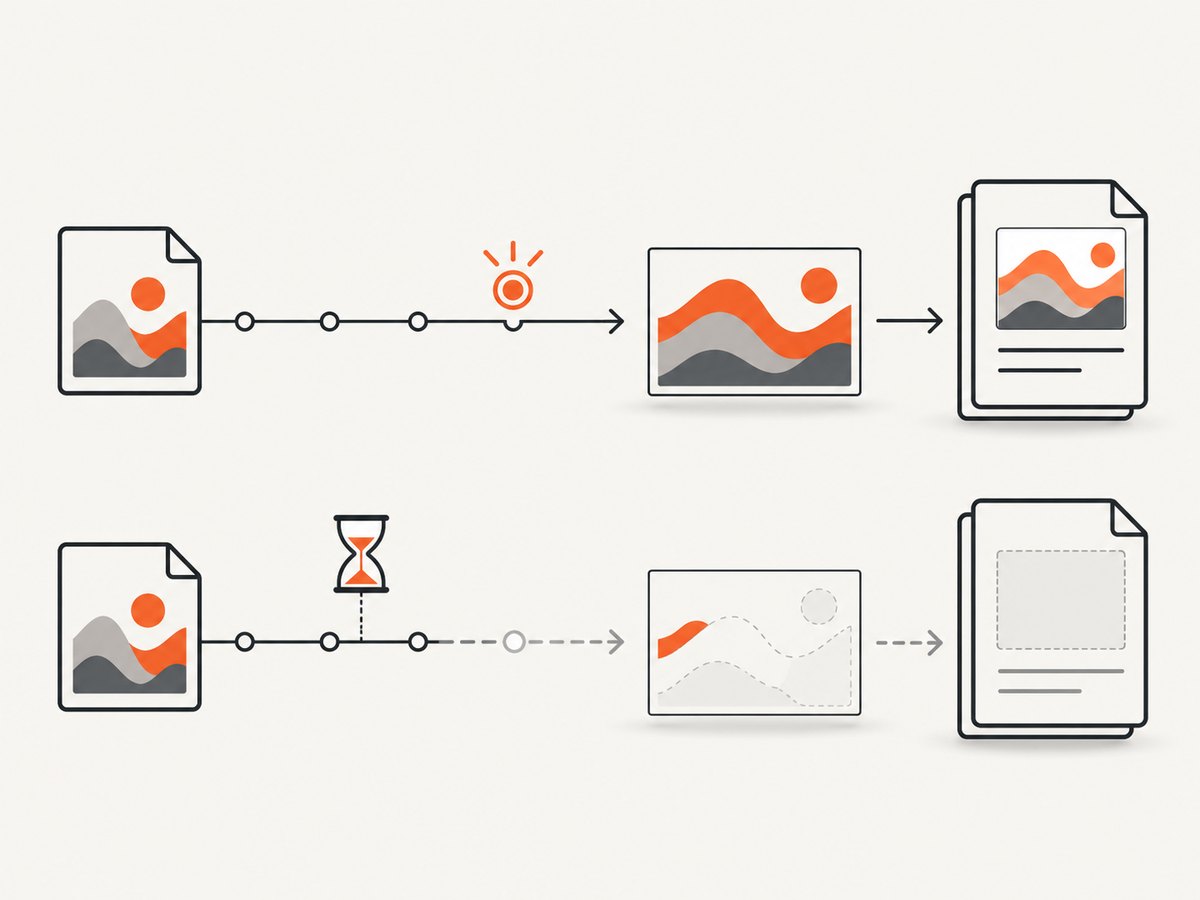
Direct answer: c3.js charts can be missing from a wkhtmltopdf PDF even when JavaScript is enabled. A fixed delay such as --javascript-delay may help, but it is only a timing allowance. A more reliable pattern is to set window.status from C3’s onrendered callback and make wkhtmltopdf wait for that exact status with --window-status. This aligns PDF capture with the chart’s actual render-complete event instead of guessing how many milliseconds the page needs.
C3.js depends on D3, a C3 stylesheet, a chart container that exists when initialization runs, and any data endpoint being reachable. If any of those prerequisites fail, increasing the delay cannot repair the PDF. The examples below use the documented C3 callbacks and wkhtmltopdf options. Validate them with the exact wkhtmltopdf build, operating system, page, and data source you deploy.
What is happening when the chart disappears?
wkhtmltopdf loads HTML in its rendering engine, executes JavaScript, and then converts the resulting page to PDF. The upstream usage documentation describes a default JavaScript delay of 200 milliseconds. That value is not a promise that asynchronous work will finish in 200 milliseconds. Network requests, D3 data binding, C3 layout calculations, fonts, and SVG painting can complete at different times.
C3’s API distinguishes data loading from chart rendering. A data-load callback can run before the chart is fully drawn; onrendered is the callback intended for completed chart rendering. A 2014 wkhtmltopdf issue records reports of C3 charts missing while the rest of the document appeared, but that issue is anecdotal and does not prove that every C3 chart fails.
- C3 reference:
onrendered - C3 getting started guide (D3, C3, CSS, and initialization)
- wkhtmltopdf usage options (
--javascript-delay,--window-status, and JavaScript controls) - wkhtmltopdf issue #1964 (symptom report, not a compatibility guarantee)
Build a minimal C3 page that can be rendered
Start with a small page before debugging your application template. Load D3 before C3, include the C3 stylesheet, create a chart container, and make the readiness signal explicit.
<!doctype html>
<html lang="en">
<head>
  <meta charset="utf-8">
  <meta name="viewport" content="width=device-width, initial-scale=1">
  <link rel="stylesheet" href="https://cdn.jsdelivr.net/npm/c3@0.7.20/c3.min.css">
  <style>
    body { margin: 24px; font-family: sans-serif; }
    #chart { width: 720px; height: 360px; }
  </style>
</head>
<body>
  <div id="chart" aria-label="Revenue chart"></div>
  <script src="https://cdn.jsdelivr.net/npm/d3@5/dist/d3.min.js"></script>
  <script src="https://cdn.jsdelivr.net/npm/c3@0.7.20/c3.min.js"></script>
  <script>
    window.status = 'chart-loading';
    var chart = c3.generate({
      bindto: '#chart',
      data: {
        columns: [
          ['Revenue', 30, 42, 38, 55, 63],
          ['Costs', 18, 24, 22, 31, 35]
        ],
        types: { Revenue: 'line', Costs: 'bar' }
      },
      onrendered: function () {
        window.status = 'c3-ready';
      }
    });
  </script>
</body>
</html>
Save it as chart.html. Serving it over HTTP is usually easier to diagnose than opening a file:// URL because browser security and local-file rules can block scripts or data. For a quick local server, run python3 -m http.server 8000 in the directory and open http://127.0.0.1:8000/chart.html.
Use an explicit readiness signal
Once the page sets window.status = 'c3-ready' from onrendered, tell wkhtmltopdf to wait for that value:

wkhtmltopdf \
  --enable-javascript \
  --window-status c3-ready \
  http://127.0.0.1:8000/chart.html \
  chart.pdf
This is an implementation inference from two documented features: C3 exposes onrendered, and wkhtmltopdf exposes --window-status. It is a better match for variable asynchronous work than a blind sleep, but it cannot fix a JavaScript exception, an inaccessible script, or an unsupported browser feature. If the callback never runs, the command can wait until its renderer timeout or fail according to the installed build’s behavior.
Add a failure state and a safety timeout
In production, expose a visible failure marker so your wrapper can detect a page that never becomes ready. A separate application-level timeout should terminate wkhtmltopdf rather than allowing stuck jobs to consume workers indefinitely.
<script>
  window.status = 'chart-loading';
  window.chartError = null;
  try {
    c3.generate({
      bindto: '#chart',
      data: { url: '/api/revenue.csv', mimeType: 'csv' },
      onrendered: function () { window.status = 'c3-ready'; }
    });
  } catch (error) {
    window.chartError = String(error);
    window.status = 'c3-error';
  }
</script>
Do not set the ready status immediately after calling c3.generate; that can race the actual SVG render. If your data arrives through a promise or callback, let C3’s onrendered event be the final signal.
When a fixed JavaScript delay is appropriate
--javascript-delay is useful when you cannot modify the page to publish a readiness signal, or when you are establishing a baseline. The value is milliseconds:
wkhtmltopdf \
  --enable-javascript \
  --javascript-delay 2000 \
  http://127.0.0.1:8000/chart.html \
  chart-delay.pdf
The documented default is 200 milliseconds. Choose a delay from observed load behavior in your environment; there is no universal sufficient value in the reviewed sources. A short delay can capture an empty container. An unnecessarily long delay increases latency and ties up worker processes. Test with cold caches and realistic data, not only a warm local page.
| Approach | Reliability with variable load | Implementation effort | Observability |
|---|---|---|---|
| Fixed delay | May finish early or wait longer than needed | Low | Weak unless you log page state |
window.status plus onrendered |
Tracks actual chart completion when correctly implemented | Medium; page code must publish status | Clear ready and error states |
Complete command options that matter
JavaScript controls
--enable-javascriptpermits scripts; it is enabled by default in upstream usage documentation.--disable-javascriptguarantees that a C3 chart will not be generated.--javascript-delay Nwaits N milliseconds after page loading.--window-status VALUEwaits forwindow.statusto equal VALUE.--debug-javascriptprints JavaScript diagnostics useful for missing globals and syntax errors.--no-stop-slow-scriptsor the corresponding script-stopping behavior can affect long-running pages; check the options supported by your installed binary.
Loading and layout controls
--enable-local-file-accessmay be required when the page reads local CSS, JavaScript, fonts, or data files; use--allowto narrow permitted directories.--custom-header,--cookie,--username, and--passwordhelp pages that require request context.--viewport-sizeis not available in every wkhtmltopdf build; set chart dimensions in CSS and confirm supported options withwkhtmltopdf --extended-help.--orientation Landscape,--page-size A4, and margin options affect how a wide SVG is placed, but they do not make a missing chart appear.--backgroundpreserves CSS backgrounds when your chart styling depends on them.
Step-by-step troubleshooting checklist
- Confirm the binary. Run
wkhtmltopdf --versionand record the version, platform, and whether it uses patched Qt. The upstream usage document describes 0.12.6 with patched Qt; do not assume another build behaves identically. - Prove JavaScript runs. Temporarily add visible text such as
document.body.dataset.js = 'on'. Run with--debug-javascript. Remove--disable-javascriptif present. - Check dependency order. D3 must load before C3. Confirm that both script requests return JavaScript, not an HTML error page. Include the C3 CSS file.
- Check the target element. The selector passed to
bindtomust match an element that exists before initialization. Give it a width and height while debugging. - Check data access. Open the data URL from the same host and authentication context. A browser page that works with your logged-in cookies may fail in wkhtmltopdf without them.
- Check JavaScript errors. Undefined variables, syntax unsupported by the renderer, failed promises, and cross-origin restrictions can prevent
onrendered. - Try a longer delay as a diagnostic. If 200 ms fails, test 1000, 2000, and 5000 ms. Treat the result as evidence about timing, not proof that a particular delay is correct.
- Switch to readiness signaling. Set
window.statusonly inonrendered, then use--window-status. - Inspect the PDF itself. If the SVG exists but is clipped, adjust page size, margins, chart width, and print CSS. If the container is empty, return to script, data, and readiness checks.
| Symptom | Likely cause | Fix |
|---|---|---|
| Blank chart area | Capture occurs before C3 renders | Use onrendered with --window-status; otherwise increase delay |
| Text appears, chart does not | D3/C3 request failed or JavaScript error | Use --debug-javascript; verify script URLs and order |
| Chart works in Chrome only | Renderer feature or syntax incompatibility | Reduce unsupported syntax, remove animations, or use a browser-based renderer |
| Data-driven chart is empty | XHR/fetch blocked, endpoint requires auth, or local-file access denied | Serve over HTTP, provide cookies or headers, and verify endpoint access |
| SVG is cut off | Chart exceeds printable width or height | Set explicit dimensions, use landscape, adjust margins, and add print CSS |
| Command hangs | Ready status is never set | Add error handling, an application timeout, and a fallback status |
Animations, fonts, and deterministic output
Disable chart animations when producing documents. Animations add another timing variable and can leave an intermediate frame in the PDF. Keep chart dimensions stable, load fonts from reachable URLs, and avoid layout that depends on late font substitution. For repeatable reports, make the data snapshot explicit and record the renderer version with the generated artifact.
Do not treat a successful exit code as proof that the chart is present. Add a visual or structural verification step in your pipeline, such as checking that the PDF page is not unusually small or rasterizing a page for review. The reviewed sources do not establish a universal automated test for C3 output.
When to use a different rendering path
If the exact installed wkhtmltopdf build remains unreliable for your chart code, render the visualization to static SVG or an image in a browser environment known to support the page, then place that static artifact in the HTML sent to the PDF converter. This is a general engineering fallback, not a verified C3-to-wkhtmltopdf compatibility procedure. A browser-based PDF renderer may offer newer JavaScript support, but compare deployment footprint, PDF layout controls, operational support, and the features your page actually uses before switching.
Or skip the browser setup
ScreenshotNeo provides a website screenshot API and MCP server. For a direct capture, use the one-call endpoint documented at ScreenshotNeo docs:
curl -G "https://api.screenshotneo.com/v1/shot" -d access_key=YOUR_API_KEY --data-urlencode url=https://stripe.com -o shot.webpimport requests
r = requests.get("https://api.screenshotneo.com/v1/shot", params={"access_key": "YOUR_API_KEY", "url": "https://stripe.com"}, timeout=90)
open("shot.webp", "wb").write(r.content)const q = new URLSearchParams({ access_key: 'YOUR_API_KEY', url: 'https://stripe.com' });
const res = await fetch(`https://api.screenshotneo.com/v1/shot?${q}`);It removes cookie and consent banners, newsletter popups, and chat widgets before capture. Bot checks, blank pages, failed loads, timeouts, and cache hits are not billed, and response headers identify the page verdict and billing status. The MCP server includes take_screenshot, get_page_info, and capture_pdf tools for Claude, Cursor, and other MCP clients. You get 1,000 screenshots each month free with no card; paid plans start at $5 for 3,000 shots. Create a free ScreenshotNeo account.
Performance, reliability, and cost notes
- Performance: A readiness signal avoids a fixed delay that is longer than necessary, but each capture still waits for scripts, data, and chart layout. Reuse a local asset cache only when it does not make results stale.
- Reliability: Pin and record the wkhtmltopdf build, test cold and warm loads, and fail visibly when the ready marker is never reached. A longer delay is not a compatibility fix.
- Security: Never pass untrusted HTML to wkhtmltopdf without sanitizing it. Restrict local-file access and network permissions where possible.
- Cost: Self-hosted wkhtmltopdf costs compute and maintenance time. ScreenshotNeo bills only clean shots; failed loads, bot checks, blank pages, timeouts, and cache hits cost nothing.
FAQ
Does enabling JavaScript guarantee that C3 appears?
No. JavaScript must run successfully, dependencies and data must load, and the renderer must support the page’s code and SVG behavior.
Is 200 milliseconds enough?
It is the documented default, not a universal requirement. Asynchronous data and chart rendering may take longer or finish sooner.
Should I use a data-load callback?
Use C3’s onrendered for the final readiness signal because data loading can finish before the chart is painted.
Can I fix every missing chart by increasing the delay?
No. A delay cannot repair missing scripts, blocked data, JavaScript errors, or unsupported renderer features.
What should I check first in a failing CI job?
Record the binary version, enable JavaScript diagnostics, verify D3 and C3 responses, confirm data access, and inspect whether the page ever sets the expected status.


