How to Render Images When Converting the DOM to Canvas
Fix missing images, tainted canvases, CORS errors, blank output and clipped captures when converting DOM content with html2canvas.
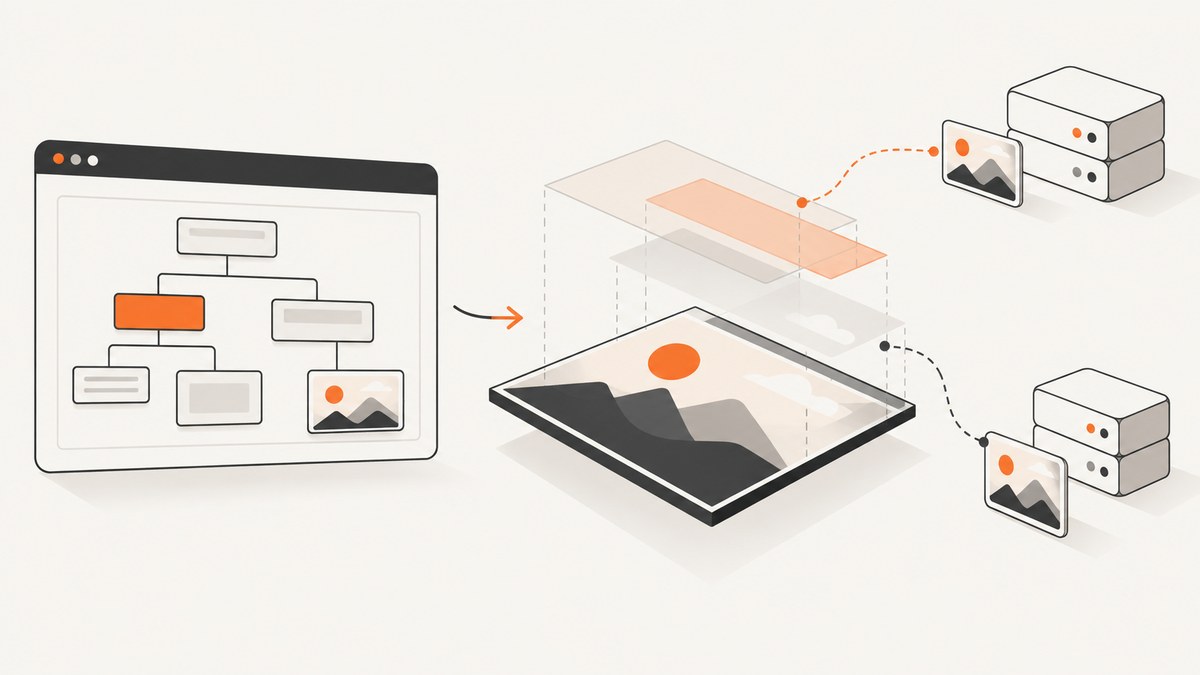
To render images with html2canvas, make every cross-origin image readable before it is drawn: configure the image server to send an appropriate Access-Control-Allow-Origin header, add crossorigin="anonymous" to the image element when needed, and set useCORS: true. If the remote server cannot provide CORS headers, fetch the image through a same-origin proxy and pass that proxy URL with proxy. Do not rely on allowTaint: true when you need to export the canvas: a tainted canvas can be painted but cannot be read with toDataURL(), toBlob() or pixel APIs.
html2canvas builds a canvas by traversing the DOM and reading the CSS and properties it supports. It does not capture the browser’s final composited pixels, so unsupported CSS, plugins and cross-origin iframe content can differ from what a user sees. The official documentation describes the result as DOM based and potentially different from the real representation (documentation).
1. A working image-to-canvas implementation
This example captures a component, enables CORS image loading, uses a device-pixel scale for sharp output, sizes the rendering viewport to the component, and exports a PNG Blob.
<script src="https://cdn.jsdelivr.net/npm/html2canvas@1.4.1/dist/html2canvas.min.js"></script>
<img id="hero" src="https://cdn.example.com/photos/hero.jpg" crossorigin="anonymous" alt="Example">
<section id="capture">
  <h1>Report</h1>
  <img src="https://cdn.example.com/photos/chart.png" crossorigin="anonymous" alt="Chart">
</section>
<button id="save">Save PNG</button>
<script>
const target = document.querySelector('#capture');

document.querySelector('#save').addEventListener('click', async () => {
  try {
    const canvas = await html2canvas(target, {
      useCORS: true,
      scale: window.devicePixelRatio,
      windowWidth: target.scrollWidth,
      windowHeight: target.scrollHeight,
      backgroundColor: '#ffffff',
      logging: true,
      onError: error => console.warn('Image failed:', error.message)
    });

    canvas.toBlob(blob => {
      if (!blob) throw new Error('The canvas could not be exported');
      const link = document.createElement('a');
      link.href = URL.createObjectURL(blob);
      link.download = 'report.png';
      link.click();
      URL.revokeObjectURL(link.href);
    }, 'image/png');
  } catch (error) {
    console.error('Capture failed:', error);
  }
});
</script>
The image host must return a header such as Access-Control-Allow-Origin: https://your-site.example (or a deliberately permitted wildcard for non-credentialed assets). The browser request also needs CORS image mode, which the crossorigin attribute supplies. See the html2canvas FAQ and MDN’s crossorigin attribute.
2. How html2canvas loads and draws images
When html2canvas encounters an <img>, it creates an image resource and eventually draws it onto the output canvas. Same-origin resources are readable. A foreign-origin resource is readable only when the response grants permission through CORS. With the default allowTaint: false, html2canvas skips an image that would taint the canvas. If an image is drawn without permission, the browser marks the canvas as tainted and protects its pixels from script.
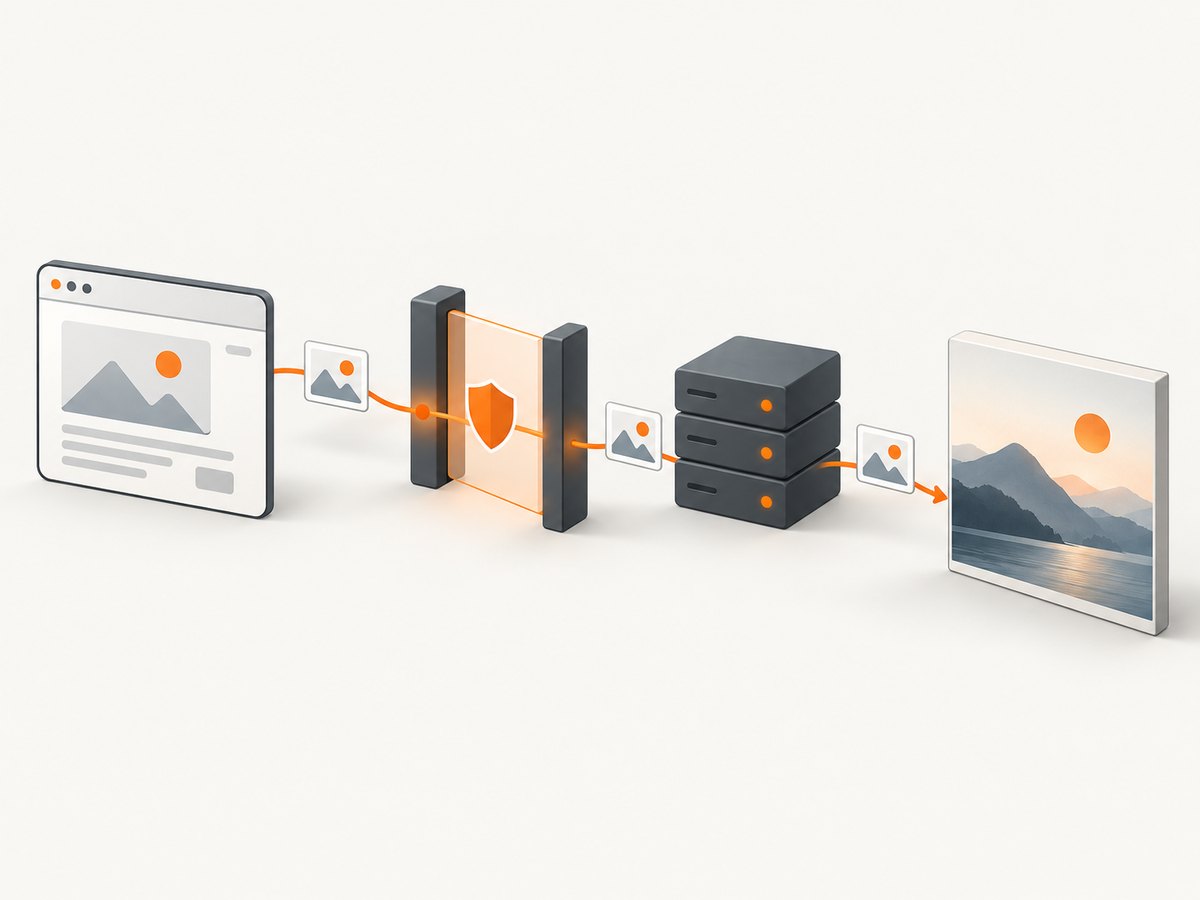
This distinction explains two common symptoms:
- The image is missing but export works: html2canvas declined to draw the cross-origin image.
- The image appears but export throws a security error: a tainted resource was drawn and a protected readback method was called.
Use useCORS: true only when the server actually sends a suitable header. It changes the request mode; it cannot add permission to a server response that lacks the header.
3. Fixing CORS for image elements
Client markup
<img src="https://images.example.net/a.png" crossorigin="anonymous" alt="A">Set crossorigin before the browser starts loading the image. If you assign src first and add the attribute later, the initial request may already have used the wrong mode. For dynamically created images:
const image = new Image();
image.crossOrigin = 'anonymous';
image.src = 'https://images.example.net/a.png';
image.onload = () => console.log('ready');
image.onerror = error => console.warn('load failed', error);
Server response
Configure the image server, CDN or object store to return Access-Control-Allow-Origin for your page’s origin. If you use credentials, the server must use an explicit origin and credential headers; anonymous images are simpler because they do not send cookies. Check the actual image response in browser developer tools, including redirects: a redirecting CDN or final origin can omit the header even when the first URL has it.
When you cannot change the image host
Use a same-origin proxy. Your server fetches the remote bytes, validates the content type, and serves them from your own origin (or returns a data URI). Pass its endpoint to html2canvas:
const canvas = await html2canvas(document.querySelector('#capture'), {
  useCORS: true,
  proxy: '/image-proxy?url=' + encodeURIComponent('https://images.example.net/a.png')
});
The proxy must be designed to prevent open-proxy abuse: allow-list hosts, restrict schemes to HTTPS, cap response size, set timeouts, and return image content types. It must also emit a same-origin response that the browser can load.
4. Why allowTaint is not an export fix
allowTaint: true tells html2canvas it may draw images that would taint the canvas. It does not make the pixels readable. After drawing, these operations can fail with a security exception:
canvas.toDataURL('image/png');
canvas.toBlob(callback, 'image/png');
canvas.getContext('2d').getImageData(0, 0, 1, 1);
Use allowTaint only when you need visual painting inside the page and will never read or export the result. For downloads, uploads, OCR or pixel inspection, use CORS or a proxy instead. The security behavior is covered in the html2canvas FAQ and MDN’s canvas security guidance (CORS enabled images).
5. Complete configuration for reliable captures
The following options address most image, sizing and layout problems. The names and defaults are documented in the configuration reference.
| Option | Use it for | Notes |
|---|---|---|
useCORS |
Cross-origin images with server permission | Requires response CORS headers. |
proxy |
Images from hosts you cannot configure | Proxy must be reachable and safe. |
allowTaint |
Painting otherwise unreadable images | Prevents reliable export. |
scale |
Sharpness and output pixel density | Defaults to window.devicePixelRatio; higher values consume more memory. |
width, height |
Output canvas dimensions | Do not confuse them with the layout viewport. |
windowWidth, windowHeight |
Media queries and layout evaluation | Use scroll dimensions for full components. |
x, y, scrollX, scrollY |
Capture offsets and fixed-position behavior | Set explicitly for a scrolled page. |
backgroundColor |
Transparent or solid output | Use null for transparency when supported by your output format. |
ignoreElements |
Remove controls, videos or unstable nodes | Return true for nodes to skip. |
data-html2canvas-ignore |
Declarative exclusion | Add the attribute to any element you do not want captured. |
onclone |
Change the cloned DOM only | Hide buttons or replace animated content without changing the live page. |
imageTimeout |
Prevent a slow image blocking capture | Set to 0 to disable the timeout. |
logging |
Diagnose resource and parser messages | Enable during investigation. |
foreignObjectRendering |
Use the browser’s foreignObject path where available | Support varies by browser; test before depending on it. |
For long pages, calculate dimensions before capture:
const target = document.querySelector('#capture');
const canvas = await html2canvas(target, {
  useCORS: true,
  scale: Math.min(window.devicePixelRatio, 2),
  width: target.scrollWidth,
  height: target.scrollHeight,
  windowWidth: target.scrollWidth,
  windowHeight: target.scrollHeight,
  imageTimeout: 30000,
  ignoreElements: element => element.matches('.capture-toolbar'),
  onclone: clonedDocument => {
    clonedDocument.querySelectorAll('.animated').forEach(node => {
      node.style.animation = 'none';
    });
  }
});
6. Exporting PNG, JPEG and WebP
Use toDataURL when you need a small self-contained string, and toBlob for uploads or downloads. Blob avoids putting a potentially large image in a JavaScript string.
// PNG data URL
const pngData = canvas.toDataURL('image/png');

// JPEG with quality from 0 to 1
const jpegData = canvas.toDataURL('image/jpeg', 0. nine);

// Blob upload
canvas.toBlob(async blob => {
  const form = new FormData();
  form.append('file', blob, 'capture.png');
  await fetch('/uploads', { method: 'POST', body: form });
}, 'image/png');
Correct the typo in the JPEG example before running it: JavaScript requires a numeric literal such as 0.9, not 0. nine.
7. Blank, clipped or incomplete output
Blank canvas
- Wait for images and fonts before capture. Check
img.completeandimg.naturalWidth. - Enable
logging: trueand inspect the console for failed resources. - Ensure the target is visible and has non-zero dimensions.
- Check whether a service worker, CSP rule or authentication redirect blocks the asset.
await Promise.all([...document.images].map(image => {
  if (image.complete) return Promise.resolve();
  return new Promise(resolve => {
    image.addEventListener('load', resolve, { once: true });
    image.addEventListener('error', resolve, { once: true });
  });
}));
Image missing
Inspect the image request’s final response. Add crossorigin="anonymous" before src, set useCORS: true, and verify Access-Control-Allow-Origin. If you cannot change the server, use a proxy. A 200 status alone does not grant canvas read access.
Output cut off
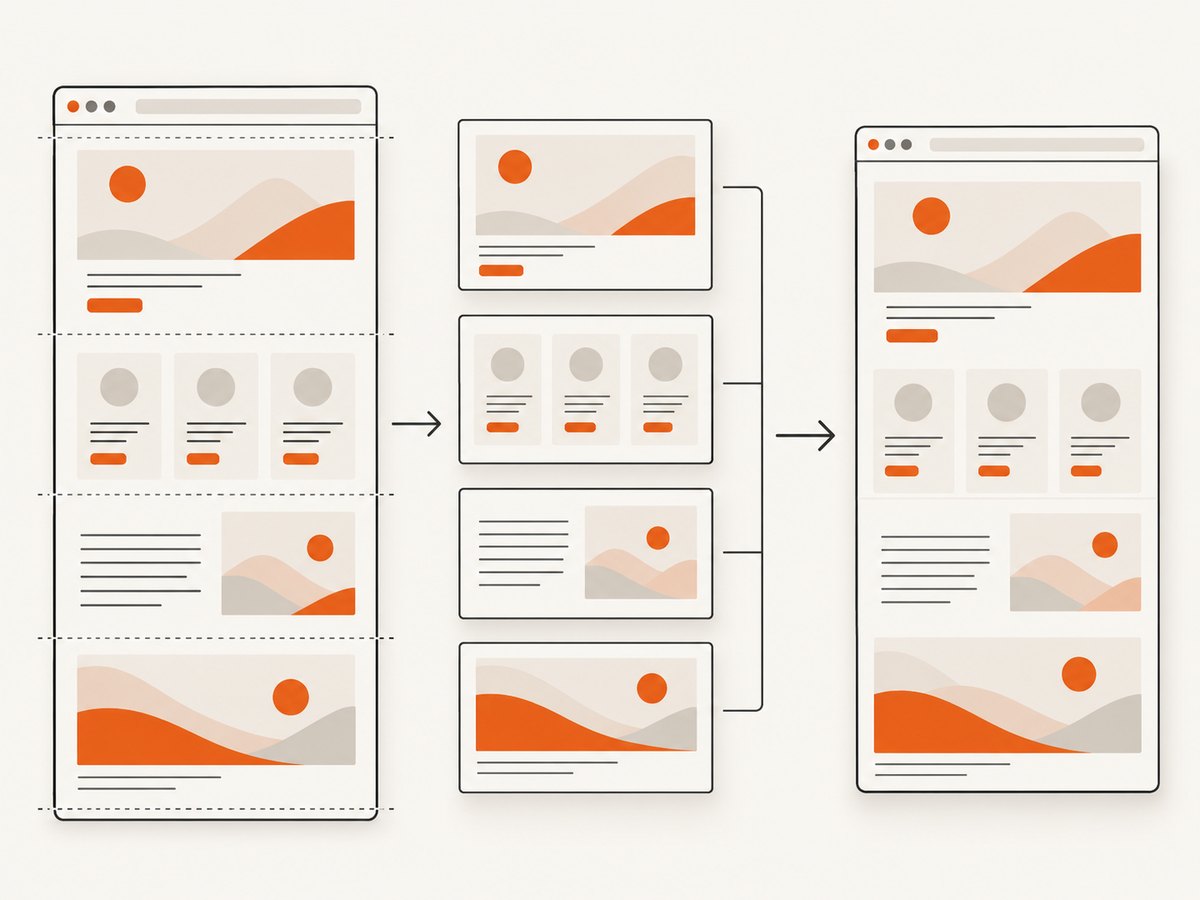
Canvas implementations have maximum dimensions. A very tall page multiplied by a high scale can exceed those limits or exhaust memory. Capture sections and stitch them server-side, reduce scale, or use a browser screenshot service. Set both the output dimensions and the rendering viewport to the element’s scroll dimensions; otherwise the layout may be evaluated at a smaller viewport and clipped.
Different styling or missing effects
html2canvas implements CSS properties itself. Unsupported filters, blend modes, pseudo-elements, video frames, plugin content and browser-only effects may not appear. Same-origin iframes can be traversed recursively; cross-origin iframe documents cannot be read because contentDocument is protected by the same-origin policy.
8. Troubleshooting checklist
| Symptom | Likely cause | Fix |
|---|---|---|
| SecurityError on export | Tainted canvas | Remove unauthorized images; configure CORS or a same-origin proxy. |
| Only remote images disappear | useCORS missing or server header absent |
Add the attribute and option; fix the final image response. |
| Capture resolves before images show | Images still loading | Await image load events or increase imageTimeout. |
| Full page is truncated | Viewport or canvas limit | Set scroll dimensions, lower scale, or capture in tiles. |
| Iframe is empty | Cross-origin document | Render the iframe separately with cooperation from its origin. |
| Fonts or layout differ | Capture began before fonts settled | Await document.fonts.ready and stabilize animations. |
| Proxy request fails | Proxy cannot reach URL or violates CSP | Use an allow-list, return correct content type, and inspect server logs. |
9. Performance, reliability and cost decisions
Every pixel costs memory. A canvas of width W and height H at scale S needs roughly W × H × S² × 4 bytes for RGBA pixels, before browser overhead. Limit scale for thumbnails, capture only the needed element, remove large off-screen decorations, and avoid repeatedly converting the same page.
Cache already fetched image bytes in your application, but do not cache stale signed or authenticated resources without considering access rules. Set finite image and application timeouts, retry transient network failures, and record which URL failed. For deterministic output, freeze animations, wait for fonts, set a fixed viewport and timezone, and use a stable data set. A client-only renderer also depends on the user’s browser, memory, network and origin policy; server-side rendering is more repeatable for batch work.
10. Or skip the browser setup
If your goal is a clean website image rather than a DOM debugging experiment, ScreenshotNeo provides a hosted screenshot API. It accepts one GET request and returns PNG, JPEG, WebP or PDF. Before capture it accepts cookie and consent banners and removes more than 60 known consent platforms, newsletter popups and chat widgets. Bot checks, blank pages, timeouts, failed loads and cache hits are not billed, and response headers identify the page verdict and billing status.
See the ScreenshotNeo API documentation for all options. The simplest request is:
curl -G "https://api.screenshotneo.com/v1/shot" -d access_key=YOUR_API_KEY --data-urlencode url=https://stripe.com -o shot.webpimport requests
r = requests.get("https://api.screenshotneo.com/v1/shot", params={"access_key": "YOUR_API_KEY", "url": "https://stripe.com"}, timeout=90)
open("shot.webp", "wb").write(r.content)const q = new URLSearchParams({ access_key: 'YOUR_API_KEY', url: 'https://stripe.com' });
const res = await fetch(`https://api.screenshotneo.com/v1/shot?${q}`);Options cover full-page lazy-image loading, CSS element capture, dark mode, 12 device presets or custom viewports, retina scale, PDF paper and page ranges, custom CSS and JavaScript, clicks, selector waits, delays, network idle, request blocking, headers, cookies, user agents, authorization, timezone, geolocation, transparency, resizing, TTL caching, signed image links, asynchronous webhooks, bulk capture of 100 URLs and usage reporting. An MCP server exposes take_screenshot, get_page_info and capture_pdf to Claude, Cursor and other MCP clients.
The Free plan includes 1,000 shots each month with no card. Paid plans start at $5 for 3,000 shots; every feature is available on every plan, and yearly billing gives two months free. Create a free ScreenshotNeo account.
11. FAQ
Can html2canvas capture an image from another domain?
Yes, when that server grants CORS permission and you use the CORS image mode. Otherwise use a same-origin proxy or accept that the image may be skipped.
Does useCORS bypass browser security?
No. It requests the resource in CORS mode; the server still has to return permission.
Why does the browser display the image but canvas export fails?
Displaying an image is allowed more broadly than reading canvas pixels. An unauthorized draw taints the canvas and blocks protected readback APIs.
Should I use PNG or JPEG?
PNG preserves transparency and sharp text. JPEG is smaller for photographic content but loses transparency and uses lossy compression.
Can I capture a cross-origin iframe?
Not from the parent page. Same-origin iframes are supported recursively; cross-origin documents require cooperation or separate rendering.
When is a hosted screenshot API a better fit?
Use one when you need repeatable server-side captures, full-page handling, PDF output, batch URLs, or clean results without maintaining browser and proxy infrastructure.


