How to Render MathJax in Puppeteer PDFs
Wait for MathJax typesetting, fonts, and print styles before calling Puppeteer’s PDF API. This guide covers reliable code, debugging, and production options.

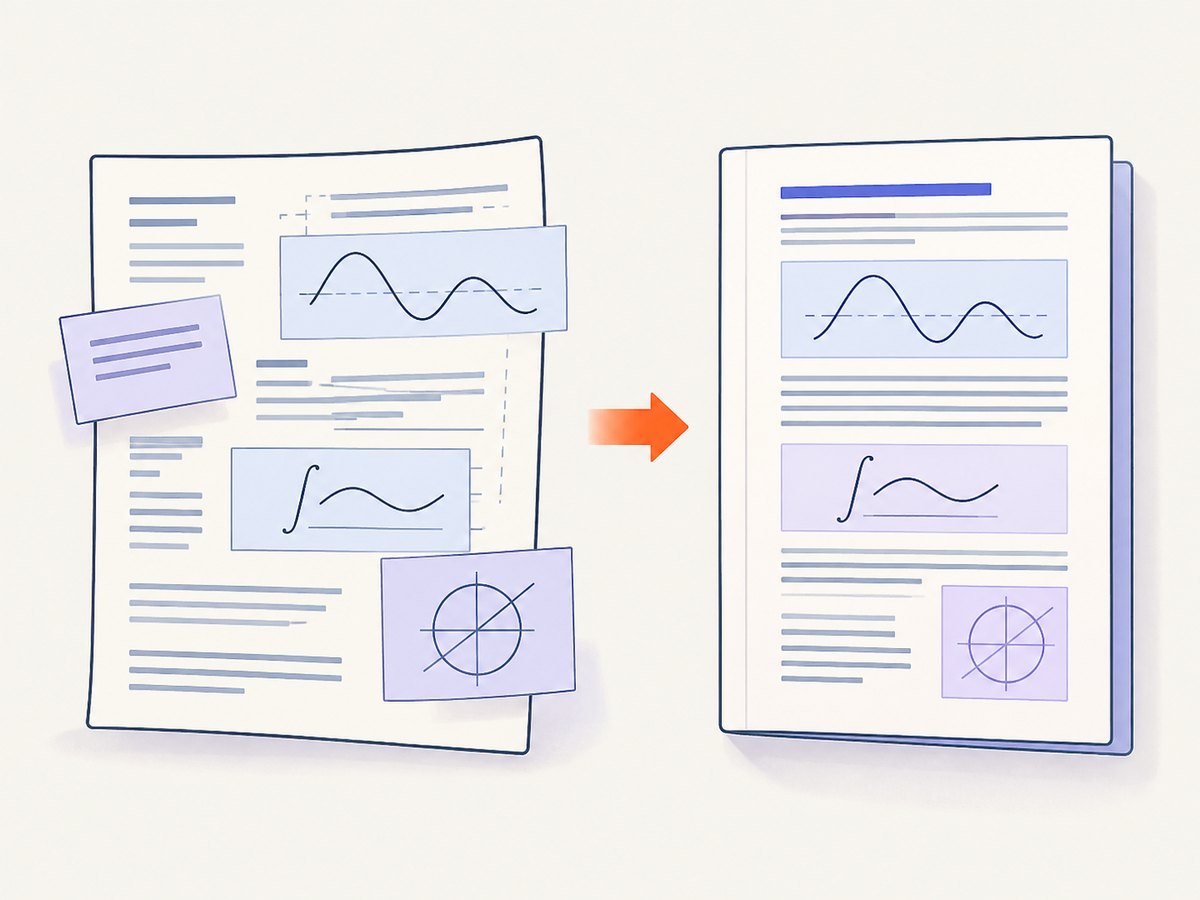
To render MathJax correctly in a Puppeteer PDF, wait for the page to load, wait for MathJax’s asynchronous typesetting to finish, then call page.pdf(). Also account for print CSS, document fonts, and content inserted after the first render. Puppeteer’s PDF method uses print media by default, while MathJax’s typesetPromise() resolves after asynchronous typesetting completes.
The essential sequence is:
await page.goto(url, { waitUntil: 'networkidle2' });
await page.evaluate(async () => {
  if (window.MathJax?.typesetPromise) {
    await window.MathJax.typesetPromise();
  }
});
const pdf = await page.pdf({ path: 'output.pdf' });
networkidle2 is an example navigation condition, not a universal guarantee for every application. Your page may need an application-specific readiness signal, an explicit selector wait, or another typesetting pass after dynamic content is inserted.
1. Why MathJax is missing from Puppeteer PDFs
MathJax converts TeX, MathML, or AsciiMath into browser-rendered HTML and SVG or other output asynchronously. The initial HTML can therefore contain equations that have not yet been transformed when Puppeteer begins printing. If page.pdf() runs first, the PDF may contain raw TeX, an empty equation container, or an equation with fallback fonts.
MathJax documents two relevant APIs:
MathJax.typeset()performs synchronous typesetting and can fail when extensions,\require, or unloaded font regions need asynchronous work.MathJax.typesetPromise()returns a promise that resolves when the asynchronous typesetting work is complete. Use it for content that may load extensions or fonts.
Puppeteer’s PDF call has a separate font concern. The PDF options document says waitForFonts waits for document.fonts.ready and defaults to true. That font wait does not wait for MathJax’s conversion step, so you need both conditions.
2. Minimal working Puppeteer example
Install Puppeteer in a new project:

npm install puppeteerCreate render-math.js:
const puppeteer = require('puppeteer');

(async () => {
  const browser = await puppeteer.launch({
    headless: true,
    args: ['--no-sandbox', '--disable-setuid-sandbox']
  });

  try {
    const page = await browser.newPage();
    await page.goto('https://example.com/math-page', {
      waitUntil: 'networkidle2',
      timeout: 90_000
    });

    await page.evaluate(async () => {
      if (window.MathJax?.typesetPromise) {
        await window.MathJax.typesetPromise();
      }
      if (document.fonts?.ready) {
        await document.fonts.ready;
      }
    });

    await page.pdf({
      path: 'math.pdf',
      format: 'A4',
      printBackground: true,
      waitForFonts: true,
      margin: {
        top: '18mm',
        right: '16mm',
        bottom: '18mm',
        left: '16mm'
      }
    });
  } finally {
    await browser.close();
  }
})();
Replace the URL with a page that actually loads MathJax. If the page is your own application, expose a deterministic readiness marker rather than relying only on network idleness:
// In the page after your final content and MathJax pass:
document.documentElement.dataset.mathReady = 'true';
await page.waitForFunction(
() => document.documentElement.dataset.mathReady === 'true',
{ timeout: 30_000 }
);3. A reliable rendering sequence
Step 1: Load the document and MathJax configuration
MathJax configuration normally must be available before the MathJax script executes. If you inject configuration from Puppeteer, do it before navigation or before adding the MathJax script. A page that renders equations in a normal browser can still fail in headless Chromium if a relative script URL, CSP rule, or authentication cookie prevents MathJax from loading.
Step 2: Wait for application content
Wait for the content that contains equations to exist. A selector wait is often more precise than a broad network-idle condition:
await page.goto(url, { waitUntil: 'domcontentloaded' });
await page.waitForSelector('.article-body', { timeout: 30_000 });
Single-page applications may continue fetching data after DOMContentLoaded. In that case, wait for your own “content loaded” element or function.
Step 3: Await MathJax
await page.evaluate(async () => {
  if (!window.MathJax) {
    throw new Error('MathJax is not available on the page');
  }

  if (window.MathJax.startup?.promise) {
    await window.MathJax.startup.promise;
  }

  if (window.MathJax.typesetPromise) {
    await window.MathJax.typesetPromise();
  }
});
The startup promise is useful when the MathJax library itself is still initializing. The typesetting promise is the important step after the equations are in the DOM.
Step 4: Handle dynamic updates
If your application inserts more equations after the first pass, call the typesetting operation again after the insertion:
await page.evaluate(async (html) => {
  const container = document.querySelector('#results');
  container.insertAdjacentHTML('beforeend', html);
  await window.MathJax.typesetPromise([container]);
}, '<p>New equation: \(x^2 + y^2 = z^2\)</p>');
Pass a container or list of elements when you want to limit work to newly changed content. Avoid repeatedly typesetting the entire document in a loop.
Step 5: Wait for fonts independently
await page.evaluate(async () => {
  if (document.fonts?.ready) {
    await document.fonts.ready;
  }
});
Keep waitForFonts: true in the PDF options unless you have a specific reason to change it. A background page may need page.bringToFront() when font readiness does not progress as expected.
Step 6: Print the PDF
const pdfBytes = await page.pdf({
  format: 'A4',
  printBackground: true,
  preferCSSPageSize: true,
  waitForFonts: true
});
page.pdf() returns a promise resolving to PDF bytes. You can write those bytes yourself or provide a path.
4. Print CSS, page size, and equation layout
Puppeteer prints with the CSS print media type by default. This means an @media print rule can change equation width, display, margins, visibility, or line wrapping even when the screen view looks correct.
When the PDF must match your screen stylesheet, select screen media before printing:
await page.emulateMediaType('screen');
await page.pdf({ path: 'screen-styled.pdf', printBackground: true });
This changes the CSS media choice; it does not make a PDF identical to a screenshot in every respect. The page is still laid out for PDF pages, and page breaks and paper dimensions still apply.
For print-specific styling, use rules such as:
@media print {
  .equation {
    break-inside: avoid;
  }
}

/* Ask Chromium to preserve the authored colors when printing. */
html {
  -webkit-print-color-adjust: exact;
  print-color-adjust: exact;
}
Puppeteer’s documentation points to -webkit-print-color-adjust when exact colors matter. Use it selectively because it can increase ink or toner usage in physical print workflows.
Choose one page sizing strategy:
- Use
format: 'A4','Letter', or another supported format for a standard paper size. - Use CSS
@page { size: ... }and setpreferCSSPageSize: truewhen the document controls its own dimensions. - Set explicit
marginvalues when equations or long display blocks are close to the page edge.
5. MathJax configuration and font details
Keep MathJax output and fonts available inside the browser context. Common failure points include a blocked CDN request, a relative URL that resolves differently under the PDF service, and a Content Security Policy that blocks inline configuration.
For a self-hosted page, verify these items in Puppeteer:
page.on('console', message => console.log('PAGE', message.type(), message.text()));
page.on('pageerror', error => console.error('PAGE ERROR', error.message));
page.on('requestfailed', request => {
  console.error('REQUEST FAILED', request.url(), request.failure()?.errorText);
});
MathJax can use web fonts or locally served font files. Confirm that the browser can reach those files from the same network environment as Puppeteer. A PDF can be generated successfully while equations still look wrong if a font request fails and Chromium substitutes another font.
6. Complete options example
const puppeteer = require('puppeteer');

async function render(url, outputPath) {
  const browser = await puppeteer.launch({ headless: true });
  try {
    const page = await browser.newPage();
    await page.setViewport({ width: 1280, height: 900, deviceScaleFactor: 1 });
    await page.goto(url, { waitUntil: 'domcontentloaded', timeout: 90_000 });
    await page.waitForSelector('[data-content-ready="true"]', { timeout: 30_000 });

    await page.evaluate(async () => {
      await window.MathJax?.startup?.promise;
      if (window.MathJax?.typesetPromise) {
        await window.MathJax.typesetPromise();
      }
      await document.fonts?.ready;
    });

    // Keep print CSS. Use emulateMediaType('screen') only when required.
    await page.pdf({
      path: outputPath,
      format: 'A4',
      landscape: false,
      printBackground: true,
      displayHeaderFooter: false,
      scale: 1,
      preferCSSPageSize: true,
      waitForFonts: true,
      margin: { top: '20mm', right: '16mm', bottom: '20mm', left: '16mm' }
    });
  } finally {
    await browser.close();
  }
}

render('https://example.com/math-page', 'math.pdf').catch(error => {
  console.error(error);
  process.exitCode = 1;
});
7. Troubleshooting MathJax PDFs
| Symptom | Likely cause | Fix |
|---|---|---|
| Raw TeX appears | PDF generation started before MathJax ran, or MathJax failed to load. | Check the browser console and failed requests. Await startup.promise and typesetPromise() after content exists. |
| Some equations render and later ones do not | Equations were inserted after the initial typesetting pass. | Call typesetPromise([container]) after the final DOM update. |
| Fonts look different | MathJax or document fonts were unavailable or still loading. | Verify font requests, await document.fonts.ready, and retain waitForFonts: true. |
| Screen layout differs from PDF | @media print rules are active by default. |
Inspect print CSS. Call page.emulateMediaType('screen') only when screen media is the intended design. |
| Equation colors are muted | Chromium adjusts colors for printing. | Use printBackground: true and the documented -webkit-print-color-adjust: exact rule where appropriate. |
| Navigation times out | The site keeps long-lived connections or waits on third-party resources. | Use an application readiness selector, extend the timeout, or remove nonessential resources. Do not assume one network-idle mode fits every site. |
| PDF is blank | The page failed, authentication is missing, or rendering happened before the app mounted. | Capture a screenshot for diagnosis, inspect page errors, set required cookies or headers, and wait for the mounted content marker. |
| Page breaks split a display equation | The equation block has no break control or is larger than the available page area. | Apply break-inside: avoid, adjust margins, or allow a controlled break for oversized blocks. |
8. Performance and reliability guidance
- Reuse the browser process. Launching Chromium for every document adds startup cost. In a worker, keep one browser alive and create or recycle pages per job.
- Limit repeated typesetting. Typeset only the container that changed when MathJax supports a scoped call.
- Control third-party work. Analytics, chat widgets, ads, and long polling can prevent network-idle conditions. Disable or block them in your capture environment when they are not part of the document.
- Set explicit timeouts. Use separate navigation, selector, MathJax, and PDF time budgets so one stalled phase produces a useful error.
- Retry selectively. A retry can help with transient resource failures, but repeated retries will not fix a deterministic CSP, selector, or configuration error.
- Record diagnostics. Store the URL, browser version, print media choice, viewport, and readiness phase with failures. This makes font and CSS regressions reproducible.
For cost planning, Puppeteer uses your own compute, browser image, storage, and network resources. The practical cost is driven by browser concurrency, page weight, PDF size, and how often you launch Chromium. Measure those variables in your deployment rather than assuming a universal rendering time.
9. Or skip the browser setup
If your goal is a clean PDF or image of a URL rather than maintaining Chromium and MathJax orchestration, ScreenshotNeo provides a website capture API and MCP server. Its capture options include PDF paper size, margins, landscape mode, page ranges, custom JavaScript, custom CSS, selector waits, delay or network-idle waits, headers, cookies, user agents, and authentication.
One request is enough for a URL:
cURL
curl -G "https://api.screenshotneo.com/v1/shot" \
  -d access_key=YOUR_API_KEY \
  --data-urlencode url=https://stripe.com \
  -o shot.webp
Python
import requests

r = requests.get(
    "https://api.screenshotneo.com/v1/shot",
    params={"access_key": "YOUR_API_KEY", "url": "https://stripe.com"},
    timeout=90,
)
r.raise_for_status()
open("shot.webp", "wb").write(r.content)
Node.js
const q = new URLSearchParams({
  access_key: 'YOUR_API_KEY',
  url: 'https://stripe.com'
});
const res = await fetch(`https://api.screenshotneo.com/v1/shot?${q}`);
if (!res.ok) throw new Error(`HTTP ${res.status}`);
const fs = require('node:fs');
fs.writeFileSync('shot.webp', Buffer.from(await res.arrayBuffer()));
See the ScreenshotNeo API documentation for the full parameter list and PDF examples. Before capture, ScreenshotNeo accepts cookie or consent banners and removes more than 60 known consent platforms, newsletter popups, and chat widgets; each step can be disabled. Bot checks, CAPTCHAs, blank pages, timeouts, failed loads, and cache hits are not billed, and response headers identify the page verdict and billing result. An MCP server provides take_screenshot, get_page_info, and capture_pdf tools for Claude, Cursor, and other MCP clients. The Free plan includes 1,000 screenshots per month without a card; paid plans start at $5 for 3,000 shots.
Create a free ScreenshotNeo account and start with 1,000 screenshots per month at no charge.
10. FAQ
Should I use typeset() or typesetPromise()?
Use typesetPromise() when extensions, dynamic content, or fonts may load asynchronously. The synchronous method can fail in those cases.
Does waitForFonts wait for MathJax?
No. It waits for document fonts. You still need to await MathJax’s startup and typesetting promises.
Why does my PDF use different CSS?
Puppeteer uses print media by default. Inspect @media print rules or call page.emulateMediaType('screen') before printing when screen CSS is required.
Can I render equations added after page load?
Yes. Insert the content, call MathJax’s typesetting promise for the changed container, wait for fonts if needed, and only then call page.pdf().
Do I need screenshots to debug a PDF?
A diagnostic screenshot can reveal whether the issue is navigation, application mounting, print CSS, or MathJax itself. It is useful evidence even when the final output is a PDF.
11. Final checklist
- MathJax configuration and scripts load successfully in Chromium.
- Application content is present before typesetting begins.
MathJax.startup.promiseandMathJax.typesetPromise()are awaited where applicable.- Dynamic equation updates trigger another typesetting pass.
document.fonts.readycompletes andwaitForFontsremains enabled.- Print or screen media is chosen deliberately.
- PDF format, margins, page ranges, background colors, and CSS page size match the document.
- Console errors, failed requests, and timeouts are captured for diagnosis.
When these conditions are explicit, Puppeteer prints the state you intended instead of racing MathJax’s asynchronous rendering.


