How to Render SVG ForeignObject Elements with Rotativa
Fix missing SVG foreignObject content in Rotativa by testing the wkhtmltopdf renderer, simplifying markup, and validating the deployed binary.
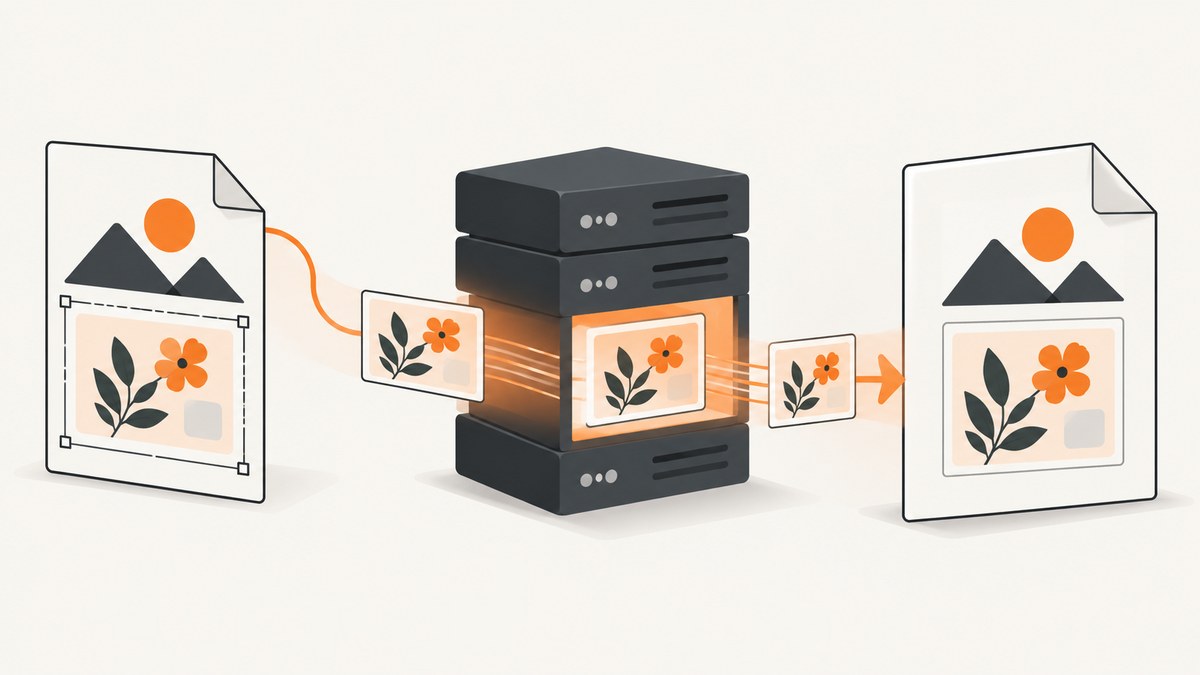
Direct answer: Rotativa delegates rendering to wkhtmltopdf for PDFs and wkhtmltoimage for images. Those older WebKit-based renderers can omit or misplace content inside SVG <foreignObject>, even when Chrome displays it correctly. Start with a minimal reproduction rendered by the exact binary used in production, then test removing requiredExtensions from foreignObject. Keep the attribute if it is required by your markup or the change does not help; the workaround comes from a single community report, not an official compatibility guarantee.
Rotativa is an ASP.NET MVC helper around external wkhtmltopdf tools. The Rotativa.AspNetCore README states that “Rotativa uses wkhtmltopdf/wkhtmltoimage behind the scenes.” Therefore, browser output is only a reference: the PDF or image produced by your deployed executable is the result that matters.
1. Build a minimal foreignObject test
Reduce the problem to one SVG, one foreignObject, and one line of XHTML. Preserve your original attribute first so you have a baseline.

<!doctype html>
<html>
<head>
  <meta charset="utf-8">
  <style>
    body { margin: 0; font-family: Arial, sans-serif; }
    .canvas { width: 800px; height: 400px; }
    .label { color: #111; font-size: 28px; font-weight: 700; }
  </style>
</head>
<body>
  <svg class="canvas" xmlns="http://www.w3.org/2000/svg"
       xmlns:xhtml="http://www.w3.org/1999/xhtml"
       viewBox="0 0 800 400">
    <rect width="800" height="400" fill="#e8eef7"/>
    <foreignObject x="40" y="40" width="720" height="120"
                     requiredExtensions="http://www.w3.org/1999/xhtml">
      <xhtml:div class="label">Text inside foreignObject</xhtml:div>
    </foreignObject>
  </svg>
</body>
</html>
Save this as foreign-object.html. Render it with the same operating system, executable path, and version configured for Rotativa. Record the command output and the generated artifact.
wkhtmltopdf --version
wkhtmltopdf foreign-object.html foreign-object.pdf
wkhtmltoimage --version
wkhtmltoimage foreign-object.html foreign-object.png
If the minimal file fails, the issue is in renderer support or deployment rather than your application view. If it succeeds, add your real SVG elements back one at a time.
2. Configure Rotativa with the correct renderer
Rotativa must be able to execute its wkhtmltopdf binary. The ASP.NET Core project documents placing wkhtmltopdf.exe where the web application process can access it, commonly in a Rotativa folder. Verify the package and runtime versions in your application against the current project documentation; the README lists .NET Core 3.1 and .NET 5, 6, 7, and 8 compatibility, but your deployed package may differ.
// Program.cs (ASP.NET Core example)
using Rotativa.AspNetCore;

var builder = WebApplication.CreateBuilder(args);
builder.Services.AddControllersWithViews();

var app = builder.Build();
app.UseStaticFiles();
app.MapDefaultControllerRoute();

// The folder must contain the wkhtmltopdf executable used by this deployment.
RotativaConfiguration.Setup(app.Environment.WebRootPath, "Rotativa");

app.Run();
Keep the executable path explicit in deployment documentation. A developer machine may use one binary while a Windows service, Linux container, or IIS worker uses another. Capture the version during deployment so a later renderer upgrade can be correlated with output changes.
3. Test the requiredExtensions workaround
A January 2015 Stack Overflow report describes SVG content appearing in a Rotativa PDF while the content inside foreignObject was missing. The accepted answer suggests removing requiredExtensions. Apply that change to the minimal file and render again:
<foreignObject x="40" y="40" width="720" height="120">
  <xhtml:div class="label">Text inside foreignObject</xhtml:div>
</foreignObject>
Compare the two PDF or image files, not only a browser preview. If removing the attribute fixes the output, make the change in the smallest possible scope and add a regression fixture containing the exact SVG that matters to your application. If it does not fix the output, restore the original markup and continue with the isolation steps below.
4. Use XHTML markup inside foreignObject
When embedding HTML content, declare the XHTML namespace and use an XHTML-prefixed element. The wkhtmltopdf issue example includes xmlns="http://www.w3.org/1999/xhtml" on the embedded div; treat this as markup guidance to test, not a proven universal fix.
<svg xmlns="http://www.w3.org/2000/svg"
     xmlns:xhtml="http://www.w3.org/1999/xhtml"
     viewBox="0 0 600 300">
  <foreignObject x="20" y="20" width="560" height="200">
    <xhtml:div xmlns="http://www.w3.org/1999/xhtml"
               style="font: 20px Arial; color: #222;">
      XHTML content for the renderer to process.
    </xhtml:div>
  </foreignObject>
</svg>
5. Add elements back in a controlled order
One wkhtmltopdf report describes labels in foreignObject stacking or changing position when the order of SVG elements changes. The issue is marked “NeedInfo” and has no confirmed general resolution. Treat element order as a diagnostic variable:
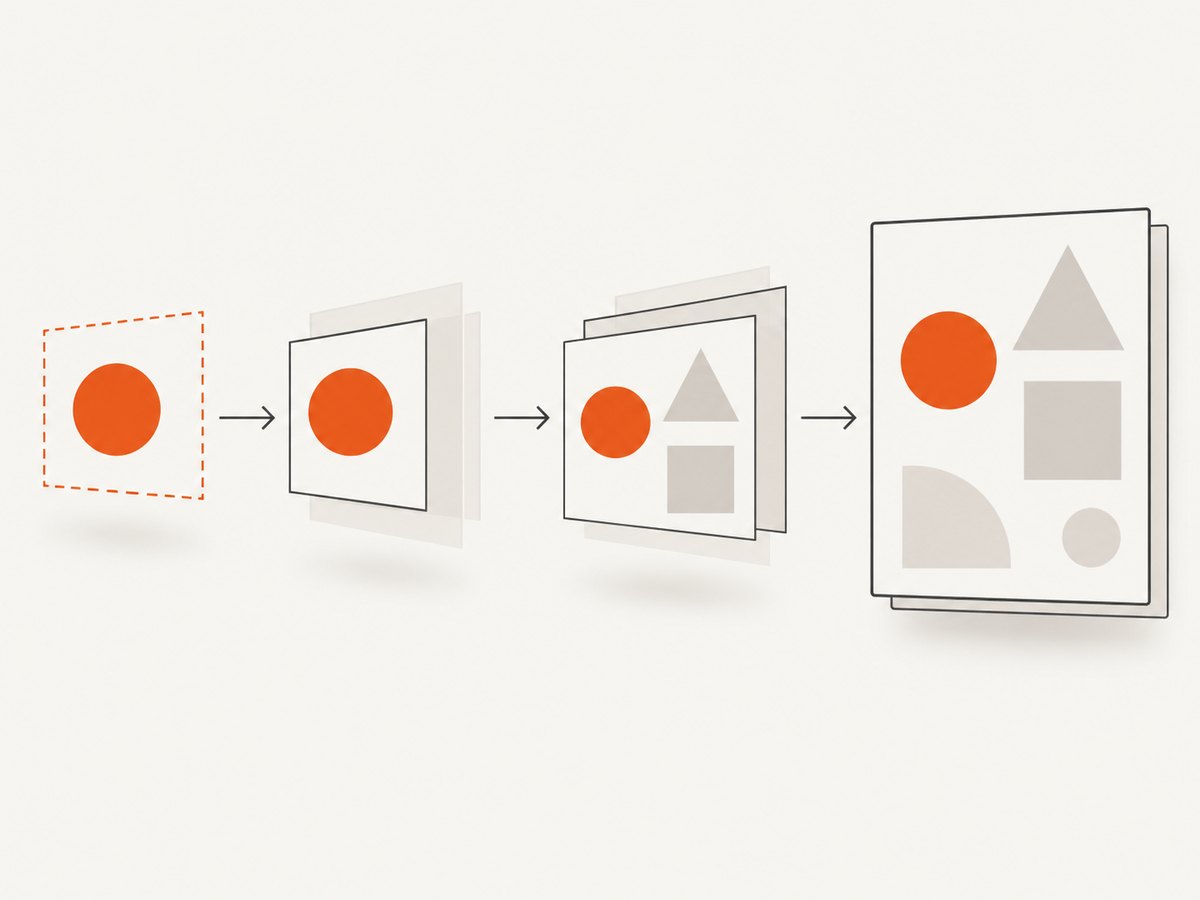
- Render one
foreignObjectwith one child. - Add the neighboring
rect,path, and text nodes one at a time. - Swap the order of adjacent SVG elements and render each version.
- Record the smallest change that causes disappearance or movement.
Do not assume that a particular order is a permanent fix. Keep the reduced sample and the renderer version with your bug report or regression test.
6. Check dimensions, clipping, and CSS
A separate wkhtmltopdf report from Windows 10 with version 0.12.6 describes missing text in SVG foreignObject output even though Chrome displayed it. The reporter observed that changing SVG height changed the result. This is environment-specific evidence, not a universal height rule.
- Give the root SVG an explicit
width,height, andviewBox. - Give each
foreignObjectan explicitx,y,width, andheight. - Temporarily remove
overflow:hidden, transforms, filters, and percentage dimensions. - Use simple fonts and inline styles while isolating the failure.
- Check that the XHTML content is not outside the viewport or clipped by a parent.
- Compare a PDF and a PNG render if your application uses both output paths.
7. Render from a Rotativa controller action
Once the minimal sample works, put the same markup in a view and return a Rotativa result. The exact result class and constructor vary by Rotativa package version, so follow the package API used by your project.
using Microsoft.AspNetCore.Mvc;
using Rotativa.AspNetCore;

public class ReportsController : Controller
{
    public IActionResult SvgReport()
    {
        return new ViewAsPdf("SvgReport")
        {
            FileName = "svg-report.pdf",
            PageSize = Rotativa.AspNetCore.Options.Size.A4,
            PageOrientation = Rotativa.AspNetCore.Options.Orientation.Portrait
        };
    }
}
Keep the SVG fixture in the view or generated HTML identical during diagnosis. Dynamic data, external stylesheets, fonts, JavaScript timing, and authentication redirects can introduce a second failure that hides the renderer issue.
8. Troubleshooting checklist
| Symptom | Likely cause | What to try |
|---|---|---|
foreignObject is completely blank |
Renderer limitation or requiredExtensions handling |
Render the minimal sample with the deployed binary; test removing requiredExtensions. |
| Chrome works, Rotativa does not | Different rendering engines and versions | Inspect the PDF/image artifact made by wkhtmltopdf; record --version and OS details. |
| Text moves when SVG nodes are reordered | Reported element-order sensitivity in wkhtmltopdf | Reduce to one foreignObject, then add neighboring nodes one at a time. |
| Text appears after changing SVG height | Viewport, clipping, or renderer-specific layout behavior | Set explicit root and child dimensions; test several heights and retain the smallest reproducible case. |
| PDF has no SVG at all | Missing or inaccessible executable, wrong working directory, or process permissions | Verify the Rotativa folder, executable permissions, service account access, and the binary version. |
| Images or fonts are missing | Relative URLs, blocked local files, or unavailable network resources | Use absolute URLs or inline assets and confirm the renderer process can reach them. |
| Output differs between PDF and image | wkhtmltopdf and wkhtmltoimage paths can behave differently |
Test both binaries separately and choose the path your product actually needs. |
| Only production fails | Different binary, OS, fonts, permissions, or HTML data | Log renderer version and environment; reproduce with the production executable in a staging container or host. |
9. Reliability, performance, and maintenance
Reliability
Pin the wkhtmltopdf/wkhtmltoimage version used by the application and keep a fixture containing your most complex foreignObject. Re-render that fixture after package, OS, font, or executable changes. Browser success is not a compatibility guarantee for Rotativa.
Performance
Minimize the HTML while diagnosing. External stylesheets, web fonts, large images, and JavaScript add loading and layout work. Once correctness is established, measure the complete controller request under realistic concurrency; the supplied evidence does not establish a universal render-time benchmark.
Cost and operations
Rotativa runs a renderer process on infrastructure you operate, so account for executable packaging, OS support, process permissions, temporary files, memory, and upgrade testing. The cited sources do not provide a cost comparison or prove that another renderer resolves foreignObject; compare alternatives using your real SVGs, required fidelity, deployment model, and maintenance needs.
10. When to evaluate another renderer
If the reduced sample still fails with the exact production binary, test another rendering route against the same SVG and acceptance criteria: text fidelity, fonts, clipping, layout, operating-system support, deployment model, and maintenance status. The available reports document symptoms in Rotativa/wkhtmltopdf; they do not establish a universally superior replacement.
Or skip the browser setup
If you need a hosted screenshot or PDF endpoint instead of maintaining a browser-rendering executable, ScreenshotNeo provides one GET request for a URL and supports PNG, JPEG, WebP, and PDF output. It is not a claim that ScreenshotNeo reproduces every SVG renderer quirk; validate your own SVG and PDF acceptance criteria.
For a normal page capture, call the API as documented at ScreenshotNeo docs:
curl -G "https://api.screenshotneo.com/v1/shot" -d access_key=YOUR_API_KEY --data-urlencode url=https://stripe.com -o shot.webpimport requests
r = requests.get("https://api.screenshotneo.com/v1/shot", params={"access_key": "YOUR_API_KEY", "url": "https://stripe.com"}, timeout=90)
open("shot.webp", "wb").write(r.content)const q = new URLSearchParams({ access_key: 'YOUR_API_KEY', url: 'https://stripe.com' });
const res = await fetch(`https://api.screenshotneo.com/v1/shot?${q}`);- Cookie banners, newsletter popups, and chat widgets are removed before the shot.
- Bot checks, blank pages, failed loads, timeouts, and cache hits are not billed; response headers identify the page verdict and billing result.
- An MCP server lets Claude, Cursor, and other MCP clients use
take_screenshot,get_page_info, andcapture_pdf. - Free usage includes 1,000 screenshots per month with no card; paid plans start at $5 for 3,000 shots.
Create a free ScreenshotNeo account to try 1,000 screenshots a month without a card.
FAQ
Does Rotativa support SVG foreignObject?
Rotativa passes rendering to wkhtmltopdf or wkhtmltoimage, and reports show missing or inconsistent foreignObject output. Support depends on the exact renderer, markup, and environment.
Should I always remove requiredExtensions?
No. Test it as a targeted workaround. The recommendation comes from one Stack Overflow answer and is not an official compatibility guarantee.
Why does my browser preview differ from the PDF?
The browser and Rotativa use different rendering engines. Validate the generated PDF or image with the deployed wkhtmltopdf executable.
Is changing SVG height a reliable fix?
No. One wkhtmltopdf issue report observed a height-related change in output, but it does not establish a general height rule.
Where can I verify Rotativa’s binary setup?
Use the Rotativa.AspNetCore repository and confirm the package version, executable location, operating system, and process permissions in your deployment.


